
HubSpot Diamond Solutions Partner
HubSpot & Egnyte Integration
Access critical project files directly from deal records without compromising security. Automate folder creation for new clients, ensure sales teams use only the latest compliant assets, and maintain a seamless audit trail between your content cloud and revenue operations.

Get Your Free HubSpot Consultation + Claim The 2025 CRM Growth Playbook Instantly for FREE
Discover how top companies use their CRM to power marketing, sales & growth. No spam. No sales pitch. Just expert insights from certified HubSpot professionals.
(Offer valid for Limited Time Only)
Master Your Content Governance
Your files live in Egnyte for a reason—security. This integration extends that governance into your sales process, ensuring that the fast pace of deal-making doesn't compromise your file structure or compliance standards.
Automated Folder Provisioning: Automatically generate standardized project folder hierarchies in Egnyte the moment a HubSpot Deal moves to "Closed-Won," ensuring consistency from day one.
Secure External Sharing: Generate unique, password-protected file links for HubSpot contacts directly from the Egnyte interface, replacing risky email attachments.
Version Control Confidence: Ensure sales reps are always sending the "vFinal" contract, not the "v2_edit" draft, by syncing the latest versions directly to the CRM interface.

Your files live in Egnyte for a reason—security. This integration extends that governance into your sales process, ensuring that the fast pace of deal-making doesn't compromise your file structure or compliance standards.


Integrate IQ has consistently shown they can be trusted with even the most complex projects. I know our customers are in great hands and that the job will always get done right.
Enrich Your CRM with Secure Assets
The integration unlocks the full potential of HubSpot by embedding your secure file system directly into the contact timeline, eliminating the "email attachment shuffle" and keeping your data centralized.
In-Context Access: View, upload, and manage Egnyte files directly within a custom CRM card on the HubSpot Company or Deal record, keeping reps focused on the client.
Activity Logging: Log file access and download history to the HubSpot timeline, giving account managers visibility into when a client has actually reviewed a proposal.
Workflow Triggers: Trigger a HubSpot notification or task for a project manager the moment a client uploads a required document to a shared Egnyte folder.
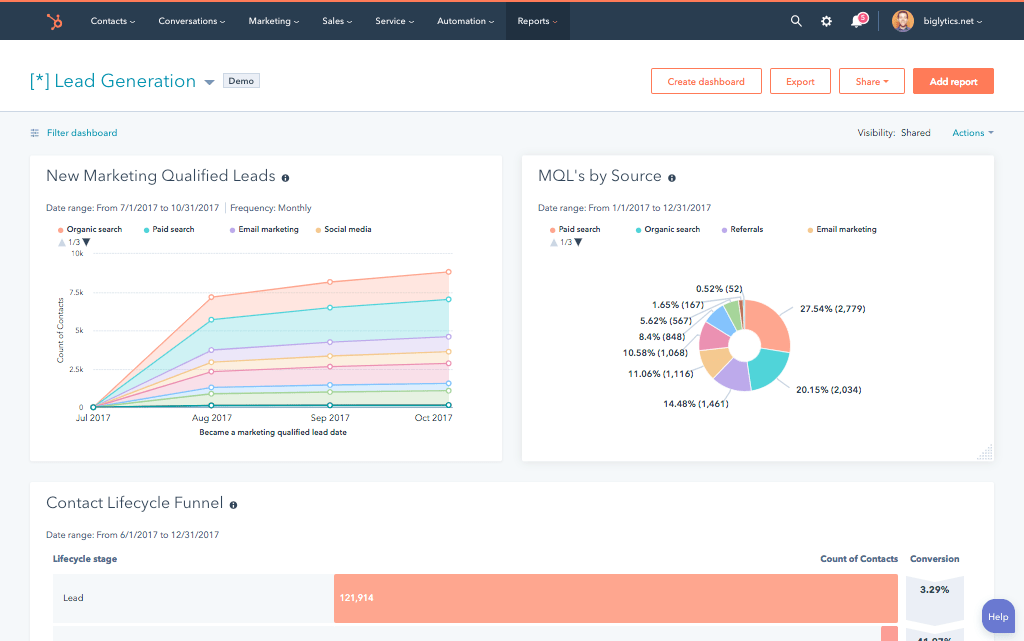
The integration unlocks the full potential of HubSpot by embedding your secure file system directly into the contact timeline, eliminating the "email attachment shuffle" and keeping your data centralized.
Enterprise-Grade Data Synchronization
Our custom integrations are engineered for flexibility and scale, handling any business logic and data transformation you require.
Built for Your Business Process
Generic plugins often just "iframe" a window into your storage. We build a deep API connection that respects your permissions hierarchy and compliance rules, ensuring data flows securely without creating "shadow IT" pockets.
- Bi-Directional & Uni-Directional Sync: Push deal metadata to Egnyte to tag files, or pull file statuses back to HubSpot for reporting.
- Real-time & Scheduled Syncs: Trigger instant folder creation upon deal signature, while utilizing efficient webhooks to update file lists without lag.
- Custom Sync Logic & Triggers: Define strict rules, such as only exposing specific "Public" folders to the sales team while keeping "Legal" folders restricted.
- High-Volume Data Handling: Robustly manage large engineering schematics or media files by keeping the heavy data in Egnyte and only syncing the lightweight links to HubSpot.
Comprehensive Object Mapping
Popular data flows between HubSpot and Egnyte.
HubSpot
Egnyte
- Companies
- Deals
- Contacts
- Attachments (Custom Card)
- Timeline Events
- Custom Properties
- Client Root Folders
- Project / Case Folders
- Folder Permissions / Users
- Files / Documents
- File Views / Downloads
- File Metadata / Tags
- Companies Client Root Folders
- Deals Project / Case Folders
- Contacts Folder Permissions / Users
- Attachments (Custom Card) Files / Documents
- Timeline Events File Views / Downloads
- Custom Properties File Metadata / Tags
Transparent, Project-Based Pricing
No surprises. Clear scope, clear acceptance tests. We believe in straightforward pricing so you know exactly what to expect before we begin.
A failed integration is more than a technical problem: it's a drain on time, budget, and morale. We are the specialists that leading companies like MetLife trust to handle their most mission-critical data flows. We don't rely on fragile connectors or simplistic platforms because we know they can't handle enterprise scale. Our approach is built on robust, custom development and a deep understanding of both HubSpot and the systems you need to connect it to. Partnering with us isn't just another attempt; it's an investment in certainty.
Why Integrate IQ?
Our four pillars for delivering successful outcomes on complex projects.
Mastery of Complexity
We thrive on custom API integrations, multi-system migrations, and “messy data” that makes others pause. Full support for standard and custom objects across your stack is table stakes for us.
Pragmatic Innovation
Real problems, shipped solutions. Our proprietary Smart Ramp apps were developed to fill gaps in HubSpot capabilities and solve real-world customer problems. The same practical mindset powers our HubSpot AI Accelerator: We focus on data readiness and shipped outcomes, not shiny features.
De-Risking the Process
Complex projects demand clarity. Our Smart Process runs on an 8-12 week cadence with stage gates, transparent deliverables, and clear pricing. That’s how we maintain a 98.5% customer retention rate.
The Expert You Call
We’re a developer-led team of integration engineers, solution architects, and technical PMs. Clients describe us simply: 'the folks you call when something seems impossible.'


Check Out Our Case Studies





















Trusted by High-Growth Companies
See why leaders at scaling companies partner with Integrate IQ's experts.
HubSpot Is the Platform. We Make It Perform
Why Businesses Trust Integrate IQ for a Smarter HubSpot Experience

Frequently Asked Questions
Yes. The integration can be configured to respect existing Egnyte user permissions, ensuring that a HubSpot user cannot see a file in the CRM that they wouldn't be allowed to access in Egnyte directly.
Absolutely. We use HubSpot properties (e.g., "Client Name - Job ID") to name the Egnyte folders automatically, ensuring your file server remains perfectly organized without manual effort.
No. To maintain security and storage efficiency, the files remain in Egnyte. We sync the links and metadata to HubSpot, creating a seamless bridge without duplicating data storage.
Yes. We can generate a "File Request" link from Egnyte and send it via HubSpot automation. When the client uploads the file, the HubSpot deal owner is notified immediately.
Ready to Secure Your Sales Cycle?
Don't let your critical documents get lost in email threads or local drives. Let's build a bridge between Egnyte and HubSpot that combines military-grade security with sales-grade speed. We'll design a sync strategy that keeps you compliant and competitive.
Schedule Your Integration Discovery Call