













When you compare HubSpot and EngageBay, you’re really asking one thing: is the difference in power worth the difference in price? You can use both platforms to manage your customers, automate your marketing, build sales pipelines, and help customers. But the similarities start to fade pretty quickly when you look at the prices, how the two platforms work together, and how they look when your team grows to 20 people.
At Integrate IQ, we’ve moved clients from EngageBay to HubSpot and added both platforms to client tech stacks with more than 300 connected tools. Before we get into the details, here’s our honest opinion: HubSpot is the best choice for most growing businesses that need a deep integration ecosystem and plan to grow beyond 10,000 contacts or 15 employees. EngageBay is the best choice for teams of fewer than 10 people who need a full CRM, email marketing, and support package at a price that HubSpot can’t match.
This comparison looks at the cost (with real-world math), marketing automation, sales features, integrations, reporting, ease of use, and what it really means to move from EngageBay to HubSpot at the data level. No vendor ads or padded feature lists. This is the comparison you need to make the right choice.

Free estimator
Know what your HubSpot project costs before the first call.
Select your services and get a transparent price range in minutes. No sales call needed to get a number.
Firm quote after a free discovery call. Build estimate
A Quick Look at HubSpot and EngageBay
HubSpot is a complete customer platform for growing businesses. It has separate Hubs for Marketing, Sales, Service, Operations, and Content that can be bought separately or as a CRM Suite. EngageBay is an all-in-one CRM made just for small businesses and startups. It includes CRM, marketing, sales, and support, all for a set price per user. The main difference is that HubSpot has more power and a much larger integration ecosystem, while EngageBay is cheaper and easier to set up for smaller teams.
| HubSpot | EngageBay | |
| Starting price | $0 free / $50/mo Starter | $0 free (15 users) / $12.74/user/mo Basic |
| Professional tier | $1,781/mo + $4,500 onboarding | $64.99/user/mo Growth (no onboarding fee) |
| Native integrations | 1,500+ | ~50 (Zapier fills the gap) |
| Free plan limit | Unlimited users, limited features | 15 users, 250 contacts |
| AI features | Breeze AI (Pro/Enterprise) | AI email generator, AI lead scoring (Growth+) |
| Best for | Scaling SMBs, mid-market, enterprise | Startups, SMBs under 10-15 employees |
| Mandatory onboarding fee | Yes, at Professional ($4,500) and Enterprise ($12,000) | No |
What Is HubSpot?
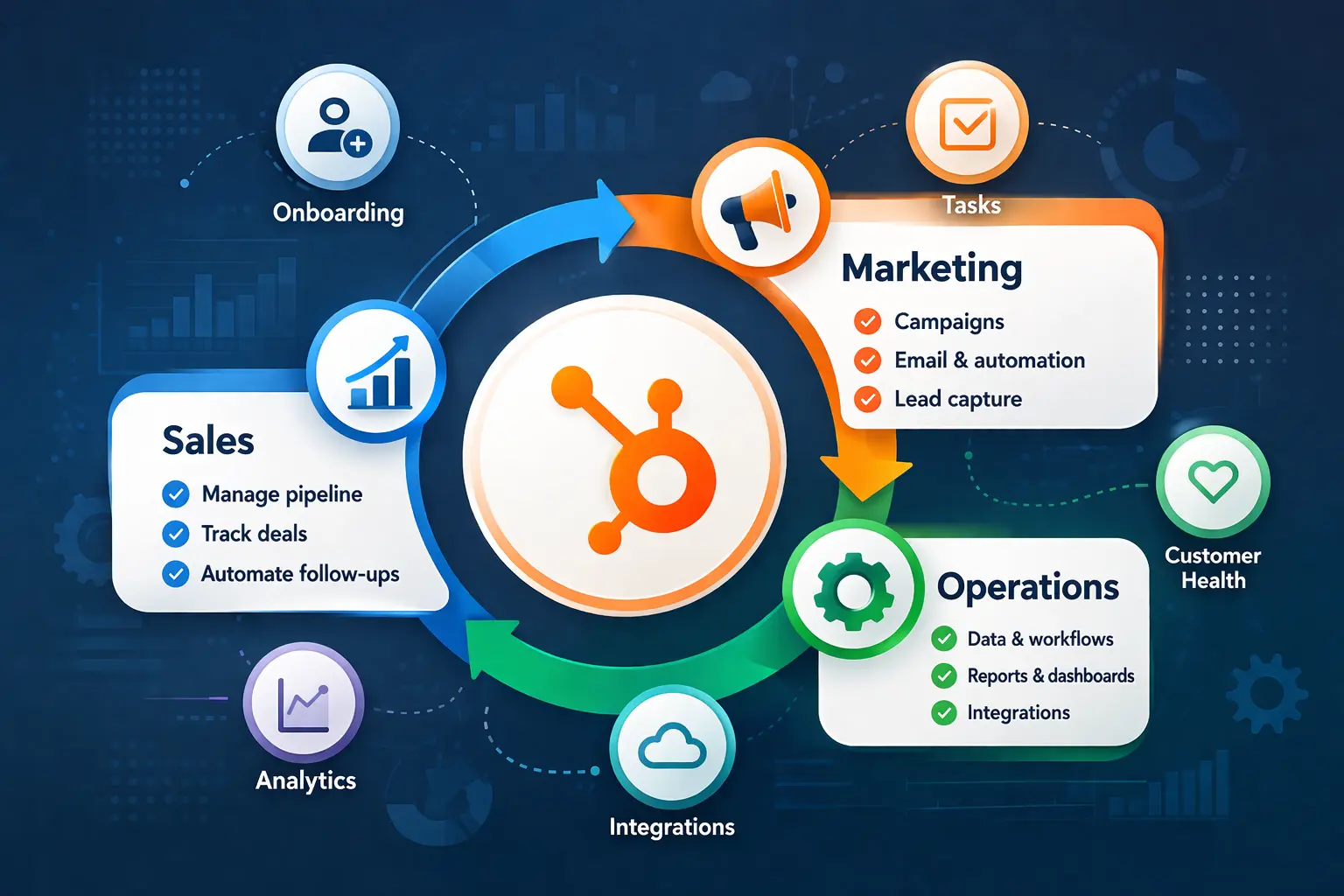
HubSpot began as an inbound marketing tool in 2006. Now, it is one of the most popular customer platforms in the world, with over 200,000 businesses using it in 135+ countries. Today, it is built around five main hubs: the Marketing Hub, the Sales Hub, the Service Hub, the Operations Hub, and the Content Hub. You can buy each one separately or as part of the HubSpot CRM Suite.
The platform goes from a free CRM that is really useful to enterprise-level automation, attribution reporting, and AI-assisted selling through its Breeze AI layer. It has a marketplace with more than 1,500 apps that most types of enterprise software can connect to natively. It also supports custom objects, role-based permissions, and multi-touch revenue attribution. The downside is that prices go up quickly at the Professional and Enterprise levels, and onboarding fees that are required at those levels add thousands to Year 1 costs before your team has even run a single campaign.

Turn HubSpot Into A Real-Time SMS Engine with Message IQ
 Two-Way Conversations
 Shared Team Inbox
 Automation Triggers
 Advanced Reporting
 Compliance Tools
- 98% SMS read within 3 min
- 78% Buy from first responder
- 21× More likely to qualify

*MessageIQ is an IntegrateIQ product – built natively for HubSpot by the same team.
What Is EngageBay?
EngageBay started in 2017 with a clear goal: to offer all-in-one CRM features like HubSpot’s at a price that small businesses and startups can afford. There are three “Bays” for its tools: Marketing Bay, Sales Bay, and Service Bay. There is also an All-in-One Suite that includes all three in one subscription.
The platform includes the main SMB CRM checklist items: managing contacts, deal pipelines, email marketing, marketing automation, landing pages, a helpdesk, live chat, and scheduling appointments. One of the most generous free tiers in the category, its free plan lets up to 15 people and 250 contacts use it. Where it doesn’t compete with HubSpot: the depth of its integrations (about 50 native connections vs. HubSpot’s 1,500+), the complexity of its reports, and its ability to handle complex, multi-branch automation logic on a large scale. EngageBay knows this and is honest about its strengths in small and medium-sized businesses instead of saying it is equal to large businesses
Comparing HubSpot and EngageBay prices
This is where the comparison gets real. Both platforms have free plans, but the gap widens fast as soon as you need automation, larger contact databases, or advanced features.
EngageBay Pricing (2026)
EngageBay charges per user with four All-in-One tiers:
- Free: $0, up to 15 users, 250 contacts, includes core CRM, email marketing, helpdesk, live chat
- Basic: $12.74/user/mo (billed annually), 500 contacts, 3,000 branded emails
- Growth: $64.99/user/mo, 5,000 contacts, full marketing automation, A/B testing
- Pro: $101.99/user/mo, unlimited contacts, advanced reporting, dedicated account manager, free onboarding
No mandatory annual commitment at Basic/Growth. No onboarding fee from the Growth tier up. Pricing predictable as contacts grow (no per-contact surcharges stacked on top of seat costs).
HubSpot Pricing (2026)
HubSpot’s CRM Suite pricing:
- Free: Core CRM tools, limited automation, unlimited users
- Starter: $50/mo, basic automation, 1,000 marketing contacts
- Professional: $1,781/mo + mandatory $4,500 onboarding fee, 2,000 marketing contacts included
- Enterprise: $5,000/mo + mandatory $12,000 onboarding fee
Contact-based add-ons kick in at Professional: $250/mo per additional 5,000 marketing contacts beyond the included 2,000. This scales painfully fast for contact-heavy businesses.
Real Scenario: 5-Person Team, 10,000 Contacts, Year 1
| EngageBay Growth | HubSpot CRM Suite Professional | |
| Monthly subscription | $64.99 x 5 = $324.95/mo | $1,781/mo |
| Annual subscription cost | ~$3,899 | ~$21,372 |
| Mandatory onboarding fee | $0 | $4,500 |
| Contact-tier add-on (10k contacts) | $0 (included in Growth) | $250/mo ($3,000/year) |
| Year 1 total | ~$3,899 | ~$28,872 |
Even with the 30-35% negotiated discount mid-market buyers typically get from HubSpot, Year 1 comes to roughly $18,000-$20,000, still five times the EngageBay cost. That math matters for bootstrapped teams. It stops mattering when HubSpot’s integration ecosystem and reporting capabilities are generating ROI the EngageBay stack can’t produce.
| Pricing winner: EngageBay. But for teams that need 10+ integrations and advanced automation, HubSpot’s higher cost comes with ROI that EngageBay’s stack can’t generate. |
Sales Features: HubSpot vs EngageBay
HubSpot’s Sales Hub is purpose-built for sales teams at scale. It includes visual pipeline management with multiple custom pipelines, deal stage automation, email sequences, meeting scheduling, and at the Professional tier: CPQ (configure-price-quote), forecasting tools, playbooks, and Breeze AI sales assistance for deal intelligence and next-step recommendations.
EngageBay covers the essentials: deal Kanban boards, task automation, appointment scheduling, basic email sequences, and contact scoring. For a small sales team running a straightforward pipeline, it handles the day-to-day without friction. What it doesn’t have: predictive forecasting, playbooks, CPQ, or advanced pipeline analytics. If your sales process needs those features, you’re not comparing two versions of the same tool anymore.
| Sales features winner: HubSpot. EngageBay works well for simple pipelines; HubSpot is the only option for teams that need forecasting, CPQ, or multi-pipeline management. |
Marketing Automation: HubSpot vs EngageBay
HubSpot’s marketing automation runs on workflow logic that supports conditional branching, enrollment triggers from multiple sources (form submissions, deal stage changes, list membership, CRM property updates), and complex multi-step nurture sequences with A/B testing at the step level. Its Marketing Hub Professional adds account-based marketing tools, campaign attribution reporting, and Breeze AI for content generation and send-time optimization.
EngageBay’s automation builder is visual and intuitive. For linear nurture tracks, welcome sequences, and basic lead scoring, it gets the job done. Where it breaks down: multi-branch conditional logic, especially when you need automation to behave differently based on multiple CRM property combinations. The Growth plan includes marketing automation, which is a genuine win at that price point. But if your team runs complex journeys with branching logic and A/B testing at scale, you’ll hit the ceiling.
One honest callout: for a small business sending 3-4 email campaigns per month with basic drip sequences, EngageBay’s automation is genuinely capable. The gap matters most once you’re running sophisticated lead nurturing across multiple segments simultaneously.
| Marketing automation winner: HubSpot. EngageBay handles basic automation well; HubSpot handles complex, multi-branch workflows that EngageBay can’t replicate cleanly. |
Integrations & Ecosystem: HubSpot vs EngageBay
This is the clearest technical gap in the comparison, and the one that matters most for teams with existing tech stacks. HubSpot’s App Marketplace has 1,500+ native integrations covering virtually every major tool category: ad platforms (Google Ads, LinkedIn Ads, Meta Ads), communication (Slack, Zoom, Twilio), sales engagement (Gong, Outreach, Salesloft), finance (Stripe, QuickBooks), ERP (NetSuite, SAP), and hundreds more. When a new tool enters the market, it typically builds a HubSpot integration first.
EngageBay has roughly 50 native integrations, with Zapier filling most of the gap. Zapier works, but it adds latency, adds cost, and requires ongoing maintenance when either platform changes its API. For a 5-person team using Gmail, Calendly, and Stripe, EngageBay’s native connectors cover the basics. For a 25-person team running HubSpot alongside Gong, Outreach, LinkedIn Ads, and Intercom, EngageBay’s integration ceiling creates real workflow problems.
As a team that’s built custom integrations connecting HubSpot to 300+ platforms and processed 20 billion+ records annually, we can say this clearly: the integration ecosystem gap is the single most consequential technical difference between these two platforms for any team with a multi-tool tech stack.
| Integrations winner: HubSpot decisively. 1,500+ native integrations vs ~50 isn’t a gap you close with Zapier once your stack has more than a handful of tools. |
Reporting & Analytics: HubSpot vs EngageBay
HubSpot’s reporting scales from basic dashboard views at Starter to fully custom report builder, multi-touch revenue attribution, and predictive analytics via Breeze AI at Professional and Enterprise tiers. Marketing and sales data sits in the same CRM, so you can actually build a report that traces a closed deal back to the original ad click without stitching together exports from multiple platforms.
EngageBay provides reporting dashboards that cover campaign performance (open rates, click rates, bounces), pipeline visibility (deal stage distribution, win/loss rates), and support activity. For a small team that wants to understand whether their email campaigns are working and how their pipeline is moving, it’s adequate. For a data-driven marketing team that needs multi-touch attribution or revenue reporting that connects marketing spend to closed revenue, it’s not built for that.
| Reporting winner: HubSpot. EngageBay’s dashboards cover basic visibility; HubSpot’s reporting is enterprise-grade. |
Ease of Use: HubSpot vs EngageBay
EngageBay wins on setup simplicity and time to value for small teams. The interface is clean, the onboarding is fast, and G2 reviewers consistently praise the straightforward configuration. A 5-person team can have pipelines running, email sequences active, and their helpdesk set up in a matter of days.
HubSpot’s UX is strong, but the configuration depth at Professional tier introduces real complexity. Multi-branch workflows, custom object setup, permission structures, and attribution configuration all require investment. HubSpot Academy helps, but there’s no getting around the fact that a HubSpot Professional implementation takes weeks, not days. That’s not a criticism of HubSpot’s UX design, it’s a reflection of what the platform is capable of and the configuration required to use it properly.
| Ease of use winner: EngageBay for small teams getting started. HubSpot for teams that need the configurability and are willing to invest in the setup. |
Customer Support: HubSpot vs EngageBay
EngageBay punches well above its price point for customer support. Capterra reviewers give it 4.8/5 for support quality, with consistent praise for response times and willingness to go above and beyond. Free onboarding is included from the Growth plan. For a small team that needs a responsive support partner, EngageBay genuinely delivers.
HubSpot’s support quality scales with your plan tier. Starter users get email and in-app chat support. Professional and Enterprise get phone support and priority response. HubSpot Academy is one of the best self-serve training resources in the CRM category. But at lower tiers, support access is more limited than EngageBay’s across-the-board responsiveness.
| Support winner: EngageBay at its price point. HubSpot wins on breadth and 24/7 coverage at Professional/Enterprise, but EngageBay’s team is more accessible for small teams. |
When HubSpot Is the Right Choice
HubSpot makes sense when the integration ecosystem and scaling headroom justify the cost:
- A 15-50 person B2B sales team running a multi-tool tech stack. If your team uses Gong, Outreach, LinkedIn Ads, Slack, and Stripe, you need native integrations, not Zapier workarounds. HubSpot connects all of these out of the box. EngageBay can’t.
- A company expecting to scale past 10,000 contacts and 15 employees in the next 12 months. Migrating CRMs twice is expensive and disruptive. If you’re on a growth trajectory that will outgrow EngageBay in a year, starting on HubSpot avoids a painful mid-growth switch.
- A marketing team that needs multi-touch attribution and revenue reporting. If you need to prove which campaigns are generating closed revenue, HubSpot’s attribution reporting is built for that. EngageBay’s dashboards aren’t.
When EngageBay Is the Right Choice
EngageBay makes sense when budget is a hard constraint and team size keeps the integration ceiling manageable:
- A bootstrapped startup or small business team of under 10 people that needs CRM, email marketing, helpdesk, and live chat in one platform for under $500/month. EngageBay genuinely delivers this. HubSpot can’t touch it at this price point.
- A team consolidating from 3-4 disconnected tools (separate email tool, spreadsheet CRM, standalone helpdesk) who wants everything in one place without enterprise-level commitment. EngageBay’s all-in-one bundle is a real consolidation win for this profile.
- Any organization where HubSpot’s $4,500 mandatory Professional onboarding fee would consume multiple months of their CRM budget. If the onboarding fee alone is a budget problem, that’s a clear signal about which platform is right for your current stage.
What Migrating from EngageBay to HubSpot Looks Like
Most comparison pages skip this section entirely. We’re not going to. If you’ve decided HubSpot is the right platform and you’re currently on EngageBay, here’s what the migration actually involves.
What Data Moves
The core data objects that transfer: contacts, companies, deals, activities, notes, tags, and custom field data. Email history and campaign logs don’t always map cleanly, so plan for that gap in your historical records.
What Needs Rebuilding
- Custom field mapping: EngageBay’s property structure doesn’t map directly to HubSpot’s. Every custom field needs to be created in HubSpot first and mapped explicitly during import. Fields with non-standard data types (multi-select, calculated fields) need manual attention.
- Workflow automation logic: Your EngageBay automation sequences don’t port to HubSpot. Every workflow needs to be rebuilt in HubSpot’s workflow builder. This is actually an opportunity to clean up logic that accumulated over time, but plan for the rebuild time.
- Zapier dependencies: If you’re using Zapier to connect EngageBay to other tools, those Zaps get replaced with HubSpot’s native integrations. Re-mapping these takes less ongoing maintenance but requires setup time upfront.
- Form embeds and landing pages: Any EngageBay forms embedded on your website need to be replaced with HubSpot forms. Landing pages built in EngageBay don’t transfer, they need to be rebuilt in HubSpot’s page builder.
- Support tickets: If you’re using EngageBay’s Service Bay, ticket history doesn’t migrate to HubSpot Service Hub automatically. Decide whether historical ticket data is worth the export/import work or whether you archive it externally.
Timeline and What to Expect
A clean EngageBay to HubSpot migration with a well-scoped data set typically runs 6-8 weeks from kickoff to go-live. The EngageBay-specific challenge: API documentation is thinner than HubSpot’s, which makes custom field exports less predictable than migrations from platforms like Salesforce or Zoho. Build in buffer time for data validation.
As a HubSpot Diamond Solutions Partner with custom integration accreditation and 55 million fields synced daily, IntegrateIQ handles the field mapping, the workflow rebuild, and the integration re-plumbing. Your team doesn’t touch the migration infrastructure, they just sign off on the data validation and get trained on the new platform before go-live.
See your 12-month revenue impact with HubSpot CRM
Enter your current numbers — visitors, leads, deal size — and get a personalized projection based on real HubSpot customer benchmarks.
Calculate My ROI
HubSpot vs EngageBay: The Final Verdict
HubSpot wins this comparison for most buyers, but ‘most buyers’ needs a qualifier. If your team is under 10 people, your contact database is below 5,000, and your tech stack consists of Gmail, Calendly, and maybe Stripe, EngageBay gives you everything you need at a price that makes sense. The 4.8/5 support rating and all-in-one pricing structure are genuinely competitive advantages at the SMB level.
HubSpot’s case gets decisive once you’re scaling: more integrations, more complex automation, deeper reporting, and a platform that won’t require a migration when you hit 20 employees or 15,000 contacts. The 1,500+ native integration ecosystem alone is a structural advantage that Zapier can’t fully replicate.
If you’re on the fence, ask yourself three questions:
- Will you need 10+ tool integrations in the next 12 months? If yes: HubSpot.
- Is your contact database heading past 10,000 contacts within a year? If yes: HubSpot.
- Does your team need multi-touch attribution or advanced forecasting? If yes: HubSpot.
If the honest answer to all three is no, EngageBay is the smarter spend. If yes to two or more, the cost of migrating CRMs mid-growth will exceed the cost of starting on HubSpot now.



Table of Contents
- A Quick Look at HubSpot and EngageBay
- What Is HubSpot?
- What Is EngageBay?
- Comparing HubSpot and EngageBay prices
- Sales Features: HubSpot vs EngageBay
- Marketing Automation: HubSpot vs EngageBay
- Integrations & Ecosystem: HubSpot vs EngageBay
- Reporting & Analytics: HubSpot vs EngageBay
- Ease of Use: HubSpot vs EngageBay
- Customer Support: HubSpot vs EngageBay
- When HubSpot Is the Right Choice
- When EngageBay Is the Right Choice
- What Migrating from EngageBay to HubSpot Looks Like
- HubSpot vs EngageBay: The Final Verdict


