













If your team has shortlisted HubSpot and Dynamics 365 CRM, you have already done the hard part. Both are real platforms that thousands of companies run on every day. The HubSpot vs Dynamics 365 CRM decision usually comes down to one question: do you want a CRM your team can use next month, or a platform your IT group can shape into almost anything over the next two quarters?
Here’s the short answer. For most mid-market B2B companies, HubSpot is the better pick. It gets a sales and marketing team productive in weeks, the pricing is easier to predict, and the platform doesn’t need a full-time administrator to stay healthy. Dynamics 365 CRM wins in one clear scenario: when your company already runs deep on Microsoft, has complex sales territory or compensation logic, and has budget for a 3-to-6-month implementation with dedicated technical staff.
We’re Integrate IQ, a HubSpot Diamond Solutions Partner. We’ve migrated clients off Dynamics 365 onto HubSpot and helped Microsoft-heavy teams decide whether the switch made sense at all. So this comparison comes from real implementation work, not a feature sheet. Below we walk through pricing, sales, marketing, service, reporting, customization, integrations, and AI then cover what a migration between the two actually looks like.
Free estimator
Know what your HubSpot project costs before the first call.
Select your services and get a transparent price range in minutes. No sales call needed to get a number.
Fixed, Outcome-Based quote after a free discovery call. Build estimate
HubSpot vs Dynamics 365 CRM at a Glance
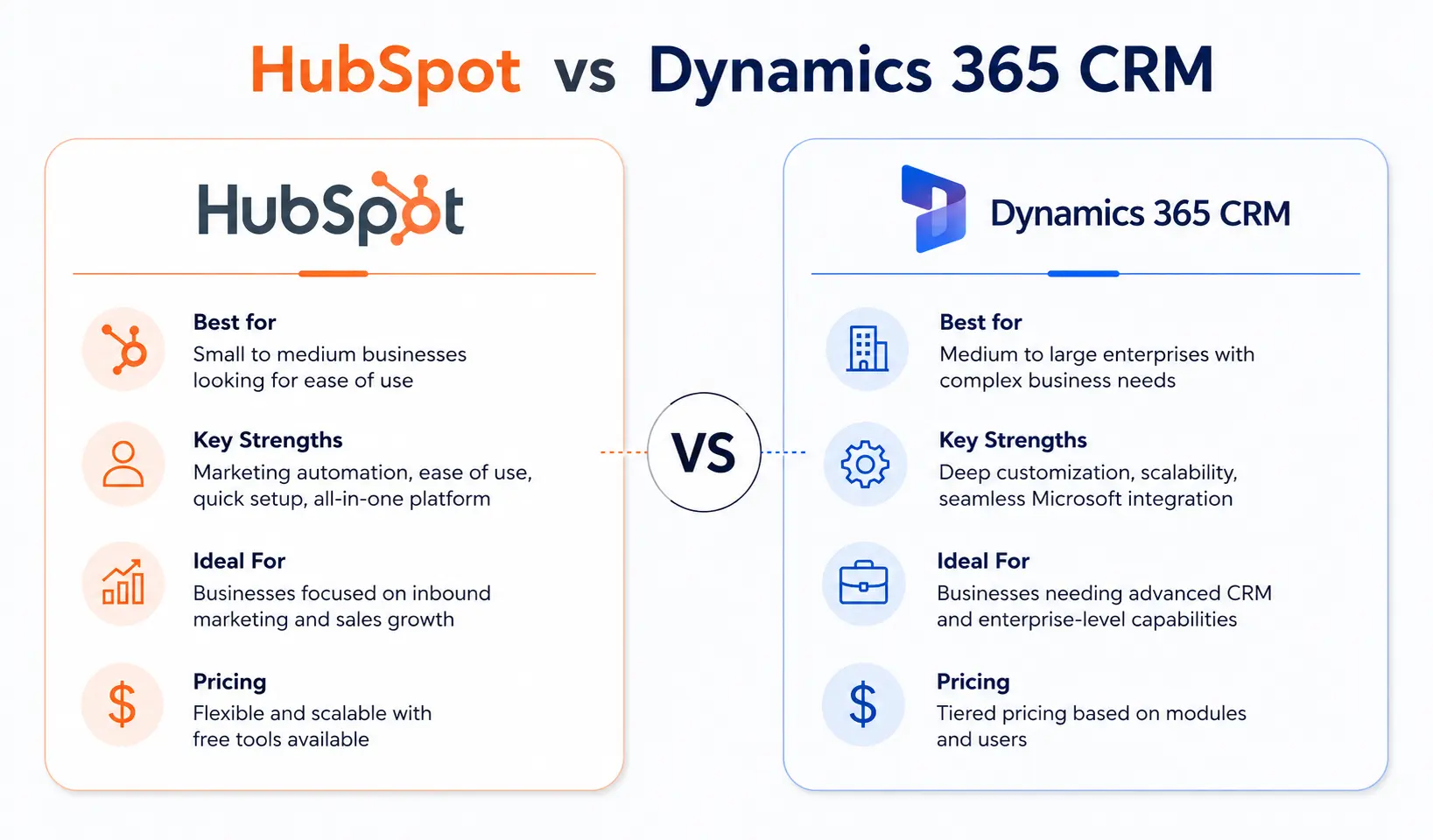
HubSpot is a unified customer platform built around ease of use and marketing-led growth. Dynamics 365 CRM is a modular set of Microsoft business applications built for customization and deep ties to the Microsoft ecosystem. The core difference is philosophy. HubSpot gives you a working CRM fast and asks you to adapt slightly to its structure. Dynamics gives you a flexible foundation and asks you to invest time shaping it to your processes.
| HubSpot | Dynamics 365 CRM | |
|---|---|---|
| Best for | Mid-market B2B, marketing-led teams | Microsoft-standardized mid-market and enterprise |
| Starting price | Free CRM; Sales Hub Starter $15/seat/mo | Sales Professional $65/user/mo |
| Free tier | Yes, genuinely usable | No, all plans paid |
| Core strength | Speed to value and unified marketing | Customization depth and Microsoft integration |
| Core limitation | Higher tiers and add-ons get expensive | Long, consultant-heavy implementation |
What HubSpot Is and Who It Fits
HubSpot started as a marketing automation tool and grew into a full customer platform. Today it runs on a single CRM database with six Hubs layered on top: Sales Hub, Marketing Hub, Service Hub, Operations Hub, Content Hub, and Commerce Hub. You can buy one Hub or several, and every Hub reads and writes to the same contact, company, and deal records. That shared database is the reason HubSpot feels coherent. A marketer and a sales rep look at the same record and see the same history.
HubSpot fits small and mid-market B2B companies that want a CRM working quickly without a heavy IT project. It suits marketing-driven teams, sales teams that value clean pipeline views and easy follow-up, and founders who don’t want to hire a dedicated CRM administrator. The platform handles lead capture, email sequences, lifecycle stages, deal pipelines, ticketing, and reporting with minimal setup.
HubSpot isn’t free of trade-offs. The honest weakness is cost at scale. The free tier and Starter plans are cheap, but the jump to Professional is steep. Sales Hub Professional runs $100 per seat per month, custom objects only unlock on the Enterprise tier, and useful pieces like quoting come as paid add-ons. Marketing Hub pricing also climbs with your marketing contact count. A team that starts small can grow into a meaningful monthly bill, so the right tier choice matters early.

Turn HubSpot Into A Real-Time SMS Engine with Message IQ
 Two-Way Conversations
 Shared Team Inbox
 Automation Triggers
 Advanced Reporting
 Compliance Tools
- 98% SMS read within 3 min
- 78% Buy from first responder
- 21× More likely to qualify

*MessageIQ is an IntegrateIQ product – built natively for HubSpot by the same team.
What Dynamics 365 CRM Is and Who It Fits
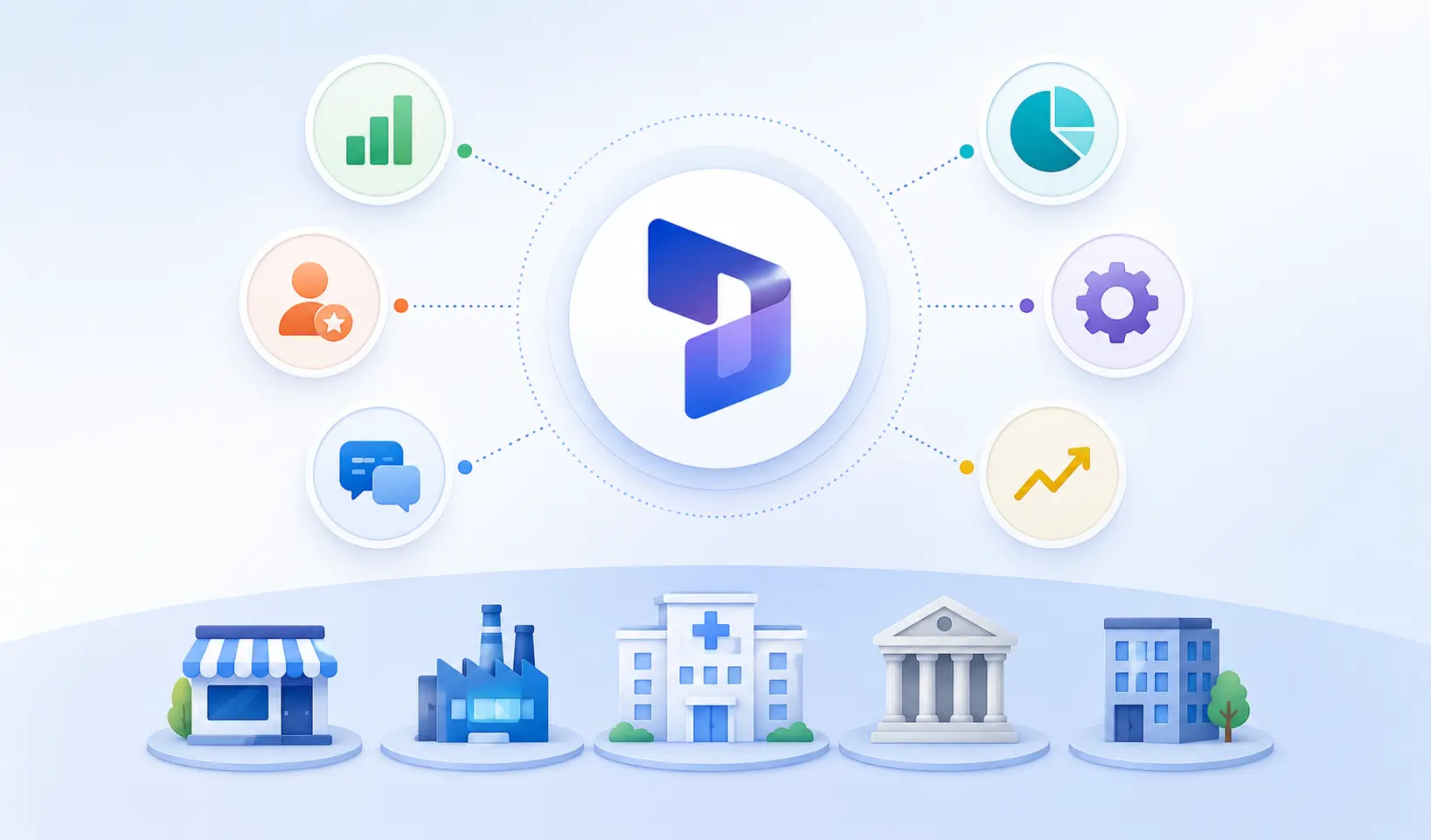
Dynamics 365 CRM is Microsoft’s set of customer-facing business applications. Instead of Hubs, it uses modules: Sales, Customer Service, Field Service, and Customer Insights for marketing. All of these sit on Dataverse, Microsoft’s shared data layer, and connect to the wider Microsoft world: Outlook, Teams, SharePoint, Excel, Power BI, and Azure. If your company already lives inside Microsoft 365, Dynamics extends that environment rather than sitting beside it.
Dynamics 365 CRM fits mid-sized and enterprise organizations with complex processes and a Microsoft-first IT strategy. It’s strong for sales teams that need detailed territory management, hierarchical structures, and intricate compensation models. It also appeals to companies that want CRM and ERP under one roof, since Dynamics 365 connects natively to Dynamics 365 Finance and Business Central.
Its real strength is the customization ceiling. Through the Power Platform, with Power Automate and Power Apps, teams can build automation and custom applications that reach almost anywhere. That power comes with a real cost. Dynamics implementations typically take 3 to 6 months and lean heavily on certified consultants. Customizations run deeper and take longer, and most organizations need a dedicated administrator or a retained partner to keep the system running well. The flexibility is genuine, and so is the overhead.
Pricing: HubSpot Is Predictable, Dynamics 365 Is Cheaper Per Seat at Scale
Pricing is where the HubSpot vs Dynamics 365 CRM comparison gets misread most often. People quote starting prices and stop. The starting number rarely reflects what you’ll actually pay, so look at the full picture for both.
HubSpot pricing
HubSpot offers a genuinely free CRM with contact management, deal tracking, and basic email. Paid Sales Hub tiers move from Starter at $15 per seat per month, to Professional at $100 per seat per month, to Enterprise at $150 per seat per month. Professional carries a one-time onboarding fee of $1,500, and Enterprise carries $3,500. A few cost drivers catch buyers off guard:
- Sequences, advanced automation, and custom reporting sit behind the $100 Professional tier.
- Custom objects only unlock at Sales Hub Enterprise.
- Quoting and CPQ come as a separate paid add-on, not included at any Sales Hub tier.
- Marketing Hub pricing scales with marketing contacts. Professional starts around $890 per month and grows as your contact count rises.
Dynamics 365 CRM pricing
Dynamics 365 CRM has no free tier. Sales Professional starts at $65 per user per month, Sales Enterprise sits around $95 to $105 per user per month, and Sales Premium runs about $135 to $150 per user per month. Light users can take a Team Member license at roughly $8 per month. Microsoft also uses base-and-attach pricing, so additional Dynamics apps cost around $30 per user per month once you own a base license. The catch sits outside the subscription. Dynamics implementations commonly run from $25,000 to well past $250,000 depending on scope, and many real deployments add Power BI licenses, Azure consumption, and ongoing consulting.
The real total-cost math
Take a 10-person sales team. On HubSpot Sales Hub Professional, you’d pay roughly $12,000 a year in seats plus a one-time $1,500 onboarding fee, landing near $13,500 in year one and $12,000 after that. On Dynamics 365 Sales Enterprise, ten seats run about $11,400 a year, which looks cheaper, until you add a $25,000-plus implementation and likely Power BI and admin costs. Year one on Dynamics often lands higher even though the per-seat number is lower.
Verdict: this dimension is a tie, and the winner depends on you. HubSpot is cheaper to start and far more predictable. Dynamics can be cheaper per seat once you’re large and already staffed to run it. If budget certainty matters, HubSpot wins. If you have scale and Microsoft buying power, Dynamics closes the gap.
Sales Features: HubSpot Moves Faster, Dynamics 365 Goes Deeper
Both platforms cover the sales basics well: contacts, companies, deals, pipelines, activity tracking, and forecasting. The difference shows up in how quickly a rep gets value and how far the system bends to complex sales models.
HubSpot’s Sales Hub is built for speed. Pipelines are visual and easy to follow, sequences automate outreach, and reps get a clean view of every contact’s history without digging. G2 reviewers consistently call out how fast HubSpot gets a sales team productive. The trade-off is depth. Very complex territory hierarchies and intricate quota structures can stretch what HubSpot does comfortably.
Dynamics 365 Sales is built for that complexity. It handles detailed territory planning, hierarchical sales structures, and complex compensation models that suit enterprise teams with 100 or more reps. It also offers strong opportunity and order management tied directly to quotes and invoices. The cost is configuration effort. Reviewers note that matching Dynamics to specific workflows takes real setup work, and some run into configuration friction along the way.
Verdict: tie. HubSpot wins for teams that want reps selling next week. Dynamics wins for sales organizations whose structure genuinely needs that depth.
Marketing Features: HubSpot Keeps It Native, Dynamics 365 Splits It Off
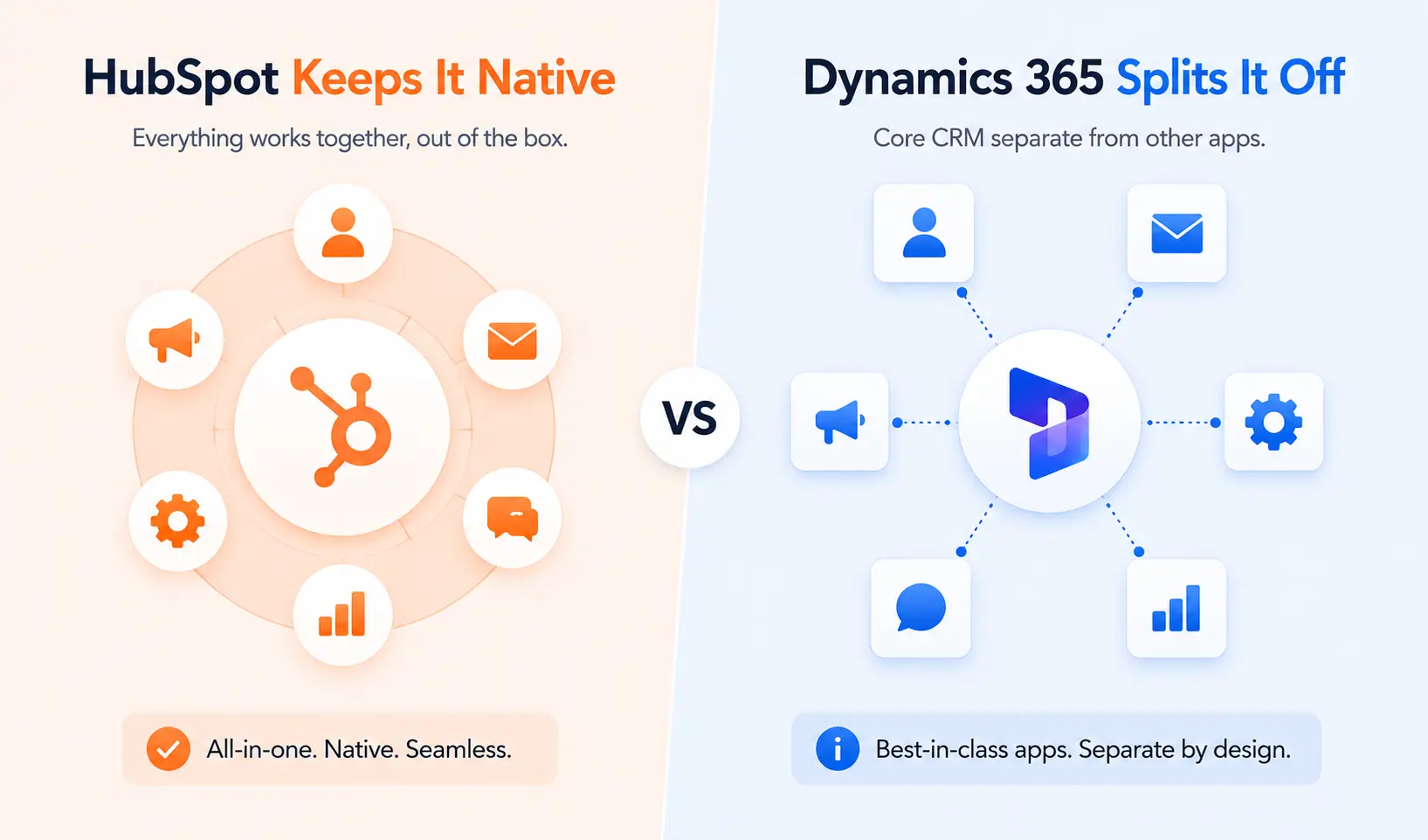
Marketing is where the gap widens. HubSpot grew out of marketing software, and it shows.
HubSpot Marketing Hub lives on the same database as the CRM. Email campaigns, landing pages, forms, lead scoring, ad management, and attribution all read the same contact records your sales team uses. A marketer can build a campaign, see which contacts converted, and watch those contacts flow into the sales pipeline without exporting anything. HubSpot has been a Gartner Magic Quadrant Leader for B2B marketing automation, and that strength is real.
Dynamics 365 handles marketing through Customer Insights, a separate module rather than a core part of the CRM. It’s capable, with real-time customer journeys and Copilot-assisted content, and it shines when you need to unify large volumes of customer data. But it sits apart from the Sales module and often needs a base organizational license before per-user costs, which raises the entry point for marketing specifically.
Verdict: HubSpot. For marketing-led B2B teams that want marketing and sales on one record, HubSpot is the clearer choice. Dynamics marketing is solid but adds cost and separation that HubSpot avoids.
Service Features: Close, With Dynamics 365 Ahead on Field Service
Customer service is closer than most dimensions. Both platforms give support teams ticketing, knowledge bases, and case management that work well.
HubSpot Service Hub provides tickets, a customer portal, SLA management, and AI-assisted self-service, all connected to the same contacts and deals the rest of the company sees. A support agent sees the full sales and marketing history on every ticket, which makes handoffs cleaner.
Dynamics 365 Customer Service is equally strong for case management and adds something HubSpot doesn’t match: Field Service. If your business sends technicians into the field with scheduling, dispatch, and work orders, Dynamics has a dedicated module built for it. HubSpot has no native equal.
Verdict: tie for office-based support. If field service is part of your operation, Dynamics 365 takes this dimension.
Reporting and Analytics: Power BI Gives Dynamics 365 the Edge
Every CRM reports on pipeline and activity. The question is how far you can push the analysis.
HubSpot’s reporting is genuinely good for most teams. Custom report builders, dashboards, and attribution reporting cover the questions a typical RevOps leader asks. Deeper reporting unlocks at Professional and Enterprise, and Enterprise adds custom behavioral event reporting. For most mid-market companies, native HubSpot reporting is enough.
Dynamics 365 connects natively to Power BI, and that’s a real advantage for data-heavy organizations. Power BI handles complex modeling, blends CRM data with finance and operations data, and produces analysis that goes beyond what native CRM reporting does in either platform. The cost is added Power BI licensing and the skill to build those models.
Verdict: Dynamics 365. For organizations that want deep, blended analytics across CRM and back-office data, the Power BI tie-in wins. For standard pipeline and marketing reporting, HubSpot is more than adequate and needs no extra tool.
Ease of Use and Implementation: HubSpot Wins on Speed
This is the dimension where the two platforms diverge most, and it shapes everything else.
HubSpot typically deploys in 2 to 4 weeks. The interface is clean, the onboarding is standardized, and HubSpot Academy gives your team free training and certifications. The trade-off shows up as a structure question. HubSpot has its own way of doing things, and teams adapt slightly to that standard rather than the software bending fully to them.
Dynamics 365 implementations commonly take 3 to 6 months. The process starts with mapping your business processes, current databases, and administration methods, then configuring accordingly. That produces a system shaped tightly to your operation, which is the upside. The downside is time, cost, and the heavy reliance on certified consultants. Different Dynamics apps can also carry different interfaces and update cadences, which adds a learning curve.
Verdict: HubSpot. For teams that need a working CRM this quarter, HubSpot wins clearly. Dynamics rewards patience and a willing IT group.
Customization: Dynamics 365 Has the Higher Ceiling
Customization is the dimension Microsoft partners point to most, and they’re right to.
HubSpot customization is real and accessible. You can build custom objects on Enterprise, create custom properties, design workflows, and shape pipelines without code. For most B2B companies, that range covers their needs. The honest limit appears at the edges. Highly granular data structures and very specific operational logic can run into HubSpot’s boundaries.
Dynamics 365, built on Dataverse and the Power Platform, has a much higher ceiling. With Power Apps you can build full custom applications, and with Power Automate you can wire automation across nearly any system. Enterprises with unique workflows can shape Dynamics into close to anything. That power needs developers and administrators to use well, and it’s a real reason Dynamics costs more to run.
Verdict: Dynamics 365. If your processes are genuinely unusual and you have technical staff, Dynamics gives you more room. If your needs are standard B2B sales and marketing, HubSpot’s customization is enough and far simpler to maintain.
Integrations and Ecosystem: Two Different Kinds of Depth
Both platforms integrate widely, but they integrate differently, and that distinction matters.
HubSpot’s App Marketplace holds more than 1,700 pre-built integrations covering most tools a B2B company uses, from Gmail and Slack to ad platforms and data warehouses. HubSpot also has an open API and a Data Hub for syncing custom properties to other systems. The strength here is breadth and ease. Most connections are quick to set up.
Dynamics 365 integrates with depth inside the Microsoft world. Outlook, Teams, SharePoint, Excel, Power BI, Azure, and Dynamics 365 Finance connect natively and tightly. Through the Power Platform, Dynamics can reach almost any external system, though connecting to third-party tools outside Microsoft often takes more effort and expertise than HubSpot’s marketplace approach.
This is also where we live. We’ve integrated both HubSpot and Dynamics 365 into a wide range of other business tools, and the pattern is consistent: HubSpot integrates broadly and quickly, Dynamics integrates deeply within Microsoft. You can keep a Dynamics-connected tool alive alongside HubSpot during a migration, and a custom build through the HubSpot Dynamics 365 integration keeps both in sync if you need to run them in parallel.
Verdict: HubSpot, for most buyers. The marketplace breadth covers the typical B2B stack with less effort. Dynamics wins only if your tools are mostly Microsoft.
AI Capabilities: Copilot vs Breeze
AI now sits inside both platforms, and both have moved fast here.
Dynamics 365 includes Copilot across its modules. Copilot drafts emails, summarizes opportunities and meetings, and surfaces insights, and it reaches into Outlook and Teams since it’s Microsoft-native. Sales Premium bundles deeper AI like predictive forecasting and conversation intelligence. The depth is genuine, and it grows as you adopt more of the Microsoft stack and Copilot Credits.
HubSpot’s AI, branded Breeze, is built into the platform across Hubs. It drafts content, assists with prospecting, summarizes records, and powers chat-based help. The advantage is adoption. Breeze works inside the CRM your team already uses, with no separate licensing puzzle to solve first.
Verdict: tie. Dynamics has the deeper AI ceiling for Microsoft-committed enterprises. HubSpot’s AI is easier to turn on and use day one. Pick based on which trade-off fits your team.
HubSpot vs Dynamics 365 CRM: Side-by-Side Comparison
Here’s every dimension in one view, with the winner for a typical mid-market B2B buyer.
| Dimension | HubSpot | Dynamics 365 CRM | Winner |
|---|---|---|---|
| Pricing | Free tier; predictable per-seat | Lower per-seat; heavy implementation | Tie |
| Sales features | Fast to use, clean pipelines | Deep territory and quota logic | Tie |
| Marketing features | Native, unified Marketing Hub | Separate Customer Insights module | HubSpot |
| Service features | Strong ticketing and portal | Adds dedicated Field Service | Tie |
| Reporting | Solid native reporting | Native Power BI depth | Dynamics 365 |
| Ease of use | Deploys in 2-4 weeks | Deploys in 3-6 months | HubSpot |
| Customization | Accessible, covers standard needs | Higher ceiling via Power Platform | Dynamics 365 |
| Integrations | 1,700+ marketplace apps | Deep Microsoft-native ties | HubSpot |
| AI | Breeze, easy adoption | Copilot, deep in Microsoft stack | Tie |
| Support and onboarding | Standardized onboarding, Academy | Consultant-led, partner-dependent | HubSpot |
When HubSpot Is the Better Choice
HubSpot is the right pick more often than not for mid-market B2B. These are the situations where it wins clearly:
- Marketing-led B2B companies. If marketing generates most of your pipeline, HubSpot’s unified Marketing Hub and CRM on one database removes the gap that splits marketing and sales in other tools.
- Teams that need speed to value. A scaling company that wants reps selling and marketers running campaigns within a month should choose HubSpot. A 2-to-4-week deployment beats a 3-to-6-month project when timing matters.
- Companies without a dedicated CRM administrator. If you don’t want to hire an admin or retain a consultant just to keep the CRM healthy, HubSpot runs well without that overhead.
- Founders and RevOps leaders who want predictable budgets. Per-seat pricing with clear onboarding fees makes HubSpot easier to forecast than a Dynamics deployment with variable implementation and add-on costs.
- Mid-market firms with standard B2B sales and marketing processes. If your workflows look like most other B2B companies, HubSpot’s customization handles them without the cost of a deeper platform.
When Dynamics 365 CRM Is the Better Choice
Dynamics 365 genuinely wins in specific situations. If you fit one of these, it deserves serious weight:
- Microsoft-standardized organizations. If your company runs on Outlook, Teams, SharePoint, Excel, Power BI, and Azure, Dynamics extends that environment natively, and your team works in a familiar interface from day one.
- Finance-first companies needing CRM and ERP together. If you want customer data and back-office operations unified, the native tie between Dynamics 365 CRM and Dynamics 365 Finance or Business Central is something HubSpot can’t match on its own.
- Enterprise sales teams with complex structures. Organizations with 100-plus reps, detailed territory hierarchies, and intricate compensation models get real value from Dynamics 365 Sales depth.
- Companies with unique workflows and technical staff. If your processes are genuinely unusual and you have developers and administrators to build on the Power Platform, the Dynamics customization ceiling pays off.
What Migrating from Dynamics 365 to HubSpot Looks Like
Most teams reading a HubSpot vs Dynamics 365 CRM comparison are weighing a switch, and almost no comparison page explains what that switch actually involves. Here’s the honest picture, drawn from migrations we’ve run.
Here’s how a Dynamics-to-HubSpot migration runs:
These data objects move into HubSpot cleanly: contacts, companies, deals or opportunities, activities, notes, attachments, and most custom properties. What needs rebuilding rather than copying: workflows and business process flows, reports, custom entities, user permissions, and any integrations wired through the Power Platform. Microsoft business process flows have no direct HubSpot equivalent, so we map them to HubSpot workflows and pipeline stages by hand.
- Audit the Dynamics setup. We document every module, custom entity, business process flow, Power Automate flow, and integration so nothing gets lost.
- Design the HubSpot data model. We map Dynamics entities to HubSpot objects, decide which custom entities become custom objects, and define lifecycle stages and pipelines before any data moves.
- Map and clean the fields. Dynamics picklists, lookup relationships, and option sets need careful mapping to HubSpot properties. We dedupe and clean during this step so you don’t import old problems.
- Migrate the records. Contacts, companies, deals, and activities move with their history and ownership intact. We validate counts and associations against the Dynamics source.
- Rebuild automation and reporting. Business process flows become HubSpot workflows, and Dynamics dashboards become HubSpot reports. This is rebuild work, not copy work, so it gets dedicated time.
- Reconnect integrations. Tools that fed Dynamics get wired into HubSpot, and where you need to keep a Dynamics-linked system running in parallel, we build the sync.
- Test and train. We validate the build with your team, then train users so adoption holds after go-live.
Most Dynamics-to-HubSpot migrations run on a timeline of weeks, well short of the multi-month projects a Dynamics implementation itself takes. The biggest gotcha specific to Dynamics is the Power Platform layer. Teams often forget how much logic lives in Power Automate flows until migration, so that audit step matters. For a deeper look at avoiding migration trouble, see our CRM migration playbook, and our CRM migration service page covers how we scope the work.
See your 12-month revenue impact with HubSpot CRM
Enter your current numbers — visitors, leads, deal size — and get a personalized projection based on real HubSpot customer benchmarks.
Calculate My ROI
HubSpot vs Dynamics 365 CRM: The Final Verdict
For most mid-market B2B companies, HubSpot is the better CRM. It gets your team productive in weeks instead of months, the pricing is predictable, it doesn’t need a dedicated administrator, and it keeps marketing and sales on one database. That combination matters more to a growing company than a higher customization ceiling it may never use.
Dynamics 365 CRM is the better choice in a real and specific set of cases: Microsoft-standardized organizations, finance-first companies that need CRM and ERP unified, and enterprise sales teams with complex territory and compensation structures. If you fit those, Dynamics earns the longer implementation and the heavier overhead.
Still on the fence? Ask your team three questions. First, do you have, or want to hire, a dedicated CRM administrator? If no, HubSpot fits better. Second, is most of your software stack already Microsoft? If yes, Dynamics gets more attractive. Third, do you need a working CRM this quarter? If yes, HubSpot’s timeline wins. Your answers usually point clearly in one direction. For a related decision, our HubSpot vs Salesforce comparison covers another enterprise-CRM trade-off, and our HubSpot vs NetSuite comparison digs into the CRM-versus-ERP question.



Table of Contents
- HubSpot vs Dynamics 365 CRM at a Glance
- What HubSpot Is and Who It Fits
- What Dynamics 365 CRM Is and Who It Fits
- Pricing: HubSpot Is Predictable, Dynamics 365 Is Cheaper Per Seat at Scale
- Sales Features: HubSpot Moves Faster, Dynamics 365 Goes Deeper
- Marketing Features: HubSpot Keeps It Native, Dynamics 365 Splits It Off
- Service Features: Close, With Dynamics 365 Ahead on Field Service
- Reporting and Analytics: Power BI Gives Dynamics 365 the Edge
- Ease of Use and Implementation: HubSpot Wins on Speed
- Customization: Dynamics 365 Has the Higher Ceiling
- Integrations and Ecosystem: Two Different Kinds of Depth
- AI Capabilities: Copilot vs Breeze
- HubSpot vs Dynamics 365 CRM: Side-by-Side Comparison
- When HubSpot Is the Better Choice
- When Dynamics 365 CRM Is the Better Choice
- What Migrating from Dynamics 365 to HubSpot Looks Like
- HubSpot vs Dynamics 365 CRM: The Final Verdict


