













You’re probably stuck between HubSpot and Constant Contact if you’re trying to decide between the two. You might be wondering if HubSpot is worth the switch because you’ve outgrown Constant Contact’s email-first model. Or you might be a first-time buyer trying to decide if you really need a full CRM or just a reliable way to send emails to your list.
Here’s the verdict right away: HubSpot is the best choice for teams that need marketing that is closely linked to sales. Businesses that really only need email, want to set it up faster, and value phone support at a lower price point should choose Constant Contact. The truth is Many businesses buy HubSpot when Constant Contact would have worked just as well, and many businesses stay on Constant Contact for years longer than they should.
As a HubSpot Diamond Solutions Partner, we’ve moved clients from Constant Contact to HubSpot and connected both to more than 300 other platforms. This is what we really see when we put these two tools next to each other, not what their marketing pages say.
Free estimator
Know what your HubSpot project costs before the first call.
Select your services and get a transparent price range in minutes. No sales call needed to get a number.
Firm quote after a free discovery call. Build estimate
HubSpot vs Constant Contact at a Glance
HubSpot is a CRM platform that includes email marketing. Constant Contact is an email marketing platform that has no CRM. That’s the core structural difference, and almost everything downstream flows from it.
Constant Contact was made in 1998 to help small businesses send out email campaigns. It does that job very well. HubSpot started in 2006 with the idea of inbound marketing. Since then, it has grown into a full revenue platform that includes marketing, sales, customer service, and operations. They serve buyers who are at different stages of growth and are very different.
What Is HubSpot?
HubSpot is a modular platform with six Hubs: the Marketing Hub, the Sales Hub, the Service Hub, the Operations Hub, the Content Hub, and the Commerce Hub. Before you spend a dime, the free CRM can handle up to 1 million contacts and includes deal tracking, meeting scheduling, live chat, and task management. Paid tiers add more automation, attribution reporting, multi-step workflows, and AI tools.
More than 120,000 people around the world use HubSpot. It works best for B2B teams, small and medium-sized businesses that are growing, and any group that needs to share sales and marketing data. The downside is that it takes longer to learn how to use HubSpot because it has so many features. Setting it up correctly takes more than an afternoon.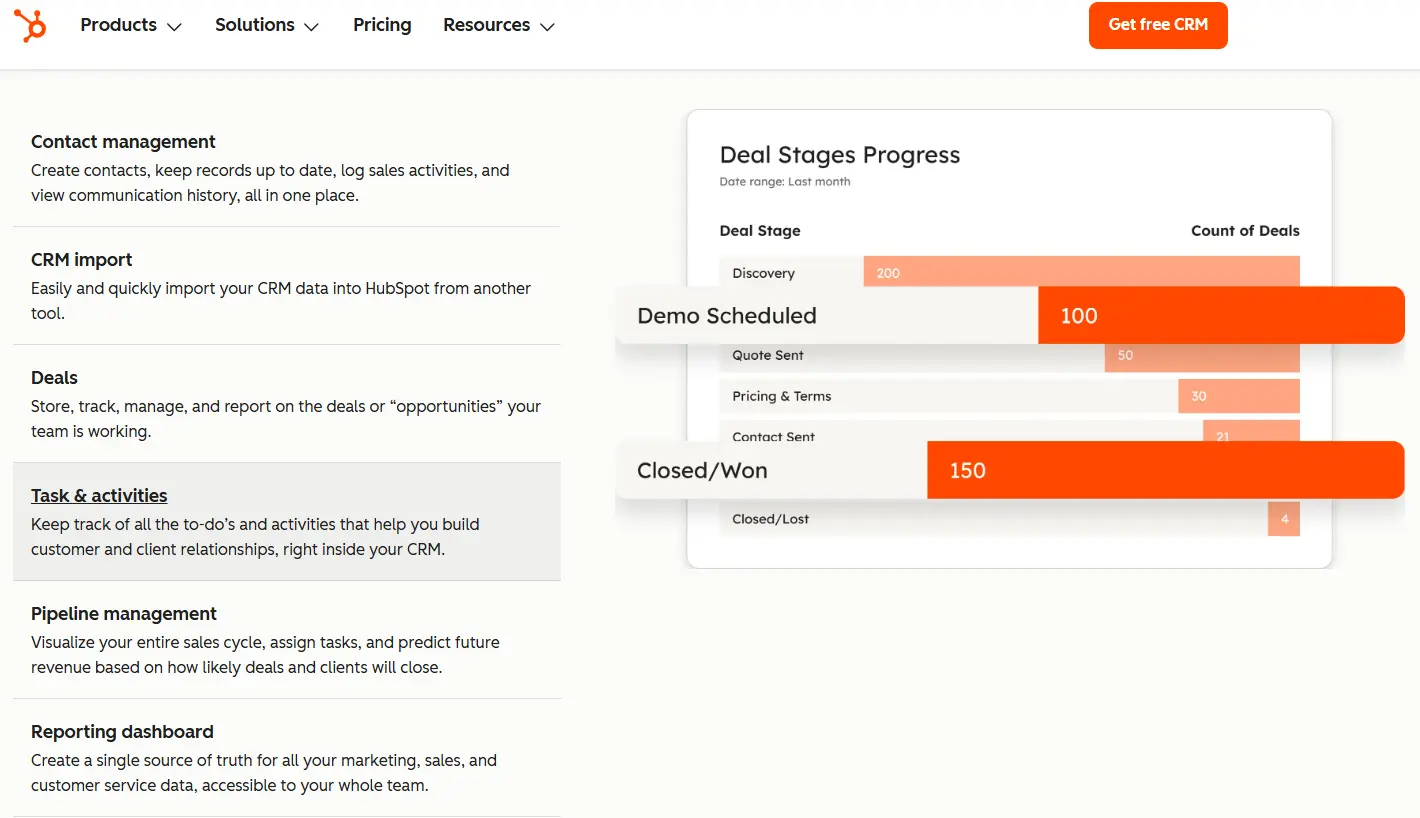

Turn HubSpot Into A Real-Time SMS Engine with Message IQ
 Two-Way Conversations
 Shared Team Inbox
 Automation Triggers
 Advanced Reporting
 Compliance Tools
- 98% SMS read within 3 min
- 78% Buy from first responder
- 21× More likely to qualify

*MessageIQ is an IntegrateIQ product – built natively for HubSpot by the same team.
What Is Constant Contact?
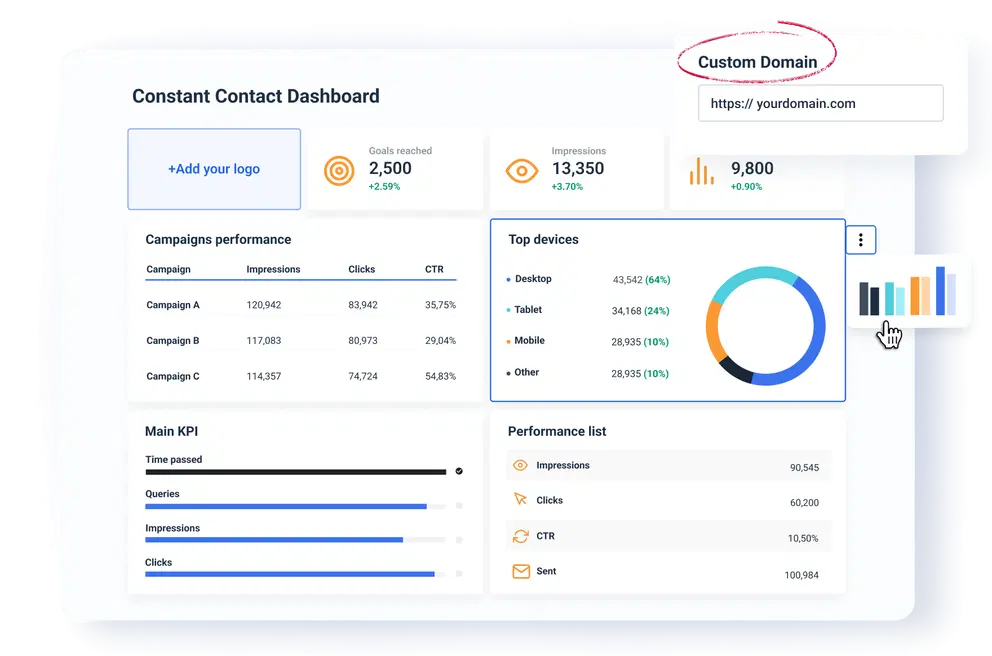
Since 1998, Constant Contact has helped more than 600,000 small businesses. It’s made for email, and that shows. The interface is easy to use, the template library is good, and you can start a campaign in minutes without needing a tutorial. It can do more than just send emails. It can also post to social media, manage events with ticket sales and registration, and do basic automation.
There is no CRM. There is no way to track sales, connect an email campaign to revenue, or see how many deals are in the pipeline. Constant Contact will always leave a gap if you need those things, and you’ll have to manage a separate CRM at the same time.
HubSpot vs Constant Contact: Pricing Comparison
This is where the comparison becomes more complex than most people think it will.
Constant Contact has three pricing tiers: Lite ($12/month), Standard ($35/month), and Premium ($80/month). All of these plans come with 500 contacts. The problem is that the price goes up quickly as the number of contacts goes up. The Lite plan goes from $12 to $50 per month when you reach 1,000 contacts. That’s a 317% increase for doubling your list. Standard costs about $195 per month for 10,000 contacts. The way the prices are set up rewards small lists and punishes growth.
HubSpot prices in 2026: A free CRM that is actually useful (not a stripped-down trial). The price of Marketing Hub Starter is $15 per seat per month. Marketing Hub Professional, the place where real automation happens, starts at $800 a month. That’s a big jump, and that’s where most buyers stop.
| Plan | Price | Contacts | Key Features | Watch Out For |
|---|---|---|---|---|
| Constant Contact Lite | $12/mo | 500 contacts base | 1 user, basic templates, 1 automation | No A/B testing, no segmentation, CC branding |
| Constant Contact Standard | $35/mo | 500 contacts base | 3 users, 3 automation flows, A/B testing | Scales to ~$195/mo at 10k contacts |
| Constant Contact Premium | $80/mo | 500 contacts base | Unlimited users, full automation, 500 SMS | Dynamic content, AI tools, multichannel |
| HubSpot Free CRM | $0 | 1M contacts | Contact mgmt, pipeline, live chat, scheduling | Email send limit 2k/mo, HubSpot branding |
| HubSpot Marketing Starter | $15/seat/mo | Unlimited contacts | Email sends, landing pages, basic automation | No multi-step workflows, limited reporting |
| HubSpot Marketing Professional | $800/mo | Unlimited contacts | Full Workflows, attribution, A/B testing, SEO | Starting price scales with contact tier |
Most buyers don’t realize that the real cost crossover happens sooner than they think. If you have 10,000 contacts on Constant Contact Standard, you’re already close to $200 a month. At that point, HubSpot Starter seems a lot more reasonable, especially when you think about what you still need (a CRM, attribution reporting, and multi-step workflows).
One real benefit of Constant Contact’s prices is that nonprofits can save up to 30% with an annual plan. HubSpot doesn’t have a similar discount system for nonprofits.
HubSpot vs Constant Contact: Feature Comparison
| Dimension | Constant Contact | HubSpot | Winner |
|---|---|---|---|
| Pricing | Lite $12/mo, Standard $35/mo, Premium $80/mo (500 contacts base) | Free CRM; Marketing Hub Starter $15/seat/mo; Professional $800+/mo | CC wins for email-only; HubSpot wins for full stack |
| CRM & Sales | No CRM. No pipeline, no deal tracking, no task management. | Full CRM: deal pipeline, forecasting, sequences, 1M contacts free | HubSpot |
| Email Marketing | Email-first: templates, list segmentation, basic A/B testing (Standard+) | Email inside a full platform: CRM personalization, smart send, client preview | CC for simplicity; HubSpot for CRM-tied email |
| Automation | 3 pre-built flows on Standard (welcome, birthday, anniversary). No visual builder. | Full Workflows on Professional: conditional branching, behavioral triggers | HubSpot (if on Professional) |
| Event Management | Built-in: registration, ticketing, RSVPs, payment processing, event emails | No native event tools. Requires Eventbrite or custom integration. | Constant Contact |
| Reporting | Open rates, click rates, campaign-level reporting | Revenue attribution, pipeline influence, multi-touch, custom dashboards | HubSpot |
| Integrations | 300+ (Google, FB, Shopify, Eventbrite, Zapier) | 1,400+ native integrations across sales, ops, finance, marketing | HubSpot |
| Customer Support | Phone support on Standard+ ($35/mo) rare at this price point | Email/chat on Starter; phone on Professional+ | CC for budget support; HubSpot for enterprise-level |
| Ease of Use | Simpler setup, faster onboarding, intuitive UI | Steeper learning curve, matches its feature depth | CC for beginners |
Email Marketing: Where They’re Actually Similar
Both platforms have email editors that let you drag and drop, template libraries, list segmentation, and A/B testing (on mid-tier and higher). The email editor from Constant Contact is a little easier to use because it was made with email in mind.
HubSpot’s email includes CRM-powered personalization tokens that pull information from contact records (like the company name, deal stage, and last page visited). It also has smart send by the contact’s time zone and inbox client preview for Gmail, Apple Mail, and Outlook. It also connects email sends to contact timelines, so you can see exactly which email a contact got before they filled out a form or opened a deal.
Constant Contact is easier for simple email. HubSpot is the only choice if you want email that works with your CRM and helps you report on your sales.
Marketing Automation: A Genuine Gap
There are three pre-built automation flows in Constant Contact Standard: welcome, birthday, and anniversary. Premium adds a few more things. There is no visual flow builder, no conditional branching, and no behavioral triggers other than getting people to open your emails. You can’t start a follow-up sequence if a contact goes to your pricing page. You can’t automatically move a contact to a different track if they click a link but don’t convert.
The Workflows tool in HubSpot’s Marketing Hub Professional does all of that. You can make multi-step sequences that are triggered by things like how a contact behaves, updates to your CRM, changes in the deal stage, form submissions, or page visits. Workflows can change contact properties, make tasks for salespeople, send internal notifications, and branch based on if/then logic.
Important caveat: HubSpot Workflows live behind Marketing Hub Professional at $800+/mo. HubSpot Starter’s automation is also limited you get simple sequences but not the full workflow logic. If you’re comparing Constant Contact Standard to HubSpot Starter, the automation gap narrows significantly.
CRM and Sales: The Core Difference
With tags, custom fields and segments, Constant Contact keeps track of contacts. That’s all. There is no such thing as a deal, a pipeline stage, a company record, or a sales task. If you have a sales team, they are working somewhere else, and that place doesn’t talk to your email campaigns.
HubSpot’s free CRM makes this whole thing different. There is one record for each contact that keeps track of things like email opens, page visits, form fills, meetings booked, and deal history. When we move clients from Constant Contact to HubSpot, the biggest change that surprises them is that they can finally see that Campaign A created 12 opportunities worth $140,000 in pipeline, instead of just seeing that it had a 24% open rate.
This is not up for discussion for B2B teams that are actively selling. It’s too much for a yoga studio to send out a monthly newsletter.
Reporting and Analytics
Constant Contact gives you the same information that most email tools do: open rates, click rates, unsubscribes, and performance at the campaign level. You can see how well a single email did, but you can’t see how it helped make money.
HubSpot’s reporting fills in the gaps. With multi-touch attribution in Marketing Hub Professional, you can see which emails, pages, and ads had an impact on a contact throughout their entire journey before they became a customer. Custom dashboards show you data from CRM, deals, and marketing all in one place. Sales and marketing managers can both work in the same reporting environment.
Most review sites don’t give this dimension enough weight. “Open rate reports” and “pipeline influenced by campaign” are two different things: activity tracking and revenue intelligence.
Event Management: Constant Contact’s Real Advantage
People don’t pay enough attention to this one. Constant Contact has built-in event management tools like registration pages, ticketing, payment processing, attendee lists, and email sequences that start when an event happens. This is a real feature set that HubSpot doesn’t have built-in for community theaters, gyms, yoga studios, nonprofits that hold fundraisers, or local businesses that hold workshops.
Marketing Hub doesn’t have any event tools. To do what Constant Contact does out of the box, you would need an Eventbrite integration or a custom build. If you use event management as a main way to talk to your audience, you need to think about the cost and difficulty of that.
Integrations and Ecosystem
Constant Contact works with more than 300 tools, such as Google, Facebook, Shopify, Eventbrite, and Zapier. That’s enough coverage for a small business that sends out email campaigns.
HubSpot’s marketplace has more than 1,400 native integrations for sales tools (like Salesforce, Outreach, and Gong), finance tools (like QuickBooks, Stripe, and NetSuite), ops tools (like Jira, Asana, and Slack), and data tools (like Snowflake and BigQuery). As a HubSpot Diamond Solutions Partner, we sync 55 million fields every day across more than 300 platforms. We’ve made custom integrations for situations that no app marketplace can handle. Most of those categories don’t have anything to do with Constant Contact’s ecosystem.
HubSpot’s deep integration makes it the link between your CRM, support tool, and finance system. Constant Contact works with Gmail, Shopify, and social media. If you want to connect HubSpot to other services that aren’t built in, check out our HubSpot integration services.
Customer Support
Constant Contact is one of the few email marketing platforms that offers phone support at this price point. They offer it on both Standard ($35/month) and Premium plans. HubSpot Starter has email and chat, but Professional ($800+/mo) adds phone access. For small business owners who want to talk to a real person when something goes wrong, Constant Contact’s support system is a real plus.
Who Should Choose HubSpot
- B2B sales teams — if you have a sales pipeline and a marketing function that need to share data, HubSpot is the only choice in this comparison. Constant Contact has no equivalent.
- Growing SMBs connecting revenue to marketing — if you want to know which campaigns are generating deals, not just opens, HubSpot’s reporting closes that loop.
- Teams managing multiple tools separately — if you’re running a CRM plus Constant Contact plus a separate landing page tool, consolidating into HubSpot cuts complexity and improves attribution.
- Companies planning to scale marketing operations — HubSpot’s Professional-tier automation, custom objects, and API depth support marketing complexity that Constant Contact can’t accommodate.
Who Should Choose Constant Contact
- Nonprofits running frequent events — built-in event management plus a 30% nonprofit discount makes Constant Contact genuinely compelling for this segment. HubSpot doesn’t match either advantage.
- Solo operators and very small teams — if you’re one person sending a monthly newsletter to 1,000 contacts with no sales pipeline, Constant Contact costs less, sets up faster, and does the job.
- Event-heavy local businesses — gyms, yoga studios, community theaters, and event planners get native registration and ticketing tools that HubSpot would require a third-party integration to replicate.
- Budget-conscious teams on small lists — under 1,000 contacts with straightforward email needs, Constant Contact’s sub-$40/mo price point is hard to argue with.
What Migrating from Constant Contact to HubSpot Actually Looks Like
This is the section most comparison pages skip entirely and it’s the one that matters most if you’re actually switching.
Data objects that move: Contacts, custom fields/tags, email lists, and any historical campaign data you want to preserve.
What requires rebuilding: Automation sequences (all of them Constant Contact’s automation logic doesn’t map to HubSpot Workflows), segmentation rules (CC’s list-based model converts to HubSpot’s contact property-based model it’s not a direct translation), and email templates (can be recreated but not imported directly).
The gotcha specific to this migration: Constant Contact organizes contacts by lists. HubSpot organizes contacts by properties, with lists generated dynamically from those properties. When we migrate clients from Constant Contact to HubSpot, we spend real time on field mapping making sure that a contact’s CC tags and list memberships translate cleanly into HubSpot contact properties and active list logic. Skip that step and you lose segmentation accuracy.
Here’s the typical migration process we run:
- Export all Constant Contact contacts with custom fields and list assignments
- Map CC tags and fields to HubSpot contact properties (custom properties where needed)
- Import contacts into HubSpot CRM with clean field mapping
- Recreate active lists in HubSpot using property-based logic matching original CC segments
- Rebuild automation sequences in HubSpot Workflows with equivalent or improved logic
- Validate data integrity and run test campaigns before decommissioning Constant Contact
A clean migration typically runs 4–6 weeks. For teams with complex segmentation or large automation libraries, we plan for 6–8 weeks. We process 20 billion+ records annually this migration is well inside our standard delivery. Learn more about our CRM migration process or walk through the common pitfalls in our CRM migration planning guide.
How to Evaluate HubSpot vs Constant Contact for Your Business
Ask yourself these three questions before you decide:
- Do you have an active sales team tracking deals? If yes, you need HubSpot. Constant Contact has no pipeline functionality.
- Does your email marketing need to connect to revenue? If you want to know which campaigns generate customers not just which ones get opened HubSpot’s attribution closes that loop. Constant Contact doesn’t.
- Do you run events as a core part of your marketing or community engagement? If yes, Constant Contact’s native event tools (and potential nonprofit discount) deserve serious weight before you commit to the integration cost of replicating that in HubSpot.
See your 12-month revenue impact with HubSpot CRM
Enter your current numbers — visitors, leads, deal size — and get a personalized projection based on real HubSpot customer benchmarks.
Calculate My ROI
HubSpot vs Constant Contact: The Final Verdict
HubSpot wins for most growing businesses not because it has more features, but because it connects marketing activity to business outcomes. When your campaigns live inside your CRM, you stop measuring vanity metrics and start measuring pipeline.
Constant Contact wins for a specific buyer: small businesses and nonprofits that need reliable, affordable email marketing, value human support at a low price point, and either run events regularly or simply don’t have a sales function that needs to talk to marketing.
The mistake we see most often: companies staying on Constant Contact for two years after they needed HubSpot, running a separate CRM alongside it and wondering why their sales and marketing teams feel disconnected. If you’re asking whether HubSpot is worth the jump, the question to answer first is: what does your marketing need to prove? If the answer is ‘that we generated pipeline,’ you’re already past what Constant Contact can show you.
For context on how HubSpot compares to other platforms at the enterprise and mid-market level, see our comparisons of HubSpot vs Salesforce and HubSpot vs Marketo.



Table of Contents
- HubSpot vs Constant Contact at a Glance
- What Is HubSpot?
- What Is Constant Contact?
- HubSpot vs Constant Contact: Pricing Comparison
- HubSpot vs Constant Contact: Feature Comparison
- Email Marketing: Where They’re Actually Similar
- Marketing Automation: A Genuine Gap
- CRM and Sales: The Core Difference
- Who Should Choose HubSpot
- Who Should Choose Constant Contact
- What Migrating from Constant Contact to HubSpot Actually Looks Like
- How to Evaluate HubSpot vs Constant Contact for Your Business
- HubSpot vs Constant Contact: The Final Verdict


