

Here’s the short version of HubSpot vs. Copper CRM: HubSpot is better for most growing teams. Copper is the best choice for small sales teams that are already using Google and just need a way to keep their pipeline clean without adding another tool.
That’s not hedging; that’s a real difference. Copper is really good at one thing: making your Gmail inbox work like a CRM without any problems. But as soon as your team needs marketing automation, cross-channel reporting, service ticketing, or integrations that go beyond Google’s ecosystem, Copper reaches a structural ceiling that it can’t get past.
As a HubSpot Diamond Solutions Partner that has moved clients from Copper to HubSpot and connected both to more than 300 other platforms, we know exactly what each tool does well and what it doesn’t. This comparison gives you the point of view of a practitioner, not just a list of features.
| Quick verdict: HubSpot for teams with marketing ambitions, multi-tool stacks, or plans to scale past 20-30 users. Copper for Google Workspace-native teams under 15 people who want zero onboarding friction and clean contact management inside Gmail. |
Free estimator
Know what your HubSpot project costs before the first call.
Select your services and get a transparent price range in minutes. No sales call needed to get a number.
Firm quote after a free discovery call. Build estimate
HubSpot vs Copper CRM at a Glance
HubSpot is a complete revenue platform that is split into six product Hubs: Sales, Marketing, Service, Operations, Commerce, and Content. It works with any email client, any tech stack, and can grow from a single founder to a revenue team of 500 people. Copper is a sales CRM made just for Google Workspace. It works inside Gmail and lets teams that use Google’s suite run their business without having to enter data by hand.
The main difference is that HubSpot is a platform that you use to build a revenue operation. You can add Copper to an existing Google Workspace workflow as a CRM layer. It all depends on your team’s stage and stack, which one is more important.
| Dimension | HubSpot | Copper CRM |
| Founded | 2006 (Boston, MA) | 2013 (San Francisco, CA) formerly Prosper Works |
| Best for | Growth-stage to enterprise B2B teams needing sales + marketing + service | SMB and agency teams running entirely on Google Workspace |
| Pricing from | Free tier; Starter $20/seat/month | Starter $9/seat/month (no free tier) |
| Email integration | Gmail, Outlook, and all major clients | Gmail/Google Workspace only (core value prop) |
| Marketing tools | Full Marketing Hub (campaigns, landing pages, attribution) | Bulk email + drip (Business plan only, $99-134/seat) |
| App ecosystem | 1,500+ native integrations | Strong Google ecosystem; limited outside it |
| G2 Ease of Use | 8.7 | 9.1 (genuine advantage) |

Turn HubSpot Into A Real-Time SMS Engine with Message IQ
 Two-Way Conversations
 Shared Team Inbox
 Automation Triggers
 Advanced Reporting
 Compliance Tools
- 98% SMS read within 3 min
- 78% Buy from first responder
- 21× More likely to qualify

*MessageIQ is an IntegrateIQ product – built natively for HubSpot by the same team.
Pricing Comparison: HubSpot vs Copper CRM
This comparison gets interesting when it comes to prices because both tools trick buyers who don’t read carefully.
Pricing for Copper CRM in 2026 : Copper has four levels, each with a different number of seats:
Starter: $9 per seat per month (yearly) or $12 per month: You can have up to 1,000 contacts, connect to Google Workspace, and see a basic tasks and activity feed. There are no pipelines or reports at this level.
Basic : $23–29 per seat per month: Adds pipelines, contact enrichment, and team work. Can be used as a real sales CRM.
Professional: $59–69 per seat per month: This plan includes workflow automation, bulk email, reporting, and connections to Slack and Mailchimp. This is when Copper really helps sales teams.
Business : $99–134/seat/month: You get unlimited contacts, email sequences, drip campaigns, website tracking, lead scoring, LinkedIn integration, custom reports, and priority support.
The problem is that Copper’s Starter completely blocks pipelines. Teams often have to pay a lot more to get the CRM features they really want because they have to go with Basic or Professional.
HubSpot Pricing (2026)
HubSpot’s Sales and Service Hubs charge by the seat, while the Marketing Hub charges based on the number of marketing contacts.
Free CRM: Real features like managing your pipeline, tracking emails, live chat, and up to five email templates. Not a bait-and-switch, but really useful.
Starter: $20 per seat per month (Sales Hub):Automating deals, sending payment links, making calls, and sending 5,000 emails per month. A good place to start.
Professional: $100 per seat per month (Sales Hub): sequences, AI forecasting, custom objects, call coaching, playbooks, and advanced reporting. The level at which HubSpot stands out from other companies.
Enterprise: $150 or more per seat per month for predictive lead scoring, custom objects, partitioning, and advanced permissions.
| HubSpot’s honest cost: the free and Starter tiers are legitimate. But if you need Marketing Hub Professional (campaigns, attribution, multi-touch reporting), that starts at $800/month for 2,000 marketing contacts on top of seat costs. Factor this in when comparing. |
Sales Features: Pipeline, Automation, and Deal Management
Both tools do a good job of managing the core pipeline. The gap shows up in depth and intelligence.
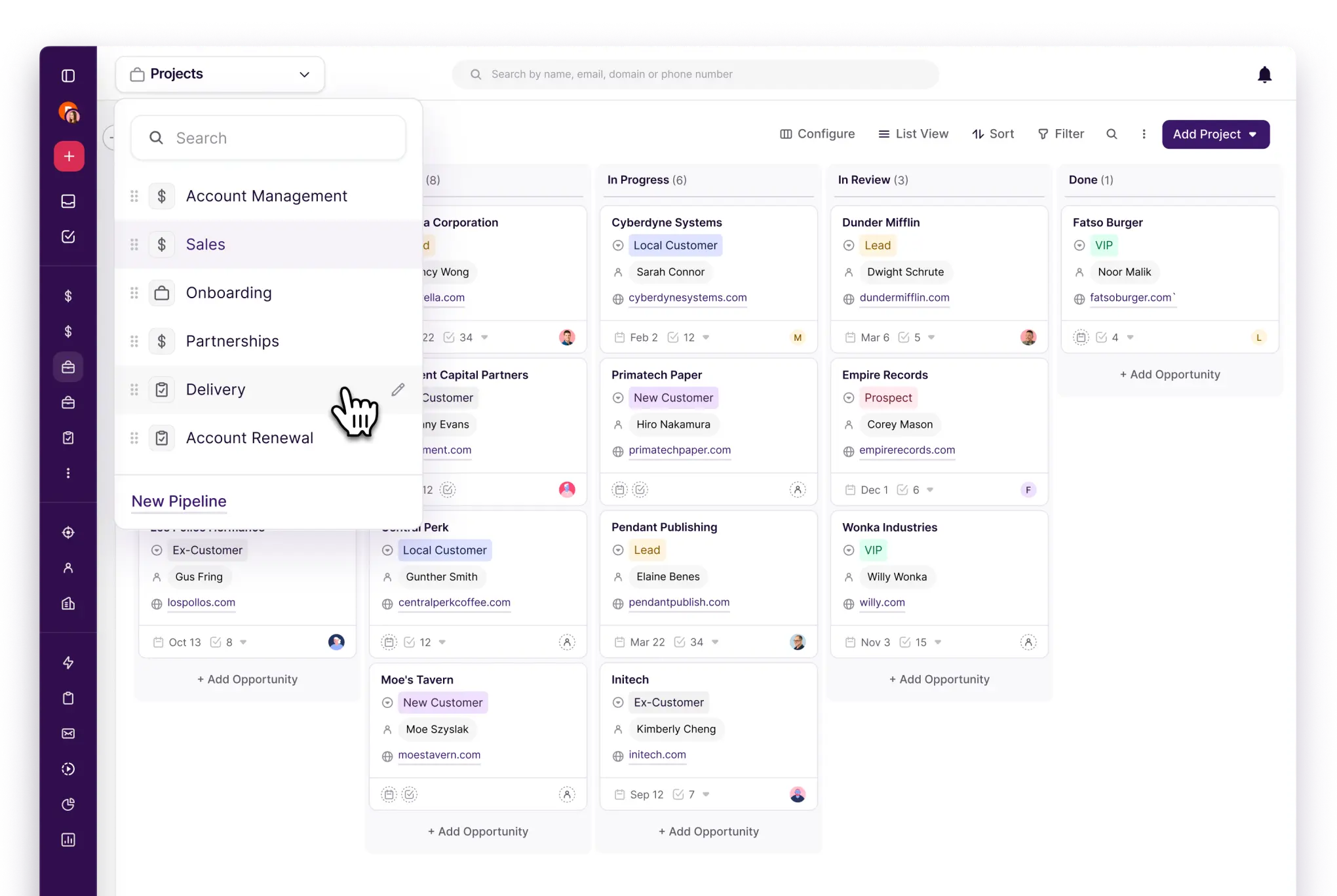
The Copper pipeline is a sidebar panel in Gmail. You can move deals through stages without opening a new tab, which is really cool for teams that spend a lot of time in their inbox. When deals move stages, task automation kicks in. When you email someone new, contacts are automatically created. Google Calendar events sync back to the contact timeline. This setup is really helpful for a sales team of 5 to 10 people.
HubSpot’s Sales Hub has features that Copper doesn’t have at any price. These include AI-powered deal health scoring, email sequences with automatic follow-up chains, call recording with AI transcription and coaching, playbooks that show battle cards during live calls, and predictive revenue forecasting (at Professional+).
If your sales team does structured outbound, demos, or anything else more complicated than managing an inbound pipeline, HubSpot’s Sales Hub is not for you.
Winner by tier: Copper wins for Gmail-based pipeline management because it is easy to use. HubSpot wins hands down at Professional+ for any team that does structured sales.

Marketing Automation: Where the Gap Becomes a Chasm
For most people who are comparing HubSpot and Copper CRM, this is the part that ends the conversation.
Copper can do some marketing, but only on the Business plan, which costs $99–134 per seat per month. It can only send bulk emails and run drip campaigns.
There is no landing page builder, no lead capture forms with progressive profiling, no multi-touch attribution, no ad management, and no behavior-triggered nurture sequences based on what people do on your website. Copper just doesn’t have the tools you need for inbound marketing, like content, forms, and emails that change based on how leads act.
The Marketing Hub from HubSpot starts with email marketing, landing pages, ad management, and basic automation. With Professional, you get multi-touch revenue attribution, behavioral triggers, A/B testing, social publishing, and a campaign performance layer that connects marketing activity to revenue. That’s the base for your demand generation engine.
This comparison isn’t close for any team that does content marketing, paid ads, or email nurture along with their sales. Because Copper only handles sales, you’d have to use a different marketing tool with it anyway.
Service and Customer Success
Short answer: Copper doesn’t have a service or helpdesk module at any price level. There are no tickets, no SLAs, no customer portal, and no way to access the knowledge base.
HubSpot’s Service Hub takes care of all of these things: tickets, SLA management, a customer portal, help desk routing, and tracking CSAT. If your team handles post-sale support as part of the customer lifecycle, HubSpot handles it within the same data model your sales and marketing teams already use. You would need to add a separate support tool for Copper and handle the data transfer by hand.
Reporting and Analytics
One of the most common complaints in user reviews is that Copper’s reporting isn’t very good. The Business plan locks custom reports, and even then, a lot of teams end up exporting data to Google Sheets to make the analysis they really need. The built-in dashboards show snapshots of the deal pipeline and basic activity metrics. They work, but they’re not very advanced.
HubSpot’s reports are really what set it apart. Professional+ offers custom dashboards, reports on how quickly deals are closing, email performance analytics, and AI-generated pipeline insights. You can filter by almost any property and query any CRM object, such as contacts, companies, deals, tickets, or custom objects. When teams move from Copper to HubSpot, they always say that the depth of reporting is one of the main reasons they do so.
HubSpot is the clear winner. The only exception is teams that do their analysis in Google Sheets and find it easier to export data from Copper to Sheets than to HubSpot.
Ease of Use and Onboarding
This is where copper gets its name. Its G2 Ease of Use score of 9.1 is higher than HubSpot’s 8.7, which shows that there is a real difference in how easy it is to use every day. Copper adds almost no learning curve if your team already uses Gmail all the time. It shows up as a sidebar panel in an interface that your team opens 50 times a day.
Emails you’ve already sent fill in the contact information automatically, and it only takes a few seconds to create a deal because the context is already there.
HubSpot’s onboarding process is harder, especially at the Professional level, where you have to set up workflows, automation rules, connect Marketing Hub to sales sequences, and map out lifecycle stages. It’s not hard in the grand scheme of things, but it does take time and careful planning. For Sales Hub Professional, HubSpot’s professional onboarding packages cost between $3,000 and $6,000, which surprises people who thought it would be easy to sign up.
Copper offers free onboarding and assigns a customer success manager to Business plans. That matters for small teams that don’t have a dedicated ops person.
| If your team’s primary objection is ‘we don’t have time to learn a new system,’ Copper has a genuine answer to that. HubSpot’s answer is: the setup investment pays back quickly once the automation starts running — but that’s a harder sell for a 6-person team. |
Integrations and Ecosystem
Copper’s Google Workspace integration is the best of its kind; it’s the only CRM that has the “Recommended by Google Workspace” badge. Contacts automatically sync from Gmail, calendar events show up on contact timelines, and Google Drive files can be attached to deal records without any extra steps. This feels like the CRM was built into the tools that Google-first teams already use.
Copper’s integration ecosystem isn’t very big outside of Google’s stack. Zapier and Make take care of most third-party connections. This works fine for basic tools like Slack or Mailchimp, but if you want to do more than that, you’ll need to build and keep up with Zap automations. The native marketplace for Copper isn’t deep enough for complicated RevOps stacks.
HubSpot’s Operations Hub and more than 1,500 native integrations change everything. Operations Hub makes HubSpot a data hub for your whole revenue stack, not just your sales pipeline. It does this by letting you sync data both ways, set up custom data sync rules, and automate data quality checks.
We’ve added both platforms to more than 300 other tools. The truth is that Copper’s integration with Google is unlike anything else and really deserves its “Recommended by Google” badge. No other company has an ecosystem as wide as HubSpot’s, except for Salesforce. Copper works better with your stack if it runs entirely on Google. HubSpot is better at connecting things like ERPs, support tools, marketing platforms, and data warehouses to your stack.
Who Should Use HubSpot
Teams that need both marketing and sales in one place.
If you’re sending out emails, keeping track of your content calendar, running paid ads, and keeping track of where your leads come from, HubSpot’s shared data model between Marketing Hub and Sales Hub is the best choice. This means that the data has to be constantly checked between the two tools.
Businesses using tools that are not part of Google’s ecosystem. HubSpot’s integration marketplace and Operations Hub can handle connections to Salesforce, NetSuite, Stripe, Gong, Outreach, or any other specialized vertical platform without having to create custom Zap chains.
Teams that are growing past 20–25 users.
HubSpot’s user permissions, team partitioning, custom objects, and Enterprise-tier governance features can handle more complex organizations than Copper’s model can.
Shops that don’t use Google.
If a team uses Microsoft 365, Outlook, or a mix of email services, they lose Copper’s main value right away.
Who Should Use Copper CRM
Small Google-native sales teams (5–15 people) that don’t need marketing automation. If your whole team uses Gmail and Google Calendar, your sales process is based on relationships, and you don’t need email campaigns or landing pages, Copper gives you everything you need with almost no setup.
Teams that don’t have a lot of money are looking at their first real CRM. Copper Professional costs $59 to $69 per seat per month, which is a good deal compared to HubSpot Sales Hub Professional, which costs $100 per seat and needs more money for any campaign features. Consulting firms or agencies that talk to a lot of clients. Copper’s ability to automatically log emails and link contacts makes it truly great for businesses that use Gmail to manage a lot of relationship touchpoints instead of formal sales pipelines.
What Migrating from Copper to HubSpot Actually Looks Like
This part is missing from most comparison pages. We’re putting it in because this is where the real choice is made: changing CRMs isn’t just a product choice; it’s also a choice about data and workflow.
In a normal migration, this is what goes from Copper to HubSpot:
Contacts and Companies: The main records transfer smoothly, but Copper’s contact model links email history to Gmail threads instead of separate activity records. During migration, this needs to be remapped.
Deals and Pipeline Stages: You need to manually map Copper’s pipeline stages to HubSpot’s deal stages. Names, definitions, and automation triggers for stages don’t carry over.
Activities like calls, notes, and tasks move over, but with some caveats. Meetings in Copper that are linked to Google Calendar don’t show up as structured activity records in HubSpot.
File Attachments: Copper saves files as links to Google Drive, not as files that have been uploaded. HubSpot’s file library needs real file uploads. These links don’t automatically move; you have to either fix them by hand or use a custom migration script.
Custom Fields: Copper’s custom fields move to HubSpot’s custom properties, but the types of fields don’t always match up perfectly, especially for fields that are linked to relationships.
Workflow Logic: You need to rebuild Copper’s automation rules in HubSpot’s workflow builder. The logic can often be copied, but it needs to be remapped on purpose.
Integrate IQ’s typical timeline is 6 to 8 weeks from the start to the go-live, depending on how much data there is and how complicated the custom fields and workflow logic are.
We handle over 20 billion records every year. Our Copper-to-HubSpot migrations follow a structured playbook that we’ve improved on with dozens of clients.
If you’re thinking about moving, our CRM migration services page goes over the whole process, from start to finish, including how we check your data and help you after the move.
See your 12-month revenue impact with HubSpot CRM
Enter your current numbers — visitors, leads, deal size — and get a personalized projection based on real HubSpot customer benchmarks.
Calculate My ROI
HubSpot vs Copper CRM: The Final Verdict
Copper CRM does what it says it will do very well. Copper is the best CRM for your team if they use Google Workspace, your sales process is based on relationships, and you don’t want to change how your team works. It got a 9.1 Ease of Use score on G2 for a reason.
But Copper’s strength is also what keeps it from being too strong. It’s a Google-native CRM, which means that Google has to be the center of your business stack for it to work. Copper’s ceiling becomes a wall as soon as you need marketing automation, service ticketing, integration with tools that aren’t Google, or advanced revenue attribution.
The Revenue Ecosystem from HubSpot includes the Marketing Hub, Sales Hub, Service Hub, Operations Hub, Commerce Hub, and Content Hub. It is a single platform where all teams can see the same contact, company, and deal data. That architecture is important when you want to know which marketing touch led to a closed deal or why a customer left three months after signing the contract.
Before you make a choice, ask yourself these three questions:
Is your team only using Google Workspace and planning to keep it that way? If so, Copper needs to be looked at very carefully.
Do you need email campaigns, landing pages, and behavioral triggers as part of your CRM strategy? If so, Copper’s Business plan is an expensive half-solution; HubSpot is the direct answer.
Are you going to connect your CRM to tools that aren’t part of Google’s ecosystem? If so, HubSpot’s integration marketplace and Operations Hub will save you a lot of time and money on maintenance.


Table of Contents
- HubSpot vs Copper CRM at a Glance
- Pricing Comparison: HubSpot vs Copper CRM
- Sales Features: Pipeline, Automation, and Deal Management
- Marketing Automation: Where the Gap Becomes a Chasm
- Service and Customer Success
- Reporting and Analytics
- Ease of Use and Onboarding
- Integrations and Ecosystem
- Who Should Use HubSpot
- What Migrating from Copper to HubSpot Actually Looks Like
- HubSpot vs Copper CRM: The Final Verdict

