

















What is a HubSpot Clover integration?
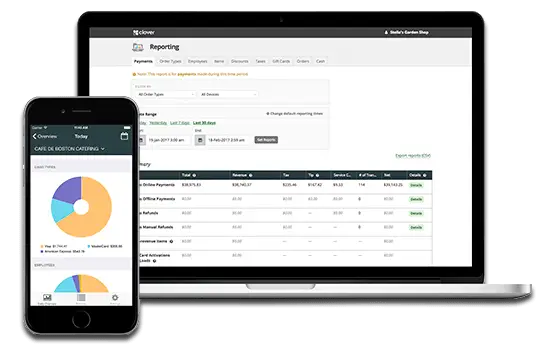
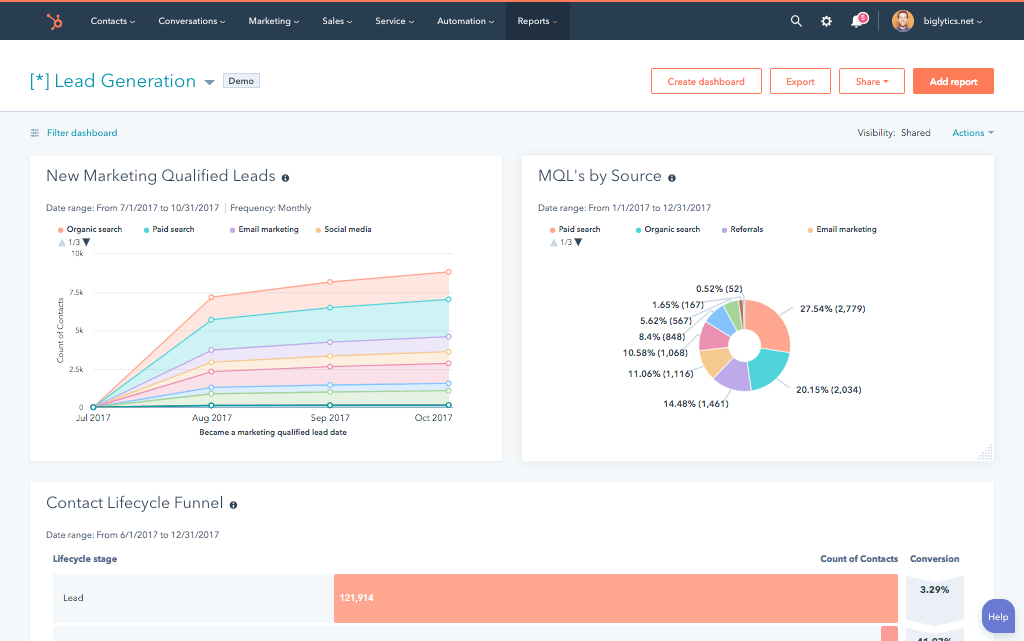
A HubSpot Clover integration connects your point-of-sale system to your CRM syncing customer, order, and transaction data so marketing and sales teams can build a complete view of purchase behavior and customer lifetime value.
How does the HubSpot Clover integration work?
The integration maps Clover customers, orders and line items to HubSpot contacts, deals and custom properties. New Clover customers can automatically create or update a HubSpot contact, while transaction and purchase history sync in to build a complete buying profile.

Turn HubSpot Into A Real-Time SMS Engine with Message IQ
 Two-Way Conversations
 Shared Team Inbox
 Automation Triggers
 Advanced Reporting
 Compliance Tools
- 98% SMS read within 3 min
- 78% Buy from first responder
- 21× More likely to qualify

*MessageIQ is an IntegrateIQ product – built natively for HubSpot by the same team.
Does HubSpot have a native Clover integration?
No dedicated native app exists in HubSpot’s marketplace for Clover specifically. Generic automation platforms like Zapier and Make offer basic connectivity, primarily create, retrieve, and update actions for customers and orders, but most businesses wanting deeper logic build a custom integration against Clover’s API.
Does Clover have one single API, or does it vary by setup?
It varies by setup. Clover’s own developer documentation confirms multiple distinct integration paths, native Android POS integrations, semi-integrations, the Ecommerce API and Clover Go, each with different regional features and limitations. What data is actually available depends on which specific Clover configuration a merchant is running.
How long does a HubSpot Clover integration take to build?
A custom HubSpot Clover integration typically takes 8 weeks: 2 weeks of discovery, including confirming your specific Clover integration type, 3 weeks of build and staging, and the remaining weeks for testing and go-live support.
Can historical Clover sales data be migrated into HubSpot?
Yes. A one-time historical data sync can populate HubSpot contact records with past purchase history from Clover, giving you a complete view of customer lifetime value from day one rather than starting from a blank slate.
Additional Retail Workflows You Can Automate Once Clover Data Lives in HubSpot
This page already covers customer database building, best-customer identification, post-purchase engagement, true lifetime value tracking, behavior-based marketing, and in-person sales attribution. The five below are deliberately new.
- Multi-Location Performance Segmentation. For merchants running multiple Clover locations, HubSpot can segment and report on customer behavior and revenue by specific location, revealing which locations drive the most repeat business versus one-time visits.
- Refund and Chargeback Pattern Flagging. Beyond tracking successful purchases, HubSpot can flag customers with unusually high refund or dispute rates, helping identify problem transactions or fraud patterns before they affect broader customer relationships.
- Inventory-Aware Promotional Targeting. Using Clover’s inventory data, HubSpot can target promotional campaigns toward overstocked items specifically, rather than generic discounting, tying marketing directly to actual stock levels.
- Payment Method Preference Segmentation. HubSpot can segment customers by preferred payment method, contactless, chip, online, observed through Clover, informing which payment options to promote or prioritize at checkout for specific customer segments.
- B2B Wholesale Account Recognition. For merchants serving both retail and wholesale or B2B customers through Clover, HubSpot can distinguish and route these account types differently, since a wholesale buyer’s marketing and follow-up needs differ meaningfully from a one-time retail customer.
What Breaks in a Clover HubSpot Sync, and How We Prevent It
This section is currently absent from the page entirely.
- Duplicate records and identity resolution. A customer paying with different cards or providing slightly different contact details across visits can create duplicate HubSpot contacts. We match on multiple stable identifiers, not email or phone alone.
- System-of-record conflicts. A store manager may issue a manual refund or adjustment directly in Clover while HubSpot’s transaction history still reflects the original amount. We define Clover as the source of truth for transaction data, HubSpot for the customer relationship, with locked writes.
- Clover’s API architecture is layered by integration type. Clover’s own developer documentation confirms multiple distinct integration paths, native Android POS integrations, semi-integrations, the Ecommerce API, and Clover Go, each with different regional features and limitations. What data is actually available and how it’s captured depends on which Clover setup a merchant is actually running, not a single unified API. We confirm your specific Clover integration type during discovery before assuming any particular data is accessible.
- Generic automation platforms cover basic CRUD only. Documented capabilities for tools like Make.com’s Clover connector confirm support for core actions, creating, retrieving, and deleting customers, orders, and line items, but no built-in business logic for things like refund-pattern detection or multi-location segmentation. Businesses needing that logic need a custom build.
- API rate limits at high transaction volume. Retail and restaurant merchants can see transaction volume spike dramatically during peak hours or seasonal rushes. Across 300+ platform integrations moving 20 billion plus fields annually, we design for these peak-volume spikes, not average daily transaction counts.
See your 12-month revenue impact with HubSpot CRM
Enter your current numbers — visitors, leads, deal size — and get a personalized projection based on real HubSpot customer benchmarks.
Calculate My ROI
Connect the Rest of Your Retail Stack
Custom multi-location reporting or refund-pattern detection beyond the standard build often needs full-stack development support. Getting marketing and sales teams onto the new workflow goes faster with HubSpot training and HubSpot marketing operations support. Migrating off a legacy CRM at the same time? Our CRM migration services cover that too. Not sure what any of this is worth to your team? Run the numbers on our Integration ROI Calculator.



Table of Contents
- What is a HubSpot Clover integration?
- How does the HubSpot Clover integration work?
- Does HubSpot have a native Clover integration?
- Does Clover have one single API, or does it vary by setup?
- How long does a HubSpot Clover integration take to build?
- Can historical Clover sales data be migrated into HubSpot?
- Additional Retail Workflows You Can Automate Once Clover Data Lives in HubSpot
- What Breaks in a Clover HubSpot Sync, and How We Prevent It
- Connect the Rest of Your Retail Stack




