









































What is a HubSpot LinkedIn integration?
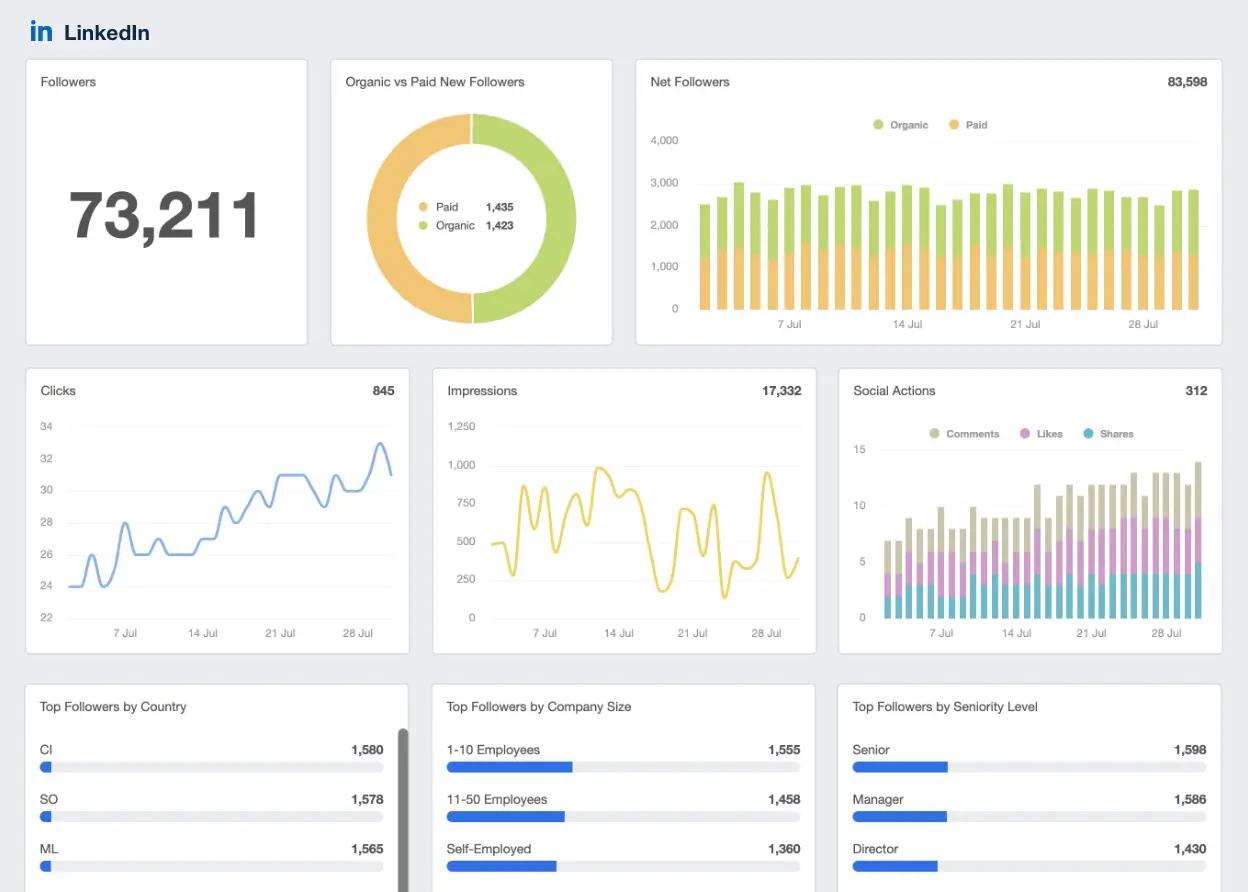
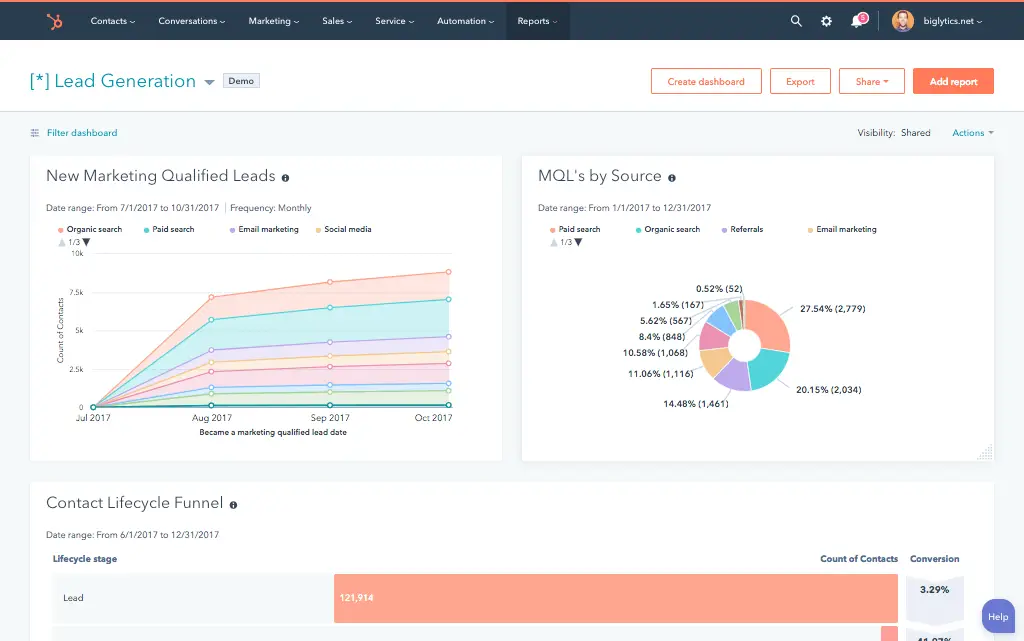
A HubSpot LinkedIn integration connects LinkedIn Ads, Lead Gen Forms and Sales Navigator to HubSpot’s CRM so ad leads, matched audiences and Navigator activity flow into contact and company records automatically. It replaces manual CSV exports and copy-pasted LinkedIn messages with a live, two-way data connection between the platforms.
How does the HubSpot LinkedIn integration work?
LinkedIn’s Ads API and Marketing API pass lead form submissions, campaign performance, and audience data to HubSpot while HubSpot pushes contact lists back to LinkedIn as matched audiences and conversion events. Sales Navigator connects through a separate integration layer for saved leads and InMail activity on contact timelines.

Turn HubSpot Into A Real-Time SMS Engine with Message IQ
 Two-Way Conversations
 Shared Team Inbox
 Automation Triggers
 Advanced Reporting
 Compliance Tools
- 98% SMS read within 3 min
- 78% Buy from first responder
- 21× More likely to qualify

*MessageIQ is an IntegrateIQ product – built natively for HubSpot by the same team.
Does HubSpot have a native LinkedIn integration?
Yes, but it comes in pieces. LinkedIn Ads sync works with any HubSpot Marketing Hub plan, while the Sales Navigator connector requires both a Sales Navigator Advanced Plus subscription and HubSpot Sales Professional or Enterprise. Teams without those plans need a third-party or custom connection.
How long does a HubSpot LinkedIn integration take to build?
A custom HubSpot LinkedIn integration typically takes eight weeks: two weeks for discovery and field mapping across ads, forms and Navigator; three weeks for build and staging; one week for historical backfill; and two weeks for testing, cutover, and hypercare support after launch.
Can HubSpot and LinkedIn sync bi-directionally?
Yes. Lead Gen Form submissions and Navigator activity flow from LinkedIn into HubSpot while HubSpot contact lists, lifecycle stages and closed-won conversion events flow back to LinkedIn to build matched audiences and optimize ad targeting. Both directions can run on independent schedules.
What data can sync between HubSpot and LinkedIn?
Standard objects include HubSpot contacts, companies, deals and marketing campaigns synced against LinkedIn Lead Gen Form submissions, company page data, Sales Navigator account and lead data, ad campaigns, and InMail or ad engagement history, plus custom objects mapped through triggers.
How a HubSpot LinkedIn Integration Actually Works
A HubSpot LinkedIn integration connects three separate LinkedIn surfaces, Ads, Lead Gen Forms, and Sales Navigator, to HubSpot’s CRM through their respective APIs. LinkedIn owns the professional network data: ad performance, form submissions, and Navigator activity. HubSpot owns the relationship: lifecycle stage, deal status, and everything a rep has done with the contact since.
Data flows both ways on independent schedules. Lead Gen Form submissions and Navigator saved-lead events push into HubSpot in near real time, creating or updating contacts and logging the source. In the other direction, HubSpot contact lists and lifecycle changes sync out to LinkedIn as matched audiences for targeting or exclusion, and closed-won events sync out as conversion events for ad optimization.
Not everything syncs automatically, and that is by design. Which HubSpot properties feed which LinkedIn audiences, whether Navigator activity writes to the same fields as ad activity, and how often audiences refresh are all configured explicitly, so one system doesn’t silently overwrite the other.
Three Ways to Connect LinkedIn and HubSpot
Not every team needs custom. Here is the honest comparison.
| Factor | Native Marketplace App | Zapier / iPaaS | Custom (Integrate IQ) |
|---|---|---|---|
| Best for | Basic lead sync for teams already on Sales Navigator Advanced Plus and Sales Pro or Enterprise | Simple one-way lead or audience syncs without those plan requirements | Multi-object, bi-directional sync across ads, Sales Navigator, and CRM at scale |
| Sync direction | One-way, ads and Navigator to HubSpot only | Mostly one-way, configurable per Zap | True bi-directional, field by field |
| Custom objects/fields | Standard fields only | Standard fields, limited custom mapping | Full custom object and field mapping, including custom triggers |
| Ad audience and Navigator sync | Basic lead form sync; matched-audience push is manual or unsupported | Possible with extra Zaps, but brittle at volume | Automated matched-audience refresh and Navigator saved-lead sync, built to API limits |
| Business logic | None, direct field pass-through | Basic filters and conditional Zaps | Full custom logic: scoring rules, suppression, ownership assignment |
| Volume handling | Caps and delays above moderate lead volume | Task-based limits, can throttle at scale | Built for enterprise volume with batching and rate-limit handling |
| Historical backfill | Not supported, new leads only | Manual CSV workaround | Full historical backfill on day one |
| Maintenance | HubSpot-managed, breaks silently on API changes | You own troubleshooting when a Zap fails | Monitored and maintained by Integrate IQ, issues caught before they hit reporting |
If you’re on the right plans, running one campaign type, and don’t need historical backfill or matched-audience automation, the native connector or Zapier will cover you. Once you’re running ads, Lead Gen Forms, and Sales Navigator together, need bi-directional sync, or are moving volume the native tools throttle, that’s when custom HubSpot integration services pay for themselves.
Revenue Workflows You Can Automate Once LinkedIn Data Lives in HubSpot
- Instant lead-to-rep handoff. A LinkedIn Lead Gen Form submission creates or updates a HubSpot contact, assigns it to a rep by territory or product line, and starts a fast-follow sequence within minutes instead of the next CSV export.
- Ad-spend suppression. HubSpot’s closed-won and current-customer lists sync to LinkedIn as a matched audience, automatically excluding them from prospecting campaigns so ad budget never targets people who already bought.
- Navigator-to-nurture handoff. When a rep saves a Navigator lead, HubSpot tags the contact and enrolls it in an outreach sequence, giving marketing visibility into accounts sales is already working.
- Engagement-based lead scoring. InMail opens, ad clicks and profile engagement flow into HubSpot lead-scoring models, triggering an MQL alert once a prospect crosses the threshold.
- Closed-won conversion feedback. Revenue events in HubSpot push back to LinkedIn as conversion events, so ad campaigns optimize toward accounts that actually close instead of raw click volume.
What Breaks in a LinkedIn HubSpot Sync, and How We Prevent It
- Duplicate records and identity resolution. LinkedIn Lead Gen Forms and Navigator submissions often arrive without a matching email, so we build deterministic and fuzzy matching against existing contacts before creating new records, instead of letting duplicates pile up.
- System-of-record conflicts. We decide up front whether HubSpot or LinkedIn owns fields like job title or company size, so updates flow one direction by design and never overwrite each other silently.
- Field mapping and status drift. Lifecycle stages and lead statuses use different values on each side, so we build a translation layer that maps them explicitly instead of relying on label matching that breaks the first time a picklist changes.
- Ad and Navigator API permission mismatches. LinkedIn’s Ads API and Sales Navigator API sit on separate permission tiers with different refresh limits on matched audiences, so we build against each platform’s actual constraints instead of assuming one connection covers both.
- API rate limits at volume. Across our client base we move 20 billion plus records annually and 55 million fields daily, so we batch, checkpoint, and throttle by design instead of by accident.
Implementation Timeline: What to Expect
Most HubSpot LinkedIn integrations complete inside eight weeks of kickoff. The first two weeks cover discovery: object inventory in both systems, field-by-field mapping, system of record decisions, and mapping which HubSpot audiences need matched-audience treatment on LinkedIn Ads. Weeks three to five are build and unit testing against a staging LinkedIn instance and a HubSpot sandbox. Week six runs the historical backfill and reconciliation. Weeks seven and eight cover user acceptance testing, cutover, and hypercare. Post-launch monitoring is included, so if a LinkedIn configuration changes or HubSpot pushes an API update, we see it before your reports do. Full detail is on our HubSpot integration process page and 98.5% of clients renew for a follow-on scope.
See your 12-month revenue impact with HubSpot CRM
Enter your current numbers — visitors, leads, deal size — and get a personalized projection based on real HubSpot customer benchmarks.
Calculate My ROI
Connect the Rest of Your Revenue Stack
LinkedIn rarely runs alone in the stack. If your sales team also lives in a CRM outside HubSpot, our HubSpot salesforce integration keeps ad and Navigator data flowing there too. Teams pairing LinkedIn prospecting with call intelligence often connect HubSpot gong for a full engagement picture, and marketing teams running LinkedIn ads alongside email frequently add HubSpot klaviyo to keep campaign attribution in one place. If you’re still weighing HubSpot against another CRM for the sales side of this stack, our HubSpot vs Salesforce comparison breaks down the tradeoffs.



Table of Contents
- What is a HubSpot LinkedIn integration?
- How does the HubSpot LinkedIn integration work?
- Does HubSpot have a native LinkedIn integration?
- How long does a HubSpot LinkedIn integration take to build?
- Can HubSpot and LinkedIn sync bi-directionally?
- What data can sync between HubSpot and LinkedIn?
- How a HubSpot LinkedIn Integration Actually Works
- Three Ways to Connect LinkedIn and HubSpot
- Revenue Workflows You Can Automate Once LinkedIn Data Lives in HubSpot
- What Breaks in a LinkedIn HubSpot Sync, and How We Prevent It
- Implementation Timeline: What to Expect
- Connect the Rest of Your Revenue Stack




