








































What is a HubSpot CloudTalk integration?
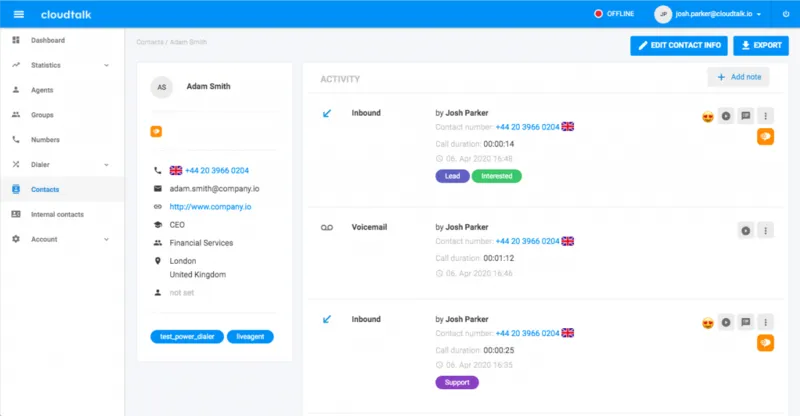
A HubSpot CloudTalk integration connects your cloud phone system to your CRM, syncing calls, recordings, SMS, and dispositions so sales and support teams have full context without leaving HubSpot.
How does the HubSpot CloudTalk integration work?
The integration maps CloudTalk contacts, calls, and agents to HubSpot contacts, deals, and engagements. Calls and SMS log automatically to the matched contact’s timeline, while HubSpot contact and deal data appears in the CloudTalk interface during a live call.

Turn HubSpot Into A Real-Time SMS Engine with Message IQ
 Two-Way Conversations
 Shared Team Inbox
 Automation Triggers
 Advanced Reporting
 Compliance Tools
- 98% SMS read within 3 min
- 78% Buy from first responder
- 21× More likely to qualify

*MessageIQ is an IntegrateIQ product – built natively for HubSpot by the same team.
Does HubSpot have a native CloudTalk integration?
Yes. CloudTalk offers a native, plugin-free HubSpot integration that connects directly without a browser extension. It handles standard calling, logging, and screen-pop functionality reliably, with real plan and admin access requirements worth confirming before setup.
What HubSpot plan do you need for the CloudTalk integration?
CloudTalk’s own documentation confirms the integration requires a paid HubSpot Sales Pro or Service Pro seat, and a HubSpot Super Admin may be needed to enable it. Teams on HubSpot’s free or Starter tiers, or without admin access available, need to address this before setup can be completed.
How long does a HubSpot CloudTalk integration take to build?
A custom HubSpot CloudTalk integration typically takes 6 to 8 weeks: 1 to 2 weeks of discovery and disposition mapping, 3 weeks of build and staging, and the remaining weeks for testing and go-live support.
Can you partially uninstall the CloudTalk HubSpot integration?
No. CloudTalk’s own documentation confirms that removing the integration requires uninstalling it from both HubSpot and CloudTalk at the same time, a limitation on HubSpot’s side, with no partial rollback option. Any planned migration or reconfiguration should account for this rather than assuming an incremental change is possible.
Three Ways to Connect CloudTalk and HubSpot
Not every team needs custom. Here is the honest comparison, currently absent from the page.
| Factor | Native CloudTalk App | Zapier / Generic iPaaS | Custom Integration (Integrate IQ) |
|---|---|---|---|
| Best for | Standard sales and support teams already on a qualifying HubSpot plan | Simple one-way trigger automation | Teams needing custom routing logic, multi-brand numbers, or a HubSpot tier they don’t currently have |
| HubSpot plan requirement | Requires a paid HubSpot Sales Pro or Service Pro seat, per CloudTalk’s own documentation | No CloudTalk tier lock, but subject to Zapier task limits | Built around your actual current HubSpot plan |
| Uninstall / reconfiguration | All-or-nothing; must be removed from both platforms simultaneously | Removable independently, but rebuilds are manual | Documented migration path preserving historical data |
| Sync direction | True two-way for contacts; call and SMS data flows one-way to HubSpot | One-way per trigger | True bi-directional, configurable per object |
| Business logic | Fixed within CloudTalk’s settings | Basic conditional logic | Custom rules, e.g. multi-brand routing, IVR path tracking |
| Volume handling | Built for standard to high call volume | Task limits and throttling at scale | Built for seasonal volume surges without timeouts |
| Maintenance | Vendor-managed | You manage it | Monitored, maintained, and supported |
If you’re already on a qualifying HubSpot plan with straightforward calling needs, CloudTalk’s native integration is a genuinely solid choice. Once you need custom routing logic, multi-brand number handling, or you’re on a HubSpot tier the native integration doesn’t support, a custom integration is what fits your actual setup instead of requiring a HubSpot upgrade first.
Contact Center Workflows You Can Automate Once CloudTalk Data Lives in HubSpot
- Multi-Brand Number Routing for Agencies. For agencies or businesses managing multiple brands through CloudTalk, HubSpot can route inbound calls to the correct brand’s pipeline and team based on which CloudTalk number was dialed, rather than a single shared queue.
- Peak-Volume Capacity Alerts. Since CloudTalk customers have documented handling seasonal call volume surges into the thousands per day, HubSpot can alert managers when incoming call volume approaches historical capacity thresholds, prompting proactive staffing adjustments before service quality drops.
- IVR Path Outcome Tracking. Beyond a simple call log, HubSpot can capture which IVR path a caller selected before reaching an agent, revealing which self-service options callers actually use versus which ones get bypassed entirely.
- Global Number Compliance Tagging. For businesses calling across CloudTalk’s supported international numbers, HubSpot can tag contacts with region-specific calling compliance requirements, time-zone-appropriate calling windows, local consent rules, preventing outreach that violates regional regulations.
- Full Uninstall/Reinstall Migration Safeguard. Since CloudTalk’s own documentation confirms the native integration must be fully removed from both platforms if uninstalled, with no partial rollback, a custom integration includes a documented migration path that preserves historical call data and configuration if the connection method ever needs to change.
What Breaks in a CloudTalk HubSpot Sync, and How We Prevent It
- Duplicate records and identity resolution. Callers using a different number than what’s on file can create duplicate HubSpot contacts if matching relies on phone number alone. We match on multiple identifiers and existing associations.
- System-of-record conflicts. A supervisor may update a call disposition or tag directly in CloudTalk while a HubSpot workflow still reflects a different assumed outcome. We define clear field ownership so the two systems don’t drift apart.
- The integration requires specific HubSpot plan and admin access. CloudTalk’s own help documentation confirms the integration requires a paid HubSpot Sales Pro or Service Pro seat, and a HubSpot Super Admin may be needed to enable it. Teams on lower HubSpot tiers or without admin access available can’t complete setup without addressing this first. We confirm your actual HubSpot plan and admin access during discovery.
- All-or-nothing uninstall and reconfiguration. CloudTalk’s own documentation confirms that removing the integration requires uninstalling it from both HubSpot and CloudTalk simultaneously, a limitation on HubSpot’s side, with no partial rollback option. Any migration or reconfiguration plan needs to account for this rather than assuming a clean, incremental change is possible.
- API rate limits at high call volume. Businesses with call volume surges into the thousands per day, a real, documented scenario for CloudTalk customers in retail and e-commerce, can hit API limits during peak periods. Across 300+ platform integrations moving 20 billion plus fields annually, we design specifically for these volume spikes, not average daily call counts.
Implementation Timeline: What to Expect
Most HubSpot CloudTalk integrations ship in 6 to 8 weeks. The first 1 to 2 weeks cover discovery, including confirming your HubSpot plan and admin access and mapping which call flows and dispositions matter for reporting. The next 3 weeks cover build and staging. The final weeks cover testing, cutover, and hypercare support. Our HubSpot integration process is the same repeatable framework behind our 98.5% client retention rate.
See your 12-month revenue impact with HubSpot CRM
Enter your current numbers — visitors, leads, deal size — and get a personalized projection based on real HubSpot customer benchmarks.
Calculate My ROI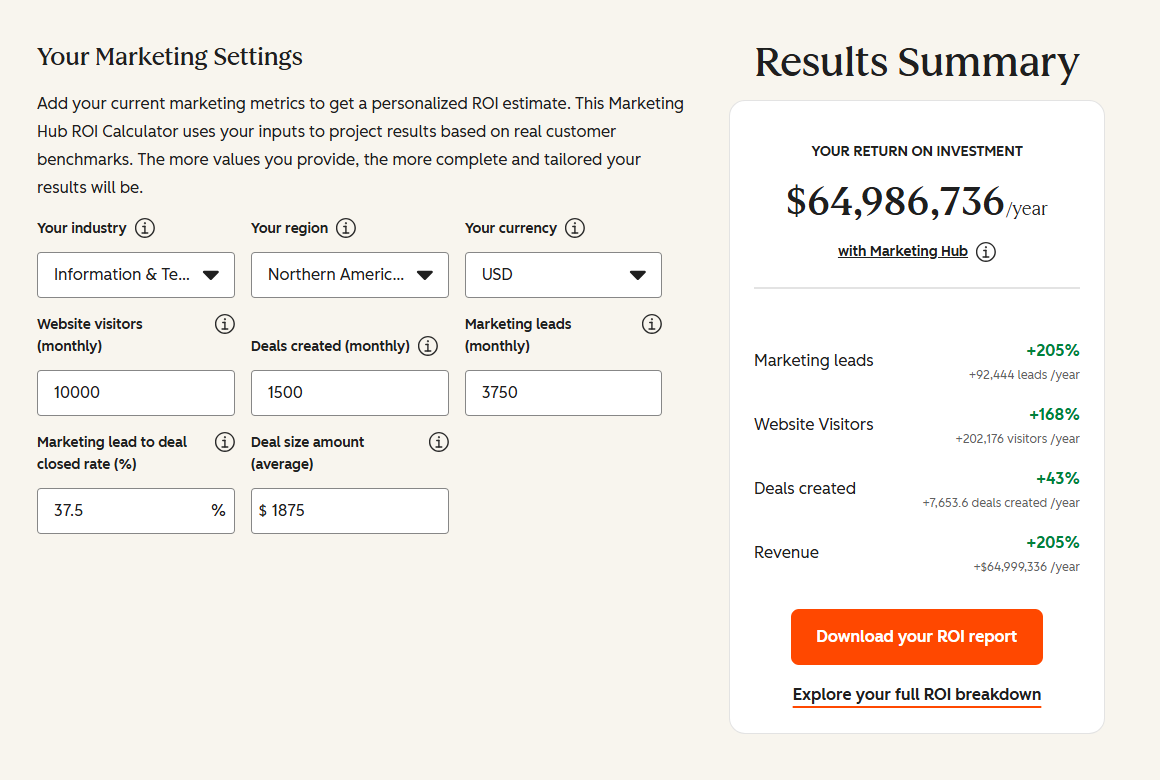
Connect the Rest of Your Revenue Stack
Staffing and recruiting teams running high call volume often pair this with our recruiting and staffing industry work. SMS-heavy workflows work well alongside Message IQ, our own HubSpot SMS solution. Custom routing logic or compliance-gated calling rules beyond the standard build often needs full-stack development support. Getting reps and managers onto the new workflow goes faster with HubSpot training. Not sure what any of this is worth to your team? Run the numbers on our Integration ROI Calculator.


Table of Contents
- What is a HubSpot CloudTalk integration?
- How does the HubSpot CloudTalk integration work?
- Does HubSpot have a native CloudTalk integration?
- What HubSpot plan do you need for the CloudTalk integration?
- How long does a HubSpot CloudTalk integration take to build?
- Can you partially uninstall the CloudTalk HubSpot integration?
- Three Ways to Connect CloudTalk and HubSpot
- Contact Center Workflows You Can Automate Once CloudTalk Data Lives in HubSpot
- What Breaks in a CloudTalk HubSpot Sync, and How We Prevent It
- Implementation Timeline: What to Expect
- Connect the Rest of Your Revenue Stack