






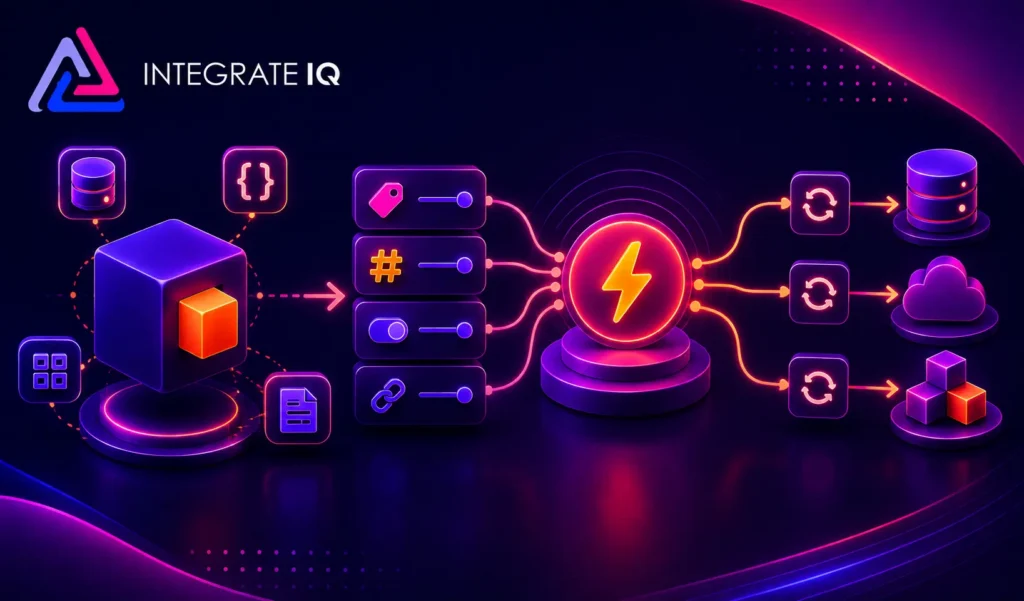
Objects, Properties, Triggers and Syncs: A Plain-English Explanation
Integration conversations move fast, and four words come up constantly: objects, properties, triggers, and syncs. This FAQ explains what each one means, how they relate to…

HubSpot Diamond Solutions Partner
Bridge the gap between your active community and your CRM. We map Discord members to HubSpot contacts, tracking engagement to identify leads and trigger personalized follow-ups without manual monitoring.

Discover how top companies use their CRM to power marketing, sales & growth. No spam. No sales pitch. Just expert insights from certified HubSpot professionals.

Get personalized projections based on real HubSpot customer data — matched to your industry and region.
Visitors · Leads · Deals · Close Rate · Avg. Deal Size
Benchmarks that actually match your market
Leads · Pipeline · Revenue
Instant PDF, ready to share

Two guides that turn this integration into the business case your VP wants to hear, with the framing and numbers ready to go.
Forecast credibility, deal velocity, expansion revenue, in CRO language.
Attribution, budget defensibility, segmentation, in CMO language.
Cost per order, cycle time compression, team capacity at higher volume, in COO language.
ERPs, custom objects, legacy databases, real-time bi-directional sync. Every estimate is built by the same engineers who ship the integration.
60-second ballpark · No back-and-forth
Bi-directional sync
One-way or two-way, built to your data flow
Granular field mapping
Every property mapped, validated, tested
Real-time + scheduled
Instant triggers and batched syncs together
Custom sync logic
Your business rules, written into the build
Error handling
Monitoring, alerts, retry logic baked in
Year 1 continuity
License, maintenance, ongoing support
Managing a server is chaotic without data context. This integration identifies who your high-value members are by cross-referencing CRM data, allowing for targeted role assignment and automated moderation based on customer status.
Automated Role Sync: Automatically assign "Customer" or "VIP" roles in Discord based on HubSpot Lifecycle Stages or Deal status.
Streamlined Support: Create private channels for high-value accounts automatically when a deal closes, ensuring white-glove service.
Member Verification: Secure your server by validating email addresses against your HubSpot database during the onboarding process.
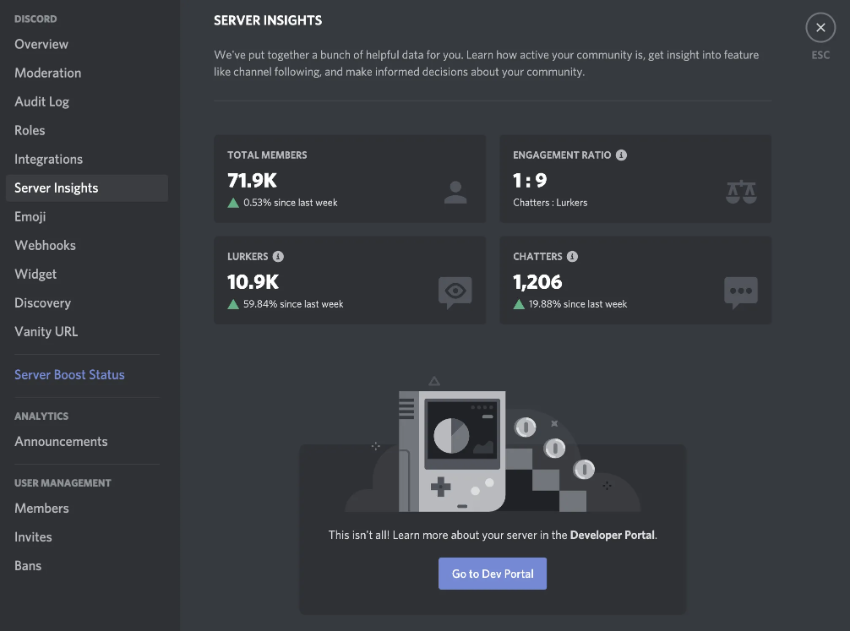
Managing a server is chaotic without data context. This integration identifies who your high-value members are by cross-referencing CRM data, allowing for targeted role assignment and automated moderation based on customer status.


Integrate IQ has consistently shown they can be trusted with even the most complex projects. I know our customers are in great hands and that the job will always get done right.
Treating your community as a black box limits growth. We pull engagement metrics and conversation history into HubSpot, giving sales and success teams visibility into what their accounts are saying and doing in real-time.
Engagement Tracking: Log Discord messages or "joined server" events on the Contact timeline to measure community intent and health.
Lead Capture: Create new HubSpot contacts automatically when users join your server or interact with specific "Ask an Expert" channels.
Internal Sales Alerts: Send notifications to a dedicated internal sales channel when a high-value prospect visits your pricing page or opens an email.

Treating your community as a black box limits growth. We pull engagement metrics and conversation history into HubSpot, giving sales and success teams visibility into what their accounts are saying and doing in real-time.
Our custom integrations are engineered for flexibility and scale, handling any business logic and data transformation you require.
Standard, out-of-the-box connectors are built for simple, one-way data pushes. They can't handle the dynamic, tag-based segmentation or community functions of Discord. We build your integration around your specific automations, mapping custom fields and product data bi-directionally.
Map your CRM data to your community platform.
No surprises. Clear scope, clear acceptance tests. We believe in straightforward pricing so you know exactly what to expect before we begin.
A failed integration is more than a technical problem: it's a drain on time, budget, and morale. We are the specialists that leading companies like MetLife trust to handle their most mission-critical data flows. We don't rely on fragile connectors or simplistic platforms because we know they can't handle enterprise scale. Our approach is built on robust, custom development and a deep understanding of both HubSpot and the systems you need to connect it to. Partnering with us isn't just another attempt; it's an investment in certainty.
Our four pillars for delivering successful outcomes on complex projects.
We thrive on custom API integrations, multi-system migrations, and “messy data” that makes others pause. Full support for standard and custom objects across your stack is table stakes for us.
Real problems, shipped solutions. Our proprietary Smart Ramp apps were developed to fill gaps in HubSpot capabilities and solve real-world customer problems. The same practical mindset powers our HubSpot AI Accelerator: We focus on data readiness and shipped outcomes, not shiny features.
Complex projects demand clarity. Our Smart Process runs on an 8-12 week cadence with stage gates, transparent deliverables, and clear pricing. That’s how we maintain a 98.5% customer retention rate.
We’re a developer-led team of integration engineers, solution architects, and technical PMs. Clients describe us simply: 'the folks you call when something seems impossible.'

















See why leaders at scaling companies partner with Integrate IQ's experts.
Why Businesses Trust Integrate IQ for a Smarter HubSpot Experience

Yes. We can configure the bot to check a user's deal stage or "Customer" status in HubSpot and automatically grant them access to exclusive, private channels in Discord.
It is configurable. To protect privacy and reduce noise, we typically configure the integration to only sync messages from specific support channels or threads, rather than every general chat.
Yes. A common use case is sending real-time alerts to an internal #sales-wins or #hot-leads channel in Discord whenever a HubSpot deal moves to "Closed-Won."
We typically use an email verification flow (via a bot DM) or a slash command to link the Discord User ID to the HubSpot Contact email address.
Don't let your most engaged users remain anonymous. Let's connect your server to your sales funnel and build a community strategy driven by data.
Schedule Your Integration Discovery Call
Integration conversations move fast, and four words come up constantly: objects, properties, triggers, and syncs. This FAQ explains what each one means, how they relate to…
The ROI of CRM integration measures the net financial return from connecting your CRM to the other systems your business runs on, weighed against what it…
Most “in-house vs. agency” comparisons treat every outside option as one bucket. That’s the wrong framing. The real fork is who owns strategy versus who owns…
