






HubSpot Data Mapping Service: What It Includes, When You Need One and How to Choose
Every failed HubSpot migration and every broken integration we get called to fix traces back to the same root cause: fields that don’t line up. A…

HubSpot Diamond Solutions Partner
Connect HubSpot’s sales and marketing power directly to your email. Our seamless HubSpot and Outlook integration syncs emails, contacts, and calendars, turning your inbox into a true GTM command center.

Discover how top companies use their CRM to power marketing, sales & growth. No spam. No sales pitch. Just expert insights from certified HubSpot professionals.
Get personalized projections based on real HubSpot customer data — matched to your industry and region.
Visitors · Leads · Deals · Close Rate · Avg. Deal Size
Benchmarks that actually match your market
Leads · Pipeline · Revenue
Instant PDF, ready to share

Two guides that turn this integration into the business case your VP wants to hear, with the framing and numbers ready to go.
Forecast credibility, deal velocity, expansion revenue, in CRO language.
Attribution, budget defensibility, segmentation, in CMO language.
Cost per order, cycle time compression, team capacity at higher volume, in COO language.
ERPs, custom objects, legacy databases, real-time bi-directional sync. Every estimate is built by the same engineers who ship the integration.
60-second ballpark · No back-and-forth
Bi-directional sync
One-way or two-way, built to your data flow
Granular field mapping
Every property mapped, validated, tested
Real-time + scheduled
Instant triggers and batched syncs together
Custom sync logic
Your business rules, written into the build
Error handling
Monitoring, alerts, retry logic baked in
Year 1 continuity
License, maintenance, ongoing support
Microsoft Outlook serves over 400 million active users globally, and most enterprise sales reps spend 3 to 4 hours per day in their inbox. When email conversations don't sync to HubSpot, sales managers can't coach on deal communication, marketing can't see which contacts are actively engaged, and reps manually copy email threads into CRM notes. These are the teams where a clean Outlook-to-HubSpot connection changes how work actually gets done.
Large-account sales reps managing 20 to 50 active opportunities run all client communication through Outlook. When those emails auto-log to HubSpot deal records, managers can see communication frequency, identify deals going cold based on email silence, and review actual messaging quality during pipeline reviews instead of guessing.
Regulated industries need documented communication trails across every client interaction. Syncing Outlook email activity to HubSpot contact timelines creates a defensible record of who said what and when, reducing compliance documentation effort and making audit preparation substantially faster.
Recruiters at mid-market staffing agencies send 80 to 150 emails per week per recruiter managing candidate and client relationships in parallel. When Outlook activity auto-logs to HubSpot, pipeline visibility improves dramatically. Managers can track which candidates are actively engaged and which client relationships have gone cold.
This integration embeds HubSpot's most powerful sales tools directly into the Outlook interface, so your reps can work where they're fastest. By choosing to integrate HubSpot with Outlook, you eliminate the need to switch tabs, keeping focus on closing deals.
Log & Track Emails: Automatically log emails sent from Outlook to the correct HubSpot contact record. Get real-time notifications when a prospect opens an email or clicks a link.
Access Sales Tools: Use HubSpot email templates, snippets, and sales documents without ever leaving your Outlook compose window.
Enroll in Sequences: Add contacts to your automated HubSpot sales sequences directly from Outlook, streamlining your follow-up process.
Book Meetings Faster: Insert your HubSpot meetings link or proposed times into any email. When a prospect books, the HubSpot Outlook calendar integration ensures it syncs to both platforms instantly.
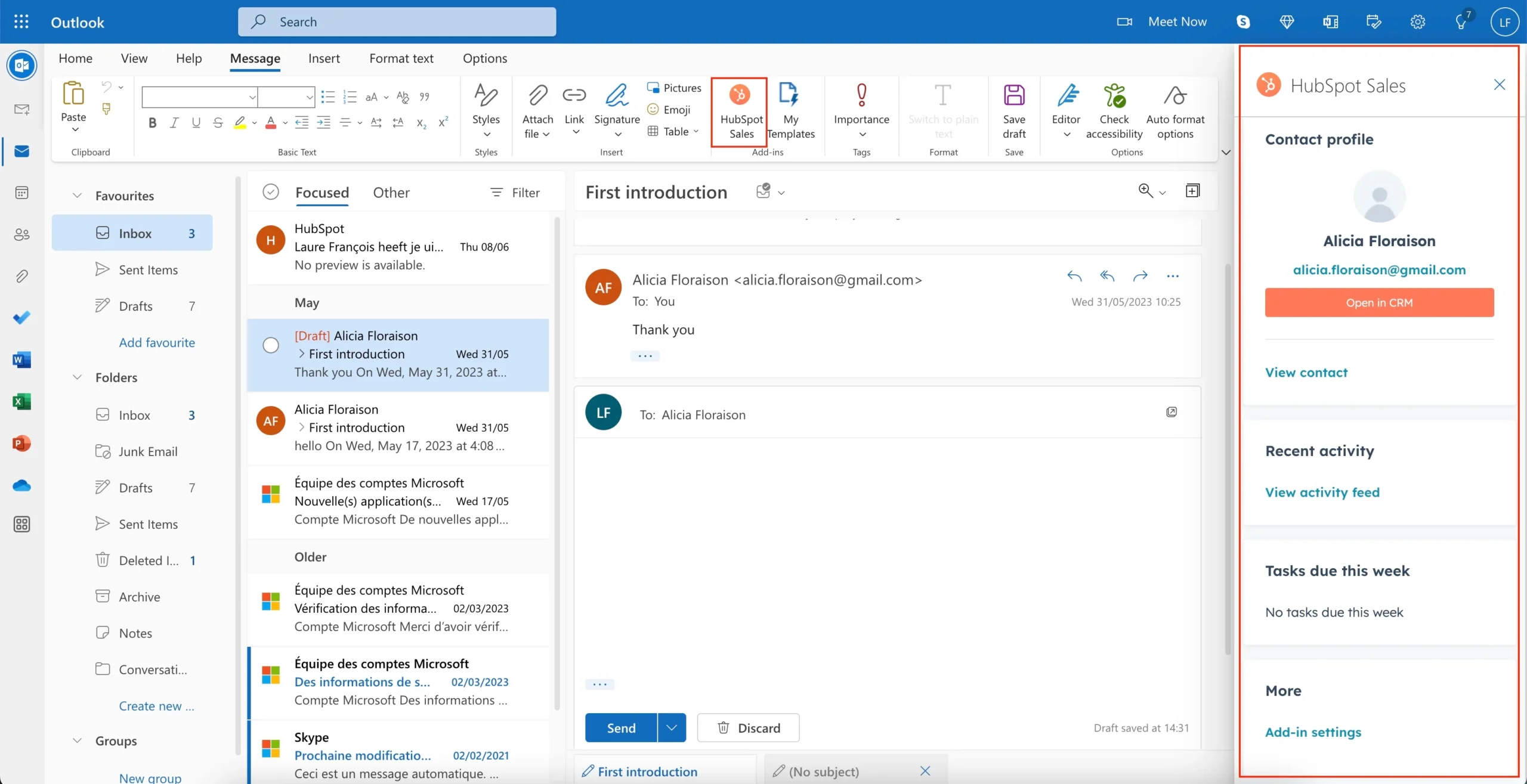
This integration embeds HubSpot's most powerful sales tools directly into the Outlook interface, so your reps can work where they're fastest. By choosing to integrate HubSpot with Outlook, you eliminate the need to switch tabs, keeping focus on closing deals.


Integrate IQ has consistently shown they can be trusted with even the most complex projects. I know our customers are in great hands and that the job will always get done right.
A GTM team runs on meetings and emails. This integration creates a single, unified system by ensuring your HubSpot CRM Outlook connection is perfectly aligned.
Bi-Directional Calendar Sync: Create a meeting in HubSpot, and it appears on your Outlook calendar. Create an event in Outlook, and it syncs to HubSpot and logs on the contact's timeline. No more double-booking.
See Full Contact Profiles: The sidebar in our Outlook HubSpot integration shows you the complete CRM profile of every email recipient. See their lifecycle stage, associated deals, and past activity feed before you hit send.
Automate Your Workflows: Use email interactions to trigger workflows. Automatically create a task when a contact is created via HubSpot and Outlook, or send a follow-up email when a task is completed.
Maintain Data Accuracy: Automatically sync contacts and their activities, ensuring your HubSpot integration with Outlook keeps your CRM up-to-date with the latest interactions.
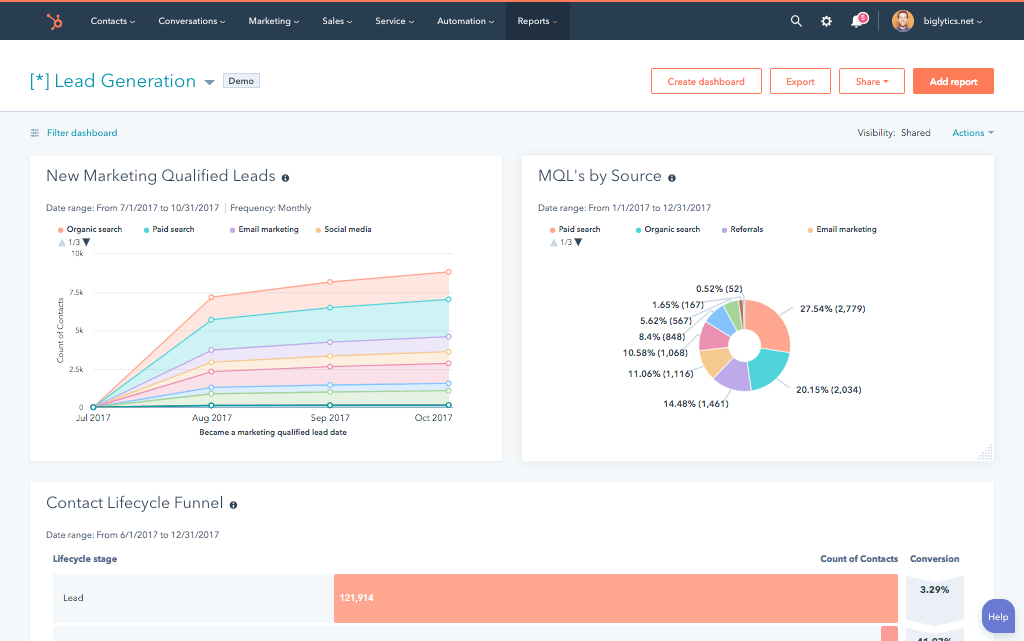
A GTM team runs on meetings and emails. This integration creates a single, unified system by ensuring your HubSpot CRM Outlook connection is perfectly aligned.
Our custom integrations are engineered for flexibility and scale. While standard plugins exist, enterprise teams often require a deeper HubSpot integration Outlook solution to handle complex business logic and data transformation.
The standard HubSpot Microsoft Outlook integration add-in is a powerful sales tool, but a true RevOps strategy requires a robust, bi-directional sync of all data. We build a custom architecture that goes beyond the inbox plugin to ensure your platforms are perfectly aligned.
We ensure seamless data translation between HubSpot and Outlook by mapping standard and custom objects and fields for a complete sales and service picture.
Most integration projects stall before they start because no one maps the actual process. IntegrateIQ runs a structured 8-week delivery cadence with defined stage gates, clear pricing, and documented acceptance criteria for every deliverable. Most integration projects stall before they start because no one maps the actual process. IntegrateIQ runs a structured 8-week delivery cadence with defined stage gates, clear pricing, and documented acceptance criteria for every deliverable.
IntegrateIQ engineers audit your Microsoft 365 environment (mailbox configuration, shared inboxes, calendar settings, Exchange version) and HubSpot setup.
Output is a documented data flow map specifying which email events sync to which HubSpot objects. Fixed-scope proposal with line-item deliverables. Project-based pricing with defined acceptance criteria for every feature
Fixed-scope proposal with line-item deliverables. Project-based pricing with defined acceptance criteria for every feature.
Server-side email logging, calendar sync, contact creation automation, and engagement tracking built and tested in sandbox against real email scenarios.
HubSpot workflows triggered by Outlook email events go live in sandbox. Your team reviews and signs off before production deployment.
Sales reps and admins test live scenarios: sent emails log to deal timelines, calendar events appear on contact records, new sender contacts auto-create in HubSpot. Every gap resolved before production.
Integration goes live with monitored traffic for 48 to 72 hours. Full documentation, handoff call, and post-launch support included.
No surprises. Clear scope, clear acceptance tests. We believe in straightforward pricing so you know exactly what to expect before we begin.
A failed integration is more than a technical problem: it's a drain on time, budget, and morale. We are the specialists that leading companies like MetLife trust to handle their most mission-critical data flows. We don't rely on fragile connectors or simplistic platforms because we know they can't handle enterprise scale. Our approach is built on robust, custom development and a deep understanding of both HubSpot and the systems you need to connect it to. Partnering with us isn't just another attempt; it's an investment in certainty.
Our four pillars for delivering successful outcomes on complex projects.
We thrive on custom API integrations, multi-system migrations, and “messy data” that makes others pause. Full support for standard and custom objects across your stack is table stakes for us.
Real problems, shipped solutions. Our proprietary Smart Ramp apps were developed to fill gaps in HubSpot capabilities and solve real-world customer problems. The same practical mindset powers our HubSpot AI Accelerator: We focus on data readiness and shipped outcomes, not shiny features.
Complex projects demand clarity. Our Smart Process runs on an 8-12 week cadence with stage gates, transparent deliverables, and clear pricing. That’s how we maintain a 98.5% customer retention rate.
We’re a developer-led team of integration engineers, solution architects, and technical PMs. Clients describe us simply: 'the folks you call when something seems impossible.'

















See why leaders at scaling companies partner with Integrate IQ's experts.
Why Businesses Trust Integrate IQ for a Smarter HubSpot Experience

The add-in provides in-inbox sales tools. Our HubSpot Outlook integration is a deeper, server-side connection that ensures all contacts and calendar events are synced bi-directionally, even for users who don't have the add-in installed or open.
Yes. With our HubSpot Outlook calendar integration, meetings created in HubSpot will sync to your Outlook calendar, and events created in Outlook with an existing HubSpot contact will sync back to their HubSpot timeline.
Yes. The integration allows you to automatically log emails and their attachments to the correct contact, company, deal, or ticket record in HubSpot.
Yes. The HubSpot Microsoft Outlook integration allows you to access your sales tools, including enrolling a contact in a sequence, directly from your compose window.
Your GTM team deserves a single, seamless workflow. Let's connect your inbox to your CRM and give your reps hours back every week. Schedule a free discovery call to map out your email and calendar data flow.
Book Your HubSpot Discovery Call!
Every failed HubSpot migration and every broken integration we get called to fix traces back to the same root cause: fields that don’t line up. A…
Your HubSpot migration date is on the calendar. Your source CRM is full of duplicates, contacts who changed jobs three years ago, and a “Lead Source”…

HubSpot’s AI Chatbot is the conversational layer built into the HubSpot Customer Platform, and it answers website visitors using your CRM data and your own knowledge…
