

Explore this article with AI:
Your HubSpot migration date is on the calendar. Your source CRM is full of duplicates, contacts who changed jobs three years ago, and a “Lead Source” field with 47 different spellings of “trade show.” So is migrating dirty data to HubSpot really as bad as everyone says, or can you sort it out after go-live?
We’ve run hundreds of migrations, and here’s the short version: dirty data doesn’t get cleaner in transit. It gets more expensive.
Migrating dirty data to HubSpot means transferring duplicate, outdated, incomplete, or inconsistently formatted records from a legacy CRM into HubSpot without cleansing them first. The migration itself usually succeeds. The problems surface afterward, in broken automation, unreliable reports, inflated billing, and a sales team that stops trusting the system within weeks.
This guide covers what actually breaks inside HubSpot when bad records land, what that costs, and a seven-step cleanup process that protects your timeline instead of blowing it up.
Free estimator
Know what your HubSpot project costs before the first call.
Select your services and get a transparent price range in minutes. No sales call needed to get a number.
Connect HubSpot to your ERP, billing platform, or database field mapping, custom logic, and support included.
Pipelines, workflows, email templates, and reporting configured for how your team actually works.
Live, role-based sessions with recordings and written guides built around a custom plan for your team.
HubSpot Partner
Client retention
Platforms integrated
What Counts as Dirty Data in a CRM Migration?
Dirty data is any record that misrepresents reality or can’t be used the way your team needs to use it. In a migration context, it shows up in six predictable forms:
- Duplicate records. The same person or company entered two, three, or ten times, often with slightly different spellings.
- Decayed records. Contacts who changed companies, roles, or email addresses since the record was created. Roughly 30% of B2B contact data decays every year, so a database untouched for five years is mostly fiction.
- Incomplete records. Missing emails, owners, job titles, or company associations. A contact without an owner never gets followed up.
- Inconsistent formatting. Phone numbers in four formats, US states as both “KY” and “Kentucky,” dates that flip between US and EU conventions.
- Invalid contact info. Hard-bounced emails and disconnected phone numbers that wreck deliverability and waste rep time.
- Non-compliant records. Unsubscribed contacts and people you have no consent basis to store, which turns a data problem into a GDPR or CCPA problem.
Every one of these travels perfectly well through an import tool. That’s exactly the issue.
What Breaks When You Migrate Dirty Data to HubSpot

Most articles tell you to clean your data first and leave it there. Here’s what they skip: the specific mechanics of how HubSpot handles bad inputs. These five failure modes account for nearly every painful cleanup project we’ve been called into.
HubSpot deduplicates contacts on email address
HubSpot treats email as the unique identifier for contacts. When your import contains two records with the same email, HubSpot merges or overwrites on match rather than creating both. If your source CRM allowed multiple records per email, like many Salesforce and legacy systems do, the import will silently collapse them, and the surviving field values may come from the wrong record. Teams discover this weeks later when a contact’s deal history looks wrong and nobody can explain why. If you’re moving off Salesforce specifically, our HubSpot Salesforce integration team sees this pattern constantly.
The reverse problem hits too. Duplicates with different email addresses sail straight through, because HubSpot has no way to know that “Bob Smith, bob@acme.com” and “Robert Smith, rsmith@acme.com” are the same human. Deduplication logic that requires business context has to happen before import.
Published workflows fire the moment records land
Any active workflow whose enrollment criteria match your imported records will run immediately. We’ve seen migrations trigger thousands of “welcome” emails to ten-year-old contacts, re-enroll closed customers in nurture sequences, and fire internal notifications until the sales team muted the channel. Lead scoring behaves the same way: every imported contact gets scored on arrival, and dirty inputs produce garbage scores that misroute your first month of leads.
Import order breaks associations
HubSpot links contacts to companies, deals to contacts, and activities to all of the above through associations. Import in the wrong sequence, or import duplicate company records, and those relationships fail to form. The result: deals floating free of any contact, account-level reporting that undercounts, and reps clicking into empty company records.
Dead records inflate your marketing contacts bill
HubSpot prices Marketing Hub by marketing contact tiers. Every stale, bounced, or unsubscribed record you migrate as a marketing contact pushes you toward the next tier. You end up paying a monthly subscription premium to store contacts you legally can’t email and practically can’t sell to. No competitor article mentions this, and it’s often the fastest way to get a CFO interested in data cleanup.
Reporting starts broken, and adoption follows
Dashboards built on duplicated pipeline and phantom contacts produce numbers leadership can’t reconcile. In a 2025 Validity survey of 602 CRM users, 76% said less than half of their CRM data is accurate. When reps see wrong data on day one of a new system, they stop entering data carefully, and the decay compounds. The migration that was supposed to restore trust in the CRM destroys it faster.

Turn HubSpot Into A Real-Time SMS Engine with
Message IQ

Two-Way Conversations

Shared Team Inbox

Automation Triggers

Advanced Reporting

Compliance Tools
-
98%
SMS read within 3 min -
78%
Buy from first responder -
21×
More likely to qualify
3–5 min avg response
$45–$50 ROI / $1

*MessageIQ is an IntegrateIQ product – built natively for HubSpot by the same team.
The Real Cost of Dirty Data
If you need numbers to justify cleanup time to leadership, use these:
- Gartner estimates poor data quality costs organizations an average of $12.9 million per year. Your number will be smaller, but the mechanism is identical: wasted outreach, misrouted leads, and decisions made on wrong reports.
- The 1-10-100 rule. It costs roughly $1 to verify a record at entry, $10 to cleanse it later, and $100 or more once a bad record causes a failed deal, a compliance issue, or a botched campaign. Migration is your last cheap chance to be in the $10 column.
- Sales reps lose about a quarter of their selling time to finding, correcting, and confirming bad records. Multiply that across your team’s fully loaded cost and the cleanup project usually pays for itself before go-live.
The pattern in all three: dirty data costs compound downstream. Cleaning during migration is the cheapest point of intervention you’ll ever get.
Should You Clean Data Before, During, or After Migration?
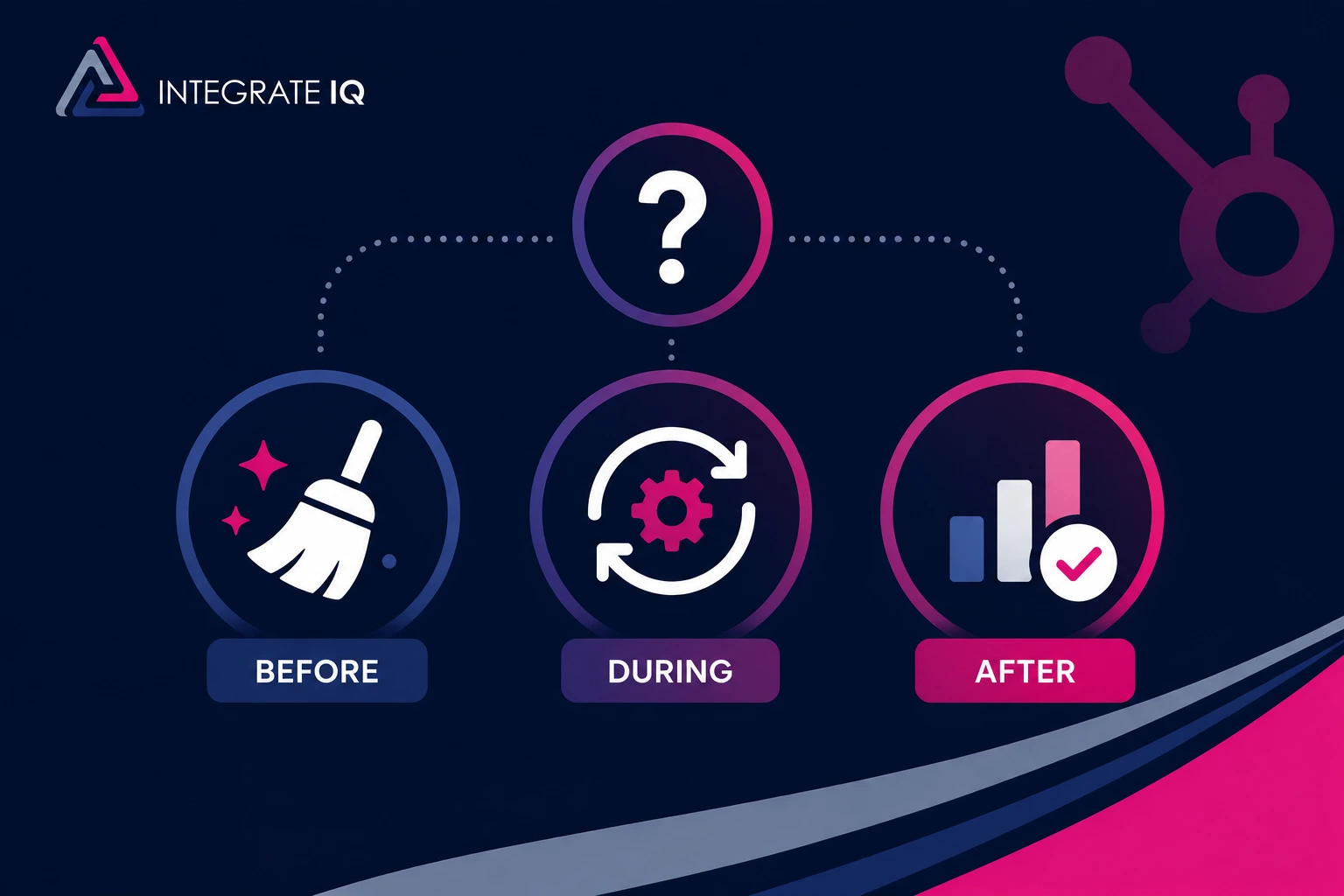
Clean before migration whenever you can. Your source system is where the business context still lives: which duplicate is the real record, which deals are genuinely dead, which fields anyone actually uses. Resolving duplicates in the source system is always faster than reconciling them inside HubSpot after the fact.
That said, we work with real companies on real deadlines. Sometimes a contract expiry or a team launch date forces the move before cleanup finishes. In those cases a staged approach beats a delayed migration, as long as it’s deliberate rather than accidental.
| Clean Before | Clean During | Clean After | |
|---|---|---|---|
| Best for | Any migration with 3+ weeks of lead time | Hard deadlines with partner-led migrations | Emergency moves only |
| How it works | Dedupe and standardize in the source CRM, then export | Transformation rules applied in flight via API | Import everything, then cleanse inside HubSpot |
| Risk level | Low | Medium | High |
| Effort required | Moderate, front-loaded | Handled by migration engineers | Highest total effort |
| Timeline impact | Adds 1–3 weeks upfront | Minimal | Fast go-live, then weeks of cleanup |
| Adoption impact | Team trusts data from day one | Mostly clean at launch | Team sees the mess first |
Clean-during deserves a note. When a migration runs through the API rather than CSV files, cleansing rules can execute as data moves: deduplication logic, format standardization, field transformations, and filters that leave stale records behind. That’s how we compress cleanup into the migration itself on deadline-driven projects. It requires engineering, which is why the DIY version of this path doesn’t really exist.
How to Clean Dirty Data Before Migrating to HubSpot: 7 Steps
Cleaning dirty data before migrating to HubSpot follows a fixed sequence, and the order matters. Standardizing before deduplicating dramatically improves duplicate matching. Testing before the full import catches mapping errors while they’re still cheap. For a deeper dive on the preparation phase, we’ve written a full guide to CRM data preparation before a HubSpot migration; here’s the condensed process.
- Audit everything and set a baseline. Export your data and profile it: duplicate rate, percentage of invalid emails, missing owners, empty required fields, records with no activity date. You can’t manage what you haven’t measured, and the baseline tells you which problem is biggest. Back up the full export before touching anything.
- Define scope and set a stale-record cutoff. Not everything deserves to make the trip. Set a hard rule, and two years without activity is a defensible default: contacts and deals older than that stay behind in an archive export. Also drop system-generated fields like legacy record IDs and create dates that won’t map to HubSpot’s auto-generated values, plus custom fields nobody has populated in years.
- Deduplicate in the source system with business context. Run exact-match dedupe first, then fuzzy matching on name plus company plus phone. Define survivorship rules for merges: which record wins on conflicting fields, who owns the merged result. Flag genuine conflicts for human review instead of letting an algorithm guess.
- Standardize high-impact fields. Phone formats, state and country values, job title conventions, picklist options, and company name variants (“Acme,” “Acme Corp,” “ACME Corporation”). This step directly determines whether your HubSpot segmentation and reporting work on day one.
- Build a field-mapping spreadsheet. Map every source field to a HubSpot property, note the data type, and mark which fields need custom properties created in HubSpot before import. Map legacy fields like “Lead Source” to HubSpot equivalents like Original Source deliberately, and confirm picklist values match exactly. This document becomes your migration blueprint and your post-migration validation checklist.
- Run a test import in a sandbox. Take roughly 10% of your cleaned dataset and import it into a sandbox or an isolated portal section. Diff-check the results against the source: field values landing in the right properties, associations forming, no truncation, no type mismatches. Pause or review every published workflow and your lead scoring model before records enter production. Fix issues in the mapping spreadsheet, not ad hoc.
- Freeze the legacy CRM and import in order. Set a hard cut-off date after which nobody enters data in the old system, or you’ll end up with split records across two platforms. Then run the full import in dependency order: companies first, then contacts, then deals and tickets, then activities. That sequence lets associations form correctly. Validate record counts and spot-check associations before declaring go-live.
Tools That Help (and Where They Stop)
HubSpot’s duplicate management tool catches exact and near matches on name and email after import, and it’s genuinely useful for ongoing hygiene. It won’t catch duplicates with different emails or make survivorship decisions for you.
Operations Hub adds data quality automation: formatting recipes that standardize phone numbers and capitalization, duplicate flagging, and property-level trend monitoring. It’s the right tool for keeping data clean after go-live, less so for a one-time bulk cleanse of 200,000 legacy records.
Insycle handles bulk formatting, rule-based deduplication, and scheduled cleanup workflows across HubSpot objects. Breeze Intelligence and enrichment tools like ZoomInfo or Apollo fill gaps in firmographic fields. For datasets under about 10,000 records, a disciplined person with a spreadsheet remains a perfectly good tool.
What none of these tools do: rationalize conflicting records that both look plausible, decide which custom fields your business actually needs, or restructure a broken data model. Those are judgment calls, and they’re where migrations earn their difficulty.
CSV Import vs. Migration Apps vs. Partner-Led Migration
The honest answer on method selection depends on volume, complexity, and how dirty the data is.
CSV import through HubSpot’s native tool wins for small, simple datasets: a few thousand contacts and companies, standard objects, one person who knows the data well. You control exactly what gets imported and it costs nothing. Its ceiling is real, though. Associations across four or more objects, engagement history, and large volumes get painful fast.
Native migration apps like HubSpot’s Smart Transfer or marketplace migrators automate object and field mapping from common CRMs. They work well when your source data model is standard and your data is already clean. They choke on heavily customized objects, and they move dirty data faithfully, duplicates and all. An automated pipe doesn’t clean what flows through it.
Partner-led API migration is the right call when volumes are large, objects are custom, associations are complex, or the data needs transformation in flight. This is the work we do at Integrate IQ. As a HubSpot Diamond Solutions Partner with the custom integration accreditation, we’ve connected 300+ platforms and our CRM data migration services include mapping, cleansing, and validation as standard phases rather than afterthoughts. More than 20 billion records move through our integrations annually, which means the edge cases in your dataset are usually ones we’ve already handled somewhere else.
You don’t need a partner for a 3,000-contact migration from a tidy Pipedrive instance. You probably do for a 400,000-record move off a customized Salesforce org with a decade of accumulated debt. Most companies sit somewhere between, and the deciding factor is usually how much transformation the data needs on the way in.
What a Partner-Led Migration Timeline Looks Like
Our typical migration delivers in 8 weeks from kickoff, and the shape of those weeks explains why clean migrations succeed:
- Weeks 1–2: Discovery and audit. We profile your source data, document the current model, and quantify the mess before anyone writes mapping logic.
- Weeks 3–4: Mapping and cleansing rules. Field mapping, deduplication logic, survivorship rules, and transformation specs, all reviewed with your team.
- Weeks 5–6: Sandbox testing. Sample migrations, diff validation, workflow safety checks, iteration on edge cases.
- Weeks 7–8: Production migration and validation. Staged import in dependency order, record count reconciliation, association spot checks, and handoff.
Notice the technical import occupies a fraction of the schedule. The audit, mapping, and validation phases are where migrations are won, and they’re exactly what rushed DIY projects skip. For comparison, a self-run migration of 5,000 to 20,000 records typically takes 2 to 4 weeks with clean data and 4 to 8 weeks with messy data.
After go-live, keep it clean: quarterly data audits, Operations Hub automation for formatting and duplicate flagging, and one named owner accountable for data quality. Teams that treat hygiene as a system rather than a one-time project are the ones whose portal still works in year three. Good HubSpot onboarding bakes those habits in from the start, and 98.5% of our clients stick with us partly because their data keeps working after the project ends.
Frequently Asked Questions
Should I clean my data before or after migrating to HubSpot?
Clean before migration whenever your timeline allows. Your source system holds the context needed to resolve duplicates and judge which records matter, and fixing problems there is faster and cheaper than reconciling them inside HubSpot. If a hard deadline forces the move first, use a partner-led migration that applies cleansing rules during transfer rather than importing everything raw.
What happens if I import duplicate contacts into HubSpot?
HubSpot uses email address as the unique identifier for contacts, so records sharing an email get merged or overwritten on import. Duplicates with different email addresses import as separate records, fragmenting activity history and pipeline visibility across them. Deduplicating in your source system before export prevents both outcomes.
How long does a HubSpot data migration take with messy data?
A DIY migration of 5,000 to 20,000 records typically takes 2 to 4 weeks with clean data and 4 to 8 weeks when the data needs significant cleanup. Partner-led migrations, including cleansing and validation, generally deliver in about 8 weeks regardless of data condition, because transformation happens as part of the process.
What data should I not migrate to HubSpot?
Leave behind contacts with no activity in 2+ years, hard-bounced and invalid email addresses, unsubscribed or non-consented records, closed-lost deals older than your reporting window, system-generated fields like legacy record IDs, and custom fields nobody populates. Archive an export of everything you exclude so nothing is truly lost.
Does HubSpot have built-in data cleaning tools?
Yes, within limits. HubSpot includes a duplicate management tool that surfaces likely contact and company matches, and Operations Hub adds automated formatting recipes, duplicate flagging, and data quality monitoring. These tools handle ongoing hygiene well but aren’t designed for bulk-cleansing a large, messy legacy dataset before or during migration.
How much does dirty data actually cost a business?
Gartner puts the average cost of poor data quality at $12.9 million per year per organization, driven by wasted outreach, lost productivity, and bad decisions. The 1-10-100 rule offers a per-record view: $1 to verify a record at entry, $10 to cleanse it later, and $100 or more once it causes a failure. Reps also lose roughly a quarter of their selling time to bad records.
See your 12-month revenue impact with HubSpot CRM
Enter your current numbers — visitors, leads, deal size — and get a personalized projection based on real HubSpot customer benchmarks.

Migrate Clean, Not Just Fast
If you’re staring at a migration deadline and a database you don’t trust, the worst move is importing everything and hoping. The second-worst is delaying the migration indefinitely while a cleanup project drags on. Our migration process handles both problems at once: audit, cleansing, mapping, and validation built into an 8-week delivery, so you go live on schedule with data your team can actually use. See how the phases fit together in our HubSpot integration process, or tell us about your migration and we’ll scope it with you.



Table of Contents
- What Counts as Dirty Data in a CRM Migration?
- What Breaks When You Migrate Dirty Data to HubSpot
- The Real Cost of Dirty Data
- Should You Clean Data Before, During, or After Migration?
- How to Clean Dirty Data Before Migrating to HubSpot: 7 Steps
- Tools That Help (and Where They Stop)
- CSV Import vs. Migration Apps vs. Partner-Led Migration
- What a Partner-Led Migration Timeline Looks Like
- Frequently Asked Questions
- Migrate Clean, Not Just Fast

