

Explore this article with AI:
HubSpot’s AI Chatbot is the conversational layer built into the HubSpot Customer Platform, and it answers website visitors using your CRM data and your own knowledge base content. It greets returning visitors by name, qualifies leads, books meetings straight off a rep’s calendar, and hands off to a human when a question gets too complicated for it to handle on its own.
If your entire go-to-market motion already runs on HubSpot, the chatbot is genuinely good. The problem shows up the moment a piece of context, a knowledge base, a support ticketing tool, an ERP record, a legacy CRM, lives somewhere else. We’ve spent years building HubSpot integrations for companies running into exactly that wall, so this breakdown is less marketing copy and more field notes: what the bot does well, what it quietly can’t do, and what to check before you commit to it as your only front line.
Free estimator
Know what your HubSpot project costs before the first call.
Select your services and get a transparent price range in minutes. No sales call needed to get a number.
Connect HubSpot to your ERP, billing platform, or database field mapping, custom logic, and support included.
Pipelines, workflows, email templates, and reporting configured for how your team actually works.
Live, role-based sessions with recordings and written guides built around a custom plan for your team.
HubSpot Partner
Client retention
Platforms integrated
How HubSpot’s AI Chatbot Actually Works
The bot sits inside Breeze, HubSpot’s umbrella term for its AI tools, and it’s powered by three sources of information: your Smart CRM contact and deal data, a knowledge base you build and host inside HubSpot Service Hub, and whatever rules you set in the no-code chatflow builder. There’s no coding required to stand it up. You pick a template, drag actions around in a visual builder, and connect it to a live chat channel.
There are actually two different products people lump together under HubSpot’s AI Chatbot, and the distinction matters more than most vendor pages let on:
- Rule-based chatflows: a decision tree you script yourself. If a visitor’s question isn’t on the script, the bot gets stuck and either loops or hands off.
- Breeze Customer Agent: the actual AI layer, which uses a large language model against your knowledge base and CRM data to handle questions you never explicitly scripted.
Most of the value people associate with an AI chatbot, understanding phrasing it wasn’t trained on, holding a real conversation, comes from the Breeze Customer Agent specifically, not the free chatflow builder.

What HubSpot’s AI Chatbot Does Well
For companies already centralized on HubSpot, the chatbot earns its place in three areas.
Lead Qualification and Meeting Booking
The bot can ask targeted questions, grab an email address and company size through a simple form, and write that straight into the CRM as a contact record. Once a lead clears a qualification threshold, it can pull up a rep’s live calendar and book a meeting inside the chat window, cutting out the back-and-forth email thread entirely.
Support Deflection
For front-line support questions, the bot pulls answers from your hosted knowledge base and can resolve a meaningful share of tickets without a human touching them. Companies running it as their primary support layer have reported it closing the majority of initiated chats on its own, with the remainder escalating into Service Hub tickets complete with the conversation history attached.
Personalization Off Existing CRM Data
Because it’s wired directly into the Smart CRM, the bot can greet a returning visitor by name and tailor its questions based on what’s already on file, deal stage, past tickets, lifecycle stage, instead of starting every conversation from zero.

Turn HubSpot Into A Real-Time SMS Engine with
Message IQ

Two-Way Conversations

Shared Team Inbox

Automation Triggers

Advanced Reporting

Compliance Tools
-
98%
SMS read within 3 min -
78%
Buy from first responder -
21×
More likely to qualify
3–5 min avg response
$45–$50 ROI / $1

*MessageIQ is an IntegrateIQ product – built natively for HubSpot by the same team.
Where HubSpot’s AI Chatbot Falls Short
This is the part most overview articles skip, and it’s the part that actually determines whether the bot is enough on its own.
- Its knowledge base is HubSpot-only. If your documentation lives in Confluence, Notion, Google Docs, or a legacy wiki, the bot doesn’t see any of it unless someone manually rebuilds that content inside HubSpot Service Hub.
- It’s built for your website, not every channel. WhatsApp, Instagram DMs, and Facebook Messenger aren’t part of the native Breeze Customer Agent experience the same way they are for some standalone chatbot platforms.
- CRM personalization only works on data that’s actually in the CRM. If your order history sits in an ERP, your inventory sits in a warehouse system, or your support history sits in a separate help desk, the bot has no idea any of it exists.
- Non-English performance is inconsistent. HubSpot has acknowledged the underlying model produces less reliable results outside English, which matters for any multinational support operation.
- No pricing transparency upfront. The Breeze Customer Agent’s capabilities scale with your Service Hub tier, so the chatbot you demo isn’t always the chatbot you get on a lower plan.
Native Breeze Chatbot vs. a Custom-Connected Setup: When Each Makes Sense
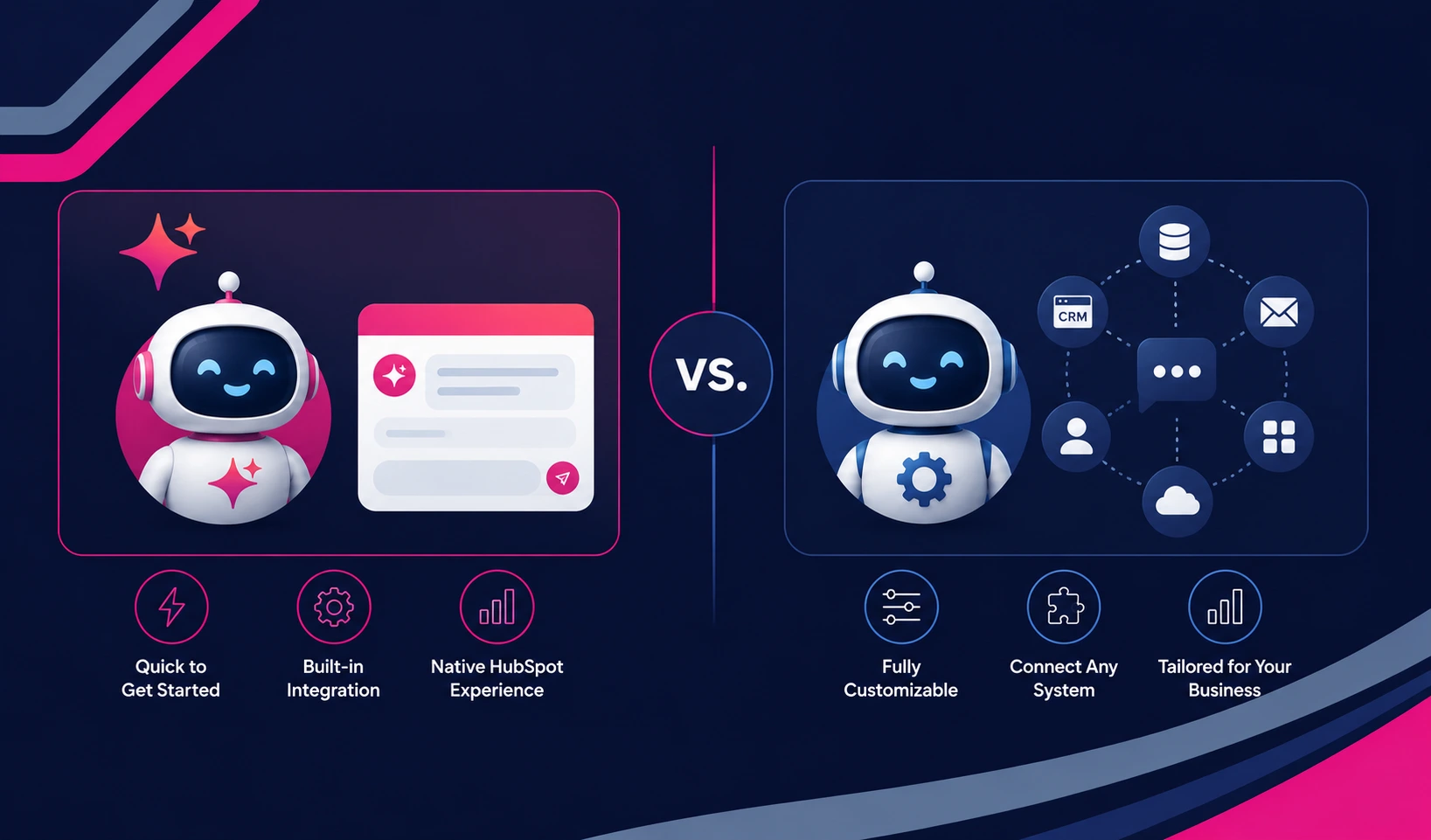
Most teams don’t need to choose between HubSpot’s native bot and a third-party tool. The real decision is whether the native bot, on its own, has access to everything it needs to answer a question correctly. If your business runs entirely inside HubSpot, stick with native. If meaningful context lives outside it, you have two paths: rebuild that content manually inside HubSpot, which is slow and goes stale, or connect the source system directly so the bot’s knowledge base and CRM stay current automatically.
| Situation | Native Breeze Chatbot | Custom-Connected Setup |
| All data already lives in HubSpot | Sufficient on its own | Not needed |
| Knowledge base lives in Confluence, Notion, etc. | Blind to that content | Sync the source into HubSpot or pipe it into the bot’s context |
| Order, inventory, or billing data sits in an ERP | Can’t personalize on it | Real-time sync keeps CRM fields current so the bot can reference them |
| Support history sits in Zendesk, Freshdesk, etc. | No visibility into past tickets | Two-way sync keeps ticket context attached to the contact record |
| Multi-channel support (WhatsApp, SMS, etc.) | Limited outside web chat | Connect the channel and route conversations back into HubSpot |
What This Means If Your Data Lives Outside HubSpot
This is where most of our work actually starts. We’ve handled 300+ platform integrations into HubSpot, and a growing share of those projects exist specifically to feed AI tools like the Breeze Customer Agent with data it can’t see on its own. A few patterns come up repeatedly:
- Connecting an ERP like NetSuite so the chatbot can reference real order status, account history, or pricing tier instead of giving a generic answer.
- Syncing a help desk like Freshdesk so past ticket history travels with the contact record, and the bot doesn’t ask a returning customer to repeat themselves.
- Building real-time field sync so CRM data the bot personalizes against is never more than a few minutes stale.
Across these integrations, we move 20 billion-plus records and sync roughly 7 million fields daily for clients who need their CRM, and by extension their chatbot, working off live data rather than a manual export from last quarter.
What to Expect If You Connect External Data to the Chatbot
Wiring an outside system into HubSpot so the chatbot can use it isn’t a weekend project, but it’s also not the multi-quarter slog some teams assume. Most integration projects we run follow a similar shape:
- Map which fields the bot actually needs (order status, ticket history, account tier) rather than syncing everything.
- Build the connection with error handling for sync conflicts and failed field mappings, since a broken sync quietly degrades the bot’s answers over time.
- Test the bot’s responses against real conversation scenarios before rolling it out broadly.
Done properly, this typically wraps within 8 weeks of kickoff, which matches the timeline we hold across our broader integration work.
See your 12-month revenue impact with HubSpot CRM
Enter your current numbers — visitors, leads, deal size — and get a personalized projection based on real HubSpot customer benchmarks.

FAQ: HubSpot’s AI Chatbot
Is HubSpot’s AI Chatbot free?
HubSpot offers a free chatbot builder for rule-based chatflows on any plan. The Breeze Customer Agent, the actual AI-powered layer that understands open-ended questions, requires a paid Service Hub tier, and its capabilities expand as you move up tiers.
What’s the difference between a HubSpot chatflow and the Breeze Customer Agent?
A chatflow is a rule-based decision tree you script manually, and it only handles questions you anticipated. The Breeze Customer Agent uses a large language model against your knowledge base and CRM data, so it can answer questions you never explicitly scripted.
Can HubSpot’s AI Chatbot use data from outside HubSpot?
Not natively. The bot only sees what’s already inside your HubSpot CRM and Service Hub knowledge base. Any data sitting in an ERP, help desk, or other outside system has to be synced into HubSpot first before the bot can reference it.
Does HubSpot’s AI Chatbot work on channels other than a website?
The native Breeze Customer Agent is built primarily for website chat. Channels like WhatsApp or Instagram typically need a separate connection or a third-party tool layered on top to route those conversations back into HubSpot.
Should I replace HubSpot’s AI Chatbot with a third-party tool?
Usually not. Most gaps come from missing data, not a weak chatbot. Connecting the systems that hold your missing context, an ERP, a help desk, a legacy CRM, almost always solves the problem more durably than swapping the bot itself.
Get Your Data Where the Chatbot Can Actually Use It
If HubSpot’s AI Chatbot keeps giving generic answers because the context it needs lives somewhere else, that’s a data problem, not a chatbot problem. As a HubSpot Diamond Solutions Partner with custom integration accreditation and a 98.5% client retention rate, we’ve connected the ERPs, help desks, and legacy systems behind hundreds of HubSpot deployments. Most projects are live within 8 weeks of kickoff. Walk through our HubSpot integration process or talk to our team about what your chatbot is currently missing.



Table of Contents
- How HubSpot's AI Chatbot Actually Works
- What HubSpot's AI Chatbot Does Well
- Where HubSpot's AI Chatbot Falls Short
- Native Breeze Chatbot vs. a Custom-Connected Setup: When Each Makes Sense
- What This Means If Your Data Lives Outside HubSpot
- What to Expect If You Connect External Data to the Chatbot
- FAQ: HubSpot's AI Chatbot

