

HubSpot Nutshell Integration: Connecting Your Marketing Engine to Your Sales CRM
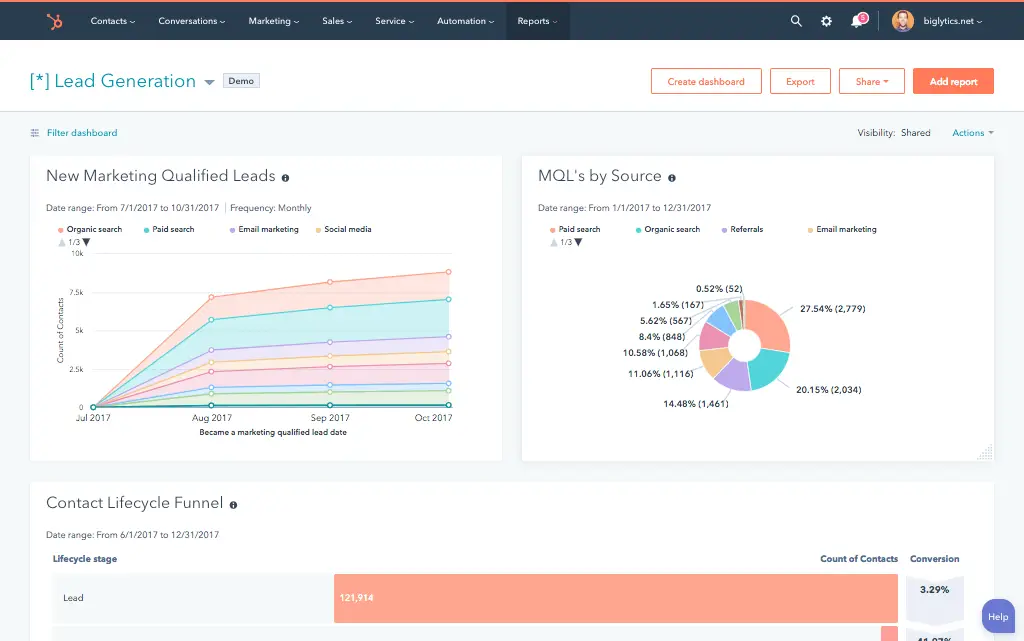
Some companies run HubSpot for marketing and Nutshell CRM for sales not because they want two CRMs, but because each platform does something the other doesn’t. HubSpot owns lead generation, email automation, campaign attribution, and lifecycle marketing. Nutshell owns the sales pipeline with an unusually clean interface, affordable per-database pricing, and built-in email marketing (Nutshell Campaigns). What neither does on its own is bridge the handoff between them.
A lead nurtured in HubSpot to MQL needs to appear in Nutshell immediately, with its marketing context attached. When a Nutshell deal closes, HubSpot needs that signal to fire post-sale sequences. Nutshell’s integration page directs users to Zapier for this connection. Zapier works for basic contact sync but it has one critical limitation that breaks the most important automation in the entire flow.
We’re Integrate IQ, a HubSpot Diamond Solutions Partner with custom integration accreditation. We’ve built and fixed dual-CRM architectures for RevOps teams running HubSpot and sales-focused CRMs in parallel. Here’s the full picture.
Why Teams Run HubSpot and Nutshell Together
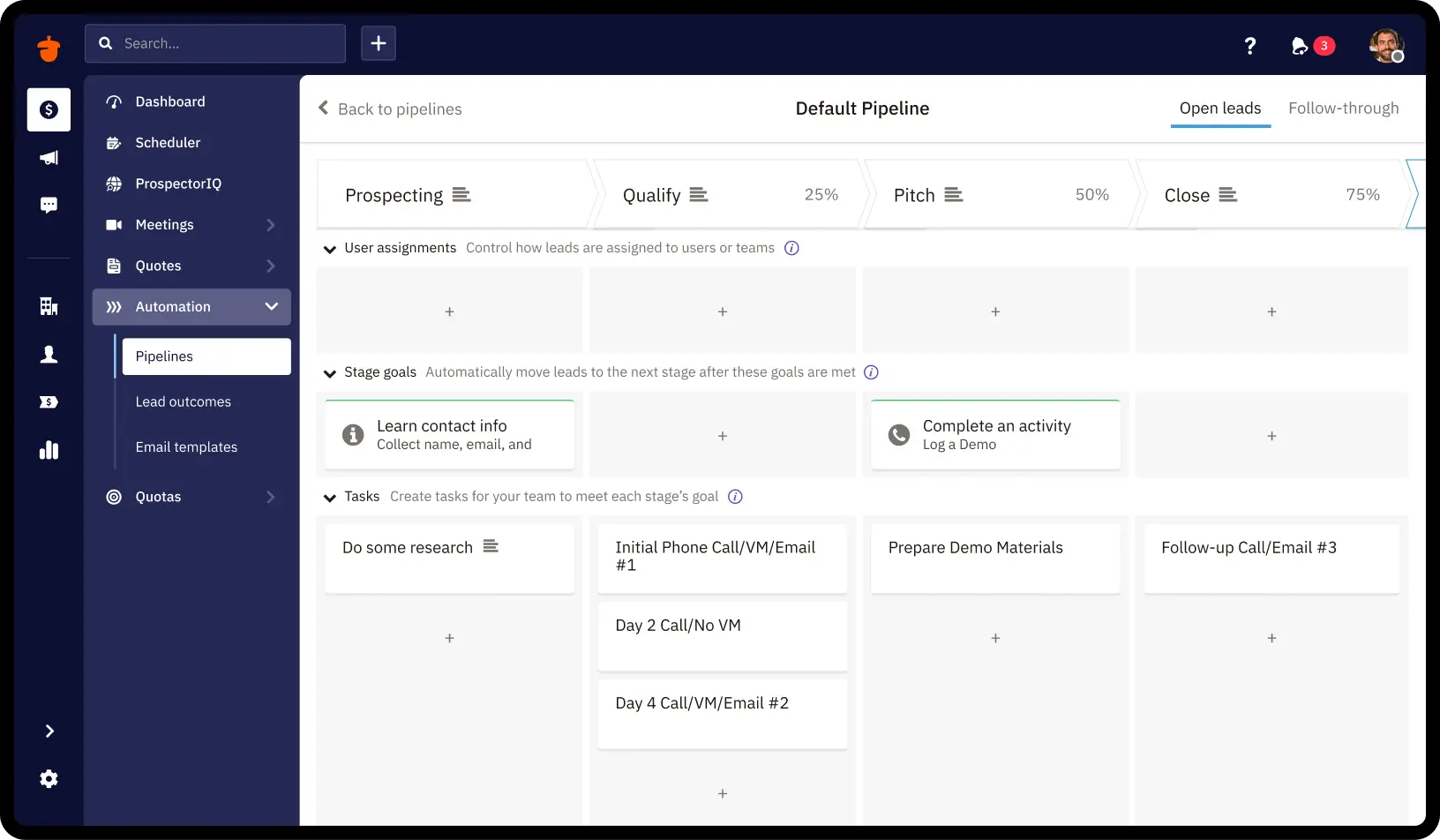
Nutshell is purpose-built for SMB sales teams it has 5,000+ customers and transparent pricing that doesn’t scale aggressively with contact volume the way HubSpot’s does. Its pipeline UI and built-in email sequences attract sales reps who want something fast and frictionless. HubSpot, meanwhile, is where marketing actually happens: sophisticated inbound workflows, behavioural lead scoring, attribution reporting, and multi-channel campaign automation.
The dual-CRM pattern usually starts when a sales team adopts Nutshell independently before a marketing function arrives with HubSpot. Switching either platform disrupts active workflows and rep adoption. The integration is the practical path and it works well when both tools are genuinely serving different functions, not overlapping.
Free ROI Calculator
See your 12-month revenue impact with HubSpot CRM
Enter your current numbers — visitors, leads, deal size — and get a personalized projection based on real HubSpot customer benchmarks.

| Platform | What It Handles | Gap Without Integration |
| HubSpot | Lead capture, email marketing, workflow automation, behavioural scoring, attribution, lifecycle management | No visibility into Nutshell deal stage or close outcomes marketing can’t attribute revenue to campaigns |
| Nutshell | Affordable sales pipeline, deal management, activity tracking, built-in Nutshell Campaigns email | No context from HubSpot marketing history sales reps open a cold contact with no engagement data |

Turn HubSpot Into A Real-Time SMS Engine with Message IQ
 Two-Way Conversations
 Shared Team Inbox
 Automation Triggers
 Advanced Reporting
 Compliance Tools
- 98% SMS read within 3 min
- 78% Buy from first responder
- 21× More likely to qualify

*MessageIQ is an IntegrateIQ product – built natively for HubSpot by the same team.
The Zapier Option: What It Handles and Where It Breaks
Zapier connects HubSpot and Nutshell with trigger-action flows. For teams with basic sync needs, it covers the essentials:
- New HubSpot contact triggers Nutshell lead creation
- New Nutshell contact creates or updates HubSpot contact
- HubSpot deal created triggers Nutshell opportunity
- Nutshell deal ‘Won’ updates HubSpot lifecycle stage to Customer
| Zapier Capability | Status | Notes |
| Contact sync | Supported | Name, email, phone, address; custom properties only if mapped during setup |
| Company sync | Supported | Basic company data |
| HubSpot active lists as triggers | Not supported | Only static lists work this is the critical gap |
| HubSpot workflow automation replication | Not supported | Can’t replicate branching workflow logic |
| Real-time sync | Polling only | Free/Starter: 15-min polling. Paid: 2-min. Instant triggers on premium plans |
| Conflict resolution | Not handled | Bidirectional updates need separate Zaps; no automatic conflict logic |
The Active List Problem, Why the MQL Handoff Breaks
This is the single most common failure point in a Zapier-based HubSpot Nutshell sync. Most HubSpot MQL qualification uses active lists dynamic lists that update automatically based on contact behaviour (pages visited, emails opened, lead score threshold reached). When a contact enters the ‘MQL’ active list, that should trigger Nutshell lead creation immediately.
Zapier can’t use active list membership as a trigger. It only supports static lists, which require manual addition. To use a Zapier-based handoff, your team would need to manually move qualifying contacts to a static list defeating the automation entirely. Any RevOps team that has built a Zapier HubSpot-Nutshell integration and then wondered why MQLs aren’t appearing in Nutshell automatically has hit this wall.
What a Custom HubSpot Nutshell Integration Connects
HubSpot to Nutshell
| HubSpot Trigger | Nutshell Action |
| Contact enters MQL active list (real-time webhook) | Nutshell Lead created immediately full HubSpot engagement history (pages visited, emails opened, forms submitted, lead score) attached as notes |
| HubSpot deal created | Nutshell Opportunity created with deal value, stage, and associated contact |
| Contact property updated (phone, job title, company) | Nutshell contact record updated in real time |
| HubSpot contact email opt-out | Nutshell contact communication preference flagged opt-out preserved across both systems |
Nutshell to HubSpot
| Nutshell Trigger | HubSpot Action |
| Deal marked ‘Won’ | HubSpot lifecycle stage updated to Customer; contact enrolled in post-sale onboarding sequence |
| Deal marked ‘Lost’ | HubSpot workflow trigger: 90-day cooling period, then re-engagement sequence |
| Deal stage changes (e.g. Demo Completed) | HubSpot contact property updated with current Nutshell stage for attribution reporting |
| Activity logged (call, meeting, email) | HubSpot contact timeline updated with activity note from Nutshell |
| New Nutshell contact created by sales rep | HubSpot contact created or updated, tagged ‘Sales-sourced’ for attribution |
Use Cases: What the Integration Enables
MQL Handoff With Full Marketing Context
A marketing-qualified lead in HubSpot has visited the pricing page three times, opened four nurture emails, and scored 85 on HubSpot’s lead score. When that lead hits your MQL threshold and enters the active list, the integration pushes them to Nutshell as a new lead within seconds with those engagement signals attached as activity notes. The sales rep opens Nutshell and sees a warm prospect with full context, not a cold name to research.
Closed-Loop Revenue Attribution
When Nutshell marks a deal as Won or Lost, that outcome flows back to HubSpot. Marketing can now see which campaigns produced closed deals (not just MQLs) giving RevOps genuine revenue attribution data rather than pipeline attribution guesses. For companies running HubSpot attribution reporting, this Nutshell feedback loop is what turns marketing spend analysis from aspirational to accurate.
Lost-Deal Re-Engagement
A deal marks as Lost in Nutshell. The integration updates the HubSpot contact and starts a 90-day cooling sequence a check-in at 30 days, a relevant case study at 60, a new offer at 90. The sequence pauses if the contact re-engages. Sales doesn’t manage any of this; HubSpot runs it automatically from the Nutshell outcome signal.
Integrate vs. Migrate: The Honest Answer
Nutshell actively positions itself as a lower-cost, easier-to-use HubSpot alternative and offers free data migration. Some companies searching for a HubSpot Nutshell integration are also evaluating consolidation.
| Scenario | Recommendation |
| Both tools are genuinely used for different functions HubSpot for sophisticated marketing automation, Nutshell for a sales pipeline reps actually work | Integrate. The tools complement each other; consolidation disrupts active workflows. |
| Your team is paying for Nutshell Campaigns AND HubSpot Marketing Hub with significant overlap in email capabilities | Consider migrating to Nutshell. You’re paying for the same feature twice. |
| HubSpot’s complexity is largely unused your marketing is basic email blasts | Consider migrating to Nutshell. Simpler stack, lower cost. |
| Sales team is firmly on Nutshell but marketing needs HubSpot’s attribution, lead scoring, and multi-channel automation | Integrate. The marketing capabilities justify maintaining HubSpot alongside Nutshell. |
See your 12-month revenue impact with HubSpot CRM
Enter your current numbers — visitors, leads, deal size — and get a personalized projection based on real HubSpot customer benchmarks.
Calculate My ROI
What to Expect from the Build
- Weeks 1-2: Mapping. Define which HubSpot lifecycle stages and active list memberships trigger Nutshell lead creation. Define which Nutshell deal outcomes update HubSpot. Map all shared Contact and Company fields with conflict resolution rules.
- Weeks 3-4: Build and sandbox testing. Build against HubSpot’s webhook API and Nutshell’s REST API. Test real-time MQL-to-Nutshell creation with live contact data. Validate engagement history note format.
- Weeks 5-6: UAT. Sales team confirms Nutshell leads arrive with accurate marketing context. Marketing confirms Won and Lost signals trigger correct HubSpot workflows.
- Weeks 7-8: Go-live and monitoring. Active monitoring with alerts on sync failures. Conflict resolution rules documented for shared fields.
We’ve processed over 20 billion records annually across 300+ platform integrations. For teams running other dual-CRM architectures, we also build HubSpot Salesforce integration and HubSpot Pipedrive integration.



Table of Contents
- HubSpot Nutshell Integration: Connecting Your Marketing Engine to Your Sales CRM
- Why Teams Run HubSpot and Nutshell Together
- The Zapier Option: What It Handles and Where It Breaks
- What a Custom HubSpot Nutshell Integration Connects
- Use Cases: What the Integration Enables
- Integrate vs. Migrate: The Honest Answer
- What to Expect from the Build