























HubSpot Paylocity Integration: Connecting Your HRIS to Your CRM
Three things happen in mid-market companies using Paylocity for HRIS and HubSpot for CRM, and all three are manual. A sales rep gets hired in Paylocity someone creates their HubSpot user account days later, after being reminded. A rep is terminated their HubSpot access stays active for weeks. A regional manager gets promoted every deal they own in HubSpot still shows the old manager, breaking approval workflows and attribution reports until someone runs a bulk update.
None of this is complicated. All of it is avoidable. The data to automate each scenario sits in Paylocity. The CRM actions need to happen in HubSpot. The integration connects them.
No native HubSpot connector for Paylocity exists in HubSpot’s App Marketplace. Paylocity has a REST API with OAuth authentication and webhook support the foundation for a custom integration. We’re Integrate IQ, a HubSpot Diamond Solutions Partner with custom integration accreditation. Here’s exactly what the integration connects and how each use case works.
What Paylocity Is and Where HubSpot Fits
Paylocity is a mid-market HCM platform covering HRIS, payroll, benefits administration, talent management, and time tracking. Its primary data asset is the employee record role, department, manager, start date, employment status, org hierarchy. HubSpot is the front-office layer: the CRM where sales reps manage pipeline, marketing runs campaigns, and customer success tracks accounts.
The two systems manage opposite ends of the employee-customer relationship. Paylocity owns the employee data. HubSpot owns the customer data. But when the employees in Paylocity are your sales team, the connection matters operationally: who owns what deals, who has access to which accounts, and what commissions are owed all depend on Paylocity data being current in HubSpot.

Turn HubSpot Into A Real-Time SMS Engine with Message IQ
 Two-Way Conversations
 Shared Team Inbox
 Automation Triggers
 Advanced Reporting
 Compliance Tools
- 98% SMS read within 3 min
- 78% Buy from first responder
- 21× More likely to qualify

*MessageIQ is an IntegrateIQ product – built natively for HubSpot by the same team.
Integration Options: Zapier vs Custom API
| Capability | Zapier | Custom Integration |
| New hire in Paylocity creates HubSpot user | Limited basic contact creation, not user provisioning | Full creates HubSpot user, assigns Sales Hub seat, sets team and territory |
| Paylocity termination revokes HubSpot access | Not supported | Yes employment status change triggers HubSpot user deactivation |
| Manager change updates HubSpot deal ownership | Not supported | Yes org hierarchy change in Paylocity triggers deal reassignment in HubSpot |
| HubSpot closed-won data feeds Paylocity commission | Not supported | Yes deal close syncs amount and rep to Paylocity for commission calculation |
| Real-time sync | Polling (15-min on free plans) | Webhook-driven instant on Paylocity events |
| Sensitive field filtering (block salary data) | Not configurable | Custom logic excludes payroll/compensation fields from HubSpot |
Use Case 1: New Hire Provisioning and Offboarding
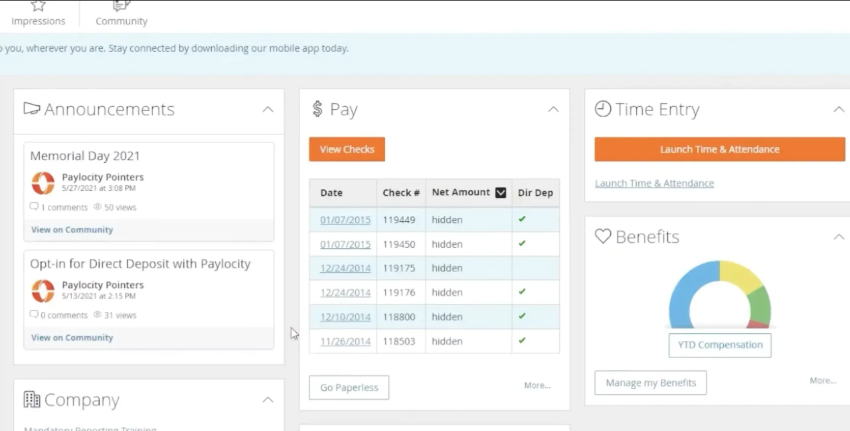
Onboarding: From Paylocity Hire to Active HubSpot User
When HR creates a new employee record in Paylocity with role, department, and start date, the integration reads that record and executes the HubSpot provisioning automatically:
- Creates a HubSpot user account with the correct email address from Paylocity
- Assigns the appropriate Sales Hub or Service Hub seat based on department or job code in Paylocity
- Assigns the user to the correct HubSpot team based on Paylocity department
- Sets up their default properties territory, default deal pipeline, email signature variables
- Creates a HubSpot contact record for the employee (if relevant for internal tracking)
The rep shows up on their first day and their HubSpot environment is ready. No IT ticket, no manual user creation, no waiting for someone in RevOps to get to it.
Offboarding: Termination Triggers Access Revocation and Deal Reassignment
When Paylocity records a termination employment status changes to Inactive the integration fires immediately: the HubSpot user account is deactivated, their open deals are reassigned to their manager (whose record is also in Paylocity), and a task is created for the new deal owner to review the inherited pipeline. This is the security use case that most companies only address after a problem. A former rep with active HubSpot access is a data security risk and a customer experience risk. The integration closes that gap the moment Paylocity records the termination.
Use Case 2: Org Chart Changes Keeping HubSpot Ownership Accurate
As companies grow, the Paylocity org hierarchy drifts away from what HubSpot knows. A regional manager gets promoted their direct reports now have a new manager in Paylocity, but HubSpot still routes deal approvals to the old manager. A territory is restructured a rep moves from the East region to the West but their existing HubSpot deals still say East.
The custom integration listens for Paylocity org hierarchy changes and propagates them to HubSpot:
- Manager change in Paylocity updates the HubSpot team assignment and reporting structure
- Territory reassignment updates the rep’s HubSpot contact and deal properties
- Department transfer updates the HubSpot team membership and available pipelines
RevOps stops running quarterly ‘owner cleanup’ sprints. The CRM stays accurate because Paylocity the system of record for org structure keeps it accurate automatically.
Use Case 3: HubSpot Deal Data to Paylocity for Commission Calculation
This use case runs in the opposite direction from the others HubSpot to Paylocity rather than Paylocity to HubSpot. At the end of each commission period, finance needs to know which deals closed, by which rep, at what amount, in which territory. Currently that means exporting a HubSpot report, cleaning it in a spreadsheet, and importing it into Paylocity manually.
The custom integration automates this pipeline:
- When a HubSpot deal moves to Closed Won, the deal amount, rep, close date, and deal tier are pushed to Paylocity automatically
- Paylocity has the data it needs to calculate commissions without waiting for a month-end export
- The integration can also push deal-level details for tiered commission structures different rates for different deal sizes or product lines
- Finance spends time reviewing commission calculations rather than compiling data
| Data Element | Direction | What It Enables |
| Employee name, email, role, department, start date | Paylocity to HubSpot | User provisioning, team assignment, contact creation |
| Manager / reporting hierarchy | Paylocity to HubSpot | Deal ownership routing, approval workflow accuracy |
| Employment status (Active / Inactive) | Paylocity to HubSpot | Access provisioning and revocation |
| Territory assignment | Paylocity to HubSpot | Deal routing, territory-based reporting |
| Closed-won deal amount, rep, date, deal tier | HubSpot to Paylocity | Commission calculation, payroll accuracy |
What Should and Should Not Sync
Paylocity holds sensitive HR data that should never reach HubSpot. The integration must be built with explicit field exclusion logic:
| Paylocity Data | Sync to HubSpot? | Reason |
| Employee name, email, job title, department | Yes | Needed for user provisioning and team assignment |
| Manager and org hierarchy | Yes | Needed for deal ownership and approval routing |
| Employment status and start/end dates | Yes | Needed for provisioning and access revocation |
| Territory and sales region | Yes | Needed for deal routing and territory reporting |
| Salary and compensation data | No | Sensitive HR data no business case for HubSpot access |
| Payroll run data, tax information | No | Sensitive financial data stays in Paylocity |
| Benefits enrollment details | No | Personal HR data no CRM value |
| Performance review scores | No | HR-sensitive no CRM value |
A well-scoped integration only pulls the Paylocity fields that have a clear HubSpot use case. Everything else stays in Paylocity by design.
See your 12-month revenue impact with HubSpot CRM
Enter your current numbers — visitors, leads, deal size — and get a personalized projection based on real HubSpot customer benchmarks.
Calculate My ROI
What to Expect from the Build
- Weeks 1-2: Discovery and field mapping. Define which Paylocity employee fields map to which HubSpot user and contact properties. Define the provisioning logic which Paylocity job codes or departments get which HubSpot seats. Confirm Paylocity API access and webhook configuration.
- Weeks 3-4: Build and sandbox testing. Build against Paylocity’s REST API and HubSpot’s Users and Contacts APIs. Test new hire provisioning, termination access revocation, and deal reassignment from manager changes.
- Weeks 5-6: UAT. HR team validates that new employees provision correctly in HubSpot. IT validates that terminated employees lose access immediately. Finance validates that closed-won data appears in Paylocity correctly for commission calculation.
- Weeks 7-8: Go-live and monitoring. Production deployment with active monitoring and alerts on provisioning failures. Confirm sensitive field exclusion is enforced in production.
We’re a HubSpot Diamond Solutions Partner with custom integration accreditation. 55 million fields synced daily. 98.5% client retention rate. Most builds go live within 8 weeks. For companies using other HRIS platforms, we also build HubSpot Gusto integration and HubSpot BambooHR integration with the same provisioning architecture.



Table of Contents
- HubSpot Paylocity Integration: Connecting Your HRIS to Your CRM
- What Paylocity Is and Where HubSpot Fits
- Integration Options: Zapier vs Custom API
- Use Case 1: New Hire Provisioning and Offboarding
- Use Case 2: Org Chart Changes Keeping HubSpot Ownership Accurate
- Use Case 3: HubSpot Deal Data to Paylocity for Commission Calculation
- What Should and Should Not Sync
- What to Expect from the Build