













Explore this article with AI:
If your team is reading this, the SugarCRM exit conversation has probably already happened internally. The question now is execution. How do you move accounts, contacts, opportunities, activities, and custom modules into HubSpot without losing the history your reps rely on every Monday morning? Here’s the actual process we run at Integrate IQ for SugarCRM to HubSpot migrations, with the data model differences, mapping decisions, and the 8-week timeline that gets the job done.
What is a SugarCRM to HubSpot migration? It’s the structured move of customer-facing data (Accounts, Contacts, Leads, Opportunities, Activities, and custom modules) from SugarCRM into HubSpot CRM. The migration changes more than the platform. It changes the data model, the workflow logic, and the user experience.
We’re a HubSpot Diamond Solutions Partner with custom integration accreditation. We’ve delivered 300+ platform integrations, processed 20 billion+ records annually, and maintain a 98.5% client retention rate. Most SugarCRM migrations we run close in 8 weeks from kickoff.
Free estimator
Know what your HubSpot project costs before the first call.
Select your services and get a transparent price range in minutes. No sales call needed to get a number.
Connect HubSpot to your ERP, billing platform, or database field mapping, custom logic, and support included.
Pipelines, workflows, email templates, and reporting configured for how your team actually works.
Live, role-based sessions with recordings and written guides built around a custom plan for your team.
HubSpot Partner
Client retention
Platforms integrated
What a “SugarCRM to HubSpot Migration” Means for Your Data
A SugarCRM migration to HubSpot is a re-architecture, not a copy-paste. The two systems organize data differently, and pretending they don’t is the first mistake.
SugarCRM keeps Leads and Contacts as separate objects. When a lead converts, you create a new Contact record. HubSpot uses a single Contact object with a Lifecycle Stage property that flows from Subscriber to Lead to MQL to SQL to Opportunity to Customer. One record, one timeline, one source of truth.
That sounds like a small thing. It isn’t. In a SugarCRM to HubSpot migration, every Lead in SugarCRM becomes a Contact in HubSpot with the appropriate Lifecycle Stage value. Activity history, lead source, and original creation date all need to map cleanly, or you lose the funnel reporting you bought HubSpot for in the first place.
Why Teams Choose a SugarCRM to HubSpot Migration
Four reasons show up in the kickoff calls we run with B2B clients.
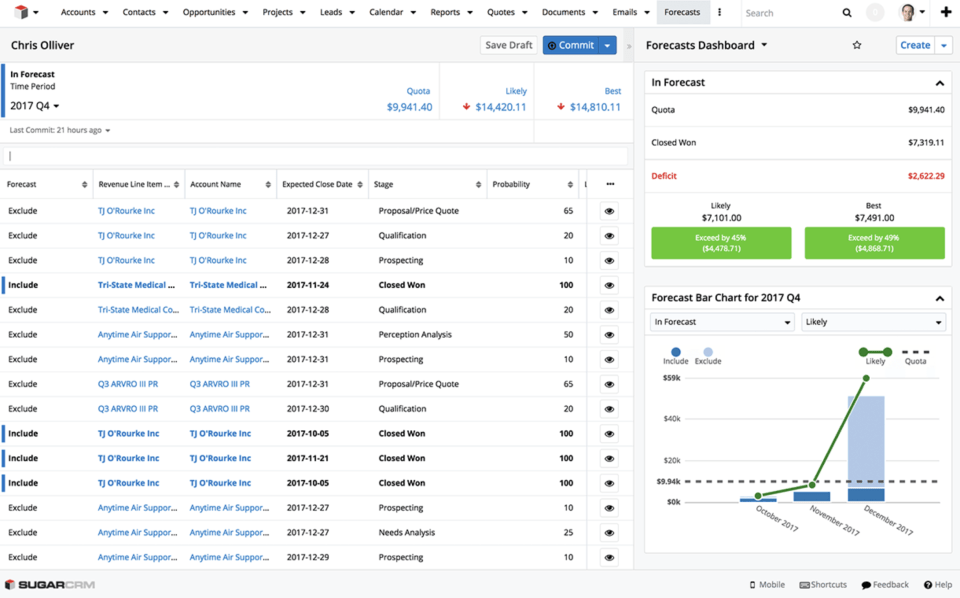
The reporting feels stuck in 2010. SugarCRM’s reporting capability hasn’t kept pace with the self-service report builders that newer CRMs ship. Teams that want pipeline velocity, deal aging, source attribution, or cohort customer reports usually end up exporting to spreadsheets, which is the data-quality black hole nobody wants to maintain.
User adoption is poor. Online reviews flag UI friction as the most common SugarCRM complaint. We’ve seen sales teams go from 30% activity logging in SugarCRM to 80%+ in HubSpot within a quarter, because the UI lets reps log calls and meetings without context-switching.
The integration tax keeps growing. SugarCRM has integrations, but most require dedicated IT support to configure and maintain. HubSpot’s marketplace has thousands of native apps, and the ones Integrate IQ builds custom run on the same API model as everything else in the ecosystem.
Marketing automation needs a real home. SugarCRM’s marketing module is functional but separate from how your inbound stack runs. HubSpot’s Marketing Hub gives you forms, lifecycle stages, lead scoring, sequences, and attribution inside the same database your sales reps live in. A 2021 IDC report tied unified CRM platforms to a 35% revenue lift, 23% lower operational costs, and 10% fewer manual errors.

Turn HubSpot Into A Real-Time SMS Engine with
Message IQ

Two-Way Conversations

Shared Team Inbox

Automation Triggers

Advanced Reporting

Compliance Tools
-
98%
SMS read within 3 min -
78%
Buy from first responder -
21×
More likely to qualify
3–5 min avg response
$45–$50 ROI / $1

*MessageIQ is an IntegrateIQ product – built natively for HubSpot by the same team.
SugarCRM vs HubSpot: Data Model Differences That Matter
Map these before kickoff or you’ll rebuild them after go-live.
| Concept | SugarCRM | HubSpot |
| Lead vs Contact | Separate objects, conversion creates new record | Single Contact object with Lifecycle Stage property |
| Account | Accounts module | Companies object |
| Opportunity | Opportunities module with stages | Deals object with pipelines and stages |
| Activities | Calls, Meetings, Tasks, Notes, Emails as separate modules | Engagements attached to Contact/Company/Deal |
| Custom Modules | Studio-built modules | Custom Objects |
| Workflow logic | Process Definitions and Logic Hooks | Workflows and Custom Code Actions |
| Reporting | Reports module with saved templates | Custom Reports with self-service builder |
| User roles | Team-based, role-based hierarchy | Teams, permissions, and Hub-specific seats |
The two columns look comparable on paper. The lived experience for a sales rep is wildly different. That’s the trade RevOps leaders are buying when they sign the migration kickoff.
What Migrates in a SugarCRM to HubSpot Migration
A typical SugarCRM to HubSpot migration we deliver includes:
- Accounts to Companies. All custom fields, industry, owner, lifecycle stage, parent-child relationships
- Leads + Contacts to Contacts. Unified into one object with Lifecycle Stage assigned based on original record type and activity
- Opportunities to Deals. Stage, amount, close date, owner, product line items, custom deal properties, probability
- Activities to Engagements. Calls, meetings, notes, emails, tasks with original timestamps and owner attribution
- Custom Modules to Custom Objects. Whatever you built in SugarCRM Studio, we model in HubSpot’s custom object framework
- Documents and attachments to File manager. Attached to the appropriate Contact, Company, or Deal record
- Users to HubSpot seats. Mapped to teams and roles with Hub-specific access
A reference benchmark from the broader migration community: one transportation tech client moved 7,980 records (3,422 companies, 4,239 contacts, 319 deals) with all notes, meetings, calls, tasks, emails, pipelines, properties, and record owners intact. That’s the level of fidelity well-run SugarCRM migrations deliver.
Migration Methods: Manual CSV vs Tools vs Partner-Led
Three paths exist. Each has a clear fit window.
Manual CSV import. Export each SugarCRM module to CSV, clean in a spreadsheet, import to HubSpot in the right order. Works for portals under 5,000 records, simple data models, and no custom modules. Costs nothing beyond your team’s time. Loses associations, activity timestamps, and custom logic unless someone manages mapping manually.
Automated migration tools. Tools like Migrate My CRM, Trujay, and Skyvia handle sample migrations and field mapping through a wizard interface. Good fit for mid-volume migrations (5,000 to 50,000 records) with mostly standard data. Cost runs by record volume.
Partner-led custom migration. What we do at Integrate IQ. Custom API scripts handle the full data model, custom objects, association mapping, and lifecycle stage assignment. Required for portals with 50,000+ records, custom modules, complex association rules, or any project where activity history must survive intact.
Decision framework:
| Scope | Recommended Path |
| Under 5K records, no custom modules, no activity history needed | Manual CSV import |
| 5K to 50K records, light custom data, basic activity history | Migration tool (MigrateMyCRM, Trujay) |
| 50K+ records, custom modules, full activity and lifecycle history | Partner-led API migration |
| Multi-instance SugarCRM with subsidiaries or regions | Partner-led API migration (required) |
The 8-Week SugarCRM to HubSpot Migration Process
Here’s how we structure projects from kickoff to go-live.
- Weeks 1-2: Discovery and data audit. We catalog every SugarCRM module, custom field, workflow, role and integration. Build the field mapping spreadsheet alongside your team. Identify dedupe rules and dead fields that won’t move.
- Weeks 3-4: HubSpot configuration. We architect the HubSpot data model, custom properties, pipelines, lifecycle stages, lead scoring, workflows, and dashboards. This is the work that decides whether HubSpot fits your process or your process bends around HubSpot.
- Weeks 5-6: Sample migration and UAT. Migrate 5% of records first. Validate everything: ownership, lifecycle dates, activity timestamps, associations, custom field values. Scale up to 25%, then a full dry run. Your team runs UAT against the dry-run portal.
- Weeks 7-8: Cutover, training, and hypercare. Final delta migration over a weekend. Users switch to HubSpot. Training sessions for sales and marketing teams. Two weeks of hypercare while edge cases get cleaned up.
This timeline holds for ~80% of the SugarCRM migrations we run. Multi-instance projects and migrations with heavy custom modules extend to 10-12 weeks. Anything shorter than 8 weeks usually means the discovery phase got skipped, which shows up as data problems three months later.
Common Migration Errors and How We Fix Them
Five issues account for most escalations.
Lead-to-Contact merge conflicts. SugarCRM Leads and Contacts can have overlapping email addresses. When you merge them into HubSpot’s single Contact object, you create duplicates unless dedupe runs on email plus company before import.
Lost activity attribution. Calls and meetings can lose their owner if the SugarCRM user ID doesn’t map cleanly to a HubSpot user. Map users in week 1, not on cutover weekend.
Lifecycle stage misassignment. If you migrate every SugarCRM Lead as “Subscriber” in HubSpot, your funnel reporting starts from zero. We map Leads with no activity to Subscriber, Leads with activity to MQL, and converted Leads to SQL or Opportunity stage based on their last interaction.
Custom field overflow. SugarCRM allows long text fields that exceed HubSpot’s character limits. We truncate, split, or restructure these in the mapping phase, not after import.
Workflow gaps post-migration. SugarCRM Process Definitions don’t migrate. We document every active workflow in week 1, rebuild the critical ones in HubSpot during weeks 3-4, and retire the rest with team sign-off.
After a SugarCRM to HubSpot Migration: What Changes
Three things change immediately, and three more take a quarter.
Immediate changes: Sales reps log activities faster because the UI gets out of the way. Reporting becomes self-service through HubSpot’s custom report builder. Marketing automation runs inside the same system as the CRM, so lifecycle stages and lead scoring become accurate signals instead of guesses.
Quarter-one changes: Pipeline forecasting accuracy improves because activity logging adoption is higher. Marketing-to-sales handoff becomes traceable. Custom objects unlock reporting on the parts of your business that didn’t fit standard CRM modules.
For teams looking at related migration paths, our Salesforce to HubSpot migration guide covers a parallel project shape with different gotchas. Teams running NetSuite alongside SugarCRM should also review our NetSuite to HubSpot Migration playbook for the ERP integration layer.
FAQ
How long does a SugarCRM to HubSpot migration take?
Most projects close in 8 weeks from kickoff to go-live. Smaller portals (under 5,000 records, no custom modules) can finish in 4 to 6 weeks. Multi-instance migrations or portals with heavy custom modules extend to 10-12 weeks.
Do SugarCRM Leads become HubSpot Contacts or Leads?
They become Contacts. HubSpot doesn’t have a separate Lead object the way SugarCRM does. Each migrated Lead gets a Lifecycle Stage value (typically Subscriber, Lead, or MQL) based on its original activity and source data.
Can we keep our SugarCRM custom modules?
Yes, we rebuild them as HubSpot Custom Objects with the same field structure and associations. The Studio-built modules don’t migrate one-to-one because the underlying architecture differs, but the functional equivalent gets recreated in HubSpot during weeks 3-4.
What happens to SugarCRM workflows and Logic Hooks?
Process Definitions and Logic Hooks don’t migrate. We document the active workflows during discovery, rebuild the critical ones inside HubSpot using workflows and custom code actions, and retire the rest with stakeholder sign-off.
Should we use a migration tool or a partner?
Migration tools work for clean, mid-volume data with simple structures. Partner-led migrations make sense when activity history matters, custom modules exist, or the volume tops 50,000 records. The decision usually comes down to how much of your pipeline reporting depends on historical data surviving the move.
How do we keep SugarCRM running during cutover?
Run both systems in parallel for 1-2 weeks during cutover. Sales reps verify their book of business landed correctly inside HubSpot. After validation, SugarCRM goes read-only for archival access, then off entirely. Parallel running longer than two weeks creates dual-entry problems.
What’s the difference between a SugarCRM and NetSuite migration to HubSpot?
The phases match. The data model differences are the wedge. SugarCRM has separate Lead and Contact objects, where NetSuite has a more ERP-flavored structure with subsidiaries and item records. Field mapping work doubles for SugarCRM’s Lead-to-Contact merge, and roughly halves for SugarCRM’s simpler subsidiary model compared to NetSuite. See the full NetSuite to HubSpot Migration guide for the parallel walkthrough.
See your 12-month revenue impact with HubSpot CRM
Enter your current numbers — visitors, leads, deal size — and get a personalized projection based on real HubSpot customer benchmarks.

Ready for Your SugarCRM to HubSpot Migration Without Losing the Pipeline?
If your sales team is bouncing between tabs and your marketing data lives somewhere else entirely, the SugarCRM exit is overdue. We deliver SugarCRM to HubSpot migrations in 8 weeks with full activity history, lifecycle stage logic, custom object recreation, and post-migration workflow rebuilds intact. Diamond Partner accreditation, 300+ platforms integrated, 98.5% retention.
Talk to our migration team about your SugarCRM project or review how our integration process works. For the broader picture, see our HubSpot migration services page.



Table of Contents
- What a "SugarCRM to HubSpot Migration" Means for Your Data
- Why Teams Choose a SugarCRM to HubSpot Migration
- SugarCRM vs HubSpot: Data Model Differences That Matter
- What Migrates in a SugarCRM to HubSpot Migration
- Migration Methods: Manual CSV vs Tools vs Partner-Led
- The 8-Week SugarCRM to HubSpot Migration Process
- Common Migration Errors and How We Fix Them
- After a SugarCRM to HubSpot Migration: What Changes
- FAQ
- Ready for Your SugarCRM to HubSpot Migration Without Losing the Pipeline?

