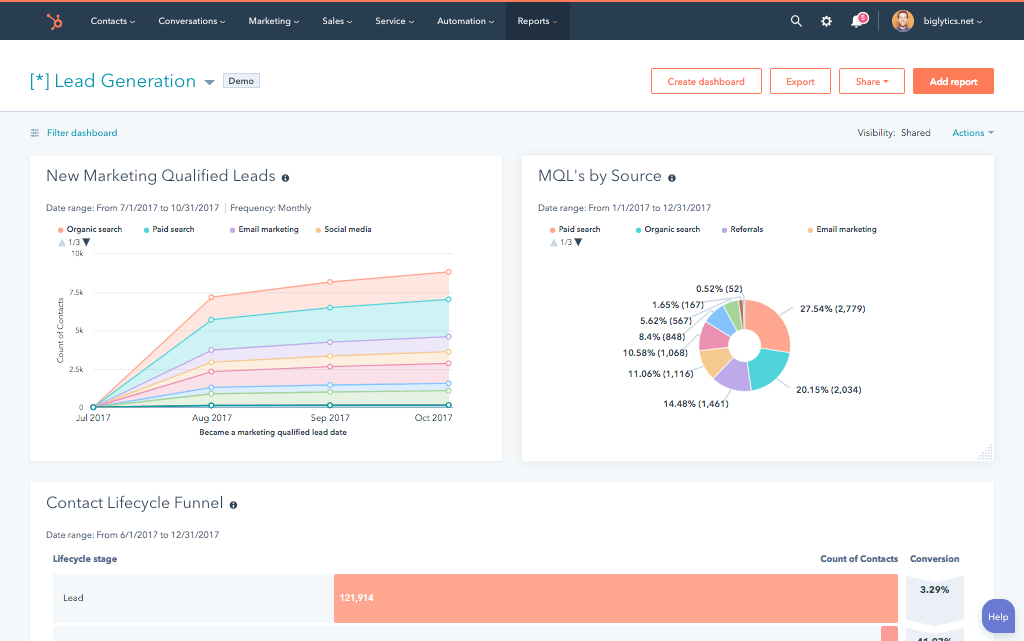
























Here’s a scenario that plays out daily at growing companies: the sales rep closes a deal in HubSpot, updates the deal stage to Closed Won, and moves on. Finance opens QuickBooks, doesn’t see the customer, manually creates a contact, builds the invoice from scratch, and re-enters every line item the rep already logged. Two teams, two systems, zero connection.
The HubSpot QuickBooks integration is supposed to solve that. And for many teams, the native connector does handle the basics contact sync, invoice visibility, payment status updates. But mid-market companies with complex deal structures, multi-entity accounting, or QuickBooks Desktop discover its ceilings fast.
At Integrate IQ, we’re a HubSpot Diamond Solutions Partner with custom integration accreditation. We’ve processed 20 billion+ records across 300+ platform integrations and sync 55 million fields daily. Here’s an honest breakdown of what the native HubSpot QuickBooks integration does, where it falls short, and what a custom-built integration actually looks like.
What the HubSpot QuickBooks Online Integration Does Natively
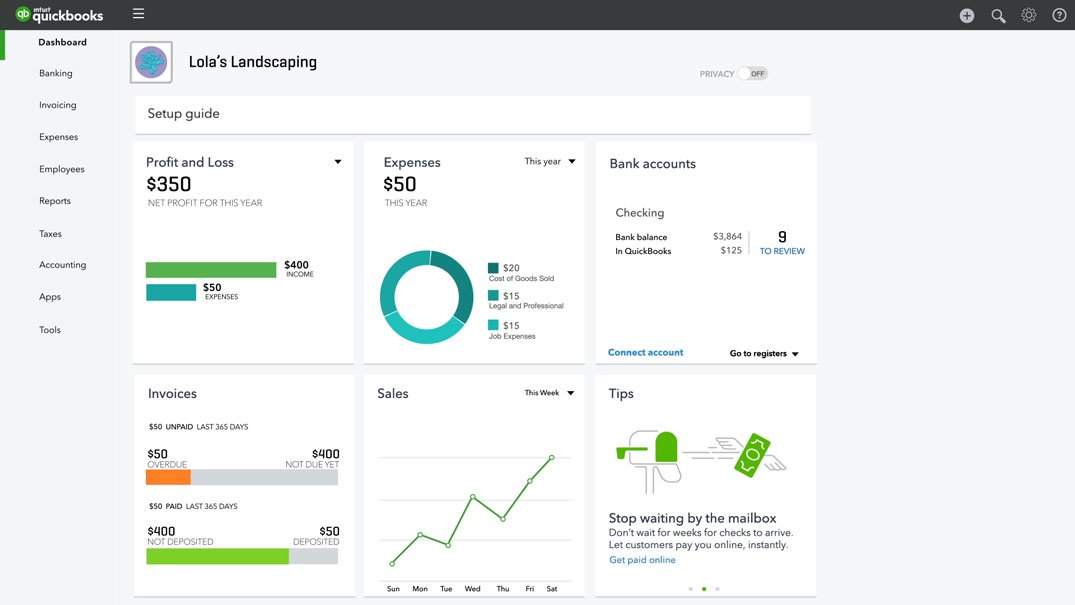
The HubSpot QuickBooks integration connects HubSpot CRM to QuickBooks Online (QBO) via cloud APIs, allowing selected financial and customer data to move between the two platforms. QuickBooks Online stays the system of record for accounting. HubSpot gains visibility into billing status without duplicating accounting workflows inside the CRM.
Based on the official Intuit integration and HubSpot’s documentation, here’s what the native connector actually syncs:
- Contacts and Customers: New customers in QBO sync to HubSpot as Contacts, and HubSpot Contacts can push to QBO as Customers. Deduplication matches on email address.
- Products and Items: Products created in QBO sync to HubSpot Products, which sales reps can then use when building quotes and deals.
- Invoices: Invoices created from HubSpot Deals or Quotes push to QBO automatically. Invoice status (paid, overdue, partially paid) syncs back to the HubSpot deal record.
- Payments: Payment status from QBO syncs to HubSpot, giving sales and finance visibility into which invoices are paid without leaving HubSpot.
- Workflow Actions (US-based accounts only): HubSpot workflows can trigger invoice creation, sales estimates, and sales receipts directly in QBO when deal or quote conditions are met.
HubSpot’s Commerce Hub extends this further you can manage quotes, invoices, and subscriptions inside HubSpot and sync the outcomes to QBO. For teams already using Commerce Hub for billing, the integration provides a cleaner data flow than going deal-by-deal.
QuickBooks Online vs. QuickBooks Desktop: What the Difference Means for Your HubSpot Integration
This is the question that catches the most teams off guard. The native HubSpot integration works exclusively with QuickBooks Online. QuickBooks Desktop including Pro, Premier, and Enterprise editions has no native HubSpot connector. None.
Why? QuickBooks Desktop runs in a local environment with no cloud API. HubSpot’s native integration uses Intuit’s cloud-based API, which simply doesn’t reach an on-premises application. Bridging that gap requires third-party middleware with a locally installed agent tools like DBSync, Commercient, or Skyvia plus the architectural work to route data securely between your local QuickBooks environment and HubSpot’s cloud.
Here’s how the two paths compare:
| Dimension | QuickBooks Online | QuickBooks Desktop |
| Native HubSpot connector | Yes ,HubSpot Marketplace | No ,requires middleware |
| Integration method | Cloud API (OAuth) | Local agent + middleware (DBSync, Commercient, Skyvia) |
| Data objects supported | Contacts, Invoices, Payments, Products | Varies by middleware; typically Contacts, Invoices |
| Workflow actions (HubSpot) | Yes ,US-based accounts | Not supported natively |
| Real-time sync | Yes | Near-real-time; latency depends on middleware polling interval |
| Multi-currency support | Limited (currency mismatch blocks invoice sync) | Depends on middleware |
| Implementation complexity | Low to moderate | High bridges on-prem to cloud |
| Ongoing maintenance | Minimal | Higher agent updates, firewall rules, middleware subscriptions |
| Cost structure | Native integration free; custom build investment | Middleware subscription + custom build investment |
If your business runs QuickBooks Desktop and wants to connect it to HubSpot, the native path is closed. A custom integration built through a HubSpot partner is the right approach. Our HubSpot integration services team scopes and builds Desktop integrations as part of our standard engagement model it adds complexity and timeline, but it’s solvable.

Turn HubSpot Into A Real-Time SMS Engine with Message IQ
 Two-Way Conversations
 Shared Team Inbox
 Automation Triggers
 Advanced Reporting
 Compliance Tools
- 98% SMS read within 3 min
- 78% Buy from first responder
- 21× More likely to qualify

*MessageIQ is an IntegrateIQ product – built natively for HubSpot by the same team.
Where the Native HubSpot QuickBooks Connector Falls Short
The native connector covers a real subset of what finance and sales teams need. But as deal volume grows and workflows get more complex, its gaps become operational friction. Here’s where it breaks down:
- Sync direction is primarily one-way. Most data flows QBO to HubSpot. True bi-directional sync where changes in either system update the other automatically requires additional tooling or a custom build.
- Sync direction is primarily one-way. Most native data flows from QuickBooks Online into HubSpot. True bi-directional sync requires additional configuration or a custom build.
- No automated invoice-to-deal matching. The native connector doesn’t automatically link a new QuickBooks invoice to the corresponding HubSpot deal. Teams either manually match them or invoices float unlinked in HubSpot.
- No custom object support. Custom Objects in HubSpot (available at Enterprise tier) don’t sync natively with QuickBooks. If your team built custom schemas for subscriptions, projects, or service contracts, those stay disconnected.
- No multi-currency handling. When a QuickBooks invoice uses a currency different from your HubSpot company’s default currency, the native sync breaks. Invoice data simply doesn’t push through. International businesses hit this immediately.
- Workflow actions are US-only. HubSpot’s QuickBooks Online workflow actions triggering invoice creation, estimates, and receipts only work for US-based accounts. Non-US teams get no automation from the native integration.
- Tax and fee constraints. Taxes and fees must be applied inside QuickBooks, not in HubSpot. Invoices edited in QuickBooks after creation via HubSpot can cause sync conflicts that fail silently no error alert, no retry.
- No Estimates sync from QuickBooks. QuickBooks Estimates don’t pull into HubSpot Deals or Quotes. Teams that use Estimates heavily in their workflow have a permanent gap without a custom build.
The pattern here is consistent: the native connector provides visibility but not full automation. For teams where the finance-to-sales gap is a daily operational problem, not just an occasional inconvenience, these limitations aren’t edge cases they’re the reason deals get delayed and cash flow reporting lags. Our field mapping guide covers what proper custom field mapping looks like for finance integrations.
Native HubSpot QuickBooks Connector vs. Custom Integrate IQ Integration
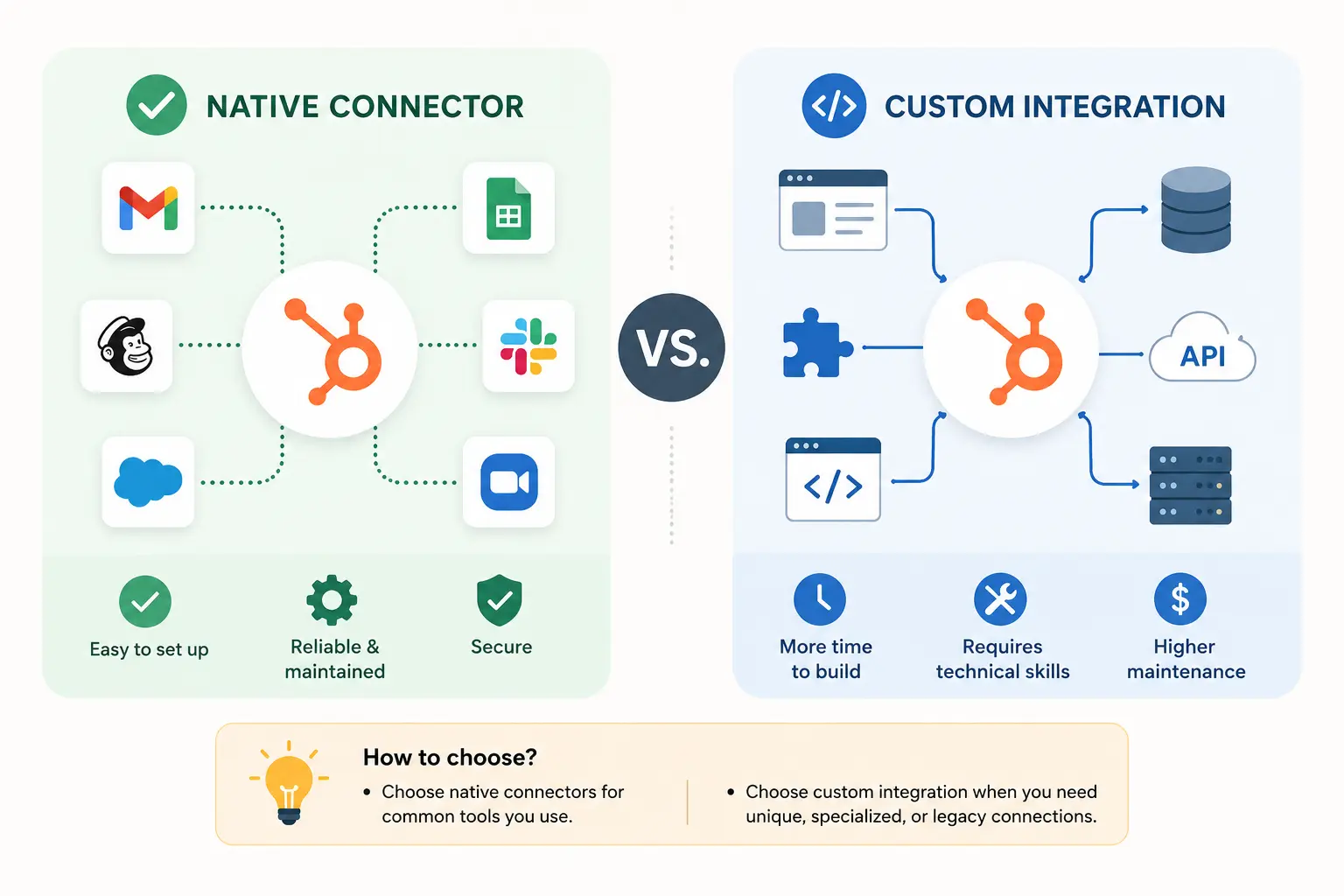
The native integration works well for small teams on QuickBooks Online with straightforward deal structures and low invoice volume. The moment your setup includes custom deal types, multi-entity accounting, QuickBooks Desktop, or volume that exposes deduplication failures a custom build is the right call.
Here’s the decision framework:
| Dimension | Native HubSpot Connector | Integrate IQ Custom Integration |
| Data objects synced | Contacts, Invoices, Payments, Products | All native objects + Custom Objects, Line Items, Estimates, Subscriptions |
| Sync direction | Primarily QBO → HubSpot | True bi-directional with conflict resolution |
| Deal-to-invoice automation | Manual no auto-matching | Automatic deal close triggers invoice creation in QBO |
| Custom field mapping | Pre-built fields only | Any HubSpot property mapped to any QBO field |
| QuickBooks Desktop support | Not supported | Supported via custom middleware architecture |
| Multi-currency | Blocked when currencies differ | Handled with currency mapping logic |
| Revenue recognition workflows | Not supported | Configurable aligned to your accounting rules |
| Error handling | Silent failures; no alerts | Logging, retry logic, and failure alerts built in |
| HubSpot workflow triggers | Limited (US-only, standard objects) | Any QBO event can trigger HubSpot workflows |
| Implementation time | Hours (self-serve OAuth) | ~8 weeks from kickoff to go-live |
| Post-go-live support | Self-service docs | Included dedicated Integrate IQ team |
Teams we typically build for: mid-market companies (50–500 employees) running HubSpot Sales or Commerce Hub alongside QuickBooks Online or Desktop, where the volume of closed deals makes manual re-entry genuinely costly and where custom deal structures don’t map cleanly to standard QBO invoice templates. If that describes your setup, the native connector won’t hold at scale.
How Different Businesses Use the HubSpot QuickBooks Integration
Professional Services Firms Billing Retainers
A consulting or agency firm bills clients on retainer monthly fixed fees tracked in HubSpot as recurring deals, invoiced through QuickBooks. The native connector creates invoices from deals, but it doesn’t handle recurring billing logic, project-level line items, or automatic invoice generation on a schedule. A custom integration maps HubSpot deal properties (retainer value, billing frequency, contract start date) to QBO invoice fields and triggers invoice creation automatically at the billing cycle eliminating manual work and ensuring QBO always reflects current deal status.
SaaS Companies Managing Subscription Revenue
A SaaS company closes deals in HubSpot, but their revenue model involves subscriptions, upgrades, and churn events that all need to hit QuickBooks at the right time and in the right format. Revenue recognition rules complicate the picture further especially if they run accrual accounting and need deferred revenue entries to align with contract terms.
The native connector has no concept of subscription events or revenue schedules. A custom integration maps HubSpot subscription data (using HubSpot Commerce Hub or custom objects) to QBO’s recurring transaction structure, with revenue recognition logic built into the sync rules. This is the type of work we handle through our broader HubSpot finance integrations practice.
Manufacturing and Distribution Companies
A manufacturer running HubSpot for sales and QuickBooks for accounting needs product catalog sync (SKUs, pricing, inventory status), invoice creation tied to shipped orders, and payment tracking by customer account.
The native connector syncs Products and Invoices at a basic level, but breaks on volume pricing rules, tiered discounts, and multi-location inventory data. Custom line item mapping connecting HubSpot deal line items with their exact QuickBooks counterparts including class codes and departments requires a build beyond what any off-the-shelf connector offers. Our manufacturing industry experience informs exactly how we scope these builds.
See your 12-month revenue impact with HubSpot CRM
Enter your current numbers — visitors, leads, deal size — and get a personalized projection based on real HubSpot customer benchmarks.
Calculate My ROI
How Integrate IQ Builds a HubSpot QuickBooks Integration
Every build starts with a scoping conversation, not a sales pitch. We need to understand your QuickBooks edition, your HubSpot subscription tier, your deal structure, and where your current manual work actually sits before we spec a solution.
Here’s the process:
- Scoping call : We audit your HubSpot pipeline structure, deal types, and QuickBooks chart of accounts. We confirm your QBO edition (Online vs. Desktop), map the data objects that need to sync bidirectionally, and identify any multi-currency, multi-entity, or revenue recognition requirements upfront.
- Field mapping specification: Every HubSpot property gets a defined destination in QuickBooks, and every QBO field that needs to appear in HubSpot gets mapped back. Line items, tax codes, class codes, customer types all documented before we write code.
- Build : Our engineers build against HubSpot’s API and Intuit’s QBO API (or the appropriate middleware layer for Desktop), with conflict resolution logic, deduplication rules, and error handling built into the architecture.
- Sandbox testing : We validate in your HubSpot sandbox and a QuickBooks test company before touching production data. Invoice creation, sync conflict scenarios, currency edge cases, and workflow trigger conditions all get tested explicitly.
- Go-live and hypercare : Production deployment with active monitoring for the first two weeks. Edge cases that only surface under real deal volume get caught and resolved before they become patterns.
- Post-go-live support : Included in every engagement. We don’t hand you a configuration document and disappear.
Typical delivery runs approximately 8 weeks from kickoff to go-live for a QuickBooks Online integration. Desktop integrations add time for middleware setup, local agent configuration, and firewall/network testing. We’re transparent about that upfront the IntegrateIQ integration process page covers what each phase looks like in detail.
Teams evaluating whether the ROI justifies a custom build can use our ROI calculator to put a number on it. For companies also managing finance in NetSuite or Xero, we build those integrations using the same architecture and we’ve built payment sync integrations with Stripe that often sit alongside a QuickBooks integration in the same revenue stack.



Table of Contents
- What the HubSpot QuickBooks Online Integration Does Natively
- QuickBooks Online vs. QuickBooks Desktop: What the Difference Means for Your HubSpot Integration
- Where the Native HubSpot QuickBooks Connector Falls Short
- Native HubSpot QuickBooks Connector vs. Custom Integrate IQ Integration
- How Different Businesses Use the HubSpot QuickBooks Integration
- How Integrate IQ Builds a HubSpot QuickBooks Integration