










































What is a HubSpot ServiceTitan integration?
A HubSpot ServiceTitan integration is a data connection that syncs customers, estimates, jobs, invoices and equipment records between HubSpot and ServiceTitan in near real time. It gives sales and marketing teams visibility into paid revenue, equipment age and service history so campaigns run on operational reality and CSRs see marketing context before answering the phone.
How does the HubSpot ServiceTitan integration work?
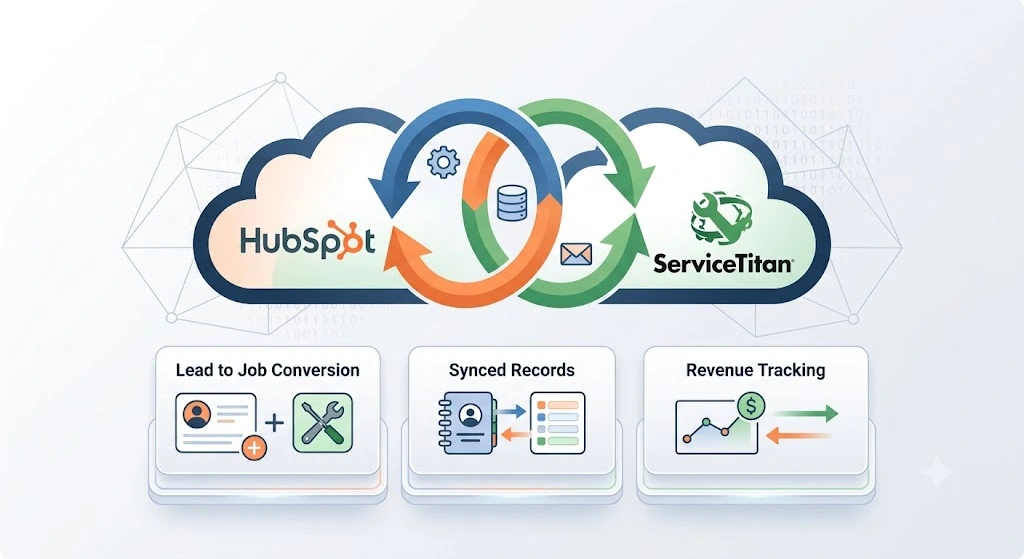
It works through ServiceTitan’s Open API v2 and HubSpot’s REST API with field mapping, deduplication and a defined system of record for every object. New web leads in HubSpot create prospects in ServiceTitan for booking. Job status changes, invoice paid events, and equipment records flow back to HubSpot as deal updates and custom object records for segmentation and reporting.

Turn HubSpot Into A Real-Time SMS Engine with Message IQ
 Two-Way Conversations
 Shared Team Inbox
 Automation Triggers
 Advanced Reporting
 Compliance Tools
- 98% SMS read within 3 min
- 78% Buy from first responder
- 21× More likely to qualify

*MessageIQ is an IntegrateIQ product – built natively for HubSpot by the same team.
Does HubSpot have a native ServiceTitan integration?
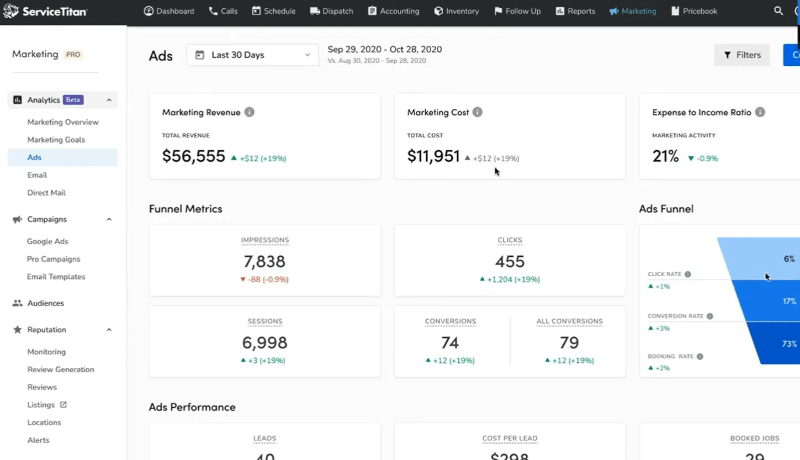
No. HubSpot does not maintain a native ServiceTitan connector, and ServiceTitan discontinued its own HubSpot integration. Third-party middleware like Zapier and Make provide basic triggers, and ServiceTitan Marketing Pro offers a separate marketing tool but not a full CRM sync. Most mid-market home services companies build a custom HubSpot ServiceTitan integration to unify marketing, sales, and dispatch data.
Can HubSpot and ServiceTitan sync bi-directionally?
Yes with a custom build. Web leads and marketing data flow from HubSpot into ServiceTitan for booking, and job, invoice, revenue, and equipment data flow back to HubSpot for closed-loop reporting. System of record is defined per field so a contact’s phone number stays owned by ServiceTitan (the operational truth) while lifecycle stage and campaign attribution stay owned by HubSpot.
How long does a HubSpot ServiceTitan integration take to build?
A HubSpot ServiceTitan integration takes about 8 weeks from kickoff to production. Discovery runs two weeks for object inventory, Business Unit scoping across locations, and historical data audit. Build and staging runs three weeks against sandbox environments. Backfill runs one week, cutover and hypercare cover the final two. Multi-location businesses with several Business Units add discovery time.
What data can sync between HubSpot and ServiceTitan?
Customers, contacts, estimates and opportunities, jobs, invoices, payments, Pricebook items, service addresses, membership contracts, equipment records, and Business Unit tags. Marketing engagement (form fills, email opens, ad source, page views) flows the other way. Field mapping is configured per project so only relevant data flows, and technician-entered notes can map to HubSpot custom properties for internal alerts.
How a HubSpot ServiceTitan Integration Actually Works
A HubSpot ServiceTitan integration keeps a marketing engine and a field service operation in agreement without asking CSRs or dispatchers to copy data between systems. ServiceTitan owns operations: customers, service addresses, estimates, jobs, invoices, technician assignments, equipment records, membership contracts, and Pricebook items. HubSpot owns the marketing and sales relationship: form fills, ad source, campaign attribution, lifecycle stage, email engagement, and pre-purchase deal pipeline for commercial contracts.
The sync moves both directions. Web leads from HubSpot landing pages create prospects in ServiceTitan tagged with the original ad campaign and marketing source, so a CSR taking the call sees the marketing context before saying hello. Job completions, invoice payments, equipment updates, and technician-entered notes flow back to HubSpot so marketing can attribute revenue to campaign spend and trigger reputation, cross-sell, and renewal workflows the moment a technician marks the job complete.
The important part is what does not sync by accident. A working HubSpot ServiceTitan integration lets you decide the direction on a field-by-field basis, pick a system of record for every object, and route only records that matter (specific Business Units, commercial customers, membership holders) so HubSpot does not drown in operational noise.
Three Ways to Connect ServiceTitan and HubSpot
The page already covers what a custom build delivers. This table adds the honest side-by-side teams need before committing to Zapier or ServiceTitan Marketing Pro.
| Factor | ServiceTitan Marketing Pro | Zapier / Make (No-Code) | Custom (Integrate IQ) |
|---|---|---|---|
| Best for | Single-location shops using ServiceTitan-native email and reporting | Sub-500 jobs per month, basic contact and job sync | Multi-location, multi-Business-Unit, equipment-based segmentation, closed-loop attribution |
| Sync direction | One-way from ServiceTitan to Marketing Pro only | Configurable one-way per Zap, breaks on schema change | True bi-directional with field-level system of record |
| Custom object and technician-notes support | Not supported | Manual per object | Full support including custom notes mapped to HubSpot custom properties |
| Job and route sync | Job data stays inside ServiceTitan | Basic triggers only | Full job status, technician assignment, and equipment records with volume filters |
| Multi-location / Business Unit routing | Marketing Pro is single-instance | One Zap per Business Unit, brittle | One integration, multiple Business Units, source tagging preserved |
| Marketing automation depth | Basic email and text within Marketing Pro | You rebuild the marketing engine in Zapier | Full HubSpot Marketing Hub with equipment-based segmentation |
| Volume handling and error recovery | Vendor-managed, closed system | Task limits and silent failures | Built to handle peak season without throttling; error alerts and retry logic |
| Maintenance | ServiceTitan vendor patches only | You own every broken Zap | Monitored post-launch, included in scope |
If you run a single-location shop and use ServiceTitan Marketing Pro for everything, Marketing Pro is the simplest path though it limits your marketing depth. Zapier fits teams testing basic sync ideas before committing engineering budget. Anywhere you run multiple Business Units, want equipment-based segmentation (“Furnace Age > 12 Years”), need closed-loop attribution tying paid ads to booked revenue, or want technician notes triggering HubSpot workflows, a custom HubSpot ServiceTitan integration wins on total cost of ownership. Our custom HubSpot integration services cover the build, backfill, and post-launch monitoring.
Home Services Revenue Workflows You Can Automate Once ServiceTitan Data Lives in HubSpot
- Google Ads to booked job with CSR context. A HubSpot form submission on an HVAC repair landing page creates a customer in ServiceTitan tagged with the ad campaign, ad set, and keyword. The CSR taking the call sees the ad copy the prospect clicked and the pages they viewed before answering, and can quote confidently on the first call.
- Unsold estimate to nurture recovery. A ServiceTitan estimate that stays open for more than 48 hours triggers a HubSpot personalised nurture sequence with the exact service quoted, an FAQ addressing the common objection for that ticket size, and a follow-up task to the technician who ran the appointment. Recovered estimates close within a week.
- Job complete to review request and cross-sell. When a technician marks a job Complete in ServiceTitan, HubSpot enrolls the customer in a review request sequence timed to peak satisfaction and adds a cross-sell recommendation based on equipment (a plumbing customer with an aging water heater sees a water-heater-replacement offer 90 days later).
- Equipment age segmentation for replacement campaigns. Furnaces, water heaters, and AC units logged by technicians in ServiceTitan flow to HubSpot as custom properties. A smart list of “Furnace Age > 12 Years, No Membership” surfaces the target audience for a replacement campaign, and ad audiences update automatically as new equipment is logged.
- Membership renewal alerts with paid-invoice validation. Membership contract expiry dates in ServiceTitan drive HubSpot renewal sequences timed 60, 30, and 7 days out. When ServiceTitan records the renewal payment, the sequence stops automatically. When it does not, the account owner sees a task with the customer’s service history attached.
What Breaks in a ServiceTitan HubSpot Sync, and How We Prevent It
- Duplicate customer records at scale. ServiceTitan identifies customers by location plus phone number, HubSpot identifies by email. Multi-property owners and multi-family accounts often create duplicates in both systems. We define identity keys (email plus phone plus service address) up front so duplicates never enter production.
- System-of-record conflicts on shared fields. Marketing edits a phone number in HubSpot the same day the CSR corrects a service address in ServiceTitan. Without field-level system of record, one write silently wipes the other. We define system of record per field before build starts.
- Multi-Business-Unit tag loss. Companies running 3 to 10 Business Units in one ServiceTitan tenant often lose the Business Unit tag when data reaches HubSpot, so reporting collapses across brands or locations. We map Business Unit as a HubSpot custom property (or child company relationship) so reporting stays clean by location, brand, or trade.
- Recurring service and route data volume overwhelm. ServiceTitan generates thousands of jobs per week per location. Without smart filtering, HubSpot fills with operational noise (repeat service calls, maintenance visits, minor tune-ups) and marketing loses signal. We filter for events that matter to marketing (first-time customer, membership sign, cross-sell trigger, cancellation) rather than syncing every job.
- API throttling during peak season. HVAC and plumbing spike heavily seasonally. Naive syncs hit ServiceTitan API rate limits during heatwaves and cold snaps exactly when you need visibility most. Across our client base we move 20 billion plus records annually, so we batch, checkpoint, and throttle by design instead of by accident.
Implementation Timeline: What to Expect
Most HubSpot ServiceTitan integrations complete inside eight weeks of kickoff. Discovery covers two weeks: object inventory in ServiceTitan, Business Unit scoping across locations, marketing-safe field selection, and identity resolution rules. Weeks three to five are build and unit testing against a staging ServiceTitan tenant and a HubSpot sandbox. Week six runs the historical backfill and reconciliation. Weeks seven and eight cover user acceptance testing (CSR, dispatch, marketing, ownership), cutover, and hypercare. Multi-location businesses with 5+ Business Units extend discovery, not build. Post-launch monitoring is included, so if ServiceTitan pushes an API update or HubSpot changes a workflow action, we see it before your reports do. Full detail is on our HubSpot integration process page and 98.5% of clients renew for a follow-on scope.
Connect the Rest of Your Revenue Stack
ServiceTitan rarely lives alone in the home services stack. Companies running multiple trades often review our HubSpot RealGreen integration for lawn care operations and the HubSpot QuickBooks integration for accounting truth. Teams adding SMS reminders and technician-to-customer texting layer in Message IQ , an Integrate IQ product built natively for HubSpot that fires SMS from workflow triggers with 98% read rates for appointment confirmations, reschedule notices, and post-service review requests. For broader vertical context, our lawn care and pest control industry page covers adjacent home services patterns, and the integration ROI calculator turns the case into a number.
See your 12-month revenue impact with HubSpot CRM
Enter your current numbers — visitors, leads, deal size — and get a personalized projection based on real HubSpot customer benchmarks.
Calculate My ROI
Book a Free Strategy Call



Table of Contents
- What is a HubSpot ServiceTitan integration?
- How does the HubSpot ServiceTitan integration work?
- Does HubSpot have a native ServiceTitan integration?
- Can HubSpot and ServiceTitan sync bi-directionally?
- How long does a HubSpot ServiceTitan integration take to build?
- What data can sync between HubSpot and ServiceTitan?
- How a HubSpot ServiceTitan Integration Actually Works
- Three Ways to Connect ServiceTitan and HubSpot
- Home Services Revenue Workflows You Can Automate Once ServiceTitan Data Lives in HubSpot
- What Breaks in a ServiceTitan HubSpot Sync, and How We Prevent It
- Implementation Timeline: What to Expect
- Connect the Rest of Your Revenue Stack
- Book a Free Strategy Call




