HubSpot Adobe Workfront Integration: Closing the Gap Between Sales and Creative Delivery
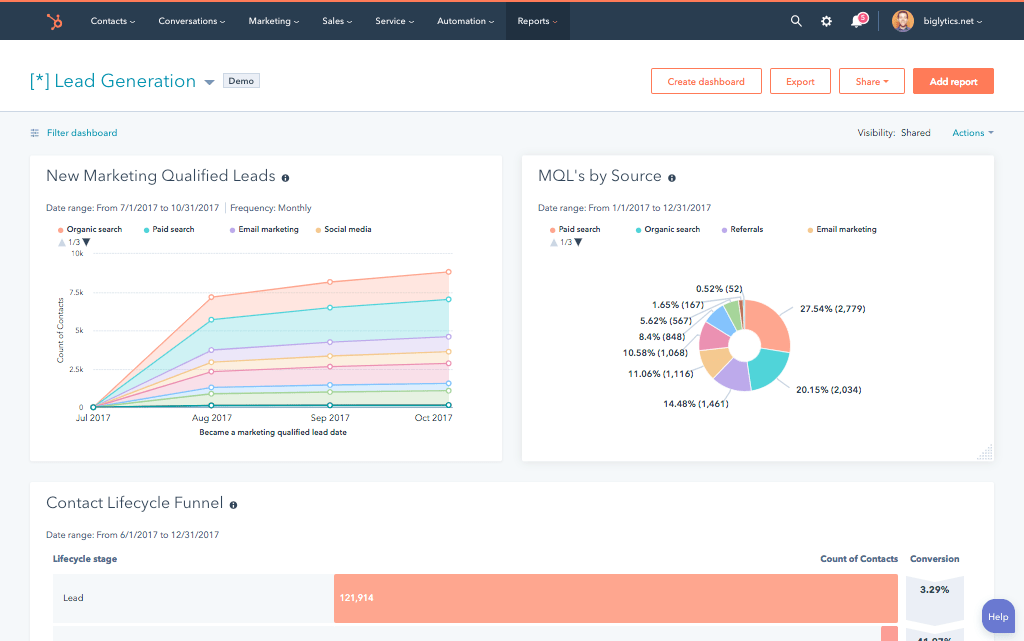
Enterprise marketing teams running HubSpot as their CRM and Adobe Workfront as their campaign work management platform hit the same structural problem: two systems serve the same campaign from opposite ends, and the handoff between them is manual. Sales closes a deal in HubSpot.
Someone emails the creative team. Someone else opens Workfront and manually creates the project with the brief details. When the campaign goes live, the account manager checks Workfront for a status update to give the client.
A HubSpot Adobe Workfront integration eliminates that manual middle. When a deal reaches a specific stage in HubSpot, a populated Workfront project creates automatically with the creative brief, timeline, and resource assignments mapped from the deal properties.
When the Workfront project hits a milestone, that status appears on the HubSpot deal record in real time. When the project completes, a HubSpot workflow triggers the invoice task or renewal sequence.
There’s no native HubSpot connector for Adobe Workfront in HubSpot’s App Marketplace. Two paths exist: Workfront Fusion (Adobe’s own integration platform, which has a HubSpot CRM module) and a custom API build. We’re Integrate IQ, a HubSpot Diamond Solutions Partner with custom integration accreditation.
Enterprise clients including MetLife trust us to handle mission-critical data flows between HubSpot and Workfront. Here’s how both integration paths work and where each one fits.
What Adobe Workfront Is and Why It Sits Next to HubSpot
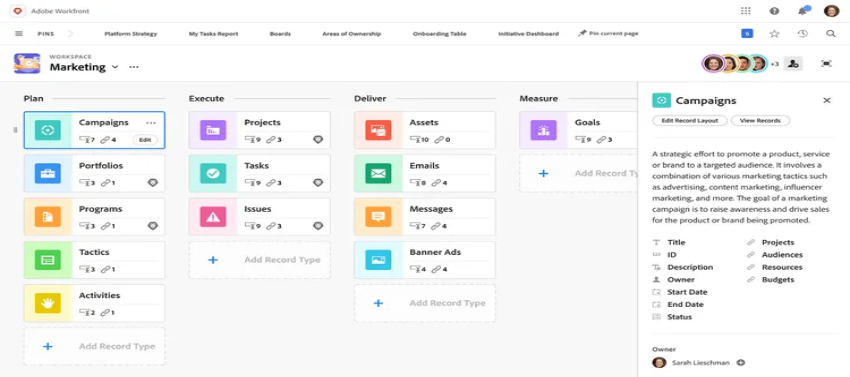
Adobe Workfront is enterprise work management software part of the Adobe Experience Cloud used by marketing, creative, and operations teams to plan, execute, and track complex project portfolios.
Key capabilities include customisable project templates, resource management and capacity planning, review and approval workflows, milestone tracking, and real-time portfolio reporting.
HubSpot handles the front end of the marketing lifecycle: lead generation, CRM, sales pipeline, campaign automation, and customer communications. Workfront handles the back end: briefing, creative production, stakeholder review, and delivery.
When a campaign brief lives in HubSpot deal notes and a project lives in Workfront, neither team has complete visibility. Account managers can’t see project status without switching tools. Creative project managers can’t see deal value or client history without asking sales. The integration closes both gaps.

Turn HubSpot Into A Real-Time SMS Engine with Message IQ
 Two-Way Conversations
 Shared Team Inbox
 Automation Triggers
 Advanced Reporting
 Compliance Tools
- 98% SMS read within 3 min
- 78% Buy from first responder
- 21× More likely to qualify

*MessageIQ is an IntegrateIQ product – built natively for HubSpot by the same team.
Does a Native HubSpot Adobe Workfront Integration Exist?
No. Adobe Workfront doesn’t appear in HubSpot’s App Marketplace as a native connector. The closest options are:
- Workfront Fusion: Adobe’s own low-code integration platform (formerly Scenario Builder) has a HubSpot CRM module in its connector library. It can read and write HubSpot records creating contacts, updating deals, reading form submissions. It’s the tool Adobe recommends for connecting Workfront to third-party apps.
- Make (formerly Integromat): Has both Workfront and HubSpot connectors. Works for simple trigger-action automations.
- Custom API integration: Built directly on Workfront’s REST API and HubSpot’s API. Handles complex bidirectional project-level sync that neither Fusion nor Make can manage at enterprise scale.
Workfront Fusion vs. Custom Integration: What Each One Covers
| Factor | Workfront Fusion | Custom API Integration |
| Setup approach | Low-code scenario builder | Custom development — 6-8 weeks |
| HubSpot to Workfront | Can create Workfront tasks/projects from HubSpot triggers | Full project creation from deal data with template selection logic |
| Workfront to HubSpot | Limited — basic status updates | Full milestone sync, asset push, ‘Project Complete’ triggers |
| Project template logic | Fixed — no conditional template selection by deal properties | Conditional: ‘If deal type = Campaign, use Campaign template; if deal type = Retainer, use Retainer template’ |
| Asset sync (Workfront to HubSpot) | Not supported | Final approved assets sync to HubSpot contact/deal attachments |
| Enterprise filtering | Limited | Full conditional logic — only sync deals matching specific criteria |
| Error handling | Basic scenario error logs | Custom retry logic and alerting |
| API rate limits | Fusion handles, but complex scenarios may hit limits | Custom rate management and batching |
| Maintenance | Adobe manages Fusion; scenario changes require rebuilding | IntegrateIQ provides proactive monitoring and updates |
For teams with simple, one-directional triggers a HubSpot form submission creates a Workfront request, or a deal stage change creates a Workfront task Workfront Fusion works.
For enterprise teams needing bidirectional project-level sync, conditional template logic, milestone-to-CRM visibility and asset accessibility, a custom build is the right architecture.
What a Custom HubSpot Adobe Workfront Integration Connects
Direction 1: HubSpot to Workfront
| HubSpot Event | Workfront Action |
| Deal moves to ‘Campaign Approved’ stage | Workfront project created from appropriate template — Campaign, Retainer, or Event — based on deal type property |
| Deal close date set | Workfront project deadline populated from deal close date |
| Creative brief custom properties on deal | Workfront project brief fields populated: campaign objective, target audience, messaging pillars, asset types required |
| Deal owner (sales rep) | Workfront project linked to account manager; stakeholder notifications sent |
| Deal amount | Workfront project budget field populated for resource allocation |
Direction 2: Workfront to HubSpot
| Workfront Event | HubSpot Action |
| Project milestone reached (e.g., ‘Creative Approved’) | HubSpot deal record updated with milestone date and status |
| Project status changes to ‘At Risk’ | HubSpot deal property updated; account manager notified via HubSpot workflow |
| Project completion percentage updated | HubSpot deal record shows real-time delivery progress |
| ‘Project Complete’ milestone hit | HubSpot workflow triggered: invoice task created, or renewal sequence enrolled |
| Final approved assets uploaded in Workfront | Assets synced to HubSpot deal/company record attachments for account team QBR access |
Use Cases for Marketing Ops and Agency Teams
Agency Deal-to-Delivery Handoff
A digital agency closes a brand campaign deal in HubSpot. The integration immediately creates a populated Workfront project: brief details from the HubSpot deal notes fill the project description, the campaign timeline maps from the deal close date, and the creative director is assigned based on the service type.
The creative team starts work within minutes of the deal closing no email, no meeting, no manual project setup. For agencies managing 20-30 new projects a month, this automation removes days of setup overhead.
Enterprise Campaign Management
An in-house marketing team at a large enterprise runs multi-channel campaigns through Workfront. When the marketing team approves a campaign in HubSpot moving a campaign deal or marketing request to ‘Approved’ the Workfront project spins up automatically with the full brief, stakeholder assignments, and milestone schedule.
Account managers can see campaign status (In Progress, At Risk, Complete) directly on the HubSpot deal record without logging into Workfront. Client-facing teams always have an accurate status to share.
Revenue Recognition Trigger
For professional services and agency teams, revenue recognition often depends on delivery milestones. When Workfront marks a project as ‘Project Complete’, the integration fires a HubSpot workflow: an invoice task gets created and assigned to finance, or the client contact gets enrolled in a renewal outreach sequence timed 30 days after project completion. Revenue recognition that previously required someone to notice the Workfront status and manually update HubSpot now runs automatically.
QBR Preparation with Approved Assets in HubSpot
Account Executives preparing quarterly business reviews need access to the final approved creative assets from Workfront campaigns ad creatives, campaign reports, brand collateral. The integration pushes those approved assets from Workfront folders to HubSpot contact or company record attachments automatically when the project closes. AEs open the HubSpot record for a QBR and find everything they need without logging into Workfront or hunting through shared drives.
Enterprise Filtering: Not Every Deal Should Create a Workfront Project
In enterprise deployments, you don’t want every HubSpot deal triggering a Workfront project only deals that meet specific criteria. A custom integration builds that filtering logic in:
- Deal value threshold: Only deals above $25,000 (or your enterprise minimum) trigger project creation in Workfront.
- Product type: Only ‘Campaign’ or ‘Content Production’ deal types trigger Workfront projects not ‘Consulting’ or ‘Renewal’ deal types that don’t require creative production.
- Region or team: Only deals assigned to specific regional teams or business units route to Workfront, keeping other teams’ projects out of a shared Workfront instance.
This filtering logic is what separates a useful enterprise integration from a Workfront instance flooded with irrelevant projects. Off-the-shelf connectors can’t implement it. Custom builds can.
See your 12-month revenue impact with HubSpot CRM
Enter your current numbers — visitors, leads, deal size — and get a personalized projection based on real HubSpot customer benchmarks.
Calculate My ROI
What to Expect from the Integrate IQ Build
- Weeks 1-2: Discovery and Architecture. Map every HubSpot deal property that needs to create a Workfront field. Define project template selection logic, filtering criteria, and the milestone events that need to appear in HubSpot. Confirm Workfront API access and HubSpot property setup.
- Weeks 3-4: Build and Sandbox Testing. Build against Workfront’s REST API and HubSpot’s API in a sandboxed environment. Test project creation from real deal data. Validate milestone-to-HubSpot sync and asset push directions.
- Weeks 5-6: UAT. Your marketing ops team validates that projects are creating correctly in Workfront with accurate brief data. Your account team validates that milestone updates and project status are appearing on HubSpot records. Finance validates that ‘Project Complete’ triggers fire the right HubSpot workflows.
- Weeks 7-8: Go-Live and Monitoring. Production deployment with active monitoring. The integration handles enterprise-level data volumes including scenarios where a single deal triggers multiple Workfront projects across different service lines.
We’ve processed over 20 billion records annually across 300+ platform integrations. Enterprise clients trust us with mission-critical marketing operations data because the builds we deliver are engineered for reliability and scale — not held together by fragile connector logic. See how our integration process works.
For teams evaluating other project management connections alongside Workfront, we also build HubSpot Teamwork integration, HubSpot Asana integration, and HubSpot Monday.com integration for organisations with mixed PM tool environments.


Table of Contents
- HubSpot Adobe Workfront Integration: Closing the Gap Between Sales and Creative Delivery
- What Adobe Workfront Is and Why It Sits Next to HubSpot
- Does a Native HubSpot Adobe Workfront Integration Exist?
- Workfront Fusion vs. Custom Integration: What Each One Covers
- What a Custom HubSpot Adobe Workfront Integration Connects
- Use Cases for Marketing Ops and Agency Teams
- Enterprise Filtering: Not Every Deal Should Create a Workfront Project
- What to Expect from the Integrate IQ Build