

















What is a HubSpot Monday.com integration?
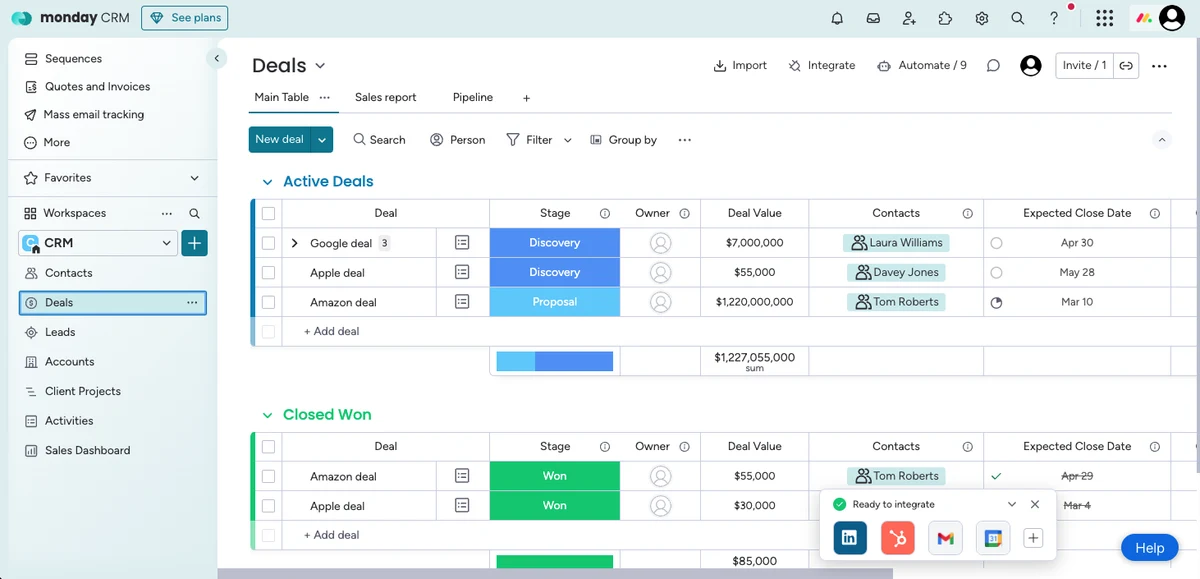
A HubSpot Monday.com integration is a data connection that syncs deals, tickets, contacts, and companies between HubSpot CRM and Monday.com work management boards. It automates the sales-to-delivery handoff so a closed-won deal creates a Monday.com project item from a board template automatically, and Monday.com status changes update HubSpot deal properties for sales and account manager visibility.
How does the HubSpot Monday.com integration work?
It works through HubSpot’s REST API and Monday.com’s GraphQL API with field mapping between HubSpot properties and Monday.com item columns. Bi-directional workflow triggers create items from HubSpot deals moving to Closed-Won, and Monday.com status column changes fire back to HubSpot deal properties. Board templates apply automatically at item creation so every new project follows the standard structure.

Turn HubSpot Into A Real-Time SMS Engine with Message IQ
 Two-Way Conversations
 Shared Team Inbox
 Automation Triggers
 Advanced Reporting
 Compliance Tools
- 98% SMS read within 3 min
- 78% Buy from first responder
- 21× More likely to qualify

*MessageIQ is an IntegrateIQ product – built natively for HubSpot by the same team.
Does HubSpot have a native Monday.com integration?
Yes and no. Monday.com maintains HubSpot recipes in its automation library that create Monday.com items from HubSpot triggers, but the flow is largely one-directional and does not support custom fields well. HubSpot has no native Monday.com connector in its App Marketplace. Teams building bi-directional sync with board template automation and custom field mapping need a custom integration.
Can HubSpot and Monday.com sync bi-directionally?
Not with native automations alone. Monday.com’s HubSpot recipes handle one-way triggers (HubSpot event fires Monday.com action). A custom HubSpot Monday.com integration adds true bi-directional sync: Monday.com status column changes update HubSpot deal properties, item completion fires HubSpot workflows, and custom column data flows back to HubSpot custom properties for reporting.
How long does a custom HubSpot Monday.com integration take to build?
A custom HubSpot Monday.com integration takes about 8 weeks from kickoff to production. Discovery runs two weeks for board template inventory, status column mapping to HubSpot deal properties, and workflow trigger design. Build and staging runs three weeks against Monday.com’s GraphQL API. Backfill runs one week, cutover and hypercare cover the final two weeks.
What data can sync between HubSpot and Monday.com?
Deals mapped to project board items, tickets mapped to support board items, contacts and companies mapped to client name and contact columns, deal properties mapped to specific item columns (status, priority, owner, dates), custom HubSpot properties mapped to Monday.com custom columns. Board template application, subitem creation, and status column changes flow both directions with defined system of record per field.
How a HubSpot Monday.com Integration Actually Works
A HubSpot Monday.com integration keeps a sales and marketing engine in agreement with the delivery and project management platform your operations team lives in. HubSpot owns the pre-sale relationship: lead capture, marketing attribution, sales pipeline, deal properties, and revenue attribution. Monday.com owns the post-sale operational relationship: project boards, status columns, dependencies, task assignments, timelines, and delivery milestones.
The sync moves both directions. A HubSpot deal moving to Closed-Won triggers Monday.com item creation from a defined board template with contact, company, and deal properties populated in the correct columns. The project team opens Monday.com and sees a fully scoped item with SLA dates, service level, and every relevant deal detail already in place. As the project progresses, Monday.com status column changes (In Progress, At Risk, Completed) update the corresponding HubSpot deal properties so sales and account managers see project health without switching tools.
The important part is what stays inside each tool. HubSpot keeps the marketing and sales system of record; Monday.com keeps the project execution system of record. A well-architected integration defines field-level ownership so Monday.com owns delivery status and dates while HubSpot owns commercial data like renewal date, expansion opportunity, and account owner. Nothing gets silently overwritten because the direction of every field is decided during discovery.
Three Ways to Connect HubSpot and Monday.com
Multiple paths work depending on the depth of workflow you need. Here is the honest comparison.
| Factor | Monday.com Native Recipes | Zapier / Make (No-Code) | Custom (Integrate IQ) |
|---|---|---|---|
| Best for | Simple triggers between HubSpot events and Monday.com items | Small teams testing basic automation | Growth-stage and enterprise teams running full deal-to-delivery workflows |
| Sync direction | Largely one-way (HubSpot triggers Monday.com actions) | Configurable per Zap, brittle at scale | True bi-directional with field-level system of record |
| Board template automation on Closed-Won | Basic item creation, template application limited | Manual template selection per Zap | Full board template application with column mapping preserved |
| Custom field and status column mapping | Standard fields only, custom fields limited | Manual per field, breaks on schema change | Full support including custom columns and property groups |
| Monday.com status back to HubSpot deal property | Not supported reliably | Manual per column, brittle | Automatic sync with deal property updates on every status change |
| Sub-item and dependency support | Not supported | Not supported | Full subitem creation, dependency tracking, and rollup status |
| Volume handling and error recovery | Basic, silent failures common | Task limits kick in above 500 items per month | Built to scale with error alerts, retry logic, and reconciliation |
| Maintenance | Vendor patches only | You own every broken Zap | Monitored post-launch, included in scope |
If your team runs a simple sales pipeline where deals rarely need custom project templates and reporting stays inside Monday.com, native recipes get the basics done. Zapier fits teams testing ideas before committing engineering budget. Anywhere you want closed-loop attribution (marketing to delivery to renewal), true bi-directional sync so HubSpot deal properties mirror Monday.com project status, custom board template application with column mapping preserved, or sub-item and dependency tracking that reflects on sales reporting, a custom HubSpot Monday.com integration wins. Our custom HubSpot integration services cover the build, backfill, and post-launch monitoring.
Sales-to-Delivery Revenue Workflows Once Monday.com Data Lives in HubSpot
- Closed-Won to onboarding board template. A HubSpot deal moving to Closed-Won creates a Monday.com item from a defined onboarding template with contact, company, SLA date, service level, and every custom deal property populated in the correct columns. The delivery team opens Monday.com and finds a scoped project ready to run, without the sales rep manually creating tickets or briefing docs.
- Status change to client communication automation. Monday.com status column changes (Kickoff Scheduled, In Progress, Client Review, At Risk, Completed) fire HubSpot workflows that email the primary contact with a project update, add a task for the account manager to follow up if the status is At Risk, and log the change to the deal timeline. Clients get consistent communication without the PM writing custom emails.
- Project completion to expansion opportunity. Monday.com item marked Completed triggers a HubSpot workflow that enrolls the primary contact in an expansion sequence with proof-of-value case studies, adds a task for the account owner to book a QBR, and updates the deal to a post-delivery stage. Expansion conversations happen at peak satisfaction instead of six months later.
- At-risk project to executive escalation. Monday.com status flipping to At Risk fires a HubSpot workflow that notifies the account executive, adds a project health flag to the company record, suppresses upsell campaigns to that account, and creates a leadership task if the status stays At Risk beyond a defined threshold. Sales stops pushing expansion into accounts that delivery is trying to save.
- Support ticket to project board escalation. A HubSpot ticket flagged for delivery escalation creates a Monday.com item on a defined escalation board with full ticket context, contact history, and priority tags. Service and delivery align on the same board and the customer gets one owner tracking the issue, not two separate handoffs.
What Breaks in a Monday.com HubSpot Sync, and How We Prevent It
- Board template drift over time. Monday.com board templates get customized as delivery processes evolve. Native recipes and Zapier syncs continue applying the old template structure and dropping new columns silently. We build template awareness that catches schema changes and alerts when a mapped column disappears, so new columns get added to the mapping intentionally, not dropped by accident.
- Status column value inconsistency across boards. Different Monday.com boards use different status column labels (“In Progress” vs “Working On It” vs “Active”). Native syncs mirror this inconsistency into HubSpot deal properties, breaking pipeline reporting. We normalize status values at sync time so HubSpot sees consistent language regardless of which Monday.com board the project sits on.
- Custom field volume overwhelms native recipes. Real Monday.com projects use 15 to 30 columns per item (owner, timeline, priority, service level, custom tags). Native HubSpot recipes handle a handful of standard columns and drop the rest. We build against Monday.com’s GraphQL API directly so all columns map with defined field-level system of record.
- Sub-item and dependency data loss. Monday.com’s power comes from subitems (task breakdowns) and dependencies (task ordering). Native recipes and basic connectors flatten these, so a HubSpot deal shows only the parent item status, losing the granularity that drives real project health. We map subitem completion counts and dependency-blocked status to HubSpot custom properties for accurate reporting.
- Owner assignment drift when team members change. Monday.com assigns items to specific users; HubSpot deals map to HubSpot user IDs. When a delivery manager leaves the team, native syncs orphan the mapping and reporting attribution breaks. We map Monday.com users to HubSpot users at the account level with fallback logic when team members change, so historical reporting stays intact.
Implementation Timeline: What to Expect
Most HubSpot Monday.com integrations complete inside eight weeks of kickoff. Discovery covers two weeks: board template inventory across active boards, status column mapping design (including value normalization across boards), custom field inventory, and workflow trigger design for both directions. Weeks three to five are build and unit testing against Monday.com’s GraphQL API and a HubSpot sandbox. Week six runs the historical data backfill and reconciliation. Weeks seven and eight cover user acceptance testing (sales, delivery, account management), cutover, and hypercare. Environments with 20+ active board templates or heavy subitem and dependency usage add discovery time, not build time. Post-launch monitoring is included, so if Monday.com pushes a schema change or a template gets renamed, we see it before your syncs go blind. Full detail is on our HubSpot integration process page and 98.5% of clients renew for a follow-on scope.
See your 12-month revenue impact with HubSpot CRM
Enter your current numbers — visitors, leads, deal size — and get a personalized projection based on real HubSpot customer benchmarks.
Calculate My ROI
Connect the Rest of Your Revenue Stack
Monday.com rarely lives alone in the delivery stack. Agencies and professional services firms managing accounting alongside project work often add a HubSpot QuickBooks integration so time and expense billing ties to project completion. Teams comparing Monday.com to alternatives review our HubSpot vs Monday comparison and the HubSpot Asana integration (https://integrateiq.com/integrations/hubspot-asana/) or HubSpot ClickUp integration as parallel work management options. Agencies adding SMS reminders for project milestones, client sign-off requests, and kickoff scheduling layer in Message IQ an Integrate IQ product built natively for HubSpot that fires SMS from workflow triggers with 98% read rate. Communication-heavy teams pair this build with a HubSpot Slack integration or HubSpot Microsoft Teams integration so status changes fire into project channels. The integration ROI calculator turns the case into a number.



Table of Contents
- What is a HubSpot Monday.com integration?
- How does the HubSpot Monday.com integration work?
- Does HubSpot have a native Monday.com integration?
- Can HubSpot and Monday.com sync bi-directionally?
- How long does a custom HubSpot Monday.com integration take to build?
- What data can sync between HubSpot and Monday.com?
- How a HubSpot Monday.com Integration Actually Works
- Three Ways to Connect HubSpot and Monday.com
- Sales-to-Delivery Revenue Workflows Once Monday.com Data Lives in HubSpot
- What Breaks in a Monday.com HubSpot Sync, and How We Prevent It
- Implementation Timeline: What to Expect
- Connect the Rest of Your Revenue Stack




