

Explore this article with AI:

Most articles about HubSpot sales automation talk about reps: sequences, email templates, meeting links. Sales ops automation is a different layer entirely. It’s the rules engine that keeps a pipeline honest, covering who owns a lead, when a deal needs a manager’s sign-off, and why the forecast doesn’t match what’s actually in the CRM. We’ve built this layer inside HubSpot for companies whose sales process outgrew manual admin years before anyone noticed. Here’s what we build first, and why.
Free estimator
Know what your HubSpot project costs before the first call.
Select your services and get a transparent price range in minutes. No sales call needed to get a number.
Connect HubSpot to your ERP, billing platform, or database field mapping, custom logic, and support included.
Pipelines, workflows, email templates, and reporting configured for how your team actually works.
Live, role-based sessions with recordings and written guides built around a custom plan for your team.
HubSpot Partner
Client retention
Platforms integrated
What Is Sales Ops Automation in HubSpot?
Sales ops automation is the set of rules and workflows that govern how deals, leads and data move through HubSpot without a human pushing every step by hand. It sits on top of the CRM, not inside the rep’s inbox. Where rep-facing tools like sequences and templates help someone sell faster, sales ops automation makes sure the underlying system stays accurate enough to trust, with correct lead ownership, clean deal stages, enforced approvals and pipeline numbers that hold up in a board meeting.
This is a different job than marketing automation, which nurtures contacts toward a sale and it’s narrower than full revenue operations, which covers strategy and org design across sales, marketing and customer success. Sales ops automation is the operational plumbing underneath all of it.
Lead Routing and Territory Rules
Routing is usually the first thing that breaks as a sales team grows. A lead comes in, and instead of hitting the right rep in seconds, it sits in a queue, gets manually reassigned, or lands with someone in the wrong region. HubSpot workflow automation can route leads by territory, deal size, industry or a lead score threshold stored on the contact record. The moment a lead crosses that threshold, the system assigns an owner, creates a follow-up task and updates the lifecycle stage in one motion.
Territory rules need an owner who reviews them quarterly, not just an admin who built them once. The part teams get wrong is treating routing as a set-and-forget rule: reps get promoted, territories shift and people leave the company and if the routing logic doesn’t account for reassignment, leads keep flowing to inboxes nobody checks anymore.

Turn HubSpot Into A Real-Time SMS Engine with
Message IQ

Two-Way Conversations

Shared Team Inbox

Automation Triggers

Advanced Reporting

Compliance Tools
-
98%
SMS read within 3 min -
78%
Buy from first responder -
21×
More likely to qualify
3–5 min avg response
$45–$50 ROI / $1

*MessageIQ is an IntegrateIQ product – built natively for HubSpot by the same team.
Data Hygiene Automation
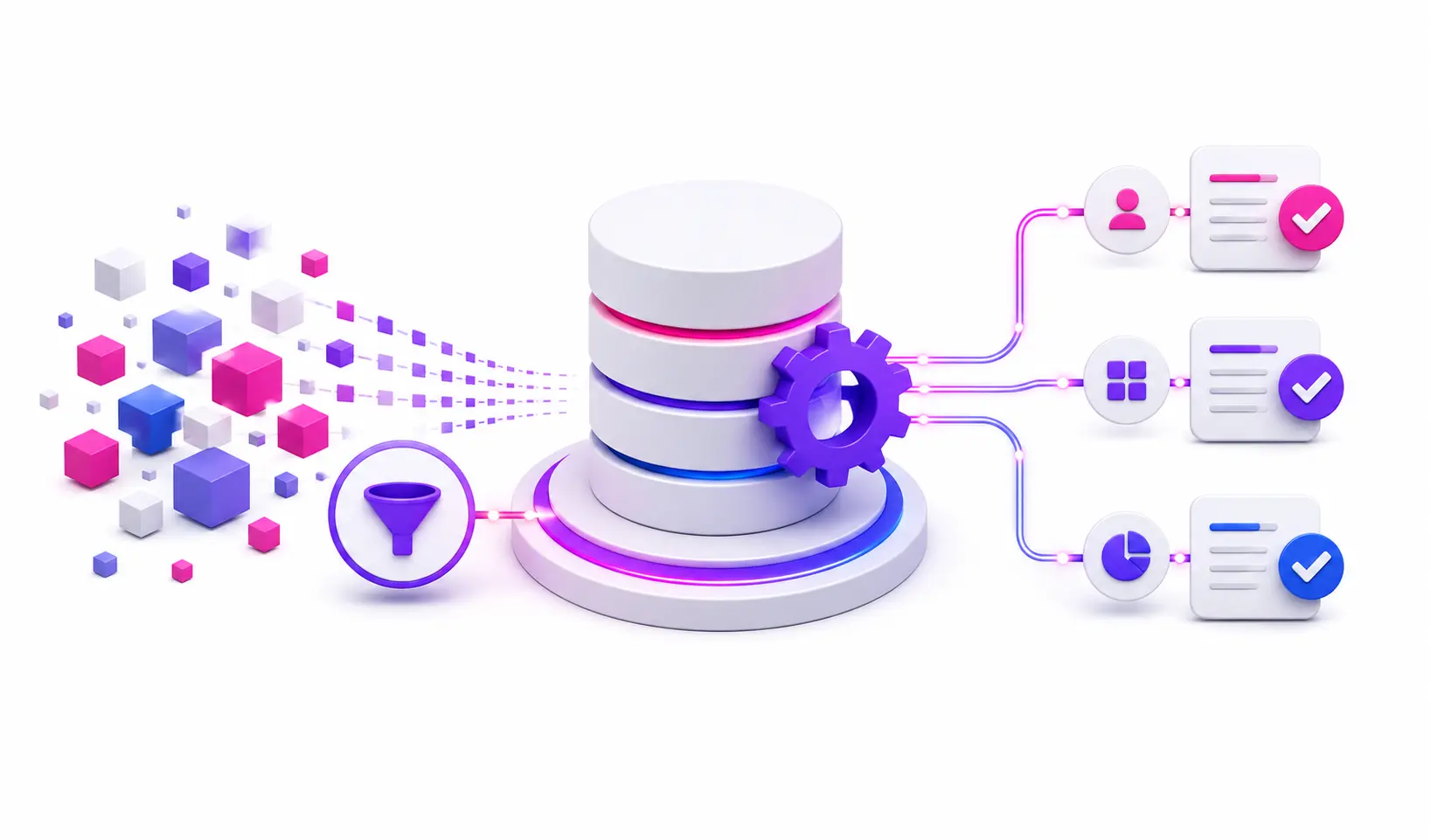
This is the piece almost nobody talks about, and it’s the one that determines whether every other automation actually works. Routing rules, lead scoring, and forecast reports all depend on clean inputs. If two records exist for the same company, or a required field is blank, the automation built on top of that data produces a wrong answer with total confidence.
Data hygiene automation in HubSpot typically covers three things: duplicate detection and merging, required-field enforcement at the point of entry, and property standardization workflows that catch inconsistent values, so “SF,” “San Fran,” and “San Francisco” all become one clean field. None of this is glamorous. It’s also the difference between a sales ops build that holds up after six months and one that quietly degrades until someone asks why the pipeline report doesn’t match reality.
Deal Stage and Approval Workflows
Deal stages should mean something. In practice, they often don’t, because reps advance deals to look productive in a pipeline review rather than because the deal actually moved. Stage-gate automation closes that gap by requiring specific conditions before a deal can progress: a signed scope document attached, a required field populated, a manager’s approval logged.
A typical approval workflow runs like this:
- A rep requests a discount above a set threshold.
- HubSpot automatically routes the request to the deal’s manager for sign-off.
- The manager approves or rejects inside HubSpot, with the decision logged on the deal record.
- Once approved, the deal stage advances and the rep is notified.
Layer an SLA timer on top of stalled deals, so a deal sitting in the same stage for more than a set number of days flags automatically and managers stop finding out about stuck deals in a Friday pipeline review. They find out the day it happens.
Forecast and Pipeline Reporting Automation
Forecast accuracy is a downstream effect of everything above it. If deal stages are enforced and data is clean, automated rollups and reporting dashboards reflect what’s actually happening. If they’re not, no amount of dashboard polish fixes a number built on bad inputs.
The workflows worth building here track stage duration, meaning how long a deal has sat where it is, flag deals showing risk signals such as no activity logged in 14 days or a stalled email thread and roll pipeline data into a forecast view automatically rather than through a rep’s manual weekly update. None of it replaces judgment. It gives the people making revenue decisions a number they can actually stand behind.
What Breaks When Sales Ops Automation Is Built Wrong
We get called in more often to fix a broken build than to start from zero and the failure patterns repeat.
Notification fatigue. Every workflow gets its own email or Slack alert, and within a few months reps and managers ignore all of them, including the ones that matter.
Workflow conflicts. Two automations update the same property from different triggers, and the record ends up in a state nobody designed for, such as a deal marked “closed won” and “at risk” at the same time.
Orphaned records. A rep leaves or a territory gets restructured and the workflows built around that rep’s ownership never got updated. Contacts and deals sit assigned to someone who no longer has access.
These aren’t hypothetical. Across 300+ platforms and 20 billion-plus records processed annually, this is the pattern we see in nearly every HubSpot portal that grew automation reactively instead of by design.
Build In-House, Hire an Admin, or Bring in a Partner?
There’s no single right answer here. It depends on complexity and how much internal bandwidth actually exists to maintain what gets built.
| Path | Best fit | Typical timeline | Main risk |
| Build in-house | Small team, simple routing and one or two workflows | Days to a few weeks | No one owns maintenance once the builder moves on |
| Hire a dedicated HubSpot admin | Growing team, recurring automation needs | Ongoing | Admin bandwidth caps how much gets built at once |
| Bring in a specialist partner | Multi-step workflows, approval chains, forecasting, or a tangled portal | 8 weeks from kickoff | Requires clear scoping up front to avoid rebuilding what already half-works |
The honest signal it’s time for outside help: automation requests keep queuing up faster than your internal team can ship them, or the portal already has conflicting workflows nobody wants to touch. We scope every engagement with engineers from day one, specifically to avoid tearing out automation that’s actually fine and rebuilding only what’s broken. If the team is still getting oriented in HubSpot itself, onboarding support usually needs to come before any of this, and it’s worth reviewing budgeting best practices before scoping a build so the timeline and cost expectations match reality.
Frequently Asked Questions
What’s the difference between sales automation and sales ops automation?
Sales automation usually refers to rep-facing tools like email sequences, templates and meeting scheduling that help someone sell faster. Sales ops automation is the operational layer underneath, covering lead routing, data governance, approval workflows and forecasting, that keeps the CRM accurate enough for those rep tools to work correctly.
Is sales ops automation the same as RevOps?
No. RevOps is broader, covering strategy and alignment across sales, marketing and customer success. Sales ops automation is one operational component within that: the specific workflows and rules that govern how deals and data move through the sales process.
How long does it take to set up sales ops automation in HubSpot?
A basic setup covering routing and stage enforcement can take a few weeks. A full build with approval chains, data hygiene automation, and forecasting workflows typically takes around 8 weeks from kickoff, depending on how tangled the existing portal already is.
Can a small sales team benefit from sales ops automation?
Yes. Even a single routing rule and one stage-gate approval prevents the two most common small-team failures: leads sitting unassigned and deals advancing without anyone checking the details. Complexity should match team size, not the other way around.
What HubSpot tier is needed for advanced sales ops automation?
Workflow automation, approval logic, and advanced reporting generally require Sales Hub Professional or Enterprise. The right tier depends on how many custom objects, approval stages and reporting dashboards the build needs.
See your 12-month revenue impact with HubSpot CRM
Enter your current numbers — visitors, leads, deal size — and get a personalized projection based on real HubSpot customer benchmarks.

Where to Start
If your HubSpot portal already has automation but nobody fully trusts the numbers it produces, the fix usually isn’t more workflows. It’s auditing what’s already running, fixing the data feeding it, and rebuilding only the pieces that are actually broken. We’ve done this across 300+ platforms with a 98.5% client retention rate, and we scope every build around an 8-week delivery so you know what you’re getting and when.
Take a look at our HubSpot integration process to see how we approach a build like this, review common workflow errors that kill automation before you build your own, or use the ROI calculator to estimate the payoff of fixing what’s broken now.


Table of Contents
- What Is Sales Ops Automation in HubSpot?
- Lead Routing and Territory Rules
- Data Hygiene Automation
- Deal Stage and Approval Workflows
- Forecast and Pipeline Reporting Automation
- What Breaks When Sales Ops Automation Is Built Wrong
- Build In-House, Hire an Admin, or Bring in a Partner?
- Frequently Asked Questions
- Where to Start
