HubSpot Zoey Integration: Connecting Your B2B Ecommerce Platform to Your CRM
Wholesale distributors and manufacturers running Zoey for B2B ecommerce and HubSpot for sales and marketing are managing the same customer across two disconnected systems. An account manager prepares for a renewal call and opens HubSpot where they see contact details, email engagement, and deal history, but no order history. The customer’s last five orders, current quote status, and average monthly spend all live in Zoey and are invisible in the CRM.
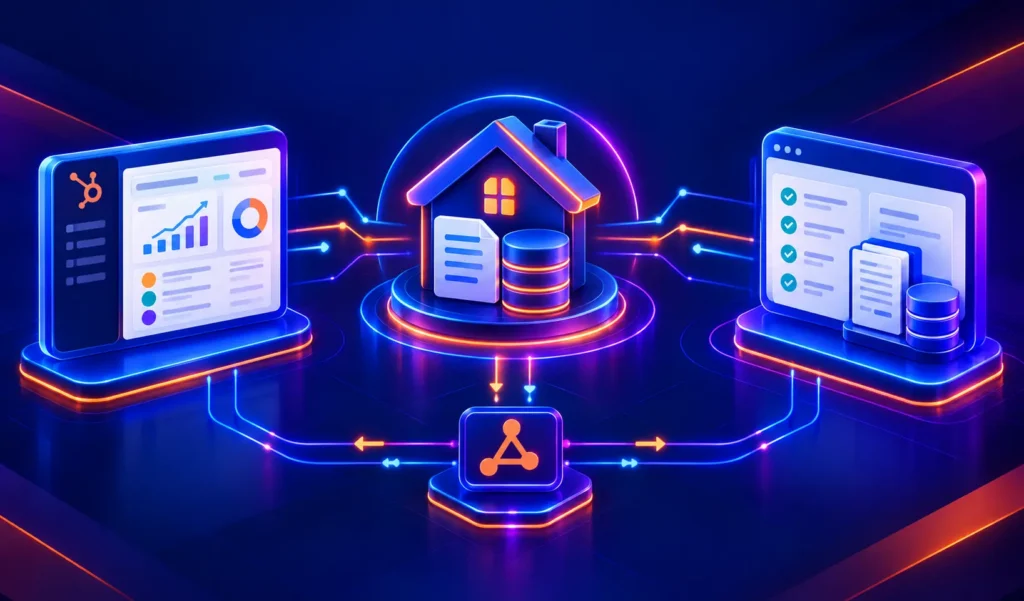
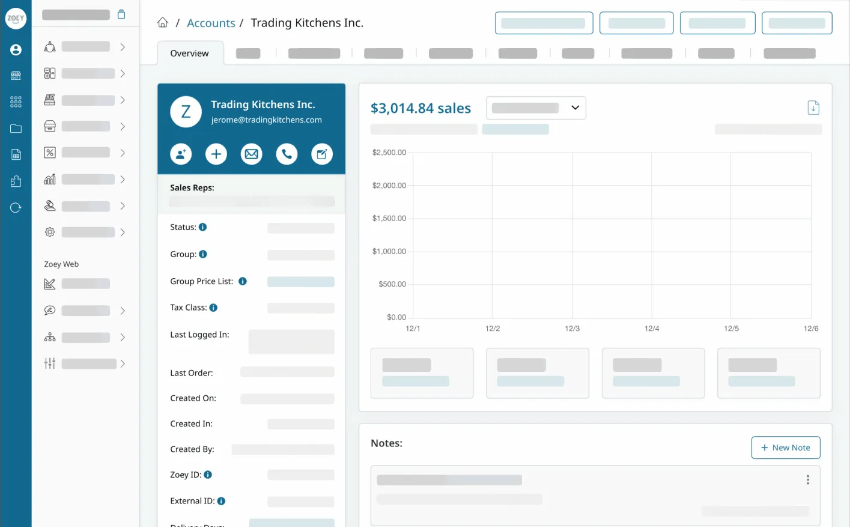
No native connector exists between HubSpot and Zoey in HubSpot’s App Marketplace. But Zoey is built for integration its REST API exposes Customer, Product, Inventory, and Order data, the same foundation it uses for connections to NetSuite, QuickBooks, and Ship Station. A custom HubSpot-Zoey integration reads from that API and writes to HubSpot so your account managers, marketing team, and sales reps work from a single, complete view of every wholesale account.
We’re Integrate IQ, a HubSpot Diamond Solutions Partner with custom integration accreditation. We’ve processed over 20 billion records annually across 300+ platform integrations including B2B ecommerce connections for wholesale and distribution companies. Here’s what the HubSpot Zoey integration connects and what it takes to build it.
Why HubSpot and Zoey Belong Together
| Platform | What It Handles | What It Misses |
| Zoey | B2B self-service ordering portal, sales rep mobile app, quote management, order management system, tiered/account pricing, customer groups | Marketing automation, lead nurturing, pipeline CRM, marketing attribution, contact segmentation beyond account groups |
| HubSpot | Lead generation, deal pipeline, contact and company records, email marketing, lifecycle automation, marketing ROI reporting | Order management, B2B quoting, tiered pricing logic, field sales ordering, SKU-level inventory data |
Two data flows drive most of the value in a HubSpot Zoey integration:
- Zoey to HubSpot: Customer accounts, order history, quote status, and pricing tier data flow into HubSpot Company and Contact records giving account managers and marketing teams a complete view of every wholesale relationship.
- HubSpot to Zoey: New leads who convert from HubSpot pipeline automatically create Zoey accounts, and HubSpot contact updates sync back to Zoey customer records keeping both systems consistent without double entry.

Turn HubSpot Into A Real-Time SMS Engine with Message IQ
 Two-Way Conversations
 Shared Team Inbox
 Automation Triggers
 Advanced Reporting
 Compliance Tools
- 98% SMS read within 3 min
- 78% Buy from first responder
- 21× More likely to qualify

*MessageIQ is an IntegrateIQ product – built natively for HubSpot by the same team.
Does a Native HubSpot Zoey Integration Exist?
No native HubSpot connector for Zoey exists in HubSpot’s App Marketplace. Zoey lists HubSpot CRM in its integration ecosystem and third-party directories confirm compatibility, but no pre-built sync tool handles the B2B-specific data objects accounts, tiered pricing, quotes, wholesale orders that make this integration valuable.
What Zoey does have is a well-documented REST API that exposes the objects your HubSpot stack needs: Customers, Products, Inventory, and Orders. The same API that powers Zoey’s NetSuite and QuickBooks connections is the foundation for a custom HubSpot integration. You can review Zoey’s integration architecture at zoey.com/integrations.
What a Custom HubSpot Zoey Integration Connects
Direction 1: Zoey to HubSpot
| Zoey Object / Event | HubSpot Object Created / Updated |
| Zoey Customer Account | HubSpot Company record company name, billing address, assigned sales rep, payment terms, customer group |
| Zoey Contact (buyer at customer account) | HubSpot Contact record name, email, phone, associated to parent Company |
| Zoey Order placed / completed | HubSpot Deal created (or Contact/Company timeline event updated) with order value, SKUs, and order date |
| Zoey Quote created or accepted | HubSpot Deal stage updated or new Deal created; quote value and expiry date mapped to Deal properties |
| Customer pricing tier / group | HubSpot Contact property pricing tier (Wholesale, Distributor, VIP) as a HubSpot property for segmentation |
| No orders in 90 days (lapsed account) | HubSpot workflow trigger: enrol in win-back sequence |
| Order frequency increases (e.g., 3rd order in 30 days) | HubSpot workflow trigger: enrol in upsell or account growth sequence |
Direction 2: HubSpot to Zoey
| HubSpot Event | Zoey Action |
| Deal moves to ‘Closed Won’ (new account) | Zoey Customer account created from HubSpot Company record data |
| Contact email or address updated in HubSpot | Zoey Customer contact record updated |
| New HubSpot Contact associated with existing Company | Zoey additional contact added to existing Customer account |
B2B Marketing Automation Use Cases Powered by Zoey Data
Reorder Reminder Campaign
A distributor of industrial supplies knows most accounts reorder every 30 days based on usage cycles. The integration syncs each account’s last order date to a HubSpot Company property. A workflow monitors that property daily when an account’s last order date crosses 28 days, an account manager gets a task to follow up, and an automated email goes to the buyer contact reminding them to reorder. For distributors managing hundreds of accounts, this workflow replaces the spreadsheet-based reorder tracking that most ops teams still run manually.
Win-Back for Lapsed Wholesale Accounts
When a Zoey account places no orders for 90 days, that event triggers a HubSpot workflow automatically. The contact at that account gets enrolled in a win-back sequence: a personalised email from their account manager offering to review current needs, followed by a product update email featuring items the account has historically ordered. For wholesale distributors, lapsed accounts that win-back typically return at similar or higher order frequency than before the revenue impact of a structured win-back programme compounds quickly across a large account base.
Quote-to-Order Conversion as a Marketing Trigger
When a Zoey quote converts to an order, the integration fires a HubSpot workflow. New customers who place their first order after a quote get enrolled in an onboarding sequence product usage tips, reorder reminders timed to expected usage cycles, and an introduction to the account manager. Existing customers who accept a new category quote get enrolled in a cross-category upsell sequence. Quote-to-order conversion is the B2B equivalent of an abandoned cart recovery and it’s completely unaddressed by the native Zoey tool set.
Pricing Tier Upgrade Campaign
Zoey supports customer-group pricing different pricing tiers for Wholesale, Distributor, and VIP accounts. The integration syncs each account’s pricing tier to a HubSpot Company property. Marketing can segment by tier and run campaigns targeting Wholesale-tier accounts that have crossed a spend threshold qualifying them for Distributor pricing. For many B2B ecommerce companies and wholesale distributors, moving accounts to higher tiers is a significant revenue lever. Making that upgrade trigger an automated HubSpot campaign converts a pricing operations task into a marketing growth channel.
Account-Level Segmentation for Marketing Campaigns
Because Zoey order data lives in HubSpot as Company properties total lifetime spend, last order category, average order value, order frequency marketing can build segments that most B2B companies only dream about: ‘Accounts with > $50K lifetime spend and no orders in 60 days’, ‘Accounts that buy Category A but have never bought Category B’, ‘New accounts with their first order in the last 30 days’. Each segment drives a different HubSpot campaign with different content, timing, and offers.
Account-Level Syncing: A B2B-Specific Design Decision
The most important architectural difference between a B2B wholesale integration and a DTC ecommerce integration is the object model. In DTC, one contact maps to one customer. In B2B wholesale, one Zoey customer account (Company) has multiple buyer contacts who all place orders against the same account terms.
The integration handles this correctly: Zoey Customer accounts map to HubSpot Companies. Individual buyer contacts at that account map to HubSpot Contacts associated with the parent Company. Orders associate with both the Company and the relevant Contact. This structure keeps account-level reporting clean you can see total account spend at the Company level and individual buyer behaviour at the Contact level.
Off-the-shelf connectors and generic iPaaS tools typically default to contact-level syncing, which creates duplicate Company records and breaks account-level reporting for B2B teams. A custom integration builds the right object model from the start.
See your 12-month revenue impact with HubSpot CRM
Enter your current numbers — visitors, leads, deal size — and get a personalized projection based on real HubSpot customer benchmarks.
Calculate My ROI
What to Expect from the Build
- Weeks 1-2: Discovery and Data Mapping. Map Zoey’s customer account structure to HubSpot Company and Contact objects. Define which Zoey order fields become HubSpot Deal or Company properties. Confirm Zoey REST API access scope and historical data migration requirements.
- Weeks 3-4: Build and Sandbox Testing. Build against Zoey’s REST API and HubSpot’s API. Test Company-Contact association logic, order-to-Deal creation, and workflow trigger events (last order date, order frequency thresholds).
- Weeks 5-6: UAT. Your account management team validates that Company records in HubSpot accurately reflect Zoey account data. Your marketing team validates that workflow triggers fire correctly for reorder and win-back sequences.
- Weeks 7-8: Go-Live and Monitoring. Production deployment with active monitoring. Historical Zoey order data can be backfilled into HubSpot at go-live to build account history from day one.
For B2B wholesale companies evaluating their broader integration stack connecting HubSpot to NetSuite for ERP data or HubSpot Sana Commerce as an alternative B2B ecommerce platform we scope those builds the same way, with the B2B account-level object model built correctly from the start. See how our integration process works.



Table of Contents
- HubSpot Zoey Integration: Connecting Your B2B Ecommerce Platform to Your CRM
- Why HubSpot and Zoey Belong Together
- Does a Native HubSpot Zoey Integration Exist?
- What a Custom HubSpot Zoey Integration Connects
- B2B Marketing Automation Use Cases Powered by Zoey Data
- Account-Level Syncing: A B2B-Specific Design Decision
- What to Expect from the Build