













HubSpot Diamond Solutions Partner
HubSpot Zoho Integration for Simple Syncs and Complex Revenue Workflows
Need the native setup steps? Get the step-by-step playbook instantly. Already tried and stuck? Talk to engineers who build custom HubSpot–Zoho integrations for real marketing, sales, and automation workflows.
98.5%
Client Retention
300+
Platforms Integrated
20B+
Fields Synced Annually

Free Playbook
What the Simple Playbook Covers
Five things you'll know by the time you finish reading in under 20 minutes.
- When a basic HubSpot–Zoho connection is enough for your workflow
- Exactly how to connect HubSpot and Zoho step by step
- What standard sync looks like: leads, contacts, deals, and activities
- The most common setup mistakes and how to avoid them before going live
- Clear signals that tell you when it’s time to move beyond basic setup
Note: This playbook is designed for standard integration needs. If your team has custom workflows or ERP dependencies, see the custom integration section below.
When Native Isn't Enough
Already tried integrating HubSpot and Zoho and got stuck?
For some teams, a basic integration works initially. But once workflows scale, automation overlaps, and custom modules come into play, the setup starts breaking down.
Duplicate Leads & Contacts
Leads syncing inconsistently across HubSpot and Zoho with no proper deduplication logic.
Broken Field Mapping
Custom Zoho fields not aligning with HubSpot properties, leading to missing or incorrect data.
Pipeline Mismatch
Deal stages in HubSpot and Zoho not aligned, causing confusion in reporting and forecasting.
Automation Conflicts
Workflows running in both platforms and interfering with each other.
Manual Workarounds
Teams exporting and re-importing data due to unreliable sync between systems.
API & Sync Limitations
Sync delays and API restrictions affecting real-time data flow and system performance.
The Framework We Build Toward
HubSpot
Lead Captured
→
HubSpot → Zoho
Lead Synced & Qualified
→
Zoho CRM
Deal Managed
→
HubSpot
Marketing Automation + Engagement Synced
One source of truth:
Marketing and sales teams operate on aligned data - no duplication, no workflow conflicts, no manual effort.


Integrate IQ has consistently shown they can be trusted with even the most complex projects. I know our customers are in great hands and that the job will always get done right.
Unlock Full-Funnel ROI with Closed-Loop Reporting in HubSpot
Stop guessing which marketing campaigns are driving revenue. By syncing sales outcomes and pipeline data from Zoho CRM back into HubSpot, your marketing team gains true closed-loop reporting. This enables you to accurately measure campaign ROI, optimize marketing spend, and build smarter nurturing strategies based on what actually converts to revenue.
Measure True Marketing ROI: Sync Zoho CRM deal stages, amounts, and closed-won status to HubSpot to attribute revenue directly to the marketing campaigns that generated it.
Automate Smarter Nurturing: Trigger HubSpot workflows and personalized email sequences based on changes in a lead's status or deal stage within Zoho CRM.
Refine Audience Segmentation: Enrich HubSpot contact lists with valuable data from Zoho CRM fields, allowing for highly targeted segmentation for future campaigns and content.
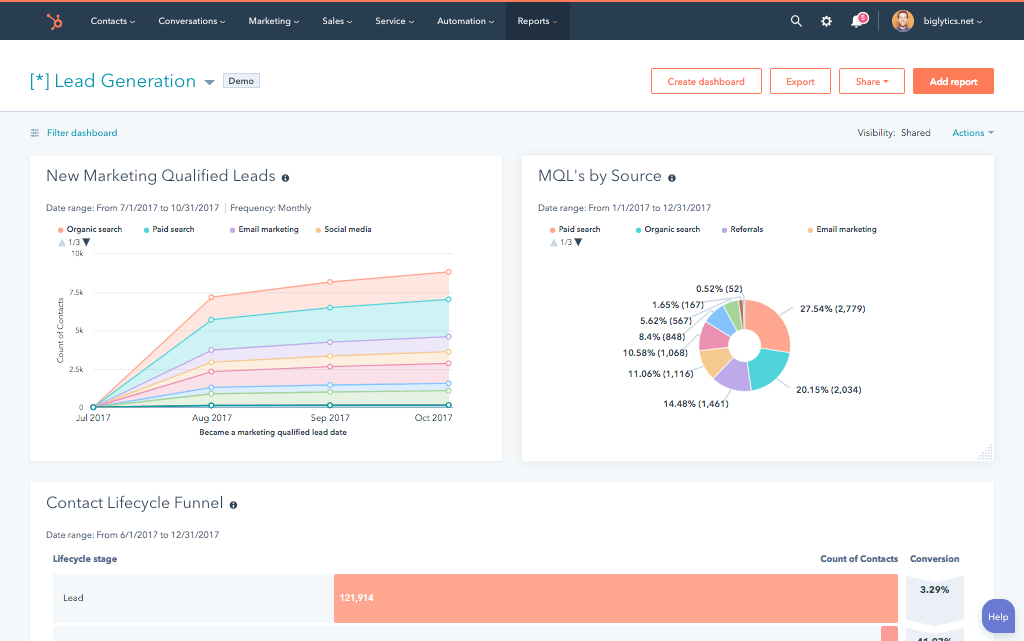
Stop guessing which marketing campaigns are driving revenue. By syncing sales outcomes and pipeline data from Zoho CRM back into HubSpot, your marketing team gains true closed-loop reporting. This enables you to accurately measure campaign ROI, optimize marketing spend, and build smarter nurturing strategies based on what actually converts to revenue.
A Flexible Sync Architecture Designed for Your GTM Motion
Our custom integrations are engineered for flexibility and scale, handling any business logic and data transformation you require.
Built for Your Business Process
Our solution is built to handle your unique processes, custom data points, and complex routing rules, ensuring a perfect fit for your GTM strategy.
- Bi-Directional & Uni-Directional Sync: Control the flow of information precisely between objects, deciding which system serves as the source of truth for every field.
- Real-time & Scheduled Syncs: Choose between instant, trigger-based updates for critical data and scheduled, batch syncs for less time-sensitive information to optimize performance.
- Custom Sync Logic & Triggers: Implement conditional logic to control when and how data syncs. For example, only sync a contact to Zoho CRM once their lead score exceeds 75.
- High-Volume Data Handling: Our architecture is engineered to reliably manage hundreds of thousands of records, ensuring stability and performance at enterprise scale.
Comprehensive Object & Field Mapping
We support standard and custom objects to ensure a complete and accurate view of your customer across both platforms. Our implementation includes mapping all the critical data fields your teams rely on.
HubSpot
Zoho CRM
- Contacts
- Companies
- Tasks
- Users
- Products
- Contacts
- Accounts
- Tasks
- Users
- Products
- Contacts Contacts
- Companies Accounts
- Tasks Tasks
- Users Users
- Products Products
Transparent, Project-Based Pricing
No surprises. Clear scope, clear acceptance tests. We believe in straightforward pricing so you know exactly what to expect before we begin.
A failed integration is more than a technical problem; it's a drain on time, budget, and morale. We are the specialists that leading companies like MetLife trust to handle their most mission-critical data flows. We don't rely on fragile connectors or simplistic platforms because we know they can't handle enterprise scale. Our approach is built on robust, custom development and a deep understanding of both HubSpot and the systems you need to connect it to. Partnering with us isn't just another attempt; it's an investment in certainty.
Why Integrate IQ?
Our four pillars for delivering successful outcomes on complex projects.
Mastery of Complexity
We thrive on custom API integrations, multi-system migrations, and “messy data” that makes others pause. Full support for standard and custom objects across your stack is table stakes for us.
Pragmatic Innovation
Real problems, shipped solutions. Our proprietary Smart Ramp apps were developed to fill gaps in HubSpot capabilities and solve real-world customer problems. The same practical mindset powers our HubSpot AI Accelerator: We focus on data readiness and shipped outcomes, not shiny features.
De-Risking the Process
Complex projects demand clarity. Our Smart Process runs on an 8-12 week cadence with stage gates, transparent deliverables, and clear pricing. That’s how we maintain a 98.5% customer retention rate.
The Expert You Call
We’re a developer-led team of integration engineers, solution architects, and technical PMs. Clients describe us simply: 'the folks you call when something seems impossible.'


Where Do You Stand?
Choose Your Path
Standard
I need the simple integration steps
Perfect if you want a direct walkthrough for the standard HubSpot–Zoho connection and basic sync setup. No custom code, no engineering team required.
Get The Free Plalybook
Custom / Complex
I already tried, or my use case is more complex
Best for multi-pipeline setups, automation conflicts, custom modules, lead routing, and scaling workflows across both platforms.
Talk To an EngineerCheck Out Our Case Studies






















Trusted by High-Growth Companies
See why leaders at scaling companies partner with Integrate IQ's experts.
Off-the-Shelf Connectors vs Custom Integration Services
Native apps and iPaaS tools are the right call for simple syncs. Here's where they stop and custom engineering starts.
Category
Native apps
iPaaS / Zapier
Integrate IQ custom build
Setup
Install and toggle settings
DIY recipe building
Engineer-scoped and built to your data flow
Platform coverage
Popular platforms only
Apps with public connectors
300+ platforms, including legacy and home-grown systems
Custom logic & objects
Fixed field mapping
Limited branching, per-task costs
Your business rules and custom objects written into the build
AI-ready data
Copies data as-is, duplicates included
Moves data, cleanup is on you
Deduplicated, standardized, one system of record per field
Who fixes it when it breaks
Rate limits, partial syncs
Cost scales with every task
Built for scale: 20B+ records synced annually
Monitoring & support
Vendor ticket queue
You own failures and retries
Proactive monitoring, alerts, retry logic, year-one support
Who fixes it when it breaks
The app vendor, eventually
Your team
The same engineers who built it
When a connector is enough: if a marketplace app syncs the objects you need in the direction you need, use it. Zapier works well for low-volume, one-way tasks. Custom integration services pay off when you need custom objects, two-way sync, legacy systems, or data you'll rely on for reporting and AI.
Get a Scoped Integration Estimate
Frequently Asked Questions
While native connectors are suitable for basic, linear syncs, our solution is built for complexity and scale. We handle custom objects, advanced conditional logic (e.g., 'if X in HubSpot and Y in Zoho, then do Z'), and complex data transformations that are beyond the scope of out-of-the-box tools. We tailor the sync to your exact business rules.
Absolutely. We specialize in mapping custom objects and fields. Whether you have unique fields on your Zoho Account object that need to inform HubSpot campaigns or custom HubSpot objects that need to be reflected in Zoho, our integration can support your specific data model.
Yes. We begin every project with a historical data sync to align all existing records in both systems. This ensures there are no data gaps and that your teams have a unified, accurate view from day one, rather than only syncing new data moving forward.
Yes, this is a perfect use case. We can build automation logic that uses data from both systems. For example, a new lead in HubSpot can be routed to the correct sales territory in Zoho based on a combination of HubSpot form data (e.g., State) and existing Zoho Account data (e.g., Industry or Parent Account), ensuring flawless assignment every time.