























What is a HubSpot Mekari Qontak integration?
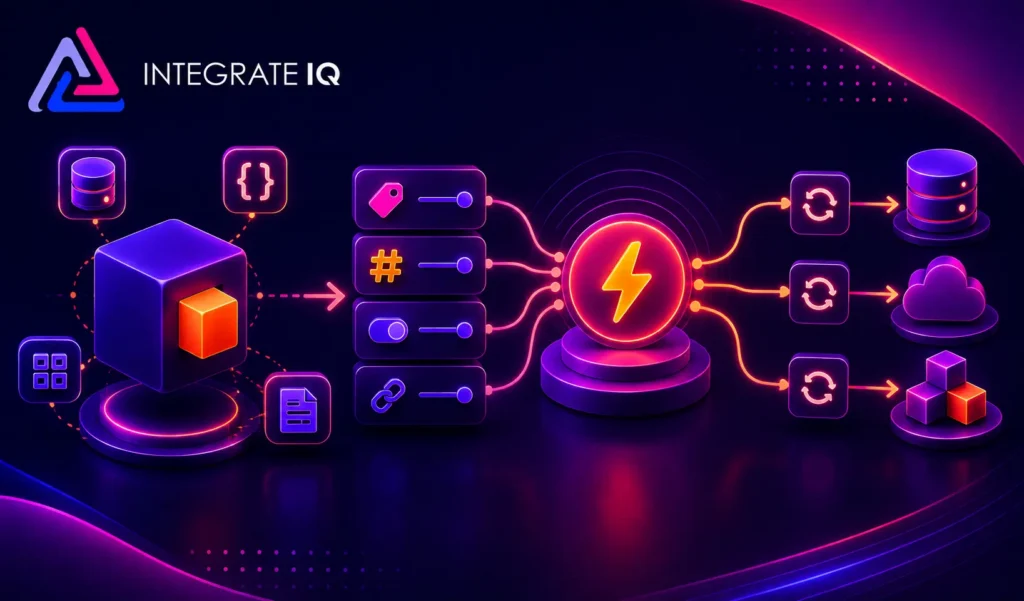
A HubSpot Mekari Qontak integration is a two-way data connection that syncs conversations, contacts, and meetings booked between HubSpot and Qontak in near real time. It surfaces WhatsApp and omnichannel chat history inside HubSpot and pushes CRM context back to Qontak for real-time sales alerting.
How does the HubSpot Mekari Qontak integration work?
It works through the HubSpot and Qontak REST APIs, with webhooks catching new chats and message events as they happen. Field mapping, contact deduplication, and a defined system of record govern every object. When a chat updates in either system, the change writes to the other within minutes.

Turn HubSpot Into A Real-Time SMS Engine with Message IQ
 Two-Way Conversations
 Shared Team Inbox
 Automation Triggers
 Advanced Reporting
 Compliance Tools
- 98% SMS read within 3 min
- 78% Buy from first responder
- 21× More likely to qualify

*MessageIQ is an IntegrateIQ product – built natively for HubSpot by the same team.
Does HubSpot have a native Mekari Qontak integration?
HubSpot does not maintain a first-party Mekari Qontak integration. Businesses typically connect the two through general automation tools like Zapier or Make.com, which handle basic contact sync. Teams that need identity stitching, deduplication, and full transcript sync usually move to a custom-built integration.
How long does a HubSpot Mekari Qontak integration take to build?
A custom HubSpot Mekari Qontak integration takes about 8 weeks from kickoff to production. Discovery runs two weeks, build and staging tests run three, historical backfill runs one, and cutover with hypercare covers the final two weeks. Timelines extend for high WhatsApp volume or heavy customization.
Can HubSpot and Mekari Qontak sync bi-directionally?
Yes. Bi-directional sync is standard in a custom HubSpot Mekari Qontak integration. You define system of record at the field level, so chat transcripts and message status flow from Qontak, lifecycle stage and deal data flow from HubSpot, and conflicts resolve by rule rather than by whoever wrote last.
What data can sync between HubSpot and Mekari Qontak?
Contacts, companies, deals, and activity timeline entries from HubSpot sync with contacts, message logs, broadcast templates, and agent assignments from Qontak, alongside marketing activity like forms and page views. Field mapping is configured per project so only relevant data flows and each field has a clear owner.
How a HubSpot Mekari Qontak Integration Actually Works
A HubSpot Mekari Qontak integration keeps Qontak as the domain truth for chat: message logs, room transcripts, broadcast templates, and agent assignments all originate there. HubSpot stays the relationship truth: contacts, companies, deals, and lifecycle stage. Neither system tries to own both jobs.
Data moves both directions on its own schedule. New WhatsApp or Instagram contacts in Qontak create or update HubSpot records within minutes, tagged with the chat channel they came from. Going the other way, HubSpot deal stage, owner, and list membership push into Qontak so an agent picking up a chat sees who they are talking to and what stage that account is in, without leaving the chat window.
Field-level rules control what actually crosses over. Personal chatter and unrelated message threads stay in Qontak. Only tagged sales or support conversations, and the fields you choose, sync to HubSpot, so high WhatsApp volume never turns into CRM noise.
Three Ways to Connect Mekari Qontak and HubSpot
Not every team needs custom. Here is the honest comparison.
| Factor | Native Marketplace App | Zapier / iPaaS | Custom (Integrate IQ) |
|---|---|---|---|
| Best for | Small teams testing basic chat-to-contact sync | Mid-size teams with light, occasional automations | Teams routing revenue decisions on Qontak chat data |
| Sync direction | One-way, contact fields only | Two-way, but per-zap and easy to break | Bi-directional, field-level system of record |
| Custom objects/fields | Not supported | Limited, breaks on schema changes | Fully supported and version-controlled |
| Conversation and transcript sync | Not available or partial | Manual mapping, no dedupe logic | Full transcript history with identity stitching |
| Business logic | None | Basic filters and conditions | Custom rules for routing, tagging, escalation |
| Volume handling | Throttles at moderate chat volume | Hits zap-run limits under WhatsApp broadcast spikes | Built for high-volume WhatsApp and multichannel traffic |
| Historical backfill | Not supported | Manual, error-prone | Included as part of every build |
| Maintenance | Vendor-dependent, no support | You own broken zaps | Monitored and maintained by Integrate IQ |
If you send a handful of WhatsApp broadcasts a month and only need a name and phone number in HubSpot, Zapier is genuinely fine, do not overbuild it. Custom wins once you need transcript history on every contact record, identity stitching across channels, or routing logic tied to deal stage. See our custom HubSpot integration services for how we scope that build.
Revenue Workflows You Can Automate Once Mekari Qontak Data Lives in HubSpot
- Target-account chat alert. A known account contact messages Qontak on WhatsApp. HubSpot fires a real-time Slack or in-app alert to the account owner, so the rep responds with deal context instead of finding out days later in a report.
- Meeting booked in chat becomes a deal. A prospect books a demo through a Qontak bot flow. HubSpot creates the deal automatically, assigned to the right rep by territory, with the chat transcript attached from the first message.
- Full chat history on every contact record. Every WhatsApp and Instagram thread from Qontak lands on the HubSpot Activity Timeline. Reps walk into calls already knowing what was asked, promised, or escalated in chat.
- ABM playbook triggered by known-account chat. A target account visits and messages through Qontak. HubSpot recognizes the account and triggers a tailored bot flow or sales sequence instead of the generic default.
- Post-chat CSAT flows to CSM. A low CSAT score logged in Qontak after a support chat updates the HubSpot contact record and triggers a save-play sequence to the customer’s CSM before churn risk builds.
What Breaks in a Mekari Qontak HubSpot Sync, and How We Prevent It
- Duplicate records and identity resolution. A customer messages from a new phone number or a second Qontak channel and native connectors create a second HubSpot contact. We match on normalized phone number plus email where available, so one customer stays one record.
- System-of-record conflicts. Qontak and HubSpot can both try to own the same field. We define system of record per field before build starts, so chat status and lifecycle stage never overwrite each other unpredictably.
- Field mapping and status value drift. Qontak room tags and HubSpot lifecycle stages use different value sets. We build a translation layer so a tag change in Qontak maps to the correct HubSpot value every time, not just on the day it was configured.
- Conversation and identity stitching. A visitor chats anonymously on WhatsApp, then identifies later in the conversation. Without careful merge logic, HubSpot ends up with duplicate contacts and orphaned transcripts. We stitch on phone number and merge session history the moment identity resolves.
- API rate limits at volume. Across our client base we move 300 plus platforms worth of data and 20 billion plus fields synced annually, so we batch, checkpoint, and throttle WhatsApp broadcast spikes by design instead of by accident.
Implementation Timeline: What to Expect
Most HubSpot Mekari Qontak integrations complete inside eight weeks of kickoff. The first two weeks cover discovery: object inventory in both systems, field-by-field mapping, system of record decisions, and a review of your Qontak room tags and broadcast templates. Weeks three to five are build and unit testing against a staging Mekari Qontak instance and a HubSpot sandbox. Week six runs the historical backfill and reconciliation. Weeks seven and eight cover user acceptance testing, cutover, and hypercare. Post-launch monitoring is included, so if a Mekari Qontak configuration changes or HubSpot pushes an API update, we see it before your reports do. Full detail is on our HubSpot integration process page and 98.5% of clients renew for a follow-on scope.
See your 12-month revenue impact with HubSpot CRM
Enter your current numbers — visitors, leads, deal size — and get a personalized projection based on real HubSpot customer benchmarks.
Calculate My ROI
Connect the Rest of Your Revenue Stack
Qontak rarely runs alone. Teams that route WhatsApp leads into HubSpot usually pair it with a Salesforce integration when sales still lives in a second CRM, an Intercom integration for web chat alongside WhatsApp, or a Twilio integration for SMS reminders that ride the same automation rules. If you are still deciding between a marketplace app, Zapier, and a custom build for any of these, our custom HubSpot integration services page breaks down what each approach actually costs over a year, and the Integration ROI Calculator puts a number on what the manual handoff is costing you today.


Table of Contents
- What is a HubSpot Mekari Qontak integration?
- How does the HubSpot Mekari Qontak integration work?
- Does HubSpot have a native Mekari Qontak integration?
- How long does a HubSpot Mekari Qontak integration take to build?
- Can HubSpot and Mekari Qontak sync bi-directionally?
- What data can sync between HubSpot and Mekari Qontak?
- How a HubSpot Mekari Qontak Integration Actually Works
- Three Ways to Connect Mekari Qontak and HubSpot
- Revenue Workflows You Can Automate Once Mekari Qontak Data Lives in HubSpot
- What Breaks in a Mekari Qontak HubSpot Sync, and How We Prevent It
- Implementation Timeline: What to Expect
- Connect the Rest of Your Revenue Stack