









































What is a HubSpot Intercom integration?
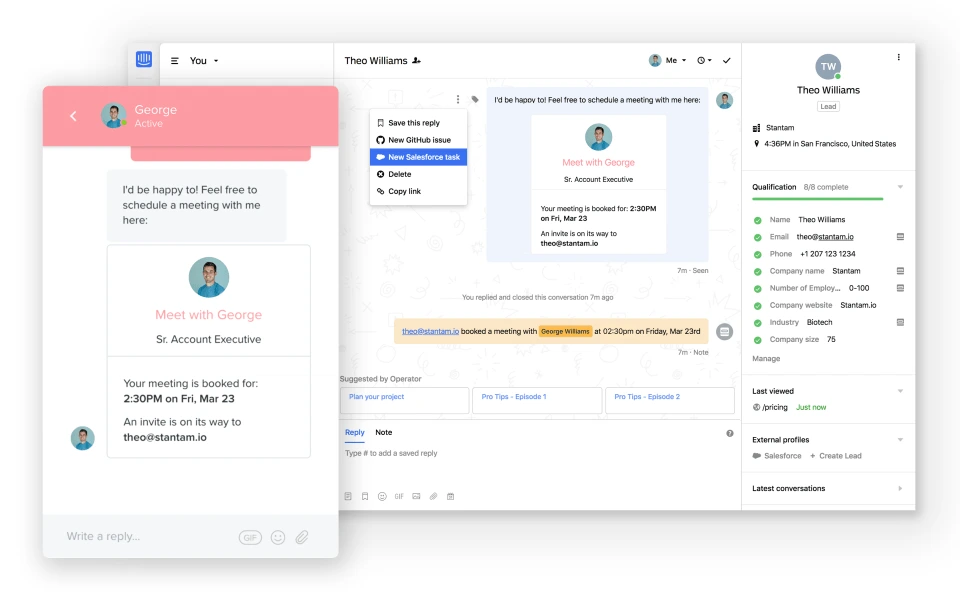
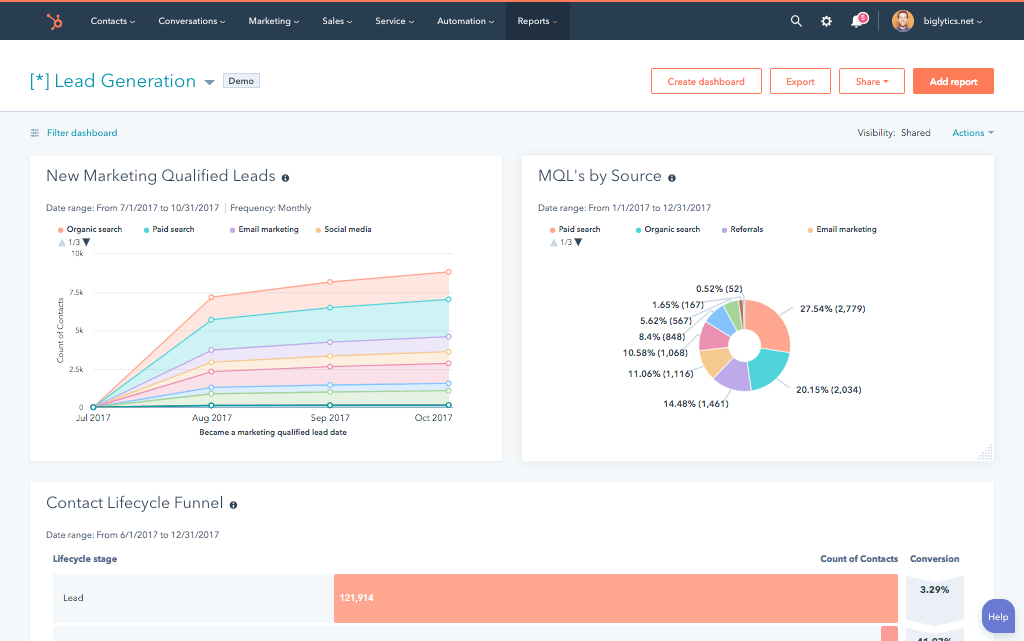
A HubSpot Intercom integration is a two-way data connection that syncs visitors, conversations, and meetings booked between HubSpot and Intercom in near real time. It keeps live chat activity visible inside HubSpot and pushes contact and deal context back into Intercom, giving sales and support teams real-time alerting on the same customer record.
How does the HubSpot Intercom integration work?
It works through the HubSpot and Intercom REST APIs and webhooks, with field mapping, deduplication, and a defined system of record for every object. When a conversation or contact updates in either system, the sync writes the change to the other within minutes and bi-directional rules control which fields flow which direction.

Turn HubSpot Into A Real-Time SMS Engine with Message IQ
 Two-Way Conversations
 Shared Team Inbox
 Automation Triggers
 Advanced Reporting
 Compliance Tools
- 98% SMS read within 3 min
- 78% Buy from first responder
- 21× More likely to qualify

*MessageIQ is an IntegrateIQ product – built natively for HubSpot by the same team.
Does HubSpot have a native Intercom integration?
Yes, HubSpot offers a native Intercom connector for basic lead and conversation syncing. It cannot create HubSpot tickets from a conversation, often produces messy multi-entry timelines on long threads, and requires custom webhook development to sync conversation tags or custom attributes. Teams that need clean timelines and ticket automation typically move to a custom-built integration.
How long does a HubSpot Intercom integration take to build?
A custom HubSpot Intercom integration takes about 8 weeks from kickoff to production. Discovery runs two weeks, build and staging tests run three, historical backfill runs one, and cutover with hypercare covers the final two weeks. Timelines extend for accounts with high conversation volume or heavy custom attribute mapping.
Can HubSpot and Intercom sync bi-directionally?
Yes. Bi-directional sync is standard in a custom HubSpot Intercom integration. You define system of record at the field level, so conversation transcripts and engagement signals flow one way, and lifecycle stage or deal status flows the other, with conflicts resolved by rule rather than whoever wrote last. The native app supports two-way sync only for basic contact fields.
What data can sync between HubSpot and Intercom?
Visitors, contacts, companies, conversation transcripts, tags, and custom attributes, plus marketing activity such as forms, page views, and email engagement, lifecycle stage and lead score. Field mapping is configured per project so only relevant data flows and each field has a clear owner. Custom Intercom attributes are supported through the Intercom REST API.
How a HubSpot Intercom Integration Actually Works
A HubSpot Intercom integration connects the two systems through their REST APIs and webhooks, so Intercom stays the system of record for conversations and chat activity while HubSpot stays the system of record for lifecycle stage, deal status and marketing engagement.
Conversation data flows from Intercom into HubSpot as timeline entries and contact properties, so sales and CS see full chat context without opening a second tab. In the other direction, HubSpot lifecycle stage changes and deal updates flow into Intercom, so support and success reps see whether they are talking to a trial user, an active customer, or a churn risk.
Not every field syncs by default. You define system of record at the field level, so a property like lifecycle stage always writes from HubSpot and a property like conversation status always writes from Intercom, which is what keeps the two systems from overwriting each other.
Three Ways to Connect Intercom and HubSpot
Not every team needs custom. Here is the honest comparison.
| Factor | Native Marketplace App | Zapier / iPaaS | Custom (Integrate IQ) |
|---|---|---|---|
| Best for | Basic lead capture, small teams | Simple trigger-action automations | Complex routing and full conversation sync at scale |
| Sync direction | Mostly one-way, HubSpot to Intercom | One-way per Zap, several Zaps needed for two-way | True bi-directional with field-level system of record |
| Custom objects/fields | Not supported | Limited, mapped manually field by field | Fully supported through the Intercom and HubSpot APIs |
| Conversation and transcript sync | Logs conversations as timeline entries, gets messy on long threads | Requires chained Zaps, no native transcript formatting | Clean, deduplicated transcripts as structured timeline entries |
| Business logic | Fixed behavior, no customization | Basic conditional logic per Zap | Your exact routing, tagging, and escalation rules |
| Volume handling | Performance decays at high conversation volume | Rate limits kick in on higher-tier plans | Built for hundreds of thousands of conversations |
| Historical backfill | Not supported | Not supported | Full historical conversation and contact backfill included |
| Maintenance | Vendor-maintained but inflexible | You maintain every Zap as fields change | Monitored, versioned, and maintained by our engineers |
If you only need basic contact sync and low conversation volume, the native app or a couple of Zaps will do the job. Once you need clean transcripts on long threads, custom attribute sync, ticket automation, or bi-directional updates at volume, those tools stop scaling and a custom build through our custom HubSpot integration services closes the gap.
Revenue Workflows You Can Automate Once Intercom Data Lives in HubSpot
- Target-account visitor identified. A known target-account visitor opens an Intercom chat, HubSpot fires a real-time alert to the assigned rep with account context, and the rep joins the live conversation instead of missing the window.
- Meeting booked in chat. An Intercom bot books a meeting, HubSpot creates a deal and assigns the right owner automatically, and no lead sits unclaimed between the chat ending and a rep noticing.
- Conversation transcript on every contact record. Any Intercom conversation closes, the full transcript logs to the HubSpot timeline as one clean entry, and sales sees the exact chat context before every call instead of a summary.
- PQL score crosses threshold. Product usage pushes an Intercom PQL score over the line, a HubSpot workflow enrolls the contact in a sales sequence, and warm product-led leads reach a rep while they are still active instead of after a manual export.
- Post-chat CSAT flags a detractor. Low CSAT on an Intercom conversation triggers a CSM alert in HubSpot with account health context, and renewal risk gets caught before the quarterly review instead of during it.
What Breaks in a Intercom HubSpot Sync, and How We Prevent It
- Duplicate records and identity resolution. Anonymous visitors chat, then identify mid-conversation. We match on verified identity signals, such as email capture or device fingerprint, before writing to HubSpot, so anonymous sessions merge into the right contact instead of creating a second record.
- System-of-record conflicts. Field-level system-of-record rules decide, at build time, whether HubSpot or Intercom wins on lifecycle stage versus conversation status, so an update never overwrites the wrong system last.
- Field mapping and tag drift. Intercom tags and HubSpot properties drift out of sync as teams add new tags without updating the map. We build a validated mapping layer, so an unmapped tag surfaces as a review item instead of a silent data gap.
- Conversation timeline pollution. Long threads and bot exchanges can create eight or more separate HubSpot timeline entries per conversation. Our sync batches and deduplicates at the conversation level, so each thread lands as one clean, searchable entry.
- API rate limits at volume. Across our client base we sync 20 billion plus fields annually across 300 plus platforms, so we batch, checkpoint, and throttle by design instead of by accident.
Implementation Timeline: What to Expect
Most HubSpot Intercom integrations complete inside eight weeks of kickoff. The first two weeks cover discovery: object inventory in both systems, field-by-field mapping, system of record decisions, and an audit of your Intercom conversation tags and event taxonomy. Weeks three to five are build and unit testing against a staging Intercom instance and a HubSpot sandbox. Week six runs the historical backfill and reconciliation. Weeks seven and eight cover user acceptance testing, cutover, and hypercare. Post-launch monitoring is included, so if a Intercom configuration changes or HubSpot pushes an API update, we see it before your reports do. Full detail is on our HubSpot integration process page and 98.5% of clients renew for a follow-on scope.
See your 12-month revenue impact with HubSpot CRM
Enter your current numbers — visitors, leads, deal size — and get a personalized projection based on real HubSpot customer benchmarks.
Calculate My ROI
Connect the Rest of Your Revenue Stack
Most Intercom buyers are also running a CRM and a ticketing or engineering tool alongside HubSpot. If your sales team already lives in Salesforce, we map Intercom conversation data straight into that pipeline through our HubSpot Salesforce integration. Teams that text customers alongside Intercom chat can add a HubSpot Twilio integration for SMS alerts on hot conversations. If support tickets need a home outside Intercom, a HubSpot Zendesk integration handles escalation without duplicate ticket entry. Engineering teams pulled into complex conversations benefit from a HubSpot Jira integration so bug reports never get stuck in a chat thread. And for teams layering lead scoring on top of PQL signals, our guide on AI prompts for marketing and sales productivity has practical starting points.



Table of Contents
- What is a HubSpot Intercom integration?
- How does the HubSpot Intercom integration work?
- Does HubSpot have a native Intercom integration?
- How long does a HubSpot Intercom integration take to build?
- Can HubSpot and Intercom sync bi-directionally?
- What data can sync between HubSpot and Intercom?
- How a HubSpot Intercom Integration Actually Works
- Three Ways to Connect Intercom and HubSpot
- Revenue Workflows You Can Automate Once Intercom Data Lives in HubSpot
- What Breaks in a Intercom HubSpot Sync, and How We Prevent It
- Implementation Timeline: What to Expect
- Connect the Rest of Your Revenue Stack




