















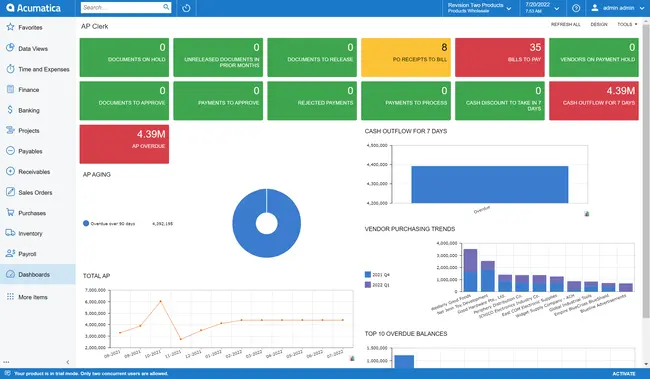


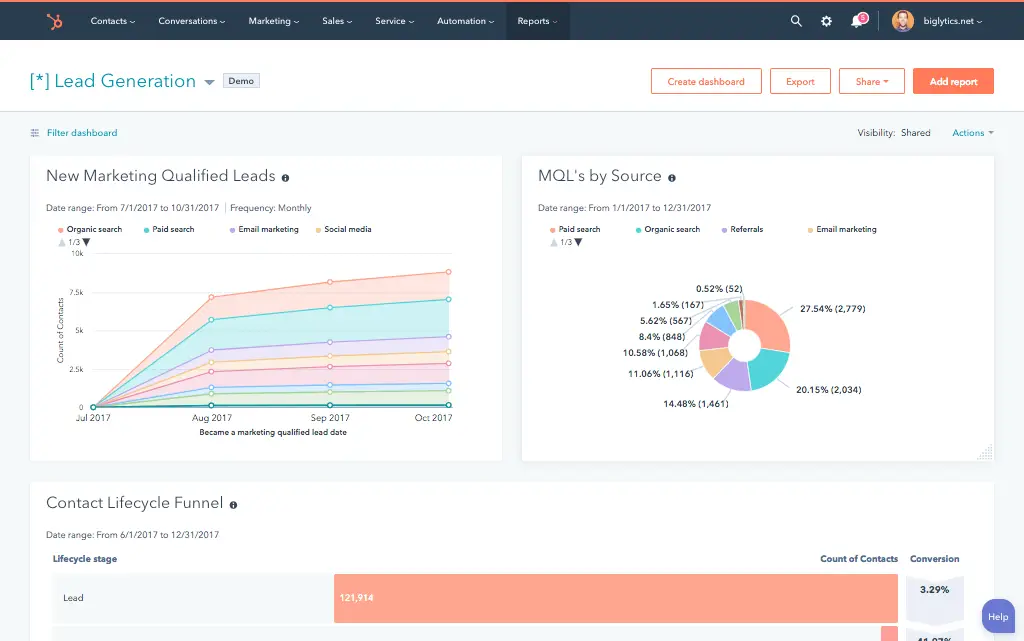
























What is a HubSpot Acumatica integration?
A HubSpot Acumatica integration connects your CRM to your ERP, syncing deals, contacts, orders, and financial data so sales, marketing, and finance teams work from the same records instead of two separate systems.
How does the HubSpot Acumatica integration work?
The integration maps HubSpot contacts, companies, and deals to Acumatica’s Business Accounts, Contacts, and Sales Orders, then keeps both systems current. A closed-won deal in HubSpot can create a Sales Order in Acumatica, while invoice status, payment data, and inventory levels sync back into HubSpot.

Turn HubSpot Into A Real-Time SMS Engine with Message IQ
 Two-Way Conversations
 Shared Team Inbox
 Automation Triggers
 Advanced Reporting
 Compliance Tools
- 98% SMS read within 3 min
- 78% Buy from first responder
- 21× More likely to qualify

*MessageIQ is an IntegrateIQ product – built natively for HubSpot by the same team.
Does Acumatica have a native HubSpot integration?
Yes. Acumatica publishes its own native HubSpot Connector, well-documented on Acumatica’s own site, that syncs Business Accounts, Contacts, and Leads between the two platforms, typically on a scheduled batch rather than in real time.
What does Acumatica’s native HubSpot connector NOT sync?
The native connector’s scope stops at three objects: Business Accounts, Contacts, and Leads. It doesn’t sync Sales Orders, Invoices, or Inventory, which means sales and finance don’t get the payment status, credit visibility, or real-time stock levels that typically justify connecting an ERP to a CRM in the first place.
How long does a HubSpot Acumatica integration take to build?
A custom HubSpot Acumatica integration typically takes 8 to 10 weeks: 2 weeks of discovery and field mapping, including which GL accounts and business units are in scope, 3 to 4 weeks of build and staging, and the remaining weeks for testing and go-live support.
Can HubSpot and Acumatica sync in real time?
Yes, with a custom integration. Acumatica’s native connector typically runs on a scheduled batch, not real time. A custom integration can use event-driven, webhook-based syncing so a closed deal creates a Sales Order instantly, and inventory or payment status updates reach HubSpot within seconds instead of waiting for the next batch window.
How a HubSpot Acumatica Integration Actually Works
A HubSpot Acumatica integration works by giving each system ownership of what it does best: Acumatica owns order, inventory, and financial truth, while HubSpot owns marketing and sales relationship truth. The integration goes beyond what the native connector’s three-object scope can cover.
In the HubSpot-to-Acumatica direction, a closed-won deal creates a Sales Order, with credit and GL routing logic checked before the order is created, not after.
In the Acumatica-to-HubSpot direction, invoice status, payment data, and inventory levels sync back into HubSpot in real time, giving sales and finance visibility the native connector’s batch schedule and limited object scope can’t provide.
Three Ways to Connect Acumatica and HubSpot
Not every team needs custom. Here is the honest comparison.
| Factor | Acumatica’s Native HubSpot Connector | Enhanced Data Provider / Point Connectors | Custom Integration (Integrate IQ) |
|---|---|---|---|
| Best for | Basic marketing-to-sales handoff, contacts and leads only | Teams needing custom field mapping on a schedule | Teams needing financial and inventory data in HubSpot, in real time |
| Object scope | Business Accounts, Contacts, and Leads only | Configurable but still schedule-based | Any object, including Sales Orders, Invoices, Inventory, and GL accounts |
| Sync timing | Scheduled batch, not real-time | Scheduled batch, more configurable intervals | True real-time, webhook-driven |
| Custom objects/fields | Standard fields only | Custom field mapping within Acumatica’s provider | Full mapping of any HubSpot or Acumatica object |
| Business logic | None | Basic, platform-defined | Custom rules, e.g. credit validation gating, multi-entity GL routing |
| Volume handling | Fine for basic contact volume | Depends on batch frequency and size | Built for high order and inventory volume in real time |
| Maintenance | Acumatica-managed | Configured within Acumatica, still your team’s responsibility | Monitored, maintained, and supported |
If you only need marketing-qualified leads flowing into Acumatica CRM, the native connector covers that out of the box. Once sales needs real-time credit and inventory visibility, or finance needs invoice and payment data flowing back into HubSpot, a custom integration is what closes the gap the native connector’s three-object scope was never built to cover.
ERP Workflows You Can Automate Once Acumatica Data Lives in HubSpot
- Credit Validation Gate Before Order Creation. Before a Closed-Won deal creates a Sales Order in Acumatica, the integration checks the customer’s real-time credit limit and outstanding balance, blocking automatic order creation and alerting finance if the account is over its credit threshold, instead of creating an order that bounces back from finance.
- Multi-Entity GL Account Routing. For companies running multiple business units or GL structures in Acumatica, HubSpot deal line items route to the correct GL account and business unit automatically based on product line or territory, rather than a single default account.
- Past-Due Invoice Escalation to Account Manager. When an Acumatica invoice crosses 30 days past due, a HubSpot ticket or task is created for the account manager automatically, closing a gap the native connector’s three-object scope can’t reach.
- Inventory-Aware Deal Stage Gating. A deal can’t move to “Ready to Close” in HubSpot if the quoted product is out of stock in Acumatica, preventing sales from closing a deal the warehouse can’t fulfill.
- Real-Time Order Status on the Deal Timeline. Beyond a static financial card, Acumatica order status changes, Shipped, Backordered, Partially Fulfilled, post to the HubSpot deal timeline in real time, replacing the native connector’s batch-based visibility with live updates.
What Breaks in an Acumatica HubSpot Sync, and How We Prevent It
- Duplicate records and identity resolution. Leads entered independently in Acumatica CRM and HubSpot, a rep adding a contact directly in Acumatica while marketing captures the same person via a form, can create duplicate Business Accounts. We match on a stable identifier across systems, not name or email alone.
- System-of-record conflicts. Finance may update a customer’s credit terms directly in Acumatica while sales updates the same company’s info in HubSpot. We define Acumatica as the source of truth for financial and inventory fields, HubSpot for engagement fields, with locked writes.
- Field mapping and status drift. Acumatica’s Sales Order and Invoice statuses don’t map cleanly onto HubSpot deal stages by default, and custom GL account logic varies by business unit. We build a translation layer tailored to your actual chart of accounts, not a generic assumed mapping.
- The native connector’s narrow scope. Acumatica’s own native HubSpot connector syncs only three objects, Business Accounts, Contacts, and Leads, on a scheduled batch rather than real time. It doesn’t touch Sales Orders, Invoices, or Inventory, which is exactly the data this page’s own value props depend on. Businesses relying on the native connector alone get contact sync, not the financial and inventory visibility that drives sales enablement or marketing ROI.
- API rate limits and stale batch timing at volume. High-volume Acumatica environments with large product catalogs and order volume can hit issues with batch-based sync timing, where a scheduled sync means sales quotes against inventory levels that are already hours old. Across 300+ platform integrations moving 20 billion plus fields annually, we build real-time, webhook-driven syncs for the fields that actually need to be current.
Implementation Timeline: What to Expect
Most HubSpot Acumatica integrations ship in 8 to 10 weeks. The first 2 weeks cover discovery and field mapping, including which GL accounts and business units are in scope. The next 3 to 4 weeks cover build and staging. The remaining weeks cover historical data backfill, testing, and go-live support. Our HubSpot integration process is the same repeatable framework behind our 98.5% client retention rate.
See your 12-month revenue impact with HubSpot CRM
Enter your current numbers — visitors, leads, deal size — and get a personalized projection based on real HubSpot customer benchmarks.
Calculate My ROI
Connect the Rest of Your Financial Stack
Acumatica is common in manufacturing, where multi-entity GL routing and inventory sync matter most. Custom credit validation or GL logic beyond the standard build often needs full-stack development support. If you’re migrating off a different CRM at the same time, our CRM migration services cover that too. Getting sales and finance teams onto the new workflow goes faster with HubSpot training. Not sure what any of this is worth to your team? Run the numbers on our Integration ROI Calculator.



Table of Contents
- What is a HubSpot Acumatica integration?
- How does the HubSpot Acumatica integration work?
- Does Acumatica have a native HubSpot integration?
- What does Acumatica’s native HubSpot connector NOT sync?
- How long does a HubSpot Acumatica integration take to build?
- Can HubSpot and Acumatica sync in real time?
- How a HubSpot Acumatica Integration Actually Works
- Three Ways to Connect Acumatica and HubSpot
- ERP Workflows You Can Automate Once Acumatica Data Lives in HubSpot
- What Breaks in an Acumatica HubSpot Sync, and How We Prevent It
- Implementation Timeline: What to Expect
- Connect the Rest of Your Financial Stack




