









































What is a HubSpot Aircall integration?
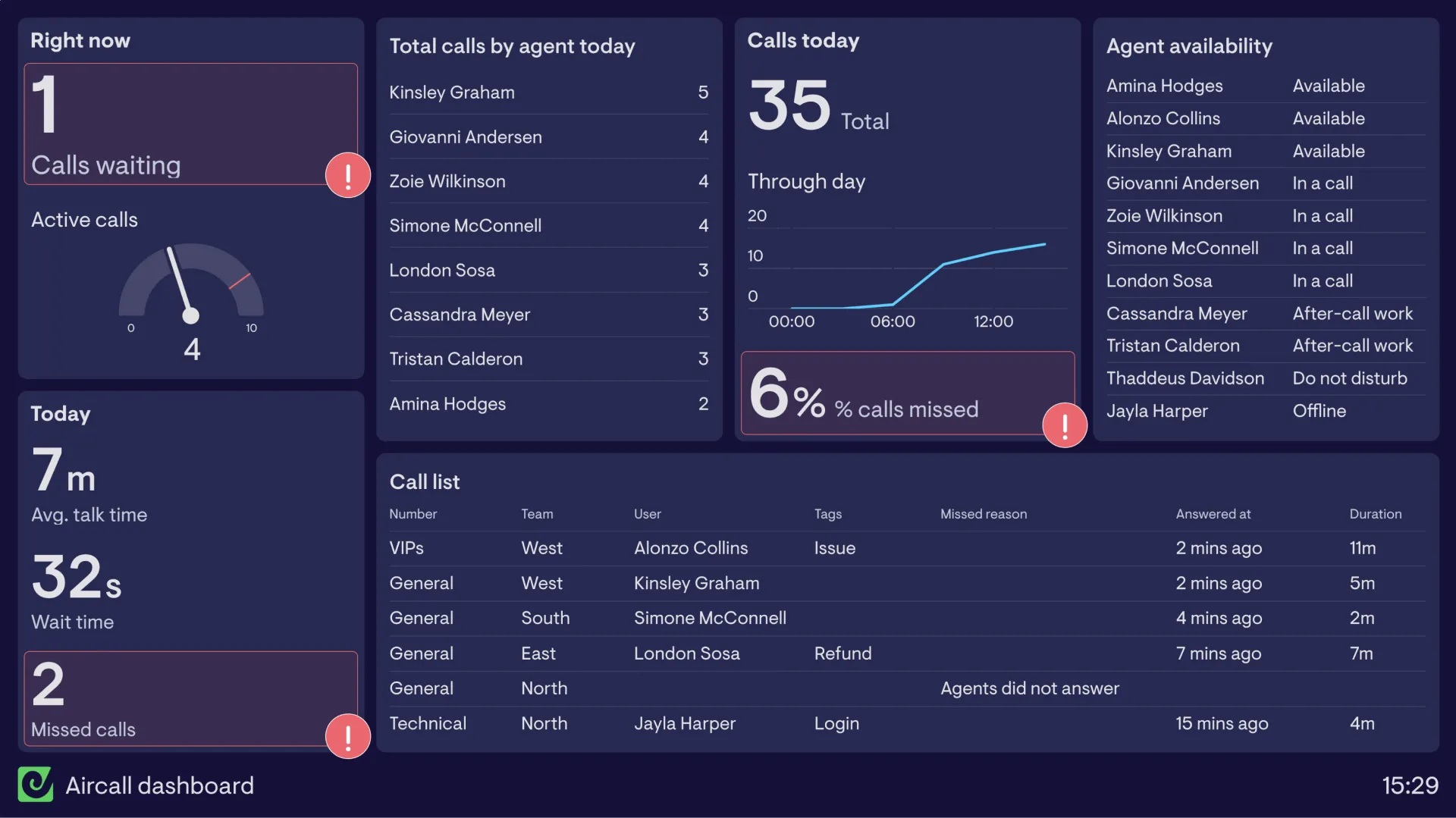
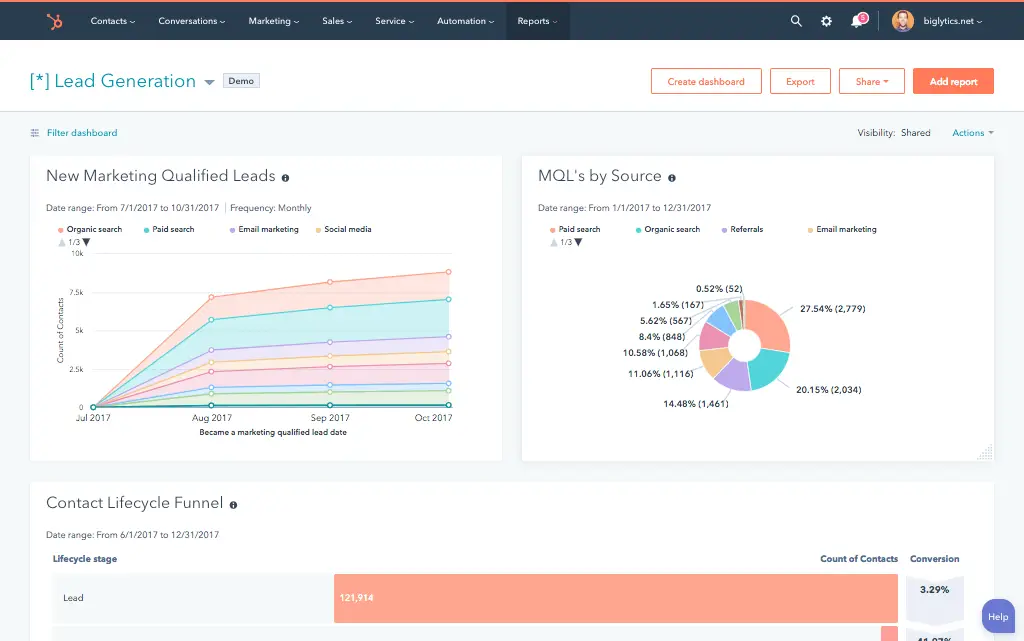
A HubSpot Aircall integration connects your cloud phone system to your CRM syncing calls, SMS, recordings and call tags so sales and support teams have full conversation history and context without leaving HubSpot.
How does the HubSpot Aircall integration work?
The integration maps Aircall calls, SMS, and call tags to HubSpot contacts, deals, tickets and engagements. Calls log automatically to the right record, while Insight Cards surface HubSpot context, like open deals or recent tickets before an agent even answers.

Turn HubSpot Into A Real-Time SMS Engine with Message IQ
 Two-Way Conversations
 Shared Team Inbox
 Automation Triggers
 Advanced Reporting
 Compliance Tools
- 98% SMS read within 3 min
- 78% Buy from first responder
- 21× More likely to qualify

*MessageIQ is an IntegrateIQ product – built natively for HubSpot by the same team.
Is Aircall’s native HubSpot integration good enough on its own?
For most standard use cases, yes. Aircall’s native HubSpot integration handles click-to-call, call logging, SMS and basic workflow triggers well. It becomes limiting once you need custom object mapping, non-call-based bi-directional contact sync, or business logic the native integration’s fixed rules can’t express.
How long does a HubSpot Aircall integration take to build?
A custom HubSpot Aircall integration typically takes 6 to 8 weeks: 1 to 2 weeks of discovery and tag mapping, 3 weeks of build and staging, and 2 weeks for testing and go-live support.
Can HubSpot and Aircall sync bi-directionally?
Yes. The native integration already syncs contacts one-way from calls. A custom integration adds true two-way contact syncing beyond just call-based updates, plus the ability to push HubSpot data back into Aircall for routing and context that goes beyond what’s built in.
Can Aircall calls sync to HubSpot custom objects, not just contacts, deals, and tickets?
Not with the native integration alone, which logs primarily to contacts, deals, and tickets. A custom integration can associate call activity with any HubSpot custom object, useful for businesses tracking calls against projects, locations, or other non-standard records.
How a HubSpot Aircall Integration Actually Works
A HubSpot Aircall integration works by starting from what the native integration already does well, logging calls and surfacing context, and extending it where the fixed native rules run out: custom objects, multi-line business logic, and full bi-directional contact sync.
On the Aircall-to-HubSpot side, calls, SMS, recordings and tags log to the correct record automatically, and custom logic can route that data to objects or properties the native integration doesn’t reach.
On the HubSpot-to-Aircall side, contact and deal context feeds Insight Cards and routing decisions, so an agent’s context isn’t limited to whichever fields the standard integration happens to sync.
Three Ways to Connect Aircall and HubSpot
Not every team needs custom. Here is the honest comparison.
| Factor | Native Aircall App | Zapier / iPaaS | Custom (Integrate IQ) |
|---|---|---|---|
| Best for | Most sales and support teams with standard CTI needs | Simple one-way trigger automation | Teams needing custom objects, multi-line logic, or full bi-directional contact sync |
| Custom object support | Contacts, deals, tickets only | Not supported | Any HubSpot custom object |
| Bi-directional contact sync | One-way, call-based updates only | One-way per Zap | True two-way sync, not limited to call events |
| Business logic | Fixed rules within the app’s settings | Basic conditional logic per Zap | Custom rules, e.g. multi-brand routing, property-limit-safe field architecture |
| Multi-line / multi-brand routing | Limited to Aircall’s own routing settings | Not supported | HubSpot-side routing rules based on which line or brand took the call |
| Volume handling | Built for standard call center volume | Task limits and throttling at scale | Built for thousands of daily calls across multiple lines |
| Maintenance | Vendor-managed, well-supported | You manage it, breaks silently on field changes | Monitored, maintained, and supported |
Aircall’s native HubSpot integration is genuinely well-built, and for most sales and support teams running standard CTI, it’s the right call. It becomes limiting once you need calls tied to custom objects, multi-brand routing logic, or full bi-directional contact sync, not just call-triggered updates. That’s where a custom integration earns its cost.
RevOps Workflows You Can Automate Once Aircall Data Lives in HubSpot
- Custom Object Association for Call Activity. Calls tied to a specific project, location, or non-standard HubSpot custom object, not just contacts, deals, and tickets, get associated directly with that record, something the native integration’s standard object list doesn’t cover.
- Multi-Brand or Multi-Line Routing Logic. For businesses running multiple Aircall numbers across different brands or business units, HubSpot applies brand-specific workflows and ownership rules based on which line took the call, instead of one generic ruleset.
- Property-Limit-Safe Field Architecture. Rather than letting Aircall’s default contact properties compete for space with everything else in a HubSpot account already near its property cap, we architect the field mapping deliberately from the start, avoiding the errors that show up later.
- Call-to-Deal Attribution Beyond the First Touch. Full call history across the deal lifecycle, not just the first call that created it, gets rolled up into a single attribution view, showing which calls actually moved a deal forward, not just which call started it.
- Cross-Team Handoff Alerts. When a call tagged for one team reveals an opportunity that belongs to another, a support call that surfaces a sales lead, or vice versa, HubSpot automatically notifies the right team and creates the appropriate record, instead of the conversation staying siloed.
What Breaks in an Aircall HubSpot Sync, and How We Prevent It
- Duplicate records and identity resolution. Calls from a number formatted differently than what’s stored in HubSpot, missing country code, extra formatting, can fail to match existing contacts and create duplicates. We normalize phone number formats before matching, not exact string comparison.
- System-of-record conflicts. A rep may update a contact’s phone number in HubSpot while Aircall’s own record shows a different number after a recent call. We define clear field ownership so simultaneous updates don’t silently overwrite each other.
- Field mapping and tag drift. Aircall call tags and outcomes are custom per account; a tag meaning “Qualified” at one company might mean something different at another. We map your actual tag list to HubSpot properties and workflows, not a generic assumed list.
- HubSpot property-limit conflicts. Aircall’s native integration automatically creates four custom contact properties on setup, and if a HubSpot account is near its maximum property limit, those fields can fail to create, throwing an error that requires manually clearing space and re-adding them. We architect the full property map up front so this doesn’t surface mid-project.
- API rate limits at call volume. High-volume sales and support lines logging thousands of daily calls, SMS, and recordings can hit API limits during sync. Across 300+ platform integrations moving 20 billion plus fields annually, we batch and throttle high-volume syncs by design, not by accident.
Implementation Timeline: What to Expect
Most HubSpot Aircall integrations ship in 6 to 8 weeks. The first 1 to 2 weeks cover discovery and tag mapping, including a check of your current HubSpot property usage before Aircall’s native fields get involved. The next 3 weeks cover build and staging. The final 2 weeks cover testing, cutover, and hypercare support. Our HubSpot integration process is the same repeatable framework behind our 98.5% client retention rate.
See your 12-month revenue impact with HubSpot CRM
Enter your current numbers — visitors, leads, deal size — and get a personalized projection based on real HubSpot customer benchmarks.
Calculate My ROI
Connect the Rest of Your Revenue Stack
Call and communication data rarely stands alone. Financial services teams running high call volume often pair this with our banking and finance industry work. Getting reps and agents onto the new workflow goes faster with HubSpot training and HubSpot onboarding right after go-live. Custom object mapping or multi-brand routing logic often needs custom development work on top of the core integration. Not sure what any of this is worth to your team? Run the numbers on our Integration ROI Calculator.



Table of Contents
- What is a HubSpot Aircall integration?
- How does the HubSpot Aircall integration work?
- Is Aircall’s native HubSpot integration good enough on its own?
- How long does a HubSpot Aircall integration take to build?
- Can HubSpot and Aircall sync bi-directionally?
- Can Aircall calls sync to HubSpot custom objects, not just contacts, deals, and tickets?
- How a HubSpot Aircall Integration Actually Works
- Three Ways to Connect Aircall and HubSpot
- RevOps Workflows You Can Automate Once Aircall Data Lives in HubSpot
- What Breaks in an Aircall HubSpot Sync, and How We Prevent It
- Implementation Timeline: What to Expect
- Connect the Rest of Your Revenue Stack




