









































What is a HubSpot Authorize.net integration?
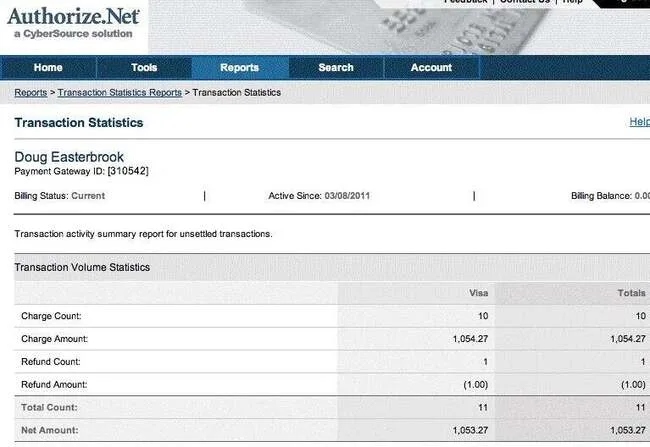
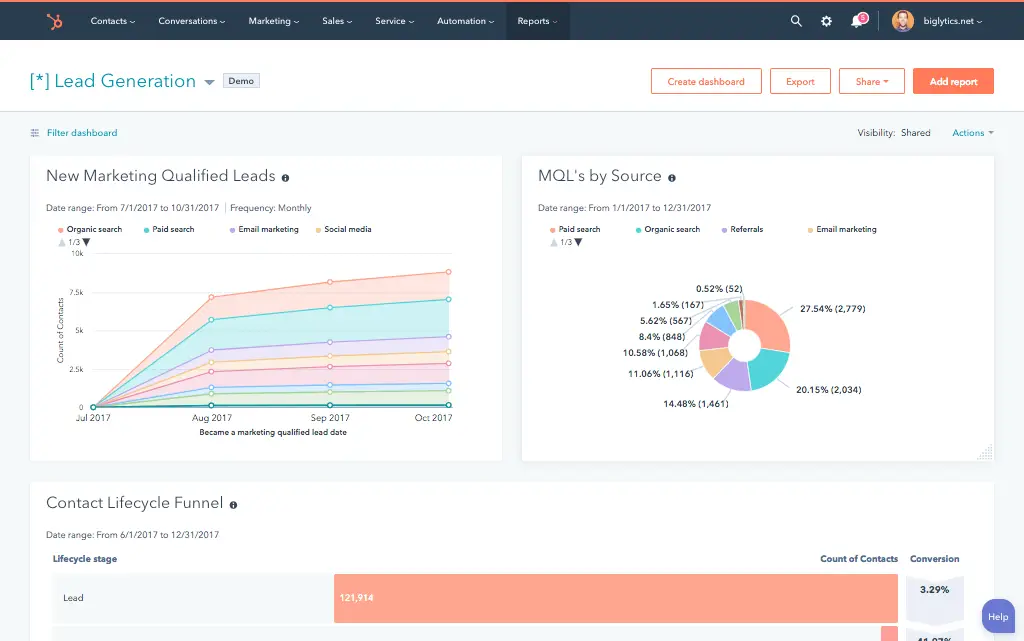
A HubSpot Authorize.net integration connects your payment processor to your CRM, syncing customer billing profiles, transactions, and subscription data so sales and finance teams see real payment status without leaving HubSpot.
How does the HubSpot Authorize.net integration work?
The integration maps HubSpot contacts and deals to Authorize.net’s Customer Information Manager (CIM) profiles and transactions, then keeps both systems current. A Closed-Won deal can create a CIM profile and ARB subscription automatically, while transaction events sync back to update the deal’s payment status.

Turn HubSpot Into A Real-Time SMS Engine with Message IQ
 Two-Way Conversations
 Shared Team Inbox
 Automation Triggers
 Advanced Reporting
 Compliance Tools
- 98% SMS read within 3 min
- 78% Buy from first responder
- 21× More likely to qualify

*MessageIQ is an IntegrateIQ product – built natively for HubSpot by the same team.
Does HubSpot have a native Authorize.net integration?
Not one built by HubSpot or Authorize.net directly. A third-party marketplace app called FormPay offers basic connectivity, but there’s no official native integration from either company. Businesses wanting deeper control typically build a custom integration against both platforms’ APIs directly.
Is Authorize.net available on Zapier?
No. Zapier’s own listing page confirms Authorize.net is not currently available as a supported app on Zapier, unlike most major payment processors. Businesses have to either use a third-party marketplace app, chain together workarounds, or build a direct integration.
How long does a HubSpot Authorize.net integration take to build?
A custom HubSpot Authorize.net integration typically takes 8 weeks: 2 weeks of discovery and field mapping, including PCI-compliant tokenization requirements, 3 weeks of build and staging, and the remaining weeks for testing and go-live support.
Is customer payment data secure in a HubSpot Authorize.net integration?
Yes, when built correctly. Raw credit card numbers should never sync to HubSpot; only secure tokens and masked data, like the last four digits, should be exposed to a marketing platform. We build the integration around Authorize.net’s Customer Information Manager, which handles the sensitive data on Authorize.net’s PCI-compliant infrastructure, not inside HubSpot.
How a HubSpot Authorize.net Integration Actually Works
A HubSpot Authorize.net integration works by keeping Authorize.net’s Customer Information Manager as the source of truth for payment and billing data, since it’s built for PCI-compliant storage, while HubSpot owns the sales and marketing relationship.
In the HubSpot-to-Authorize.net direction, a Closed-Won deal creates a CIM profile and, where applicable, an ARB subscription, with billing details already filled in from what sales captured.
In the Authorize.net-to-HubSpot direction, transaction events, settlements, declines, chargebacks, sync back into HubSpot, triggering dunning workflows, revenue attribution and account manager alerts depending on what happened.
Three Ways to Connect Authorize.net and HubSpot
Not every team needs custom. Here is the honest comparison.
| Factor | FormPay (Marketplace ISV App) | DIY Direct API Integration | Custom Integration (Integrate IQ) |
|---|---|---|---|
| Best for | Simple payment collection forms embedded in HubSpot | In-house dev teams comfortable maintaining code against both APIs | Businesses needing dunning logic, chargeback routing, or subscription reconciliation |
| Zapier availability | Not applicable, separate app | Not applicable, Authorize.net isn’t on Zapier at all | Not applicable, built directly against both APIs |
| PCI-compliant tokenization | Handled within FormPay’s own flow | Depends entirely on how your team implements it | Built around Authorize.net’s CIM, tokens and masked data only ever reach HubSpot |
| Sync direction | Primarily payment collection, limited CRM sync depth | Whatever gets built, often one-way | True bi-directional, configurable per object |
| Business logic | Fixed within the app’s settings | Basic, maintained by whoever wrote it | Custom rules, e.g. chargeback routing, card-expiration outreach, multi-currency normalization |
| Volume handling | Fine for standard payment form volume | Breaks under volume without dedicated maintenance | Built for peak transaction periods without timeouts |
| Maintenance | Vendor-managed subscription | Falls on whoever built it | Monitored, maintained, and supported |
If you mainly need a payment form embedded in HubSpot for one-off transactions, FormPay covers that use case. Once dunning logic, chargeback handling, or subscription reconciliation matter, and there’s no Zapier fallback to lean on since Authorize.net isn’t supported there at all, a custom integration is the most reliable path.
Payment Workflows You Can Automate Once Authorize.net Data Lives in HubSpot
- Partial Payment or Split Transaction Reconciliation. When a transaction settles for a different amount than the original deal value, a partial payment, a manually adjusted invoice, HubSpot flags the discrepancy for finance review instead of silently marking the deal as fully paid.
- Chargeback and Dispute Alert Routing. When Authorize.net flags a chargeback or dispute on a transaction, HubSpot immediately creates a high-priority task for the account manager, separate from a standard failed-payment dunning sequence, since a dispute needs a different response than a declined card.
- Card Expiration Proactive Outreach. Using stored card expiration data from Authorize.net’s CIM profiles, HubSpot triggers a “please update your payment method” campaign before the card actually expires, reducing avoidable failed renewal charges.
- Multi-Currency Transaction Normalization. For merchants processing in multiple currencies, transaction amounts normalize to a consistent reporting currency in HubSpot deal properties, so revenue dashboards aren’t mixing currencies without conversion.
- Subscription Upgrade or Downgrade Amount Reconciliation. When an ARB subscription amount changes mid-cycle, an upsell, a plan change, the integration ensures the new billing amount matches the updated HubSpot deal value exactly, preventing billing and CRM figures from drifting apart.
What Breaks in an Authorize.net HubSpot Sync, and How We Prevent It
- Duplicate records and identity resolution. Customers who submit multiple orders under slightly different billing names or emails can create duplicate CIM profiles in Authorize.net or duplicate contacts in HubSpot. We match on a stable customer identifier, not name or email string matching alone.
- System-of-record conflicts. A customer service rep may manually update a billing address in Authorize.net’s CIM profile while marketing updates the same contact’s address in HubSpot. We define Authorize.net as the source of truth for billing and payment fields, HubSpot for engagement fields, with locked writes.
- Webhook payload integrity and signature validation. A real, documented issue in HubSpot’s own developer community shows webhook signature validation failing when middleware silently trims whitespace from payload strings before validation runs. Since ARB failed-payment alerts and other real-time triggers depend on webhook integrity, we validate against the raw, unprocessed payload, not a version that’s already been transformed by other code in the pipeline.
- No Zapier support, no true native connector. Authorize.net is not currently available on Zapier at all, confirmed directly by Zapier’s own listing page, and there’s no HubSpot- or Authorize.net-built native marketplace app either. What exists is a third-party ISV app (FormPay) built by neither company. Businesses wanting real control over the sync, not locked into a specific vendor’s app, typically build a direct integration against both APIs.
- API rate limits at peak transaction volume. Merchants processing high transaction volume during peak periods, holiday sales, renewal cycles, can hit API limits during bulk syncs. Across 300+ platform integrations moving 20 billion plus fields annually, we batch and throttle high-volume syncs by design, not by accident.
Implementation Timeline: What to Expect
Most HubSpot Authorize.net integrations ship in 8 weeks. The first 2 weeks cover discovery and field mapping, including PCI-compliant tokenization requirements. The next 3 weeks cover build and staging. The remaining weeks cover historical transaction data backfill, testing, and go-live support. Our HubSpot integration process is the same repeatable framework behind our 98.5% client retention rate.
See your 12-month revenue impact with HubSpot CRM
Enter your current numbers — visitors, leads, deal size — and get a personalized projection based on real HubSpot customer benchmarks.
Calculate My ROI
Connect the Rest of Your Financial Stack
See our dedicated banking and finance industry work for the broader payments and compliance picture. Custom dunning logic or chargeback routing beyond the standard build often needs full-stack development support. Getting finance and sales teams onto the new workflow goes faster with HubSpot training. Migrating off a legacy CRM at the same time? Our CRM migration services cover that too. Not sure what any of this is worth to your team? Run the numbers on our Integration ROI Calculator.



Table of Contents
- What is a HubSpot Authorize.net integration?
- How does the HubSpot Authorize.net integration work?
- Does HubSpot have a native Authorize.net integration?
- Is Authorize.net available on Zapier?
- How long does a HubSpot Authorize.net integration take to build?
- Is customer payment data secure in a HubSpot Authorize.net integration?
- How a HubSpot Authorize.net Integration Actually Works
- Three Ways to Connect Authorize.net and HubSpot
- Payment Workflows You Can Automate Once Authorize.net Data Lives in HubSpot
- What Breaks in an Authorize.net HubSpot Sync, and How We Prevent It
- Implementation Timeline: What to Expect
- Connect the Rest of Your Financial Stack




