

















What is a HubSpot Copper integration?
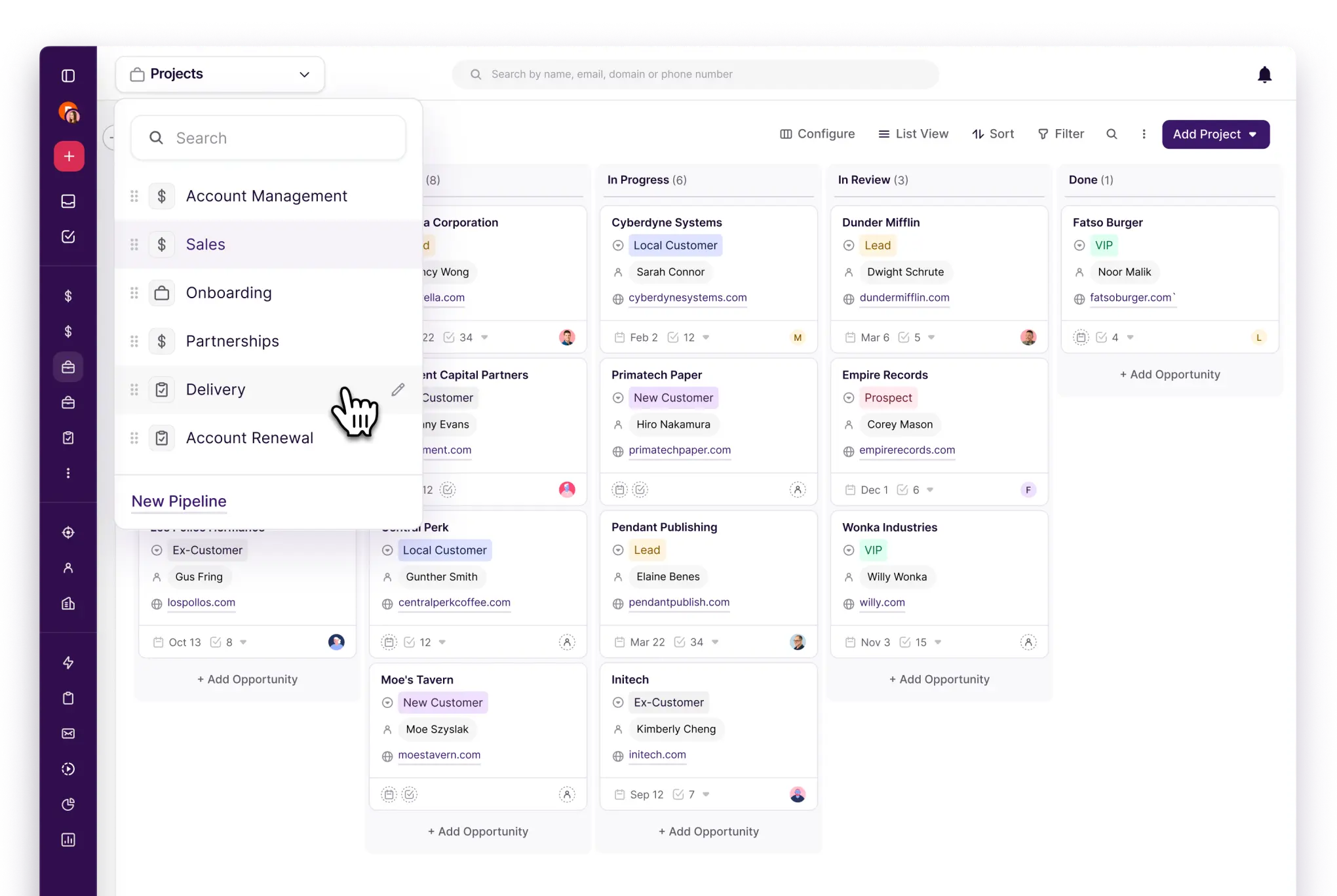
A HubSpot Copper integration is a two-way data connection that syncs contacts, companies, opportunities, and activity records between HubSpot and Copper in near real time. It keeps Copper’s Google Workspace sales activity visible inside HubSpot and pushes marketing engagement back to Copper for closed-loop revenue reporting.
How does the HubSpot Copper integration work?
It works through the HubSpot and Copper REST APIs, with field mapping, deduplication, and a defined system of record for every object. When a contact, company, or opportunity updates in either system, the sync writes the change to the other within minutes. Bi-directional rules control which fields flow which direction.

Turn HubSpot Into A Real-Time SMS Engine with Message IQ
 Two-Way Conversations
 Shared Team Inbox
 Automation Triggers
 Advanced Reporting
 Compliance Tools
- 98% SMS read within 3 min
- 78% Buy from first responder
- 21× More likely to qualify

*MessageIQ is an IntegrateIQ product – built natively for HubSpot by the same team.
Does HubSpot have a native Copper integration?
No. Neither HubSpot nor Copper maintains a first-party connector between the two platforms. Copper’s marketplace lists Zapier and other iPaaS apps for basic contact sync, but these lack custom object support, drop multi-select field updates, and cannot sync HubSpot email engagement back into Copper. Teams needing that move to custom.
How long does a HubSpot Copper integration take to build?
A custom HubSpot Copper integration takes about 8 weeks from kickoff to production. Discovery runs two weeks, build and staging tests run three, historical backfill runs one, and cutover with hypercare covers the final two weeks. Timelines extend for environments with heavy customization or high contact volume.
Can HubSpot and Copper sync bi-directionally?
Yes. Bi-directional sync is standard in a custom HubSpot Copper integration. You define system of record at the field level, so Copper-owned sales activity flows one way, HubSpot-owned marketing engagement flows the other, and conflicts are resolved by rule rather than by whoever wrote last. iPaaS tools support this only for basic contact fields.
What data can sync between HubSpot and Copper?
Contacts, companies, opportunities, and tasks, including custom Copper fields, plus HubSpot marketing activity such as emails, forms, page views, and lead score. Field mapping is configured per project so only relevant data flows and each field has a clear owner. Custom Copper fields are supported through the Copper REST API.
How a HubSpot Copper Integration Actually Works
A HubSpot Copper integration works by giving each system a clear job. Copper owns sales truth: opportunities, pipeline stage, tasks, and the day-to-day activity your reps log inside Gmail and Google Workspace. HubSpot owns marketing truth: email engagement, form fills, page views, and lead score.
Data moves both directions on a schedule you control. When a contact fills out a HubSpot form, the integration creates or updates the matching Copper record and assigns it based on your existing rules. When a rep moves an opportunity to a new stage or logs an activity in Copper, that change writes back to HubSpot so marketing can see it in reporting and workflows within minutes.
Nothing syncs by accident. Every field has an assigned system of record set during discovery, so a rep updating a phone number in Copper and a marketer updating the same field in HubSpot on the same day does not create a silent overwrite. You decide which system wins before it ever happens.
Three Ways to Connect Copper and HubSpot
Not every team needs custom. Here is the honest comparison.
| Factor | Marketplace App | Zapier / iPaaS | Custom (Integrate IQ) |
|---|---|---|---|
| Best for | Teams that just want contacts visible in both tools | Simple one-way triggers, small contact volume | Teams running sales and marketing off the same numbers |
| Sync direction | One-way or limited two-way, provider-defined | One-way per Zap, two-way needs two Zaps | Full bi-directional, field-level control |
| Custom objects/fields | Standard fields only | Standard fields, multi-select fields often break | Any Copper or HubSpot custom field or object |
| Activity and engagement sync | Basic activity log, no HubSpot email engagement | Possible but each event burns a task, costs climb | Full engagement history, deduplicated, no per-event billing |
| Business logic | None, fixed field-to-field mapping | Basic filters and formatters per Zap | Your lead routing, scoring, and stage rules built in |
| Volume handling | Rate limits apply at scale, no batching | Task-based pricing, costly at high volume | Built to move records at enterprise volume without throttling |
| Historical backfill | Not supported, starts from go-live | Manual, one record at a time | Full historical backfill included in the build |
| Maintenance | Vendor-managed, limited support for edge cases | You own every Zap when it breaks | Monitoring, alerting, and support included post-launch |
If you only need contacts visible in both tools and volume is low, a marketplace app or Zapier will genuinely cover it. Once you need bi-directional opportunity sync, custom fields, or HubSpot engagement history flowing back into Copper without per-task billing, that is when custom HubSpot integration services pay for themselves.
Revenue Workflows You Can Automate Once Copper Data Lives in HubSpot
- Speed-to-lead routing. A form fill in HubSpot creates a lead, and the integration assigns it to the correct Copper owner by region or product line the moment it lands, so reps follow up in minutes instead of finding it in a report the next day.
- MQL handoff with full context. When a contact crosses your score threshold, Copper receives the lead score, lifecycle stage, and last five HubSpot engagements alongside the new opportunity, so reps open the record already knowing what the prospect cared about.
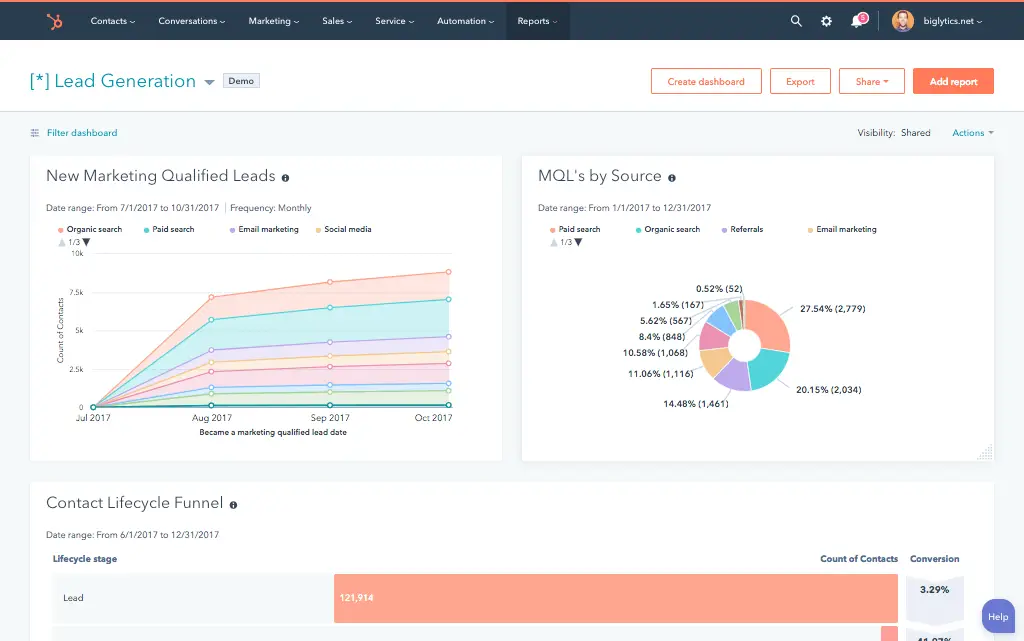
- Closed-loop revenue reporting. Opportunity stage and closed-won amount in Copper flow back to HubSpot automatically, so marketing can attribute revenue to the campaign that sourced it instead of guessing from a spreadsheet.
- Account-based re-engagement. A closed-lost opportunity in Copper triggers a HubSpot nurture sequence chosen by loss reason, keeping the account warm instead of going cold the day the deal dies.
- Support-to-sales alerts. A support case opened on a strategic account notifies the account owner in Copper with the case context attached, so the next sales touch is not blindsided by an open issue.
What Breaks in a Copper HubSpot Sync, and How We Prevent It
- Duplicate records and identity resolution. We match contacts by email and a secondary key, not by record ID alone, so a lead created in both systems within the same hour resolves to one record instead of two.
- System-of-record conflicts. Every field gets an assigned owner at setup. If a rep edits a phone number in Copper and marketing edits it in HubSpot the same day, the rule decides the winner instead of a race condition.
- Field mapping drift. When a custom field gets renamed or deleted in either system, we alert on the orphaned mapping instead of letting data silently stop flowing into a field nobody is watching.
- Picklist and status value mismatch. iPaaS connectors often sync the display label instead of the internal value, so a renamed Copper pipeline stage or opportunity status quietly stops mapping and your reports go wrong without throwing an error. We map on internal values and alert on unmapped states.
- API rate limits at volume. Across our client base we move 20 billion plus records annually and 7 million fields daily, so we batch, checkpoint, and throttle by design instead of by accident.
Implementation Timeline: What to Expect
Most HubSpot Copper integrations complete inside eight weeks of kickoff. The first two weeks cover discovery: object inventory in both systems, field-by-field mapping, system of record decisions, and mapping every custom Copper pipeline and field you use. Weeks three to five are build and unit testing against a staging Copper instance and a HubSpot sandbox. Week six runs the historical backfill and reconciliation. Weeks seven and eight cover user acceptance testing, cutover, and hypercare. Post-launch monitoring is included, so if a Copper configuration changes or HubSpot pushes an API update, we see it before your reports do. Full detail is on our HubSpot integration process page and 98.5% of clients renew for a follow-on scope.
See your 12-month revenue impact with HubSpot CRM
Enter your current numbers — visitors, leads, deal size — and get a personalized projection based on real HubSpot customer benchmarks.
Calculate My ROI
Connect the Rest of Your Revenue Stack
Copper rarely runs alone. If your sales org is weighing Copper against a heavier CRM, see our HubSpot Salesforce integration and our HubSpot vs Copper CRM comparison for the honest tradeoffs. Finance teams pairing Copper with an ERP should look at our HubSpot NetSuite and HubSpot QuickBooks integrations. If you want to see what manual handoffs between Copper and HubSpot are actually costing your team, run the numbers on our Integration ROI Calculator before your discovery call.



Table of Contents
- What is a HubSpot Copper integration?
- How does the HubSpot Copper integration work?
- Does HubSpot have a native Copper integration?
- How long does a HubSpot Copper integration take to build?
- Can HubSpot and Copper sync bi-directionally?
- What data can sync between HubSpot and Copper?
- How a HubSpot Copper Integration Actually Works
- Three Ways to Connect Copper and HubSpot
- Revenue Workflows You Can Automate Once Copper Data Lives in HubSpot
- What Breaks in a Copper HubSpot Sync, and How We Prevent It
- Implementation Timeline: What to Expect
- Connect the Rest of Your Revenue Stack




