

What is a HubSpot DocuSign integration?
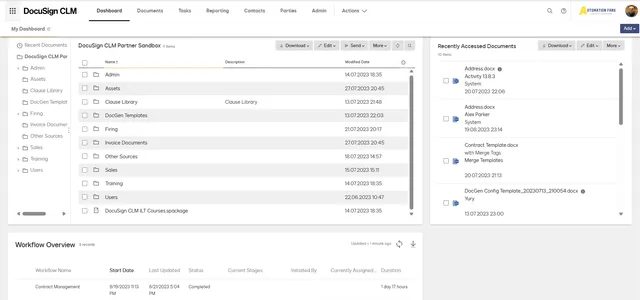
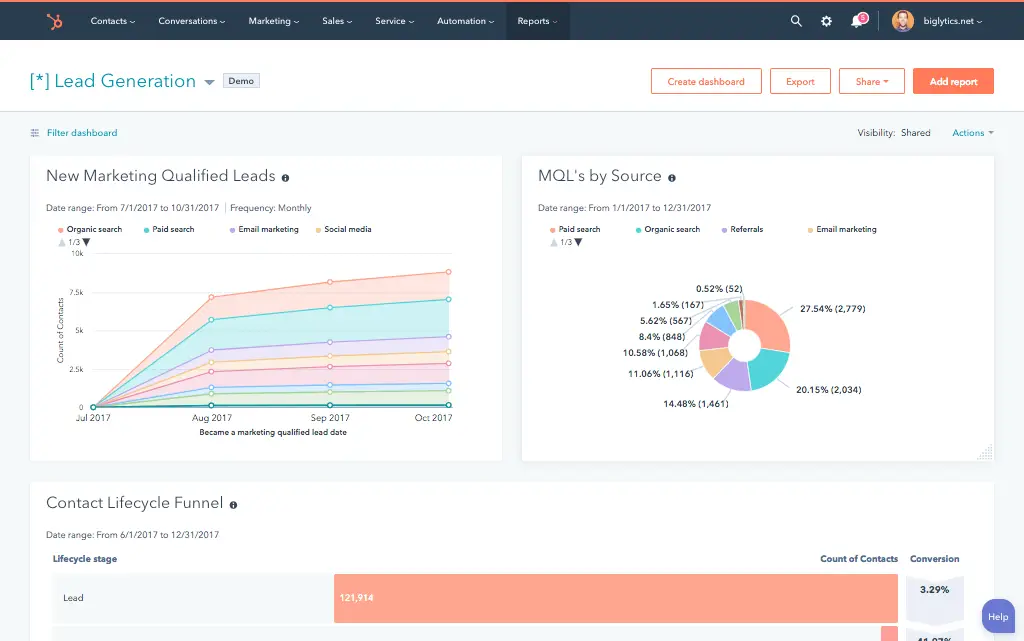
A HubSpot DocuSign integration connects your CRM to your e-signature platform, syncing contact, company, and deal data into agreements and syncing envelope status back to HubSpot so sales teams can generate, send, and track contracts without leaving the CRM.
How does the HubSpot DocuSign integration work?
The integration maps HubSpot contacts, companies, deals, and line items to DocuSign envelopes and templates. A HubSpot deal can auto-populate a contract with the right pricing and terms, while envelope status, sent, viewed, completed, syncs back to the HubSpot timeline and can trigger deal stage changes.

Turn HubSpot Into A Real-Time SMS Engine with Message IQ
 Two-Way Conversations
 Shared Team Inbox
 Automation Triggers
 Advanced Reporting
 Compliance Tools
- 98% SMS read within 3 min
- 78% Buy from first responder
- 21× More likely to qualify

*MessageIQ is an IntegrateIQ product – built natively for HubSpot by the same team.
Does HubSpot have a native DocuSign integration?
Yes. DocuSign offers a native HubSpot integration available directly from HubSpot’s App Marketplace, handling standard envelope creation, sending, and status tracking well. It has real limits around custom field editability and plan requirements that a custom integration removes.
Do you need a specific DocuSign plan for custom field mapping in HubSpot?
Yes. HubSpot’s own knowledge base confirms custom property mapping between HubSpot and DocuSign requires a DocuSign eSignature Business Pro plan or higher. Standard and lower-tier DocuSign plans only support predefined HubSpot fields in templates, not custom properties.
How long does a HubSpot DocuSign integration take to build?
A custom HubSpot DocuSign integration typically takes 8 weeks: 2 weeks of discovery and template mapping, 3 weeks of build and staging, and the remaining weeks for testing and go-live support.
Can custom fields be updated from HubSpot once mapped to DocuSign?
Not with the native integration alone. Once a custom field is mapped between HubSpot and DocuSign, HubSpot’s own community confirms that field can only be edited from within the DocuSign template, not updated directly from HubSpot. A custom integration can make that update path work in both directions.
Three Ways to Connect DocuSign and HubSpot
Not every team needs custom. Here is the honest comparison.
| Factor | Native DocuSign App | Zapier / Generic iPaaS | Custom Integration (Integrate IQ) |
|---|---|---|---|
| Best for | Standard send-and-sign workflows on qualifying plans | Simple one-way trigger automation | Teams needing bi-directional custom fields, pre-signature tracking, or association-aware envelope generation |
| Custom field editability | One-way, editable only inside the DocuSign template | Not supported | True two-way editing from either system |
| Plan requirements | Requires DocuSign eSignature Business Pro or higher for custom field mapping | No DocuSign tier lock, but subject to Zapier task limits | No forced DocuSign tier upgrade required |
| Sync direction | Real-time status to HubSpot, limited field sync back | One-way per trigger | True bi-directional, configurable per object |
| Business logic | Fixed within DocuSign’s settings | Basic conditional logic | Custom rules, e.g. declined-reason capture, multi-signer sequencing visibility |
| Volume handling | Built for standard envelope volume | Task limits and throttling at scale | Built for high-volume enterprise contract flow |
| Maintenance | Vendor-managed | You manage it | Monitored, maintained, and supported |
If your team is on a qualifying DocuSign plan and mainly needs standard send-and-sign with basic status tracking, the native integration is a solid, well-built option. Once custom fields need to update from HubSpot directly, or contract activity before signature matters, a custom integration is what removes those specific, documented limits.
Contract Workflows You Can Automate Once DocuSign Data Lives in HubSpot
- Contact-Field Population When Creating from a Company Record. Since the native integration can fail to populate contact-level fields when an envelope is created from a Company record, a custom integration explicitly pulls the correct contact’s data based on the actual deal or company association, so the agreement generates correctly regardless of which record it’s launched from.
- Bi-Directional Custom Field Updates. Since the native integration’s custom fields can only be edited inside the DocuSign template, not from HubSpot, a custom integration lets updates flow both ways, so a HubSpot property change reflects in future envelopes without anyone touching DocuSign directly.
- Pre-Signature Redline and Negotiation Tracking. Since the native integration only covers sending and signing, not contract negotiation or redlining, HubSpot can track how many negotiation rounds a specific deal’s contract went through before signature, a data point invisible in a send-and-sign-only view.
- Declined Envelope Reason Capture. Beyond logging that an envelope was declined, HubSpot can capture and categorize the stated decline reason, feeding that back into sales enablement on which contract terms most often cause pushback.
- Multi-Signer Sequencing Visibility. For agreements requiring multiple signatures in sequence, HubSpot can show which specific signer in the chain is currently holding up completion, rather than a single generic “pending” status for the whole envelope.
What Breaks in a DocuSign HubSpot Sync, and How We Prevent It
- Duplicate records and identity resolution. A signer using a different email than the one on file in HubSpot can create a duplicate or orphaned record instead of attaching to the right contact. We match on multiple identifiers, not the signing email alone.
- System-of-record conflicts. Legal may update contract terms directly in a DocuSign template while sales still assumes the original HubSpot deal terms. We define clear field ownership so simultaneous updates don’t diverge silently.
- Custom field mapping is plan-gated and one-directional. HubSpot’s own knowledge base confirms custom property mapping with DocuSign requires an eSignature Business Pro plan or higher, and even then, mapped custom fields can only be edited from within the DocuSign template, not updated from HubSpot. A custom integration removes both the plan dependency and the one-way editing restriction.
- Contact fields don’t always populate when an envelope starts from a Company record. Real user reports confirm that generating an envelope from a Company record can fail to pull in the associated Contact’s fields, leaving agreements incomplete unless corrected manually. We build explicit association logic so the right contact data populates regardless of which record starts the envelope.
- No native support for pre-signature contract lifecycle. The native integration covers sending and signing only; it doesn’t handle negotiation, redlining, or version control before a document is finalized. Businesses needing visibility into that earlier stage need it built as custom logic, since the native app was never designed to track it.
Implementation Timeline: What to Expect
Most HubSpot DocuSign integrations ship in 8 weeks. The first 2 weeks cover discovery and template mapping, including which custom fields and association rules need to be built. The next 3 weeks cover build and staging. The remaining weeks cover testing and go-live support. Our HubSpot integration process is the same repeatable framework behind our 98.5% client retention rate.
See your 12-month revenue impact with HubSpot CRM
Enter your current numbers — visitors, leads, deal size — and get a personalized projection based on real HubSpot customer benchmarks.
Calculate My ROI
Connect the Rest of Your Deal Desk
See our dedicated banking and finance industry work for the broader contracts and compliance picture. Custom pre-signature tracking or association logic beyond the standard build often needs full-stack development support. Getting sales and legal teams onto the new workflow goes faster with HubSpot training. Migrating off a legacy CRM at the same time? Our CRM migration services cover that too. Not sure what any of this is worth to your team? Run the numbers on our Integration ROI Calculator.



Table of Contents
- What is a HubSpot DocuSign integration?
- How does the HubSpot DocuSign integration work?
- Does HubSpot have a native DocuSign integration?
- Do you need a specific DocuSign plan for custom field mapping in HubSpot?
- How long does a HubSpot DocuSign integration take to build?
- Can custom fields be updated from HubSpot once mapped to DocuSign?
- Three Ways to Connect DocuSign and HubSpot
- Contract Workflows You Can Automate Once DocuSign Data Lives in HubSpot
- What Breaks in a DocuSign HubSpot Sync, and How We Prevent It
- Implementation Timeline: What to Expect
- Connect the Rest of Your Deal Desk