

















What is a HubSpot Drift integration?
A HubSpot Drift integration is a two-way data connection that syncs visitors, conversations, and booked meetings between HubSpot and Drift in near real time. It maintains chat activity visibility within HubSpot contact records and pushes CRM data back into Drift so bots and reps can personalize conversations and route leads accurately.
How does the HubSpot Drift integration work?
It works through the HubSpot and Drift REST APIs, using webhooks to capture conversation events in real-time. Every object is governed by field mapping, deduplication and a defined system of record so when a visitor converts or a meeting books, the change writes to the other system within minutes, not hours.

Turn HubSpot Into A Real-Time SMS Engine with Message IQ
 Two-Way Conversations
 Shared Team Inbox
 Automation Triggers
 Advanced Reporting
 Compliance Tools
- 98% SMS read within 3 min
- 78% Buy from first responder
- 21× More likely to qualify

*MessageIQ is an IntegrateIQ product – built natively for HubSpot by the same team.
Does HubSpot have a native Drift integration?
Yes, HubSpot has a native Drift connector (now maintained under Drift’s parent company, Salesloft) for basic contact and activity logging. It doesn’t stitch anonymous chat sessions to known contacts, store transcripts against custom objects, or support advanced routing logic. Teams with multi-object or ABM needs usually move to a custom build.
How long does a HubSpot Drift integration take to build?
Custom HubSpot Drift integrations will typically take ~8 weeks from kickoff to production. Discovery is two weeks, build and staging tests are three, historical backfill is one, and cutover with hypercare is the final two weeks. Extended timelines for high chat volume or heavy custom-object mapping.
Can HubSpot and Drift sync bi-directionally?
Yes. Includes a custom HubSpot Drift integration with bi-directional sync out of the box. Data flows in from Drift (conversation and transcript data) and out to Drift (lifecycle stage, lead score and list membership) from HubSpot for playbook targeting. The native connector only supports bi-directional sync for the basic contact fields.
What data can sync between HubSpot and Drift?
Contacts, companies, deals, custom objects, Drift conversations, booked meetings, playbook IDs, conversation tags HubSpot side flow Lead Score Lifecycle Stage Marketing Activity Field mapping is set up per project so only relevant data moves and each field has a single clear owner
How a HubSpot Drift Integration Actually Works
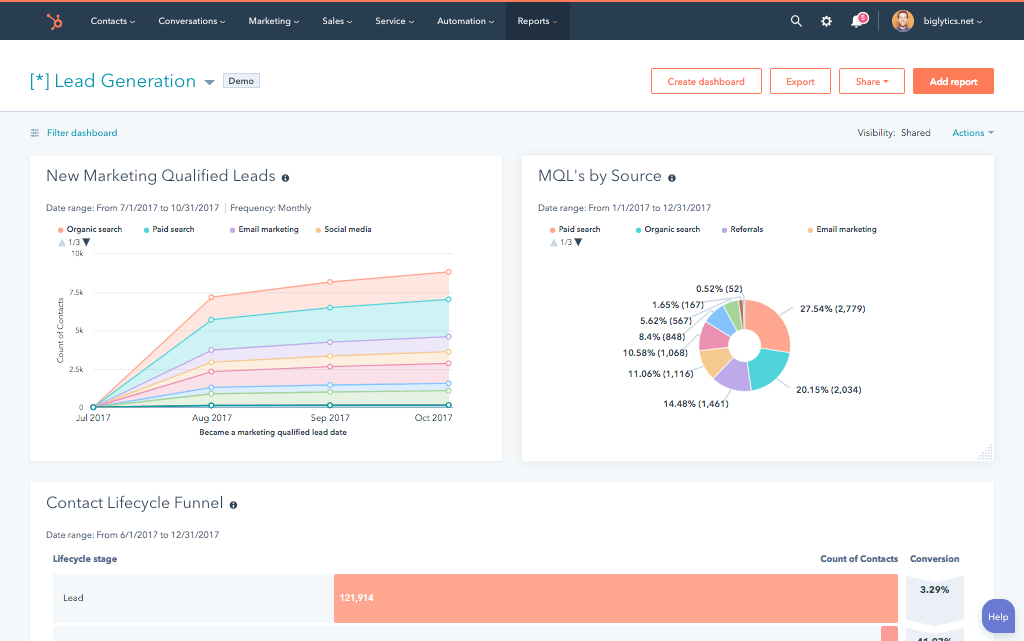
A HubSpot Drift integration connect real-time chat conversations to your CRM so no lead is left stranded in a chat window. Integrates contacts, conversation tags, and playbook data right into HubSpot records so you don’t have to manually copy transcripts or guess which rep should follow up. Before responding, sales reps can see the lifecycle stage and deal history in Drift; marketing gets clean attribution on which conversations actually drove pipeline. The native connectors do simple contact creation, but a custom Drift HubSpot integration provides bi-directional sync, custom object mapping, and rules-based lead routing that the out-of-the-box app can’t handle at scale.
Drift owns the conversation: transcripts, playbook IDs, conversation tags and meeting bookings. The relationship lifecycle stage, deal history, list membership is owned by HubSpot. Syncs conversation data into HubSpot as soon as a chat is resolved and pushes HubSpot context back into Drift so bots and reps can greet returning visitors with the right context instead of starting cold every time.
System-of-record rules at the field level determine exactly what moves and in what direction, so a playbook tag will never overwrite a manually entered lifecycle stage, and a HubSpot property update will never overwrite a live conversation in progress, without notice.
Three Ways to Connect Drift and HubSpot
Not every team needs custom. Here is the honest comparison.
| Factor | Native Marketplace App | Zapier / iPaaS | Custom (Integrate IQ) |
|---|---|---|---|
| Best for | Basic contact creation, single-touch chat teams | Simple triggers between Drift and other tools | Multi-object, high-volume RevOps teams |
| Sync direction | Mostly one-way, Drift to HubSpot | One-way per Zap, chained for two-way | True bi-directional, field-level control |
| Custom objects/fields | Not supported | Limited, breaks on schema changes | Fully mapped, including custom objects |
| Conversation and transcript sync | Basic transcript log only | Possible but fragile at volume | Full transcript plus tags, outcomes, playbook ID |
| Business logic | None, fixed behavior | Simple if/then per Zap | Rules-based routing on conversation and CRM data |
| Volume handling | Degrades past moderate chat volume | Rate-limited, throttling required manually | Built for high-volume conversation traffic |
| Historical backfill | Not available | Manual, one-off | Included as part of the build |
| Maintenance | Vendor-managed, limited visibility | You own every Zap and its failures | Monitored, alerted, and maintained by us |
For early stage teams using single object, low volume chat the native connector or a Zapier flow is really all you need. Drift’s custom plan is best for you if you need bi-directional syncing, custom object mapping, or routing rules that can combine conversation data with firmographics. Most of our mid-market and enterprise users are on custom. Our custom HubSpot integration services are scoped by the engineers who build the sync, not a sales team.
Drift consulting services with HubSpot are much more than installing a connector. A consulting engagement begins by mapping the way your sales and marketing teams really use conversational data today, and then designs sync logic, object mapping and routing rules around that reality – not a generic template. Integrate IQ’s engineers scope the build directly , so the same person who designs the workflow ships the code . This is most important when custom objects, territory based routing or multi-touch attribution are involved. And it includes tuning post-launch, tuning playbook triggers, fixing field drift, retraining routing rules as your GTM motion evolves. 98.5% Client retention, backed by 8-week delivery cadence.
Revenue Workflows You Can Automate Once Drift Data Lives in HubSpot
- Target-account alert and live handoff. A known target account visits the site and opens a Drift chat. HubSpot ownership data fires a real-time Slack or mobile alert to the account owner, who takes over the conversation live instead of losing the visitor to a bot loop.
- Meeting booked, deal created. A visitor books a meeting inside a Drift conversation. HubSpot creates the deal automatically, assigns it to the correct owner by territory or round robin, and logs the booking source as the specific playbook that drove it.
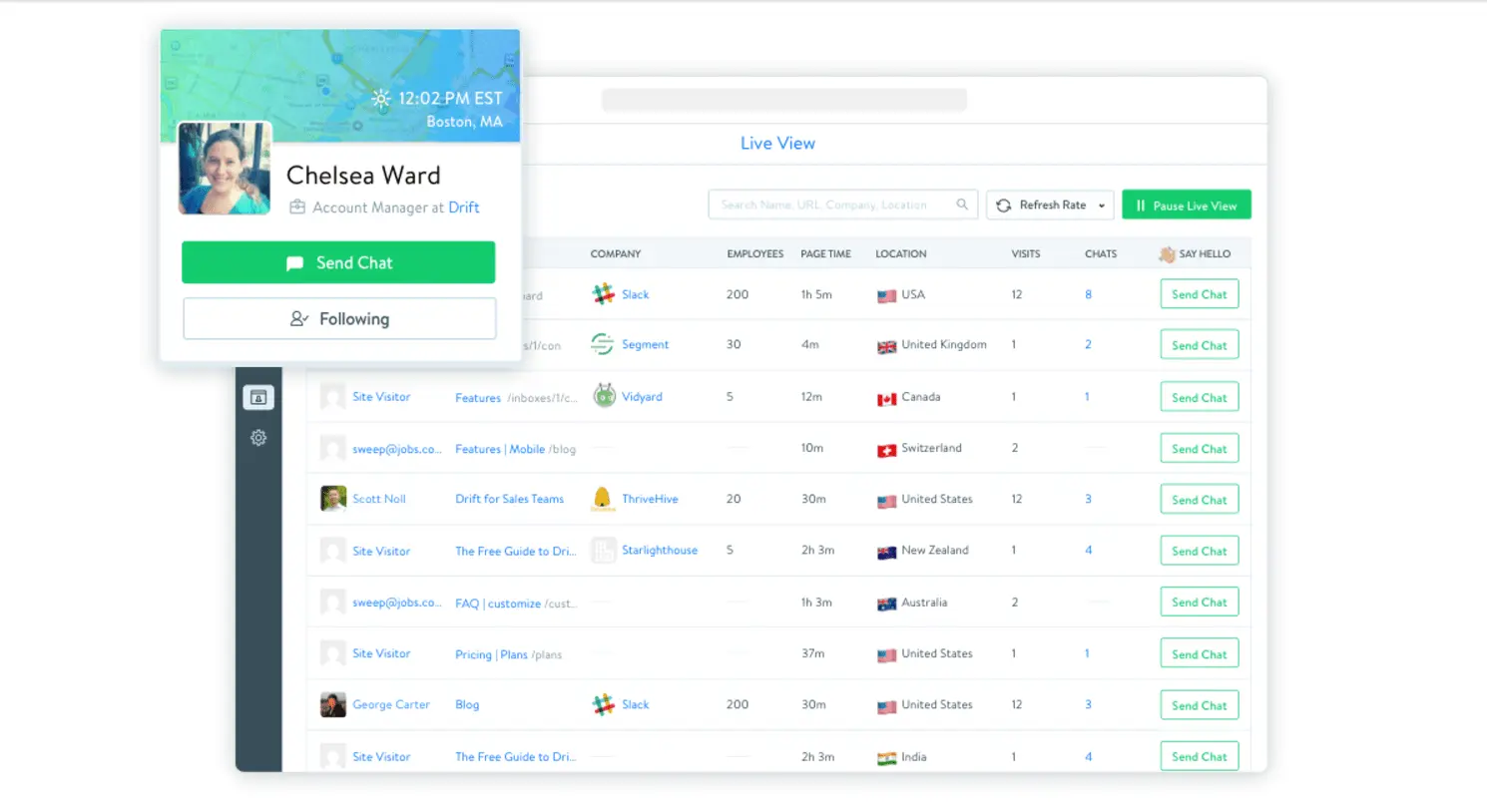
- Chat transcript on every contact record. Every Drift conversation, resolved or abandoned, logs to the HubSpot contact timeline in full. Reps walk into follow-up calls already knowing what the visitor asked, so no context gets re-explained.
- ABM playbook triggered by account match. HubSpot list membership for target accounts feeds Drift in real time. A recognized account visitor sees a tailored playbook instead of a generic chat, and the interaction gets tagged back to that account’s HubSpot record.
- Post-chat CSAT routed to CSM. A negative CSAT or NPS score submitted through Drift after a support conversation triggers a HubSpot workflow that alerts the account’s CSM directly, ahead of any renewal risk showing up in a report.
What Breaks in a Drift HubSpot Sync, and How We Prevent It
- Duplicate records and identity resolution. A visitor chats anonymously, converts later under a different email, and the native connector creates a second contact. We build merge logic on email, cookie, and account-match rules before the sync ever writes a record.
- System-of-record conflicts. Both systems try to own the same field, like lifecycle stage or last-touch source. We define ownership per field up front so updates flow one direction only, with no overwrite races between Drift and HubSpot.
- Field mapping and status drift. Playbook names, tags, or conversation statuses change in Drift without warning, and dumb syncs silently drop the update. We build validation and alerting into the mapping layer so drift in Drift’s data gets caught, not buried.
- Conversation and identity stitching. Anonymous chat sessions that later identify mid-conversation are the single biggest cause of orphaned transcripts and duplicate contacts in Drift HubSpot syncs. We stitch sessions to known contacts using cookie, email, and account-match logic, so history stays attached to one record.
- API rate limits at volume. Across our client base we move 300 plus platforms worth of data and 20 billion plus fields annually, so we batch, checkpoint, and throttle Drift’s conversation event stream by design instead of by accident.
Implementation Timeline: What to Expect
Most HubSpot Drift integrations finish in about eight weeks from kickoff. The first two weeks are discovery, inventory of objects in both systems, mapping field by field, system of record decisions, and an audit of existing Drift playbooks and routing rules that are already in production. Weeks 3-5: Build and unit test against a staging Drift instance and a HubSpot sandbox. Week six does the historical backfill and reconciliation. Weeks seven and eight are for user acceptance testing, cutover and hypercare. We’re also doing post-launch monitoring so if a Drift configuration changes or HubSpot pushes an API update, we see it before your reports do. Full details are on our HubSpot integration process page (https://integrateiq.com/our-hubspot-integration-process/). 98.5% of clients renew for a follow on scope.
See your 12-month revenue impact with HubSpot CRM
Enter your current numbers — visitors, leads, deal size — and get a personalized projection based on real HubSpot customer benchmarks.
Calculate My ROI
Connect the Rest of Your Revenue Stack
Drift is seldom the sole system powering your revenue stack. Most of the teams running a custom HubSpot Drift integration also connect HubSpot vs Salesforce comparison if evaluating a CRM move, lean on our full-stack development team for custom logic beyond standard sync, and follow the same HubSpot integration process we use on every build. Not sure what a Drift sync would be for your setup? Run the numbers on our Integration ROI Calculator before your discovery call, or check out HubSpot integrations we support across your rest of your GTM stack



Table of Contents
- What is a HubSpot Drift integration?
- How does the HubSpot Drift integration work?
- Does HubSpot have a native Drift integration?
- How long does a HubSpot Drift integration take to build?
- Can HubSpot and Drift sync bi-directionally?
- What data can sync between HubSpot and Drift?
- How a HubSpot Drift Integration Actually Works
- Three Ways to Connect Drift and HubSpot
- Revenue Workflows You Can Automate Once Drift Data Lives in HubSpot
- What Breaks in a Drift HubSpot Sync, and How We Prevent It
- Implementation Timeline: What to Expect
- Connect the Rest of Your Revenue Stack




