
























What is a HubSpot Dynamics AX integration?
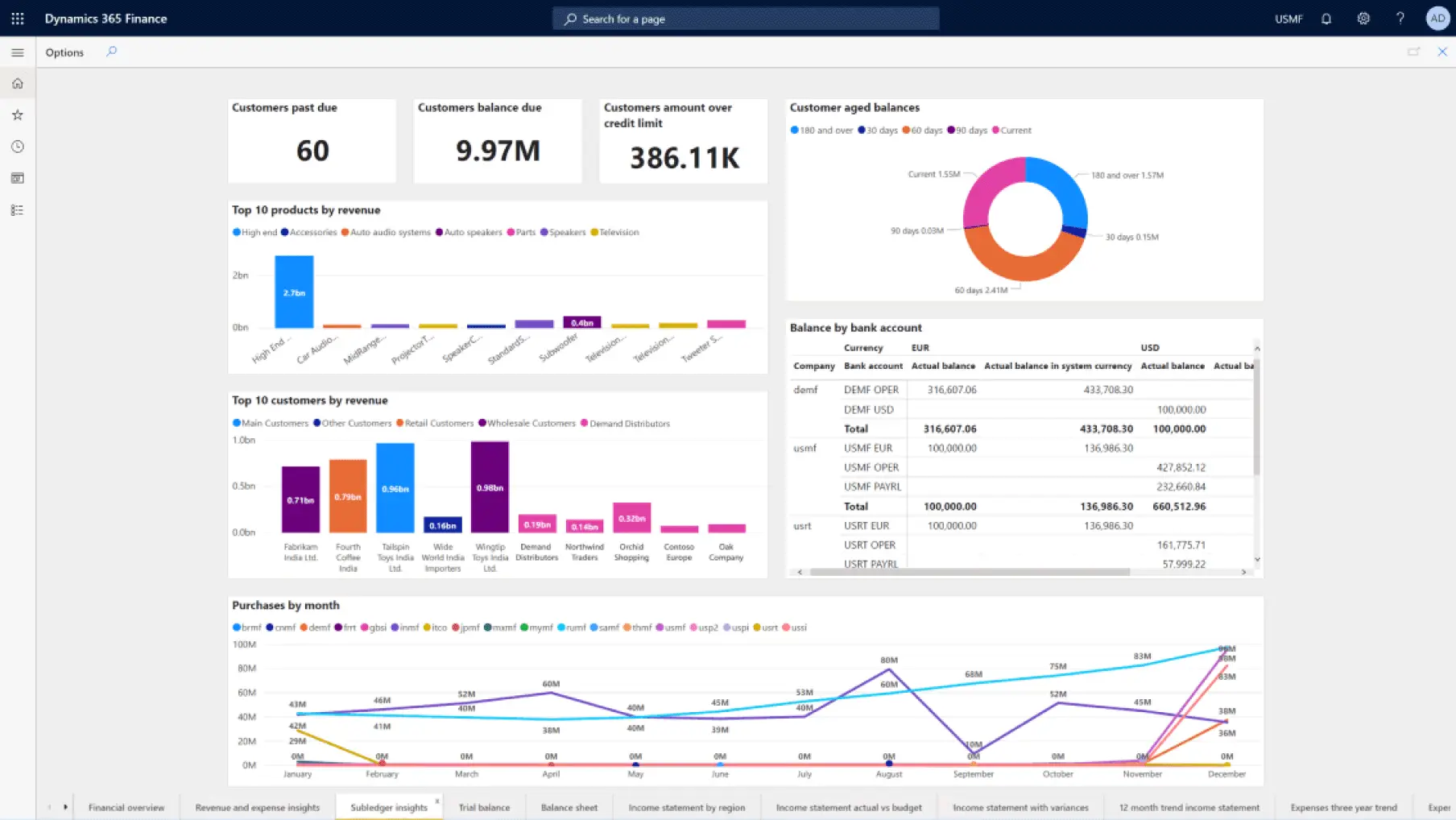
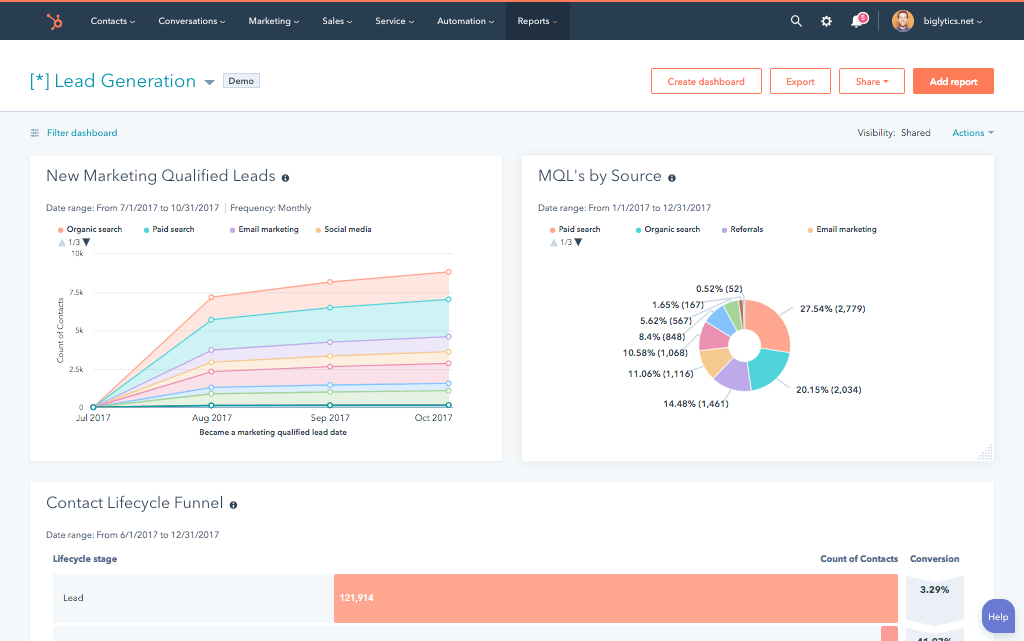
A HubSpot Dynamics AX integration connects your Microsoft Dynamics AX ERP to HubSpot syncing customer, sales order, and financial data so sales and marketing teams get real order history, credit status and pricing information without leaving the CRM.
How does the HubSpot Dynamics AX integration work?
The integration maps AX customers, sales orders and items to HubSpot contacts, deals, and products through a custom API connection, since AX predates modern cloud-native connectors. Closed-won deals in HubSpot can create sales orders in AX, while order and credit status from AX can update the HubSpot company record.

Turn HubSpot Into A Real-Time SMS Engine with Message IQ
 Two-Way Conversations
 Shared Team Inbox
 Automation Triggers
 Advanced Reporting
 Compliance Tools
- 98% SMS read within 3 min
- 78% Buy from first responder
- 21× More likely to qualify

*MessageIQ is an IntegrateIQ product – built natively for HubSpot by the same team.
Is Microsoft Dynamics AX still supported?
No. Every version of Dynamics AX, including the final release, AX 2012 R3, has exited Microsoft’s support lifecycle. Extended support and security patches ended in January 2023. Organizations still running AX receive no official Microsoft updates or technical assistance.
Does HubSpot’s native Dynamics connector work with Dynamics AX?
No. HubSpot’s native Dynamics connector is built for cloud-hosted Dynamics 365 only and explicitly does not support on-premises instances like Dynamics AX. Any AX integration has to go through a third-party platform or a custom-built connection to AX’s own APIs.
How long does a HubSpot Dynamics AX integration take to build?
A custom HubSpot Dynamics AX integration typically takes 8 to 10 weeks: 2 to 3 weeks of discovery to document your specific AX instance’s customizations and data structure, 3 to 4 weeks of build and staging, and 2 weeks for testing and go-live support. Heavily customized AX environments can extend the timeline.
Should we integrate HubSpot with AX now or wait until we migrate to Dynamics 365?
It depends on your migration timeline. If a move to Dynamics 365 is more than a year out, a HubSpot-AX integration closes the reporting gap in the meantime. If migration is imminent, it’s often more efficient to build the HubSpot integration against the new Dynamics 365 environment directly rather than building twice.
How a HubSpot Dynamics AX Integration Actually Works
A HubSpot Dynamics AX integration works differently than most modern ERP integrations, since AX predates the API standards most SaaS connectors expect. The integration connects directly to AX’s own data layer, treating AX as the system of record for orders, credit, and financials, while HubSpot owns the relationship and marketing layer.
On the AX-to-HubSpot side, sales orders, credit status changes, and order history sync into HubSpot as deal updates and company properties, giving sales and marketing a live financial picture without a report request to finance.
On the HubSpot-to-AX side, a deal marked Closed Won can generate a sales order directly in AX, cutting out the manual re-entry step that otherwise happens between a signed deal and a fulfilled order.
Three Ways to Connect Dynamics AX and HubSpot
Not every team needs custom, but the option most people assume exists doesn’t apply here. Here is the honest comparison.
| Factor | HubSpot’s Native Dynamics Connector | Third-Party Platform (e.g. Rapidi) | Custom Integration (Integrate IQ) |
|---|---|---|---|
| Best for | Cloud-hosted Dynamics 365 only, does not apply to AX | Companies wanting a faster setup across legacy and modern Dynamics versions | AX environments with significant customization or complex business logic |
| Compatibility with AX | Not supported, on-premises excluded by design | Supported, with platform-specific limitations | Built specifically for your AX instance’s actual configuration |
| Sync direction | N/A for AX | Typically bi-directional, standard objects | True bi-directional, configurable per field |
| Custom objects/fields | N/A for AX | Limited to what the platform supports | Full mapping of AX customizations and HubSpot custom objects |
| Business logic | N/A for AX | Basic, platform-defined rules | Custom rules, e.g. sync only orders from a specific business unit or legal entity |
| Handling of legacy customizations | N/A for AX | Limited visibility into ISV or custom AX modules | Built and tested against your instance’s actual customizations, not assumed standard behavior |
| Maintenance | N/A for AX | Platform-managed, subscription-based | Monitored, maintained, and supported by the same engineers who built it |
If your AX environment is close to standard and you mainly need contacts, orders, and basic financials in HubSpot, a third-party platform like Rapidi can get you there faster. Once your AX instance carries years of custom modifications, multiple legal entities, or business logic that a generic platform won’t capture, a custom integration is what keeps that complexity from becoming a liability.
ERP Workflows You Can Automate Once Dynamics AX Data Lives in HubSpot
- Migration-Bridge Reporting. While a company plans or executes its move to Dynamics 365 Finance and Operations, HubSpot can serve as the unified reporting layer pulling from both AX and the new environment during the transition, so sales and finance aren’t flying blind mid-migration.
- Legacy Customization Change Alerts. Many AX environments carry years of custom ISV modules or heavily modified business logic. When a custom AX process changes, a customization gets patched or removed, HubSpot flags the affected sync mappings for review before data quietly starts flowing wrong.
- Contract Renewal and End-of-Term Alerts. For AX customers on long-term service or maintenance agreements, contract end-dates stored in AX trigger HubSpot renewal or win-back campaigns timed well ahead of expiration.
- Multi-Entity Consolidation for M&A. Organizations that acquired companies still running separate AX instances can consolidate customer and order data from multiple AX environments into one HubSpot view, without waiting for a full ERP consolidation project.
- Credit Hold Escalation. When a customer’s credit status changes to “on hold” in AX, HubSpot immediately notifies the account manager and pauses any active outbound sales sequences, preventing an awkward pitch to an account that can’t currently order.
What Breaks in a Dynamics AX HubSpot Sync, and How We Prevent It
- Duplicate records and identity resolution. AX’s customer and vendor account numbering conventions, often legacy numeric codes, don’t match cleanly to HubSpot’s email or domain-based deduplication. We map on the AX account number as the stable key, not name or email matching.
- System-of-record conflicts. Sales may update contact info in HubSpot while AX’s account team updates the same customer record through its own legacy interface. We define AX as the source of truth for financial and order fields, HubSpot for engagement fields, with locked writes.
- Field mapping and status drift. AX’s sales order and quotation statuses use terminology and workflows that don’t map cleanly to HubSpot deal stages. We build a translation layer so pipeline reporting never silently diverges from what’s actually in the ERP.
- No vendor safety net. AX has been fully out of Microsoft support since January 2023, meaning no security patches, no official technical assistance, and often years of undocumented customizations layered on top. An integration built against AX has to be defensive by design, since there’s no vendor to call if something on the AX side breaks unexpectedly. We test against your specific instance’s real behavior, not assumed standard behavior.
- API limits and legacy performance ceilings. Older AX environments running on aging SQL Server infrastructure can struggle under sync volume that a modern cloud ERP would handle easily. Across 300+ platform integrations moving 20 billion plus fields annually, we throttle and batch specifically to avoid straining legacy infrastructure, not just to respect API limits.
Implementation Timeline: What to Expect
Most HubSpot Dynamics AX integrations ship in 8 to 10 weeks. Because AX predates modern API standards, the first 2 to 3 weeks focus on documenting your specific instance’s data structure and any custom ISV modules layered on top, since AX environments rarely match Microsoft’s original documentation after years of customization. The next 3 to 4 weeks cover build and staging. The final 2 weeks cover testing, historical data backfill, and go-live support.
Because AX is no longer under Microsoft support, we also build in extra validation so the integration doesn’t depend on ERP-side fixes we no longer have vendor access to. Our HubSpot integration process is the same repeatable framework behind our 98.5% client retention rate.
See your 12-month revenue impact with HubSpot CRM
Enter your current numbers — visitors, leads, deal size — and get a personalized projection based on real HubSpot customer benchmarks.
Calculate My ROI
Connect the Rest of Your Revenue Stack
If a move off AX is on your roadmap, our CRM migration services cover more than just contacts, and our manufacturing industry work reflects the sector AX has always served best. Some AX customers land on NetSuite instead of Dynamics 365 as their next ERP, and either path is easier when you already know your data. Heavily customized AX instances often need custom development work on top of the integration itself. Not sure what any of this is worth to your team? Run the numbers on our Integration ROI Calculator.



Table of Contents
- What is a HubSpot Dynamics AX integration?
- How does the HubSpot Dynamics AX integration work?
- Is Microsoft Dynamics AX still supported?
- Does HubSpot’s native Dynamics connector work with Dynamics AX?
- How long does a HubSpot Dynamics AX integration take to build?
- Should we integrate HubSpot with AX now or wait until we migrate to Dynamics 365?
- How a HubSpot Dynamics AX Integration Actually Works
- Three Ways to Connect Dynamics AX and HubSpot
- ERP Workflows You Can Automate Once Dynamics AX Data Lives in HubSpot
- What Breaks in a Dynamics AX HubSpot Sync, and How We Prevent It
- Implementation Timeline: What to Expect
- Connect the Rest of Your Revenue Stack




