

















What is a HubSpot Dynamics GP integration?
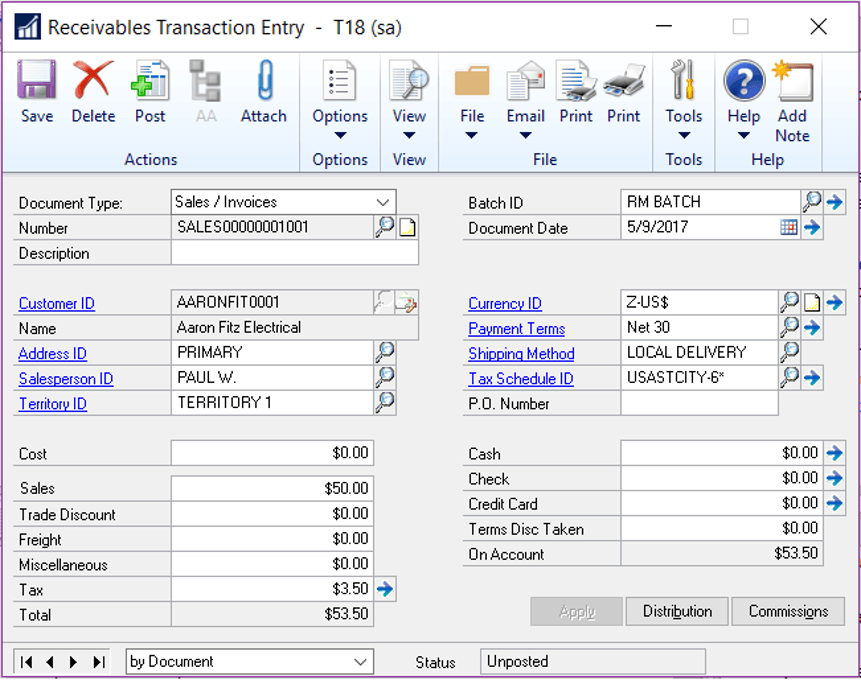
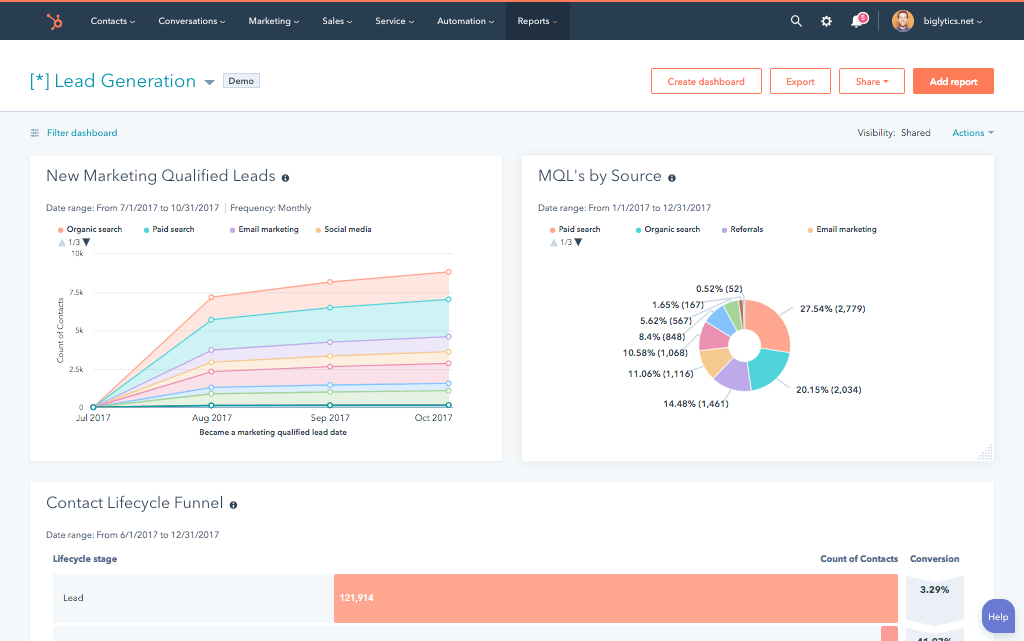
A HubSpot Dynamics GP integration is a two-way data connection that synchronizes customer accounts, sales orders, invoices and inventory records between HubSpot and Microsoft Dynamics GP in near real time. It pulls financial and fulfillment data into HubSpot and pushes deal and company updates back to Dynamics GP for complete quote-to-cash visibility.
How does the HubSpot Dynamics GP integration work?
It works via the HubSpot and Dynamics GP APIs with field-by-field mapping, deduplication and a defined system of record for each object. When a record updates in either system, whether an invoice status or a deal stage, the sync writes the change to the other system in minutes. Bi-directional rules determine the direction in which fields move.

Turn HubSpot Into A Real-Time SMS Engine with Message IQ
 Two-Way Conversations
 Shared Team Inbox
 Automation Triggers
 Advanced Reporting
 Compliance Tools
- 98% SMS read within 3 min
- 78% Buy from first responder
- 21× More likely to qualify

*MessageIQ is an IntegrateIQ product – built natively for HubSpot by the same team.
Does HubSpot have a native Dynamics GP integration?
HubSpot doesn’t offer any first-party Dynamics GP integration. The marketplace does have some third-party connector apps for basic customer and invoice sync, but most assume a single entity, don’t support multi currency, and run on a scheduled batch basis, not in real time. If you need multi-entity reporting or custom object sync, you’ll usually migrate to a custom-built integration.
How long does a HubSpot Dynamics GP integration take to build?
Building a custom HubSpot Dynamics GP integration usually takes 8 weeks from kickoff to production. Discovery is two weeks Build and staging tests are three Historical backfill is one Cutover with hypercare is the last two weeks Longer timelines apply for heavy GP customizations, multiple entities or high transaction volume environments.
Can HubSpot and Dynamics GP sync bi-directionally?
Yes. A custom HubSpot Dynamics GP integration comes with bi-directional sync by default. You define system of record at the field level so invoice and payment data flows from Dynamics GP, marketing engagement and lifecycle stage flows from HubSpot, and conflicts resolve by rule rather than by whichever system wrote last. This depth is seldom found in native connectors.
What data can sync between HubSpot and Dynamics GP?
HubSpot customers, contacts, sales orders, invoices, credit memos, payment status and item or inventory records and marketing activity such as emails, forms and lifecycle stage. Field mapping is customized per project, so only relevant data flows and each field has a specific owner. Dynamics GP custom tables are supported thru the Dynamics GP API and eConnect.
How a HubSpot Dynamics GP Integration Actually Works
How does a HubSpot Dynamics GP integration work? A HubSpot Dynamics GP integration works by assigning a clear job to each system: Dynamics GP is the goalkeeper of financial truth (invoices, payment status, general ledger detail, inventory) and HubSpot is the goalkeeper of relationship truth (deal stage, marketing engagement, lifecycle stage). Scheduled or near real time sync moves named objects such as Customers, Sales Orders, and Invoices between both systems.
Practically speaking, a closed deal in HubSpot can create a sales order in Dynamics GP, and a payment recorded in Dynamics GP can update the HubSpot deal or company record with the current balance and credit status. Both use the Dynamics GP eConnect layer or SQL views in conjunction with the HubSpot API so neither side is waiting on the other.
Nothing syncs by chance. Each field has a clearly defined owner and mapping rule, so a change to Dynamics GP’s chart of accounts or a HubSpot property rename won’t silently break reporting. Historical data is backfilled once during setup, then the sync only carries forward net-new and changed records.
Three Ways to Connect Dynamics GP and HubSpot
Not every team needs custom. Here is the honest comparison.
| Factor | Native / Marketplace App | Zapier / iPaaS | Custom (Integrate IQ) |
|---|---|---|---|
| Best for | Single-entity GP customers with basic contact and invoice sync needs | Teams wanting quick setup across many apps beyond just GP | Multi-entity finance teams needing accurate quote-to-cash reporting |
| Sync direction | One-way or limited two-way, fixed object set | Configurable two-way per connector, generic field mapping | True bi-directional, field-level system of record rules |
| Custom objects/fields | Not supported | Limited, often requires developer scripting | Fully supported, including custom Dynamics GP tables |
| Multi-entity and multi-currency support | Assumes a single entity and a single currency | Possible but requires manual per-entity configuration | Built in, entity and currency mapped at the field level |
| Business logic | Fixed, vendor-defined logic only | Basic filters and conditional steps | Your approval flows, credit rules, and pricing logic |
| Volume handling | Struggles past moderate record counts, batch delays | Rate-limited by the connector, can queue under load | Built to your transaction volume with throttling and retries |
| Historical backfill | Rarely offered, starts from go-forward data only | Manual one-time import, not repeatable | Full historical backfill included in every build |
| Maintenance | Vendor controlled, limited support for GP version changes | You own troubleshooting when a connector breaks | Monitored and maintained by Integrate IQ post-launch |
Marketplace connectors and Zapier work fine if you run a single GP entity, sync only Customers and basic Invoices, and don’t need historical backfill. Once you add multiple entities, multi-currency reporting, or GP customizations, those tools run out of room and a custom build becomes the more reliable, often cheaper, long-term path. Our custom HubSpot integration services are built for exactly that gap.
Quote-to-Cash Workflows You Can Automate Once Dynamics GP Data Lives in HubSpot
- Quote to order hand off : A quote marked sent in HubSpot creates a sales order in Dynamics GP with the right entity, currency and item list. Order status flows back to the HubSpot deal so reps don’t have to open GP to see fulfillment progress.
- Closed – to be billed : When it moves to closed-won in HubSpot, the invoice is created in Dynamics GP with the correct legal entity and currency already applied, reducing the time between a signed deal and a billed customer.
- Credit hold alert: Dynamics Credit Hold GP pauses active HubSpot sequences on that account and notifies the account owner, so sales never chases a customer that is blocked from ordering.
- AR age acceleration: Invoices in Dynamics GP over 60 days past due automatically create a HubSpot task for the account owner, with the outstanding balance and invoice number included, so collection conversations can take place before the relationship sours.
- Notice of satisfaction: In Dynamics GP, a shipment confirmation updates the HubSpot deal and can trigger a customer-facing notification workflow, so buyers are kept in the loop without having to check in on the status.
What Breaks in a Dynamics GP HubSpot Sync, and How We Prevent It
- Duplicate records and identity resolution: The same customer might be present in GP and Hubspot under different names or IDs. The keys we match on during the discovery process are configurable (e.g. account number, tax ID, domain) so that records merge instead of duplicating.
- System of record conflicts: Sales and finance both believe they own the customer record. We define ownership at the field level up front so GP wins on financial fields and HubSpot wins on engagement fields ,no silent overwrites.”
- Field mapping and status : Value migration GP status codes often don’t match HubSpot stage names out of the box. We construct an explicit translation layer, and watch it, so a renamed GP status doesn’t silently break your pipeline reporting.
- Multi currency and multi entity reconciliation: GP records transactions for specific legal entities and currencies. The naive sync collapses entities, or uses FX rates wrong. We map currency and entity at the field level to ensure accurate finance reporting across every GP company.
- API rate limits by volume: We move 300+ platforms of data and 20 billion plus fields synced annually across our client base so we batch, checkpoint and throttle by design not by accident.
Implementation Timeline: What to Expect
The majority of HubSpot Dynamics GP integrations are finished in eight weeks from kickoff. The first two weeks are all about discovery inventorying objects in both systems, mapping field by field, making system of record decisions and auditing your current Dynamics GP version and entity structure, as the approach differs for on-premises versus hosted GP instances. Weeks 3-5 build and unit test against a staging instance of Dynamics GP and a sandbox of HubSpot. Week six runs historical backfill and reconciliation. Weeks 7 & 8 are for User Acceptance Testing, Cutover and Hypercare. Includes post-launch monitoring, so if a Dynamics GP configuration changes, or HubSpot pushes an API update, we see it before your reports do. For full detail see our HubSpot integration process page. 98.5% of clients renew for a follow-on scope.
See your 12-month revenue impact with HubSpot CRM
Enter your current numbers — visitors, leads, deal size — and get a personalized projection based on real HubSpot customer benchmarks.
Calculate My ROI
Connect the Rest of Your Revenue Stack
Dynamics GP customers often run a separate CRM for sales or QuickBooks for smaller subsidiaries acquired thru acquisition. If your sales team is using Salesforce currently, our HubSpot Salesforce integration can help bridge both CRMs during a transition. In some cases, finance teams that have multiple entities will pair GP with QuickBooks for the smaller entities. Our HubSpot QuickBooks integration handles that scenario on its own. If you’re also considering moving off GP altogether, check out our HubSpot vs NetSuite comparison to see how the two ERPs stack up for HubSpot-connected teams. Don’t know what a custom build is worth at your volume? Integrate IQ has a ROI calculator so you can plug in the numbers before you scope a project.



Table of Contents
- What is a HubSpot Dynamics GP integration?
- How does the HubSpot Dynamics GP integration work?
- Does HubSpot have a native Dynamics GP integration?
- How long does a HubSpot Dynamics GP integration take to build?
- Can HubSpot and Dynamics GP sync bi-directionally?
- What data can sync between HubSpot and Dynamics GP?
- How a HubSpot Dynamics GP Integration Actually Works
- Three Ways to Connect Dynamics GP and HubSpot
- Quote-to-Cash Workflows You Can Automate Once Dynamics GP Data Lives in HubSpot
- What Breaks in a Dynamics GP HubSpot Sync, and How We Prevent It
- Implementation Timeline: What to Expect
- Connect the Rest of Your Revenue Stack




