









































What is a HubSpot Mortgage Automator integration?
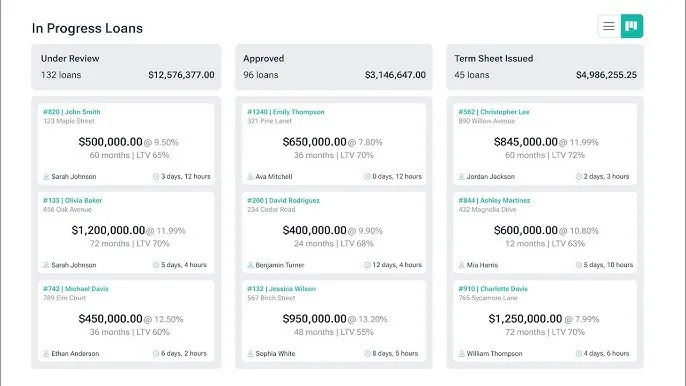
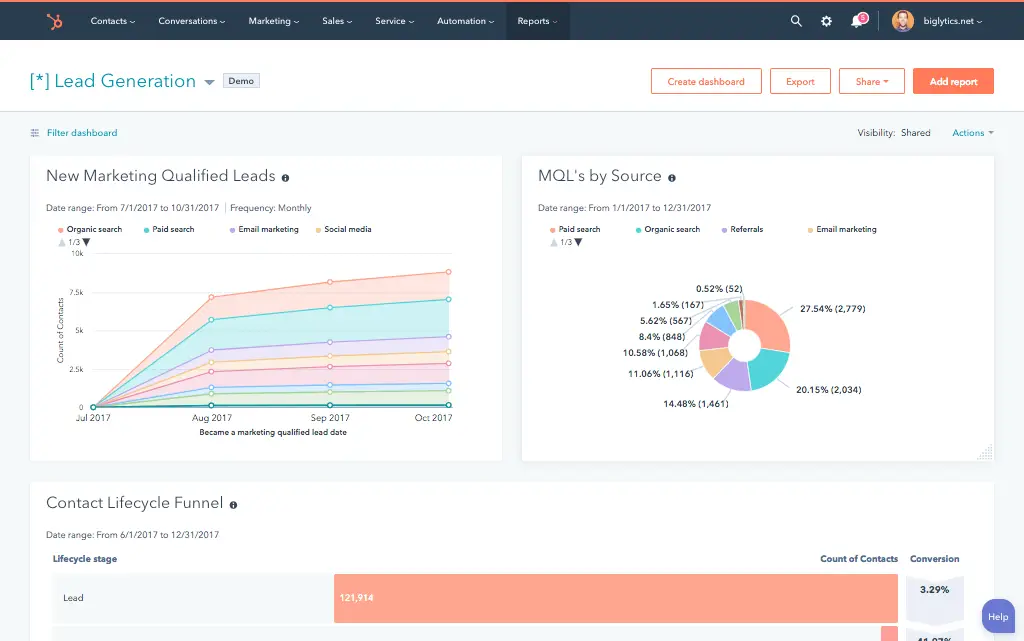
With a HubSpot Mortgage Automator integration, your CRM is connected to your loan origination software and borrower, broker and loan status data is synced so marketing, sales, and underwriting teams have one view of every deal from first application to funded loan.
How does the HubSpot Mortgage Automator integration work?
The integration synchronizes your HubSpot contacts, companies and deals with Mortgage Automator borrowers, brokers and loan applications, and then keeps the two systems in sync. A new web form submission can create a borrower and application in Mortgage Automator and flow back to update the HubSpot deal stage.

Turn HubSpot Into A Real-Time SMS Engine with Message IQ
 Two-Way Conversations
 Shared Team Inbox
 Automation Triggers
 Advanced Reporting
 Compliance Tools
- 98% SMS read within 3 min
- 78% Buy from first responder
- 21× More likely to qualify

*MessageIQ is an IntegrateIQ product – built natively for HubSpot by the same team.
Is there a native HubSpot integration for Mortgage Automator?
Mortgage Automator lists HubSpot as a native integration within its own marketplace and it supports basic contact and lead syncing. Typically it does not handle custom loan-status to deal-stage mapping, investor or broker specific workflows or high volume historical data migration. This is where a custom integration comes in.
How long does a HubSpot Mortgage Automator integration take to build?
A custom HubSpot Mortgage Automator integration typically takes 8 weeks: 2 weeks of discovery and field mapping, 3 weeks of build and staging, 1 week for historical borrower and loan data backfill, and 2 weeks for testing and go-live support.
Can HubSpot and Mortgage Automator sync bi-directionally?
Yes. A custom integration can sync new borrowers, applications and loan status changes from Mortgage Automator into HubSpot, and push lead source, communication history, and broker data from HubSpot back into Mortgage Automator. Direction and timing are configurable per object.
Does this integration support private lending features like investor dashboards and draw schedules?
A native or basic connector generally won’t, since those focus on standard contact and lead syncing. A custom integration can sync investor capital activity, construction loan draw schedules, and broker tier data into HubSpot, giving relationship and investor management teams visibility a standard connector doesn’t provide.
How a HubSpot Mortgage Automator Integration Actually Works
A HubSpot Mortgage Automator integration works by giving each system ownership of what it does best: Mortgage Automator owns underwriting, loan administration and servicing truth, while HubSpot owns engagement, communication, and pipeline visibility. The integration keeps both current without manual re-entry between systems.
In the Mortgage Automator-to-HubSpot direction, loan status changes, Application, In Review, Approved, Funded, Declined, sync into HubSpot as deal stage updates, feeding attribution reporting and borrower nurture sequences with real underwriting data.
In the HubSpot-to-Mortgage Automator direction, marketing origin data, communication logs, and new broker or borrower records created in HubSpot flow into Mortgage Automator, giving loan officers and underwriters context they’d otherwise have to ask for.
Three Ways to Connect Mortgage Automator and HubSpot
Not every team needs custom. Here is the honest comparison.
| Factor | Native Marketplace Integration | Zapier / iPaaS | Custom (Integrate IQ) |
|---|---|---|---|
| Best for | Small lenders syncing basic contact and lead data | Simple one-way trigger automation | Private lenders managing borrowers, brokers, and investors at volume |
| Sync direction | One-way or limited two-way, standard fields only | One-way per Zap, several needed for two-way | True bi-directional, configurable per object |
| Custom objects/fields | Standard fields only | Limited, mapped per action | Full mapping of loan statuses, draw schedules, and investor fields |
| Borrower / broker / investor mapping | Not distinguished, treated as generic contacts | Not supported | Each relationship type mapped to its correct HubSpot object and property set |
| Business logic | None | Basic conditional logic per Zap | Custom rules, e.g. task creation only for loans over a set threshold |
| Volume handling | Fine for low application volume | Task limits and throttling at scale | Built for hundreds of monthly applications and daily draw/payment updates |
| Historical backfill | Not supported | Not supported | Full historical load of borrowers, loans, and broker relationships into HubSpot |
| Maintenance | Vendor-managed, limited control | You manage it, breaks silently on field changes | Monitored, maintained, and supported |
If you’re a small lending shop syncing basic contact data, Mortgage Automator’s native HubSpot integration or a Zap or two may cover you. Once you’re managing brokers, investors, and borrowers as distinct relationships, or running high loan volume across residential, commercial, and construction products, a custom integration is what keeps that complexity from turning into bad data.
Private Lending Workflows You Can Automate Once Mortgage Automator Data Lives in HubSpot
- Investor Capital Call Alerts. When a new loan needs funding and requires an investor capital call in Mortgage Automator, HubSpot notifies the investor relations team to reach out to specific investors based on their funding preferences and history, instead of a manual spreadsheet lookup.
- Draw Schedule Milestone Nurturing. For construction loans with staged draw schedules, HubSpot triggers borrower communications tied to each draw milestone, inspection scheduled, funds released, instead of generic loan-status-only messaging.
- Broker Tier Escalation. As a broker’s funded loan volume in Mortgage Automator crosses a defined threshold, HubSpot automatically upgrades their tier or segment and triggers a relationship-manager introduction, rather than waiting for manual review.
- Compliance Document Expiration Reminders. When a borrower or broker document nearing expiration, license, insurance, appraisal, is flagged in Mortgage Automator, HubSpot creates a task and sends a reminder sequence well before the compliance deadline.
- Payoff and Renewal Pipeline. As a loan approaches its maturity or payoff date in Mortgage Automator, HubSpot automatically creates a renewal or refinance opportunity in the sales pipeline, rather than losing the relationship to a competitor at renewal time.
What Breaks in a Mortgage Automator HubSpot Sync, and How We Prevent It
- Duplicate records and identity resolution. Borrowers who apply through multiple channels, a broker referral, a direct web form, a repeat borrower with a new deal, can create duplicate HubSpot or Mortgage Automator records. We de-duplicate on a stable borrower identifier, not name or email matching alone.
- System-of-record conflicts. Loan officers may update borrower contact info in HubSpot while underwriting updates the same borrower’s record in Mortgage Automator. We define Mortgage Automator as the source of truth for loan and underwriting fields, HubSpot for engagement fields, with locked writes.
- Field mapping and status drift. Mortgage Automator’s loan statuses (Application, In Review, Approved, Funded, Declined) don’t map one-to-one onto a standard HubSpot deal pipeline by default. We build the stage mapping deliberately so attribution reporting never quietly diverges from what’s actually happening in underwriting.
- Borrower vs. investor vs. broker identity confusion. Mortgage Automator tracks at least three distinct relationship types, borrowers, brokers, and investors, that can all correspond to the same person or company in different roles. A naive sync that treats every Mortgage Automator contact the same way in HubSpot creates confusing, mismatched records. We map each relationship type to its correct HubSpot object and property set from the start.
- API rate limits at volume. High-volume lenders processing hundreds of applications monthly, plus daily payment and draw updates, can hit API limits during bulk syncs. Across 300+ platform integrations moving 20 billion plus fields annually, we batch and throttle high-volume syncs by design, not by accident.
Implementation Timeline: What to Expect
Most HubSpot Mortgage Automator integrations ship in 8 weeks. The first 2 weeks cover discovery and field mapping, including which relationship types, borrowers, brokers, investors, are in scope. The next 3 weeks cover build and staging. Week 6 handles historical borrower and loan data backfill. The final 2 weeks cover user acceptance testing, cutover, and hypercare support. Our HubSpot integration process is the same repeatable framework behind our 98.5% client retention rate.
See your 12-month revenue impact with HubSpot CRM
Enter your current numbers — visitors, leads, deal size — and get a personalized projection based on real HubSpot customer benchmarks.
Calculate My ROI
Connect the Rest of Your Lending Stack
Loan and borrower data rarely stays useful in isolation. See our dedicated banking and finance industry work for the broader lending context. Getting loan officers and underwriters onto the new workflow goes faster with HubSpot training and HubSpot onboarding right after go-live. Investor dashboards and draw schedule logic often need custom development work on top of the core integration. Not sure what any of this is worth to your team? Run the numbers on our Integration ROI Calculator.



Table of Contents
- What is a HubSpot Mortgage Automator integration?
- How does the HubSpot Mortgage Automator integration work?
- Is there a native HubSpot integration for Mortgage Automator?
- How long does a HubSpot Mortgage Automator integration take to build?
- Can HubSpot and Mortgage Automator sync bi-directionally?
- Does this integration support private lending features like investor dashboards and draw schedules?
- How a HubSpot Mortgage Automator Integration Actually Works
- Three Ways to Connect Mortgage Automator and HubSpot
- Private Lending Workflows You Can Automate Once Mortgage Automator Data Lives in HubSpot
- What Breaks in a Mortgage Automator HubSpot Sync, and How We Prevent It
- Implementation Timeline: What to Expect
- Connect the Rest of Your Lending Stack




