

























What is a HubSpot RingCentral integration?
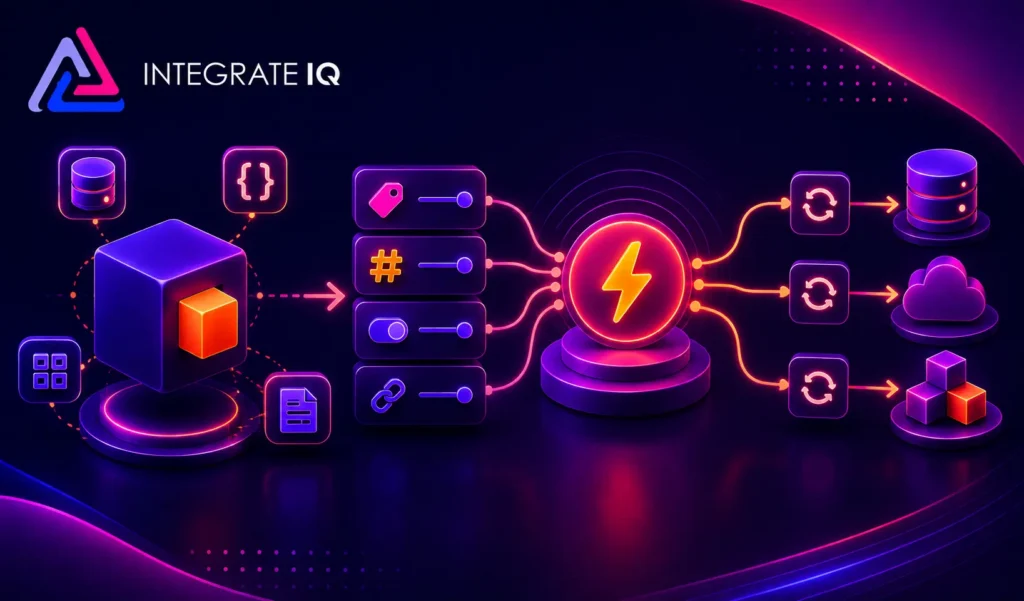
A HubSpot RingCentral integration is a CTI connection that syncs calls, SMS, voicemails, dispositions, and recordings between RingCentral and HubSpot contact and deal records. It logs every call to the correct timeline automatically, enables click-to-dial from HubSpot, and feeds call metadata into HubSpot workflows so sales, service, and marketing act on real conversation data.
How does the HubSpot RingCentral integration work?
It works through RingCentral’s Call Log API and HubSpot’s REST API with contact-matching on phone numbers, dedupe logic, and server-side call logging that survives browser refresh. Click-to-dial from HubSpot records fires a RingCentral call, call disposition selections write to HubSpot deal properties, and recording URLs attach to the contact timeline for playback and coaching.

Turn HubSpot Into A Real-Time SMS Engine with Message IQ
 Two-Way Conversations
 Shared Team Inbox
 Automation Triggers
 Advanced Reporting
 Compliance Tools
- 98% SMS read within 3 min
- 78% Buy from first responder
- 21× More likely to qualify

*MessageIQ is an IntegrateIQ product – built natively for HubSpot by the same team.
Does HubSpot have a native RingCentral integration?
Yes. HubSpot maintains a native RingCentral connector in its App Marketplace with click-to-dial and basic call logging. It handles the standard SDR use case at low volume. It does not support advanced disposition-to-property mapping, custom call routing based on HubSpot deal stage, HIPAA-compliant server-side logging, or intelligent recording archival, which is why enterprise teams add a custom build.
Can HubSpot and RingCentral sync bi-directionally?
Yes. Contact updates in HubSpot (owner change, lifecycle stage change) push to RingCentral so caller ID and routing decisions use current data. RingCentral events (call answered, voicemail left, SMS received, disposition selected) fire back to HubSpot as timeline events and workflow triggers. Field-level system of record is defined per property so nothing gets silently overwritten.
How long does a custom HubSpot RingCentral integration take to build?
A custom HubSpot RingCentral integration takes about 8 weeks from kickoff to production. Discovery runs two weeks for call flow inventory, disposition mapping, and routing rule design. Build and staging runs three weeks against RingCentral APIs. UAT runs two weeks with SDR and service teams. Go-live and hypercare cover the final week. Healthcare and regulated environments extend discovery, not build.
Does the integration handle HIPAA and regulated industry requirements?
Yes for custom builds. Server-side call logging keeps PHI within compliant infrastructure instead of routing through browser extensions. Recording storage runs inside a HIPAA-eligible environment with BAA in place. Field-level marketing-safe boundaries during discovery keep patient health information inside RingCentral compliant zones and pass only appointment status and campaign attribution to HubSpot marketing properties.
The Cost Lens: What Each Path Actually Costs in Rep Hours
The vertical sections above show what each RingCentral integration path does. This companion table shows what each path costs in rep hours, because manual call logging silently taxes reps for 30 to 60 minutes a day.
| Cost Dimension | Native HubSpot RingCentral Connector | Third-Party CTI (via Marketplace) | Custom (Integrate IQ) |
|---|---|---|---|
| Setup time to first logged call | Same day | 1-2 weeks | 6-8 weeks (custom build) |
| Rep time on manual call logging | 10-15 min per rep per day (partial logging) | 5-10 min per rep per day | Zero (server-side automatic logging) |
| Time on missed dispositions | 20-30 min per week (attribution gaps) | 10 min per week | Zero (dispositions are enforced fields) |
| Recording storage compliance for regulated industries | Not HIPAA-compliant by default | Depends on vendor architecture | HIPAA-eligible storage with BAA included |
| Custom routing based on deal stage or lifecycle | Not supported | Basic routing on 1-2 fields | Full routing on any HubSpot field or custom object |
| Coaching workflow (search recordings by disposition and outcome) | Not supported | Basic search | Full search with keyword indexing on transcripts |
| Team hours to reconcile call data monthly | 3-5 hours per RevOps lead per month | 1-2 hours per RevOps lead per month | Zero (reconciliation runs automatically) |
| Executive time on attribution reconciliation | High (why does HubSpot show fewer calls than RingCentral) | Medium | Zero (single source of truth by design) |
The native connector looks free on paper. The operational cost 10 to 15 minutes of manual logging per rep per day, missed dispositions breaking attribution, monthly reconciliation hours usually exceeds a custom build’s ROI within 90 days for teams above 15 SDRs. Multiply 15 minutes per day across 20 reps and you burn 25 hours per week of rep time that could have made calls. Our custom HubSpot integration services cover the build, backfill, and post-launch monitoring on a fixed project cost.
Revenue Workflows Beyond the Vertical Sections Above
- Missed call to warm callback sequence. A RingCentral inbound call marked missed fires a HubSpot workflow that enrolls the caller in a callback sequence with the assigned account owner alerted inside 2 minutes. Missed inbound calls stop leaking to voicemail purgatory. Speed to callback drives conversion because prospects who called are already in-market.
- Voicemail transcript to deal task with keyword flagging. A RingCentral voicemail transcript flows into HubSpot as a deal timeline event with keyword flags (pricing, competitor mentioned, urgency signals). Account executives get a task with the transcript excerpt and the deal stage, so voicemails become qualified follow-up cues instead of noise.
- Disposition-driven pipeline automation. RingCentral call dispositions (no answer, gatekeeper, decision-maker reached, demo booked, not interested) trigger HubSpot workflows: booked demo advances the deal stage, gatekeeper enrolls the contact in an account-based nurture sequence, not interested writes the reason to the deal record for coaching.
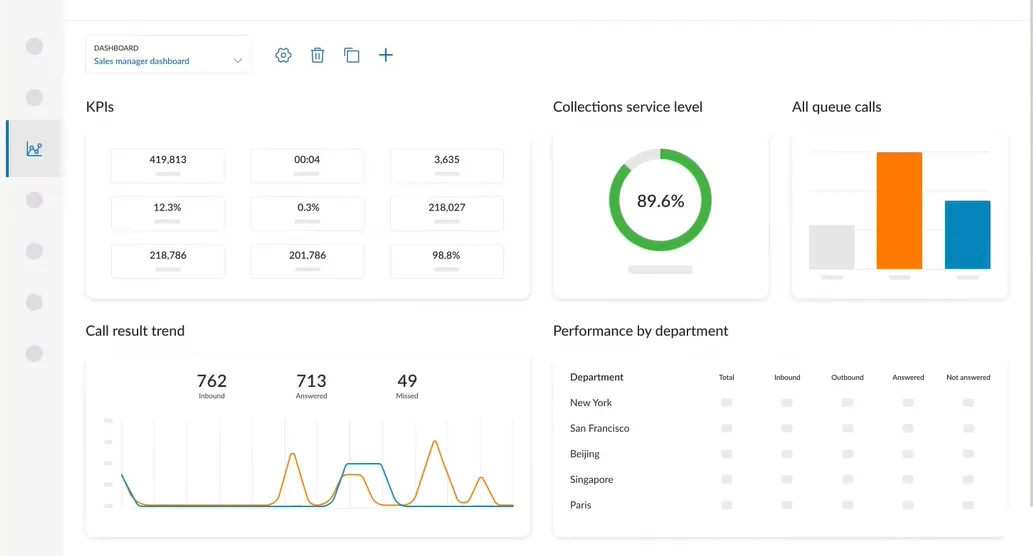
- Coaching flag on rep talk-time ratios. Call recordings and transcripts (through RingCentral’s AI features or third-party transcription) flow into HubSpot with talk-time ratios per rep. When talk-time exceeds 60% (indicating rep is doing most talking instead of listening), a coaching flag surfaces to the sales manager with the specific calls flagged for review.
- HIPAA-safe appointment reminder for healthcare teams. For healthcare RingCentral users, HubSpot workflow triggers fire outbound reminder calls via RingCentral for upcoming appointments with only appointment status and campaign attribution visible in HubSpot, and PHI staying inside RingCentral’s HIPAA-eligible infrastructure. Marketing sees which reminder campaigns reduce no-shows without seeing patient health data.
What Breaks in a RingCentral HubSpot Sync, and How We Prevent It
- Browser-based logging that dies on refresh. The native RingCentral HubSpot connector logs calls through a browser extension. When reps close tabs, refresh browsers, or work across devices, calls silently drop. We build server-side call logging that captures every call regardless of what the rep is doing on their screen, so attribution never has silent gaps.
- Contact match failure on phone number formatting. RingCentral stores phone numbers in one format, HubSpot in another (with or without country code, dashes, parentheses). Native syncs miss matches when formatting differs, so calls end up as “unknown contact” and never attach to the deal record. We normalize phone number formatting at sync time so every call attaches to the right contact.
- Disposition drift across reps. Dispositions get created ad hoc by different reps (“Not Interested” vs “NI” vs “Not a fit”), so reporting fragments and attribution breaks. We normalize dispositions at sync time against a defined list and enforce disposition capture as a required field for call completion so reporting stays clean.
- Recording storage bloat over time. High-volume teams generate thousands of hours of recordings monthly. Recording URLs cached in HubSpot deal records that no one ever plays waste storage and slow record loading. We architect intelligent archival that moves older recordings to cheaper storage with the URLs preserved so coaching workflows still work.
- PHI leaking into HubSpot marketing properties for healthcare teams. Voicemail transcripts, disposition notes, and call summaries can inadvertently capture patient health information. Without field-level marketing-safe boundaries, PHI ends up in HubSpot marketing properties and creates HIPAA violations. We define marketing-safe boundaries during discovery so PHI stays inside RingCentral compliant zones and only appointment status flows to HubSpot marketing.
Implementation Timeline: What to Expect
The page above already covers the 8-week custom build cadence broken down by week (Weeks 1-2 Discovery, Weeks 3-5 Build, Weeks 6-7 UAT, Week 8 Go-Live). Confirming the standard 8-week production timeline and what shifts for edge cases. Standard single-team HubSpot RingCentral integrations complete in 8 weeks. Healthcare organizations and regulated industries add 1 to 2 weeks in discovery for HIPAA scoping, BAA execution with the recording storage vendor, and marketing-safe field boundary definition, not in build. Multi-region deployments with country-specific compliance requirements (GDPR for EU, PIPEDA for Canada) add discovery time for local recording storage decisions. Post-launch monitoring is included, so if RingCentral pushes an API change or HubSpot rolls a workflow action, we see it before your reps notice. Full detail is on our HubSpot integration process page , and 98.5% of clients renew for a follow-on scope.
See your 12-month revenue impact with HubSpot CRM
Enter your current numbers — visitors, leads, deal size — and get a personalized projection based on real HubSpot customer benchmarks.
Calculate My ROI
Connect the Rest of Your Revenue Stack
RingCentral rarely lives alone in the sales and service stack. Teams evaluating alternatives review our HubSpot Aircall integration, HubSpot CloudTalk integration, HubSpot JustCall integration, or HubSpot Dialpad integration as parallel VoIP options. Teams adding SMS to the same workflow layer in MessageIQ, an IntegrateIQ product built natively for HubSpot that fires SMS from workflow triggers with 98% read rate and TCPA compliance controls, which complements RingCentral SMS by handling automated sequences that RingCentral does not (abandoned cart, appointment reminders, review requests, rate lock alerts). Support-heavy teams pair this build with a HubSpot Intercom integration or HubSpot Zendesk integration so calls, chats, and tickets all sit on the same contact timeline. For healthcare teams, our healthcare industry page covers HIPAA-compliant integration patterns, and the integration ROI calculator turns the case into a number.


Table of Contents
- What is a HubSpot RingCentral integration?
- How does the HubSpot RingCentral integration work?
- Does HubSpot have a native RingCentral integration?
- Can HubSpot and RingCentral sync bi-directionally?
- How long does a custom HubSpot RingCentral integration take to build?
- Does the integration handle HIPAA and regulated industry requirements?
- The Cost Lens: What Each Path Actually Costs in Rep Hours
- Revenue Workflows Beyond the Vertical Sections Above
- What Breaks in a RingCentral HubSpot Sync, and How We Prevent It
- Implementation Timeline: What to Expect
- Connect the Rest of Your Revenue Stack