
























What is a HubSpot SAP integration?
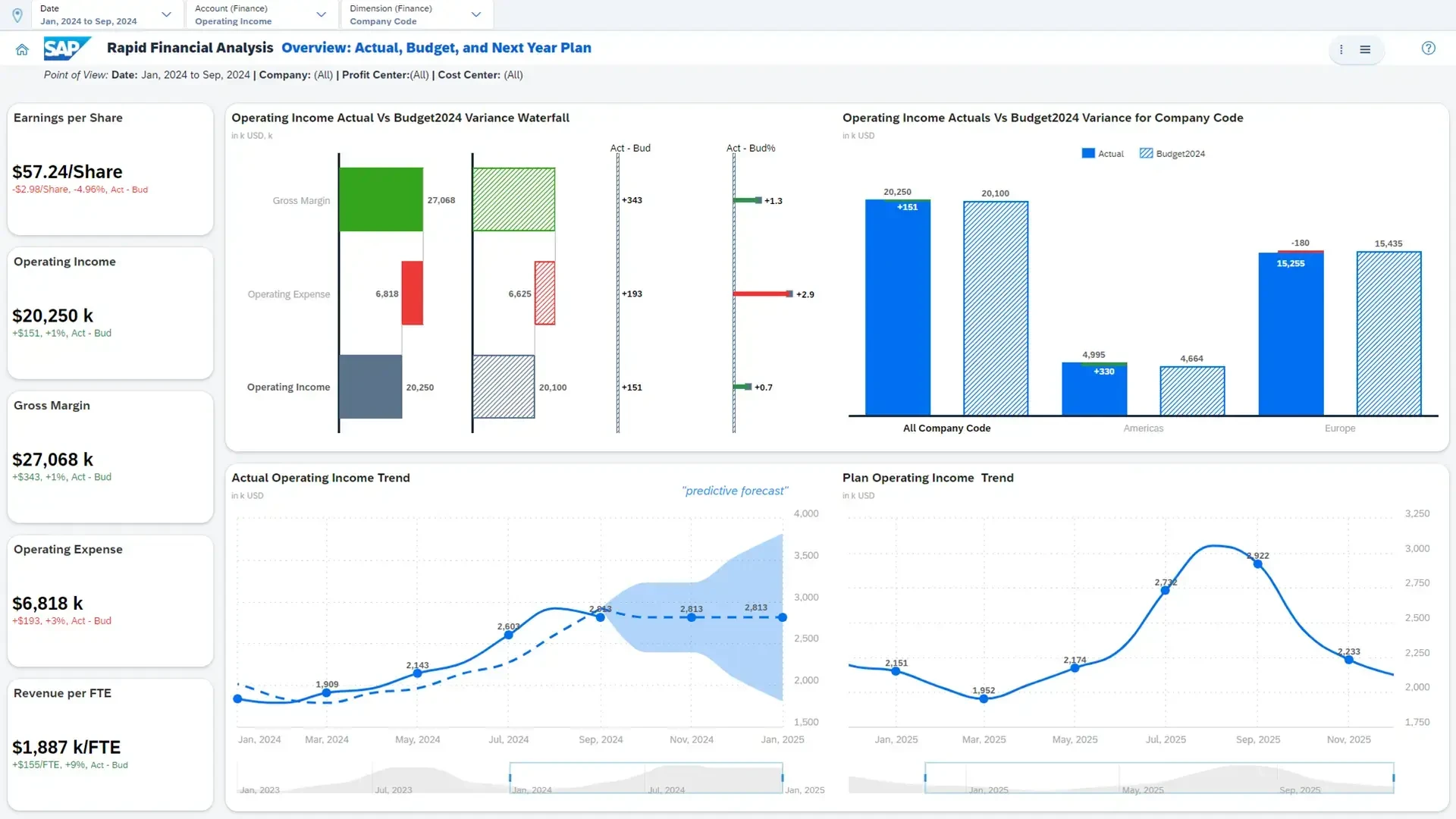
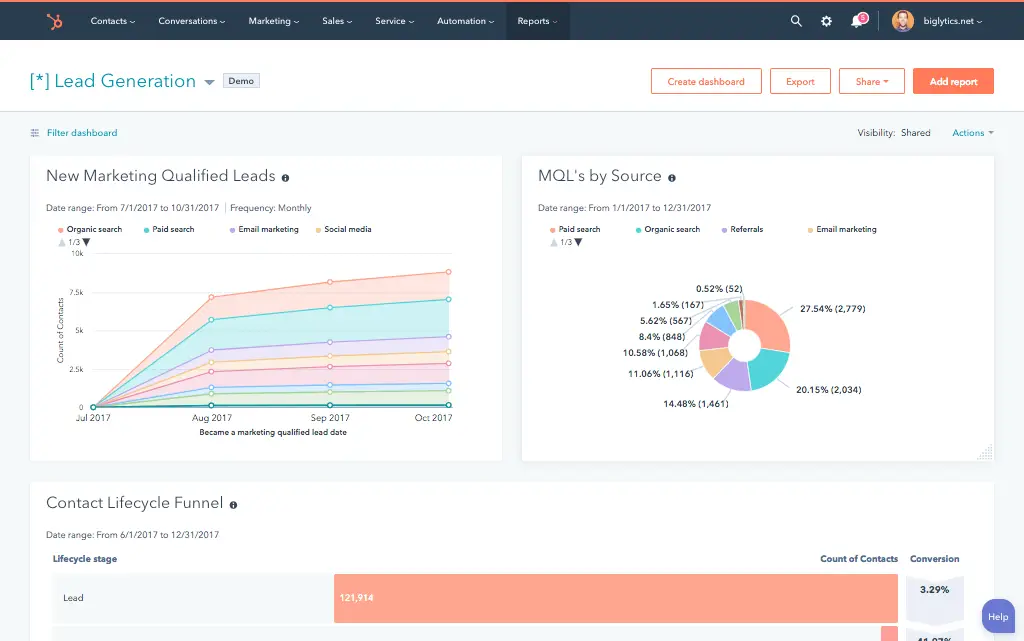
A HubSpot SAP integration connects your CRM to your ERP, syncing customer master data, sales orders, and financial information so sales and finance teams work from the same records instead of reconciling two separate systems.
How does the HubSpot SAP integration work?
The integration maps HubSpot contacts, companies, and deals to SAP business partners, sales orders, and customer master records, then keeps both systems current. A closed-won deal in HubSpot can create a validated sales order in SAP, while order status, invoices, and payment data sync back into HubSpot.

Turn HubSpot Into A Real-Time SMS Engine with Message IQ
 Two-Way Conversations
 Shared Team Inbox
 Automation Triggers
 Advanced Reporting
 Compliance Tools
- 98% SMS read within 3 min
- 78% Buy from first responder
- 21× More likely to qualify

*MessageIQ is an IntegrateIQ product – built natively for HubSpot by the same team.
Does HubSpot have a native SAP integration?
Not as a simple plug-and-play app. SAP provides its own integration tooling, SAP Open Connector, API Management, and Cloud Platform Integration, that teams build and maintain themselves, plus OData and BAPI interfaces depending on your SAP product. Several third-party platforms offer managed connectivity, but a fully custom integration is common for businesses with specific business logic or heavily customized SAP instances.
How long does a HubSpot SAP integration take to build?
A custom HubSpot SAP integration typically takes 10 to 12 weeks, longer than most ERP integrations given SAP’s complexity: 2 to 3 weeks of discovery to document your specific SAP configuration and customizations, 4 to 5 weeks of build and staging, and the remaining weeks for testing and go-live support.
Can HubSpot and SAP sync bi-directionally?
Yes. A custom integration can sync new sales orders, invoices and payment status from SAP into HubSpot, and push closed deals, customer master updates, and quote data from HubSpot back into SAP. Direction and timing are configurable per object.
Does this integration work with SAP Business One, S/4HANA, and Business ByDesign?
Yes, but each SAP product needs to be scoped on its own terms. S/4HANA, Business One, Business ByDesign, and SAP ECC each expose different integration methods and object structures. We build against your specific SAP product and version rather than assuming one SAP integration approach works for all of them.
How a HubSpot SAP Integration Actually Works
A HubSpot SAP integration works by keeping SAP as the system of record for financial, order, and master data, while HubSpot owns the sales and marketing relationship layer. The integration is built against your specific SAP product and configuration, not a generic “SAP” assumption.
In the HubSpot-to-SAP direction, a deal marked Closed Won triggers customer master creation and a validated sales order, checked against SAP’s Product Master and pricing conditions before anything is written.
In the SAP-to-HubSpot direction, order status, invoices, payment history, and credit data sync back into HubSpot, giving sales and service teams financial context they’d otherwise have to request from finance.
Three Ways to Connect SAP and HubSpot
Not every team needs custom. Here is the honest comparison.
| Factor | SAP’s Own Integration Tooling (CPI / Open Connector) | Third-Party iPaaS | Custom Integration (Integrate IQ) |
|---|---|---|---|
| Best for | Enterprises with an internal SAP integration team already maintaining CPI iFlows | Standard object sync across common SAP products with less internal SAP expertise needed | Complex business logic, heavy customization, or multi-entity SAP environments |
| SAP flavor flexibility | Depends entirely on your team’s SAP expertise | Varies by platform; some support multiple SAP products | Built specifically for your SAP product and version |
| Sync direction | Whatever your team builds | Typically bi-directional for standard objects | True bi-directional, configurable per field |
| Custom objects/fields (Z-tables, BAPIs) | Possible, requires deep internal SAP knowledge | Often limited to standard SAP objects | Full support for custom Z-tables and BAPI-based business logic |
| Business logic | Whatever your team builds and maintains | Basic, platform-defined rules | Custom rules, e.g. credit block escalation, multi-entity routing |
| Volume handling | Depends on your infrastructure | Varies by platform tier | Built for millions of records at enterprise scale |
| Maintenance | Falls on your internal SAP or IT team | Platform-managed subscription | Monitored, maintained, and supported by the same engineers who built it |
If you already have an internal team maintaining SAP CPI iFlows, extending that to HubSpot may be the path of least resistance. If you don’t have that expertise in-house, or your SAP instance carries years of custom Z-tables and BAPI-based logic, a custom integration is what gets you a working connection without requiring your team to become SAP integration specialists overnight.
Featured snippet candidate: publish the comparison table as a real HTML table, not an image.
Enterprise Workflows You Can Automate Once SAP Data Lives in HubSpot
- Multi-Entity or Company Code Routing. For SAP deployments spanning multiple legal entities or company codes, HubSpot routes a closed deal to the correct SAP company code and controlling area automatically based on the deal’s business unit or region, instead of manual entity assignment.
- Contract Renewal Alert from SAP Contract Data. When a customer’s SAP sales contract or scheduling agreement approaches its end date, HubSpot automatically creates a renewal opportunity in the pipeline, timed to SAP’s actual contract terms rather than a generic subscription-anniversary guess.
- Credit Block Escalation Workflow. When SAP places a customer on credit block due to overdue payments, HubSpot immediately notifies the account manager and pauses active outbound sales sequences to that account, preventing an awkward pitch to a customer who currently can’t order.
- Product Master Change Propagation. When a product is discontinued, renamed, or reclassified in SAP’s Product Master, HubSpot automatically updates any active quotes, deals, or marketing materials referencing that product, preventing sales from quoting something that no longer exists.
- Cross-Module Service Ticket Enrichment. For SAP customers also using SAP Service modules, a HubSpot service ticket can pull relevant equipment, warranty, or maintenance contract data from SAP directly into the ticket, giving support agents full context without switching systems.
What Breaks in a SAP HubSpot Sync, and How We Prevent It
- Duplicate records and identity resolution. Business partners created independently in HubSpot and SAP, or duplicated across multiple SAP company codes, can create mismatched records. We match on SAP’s business partner ID as the stable key, not name or address matching.
- System-of-record conflicts. Sales may update a customer’s address in HubSpot while finance updates the same customer master record in SAP through a different process. We define SAP as the source of truth for financial and master data fields, HubSpot for engagement fields, with locked writes.
- Field mapping and status drift. SAP’s sales order, delivery, and billing statuses use terminology specific to your configuration and don’t map cleanly onto HubSpot deal stages by default. We build a translation layer tailored to your actual SAP configuration, not a generic assumed mapping.
- SAP flavor and customization variance. “SAP” isn’t one system: S/4HANA, Business One, Business ByDesign, and ECC each expose different integration methods (OData, BAPIs, IDocs, CPI iFlows), and heavily customized instances often add Z-tables and custom logic on top. An integration built for one SAP flavor’s assumptions doesn’t transfer to another. We build against your specific SAP product and version, not a generic “SAP integration” template.
- API rate limits and data volume at enterprise scale. Large SAP deployments processing millions of records can hit API and gateway limits during bulk syncs. Across 300+ platform integrations moving 20 billion plus fields annually, we batch and throttle high-volume syncs by design, not by accident.
Implementation Timeline: What to Expect
Most HubSpot SAP integrations ship in 10 to 12 weeks, longer than a typical ERP integration because of SAP’s complexity. The first 2 to 3 weeks cover discovery, including which SAP product and version you’re running and what custom Z-tables or BAPIs are in play. The next 4 to 5 weeks cover build and staging. The remaining weeks cover testing, historical data backfill, and go-live support. Our HubSpot integration process is the same repeatable framework behind our 98.5% client retention rate.
See your 12-month revenue impact with HubSpot CRM
Enter your current numbers — visitors, leads, deal size — and get a personalized projection based on real HubSpot customer benchmarks.
Calculate My ROI
Connect the Rest of Your Enterprise Stack
If you’re still evaluating platforms, our HubSpot versus SAP comparison covers the broader picture. SAP is a mainstay in our manufacturing industry work, where custom Z-table and BAPI logic is common. Getting sales and finance teams onto the new workflow goes faster with HubSpot training. Custom business logic beyond the standard build often needs full-stack development support. Not sure what any of this is worth to your team? Run the numbers on our Integration ROI Calculator.



Table of Contents
- What is a HubSpot SAP integration?
- How does the HubSpot SAP integration work?
- Does HubSpot have a native SAP integration?
- How long does a HubSpot SAP integration take to build?
- Can HubSpot and SAP sync bi-directionally?
- Does this integration work with SAP Business One, S/4HANA, and Business ByDesign?
- How a HubSpot SAP Integration Actually Works
- Three Ways to Connect SAP and HubSpot
- Enterprise Workflows You Can Automate Once SAP Data Lives in HubSpot
- What Breaks in a SAP HubSpot Sync, and How We Prevent It
- Implementation Timeline: What to Expect
- Connect the Rest of Your Enterprise Stack




