















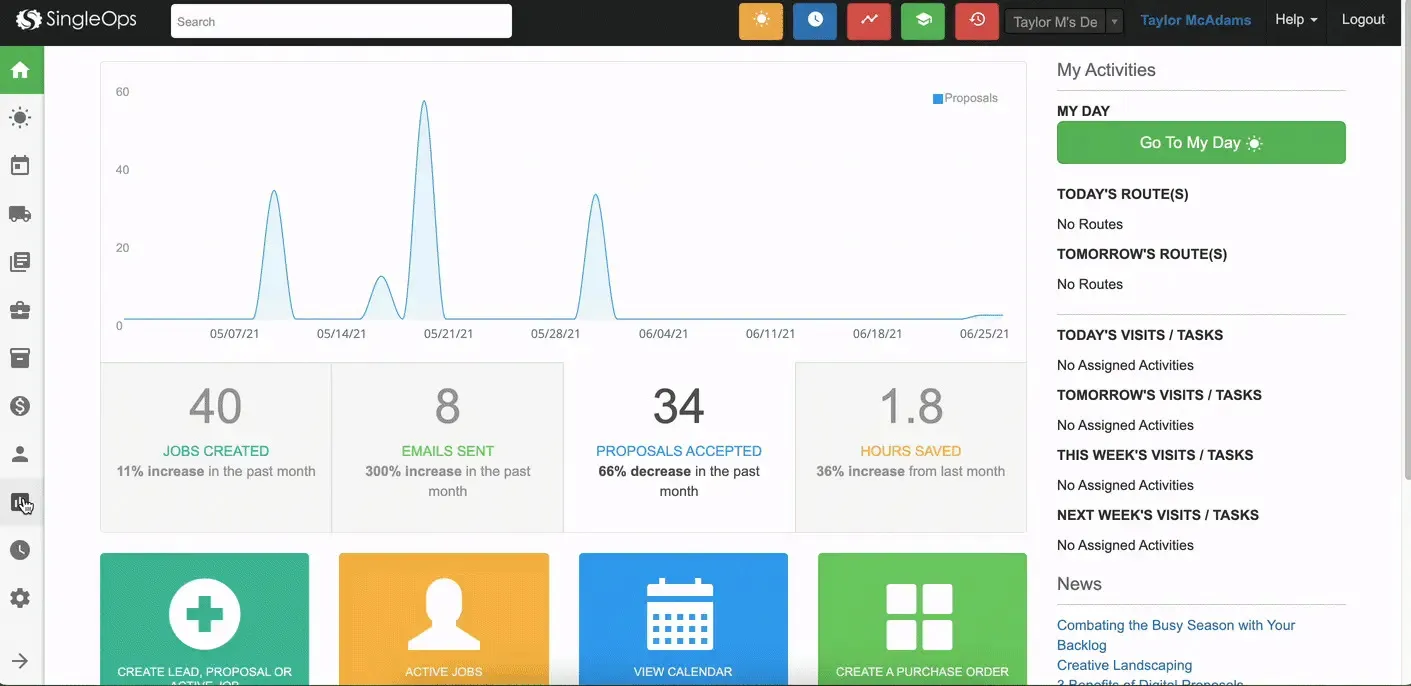



























What is a HubSpot SingleOps integration?
A HubSpot SingleOps integration connects your CRM to your green industry field service platform, syncing leads, proposals, jobs, and invoices so sales and field teams share one accurate view of every client relationship.
How does the HubSpot SingleOps integration work?
The integration maps HubSpot contacts, companies, and deals to SingleOps clients, properties, proposals, and jobs. A HubSpot lead can push directly into SingleOps as a new client ready for an estimate, while proposal status, job completion, and invoice data sync back to HubSpot.

Turn HubSpot Into A Real-Time SMS Engine with Message IQ
 Two-Way Conversations
 Shared Team Inbox
 Automation Triggers
 Advanced Reporting
 Compliance Tools
- 98% SMS read within 3 min
- 78% Buy from first responder
- 21× More likely to qualify

*MessageIQ is an IntegrateIQ product – built natively for HubSpot by the same team.
Does SingleOps have a native HubSpot integration?
There’s no confirmed native HubSpot integration listed for SingleOps in either marketplace, and there’s very little independent technical discussion of this specific integration online. Businesses connecting the two today build a custom integration against SingleOps’ API.
How long does a HubSpot SingleOps integration take to build?
A custom HubSpot SingleOps integration typically takes 8 weeks: 2 weeks of discovery and field mapping, 3 weeks of build and staging, and the remaining weeks for testing and go-live support.
Can HubSpot and SingleOps sync bi-directionally?
Yes. A custom integration can sync new leads, proposal status, and job data from HubSpot into SingleOps, and push completed jobs, invoices, and client updates from SingleOps back into HubSpot. Direction and timing are configurable per object.
Can the integration distinguish residential properties from commercial accounts?
Yes, when built for it. We map HubSpot’s Parent and Child company structures to SingleOps’ Client and Property relationships, so multi-property commercial accounts bill and dispatch accurately instead of being treated the same as a single residential property.
Additional Field Service Workflows You Can Automate Once SingleOps Data Lives in HubSpot
This page already covers instant lead transfer, accurate job details, status visibility, proposal follow-up automation, seasonal renewal campaigns, and ROI tracking. The five below are deliberately new.
- Issue-to-Upsell Conversion Tracking. When a SingleOps “Issue,” a flagged problem found during a job, like a dying plant or drainage concern, converts into a new signed proposal, HubSpot tracks that conversion rate by issue type, revealing which flagged problems most reliably turn into new revenue.
- Commercial Account Multi-Visit Consolidation. For commercial clients billed across multiple visits under one property or contract, HubSpot rolls up total visit count and spend at the account level rather than treating each visit as an isolated transaction, giving account managers the full relationship picture.
- Estimator Win-Rate Attribution. By tracking which estimator created a given SingleOps proposal against its outcome, signed, declined, expired, HubSpot can surface win-rate differences between estimators, informing coaching and territory assignment.
- Open Proposal Aging Alerts by Value Tier. Beyond a flat “still open too long” reminder, HubSpot can prioritize follow-up urgency based on proposal value, escalating high-value open proposals to a manager faster than low-value ones.
- Seasonal Crew Capacity-Aware Lead Throttling. When SingleOps shows crews approaching capacity for an upcoming service window, HubSpot can pace new lead outreach or adjust promised start dates accordingly, preventing sales from promising timelines the field can’t deliver.
What Breaks in a SingleOps HubSpot Sync, and How We Prevent It
This section is currently absent from the page entirely.
- Duplicate records and identity resolution. A client with both a residential property and a separate commercial account under a similar name can create duplicate HubSpot companies if matching relies on name alone. We match on a stable SingleOps client identifier, not name or address string matching.
- System-of-record conflicts. An estimator may update a proposal’s line items directly in SingleOps after a deal is already logged in HubSpot, leaving the HubSpot deal amount stale. We define SingleOps as the source of truth for job and pricing details once a proposal moves past draft, HubSpot for the sales relationship.
- Field mapping and status drift. SingleOps’ Proposal, Job, and Invoice statuses don’t map cleanly onto HubSpot deal stages by default, especially across one-off jobs versus recurring maintenance contracts. We build the mapping deliberately for both models, not a single assumed status list.
- No confirmed native connector or competitor content exists. SingleOps is specialized enough that there’s no confirmed native HubSpot marketplace app and very little independent technical discussion of this specific integration. Businesses connecting the two today are relying on custom API work without an established playbook to reference, making careful discovery even more important than usual.
- API rate limits at seasonal service volume. Green industry businesses see dramatic seasonal swings in leads, proposals, and job volume that can multiply sync load overnight. Across 300+ platform integrations moving 20 billion plus fields annually, we build for peak seasonal load, not average daily volume.
See your 12-month revenue impact with HubSpot CRM
Enter your current numbers — visitors, leads, deal size — and get a personalized projection based on real HubSpot customer benchmarks.
Calculate My ROI
Connect the Rest of Your Green Industry Stack
SingleOps is common among tree care and lawn care and pest control businesses; see our dedicated industry work for the broader picture. Custom estimator attribution or issue-tracking logic beyond the standard build often needs full-stack development support. Getting sales and estimators onto the new workflow goes faster with HubSpot training. Not sure what any of this is worth to your team? Run the numbers on our Integration ROI Calculator.



Table of Contents
- What is a HubSpot SingleOps integration?
- How does the HubSpot SingleOps integration work?
- Does SingleOps have a native HubSpot integration?
- How long does a HubSpot SingleOps integration take to build?
- Can HubSpot and SingleOps sync bi-directionally?
- Can the integration distinguish residential properties from commercial accounts?
- Additional Field Service Workflows You Can Automate Once SingleOps Data Lives in HubSpot
- What Breaks in a SingleOps HubSpot Sync, and How We Prevent It
- Connect the Rest of Your Green Industry Stack




