








What is a HubSpot Mindbody integration?
A HubSpot Mindbody integration connects your studio, gym, or wellness business’s booking and membership platform to HubSpot, syncing client visits, purchases, and membership status so marketing and sales teams can run retention, win-back, and upsell campaigns off real client behavior.
How does the HubSpot Mindbody integration work?
The integration maps Mindbody clients, visits, sales, and memberships to HubSpot contacts, deals, and engagement properties, then keeps both systems current. A membership status change or lapsed visit in Mindbody can trigger a HubSpot campaign, while new leads captured in HubSpot can push into Mindbody.

Turn HubSpot Into A Real-Time SMS Engine with Message IQ
 Two-Way Conversations
 Shared Team Inbox
 Automation Triggers
 Advanced Reporting
 Compliance Tools
- 98% SMS read within 3 min
- 78% Buy from first responder
- 21× More likely to qualify

*MessageIQ is an IntegrateIQ product – built natively for HubSpot by the same team.
Does Mindbody have a native HubSpot integration?
Yes, Mindbody lists third-party HubSpot connectors, including APIANT’s CRMConnect, in its own Partner Store. HubSpot itself doesn’t build or support these, per HubSpot’s own community forum; support comes from the third-party vendor. The most detailed of these connectors documents real limits: most behavioral data syncs one-way from Mindbody to HubSpot only and historical data defaults to a narrow window.
How long does a HubSpot Mindbody integration take to build?
A custom HubSpot Mindbody integration typically takes 8 weeks: 2 weeks of discovery and field mapping, 3 weeks of build and staging, 1 week for historical client and visit data backfill, and 2 weeks for testing and go-live support.
Can HubSpot and Mindbody sync bi-directionally?
Yes, with a custom build. The leading turnkey connector syncs most behavioral data, bookings, visits, sales, memberships, one-way from Mindbody to HubSpot only; a custom integration can make that genuinely bi-directional, with HubSpot lead and engagement data flowing back into Mindbody as well.
How much historical data can sync from Mindbody into HubSpot?
It depends on the connector. The most detailed turnkey option imports appointments only 7 days back and 30 days forward, and visits and sales only 1 month back, by default. A custom integration can backfill years of client visit and purchase history, which matters for building segments based on long-term client behavior.
How a HubSpot Mindbody Integration Actually Works
A HubSpot Mindbody integration works by giving each system ownership of what it does best: Mindbody owns booking, membership, and payment truth while HubSpot owns marketing and client-relationship truth. The integration keeps both current without manual exports.
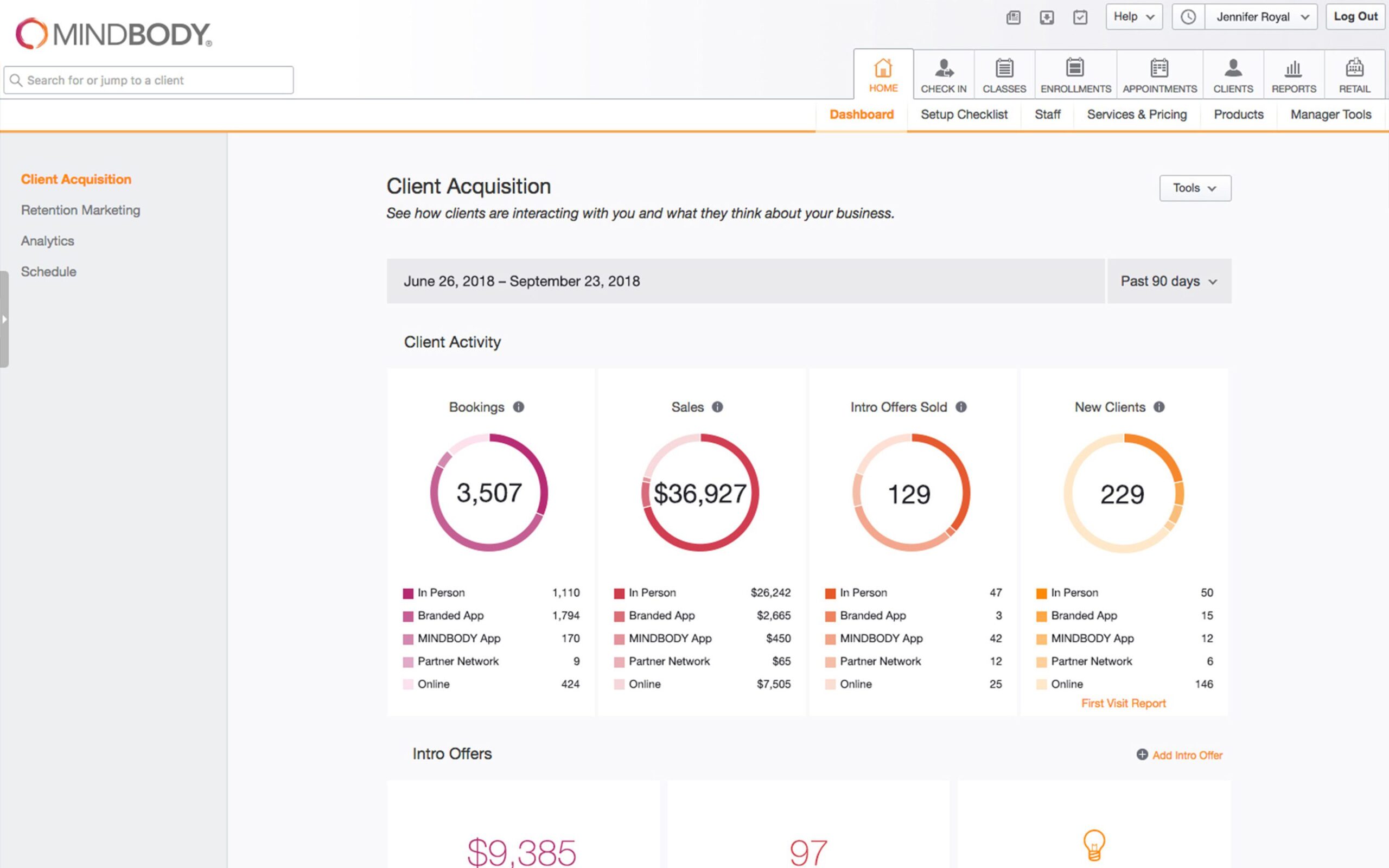
In the Mindbody-to-HubSpot direction, visits, purchases, membership status, and class attendance sync into HubSpot as contact properties and engagement data, feeding segmentation, win-back campaigns, and revenue attribution with real client behavior.
In the HubSpot-to-Mindbody direction, new leads captured through HubSpot forms or campaigns can push into Mindbody as new client records, so front desk staff see the same lead information marketing already captured.
Three Ways to Connect Mindbody and HubSpot
Not every team needs custom. Here is the honest comparison.
| Factor | Turnkey Third-Party Connector | Generic iPaaS | Custom Integration (Integrate IQ) |
|---|---|---|---|
| Best for | Studios wanting fast setup for standard client and visit syncing | Simple one-way trigger automation | Studios needing full history, true two-way sync, or custom segmentation logic |
| Sync direction | Mostly one-way, Mindbody to HubSpot, for bookings/visits/sales/memberships; client records sync two-way | One-way per trigger, several needed for two-way | True bi-directional, configurable per object |
| Historical data window | Narrow by default: e.g. 1 month of sales/visits, 7 days back for appointments | Typically none, syncs forward only | Full historical backfill, years of client data if needed |
| Custom objects/fields | Standard fields, custom mapping available but limited | Limited, mapped per trigger | Full mapping of memberships, packages, and custom fields |
| Business logic | Basic filters and field mappings | Basic conditional logic per trigger | Custom rules, e.g. hold-aware re-engagement timing, credit-expiration urgency campaigns |
| HubSpot tier requirements | Some features need HubSpot Pro or Sales Hub Enterprise for workflows and auto-enrollment | Varies by platform | Built to your actual HubSpot tier, no forced upgrade path |
| Maintenance | Vendor-managed subscription | You manage it | Monitored, maintained, and supported |
If you mainly need client records syncing and can live with a narrow historical window, a turnkey connector like CRMConnect is a reasonable, fast starting point. Once you need years of attendance history for real segmentation, genuinely two-way data flow, or business logic tied to your specific membership and package structure, a custom integration is what gets you there without hitting someone else’s default limits.
Studio and Wellness Workflows You Can Automate Once Mindbody Data Lives in HubSpot
- Trial-to-Member Conversion Tracking. HubSpot tracks a trial member’s attendance pattern during their trial window and triggers a personalized conversion push, a limited-time offer, a personal trainer intro, timed to when trial members historically convert or drop off, not a single generic “trial ending soon” email.
- Instructor and Class Popularity Feedback to Marketing. Attendance and rebooking data reveals which instructors or class formats drive the highest repeat visits; HubSpot feeds that back into which classes get promoted in acquisition campaigns, instead of promoting a generic class schedule.
- Membership Freeze or Hold Re-Engagement Timing. When a member places their membership on hold, injuries, travel, and pregnancy are common reasons, HubSpot times a re-engagement campaign to the hold’s actual expected return date instead of treating a hold the same as a full cancellation.
- Multi-Location Cross-Visit Attribution. For studios with multiple locations, HubSpot tracks a member’s visits across different locations under one client record, so a member who visits both the downtown and suburban locations doesn’t get miscounted as two separate, less-engaged clients.
- Package or Credit Expiration Urgency Campaigns. When a client’s class pack has a small number of credits remaining or an approaching expiration date, HubSpot triggers a distinct urgency campaign to use remaining credits or upgrade to a membership, separate from the standard win-back flow for lapsed visits.
What Breaks in a Mindbody HubSpot Sync, and How We Prevent It
- Duplicate records and identity resolution. Clients who book as guests, use a different email for online booking versus in-studio signup, or have multiple Mindbody client profiles across studio locations can create duplicate HubSpot records. We de-duplicate on a stable client identifier, not name or email matching alone.
- System-of-record conflicts. Front desk staff may update a client’s contact info in Mindbody while marketing updates the same contact in HubSpot. We define Mindbody as the source of truth for membership, booking, and payment fields, HubSpot for engagement fields, with locked writes.
- Field mapping and status drift. Mindbody’s membership statuses, hold states, and contract types don’t map cleanly onto HubSpot lifecycle stages by default. We build a translation layer so segmentation and win-back logic doesn’t quietly break when a status changes.
- Tiny default historical windows and one-way data flow. The leading turnkey Mindbody-HubSpot connector imports appointments only 7 days back and 30 days forward by default, and visits and sales only 1 month back, with most behavioral data flowing one-way from Mindbody to HubSpot only. A studio wanting years of attendance history for segmentation, or a genuinely two-way sync, needs a custom build.
- API rate limits and fees. Mindbody imposes its own API rate limits and fees that throttle how much data can be imported, an added cost consideration beyond typical API rate-limiting. Across 300+ platform integrations moving 20 billion plus fields annually, we plan around vendor-imposed limits like these from the start, not after hitting them.
Implementation Timeline: What to Expect
Most HubSpot Mindbody integrations ship in 8 weeks. The first 2 weeks cover discovery and field mapping, including how much historical client and visit data to backfill. The next 3 weeks cover build and staging. Week 6 handles the historical backfill itself. The final 2 weeks cover user acceptance testing, cutover, and hypercare support. Our HubSpot integration process is the same repeatable framework behind our 98.5% client retention rate.
See your 12-month revenue impact with HubSpot CRM
Enter your current numbers — visitors, leads, deal size — and get a personalized projection based on real HubSpot customer benchmarks.
Calculate My ROI
Connect the Rest of Your Studio’s Stack
Getting front desk staff and marketing onto the new workflow goes faster with HubSpot training and HubSpot onboarding right after go-live. Custom membership, package, or multi-location logic often needs full-stack development work on top of the core integration. Switching off a legacy CRM at the same time? Our CRM migration services cover that too. Not sure what any of this is worth to your team? Run the numbers on our Integration ROI Calculator.



Table of Contents
- What is a HubSpot Mindbody integration?
- How does the HubSpot Mindbody integration work?
- Does Mindbody have a native HubSpot integration?
- How long does a HubSpot Mindbody integration take to build?
- Can HubSpot and Mindbody sync bi-directionally?
- How much historical data can sync from Mindbody into HubSpot?
- How a HubSpot Mindbody Integration Actually Works
- Three Ways to Connect Mindbody and HubSpot
- Studio and Wellness Workflows You Can Automate Once Mindbody Data Lives in HubSpot
- What Breaks in a Mindbody HubSpot Sync, and How We Prevent It
- Implementation Timeline: What to Expect
- Connect the Rest of Your Studio’s Stack