

















What is a HubSpot SendGrid integration?
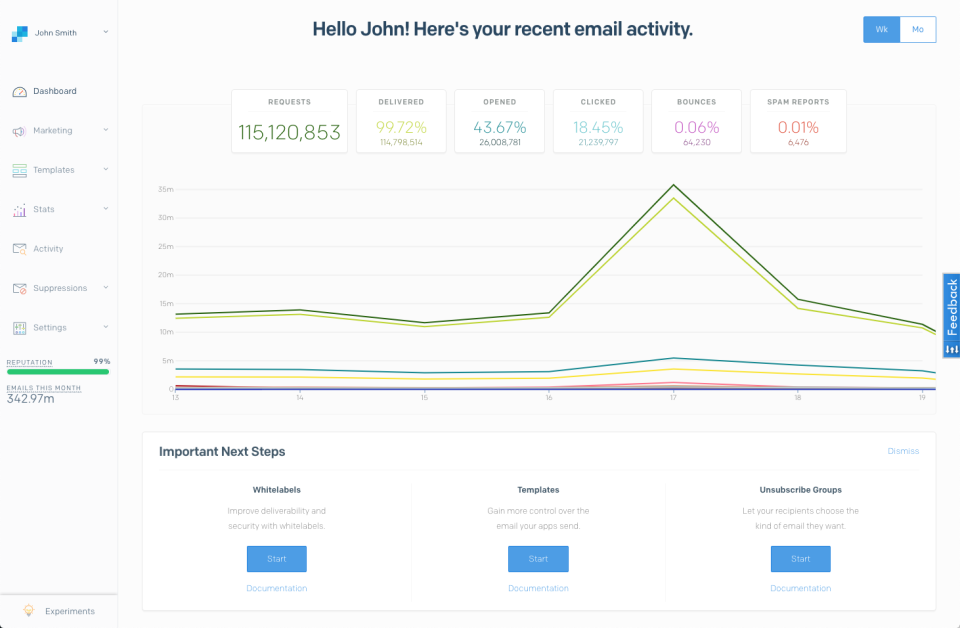
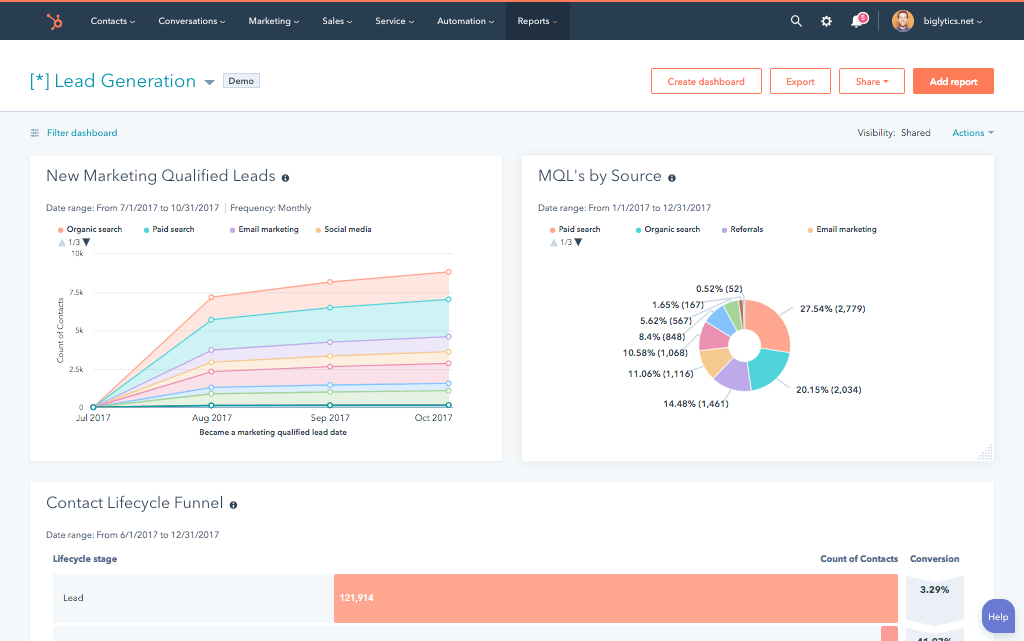
A HubSpot SendGrid integration is a two-way data connection that syncs contacts, email events, and suppression data between HubSpot and SendGrid in near real time. It logs every SendGrid send, open, click, and bounce on the HubSpot contact timeline, and pushes HubSpot list membership back to SendGrid for accurate campaign attribution.
How does the HubSpot SendGrid integration work?
It works through the HubSpot and SendGrid APIs, using SendGrid’s event webhook to capture sends, opens, clicks, and bounces in real time. Field mapping and deduplication rules define which system owns each data point, so unsubscribe and spam-report events flow back to HubSpot the moment they happen.

Turn HubSpot Into A Real-Time SMS Engine with Message IQ
 Two-Way Conversations
 Shared Team Inbox
 Automation Triggers
 Advanced Reporting
 Compliance Tools
- 98% SMS read within 3 min
- 78% Buy from first responder
- 21× More likely to qualify

*MessageIQ is an IntegrateIQ product – built natively for HubSpot by the same team.
Does HubSpot have a native SendGrid integration?
HubSpot does not maintain a deep native SendGrid integration; the marketplace lists apps that sync contacts but focus on transactional email, not marketing engagement. They lack custom object support, bi-directional list sync, and historical backfill. Teams running high email volume typically move to a custom-built integration.
How long does a HubSpot SendGrid integration take to build?
A custom HubSpot SendGrid integration takes about 8 weeks from kickoff to production. Discovery runs two weeks, build and staging tests run three, historical backfill runs one, and cutover with hypercare covers the final two weeks. Timelines extend for high email volume or heavy custom object mapping.
Can HubSpot and SendGrid sync bi-directionally?
Yes. Bi-directional sync is standard in a custom HubSpot SendGrid integration. Unsubscribes, bounces, and spam reports flow from SendGrid to HubSpot, while HubSpot smart list membership flows back to SendGrid as sending lists. Field-level rules define which system wins on any conflict.
What data can sync between HubSpot and SendGrid?
Contacts, companies, deals, and custom objects on the HubSpot side; send, deliver, open, click, bounce, unsubscribe, and spam-report events on the SendGrid side. Field mapping is configured per project so only relevant data flows, and each field has a clear system of record.
How a HubSpot SendGrid Integration Actually Works
A HubSpot SendGrid integration connects SendGrid’s event webhook to the HubSpot API so email activity becomes native CRM data instead of a separate log. SendGrid owns delivery and engagement events (sends, opens, clicks, bounces, unsubscribes). HubSpot owns contact, company, and deal data along with sending audience membership.
When SendGrid fires an event, it lands on the HubSpot contact timeline within minutes, so a rep or marketer sees it alongside every other touchpoint. When a HubSpot smart list changes membership, that list can push to SendGrid as an updated sending audience, keeping campaigns targeted without a manual export.
Not everything syncs by default. Field-level rules decide exactly which SendGrid events write to which HubSpot properties and which HubSpot changes flow back out, so a marketing team’s list hygiene work never gets silently overwritten by a transactional event, and vice versa.
Three Ways to Connect SendGrid and HubSpot
Not every team needs custom. Here is the honest comparison.
| Factor | Native Marketplace App | Zapier / iPaaS | Custom (Integrate IQ) |
|---|---|---|---|
| Best for | Basic transactional event logging | Simple one-way triggers, low volume | High-volume, compliance-critical, bi-directional needs |
| Sync direction | Mostly one-way, SendGrid to HubSpot | One-way per Zap, multi-Zap for two-way | True bi-directional, field-level control |
| Custom objects/fields | Not supported | Manual, one field per Zap step | Full custom object and field support |
| Lead scoring and campaign attribution sync | Not supported | Partial, breaks at scale | Native, engagement feeds scoring models directly |
| Business logic | None, fixed connector logic | Basic filters and multi-step Zaps only | Full custom rules, filters, and conditional routing |
| Volume handling | Rate-limited, built for low volume | Throttled by Zapier task limits | Built for millions of events daily |
| Historical backfill | Not available | Not available | One-time historical sync included |
| Maintenance | HubSpot-managed, limited visibility | You own every Zap and its failures | Monitored, alerted, and maintained by our team |
If you send low volume and only need to know an email was delivered, the marketplace app or a single Zapier trigger is enough. Once you need bi-directional list sync, custom object mapping, historical backfill, or you are sending at real scale, those options break down and a custom HubSpot integration is what holds up.
Revenue Workflows You Can Automate Once SendGrid Data Lives in HubSpot
- Engagement-based lead scoring. A prospect opens or clicks a SendGrid transactional email, the event lands on the HubSpot contact record, and it feeds directly into your lead score alongside marketing engagement, so high-intent behavior never gets missed just because it happened outside a campaign.
- Bounce and spam alert routing. A transactional email hard-bounces or gets marked spam in SendGrid, HubSpot updates the contact’s subscription status immediately, and a workflow suppresses that contact from every active campaign to protect sender reputation.
- Re-engagement segmentation. HubSpot builds a dynamic list of contacts who have not opened a SendGrid send in 60 days, and that list becomes the sending audience for a targeted win-back campaign, refreshed automatically as engagement changes.
- Sales visibility into transactional emails. A rep opens a contact record before a call and sees every password reset, invoice, or shipping email SendGrid has sent, so they can answer support questions without pinging engineering.
- Unified campaign attribution reporting. Marketing and transactional email events roll up into one HubSpot dashboard, so a report on email performance reflects both a promotional send and a triggered receipt, not two disconnected data sets.
What Breaks in a SendGrid HubSpot Sync, and How We Prevent It
- Duplicate records and identity resolution. SendGrid identifies contacts by email address only, while HubSpot may already hold that person under a merged or historical record. We match on email plus a secondary identifier before writing, so events land on the correct existing contact instead of spawning a duplicate.
- System-of-record conflicts. Marketing engagement and subscription status can technically be edited in either system. We define field-level ownership up front, HubSpot smart lists own sending audience, SendGrid owns delivery events, so updates never overwrite each other in the wrong direction.
- Field mapping and status value drift. SendGrid’s event names (delivered, bounce, dropped, spamreport) do not map one-to-one onto HubSpot’s default properties. We build an explicit translation layer so a status change means the same thing in both systems, not just a similar-sounding label.
- Lead score and program membership drift. SendGrid engagement events and HubSpot’s scoring model use different object structures, so a naive sync either double-counts opens or drops them entirely. We normalize event data before it hits scoring so campaign attribution and lead score stay accurate over time.
- API rate limits at volume. Across our client base we move 300 plus platforms worth of integration traffic and over 20 billion fields synced annually, so we batch, checkpoint, and throttle SendGrid’s event webhook by design instead of dropping events during send spikes.
Implementation Timeline: What to Expect
Most HubSpot SendGrid integrations complete inside eight weeks of kickoff. The first two weeks cover discovery: object inventory in both systems, field-by-field mapping, system of record decisions, and an audit of your current SendGrid suppression lists and event webhook configuration. Weeks three to five are build and unit testing against a staging SendGrid instance and a HubSpot sandbox. Week six runs the historical backfill and reconciliation. Weeks seven and eight cover user acceptance testing, cutover, and hypercare. Post-launch monitoring is included, so if a SendGrid configuration changes or HubSpot pushes an API update, we see it before your reports do. Full detail is on our HubSpot integration process page and 98.5% of clients renew for a follow-on scope.
See your 12-month revenue impact with HubSpot CRM
Enter your current numbers — visitors, leads, deal size — and get a personalized projection based on real HubSpot customer benchmarks.
Calculate My ROI
Connect the Rest of Your Revenue Stack
SendGrid rarely runs alone. If your CRM of record is Salesforce rather than HubSpot, a HubSpot Salesforce integration keeps deal and account data flowing into the same email intelligence layer. Ecommerce teams pairing SendGrid transactional sends with a marketing platform often connect a HubSpot Klaviyo integration for the campaign side. If engagement data needs to feed BI or a customer 360 model, a HubSpot Snowflake integration activates it downstream. Weighing SendGrid against a full marketing suite? See our HubSpot vs Klaviyo comparison. Not sure what any of this is worth to your team? Run the numbers on our ROI calculator before your discovery call.



Table of Contents
- What is a HubSpot SendGrid integration?
- How does the HubSpot SendGrid integration work?
- Does HubSpot have a native SendGrid integration?
- How long does a HubSpot SendGrid integration take to build?
- Can HubSpot and SendGrid sync bi-directionally?
- What data can sync between HubSpot and SendGrid?
- How a HubSpot SendGrid Integration Actually Works
- Three Ways to Connect SendGrid and HubSpot
- Revenue Workflows You Can Automate Once SendGrid Data Lives in HubSpot
- What Breaks in a SendGrid HubSpot Sync, and How We Prevent It
- Implementation Timeline: What to Expect
- Connect the Rest of Your Revenue Stack




