










































What is a HubSpot Sendspark integration?
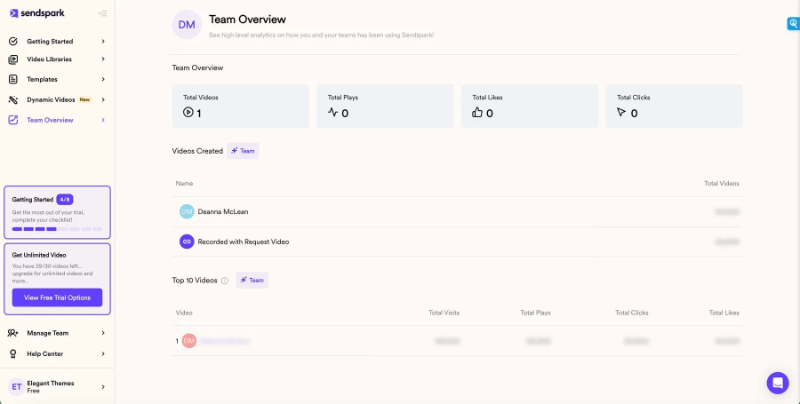
A HubSpot Sendspark integration is a two-way connection that syncs video events, contacts, and sequence activity between HubSpot and Sendspark in near real time. It surfaces every video play, percentage watched, and CTA click on the HubSpot contact timeline, then pushes HubSpot fields back into Sendspark to personalize outreach at scale.
How does the HubSpot Sendspark integration work?
It works through the HubSpot and Sendspark REST APIs, with contact matching, field mapping, and a defined system of record for engagement data. When a prospect plays, pauses, or clicks a video, Sendspark pushes that event to the HubSpot timeline within minutes so workflows and reps can react immediately.

Turn HubSpot Into A Real-Time SMS Engine with Message IQ
 Two-Way Conversations
 Shared Team Inbox
 Automation Triggers
 Advanced Reporting
 Compliance Tools
- 98% SMS read within 3 min
- 78% Buy from first responder
- 21× More likely to qualify

*MessageIQ is an IntegrateIQ product – built natively for HubSpot by the same team.
Does HubSpot have a native Sendspark integration?
Yes, HubSpot’s marketplace lists a native Sendspark app that logs video plays, watch percentage, and CTA clicks to the contact timeline. It handles basic engagement tracking but offers no custom object support, no advanced routing logic and shallow reporting. Teams that need lead scoring or multi-system routing move to a custom-built integration.
How long does a HubSpot Sendspark integration take to build?
A custom HubSpot Sendspark integration takes about 8 weeks from kickoff to production. Discovery runs two weeks, build and staging tests run three, historical backfill runs one, and cutover with hypercare covers the final two weeks. Timelines extend for high-volume video campaigns or complex routing logic.
Can HubSpot and Sendspark sync bi-directionally?
Yes. Bi-directional sync is standard in a custom HubSpot Sendspark integration. Video engagement and viewer data flow from Sendspark into HubSpot, while contact fields like first name, company, and lifecycle stage flow from HubSpot into Sendspark for personalization. The native app supports bi-directional sync only for basic contact properties and event logging.
What data can sync between HubSpot and Sendspark?
Contacts, video events such as played, percentage watched, liked, and CTA clicked, sequence and workflow triggers, deal associations, and campaign audiences. Field mapping is configured per project so only relevant data flows and each field has a clear owner. Custom Sendspark campaign IDs and dynamic variables are supported through the Sendspark API.
How a HubSpot Sendspark Integration Actually Works
A HubSpot Sendspark integration connects two systems that own different truths: Sendspark owns viewer intent (who watched, how much, and what they clicked), and HubSpot owns the relationship (lifecycle stage, deal stage, and sequence enrollment). The integration keeps those two truths in sync without letting either system overwrite data it does not own.
In one direction, Sendspark pushes video events, such as Played, Percentage Watched, and CTA Clicked, to the HubSpot contact timeline and, in a custom build, into lead score and lifecycle stage fields. In the other direction, HubSpot pushes contact fields like first name, company, and deal stage into Sendspark so dynamic videos render personalized to the right viewer at send time.
Field-level system of record rules decide what does not sync automatically. A casual video click does not overwrite a manually set lifecycle stage, and a rep’s deal notes do not get pushed back into Sendspark. Those rules are configured once, during discovery, so engagement data informs decisions without quietly corrupting the fields sales already trusts.
Three Ways to Connect Sendspark and HubSpot
Not every team needs custom. Here is the honest comparison.
| Factor | Native Marketplace App | Zapier / iPaaS | Custom (Integrate IQ) |
|---|---|---|---|
| Best for | Small teams logging basic video plays on the contact timeline | Simple one-object triggers between a form and a video campaign | Multi-object routing, scoring, and revenue reporting tied to video engagement |
| Sync direction | One-way, Sendspark to HubSpot only | Configurable but limited to the objects Zapier exposes | Full bi-directional, field-level control over what flows where |
| Custom objects/fields | Not supported | Limited, breaks on schema changes | Fully supported, including custom properties on both sides |
| Sequence activity and video engagement sync | Basic event logging only, no sequence logic | Can trigger a zap on a new video event, but no dedupe or enrollment logic | Full sequence enrollment, dedupe, and CTA-based task creation |
| Business logic | None, events log as-is | Basic filters only | Custom rules, for example only alert reps once a prospect passes 50% watched |
| Volume handling | Fine for a handful of videos a week | Rate limits and delays appear past a few thousand events a month | Built for high-volume campaigns, 10,000+ prospects per send |
| Historical backfill | Not available | Manual and time-consuming | Full historical import as part of the build |
| Maintenance | Maintained by HubSpot and Sendspark | You own and debug every zap | Integrate IQ monitors, patches, and maintains the sync |
If your team just needs to see who watched a video and for how long, the native Sendspark app is genuinely enough, and it is free on every plan. Zapier closes the gap for a single simple trigger, like adding a contact to a list when a video is watched. Custom wins once you need engagement data to drive lead scoring, deal creation, or sequence routing at volume, which is where our custom HubSpot integration services come in.
Revenue Workflows You Can Automate Once Sendspark Data Lives in HubSpot
- Engagement-based sequence acceleration. A prospect watches past 50% of a video sent in a generic sequence, HubSpot pulls them out and enrolls them in a high-intent, sales-assisted sequence instead of letting them ride out the default cadence.
- CTA-click deal creation. A prospect clicks the call-to-action inside a Sendspark video, HubSpot creates a deal automatically and assigns it to the contact owner with the video and watch data attached.
- Cold-to-warm lead scoring. Video plays and watch percentage feed directly into HubSpot lead score, moving the contact to a warmer lifecycle stage without a rep having to review the activity manually.
- Rep alert on hot views. A prospect watches a pricing or proposal video past a set threshold, HubSpot fires a real-time task or Slack alert to the deal owner so they can follow up while intent is highest.
- Campaign attribution rollup. Video plays and CTA clicks roll up to the associated HubSpot deal and revenue reporting, so marketing can show leadership exactly which videos influenced closed-won revenue.
What Breaks in a Sendspark HubSpot Sync, and How We Prevent It
- Duplicate records and identity resolution. An anonymous viewer plays a video, then identifies themselves later in the funnel. We stitch that engagement to the existing contact instead of creating a second record with an orphaned view history.
- System-of-record conflicts. Video engagement can suggest a lifecycle stage change while a rep’s manual notes suggest another. We define field-level ownership up front so the two systems never fight over the same property.
- Field mapping and dynamic variable drift. Sendspark personalization tokens and HubSpot properties can fall out of sync after a field rename. We validate mappings on every deploy so a video does not silently render with a blank first name.
- Engagement event volume overload. A single 10,000-prospect campaign can generate tens of thousands of Played and Watched timeline events. We filter and threshold what actually writes to the contact timeline so reps see signal, not noise.
- API rate limits at volume. Across our client base we move 20 billion plus fields synced annually across 300 plus platforms, so we batch, checkpoint, and throttle by design instead of by accident.
Implementation Timeline: What to Expect
Most HubSpot Sendspark integrations complete inside eight weeks of kickoff. The first two weeks cover discovery: object inventory in both systems, field-by-field mapping, system of record decisions, and mapping out which video engagement thresholds should actually trigger sales workflows. Weeks three to five are build and unit testing against a staging Sendspark instance and a HubSpot sandbox. Week six runs the historical backfill and reconciliation. Weeks seven and eight cover user acceptance testing, cutover, and hypercare. Post-launch monitoring is included, so if a Sendspark configuration changes or HubSpot pushes an API update, we see it before your reports do. Full detail is on our HubSpot integration process page and 98.5% of clients renew for a follow-on scope.
See your 12-month revenue impact with HubSpot CRM
Enter your current numbers — visitors, leads, deal size — and get a personalized projection based on real HubSpot customer benchmarks.
Calculate My ROI
Connect the Rest of Your Revenue Stack
Sendspark rarely sits alone in a GTM stack. Teams running personalized video outreach usually pair it with a HubSpot Salesforce integration when sales runs on a separate CRM, a HubSpot Gong integration so call intelligence and video engagement live on the same timeline, or a HubSpot Dialpad integration to connect dialer activity to the same lead-scoring logic. If you are weighing sequence tooling generally, our HubSpot vs Salesloft comparison breaks down where native HubSpot sequences stop and a dedicated sales engagement platform starts.



Table of Contents
- What is a HubSpot Sendspark integration?
- How does the HubSpot Sendspark integration work?
- Does HubSpot have a native Sendspark integration?
- How long does a HubSpot Sendspark integration take to build?
- Can HubSpot and Sendspark sync bi-directionally?
- What data can sync between HubSpot and Sendspark?
- How a HubSpot Sendspark Integration Actually Works
- Three Ways to Connect Sendspark and HubSpot
- Revenue Workflows You Can Automate Once Sendspark Data Lives in HubSpot
- What Breaks in a Sendspark HubSpot Sync, and How We Prevent It
- Implementation Timeline: What to Expect
- Connect the Rest of Your Revenue Stack




