













Explore this article with AI:

If you’re running a therapy practice and losing potential clients to slow follow-ups, cold referral sources, or a waitlist with no automation behind it, the problem probably isn’t your clinical workflow, it’s the business layer that sits in front of it. A CRM for therapists handles everything that happens before someone books their first session: inquiry tracking, automated follow-ups, referral source attribution, and intake pipelines.
Here’s the thing most articles about CRM for therapists get wrong: they mix up EHR systems (like SimplePractice and TherapyNotes) with actual CRMs. They’re not the same thing. An EHR manages your clinical records, scheduling, and billing. A CRM manages your growth turning inquiries into clients, tracking where your referrals come from, and making sure no one falls off your waitlist without a follow-up. After integrating 300+ platforms into HubSpot and working with healthcare clients across the country, we’ve seen firsthand which CRM setups actually work for therapy practices. HubSpot, paired with your existing EHR, gives best practices the best of both worlds.
We evaluated these seven CRMs based on HIPAA compliance pathway, integration capability with therapy-specific tools, referral tracking depth, inquiry automation, and whether the platform can actually scale with a group practice. Here’s what we found.
Free estimator
Know what your HubSpot project costs before the first call.
Select your services and get a transparent price range in minutes. No sales call needed to get a number.
Connect HubSpot to your ERP, billing platform, or database field mapping, custom logic, and support included.
Pipelines, workflows, email templates, and reporting configured for how your team actually works.
Live, role-based sessions with recordings and written guides built around a custom plan for your team.
HubSpot Partner
Client retention
Platforms integrated
What Makes a CRM Right for a Therapy Practice?
A CRM built for therapy practice growth connects client inquiries to booked sessions through automated follow-ups, tracks where clients come from, and integrates with the clinical tools therapists already use without requiring a full-time admin to manage it.
Most generic CRM features (contact management, email tracking, deal pipelines) are table stakes. For therapy practices, these six criteria separate the tools that actually work from the ones that just look good on a features list.
1. A Clear HIPAA Compliance Pathway
Not every CRM offers a Business Associate Agreement (BAA) the legal contract that makes a platform HIPAA-eligible. Before you put any client data in a CRM, confirm whether the vendor offers a BAA and at what plan tier. That said, most inquiry-stage CRM activity (following up on a contact form submission, managing a referral source relationship) doesn’t involve Protected Health Information and doesn’t require HIPAA coverage. Confirm the specifics with a healthcare attorney for your practice’s situation.
2. Referral Source Tracking
Most therapy practices have no idea which referral sources are actually sending clients. Psychology Today, a physician referral, a past client who recommended you without CRM attribution, you’re making marketing decisions blind. A good CRM lets you tag every inquiry by source, so you know where to invest your time.
3. Inquiry-to-Intake Pipeline
Speed of response is the single biggest factor in whether an inquiry converts to a booked session. Industry data consistently shows that responding to an inquiry within five minutes increases conversion rates dramatically and therapy practices compete with platforms like BetterHelp and Alma that automate this instantly. A CRM with automated follow-up sequences closes that gap.
4. Waitlist Management Automation
A therapy waitlist without automation is just a list of people you’re slowly losing to other practices. The right CRM sends automated check-ins, moves clients from waitlist to active when a slot opens, and tracks how long someone has been waiting so your team isn’t managing this manually through email.
5. EHR Integration Capability
Your CRM and your EHR need to talk to each other, or you’ll end up doing double data entry. The depth of this integration varies enormously by CRM. HubSpot, for instance, can connect to SimplePractice, TherapyNotes, and other EHR tools through a custom integration something we’ve built for healthcare clients at Integrate IQ. Most therapy-specific CRMs have no integration ecosystem at all.
6. Scalability for Group Practices
A solo practitioner CRM setup looks completely different from what a 10-clinician group practice needs. If you’re managing multiple providers, you need clinician-level pipelines, inquiry assignment workflows, and reporting that shows which team members are converting referrals. Make sure the CRM you choose can handle both where you are today and where you’re planning to go.
1. HubSpot – Best Overall CRM for Therapy Practice Growth and EHR Integration
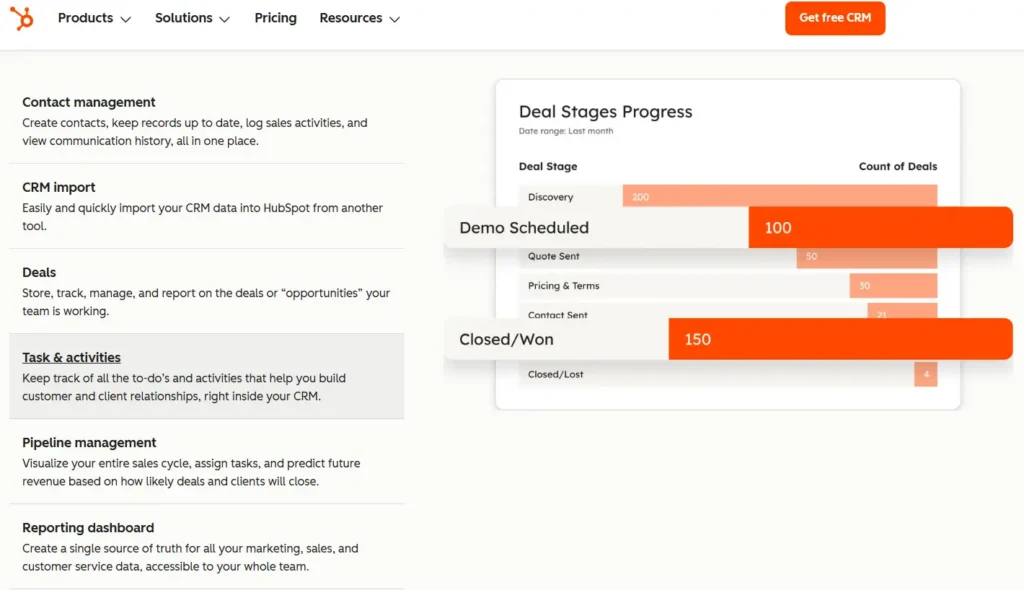
HubSpot earns the top spot not because it’s therapy-specific, but because it’s the only CRM with the integration depth to connect a therapy practice’s entire growth stack. With HubSpot, you get a full inquiry pipeline from first contact form submission to booked intake session, automated follow-up sequences via email and SMS, referral source tracking, and reporting that tells you exactly which channels are bringing in the right-fit clients. As a HubSpot Diamond Solutions Partner with a custom integration accreditation, Integrate IQ has helped healthcare practices build HubSpot into the center of their growth stack and we’ve processed over 20 billion records annually doing it.
Here’s what HubSpot actually does for therapy practices:
- Inquiry pipeline tracks every contact form submission, phone inquiry, and referral from first touch to booked intake session
- Automated email and SMS sequences follow up with inquiries who haven’t responded, reducing the risk of losing clients to competing practices
- Referral source attribution shows which channels (Psychology Today, physician referrals, Google, direct) are sending the most and best-fit clients
- Waitlist management through custom pipeline stages keeps waiting clients engaged with automated check-ins
- 1,500+ native integrations plus custom API connectivity to EHR tools like SimplePractice and TherapyNotes
Honest limitation: HubSpot isn’t HIPAA-compliant out of the box. You need to execute a BAA with HubSpot and use the HIPAA-eligible add-on for any clinical data handling though most practices use HubSpot exclusively for pre-clinical inquiry management, which doesn’t require this. Initial setup takes real configuration work; this isn’t a tool you’ll have running in a day.
Pricing: HubSpot’s free plan includes the core CRM, contact management, and basic pipeline tools a solid starting point for solo practitioners. Paid plans start around $20/month (Starter) and scale to $890+/month for the Pro tier that most growing group practices need.
Integrate IQ note: We’ve migrated therapy practices from spreadsheets, GoHighLevel, and Keap into HubSpot, handling the full data migration, intake pipeline build, and EHR integration. Our HubSpot integration process typically runs 8 weeks from kickoff to a live, fully configured system. If you’re starting from scratch or switching from another CRM, our CRM migration services cover the full scope.

Turn HubSpot Into A Real-Time SMS Engine with
Message IQ

Two-Way Conversations

Shared Team Inbox

Automation Triggers

Advanced Reporting

Compliance Tools
-
98%
SMS read within 3 min -
78%
Buy from first responder -
21×
More likely to qualify
3–5 min avg response
$45–$50 ROI / $1

*MessageIQ is an IntegrateIQ product – built natively for HubSpot by the same team.
2. SimplePractice – Best HIPAA-Native Practice Management Tool (Not a Growth CRM)

SimplePractice is the most widely used practice management platform for private practice therapists in the US and it’s worth covering here specifically because so many therapists think of it as their CRM. It isn’t. SimplePractice handles scheduling, HIPAA-compliant clinical records, insurance billing, telehealth, and client portal access. It does some CRM-adjacent things (client intake forms, appointment reminders) but it has no referral tracking, no inquiry pipeline, and no marketing automation.
What SimplePractice does well for therapy practices:
- HIPAA-compliant by default scheduling, records, billing, and telehealth all under one BAA
- Client portal lets clients self-schedule, complete intake forms, and communicate securely
- Automated appointment reminders reduce no-shows without manual outreach
- Insurance billing and claim management integrated directly into the platform
- Strong telehealth with built-in video no third-party tool required
Honest limitation: SimplePractice won’t help you convert more inquiries or grow your practice. There’s no referral source tracking, no intake pipeline, and no automated follow-up for people who haven’t responded. If you want to grow, you need SimplePractice plus a CRM like HubSpot running alongside it.
Pricing: Starts at $29/month for solo practitioners (Starter plan). Group practice plans run higher depending on clinician count. A mid-tier solo plan with full features runs around $69-99/month.
3. TherapyNotes – Best EHR for Insurance-Heavy Billing Workflows

TherapyNotes competes directly with SimplePractice and wins on one specific dimension: insurance billing. Practices that accept a lot of insurance, process high claim volumes, and need reliable claim tracking consistently rate TherapyNotes higher on billing workflow than any other platform. It’s purpose-built for mental health and behavioral health professionals, with solid HIPAA compliance, scheduling, and documentation tools.
- Best-in-class insurance billing and claim submission workflows
- HIPAA-compliant scheduling, documentation, and telehealth in one platform
- Structured SOAP note format with dropdown menus speeds documentation
- Integrated telehealth supports up to 16 participants with a virtual waiting room
- 24/7 phone and email support included at every plan tier
Honest limitation: TherapyNotes has a weak integration ecosystem. If you want to connect TherapyNotes to a marketing CRM like HubSpot, you’re in custom API territory. Like SimplePractice, it has zero growth CRM functionality, no referral tracking, no inquiry pipelines, no marketing automation.
Pricing: Solo plans start at $49/month. Group practice pricing starts at $69/month for the first clinician plus $40/month per additional clinician. A 5-clinician group runs around $229/month before add-ons.
4. GoHighLevel – Best Marketing Automation Platform for Inquiry Pipelines

GoHighLevel (GHL) is the heavy artillery of marketing automation. It’s not therapy-specific, but a growing number of group practices and practice-growth consultants use it specifically for the marketing layer: managing inquiry funnels, automating waitlist follow-ups, requesting Google reviews, and running no-show reactivation campaigns. If you’ve spent time in online therapy practice growth communities, you’ve almost certainly heard about GHL.
- Full inquiry-to-booked pipeline with automated email and SMS sequences
- Waitlist management with automated check-ins and slot-opening notifications
- Google review request automation particularly useful for practices building local SEO
- No-show follow-up sequences that re-engage clients who missed their first intake call
- White-label option used by many therapy-specific CRM vendors who resell GHL under their own brand
Honest limitation: HIPAA compliance on GHL costs an additional $297/month for the add-on that enables BAA execution. Without it, GHL should only handle pre-clinical communications. The platform also has a steep learning curve most therapists need either a dedicated admin or a GHL consultant to set it up correctly. For many solo practices, this is overkill.
Pricing: Base plans start at $97/month. Add the HIPAA add-on and you’re at $394/month before any additional services.
5. Keap – Best Automation CRM for Solo Therapists Who Want Control Without Complexity

Keap sits in an interesting middle ground: more automation capability than a basic CRM, less complexity than GoHighLevel. For solo therapists who want to set up intake follow-up sequences, automate appointment reminders outside their EHR, and track referrals without a dedicated marketing team, Keap is worth serious consideration. It’s not therapy-specific, but its pre-built automation templates make getting started faster than building from scratch in HubSpot.
- Pre-built automation templates for follow-up sequences and lead nurturing
- Email and SMS outreach in one platform without separate tool subscriptions
- Simple pipeline view for tracking inquiries from first contact to booked session
- Payment processing built in useful for practices collecting deposits or session fees outside their EHR
- BAA available on higher-tier plans for practices handling any PHI through the platform
Honest limitation: Keap’s integration ecosystem is significantly thinner than HubSpot’s. If you need deep EHR connectivity or plan to build a multi-clinician CRM stack, you’ll hit the ceiling fast. The price-to-capability ratio also becomes hard to justify as practices grow most Keap users migrate to HubSpot when they hit 3+ clinicians.
Pricing: Starts at $299/month, which is a lot for a solo practice. Keap regularly runs promotions that bring this down in the first year, so check their current pricing before discounting it on price alone.
6. TheraNest / Ensora Mental Health – Best Budget Option for Early-Stage Solo Practitioners

TheraNest now rebranded as Ensora Mental Health is a solid, affordable EHR for therapists building their practice from scratch. If you’re a solo practitioner who needs HIPAA-compliant scheduling, billing, and documentation on a tight budget, TheraNest/Ensora is a reasonable starting point. It covers the clinical basics without the higher price tag of SimplePractice or TherapyNotes.
- HIPAA-compliant scheduling, documentation, and billing at a lower price point
- Client portal with online booking and intake forms
- Group therapy tools for practices running group sessions
- Telehealth integrated into the platform
- Insurance billing and claim processing included
Honest limitation: TheraNest/Ensora has the weakest integration ecosystem of any platform on this list. Advanced automation is minimal, reporting is basic, and there’s no path to connecting it to a marketing CRM without significant custom development. As your practice grows, you’ll almost certainly outgrow it.
Pricing: Starts around $39/month for solo plans, making it one of the most affordable HIPAA-compliant practice management options available.
7. Salesforce – Best Enterprise CRM for Large Behavioral Health Organizations
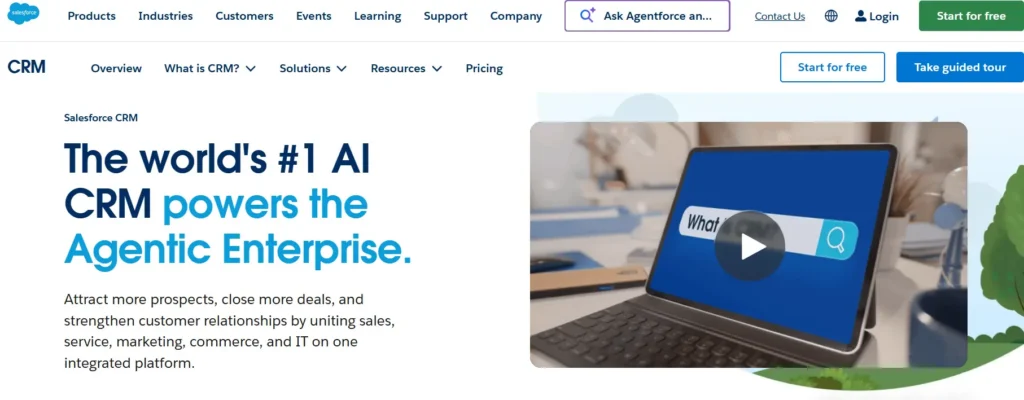
Salesforce belongs on this list for one specific type of therapy practice: large behavioral health organizations, multi-location group practices with 20+ clinicians, and organizations with complex referral networks and revenue cycle management needs. For these practices, no other CRM offers the depth of customization, reporting, and enterprise integration capability that Salesforce provides.
- Deepest reporting and analytics capability of any CRM on this list
- Custom objects handle complex referral management, insurance credentialing workflows, and multi-location operations
- HIPAA-configurable with BAA available widely used in healthcare enterprise settings
- AppExchange marketplace includes healthcare-specific add-ons and EHR connectors
- Enterprise-grade security, audit trails, and role-based access controls
Honest limitation: Salesforce is expensive, complex, and requires dedicated admin or developer resources to run correctly. For any practice under 15-20 clinicians, the cost and configuration overhead will exceed the value. Most solo and small group practices have no business here.
Pricing: Starts at $25/user/month (Starter Suite), but meaningful behavioral health configurations typically run $150-300+/user/month when you account for the right feature tiers and add-ons. Enterprise pricing requires a direct conversation with Salesforce. If you’re already running Salesforce and want to connect it to HubSpot or your EHR, our HubSpot-Salesforce integration page covers how we build and manage that connection.
How These 7 CRMs Compare for Therapy Practices
Here’s the full picture at a glance:
| CRM | Best For | HIPAA Path | EHR Integration | Starting Price | Marketing Automation |
|---|---|---|---|---|---|
| HubSpot | Group practices & growth-focused solo | BAA on paid plans (HIPAA add-on) | Custom via Integrate IQ | Free; $20+/mo paid | Full sequences, pipelines, workflows |
| SimplePractice | Solo & small group practices (clinical mgmt) | HIPAA-native (BAA included) | Native (it IS the EHR) | $29/mo | Minimal appointment reminders only |
| TherapyNotes | Insurance-heavy billing practices | HIPAA-native (BAA included) | Native (it IS the EHR) | $59/mo solo | None |
| GoHighLevel | Marketing-first group practices | HIPAA add-on ($297/mo extra) | Limited; requires custom setup | $97/mo | Strong funnels, SMS, review automation |
| Keap | Solo therapists wanting simple automation | BAA available on higher plans | None native | $299/mo | Good email + SMS sequences |
| TheraNest/Ensora | Budget-conscious early-stage solos | HIPAA-native (BAA included) | Native (it IS the EHR) | $39/mo | None |
| Salesforce | Large behavioral health orgs / enterprise | BAA available; HIPAA-configurable | Via Integrate IQ or AppExchange | From $25/user/mo | Strong with add-ons (Pardot/Marketing Cloud) |
How to Choose the Right CRM for Your Therapy Practice
The right CRM depends entirely on where your practice is today and where you’re trying to go. Here’s a decision framework we use with healthcare clients.
Step 1: Are you looking for clinical management or practice growth?
If you need scheduling, billing, HIPAA-compliant records, and telehealth: start with SimplePractice (most practices) or TherapyNotes (if you process high insurance volumes). These aren’t CRMs they’re your clinical foundation.
If you need to convert more inquiries, track referrals, and automate follow-ups: that’s the CRM layer. HubSpot is the right answer for most practices.
Step 2: How many clinicians do you have?
- Solo practitioner: HubSpot free plan or Keap for automation. TheraNest/Ensora if budget is the primary constraint.
- 2-5 clinicians: HubSpot Starter or Professional, paired with SimplePractice or TherapyNotes. This is the stack that most growing group practices need.
- 6-15 clinicians: HubSpot Professional with a custom EHR integration. Consider GoHighLevel alongside HubSpot if you’re running active marketing campaigns.
- 15+ clinicians or multi-location: HubSpot Enterprise or Salesforce, with a proper integration build connecting your CRM to your EHR and billing systems.
Step 3: Are you migrating from an existing system?
Migrating from spreadsheets or an old contact list into HubSpot is straightforward. Migrating from GoHighLevel, Keap, or a legacy CRM requires careful data mapping to preserve your inquiry history and referral attribution. Our guide to avoiding CRM migration mistakes covers the most common failure points.
Step 4: How comfortable is your team with technology?
GoHighLevel and Salesforce require dedicated admin time or technical support to run well. HubSpot has a steeper learning curve than Keap but a much larger support ecosystem. If your team doesn’t have a dedicated ops person, HubSpot with professional onboarding support is the safest bet.
What Switching to HubSpot Actually Looks Like for Therapy Practices
Switching CRMs is real work, and the practices that struggle most are the ones who underestimate what the migration actually involves. Here’s the realistic picture, based on the migrations we’ve run for healthcare clients.
What most therapy practices migrate from:
- Google Sheets or Excel contact lists with no consistent formatting
- Keap (formerly Infusionsoft) common among practices that bought into the automation promise early
- GoHighLevel usually set up by a practice growth consultant and then abandoned mid-configuration
- A miscellaneous combination of Gmail, a scheduling tool, and a separate billing system with no CRM at all
What data actually needs to migrate:
- Contact records: inquiry history, referral source tags, status (active client, waitlist, closed)
- Email communication history tied to contact records
- Referral source data and partner relationships
- Any existing automation sequences that need to be rebuilt in HubSpot’s workflow engine
- Deal pipeline data if you were tracking inquiry-to-booked stage in your previous CRM
How long it takes:
A straightforward migration from a spreadsheet or a single CRM into HubSpot typically runs 4-6 weeks with a clean data set. A more complex migration of multiple source systems, custom EHR integration, multi-clinician pipeline build runs 6-8 weeks. Our standard delivery timeline is 8 weeks from kickoff to a fully live and configured system.
What breaks if you do it wrong:
- Duplicate contact records that corrupt your pipeline data
- Lost referral source attribution because the source field wasn’t mapped correctly
- Broken automation sequences because trigger logic didn’t translate between platforms
- Team members who don’t know how to use the new system because onboarding was skipped
Our HubSpot onboarding for new teams and HubSpot integrations service cover both the technical migration and the team training that makes the transition stick. We’ve also documented the specifics of our process on our healthcare industry page if you want to understand how we scope work in this vertical.
See your 12-month revenue impact with HubSpot CRM
Enter your current numbers — visitors, leads, deal size — and get a personalized projection based on real HubSpot customer benchmarks.

Frequently Asked Questions
Is HubSpot good for therapists?
Yes, HubSpot works well for therapists who want to manage client inquiries, track referral sources, and automate follow-up sequences. It’s not an EHR; you still need SimplePractice or TherapyNotes for HIPAA-compliant clinical records but HubSpot handles the practice growth layer better than any therapy-specific CRM on the market. Group practices in particular benefit from HubSpot’s multi-clinician pipeline management and reporting depth.
What’s the best free CRM for therapists?
HubSpot’s free plan is the best starting point for therapists who want a CRM without upfront cost. It includes contact management, email tracking, and basic deal pipelines that solo practitioners can adapt for intake tracking and referral management with minimal setup. The free plan doesn’t include advanced automation or reporting; you’ll need a paid plan once you’re managing more than 15-20 active inquiries per month.
Can I keep using SimplePractice with HubSpot?
Yes. HubSpot and SimplePractice serve different functions HubSpot manages pre-clinical inquiries and referral pipelines, SimplePractice handles HIPAA-compliant clinical records, scheduling, and billing. The two systems can run in parallel, or IntegrateIQ can build a custom integration that syncs new client data from HubSpot into SimplePractice once an inquiry converts, eliminating double data entry.
How much does a CRM cost for a therapy practice?
CRM costs for therapy practices range from free (HubSpot’s base plan) to $97-299/month for marketing automation platforms like GoHighLevel or Keap. Add EHR costs of $29-99/month and you’re typically looking at $100-400/month for a full practice technology stack. HubSpot’s Starter plan at $20/month alongside a SimplePractice Starter plan at $29/month gives you a solid, affordable starting configuration.
Do I need a HIPAA-compliant CRM if I’m only tracking inquiries?
Not necessarily. HIPAA applies to Protected Health Information (PHI), which includes diagnoses, treatment notes, and clinical details. Pre-clinical communications inquiry follow-ups, scheduling outreach, referral source management typically don’t involve PHI. Many therapy practices use HubSpot for inquiry pipeline management without a BAA because they’re only handling contact information and scheduling data at that stage. Confirm with a healthcare attorney for your specific state and practice situation before making this decision.



Table of Contents
- What Makes a CRM Right for a Therapy Practice?
- 1. HubSpot - Best Overall CRM for Therapy Practice Growth and EHR Integration
- 2. SimplePractice - Best HIPAA-Native Practice Management Tool (Not a Growth CRM)
- 3. TherapyNotes - Best EHR for Insurance-Heavy Billing Workflows
- 4. GoHighLevel - Best Marketing Automation Platform for Inquiry Pipelines
- 5. Keap - Best Automation CRM for Solo Therapists Who Want Control Without Complexity
- 6. TheraNest / Ensora Mental Health - Best Budget Option for Early-Stage Solo Practitioners
- 7. Salesforce - Best Enterprise CRM for Large Behavioral Health Organizations
- How These 7 CRMs Compare for Therapy Practices
- How to Choose the Right CRM for Your Therapy Practice
- What Switching to HubSpot Actually Looks Like for Therapy Practices
- Frequently Asked Questions

