

Explore this article with AI:

Most dental practices have the clinical side locked down. Dentrix handles the charting. Open Dental manages the schedule. Eaglesoft runs the billing. But ask any practice owner what happens when a new patient submits a web form at 9pm on a Thursday, and you’ll get a pretty honest answer: someone tries to remember to follow up Monday morning, and about half the time, they forget.
That’s the gap a CRM for dentists fills. Not the clinical workflow your practice management software (PMS) owns. A CRM handles what happens before a patient ever sits in your chair, and what keeps them coming back after they leave. New patient lead capture. Multi-channel follow-up sequences. Recall automation. Treatment plan nudges. Reactivation campaigns for patients who haven’t been in for 18 months.
At Integrate IQ, we’ve integrated 300+ platforms into HubSpot and processed over 20 billion records annually for clients across healthcare, home services, staffing, and more. We know exactly where dental CRMs break down and specifically, why the integration between your CRM and your PMS is the piece most vendors won’t talk about honestly.
This list covers 7 CRMs evaluated for patient acquisition capability, HIPAA compliance, PMS integration depth, and real-world fit across practice types from solo dentists to growing DSOs.
Free estimator
Know what your HubSpot project costs before the first call.
Select your services and get a transparent price range in minutes. No sales call needed to get a number.
Connect HubSpot to your ERP, billing platform, or database field mapping, custom logic, and support included.
Pipelines, workflows, email templates, and reporting configured for how your team actually works.
Live, role-based sessions with recordings and written guides built around a custom plan for your team.
HubSpot Partner
Client retention
Platforms integrated
What to Look for in a CRM for Dentists
Generic CRM buying guides tell you to look for contact management and pipeline reporting. That’s not wrong but it misses the features that actually matter in a dental context. Here’s what separates a useful dental CRM from a generic tool that looks good in a demo and frustrates your front desk staff by week two.
HIPAA Compliance With a Real BAA
‘HIPAA-compliant’ is a phrase vendors throw around loosely. What you actually need is a Business Associate Agreement (BAA) a signed legal contract between you and the CRM provider that establishes shared responsibility for protected health information (PHI). Without a BAA, storing patient data in a CRM puts your practice at legal risk. Always confirm the vendor signs a BAA before you store anything identifiable.
PMS Integration Depth
This is where most dental CRM evaluations fall apart. Your PMS (Dentrix, Open Dental, Eaglesoft, Curve Dental) holds your appointment history, treatment plans, and clinical records. Your CRM needs to pull from that data to trigger the right automations to recall reminders for patients due for a cleaning, follow-up sequences for patients with unscheduled treatment plans. If the integration is a CSV export you run manually every week, it’s not really an integration. Ask vendors specifically about real-time or daily two-way sync with your PMS.
Patient Lifecycle Coverage
A dental CRM should cover the full patient journey: lead capture from web and social, nurture sequences before the first appointment, confirmation and reminder automation, post-visit follow-up, treatment plan nudges, and long-term reactivation. If a tool only handles one slice of that, say, appointment reminders you’ll end up stitching together three platforms to cover what HubSpot handles in one.
New Patient Acquisition Tools
Your PMS manages patients you already have. A CRM’s job is to get you more of them. Look for multi-channel lead capture (web forms, Google Ads integration, Facebook Ads sync), automated nurture sequences, and attribution reporting that shows you which marketing spend actually drives booked appointments.
No-Show and Recall Automation
Industry-wide, dental no-show rates run 10-30%. Automated reminders via SMS, email, and even voicemail drops can cut that significantly. The best dental CRMs also automate recall outreach identifying patients overdue for a hygiene visit and triggering multi-touch reactivation campaigns without your front desk manually pulling a list.
Scalability for Multi-Location or DSO Growth
A solo practice running 12 chairs doesn’t need the same tool as a DSO managing 40 locations. If you’re growing, make sure the CRM handles multi-location reporting, provider-level analytics, and centralized marketing with location-specific contact segmentation.
1. HubSpot – Best CRM for Dental Practices That Want Full Patient Lifecycle Management
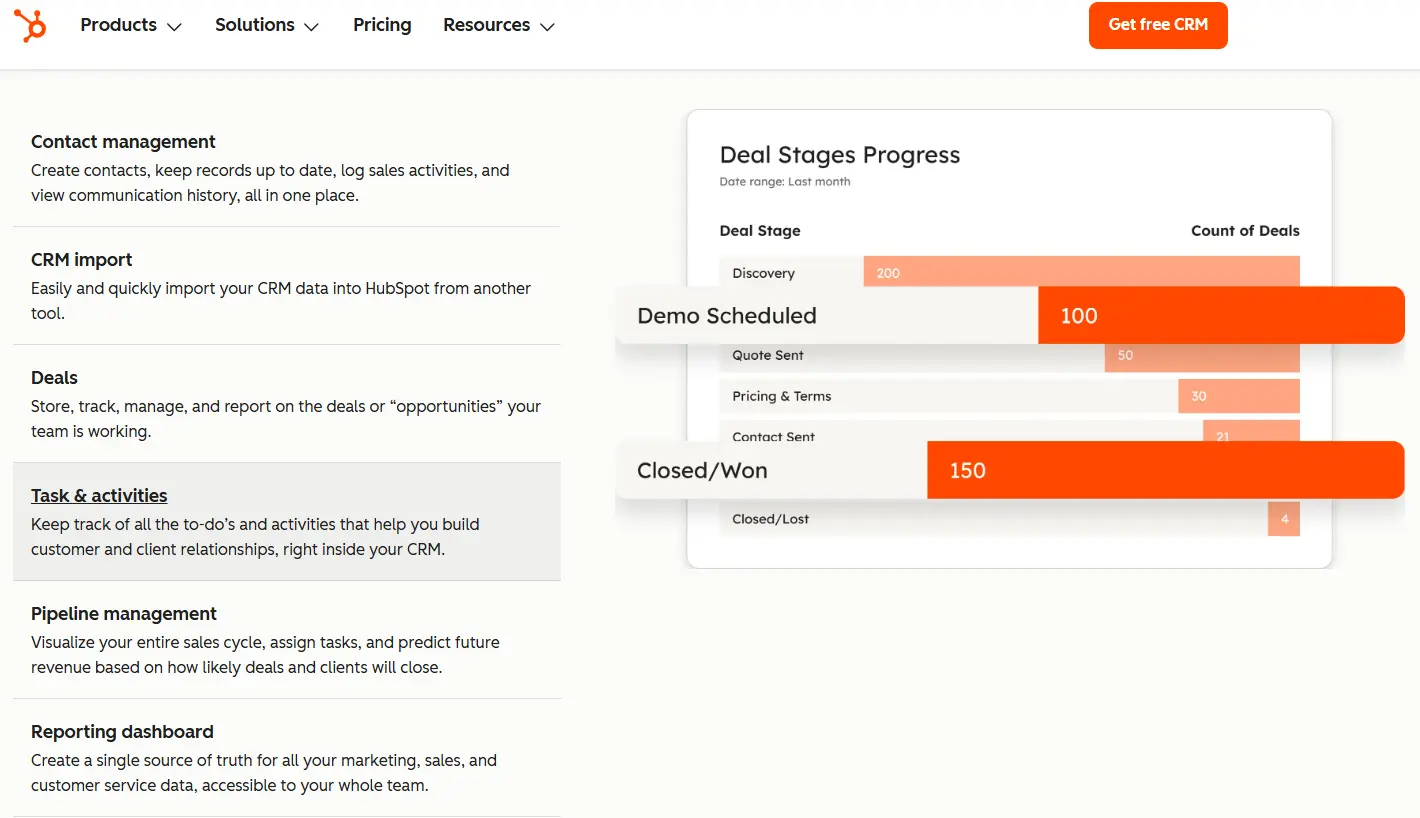
HubSpot wins the top spot for dental practices not because it’s built specifically for dentistry it’s not but because it’s the only platform that handles new patient acquisition, relationship management, and post-treatment communication in one connected system. Virtual Dental Care increased productivity by 20% after consolidating marketing, sales, and service functions into HubSpot. That kind of result doesn’t come from a niche dental tool with three integrations. It comes from a platform that has the depth to handle every stage of the patient relationship.
As a HubSpot Diamond Solutions Partner, we’ve set up HubSpot for healthcare and service-based businesses across dozens of configurations. For dental practices, the relevant Hubs are Marketing Hub (lead capture, email campaigns, ads attribution), Sales Hub (patient pipeline, appointment booking sequences), and Service Hub (post-visit follow-up, recall ticketing). Operations Hub handles the data sync between HubSpot and your PMS and that’s where the real power comes from.
Vertical-Specific Strengths
- Signs a BAA stores PHI legally when configured correctly for HIPAA compliance
- Marketing Hub connects Google Ads and Facebook Ads so you can see which campaigns drive actual booked appointments, not just clicks
- Workflow automation covers the full patient journey: lead → appointment booked → pre-visit reminder → post-visit follow-up → treatment plan nudge → recall sequence
- Custom contact properties let you store dental-specific fields: PMS patient ID, last hygiene visit date, outstanding treatment value, recall due date
- Integrates with Dentrix, Open Dental, and Eaglesoft via custom-built data sync field mapping, real-time patient record updates, bidirectional contact sync
Honest Limitation
HubSpot doesn’t connect to Dentrix or Open Dental out of the box. You need a custom integration which is exactly what Integrate IQ builds. And the pricing escalates quickly: Marketing Hub Professional (where the real automation lives) starts around $890/month. For a solo practice with a tight marketing budget, that’s a real conversation to have before committing.
Pricing
HubSpot offers a free CRM tier with unlimited contacts. Marketing Hub Starter starts around $20/month. Professional (required for multi-step workflows and ads attribution) starts at $890/month. Sales Hub and Service Hub add additional cost per seat. For most growing dental practices, a bundled CRM Suite is worth evaluating.
Integrate IQ Note: We’ve migrated dental practices from disconnected PMS exports and spreadsheets into HubSpot with full Dentrix and Open Dental data syncs patient contact records, appointment history, recall dates, and treatment plan status mapped to custom HubSpot properties. The typical implementation runs 8 weeks from kickoff to go-live. Learn more about our HubSpot integration process.

Turn HubSpot Into A Real-Time SMS Engine with
Message IQ

Two-Way Conversations

Shared Team Inbox

Automation Triggers

Advanced Reporting

Compliance Tools
-
98%
SMS read within 3 min -
78%
Buy from first responder -
21×
More likely to qualify
3–5 min avg response
$45–$50 ROI / $1

*MessageIQ is an IntegrateIQ product – built natively for HubSpot by the same team.
2. NexHealth – Best for Practices That Need Deep PMS Sync Right Out of the Box
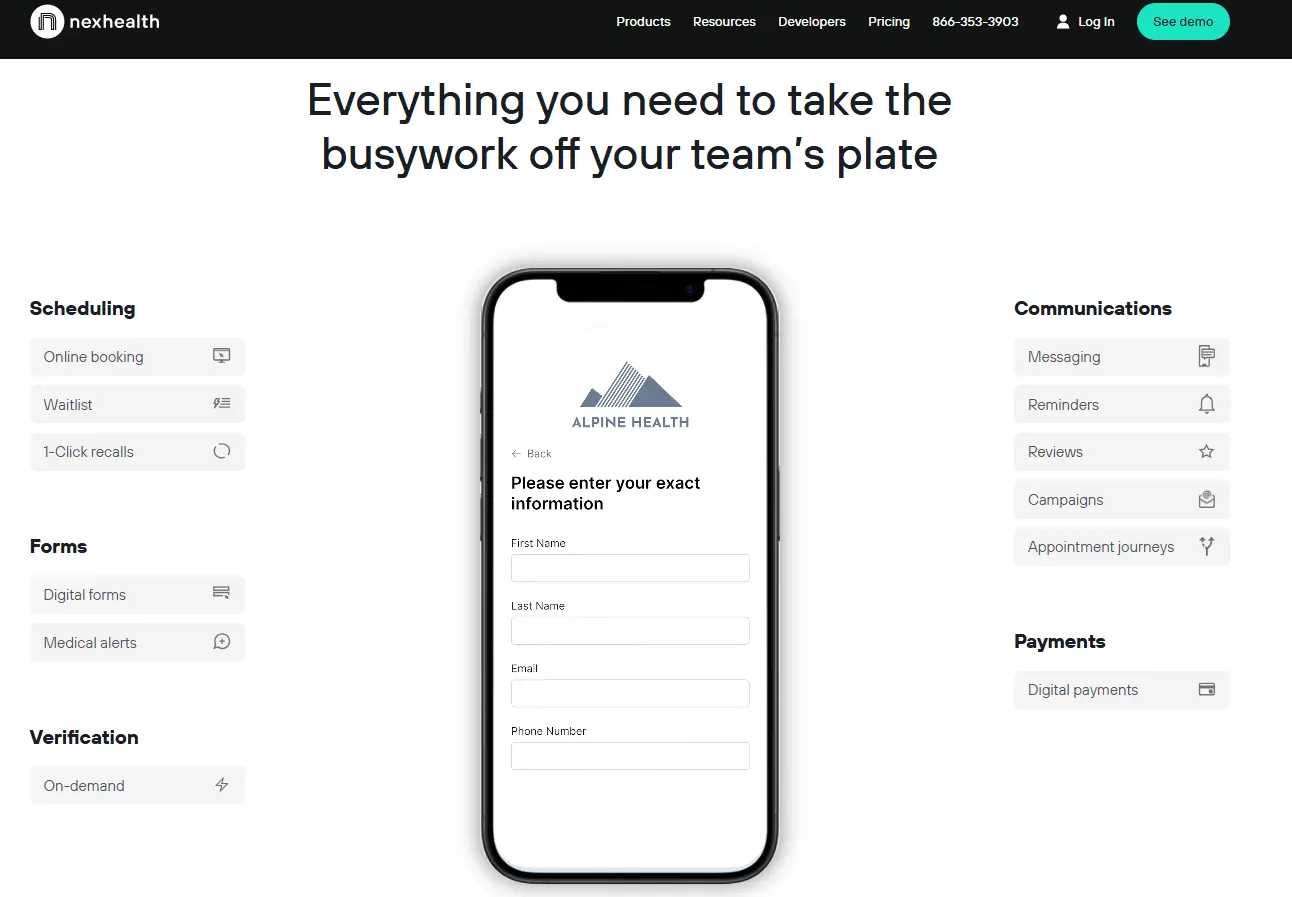
NexHealth isn’t a full CRM in the traditional sense; it’s a patient engagement platform built specifically for dental and medical practices. What it does exceptionally well is real-time two-way integration with your existing PMS. The Synchronizer API connects with Dentrix, Open Dental, Eaglesoft, Denticon, and others, pulling appointment data in real time so you’re never working from a stale export.
Vertical-Specific Strengths
- Real-time bidirectional PMS sync appointment changes in Dentrix show up in NexHealth immediately
- HIPAA-compliant two-way SMS texting with full audit trails
- Online booking that writes directly back into your PMS schedule
- Credit card deposit option on booking that measurably cuts no-show rates
- Digital intake forms that populate patient records in your PMS automatically
Honest Limitation
NexHealth doesn’t replace a CRM. Its marketing automation is thin. You won’t run sophisticated new patient nurture sequences or multi-channel ad attribution from NexHealth. Most practices use it alongside HubSpot: NexHealth handles the PMS integration and appointment-side communication, HubSpot handles acquisition and lifecycle marketing. That two-tool stack works well, but it adds cost.
Pricing
NexHealth pricing is custom and depends on your PMS and practice size. Contact them directly for a quote expect pricing in the $300-600/month range depending on module selection.
3. Weave – Best All-in-One Communication Tool for Front Desk-Focused Practices
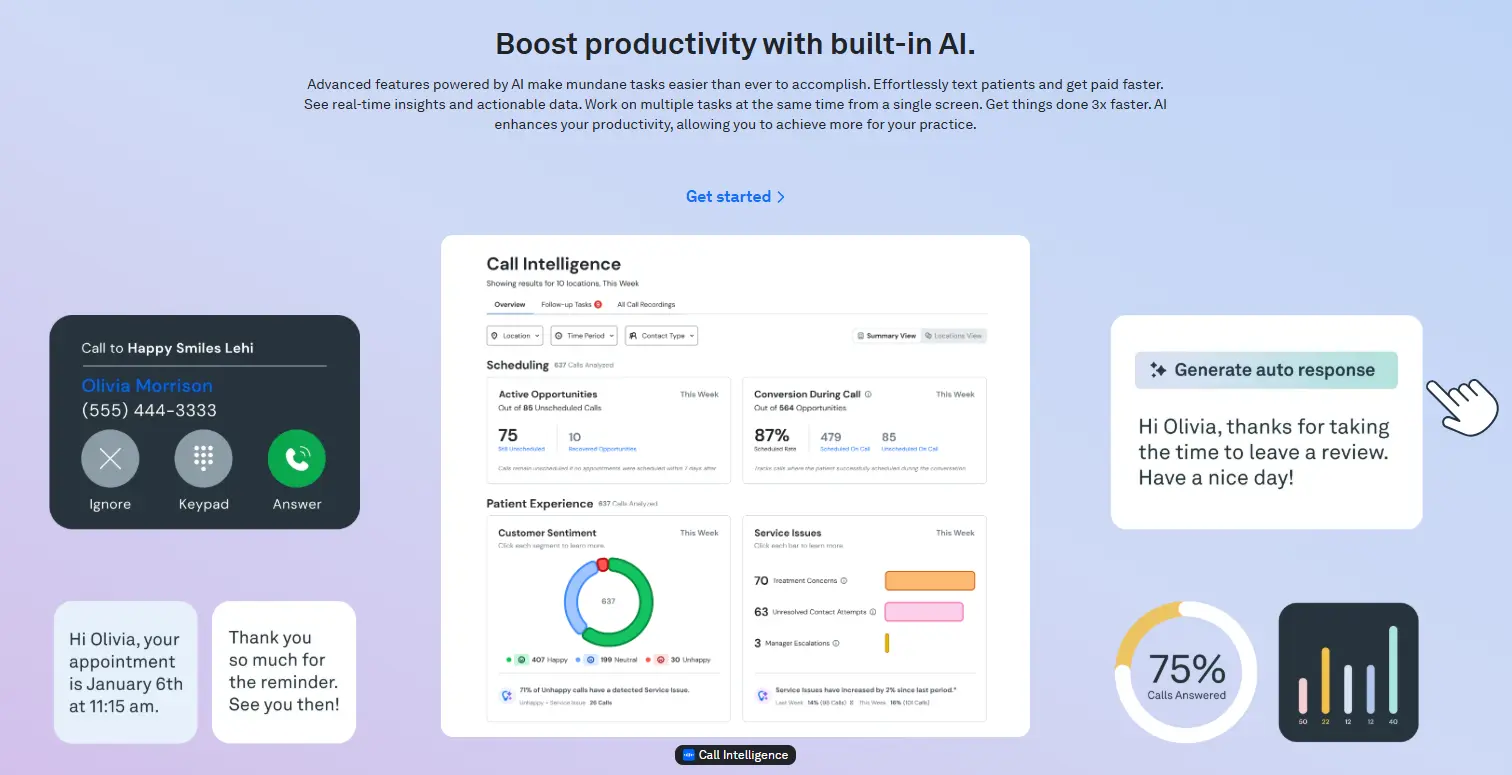
Weave takes a different approach: it integrates with your phone system and PMS to turn your front desk into a more efficient patient communication hub. When a patient calls, Weave’s Call Pop feature pulls their record from your PMS and displays it on screen before anyone picks up. That’s a genuinely useful feature that changes how front desk staff handle incoming calls.
Vertical-Specific Strengths
- Integrates with 20+ PMS systems including Open Dental, Dentrix, Curve Dental, and Eaglesoft
- Call Pop surfaces patient info from your PMS on every inbound call
- Landline texting your practice phone number sends and receives SMS
- Missed-call auto-text so no lead goes unanswered after hours
- Review request automation that drives Google and Facebook review volume
Honest Limitation
Weave is a communication platform, not a CRM. There’s no lead pipeline, no marketing automation, and no patient acquisition tooling. If you’re looking to grow your practice (not just run it more efficiently), you’ll outgrow Weave’s capabilities quickly and need to layer a CRM on top.
Pricing
Weave offers three tiers: Professional, Elite, and Ultimate. Contact Weave for current pricing the platform bundles phone, texting, and reviews tools, so the all-in cost can be competitive when you factor in replacing multiple point solutions.
4. Salesforce – Health Cloud Best for DSOs and Multi-Location Group Practices
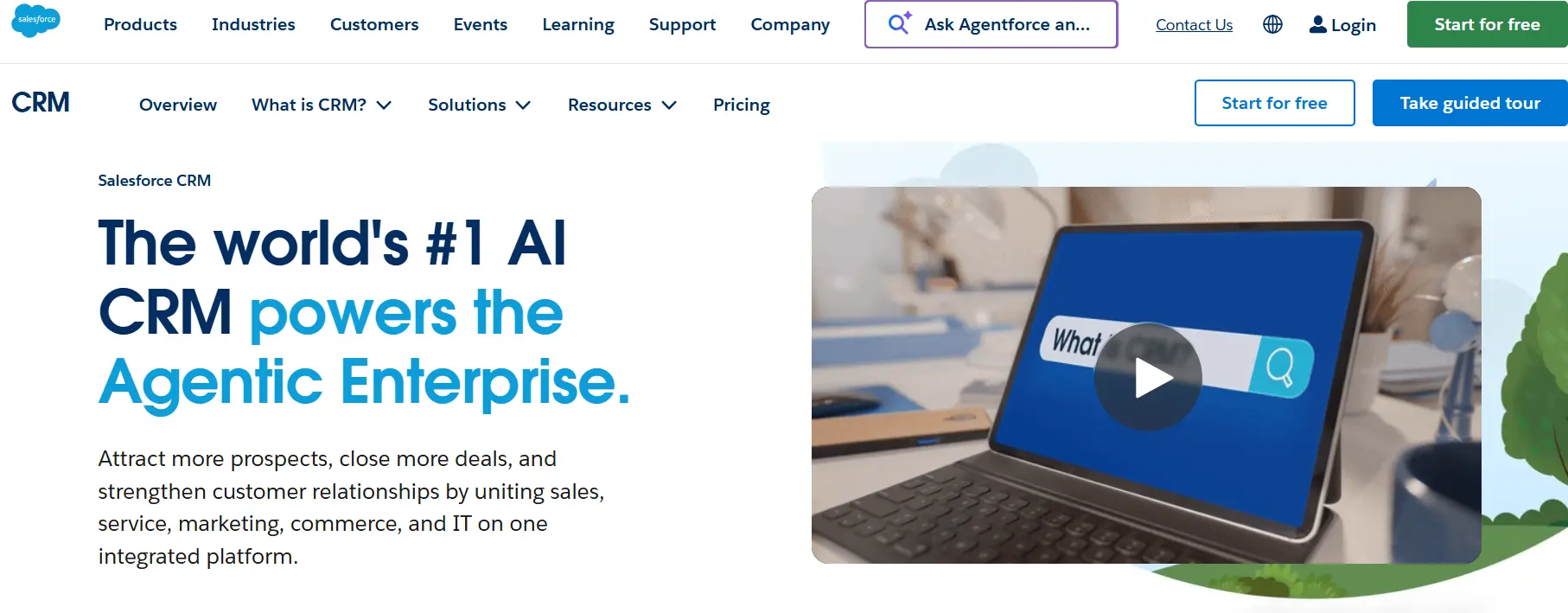
If you’re running a Dental Support Organization with 10+ locations, Salesforce Health Cloud deserves a serious look. It’s purpose-built for healthcare enterprises HIPAA-ready, built on Salesforce’s core platform (AppExchange has 7,000+ integrations), and powered by Agentforce AI for 24/7 patient support automation. The HubSpot vs. Salesforce comparison is worth reading if you’re deciding between them for a multi-location environment.
Vertical-Specific Strengths
- HIPAA-ready with BAA available; Health Cloud is designed for patient data at scale
- Territory and provider management for multi-location reporting and ops oversight
- MuleSoft Accelerator for Healthcare prebuilt APIs to connect EHR and PMS systems
- Agentforce AI answers patient questions 24/7 and suggests services based on patient history
- Partner ecosystem supports complex DSO workflows franchise management, centralized billing, location-level analytics
Honest Limitation
Salesforce Health Cloud starts at $300/user/month. Add MuleSoft, Power BI, and implementation costs, and you’re looking at a six-figure annual spend before the first patient record loads. For independent practices or small groups, it’s simply the wrong scale of solution.
Pricing
Health Cloud starts at $300/user/month billed annually. Implementation typically requires a Salesforce partner and adds significant upfront cost. Budget a full year of planning for enterprise deployments.
5. Zoho CRM – Best Budget-Friendly Option for Small and Mid-Sized Practices
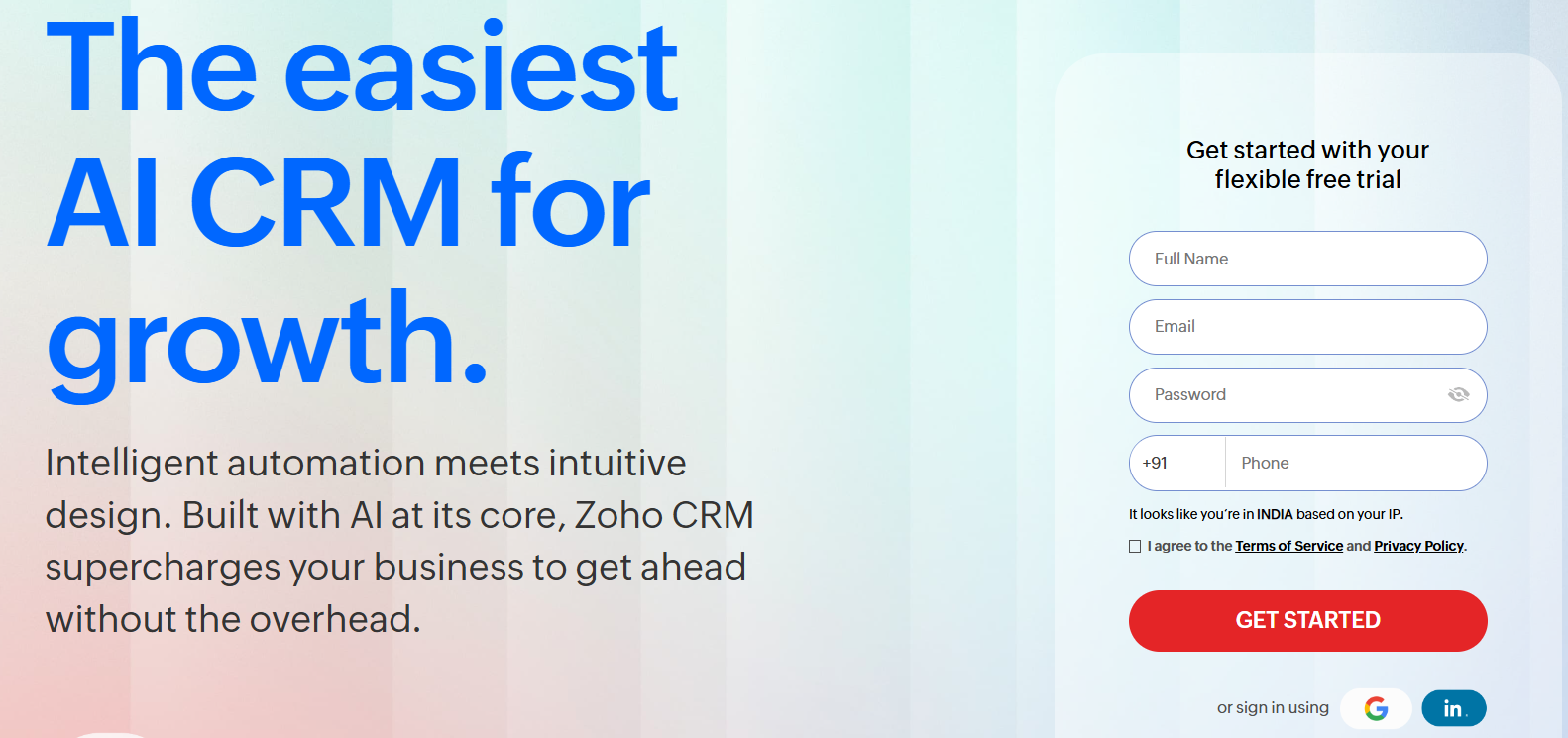
Zoho CRM delivers a lot of CRM capability for the price workflow automation, lead scoring, and custom reports come in at tiers where HubSpot hasn’t even unlocked its basic features yet. For a practice that wants solid CRM fundamentals without committing to HubSpot’s Professional pricing, Zoho is a legitimate choice. The HubSpot vs. Zoho comparison breaks down exactly where each platform pulls ahead.
Vertical-Specific Strengths
- Workflow automation available from lower pricing tiers not locked behind a $500+/month plan
- HIPAA-capable with BAA available; data centers are ISO 27001, SSAE-16, and HIPAA compliant
- Mobile app provides full CRM access for dentists and office managers away from the front desk
- Lead scoring from the Standard tier helps practices prioritize high-intent new patient leads
- Affordable at $14-52/user/month, keeping total CRM cost manageable for a 3-5 person office team
Honest Limitation
Zoho’s integrations with EHR and PMS systems are limited. Connecting Zoho to Dentrix or Open Dental typically requires custom middleware or API work. The integration ecosystem is narrower than HubSpot’s, and finding developers with Zoho expertise is harder than finding HubSpot-certified talent. For practices that want deep PMS data sync, Zoho adds complexity.
Pricing
Zoho CRM Standard runs $14/user/month (billed annually). Professional is $23/user/month. Enterprise is $40/user/month. All prices are roughly 60-70% cheaper than comparable HubSpot tiers.
6. Pipedrive – Best Pure Sales Pipeline Tool for Lead-Focused Solo Practices
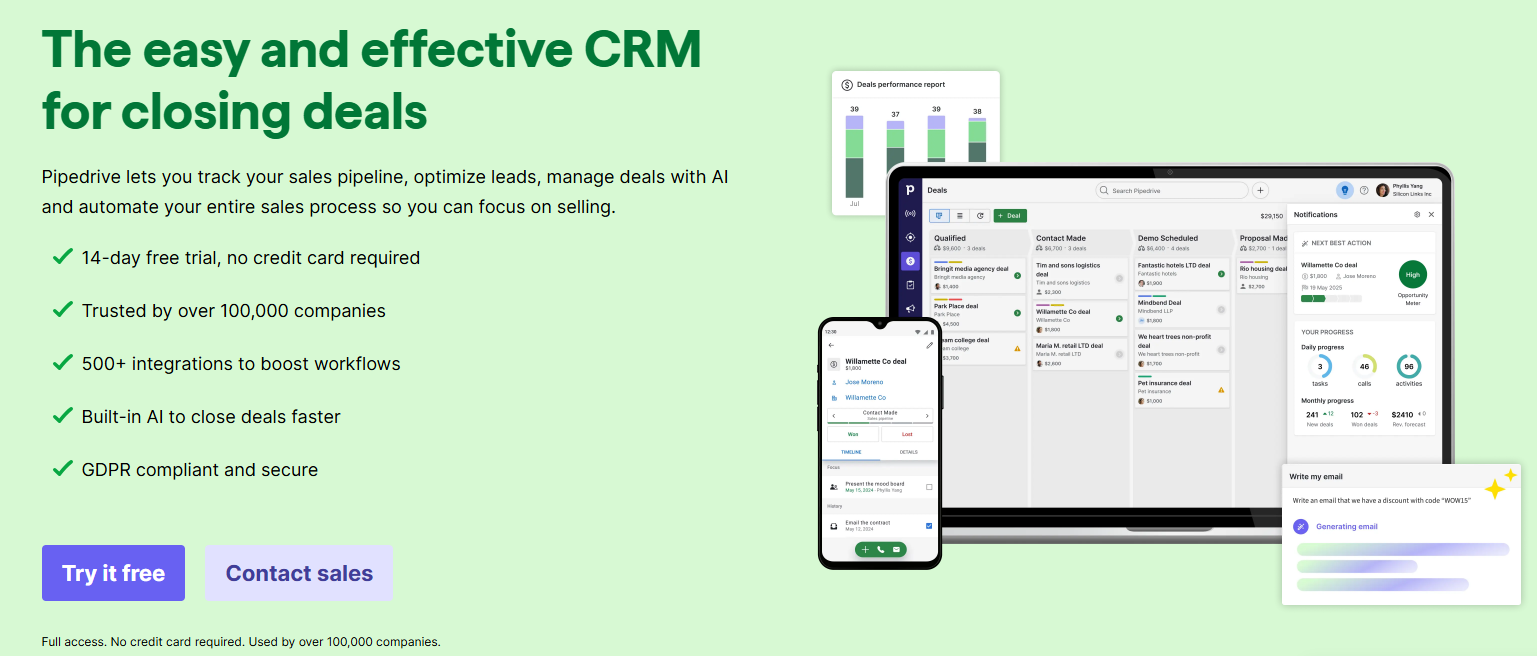
If your biggest problem is that new patient leads fall through the cracks before they ever book, not retention, not recall, just raw lead conversion, Pipedrive’s visual pipeline is worth considering. It’s not a full CRM, and it has no HIPAA-specific compliance layer, but for a solo practitioner who wants to see every lead in a drag-and-drop pipeline and never lose track of a follow-up, Pipedrive gets the job done fast. The HubSpot vs. Pipedrive breakdown covers when each makes sense.
Vertical-Specific Strengths
- Best-in-class visual deal pipeline drag leads through stages from ‘inquiry received’ to ‘appointment booked’
- Activity-based selling baked in Pipedrive focuses your team on the next action, not the deal stage
- Setup takes hours, not weeks no complex configuration for a solo practice to get started
- Email and call logging integrates with Gmail and Outlook for easy front desk adoption
Honest Limitation
Pipedrive has no marketing automation, no patient communication tools, no recall workflows, and no HIPAA compliance architecture. It handles the new patient sales pipeline well and nothing else. A growing practice will outgrow it quickly, and switching CRMs mid-growth is painful and expensive.
Pricing
Pipedrive Essential starts at $14/user/month. Advanced is $29/user/month. For a solo dentist or small front desk team, it’s one of the most affordable options on this list.
7. Dentrix – Best for Practices Already on the Platform That Want Built-In Patient Engagement
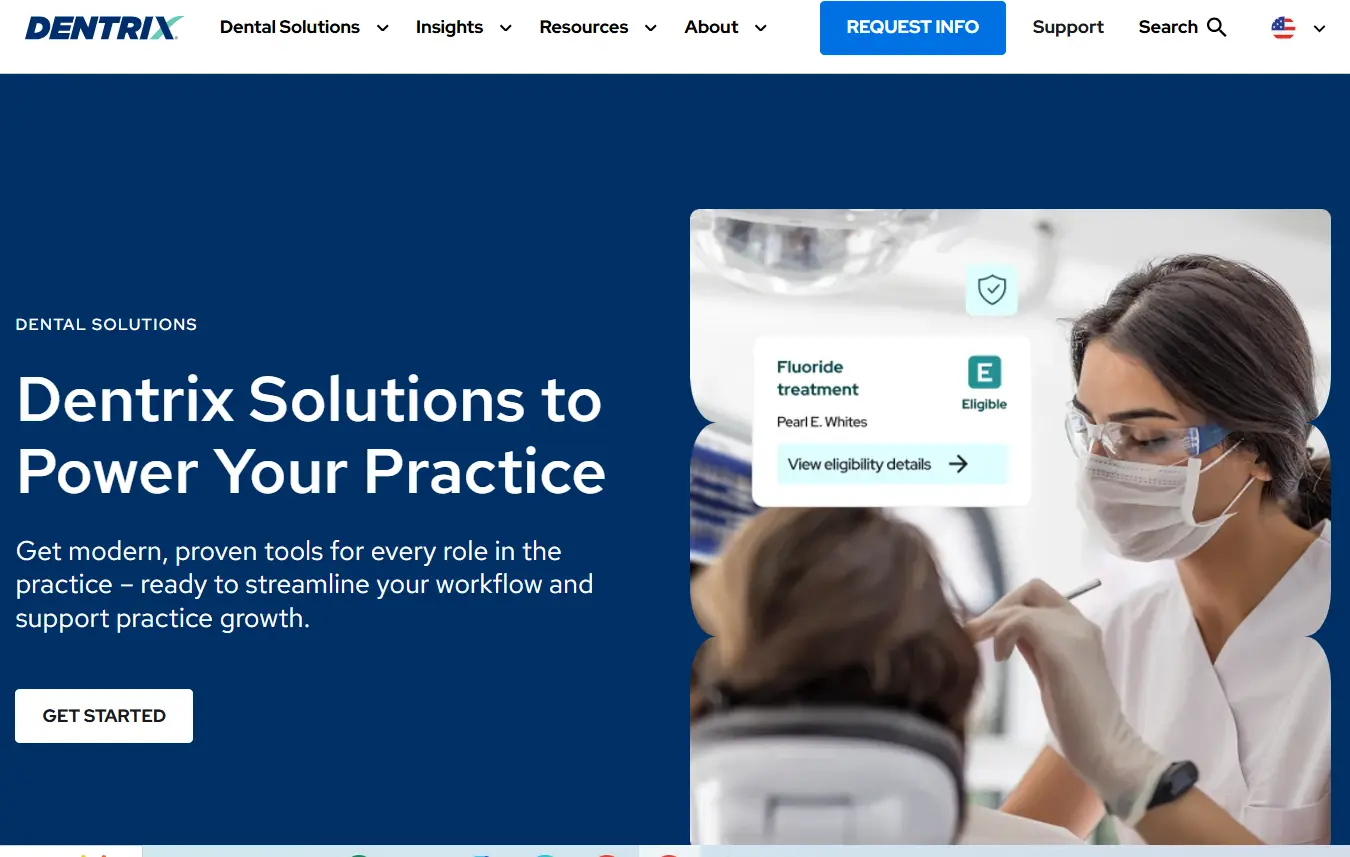
Dentrix isn’t a CRM by traditional definition; it’s the most widely used practice management system in North America, handling charting, billing, insurance claims, and appointment scheduling. But it’s on this list because many dental buyers search for ‘dental CRM’ when they actually mean ‘a better way to manage patients inside the tool I already use.’ Dentrix has expanded its patient engagement capabilities, and Dentrix Ascend (its cloud-based version) adds modern communication features that blur the line between PMS and lightweight CRM.
Vertical-Specific Strengths
- Most-used PMS in North America your staff probably already knows it
- Handles scheduling, clinical charting, billing, insurance claims, and provider-level reporting in one system
- Dentrix Ascend moves the platform to the cloud, eliminating on-premise server maintenance
- Strong third-party integration ecosystem patient communication platforms like NexHealth and Weave have native Dentrix connectors
- Multi-location and DSO support via Dentrix Enterprise for large group practices
Honest Limitation
Dentrix doesn’t do marketing automation, lead nurturing, or new patient acquisition. It manages patients you already have, not the ones who haven’t booked yet. If your practice needs to grow its new patient volume or improve reactivation of lapsed patients, Dentrix alone won’t get you there. You’ll need a CRM alongside it.
Pricing
Dentrix pricing is quote-based and varies by module selection and practice size. Per G2 analysis, it runs about 32% above average for dental PMS software. Contact Henry Schein One for current pricing.
How These CRMs Compare for Dental Practices
| CRM | Best For | HIPAA / BAA | PMS Integration | Marketing Automation | Starting Price |
| HubSpot | Full patient lifecycle + acquisition | Yes (BAA available) | Custom build required | Full-featured | Free / $890/mo (Pro) |
| NexHealth | Deep PMS sync + patient engagement | Yes | Native (Dentrix, Open Dental, Eaglesoft) | Limited | Custom quote |
| Weave | Front desk communication + recalls | Yes | 20+ PMS connectors | None | Custom quote |
| Salesforce Health Cloud | DSOs and large group practices | Yes (BAA available) | MuleSoft / custom | Enterprise-grade | $300/user/mo |
| Zoho CRM | Budget-conscious small practices | Yes (BAA available) | Custom middleware needed | Moderate | $14/user/mo |
| Pipedrive | Solo practices tracking new patient leads | No HIPAA layer | Not available | None | $14/user/mo |
| Dentrix | Practices already on the platform | Applicable as PMS | Native (is the PMS) | None | Quote-based |
How to Choose the Right CRM for Your Dental Practice
The right CRM depends on where your biggest problem actually is. Here’s a decision framework by practice type:
Step 1: Separate your PMS from your CRM needs
Your PMS (Dentrix, Open Dental, Eaglesoft) handles clinical operations. A CRM handles patient acquisition and relationship management. If you’re looking at ‘dental CRM’ because your scheduling and billing feel messy, you probably need a better PMS setup not a CRM. If you’re losing leads, struggling with reactivation, or can’t see which marketing spend brings in patients, a CRM is the right tool.
Step 2: Match your practice size to the right tier
Solo practice with under 500 active patients: Pipedrive or Zoho CRM handles basic lead tracking affordably. Don’t over-invest. Small to mid-sized practice (500-3,000 patients, growing): HubSpot with a custom PMS integration is the right move. You need marketing automation and lifecycle management, not just a contact list. Multi-location group or DSO: HubSpot scales well across locations; Salesforce Health Cloud makes sense at true enterprise scale with 10+ locations and complex reporting needs.
Step 3: Decide whether you need native PMS sync or can build it
If you need appointment data flowing into your CRM today without any custom development, NexHealth or Weave have native connectors for the major PMS platforms. If you’re committing to HubSpot (the better long-term choice for most growing practices), budget for a custom HubSpot integration that syncs your PMS data on a scheduled or real-time basis.
Step 4: Calculate what losing a new patient actually costs
Average lifetime patient value at a general practice runs $3,000-5,000 over a relationship. If your practice loses 5 new patient leads per month because nobody followed up that’s $15,000-25,000 in lost revenue monthly. A CRM that prevents that pays for itself fast, even at HubSpot Professional pricing.
What Switching to HubSpot Looks Like for Dental Practices
Switching CRMs is real work. If anyone tells you otherwise, they’re selling you something. Here’s what an honest HubSpot migration actually involves for a dental practice.
What data needs to move
- Patient contact records (name, email, phone, date of birth, primary provider)
- Appointment history (visit dates, procedure codes, attending provider)
- Recall due dates (hygiene recall, 6-month check, specialty follow-ups)
- Treatment plan status (accepted, pending, unscheduled)
- Insurance information (carrier, plan ID, verification status)
How the process works
- Audit your PMS data identify what’s clean, what’s duplicated, and what’s missing before moving anything
- Map PMS fields to HubSpot custom contact properties ‘recall date’ in Dentrix becomes a date property in HubSpot that triggers workflow automation
- Build the integration layer typically a scheduled sync (daily or real-time) that keeps HubSpot and your PMS in sync without double data entry
- Configure automations recall sequences, treatment plan nudges, new patient welcome flows
- Train your front desk team on the HubSpot contact timeline and workflow triggers
- Go live with a soft launch, monitor data quality for 2 weeks, then expand automations
The typical timeline for a dental practice CRM migration to HubSpot runs 8 weeks from kickoff to go-live. Where practices run into trouble is data mapping if your PMS patient records don’t have consistent email addresses or phone numbers, those gaps surface during migration and need to be resolved before automation can work correctly. We handle that data quality process as part of our standard implementation. For context on what poor migration planning costs, the CRM migration mistakes playbook covers the most common failure patterns.
Frequently Asked Questions
Is HubSpot good for dental practices?
Yes, with the right setup. HubSpot handles new patient acquisition, multi-channel communication, lifecycle automation, and reporting in one platform. The catch is that it doesn’t connect to dental PMS systems (Dentrix, Open Dental, Eaglesoft) natively. A custom integration is required to sync appointment data, recall dates, and treatment plan status from your PMS into HubSpot. When that integration is in place, HubSpot becomes the most capable CRM available for a dental practice at any scale.
What’s the best free CRM for dentists?
HubSpot’s free tier is the strongest free CRM option available. It includes contact management, deal pipelines, email tracking, a meeting booking tool, and a basic form builder all at no cost. The limitation is that HubSpot’s marketing automation and workflow tools require a paid plan (Marketing Hub Starter or Professional). For a solo practice just getting started, the free tier handles the basics well until your patient volume justifies upgrading.
Can I use HubSpot alongside Dentrix?
Yes, and this is the setup we recommend for most growing dental practices. HubSpot handles patient acquisition and lifecycle marketing; Dentrix handles clinical documentation, billing, and insurance. The two systems sync via a custom integration: patient records from Dentrix populate HubSpot contacts, recall dates trigger HubSpot automation sequences, and appointment activity feeds back into HubSpot’s contact timeline. Integrate IQ builds these integrations for dental practices. Learn more at integrateiq.com/services/hubspot-integrations/.
How much does a CRM cost for a dental practice?
Budget $48-150/month for a lightweight CRM like Zoho or Pipedrive. HubSpot’s paid tiers start around $20/month (Starter) and climb to $890/month (Marketing Hub Professional) for practices that need full marketing automation. Patient engagement platforms like NexHealth and Weave are priced by PMS and module selection expect $300-600/month for a well-configured setup. Enterprise solutions like Salesforce Health Cloud start at $300/user/month and scale from there for DSOs.
What’s the difference between dental practice management software and a CRM?
Practice management software (PMS) handles the clinical and administrative side of running your practice: appointment scheduling, charting, treatment planning, billing, insurance claims, and patient records. A CRM manages patient relationships, acquisition, and communication: lead capture, email and SMS campaigns, recall automation, and patient lifecycle workflows. The two systems serve different purposes and work best together: your PMS as the clinical record system, your CRM as the patient growth engine.
See your 12-month revenue impact with HubSpot CRM
Enter your current numbers — visitors, leads, deal size — and get a personalized projection based on real HubSpot customer benchmarks.

Ready to Move Your Dental Practice to HubSpot?
Switching CRMs especially when you’re connecting to a PMS like Dentrix or Open Dental involves real complexity: patient data migration, field mapping, integration architecture, and team training. The practices that get it right don’t try to build the integration themselves or trust a generic HubSpot onboarding call to handle the dental-specific setup.
As a HubSpot Diamond Solutions Partner with 98.5% client retention and 55 million fields synced daily across 300+ integrated platforms, Integrate IQ handles the hard parts: your patient data migration, the custom PMS-to-HubSpot integration, your lifecycle automation setup, and getting your team confident in the system typically in 8 weeks. View our HubSpot integration process or explore our CRM migration services to see exactly what implementation looks like.

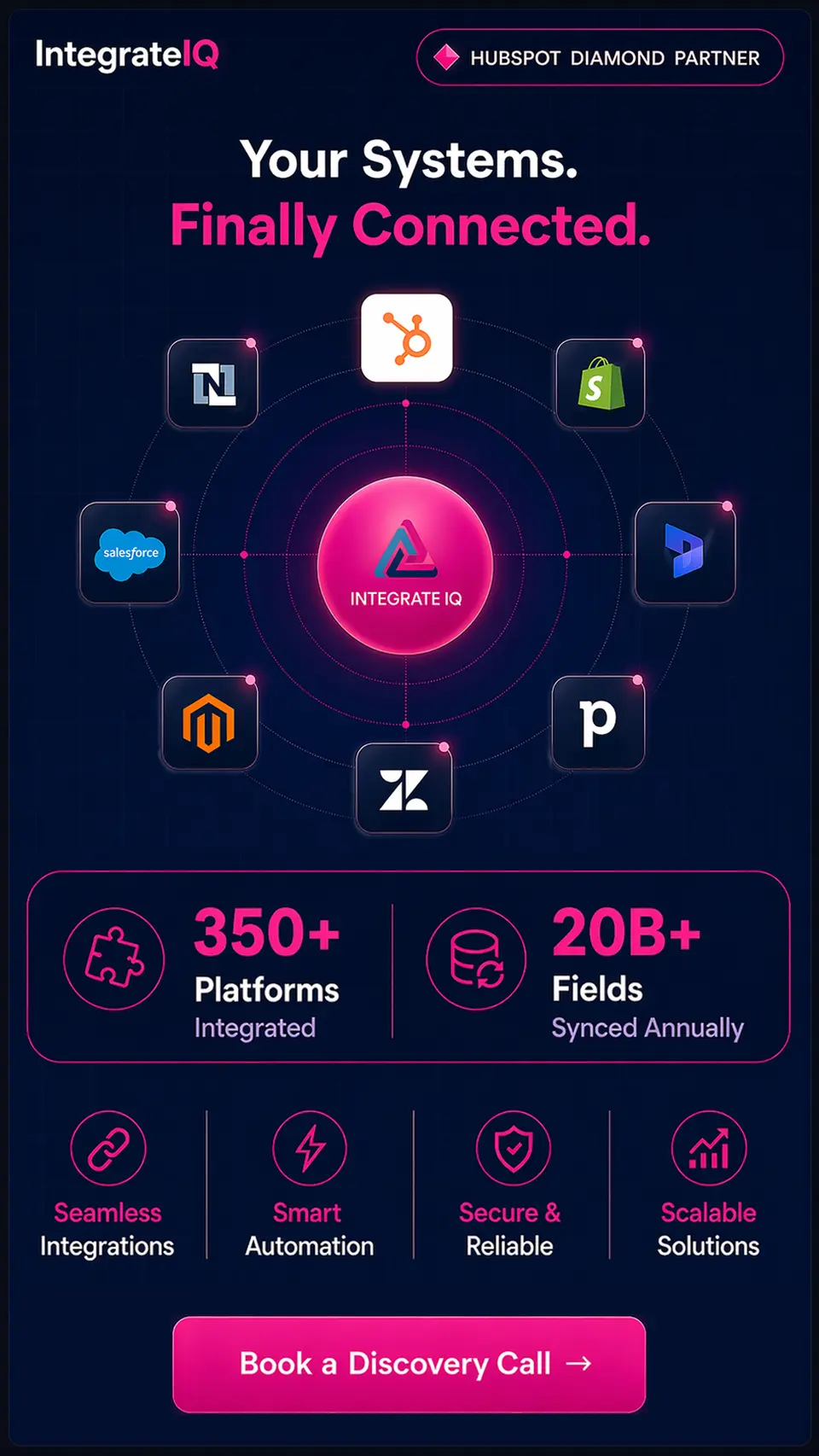

Table of Contents
- What to Look for in a CRM for Dentists
- 1. HubSpot - Best CRM for Dental Practices That Want Full Patient Lifecycle Management
- 2. NexHealth - Best for Practices That Need Deep PMS Sync Right Out of the Box
- 3. Weave - Best All-in-One Communication Tool for Front Desk-Focused Practices
- 4. Salesforce - Health Cloud Best for DSOs and Multi-Location Group Practices
- 5. Zoho CRM - Best Budget-Friendly Option for Small and Mid-Sized Practices
- 6. Pipedrive - Best Pure Sales Pipeline Tool for Lead-Focused Solo Practices
- 7. Dentrix - Best for Practices Already on the Platform That Want Built-In Patient Engagement
- How These CRMs Compare for Dental Practices
- How to Choose the Right CRM for Your Dental Practice
- What Switching to HubSpot Looks Like for Dental Practices
- Frequently Asked Questions
- Ready to Move Your Dental Practice to HubSpot?

