













Explore this article with AI:
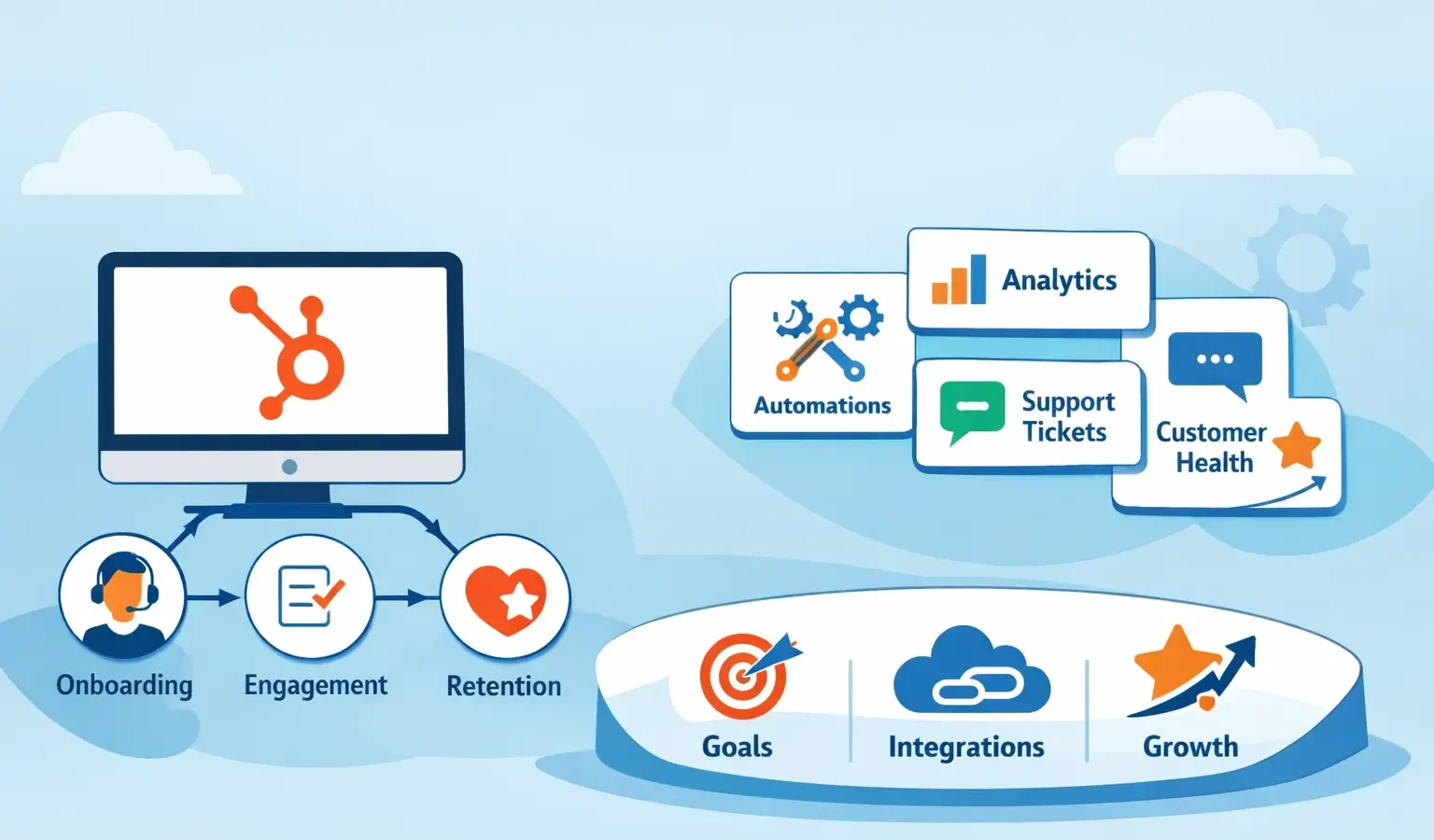
Most companies think of HubSpot as a CRM. It manages contacts, tracks deals, and organizes sales pipelines. But HubSpot is far more powerful when configured as a customer success platform. In this setup, you’re not just tracking customer data, you’re building a system that improves retention, reduces churn, and creates predictable revenue growth. Most companies think of HubSpot as a CRM. It manages contacts, tracks deals, and organizes sales pipelines. But HubSpot is far more powerful when configured as a customer success platform. In this setup, you’re not just tracking customer data, you’re building a system that improves retention, reduces churn, and creates predictable revenue growth.
Here’s the direct answer: HubSpot becomes a customer success platform when you configure it to monitor customer health, automate retention workflows, track support tickets, and align your entire team around customer outcomes rather than just closing sales. This requires intentional setup across multiple modules and integrations, but the results speak for themselves. Companies using HubSpot this way report 20-30% improvements in customer retention and significantly shorter time-to-value for new clients. Here’s the direct answer: HubSpot becomes a customer success platform when you configure it to monitor customer health, automate retention workflows, track support tickets, and align your entire team around customer outcomes rather than just closing sales. This requires intentional setup across multiple modules and integrations, but the results speak for themselves. Companies using HubSpot this way report 20-30% improvements in customer retention and significantly shorter time-to-value for new clients.
As a HubSpot Diamond Solutions Partner with 20 billion records transiting our integrations annually and 98.5% client retention, Integrate IQ has guided hundreds of companies through this exact transformation. Let’s walk through how to position HubSpot as your customer success backbone. As a HubSpot Diamond Solutions Partner with 20 billion records transiting our integrations annually and 98.5% client retention, Integrate IQ has guided hundreds of companies through this exact transformation. Let’s walk through how to position HubSpot as your customer success backbone.
Free estimator
Know what your HubSpot project costs before the first call.
Select your services and get a transparent price range in minutes. No sales call needed to get a number.
Connect HubSpot to your ERP, billing platform, or database field mapping, custom logic, and support included.
Pipelines, workflows, email templates, and reporting configured for how your team actually works.
Live, role-based sessions with recordings and written guides built around a custom plan for your team.
HubSpot Partner
Client retention
Platforms integrated
Why Configure HubSpot as a Customer Success Platform Instead of a Standard CRM?
The fundamental difference comes down to what you’re optimizing for. A standard CRM setup focuses on closing deals. A customer success platform focuses on keeping them and making customers more successful. The fundamental difference comes down to what you’re optimizing for. A standard CRM setup focuses on closing deals. A customer success platform focuses on keeping them and making customers more successful.
In a typical CRM, the handoff from sales to customer success is chaotic. Sales closes a deal, and CS teams inherit incomplete information. Priorities shift. Accountability blurs. In a customer success platform, the entire system is designed to track what happens after the sale.In a typical CRM, the handoff from sales to customer success is chaotic. Sales closes a deal, and CS teams inherit incomplete information. Priorities shift. Accountability blurs. In a customer success platform, the entire system is designed to track what happens after the sale.
Key metrics shift from ‘deals won’ to ‘customers retained.’ You stop measuring success by pipeline value and start measuring it by customer health score, expansion revenue, and net revenue retention. This creates alignment across your organization.
HubSpot’s flexibility makes this transformation possible. You can configure custom objects for customer health scoring, build automation workflows that detect churn signals, integrate your support system directly, and create dashboards that give leadership real-time visibility into customer outcomes. HubSpot’s flexibility makes this transformation possible. You can configure custom objects for customer health scoring, build automation workflows that detect churn signals, integrate your support system directly, and create dashboards that give leadership real-time visibility into customer outcomes.
How Should You Structure HubSpot Objects and Properties for Customer Success?
The architecture of your HubSpot instance determines what you can and cannot measure. Start by mapping the relationship between your core objects. The architecture of your HubSpot instance determines what you can and cannot measure. Start by mapping the relationship between your core objects.
Core Object Structure
Companies: Your customer organizations with health scoring properties Companies: Your customer organizations with health scoring properties
Contacts: Individual stakeholders tied to companies Contacts: Individual stakeholders tied to companies
Deals: Licenses, renewals, and expansion opportunities (not just new business)Deals: Licenses, renewals, and expansion opportunities (not just new business)
Tickets: Support requests, bugs, and feature requests tracked centrally Tickets: Support requests, bugs, and feature requests tracked centrally
Custom Objects: Customer health assessments, business reviews, usage metrics Custom Objects: Customer health assessments, business reviews, usage metrics
For each company, you’ll want properties that feed into a customer health score. This score should aggregate data from multiple sources. For each company, you’ll want properties that feed into a customer health score. This score should aggregate data from multiple sources.
Essential Company Properties for CS
Health Score (calculated): Weighted formula combining usage data, support tickets, NPS, and renewal timing Health Score (calculated): Weighted formula combining usage data, support tickets, NPS, and renewal timing
Primary CSM: The assigned customer success manager Primary CSM: The assigned customer success manager
Implementation Date: When the customer went live Implementation Date: When the customer went live
Contract Renewal Date: Critical for renewal workflows Contract Renewal Date: Critical for renewal workflows
Expansion Potential: Revenue growth opportunity within the account Expansion Potential: Revenue growth opportunity within the account
NPS Score: Net Promoter Score from last survey or feedback NPS Score: Net Promoter Score from last survey or feedback
Support Ticket Volume (Last 30 Days): Indicator of implementation health or product issues Support Ticket Volume (Last 30 Days): Indicator of implementation health or product issues
Last Engagement Date: When someone from your team last contacted the customer Last Engagement Date: When someone from your team last contacted the customer
The health score formula is crucial. A simple approach: weight usage activity (40%), support ticket resolution (20%), NPS feedback (20%), and renewal timing (20%). HubSpot’s workflow automation can update this daily based on integrated data from your product analytics tool. The health score formula is crucial. A simple approach: weight usage activity (40%), support ticket resolution (20%), NPS feedback (20%), and renewal timing (20%). HubSpot’s workflow automation can update this daily based on integrated data from your product analytics tool.

Turn HubSpot Into A Real-Time SMS Engine with
Message IQ

Two-Way Conversations

Shared Team Inbox

Automation Triggers

Advanced Reporting

Compliance Tools
-
98%
SMS read within 3 min -
78%
Buy from first responder -
21×
More likely to qualify
3–5 min avg response
$45–$50 ROI / $1

*MessageIQ is an IntegrateIQ product – built natively for HubSpot by the same team.
What Integrations and Automations Do You Need for Customer Success?
HubSpot alone can’t see what’s happening inside your product. You need integrations that pull usage data, support metrics, and customer health signals into your CRM. Without this, you’re flying blind. HubSpot alone can’t see what’s happening inside your product. You need integrations that pull usage data, support metrics, and customer health signals into your CRM. Without this, you’re flying blind.
Critical Integrations for CS Setup
Product Analytics (Amplitude, Mix panel, Segment): Daily user activity and feature adoption metrics Product Analytics (Amplitude, Mix panel, Segment): Daily user activity and feature adoption metrics
Support System (Zendesk, Intercom, Help Scout): Tickets, resolution times, and customer satisfaction scores Support System (Zendesk, Intercom, Help Scout): Tickets, resolution times, and customer satisfaction scores
Billing and Subscription (Stripe, Zuora, Charge bee): Usage-based billing triggers and MRR expansion tracking Billing and Subscription (Stripe, Zuora, Charge bee): Usage-based billing triggers and MRR expansion tracking
Survey Tools (Type form, SurveyMonkey): NPS collection and feedback loops Survey Tools (Type form, SurveyMonkey): NPS collection and feedback loops
Communication (Slack, Teams): Alerts when health scores drop below thresholds Communication (Slack, Teams): Alerts when health scores drop below thresholds
At Integrate IQ, we’ve built and maintained custom integrations for 300+ platforms. The most effective CS platforms we’ve seen use real-time data pipelines that feed product usage, support, and billing data into HubSpot every 4-12 hours. This keeps health scores current and enables proactive interventions. At Integrate IQ, we’ve built and maintained custom integrations for 300+ platforms. The most effective CS platforms we’ve seen use real-time data pipelines that feed product usage, support, and billing data into HubSpot every 4-12 hours. This keeps health scores current and enables proactive interventions.
Core CS Automation Workflows
New Customer Onboarding: Automatically assign CSM, schedule kickoff call, create implementation checklist, send welcome sequence New Customer Onboarding: Automatically assign CSM, schedule kickoff call, create implementation checklist, send welcome sequence
Health Score Drop Alert: Notify CSM immediately when health score drops below 40, trigger outreach task Health Score Drop Alert: Notify CSM immediately when health score drops below 40, trigger outreach task
Usage Plateau Detection: Alert team if customer usage hasn’t increased in 30 days, suggest feature training Usage Plateau Detection: Alert team if customer usage hasn’t increased in 30 days, suggest feature training
Renewal Automation: 90 days before renewal, create deal, assign renewal owner, schedule business review Renewal Automation: 90 days before renewal, create deal, assign renewal owner, schedule business review
Churn Prevention: When multiple churn signals trigger together (low health + support tickets + contract approaching), escalate to leadershipChurn Prevention: When multiple churn signals trigger together (low health + support tickets + contract approaching), escalate to leadership
Expansion Identification: Flag high-health customers with low feature adoption for upsell conversations Expansion Identification: Flag high-health customers with low feature adoption for upsell conversations
Passive Customer Flagging: After 60 days without contact or product activity, notify CSM to reconnect Passive Customer Flagging: After 60 days without contact or product activity, notify CSM to reconnect
These workflows transform HubSpot from a data repository into an active system that surfaces work that needs to happen. Most companies we work with see churn reduction of 15-25% just from implementing these automations because issues are surfaced earlier. These workflows transform HubSpot from a data repository into an active system that surfaces work that needs to happen. Most companies we work with see churn reduction of 15-25% just from implementing these automations because issues are surfaced earlier.
How Do You Configure Dashboards and Reporting for Leadership Visibility?
A customer success platform lives or dies by its dashboards. Your leadership team needs real-time visibility into retention, expansion, and customer health. Poorly configured reporting means poor decision-making. A customer success platform lives or dies by its dashboards. Your leadership team needs real-time visibility into retention, expansion, and customer health. Poorly configured reporting means poor decision-making.
Executive Dashboard Components
Health Score Distribution: What percentage of your customer base is in each health band (80+, 60-79, 40-59, under 40)Health Score Distribution: What percentage of your customer base is in each health band (80+, 60-79, 40-59, under 40)
Net Revenue Retention (NRR): Month-over-month comparison showing expansion vs. contraction Net Revenue Retention (NRR): Month-over-month comparison showing expansion vs. contraction
Customer Churn Rate: Contracts not renewed vs. total customers each quarter Customer Churn Rate: Contracts not renewed vs. total customers each quarter
Time-to-Positive Outcome: Days from implementation to first successful product milestone Time-to-Positive Outcome: Days from implementation to first successful product milestone
CSM Workload: Accounts per CSM and activity volume to ensure team isn’t overwhelmed CSM Workload: Accounts per CSM and activity volume to ensure team isn’t overwhelmed
Renewal Pipeline: Deals approaching renewal date with health scores and expansion potential Renewal Pipeline: Deals approaching renewal date with health scores and expansion potential
Support Health: Ticket volume, resolution time, and customer satisfaction trends Support Health: Ticket volume, resolution time, and customer satisfaction trends
Use HubSpot’s Custom Report Builder to create these views. Update them weekly at minimum. Better yet, use HubSpot’s integrations with business intelligence tools like Tableau or Looker to create interactive dashboards that update in real-time. Use HubSpot’s Custom Report Builder to create these views. Update them weekly at minimum. Better yet, use HubSpot’s integrations with business intelligence tools like Tableau or Looker to create interactive dashboards that update in real-time.
CSM-Level Dashboards
Individual CSMs need different views. They need to see their assigned accounts, health scores, upcoming renewal dates, outstanding tasks, and support ticket summaries. Create custom views in HubSpot’s CRM module that filter to each CSM’s book of business. Individual CSMs need different views. They need to see their assigned accounts, health scores, upcoming renewal dates, outstanding tasks, and support ticket summaries. Create custom views in HubSpot’s CRM module that filter to each CSM’s book of business.
Set up automated reports that CSMs receive weekly showing accounts that need attention, upcoming touchpoints, and expansion opportunities. This keeps the team focused and accountable. Set up automated reports that CSMs receive weekly showing accounts that need attention, upcoming touchpoints, and expansion opportunities. This keeps the team focused and accountable.
What Should Your Implementation and Launch Timeline Look Like?
Transforming HubSpot into a customer success platform isn’t something you do in a weekend. Most companies need 8-16 weeks of thoughtful implementation. Here’s a realistic roadmap. Transforming HubSpot into a customer success platform isn’t something you do in a weekend. Most companies need 8-16 weeks of thoughtful implementation. Here’s a realistic roadmap.
Phase 1: Strategy and Architecture (Weeks 1-2)
- Define customer health score formula and data sources Define customer health score formula and data sources
- Map all integrations you’ll need and identify data sources Map all integrations you’ll need and identify data sources
- Design object structure and custom properties Design object structure and custom properties
- Document CS workflows and process requirements Document CS workflows and process requirements
- Assign implementation owner and get leadership buy-in. Assign implementation owner and get leadership buy-in
Phase 2: Build and Configuration (Weeks 3-8)
- Create custom objects and properties in HubSpot Create custom objects and properties in HubSpot
- Build integrations with product analytics, support, and billing systems Build integrations with product analytics, support, and billing systems
- Configure automation workflows and trigger logic Configure automation workflows and trigger logic
- Create reports and dashboards Create reports and dashboards
- Build data migration plan for existing customer data Build data migration plan for existing customer data
Phase 3: Testing and Refinement (Weeks 9-12)
- Pilot with one CSM and 20-30 accounts Pilot with one CSM and 20-30 accounts
- Validate health score calculations against actual customer outcomes Validate health score calculations against actual customer outcomes
- Test all workflows with real-world scenarios Test all workflows with real-world scenarios
- Refine dashboards based on user feedback Refine dashboards based on user feedback
- Document processes and create training materials Document processes and create training materials
Phase 4: Full Launch and Optimization (Weeks 13-16)
- Roll out to all CSMs simultaneously Roll out to all CSMs simultaneously
- Conduct team training and certification Conduct team training and certification
- Migrate all customer data into the new structure Migrate all customer data into the new structure
- Establish weekly optimization cadence Establish weekly optimization cadence
- Monitor adoption and refine based on usage patterns Monitor adoption and refine based on usage patterns
Most companies skip or rush phases 1-3 and regret it. A customer success platform is only valuable if your team trusts the data and understands how to act on it. Take time to get it right. Most companies skip or rush phases 1-3 and regret it. A customer success platform is only valuable if your team trusts the data and understands how to act on it. Take time to get it right.
How Can You Measure Success After Setup?
Setting up a customer success platform means nothing if you don’t measure the impact. Here are the metrics that matter. Setting up a customer success platform means nothing if you don’t measure the impact. Here are the metrics that matter.
Retention and Churn Metrics
Customer Churn Rate: Should improve by 15-25% within 6 months of full implementation Customer Churn Rate: Should improve by 15-25% within 6 months of full implementation
Net Revenue Retention: Target 110%+ for SaaS companies using CS platforms effectively Net Revenue Retention: Target 110%+ for SaaS companies using CS platforms effectively
Time Between Contract Renewal and Churn Decision: Earlier identification means more time to intervene Time Between Contract Renewal and Churn Decision: Earlier identification means more time to intervene
Operational Metrics
Health Score Predictive Accuracy: Track whether customers flagged as at-risk actually churn 30-60 days later Health Score Predictive Accuracy: Track whether customers flagged as at-risk actually churn 30-60 days later
CSM Productivity: Accounts managed per CSM, accounts reaching renewal milestone on schedule CSM Productivity: Accounts managed per CSM, accounts reaching renewal milestone on schedule
Automation Effectiveness: Percentage of at-risk accounts automatically flagged vs. discovered manually Automation Effectiveness: Percentage of at-risk accounts automatically flagged vs. discovered manually
Financial Metrics
Expansion Revenue: MRR growth from existing customersExpansion Revenue: MRR growth from existing customers
Cost to Acquire vs. Cost to Retain: CS platform should shift economics in favor of retentionCost to Acquire vs. Cost to Retain: CS platform should shift economics in favor of retention
Lifetime Value (LTV) Improvement: Higher retention directly increases LTVLifetime Value (LTV) Improvement: Higher retention directly increases LTV
Establish baseline metrics before you launch (month 1) and measure progress at 3 months, 6 months, and 12 months. Most companies see meaningful improvement within the first 90 days of full rollout.Establish baseline metrics before you launch (month 1) and measure progress at 3 months, 6 months, and 12 months. Most companies see meaningful improvement within the first 90 days of full rollout.
Frequently Asked Questions
Can we use HubSpot’s built-in customer success features without custom integrations?
Partially. HubSpot’s Service Hub provides ticket management and some automation, but without integrations to your product analytics and billing system, you’ll only see a fraction of the data you need. The real power comes from pulling usage, engagement, and financial data into a unified health score. Most effective CS setups require 2-4 custom integrations. Partially. HubSpot’s Service Hub provides ticket management and some automation, but without integrations to your product analytics and billing system, you’ll only see a fraction of the data you need. The real power comes from pulling usage, engagement, and financial data into a unified health score. Most effective CS setups require 2-4 custom integrations.
How much does it cost to set up HubSpot as a customer success platform?
HubSpot licensing typically costs $3,200-$12,000+ annually depending on seat count and modules. Integration setup and configuration ranges from $15,000 for a basic setup to $50,000+ for complex, multi-system implementations. Many companies recoup this investment within the first year through improved retention alone. HubSpot licensing typically costs $3,200-$12,000+ annually depending on seat count and modules. Integration setup and configuration ranges from $15,000 for a basic setup to $50,000+ for complex, multi-system implementations. Many companies recoup this investment within the first year through improved retention alone.
Do we need a dedicated person managing HubSpot for CS?
Yes. Someone needs to own the health score formula, monitor automation workflows, update properties, and interpret dashboards. This role typically sits between your CS leadership and operations team. Many companies assign 0.5-1.0 FTE to HubSpot CS operations. Yes. Someone needs to own the health score formula, monitor automation workflows, update properties, and interpret dashboards. This role typically sits between your CS leadership and operations team. Many companies assign 0.5-1.0 FTE to HubSpot CS operations.
What’s the most common mistake companies make when setting this up?
Building a health score formula without validating it first. Most companies guess at weightings, launch the system, then discover the health score doesn’t actually predict churn. Spend time in phase 1 studying historical data to determine what actually signals churn risk in your specific business. Building a health score formula without validating it first. Most companies guess at weightings, launch the system, then discover the health score doesn’t actually predict churn. Spend time in phase 1 studying historical data to determine what actually signals churn risk in your specific business.
How do we decide between HubSpot and other customer success platforms?
HubSpot’s strength is flexibility and integration capability. If you need a pre-built CS platform with industry-specific workflows, look at Gain sight or Totango. But if you want a system that connects to your entire tech stack and adapts to your process, HubSpot configured as a CS platform often wins on cost and adaptability. HubSpot’s strength is flexibility and integration capability. If you need a pre-built CS platform with industry-specific workflows, look at Gain sight or Totango. But if you want a system that connects to your entire tech stack and adapts to your process, HubSpot configured as a CS platform often wins on cost and adaptability.
Can we migrate from another CS platform to HubSpot?
Yes. The process involves extracting your customer data, health scores, and engagement history from the existing platform, then mapping it into HubSpot’s structure. Plan for 4-8 weeks and significant validation work. We’ve successfully migrated companies from Gain sight, Chart Hop, and custom-built systems. Yes. The process involves extracting your customer data, health scores, and engagement history from the existing platform, then mapping it into HubSpot’s structure. Plan for 4-8 weeks and significant validation work. We’ve successfully migrated companies from Gain sight, ChartHop, and custom-built systems.
How do we ensure adoption across our CS team?
Training is critical, but so is relevance. CSMs adopt systems when they make their jobs easier. Create dashboards that show their portfolio clearly, automate administrative work, and surface high-priority accounts. Make the system the easiest way to do their job, not an extra burden. Training is critical, but so is relevance. CSMs adopt systems when they make their jobs easier. Create dashboards that show their portfolio clearly, automate administrative work, and surface high-priority accounts. Make the system the easiest way to do their job, not an extra burden.
What’s the ROI timeline for a customer success platform?
Most companies see positive ROI within 12-18 months. The fastest returns come from reduced churn (hitting 120+ NRR) and faster expansion sales. Companies that stick with optimization see accelerating returns in year 2-3 as the system becomes more sophisticated.Most companies see positive ROI within 12-18 months. The fastest returns come from reduced churn (hitting 120+ NRR) and faster expansion sales. Companies that stick with optimization see accelerating returns in year 2-3 as the system becomes more sophisticated.
See your 12-month revenue impact with HubSpot CRM
Enter your current numbers — visitors, leads, deal size — and get a personalized projection based on real HubSpot customer benchmarks.

Conclusion
HubSpot as a customer success platform is not about using HubSpot differently. It’s about building an intentional system where every component serves customer retention and growth. From object architecture to automation workflows to dashboard design, each decision compounds toward one outcome: keeping customers longer, expanding within accounts, and creating predictable revenue. HubSpot as a customer success platform is not about using HubSpot differently. It’s about building an intentional system where every component serves customer retention and growth. From object architecture to automation workflows to dashboard design, each decision compounds toward one outcome: keeping customers longer, expanding within accounts, and creating predictable revenue.
The companies we work with that execute this transformation see 20-30% improvements in churn, expansion revenue growth of 15-25%, and significantly faster time-to-value for new customers. These aren’t small improvements. They fundamentally change the business. The companies we work with that execute this transformation see 20-30% improvements in churn, expansion revenue growth of 15-25%, and significantly faster time-to-value for new customers. These aren’t small improvements. They fundamentally change the business.
If your current HubSpot instance feels like a sales tool that CS also uses, it’s time to reconfigure it. The cost and effort are significant, but the outcomes justify the investment. Most companies that start this process wonder why they didn’t do it sooner. If your current HubSpot instance feels like a sales tool that CS also uses, it’s time to reconfigure it. The cost and effort are significant, but the outcomes justify the investment. Most companies that start this process wonder why they didn’t do it sooner.
Integrate IQ helps companies at every stage of this transformation. Whether you need help designing your architecture, building custom integrations, or optimizing your existing setup, we can guide you through it. Check out our Integrate IQ helps companies at every stage of this transformation. Whether you need help designing your architecture, building custom integrations, or optimizing your existing setup, we can guide you through it. Check out our
Integrate IQ helps companies at every stage of this transformation. Whether you need help designing your architecture, building custom integrations, or optimizing your existing setup, we can guide you through it. Check out our or to learn more.



Table of Contents
- Why Configure HubSpot as a Customer Success Platform Instead of a Standard CRM?
- How Should You Structure HubSpot Objects and Properties for Customer Success?
- What Integrations and Automations Do You Need for Customer Success?
- How Do You Configure Dashboards and Reporting for Leadership Visibility?
- What Should Your Implementation and Launch Timeline Look Like?
- How Can You Measure Success After Setup?
- Frequently Asked Questions
- Conclusion

