























What is a HubSpot Calendly integration?
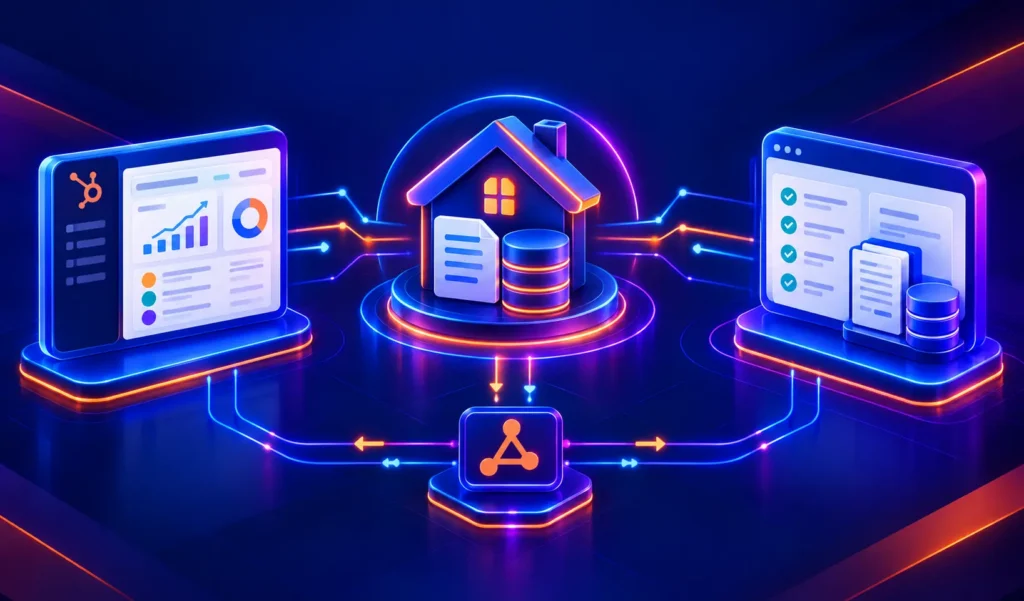
A HubSpot Calendly integration is a connection that syncs meeting bookings, invitee details, and meeting outcomes between Calendly and HubSpot in near real time. It creates or updates HubSpot contacts when someone books a meeting, logs the activity to the contact timeline and can trigger HubSpot workflows so sales and CS teams see every booking without manual entry.
How does the HubSpot Calendly integration work?
It works through Calendly webhooks and the HubSpot API. When a meeting is booked, canceled, rescheduled, or marked a no-show, Calendly fires an event that HubSpot’s connector (or a custom build) catches and writes to the contact record within minutes. Field mapping controls which booking-form answers land on which HubSpot properties.

Turn HubSpot Into A Real-Time SMS Engine with Message IQ
 Two-Way Conversations
 Shared Team Inbox
 Automation Triggers
 Advanced Reporting
 Compliance Tools
- 98% SMS read within 3 min
- 78% Buy from first responder
- 21× More likely to qualify

*MessageIQ is an IntegrateIQ product – built natively for HubSpot by the same team.
Does HubSpot have a native Calendly integration?
Yes, through Calendly’s app in the HubSpot Marketplace. It syncs all bookings by default with no calendar or event-type filtering, so internal meetings create contacts alongside real prospects. It also creates duplicate contacts on email mismatches and can’t trigger deal creation. Teams that need filtering or deal automation typically move to a custom build.
How long does a HubSpot Calendly integration take to build?
A custom HubSpot Calendly integration takes about 8 weeks from kickoff to production. Discovery and scoping run two weeks, build and sandbox testing run three, historical backfill runs one, and user acceptance testing plus cutover and hypercare cover the final two weeks. Timelines extend for teams adding deal automation across multiple event types.
Can HubSpot and Calendly sync bi-directionally?
Partially with the native connector, fully with a custom build. The native app only pushes Calendly data into HubSpot. A custom integration also pushes HubSpot data back, generating personalized booking links based on HubSpot contact owner and syncing reschedule or cancel links to HubSpot properties so reps can manage meetings from the CRM.
What data can sync between HubSpot and Calendly?
Invitee name and email, custom question answers, meeting status (booked, no-show, canceled, rescheduled), event type, and meeting notes from Calendly Notetaker sync into HubSpot contact properties and activity timelines. In the other direction, HubSpot contact owner and lifecycle stage can drive personalized routing and deal creation in a custom build.
HubSpot Calendly Integration: Setup, Limitations and Custom Automation
The HubSpot Calendly integration has a native connector and most teams install it, run it for a few weeks, and then discover a problem: every Calendly meeting syncs to HubSpot. That includes the team standup you scheduled, the internal product review, and the recruiter screen you took last Tuesday. Your CRM now has contacts and activities for people who should never have been in it, and your lifecycle stage data is polluted with booking events that have nothing to do with your pipeline.
The native connector is genuinely useful when configured correctly. But its limitations are underdocumented, and the plan requirements are confusing. This guide covers exactly what the native integration does, what each plan unlocks, the key limitations, and what a custom integration adds for teams with more specific automation needs.
What the Native Calendly HubSpot Connector Does
Calendly’s native HubSpot integration is available in HubSpot’s App Marketplace. Once connected, it creates or updates HubSpot contacts when meetings are booked, and syncs meeting activity to HubSpot timelines:
- Meeting booked in Calendly creates or updates a HubSpot Contact with name, email, and any data from Calendly’s booking form
- Custom question answers from Calendly booking forms sync to HubSpot contact properties (if mapped during setup)
- Meeting status events (no-show, cancelled, rescheduled) sync to HubSpot as contact timeline events
- Calendly Notetaker meeting summaries and action items log to the HubSpot contact’s activity
- Meeting booked can trigger HubSpot workflows lifecycle stage update, task creation, sequence enrollment
Free ROI Calculator
See your 12-month revenue impact with HubSpot CRM
Enter your current numbers — visitors, leads, deal size — and get a personalized projection based on real HubSpot customer benchmarks.

Plan Requirements: What Each Tier Unlocks
| Feature | Calendly Plan Required | HubSpot Plan Required |
| Basic meeting sync contact creation on booking | Standard or higher | Any (including Free) |
| Custom question answers syncing to HubSpot properties | Standard or higher | Any |
| Meeting status sync (no-show, cancelled) | Standard or higher | Any |
| Contact owner matching booking routes to owner’s calendar | Teams or higher | Any |
| Routing forms using HubSpot CRM data for smart routing | Teams or higher | Any |
| Syncing custom properties beyond 10 standard fields | Any Calendly | HubSpot Free limited to 10 custom properties sync fails if exceeded |
The Key Limitations Every Team Hits
1. All Meetings Sync, Including Internal Ones
This is the most common operational problem with the native Calendly HubSpot integration. The native connector does not filter by calendar type it syncs every Calendly booking event to HubSpot. Internal meetings (team standups, one-on-ones, interviews) create contacts and activity records for people who are not customers or prospects. Over time, this creates significant CRM noise: fake contacts from internal bookings, misleading lifecycle stage updates, and inflated meeting activity metrics.
The solution at the native connector level is the Teams plan, which adds selective sync options. The custom integration solution is defining a whitelist of Calendly event types or calendars that should sync to HubSpot all other events are filtered out at the integration layer.
2. Duplicate Contact Creation on Email Mismatch
When a prospect books through Calendly using a name that doesn’t exactly match their HubSpot record, the connector creates a duplicate contact. Email is the matching key, but variations in name formatting, booking with a different email from the one in HubSpot, or team members booking on behalf of clients all create duplicates. Custom integrations build deduplication logic that checks email + company domain before creating new records.
3. Routing Forms Require Teams Plan
Smart routing sending high-value prospects to senior reps, or routing contacts to their existing HubSpot contact owner requires Calendly’s Teams plan and Routing Forms feature. Basic and Standard plan users cannot do intelligent routing based on CRM data. A custom integration can replicate routing logic for teams on Standard plan by reading HubSpot contact owner from the API and generating a personalised Calendly booking link dynamically.
What a Custom HubSpot Calendly Integration Adds
Selective Sync by Calendar or Event Type
Instead of syncing all Calendly events, the custom integration reads the event type name or calendar before deciding whether to push data to HubSpot. Only ‘Discovery Call’, ‘Demo’, and ‘Client Check-in’ event types touch the CRM. Internal calendars recruiting, team meetings never reach HubSpot. This is the cleanest solution to the internal meeting pollution problem, and it works on any Calendly plan.
Meeting Outcome Triggers
When a meeting is marked no-show in Calendly, the custom integration fires a HubSpot workflow: the contact gets enrolled in a re-engagement sequence timed 24 hours after the missed meeting, with a personal email from the assigned rep. Cancelled meetings trigger a same-day reschedule nudge. Completed meetings trigger post-meeting follow-up task creation. These are the outcomes that matter to your pipeline and the native connector logs them as timeline events but does not act on them.
Deal Creation From High-Intent Bookings
When a contact books a specific Calendly event type a demo, for example the custom integration can create a HubSpot deal record automatically, set deal stage to ‘Demo Scheduled’, and associate the deal with the contact and company. The rep opens HubSpot and finds a deal record already created from the booking, with the meeting time and any qualifying questions from the Calendly form attached as deal notes. No manual deal creation required.
Owner-Based Routing Without Teams Plan
If a known HubSpot contact books a meeting, the custom integration reads their HubSpot contact owner, generates the personalised Calendly link for that specific rep’s calendar, and redirects the booking to the correct rep. This replicates the Teams plan routing logic using HubSpot contact data accessible on Standard plan via the custom integration layer.
| Use Case | Native Connector | Custom Integration |
| Meeting booked creates/updates HubSpot contact | Yes | Yes |
| Custom question answers sync to HubSpot | Yes (with mapping) | Yes |
| No-show triggers HubSpot re-engagement workflow | Timeline event only | Full workflow trigger |
| Selective sync by calendar/event type | Teams plan only | Any plan |
| Deal creation from Demo booking | No | Yes |
| Owner-based routing without Teams plan | No | Yes |
| Meeting outcome updates lifecycle stage | No | Yes ,completed demo > MQL; no-show > stays at lead |
What to Expect from the Build
- Weeks 1-2: Scope. Define which Calendly event types sync to HubSpot. Define meeting outcome triggers and what each fires in HubSpot. Map Calendly custom question fields to HubSpot contact properties.
- Weeks 3-4: Build and test. Build against Calendly’s API/webhooks and HubSpot’s API. Test selective sync filtering, contact creation deduplication, meeting outcome workflow triggers.
- Weeks 5-6: UAT. Sales team validates that internal meetings are filtered out. RevOps validates that demo bookings create deal records with correct data. Marketing validates that no-show triggers enrol contacts in the right sequence.
- Weeks 7-8: Go-live and monitoring. Active monitoring with alerts on webhook delivery failures and deduplication edge cases.
We are a HubSpot Diamond Solutions Partner with custom integration accreditation. 98.5% client retention. 55 million fields synced daily. Most builds go live in 8 weeks. For teams also connecting HubSpot Zoom integration for video meeting data alongside Calendly booking data, we scope those as a combined meeting intelligence architecture.
Troubleshooting Common Calendly HubSpot Issues
| Symptom | Cause and Fix |
| Internal team meetings creating HubSpot contacts | All Calendly calendars sync by default. Upgrade to Teams plan for filtering, or use custom integration with event-type whitelist. |
| Duplicate contacts created from bookings | Email mismatch between Calendly booking and HubSpot contact. Custom integration adds deduplication logic. |
| Custom question answers not syncing | Field mapping not configured. Re-run setup and map Calendly form fields to HubSpot contact properties. |
| No-show not triggering HubSpot workflow | Calendly no-show is not a real-time webhook in the native connector. Custom integration handles this via Calendly webhook subscription. |
| Workflow not firing on new booking | Check HubSpot workflow re-enrollment settings. Contact may have been previously enrolled. |
See your 12-month revenue impact with HubSpot CRM
Enter your current numbers — visitors, leads, deal size — and get a personalized projection based on real HubSpot customer benchmarks.
Calculate My ROI
High-Volume SDR Teams: What Matters Most
SDR teams booking 50+ meetings per week need precise filtering: only prospect-facing event types should reach HubSpot, meeting status should update deal stages automatically, and no-shows should trigger a re-booking sequence within hours. The native connector covers this at the Teams plan level. A custom integration covers the same requirements on any Calendly plan with more granular event-type filtering and tighter meeting-outcome-to-workflow logic.



Table of Contents
- What is a HubSpot Calendly integration?
- How does the HubSpot Calendly integration work?
- Does HubSpot have a native Calendly integration?
- How long does a HubSpot Calendly integration take to build?
- Can HubSpot and Calendly sync bi-directionally?
- What data can sync between HubSpot and Calendly?
- HubSpot Calendly Integration: Setup, Limitations and Custom Automation
- What the Native Calendly HubSpot Connector Does
- Plan Requirements: What Each Tier Unlocks
- The Key Limitations Every Team Hits
- What a Custom HubSpot Calendly Integration Adds
- What to Expect from the Build
- Troubleshooting Common Calendly HubSpot Issues
- High-Volume SDR Teams: What Matters Most