













Explore this article with AI:
Choosing the right CRM for home care businesses is harder than it looks. Most options fall into two camps: purpose-built home care software that does scheduling and EVV but can’t run a marketing campaign, or general-purpose CRMs that handle pipeline and automation but treat your referral partners and your care clients as the same type of contact. Neither works out of the box for how a real home care agency runs.
Home care agencies don’t operate like B2B SaaS companies. You’re managing referral relationships with hospitals and discharge planners, tracking inquiry-to-admission pipelines, coordinating caregivers, staying compliant with HIPAA where ePHI is involved, and trying to market the agency at the same time. That’s a lot to ask of one system.
We have worked with home care agencies, senior living operators and healthcare-adjacent businesses across 300+ implementations and integrations. What we see consistently: agencies outgrow their first CRM when their referral volume grows, their team grows beyond 5 people, or they try to actually measure which marketing channel is driving admissions. That’s the moment the “free CRM” or the built-in tool from their scheduling software stops working.
This guide covers the six platforms that home care businesses seriously evaluate, ranked from best overall to most specialized. We explain what each one actually does for this vertical, where it breaks, and how to make the right call for your agency size and stage.
Free estimator
Know what your HubSpot project costs before the first call.
Select your services and get a transparent price range in minutes. No sales call needed to get a number.
Connect HubSpot to your ERP, billing platform, or database field mapping, custom logic, and support included.
Pipelines, workflows, email templates, and reporting configured for how your team actually works.
Live, role-based sessions with recordings and written guides built around a custom plan for your team.
HubSpot Partner
Client retention
Platforms integrated
What to Look for in a CRM for Home Care Businesses
Generic CRM feature lists don’t help here. You need to evaluate on criteria specific to how home care agencies operate.
Referral Source Tracking
For most home care agencies, referrals from hospitals, skilled nursing facilities, discharge planners, physicians, and senior living communities drive the majority of new clients. A CRM that can’t track referral source performance by volume, conversion rate, and average case length isn’t helping you manage your most important business development activity. You should be able to see exactly which referral partner sent you 12 inquiries last quarter and how many became paying clients.
Inquiry-to-Admission Pipeline Management
Home care sales cycles don’t look like SaaS deals. An inquiry might come from an adult child 60 days before they need care, sit in follow-up for weeks, and then convert to a signed agreement after a home assessment. Your CRM needs to handle that multi-stage, multi-stakeholder pipeline clearly, with automated follow-up triggers and handoff points between your intake team and care coordinators.
Caregiver and Staff as a Data Object
Most general-purpose CRMs model the world as contacts, companies, and deals. Home care agencies need caregivers as a distinct data type with associated certifications, availability, case assignments, and service history. Some platforms handle this natively; others require custom objects or a connected scheduling system.
Integration with Scheduling and AMS Systems
If you’re running Clear Care, Well Sky, Axis Care, or a similar agency management system, your CRM needs to talk to it. Without that integration, your care coordinators work in one system and your intake team works in another, and nobody has a full picture of a client’s relationship with the agency. The integration architecture matters as much as the CRM itself.
HIPAA Considerations
Once a client signs on, their care data becomes protected health information under HIPAA. General-purpose CRMs typically aren’t HIPAA-compliant for storing ePHI without a Business Associate Agreement and specific configuration. The practical answer most agencies land on: use the CRM for prospects, referral partners, and marketing contacts, and keep clinical data in the AMS. Understanding that boundary before you choose a CRM saves significant rework.
Marketing Automation for Referral Partner Nurturing
Referral relationship management is relationship-intensive work. Your business development reps need automated touchpoint sequences for referral partners, email campaigns that go out when a hospital system launches a new service line, and visibility into which partners haven’t sent a referral in 90 days. A CRM without real marketing automation turns this into manual spreadsheet work.
1. HubSpot — Best CRM for Home Care Businesses That Want Full Pipeline and Marketing Visibility

HubSpot earns the top spot for home care businesses that are scaling past 10 clients a month, running active business development, and trying to measure what’s actually driving admissions. The combination of pipeline management, marketing automation, and reporting in a single platform is genuinely hard to match at this price point.
For home care specifically, HubSpot works as the referral relationship management layer and inquiry-to-admission pipeline hub, sitting alongside your scheduling or AMS system rather than replacing it. We’ve seen agencies use HubSpot’s Sales Hub to manage their BD reps’ entire book of referral partner relationships, running automated check-in sequences for dormant partners and tracking conversion rates per referral source in dashboards that actually update in real time.
Vertical-Specific Strengths
- Referral partner pipeline management with multi-stage deal tracking, activity logging, and automated follow-up sequences
- Custom objects let you model Referral Sources, Assessments, and Care Agreements as separate data entities tied to contacts and companies
- Marketing Hub runs automated email nurture sequences for referral partners, family members in the research phase, and re-engagement campaigns for past clients
- Operations Hub syncs HubSpot with scheduling tools like ClearCare, AxisCare, or WellSky through custom integrations, keeping intake and care coordination on the same data
- Reporting dashboards give leadership a clear view of inquiry volume by source, conversion rates by referral partner, and admission velocity
Honest Limitation
HubSpot doesn’t have native HIPAA compliance built in for storing ePHI at lower tiers. You’ll need a Business Associate Agreement (available on higher tiers) and a clear data segmentation strategy to keep clinical information in your AMS and use HubSpot strictly for the pre-admission and marketing side of the relationship. For agencies that need one system for both clinical and CRM functions, HubSpot requires integration architecture, not just a login.
Pricing also scales quickly once you move past the free tier and start adding Marketing Hub for automation. A mid-sized agency running both Sales Hub Professional and Marketing Hub Starter should budget $300 to $600 per month depending on seat count and contact volume.
Pricing
Sales Hub Starter starts at $15 per seat per month. Sales Hub Professional, where the real pipeline automation and custom reporting live, starts at $90 per seat per month plus a one-time $1,500 onboarding fee. Marketing Hub Professional starts at $880 per month for 2,000 marketing contacts.
Integrate IQ Note
We’ve implemented HubSpot for healthcare-adjacent businesses including home care operators migrating off Salesforce, legacy spreadsheet setups, and built-in AMS CRMs that couldn’t scale. The integration work, connecting HubSpot to your scheduling system, mapping referral source data cleanly, and building the custom objects your intake team actually uses, is where most DIY implementations fail. If you want to see what a proper implementation looks like for a home care agency, our HubSpot integration process covers the full scope.

Turn HubSpot Into A Real-Time SMS Engine with
Message IQ

Two-Way Conversations

Shared Team Inbox

Automation Triggers

Advanced Reporting

Compliance Tools
-
98%
SMS read within 3 min -
78%
Buy from first responder -
21×
More likely to qualify
3–5 min avg response
$45–$50 ROI / $1

*MessageIQ is an IntegrateIQ product – built natively for HubSpot by the same team.
2. Salesforce Health Cloud — Best for Enterprise Home Care Organizations with Complex Compliance Needs
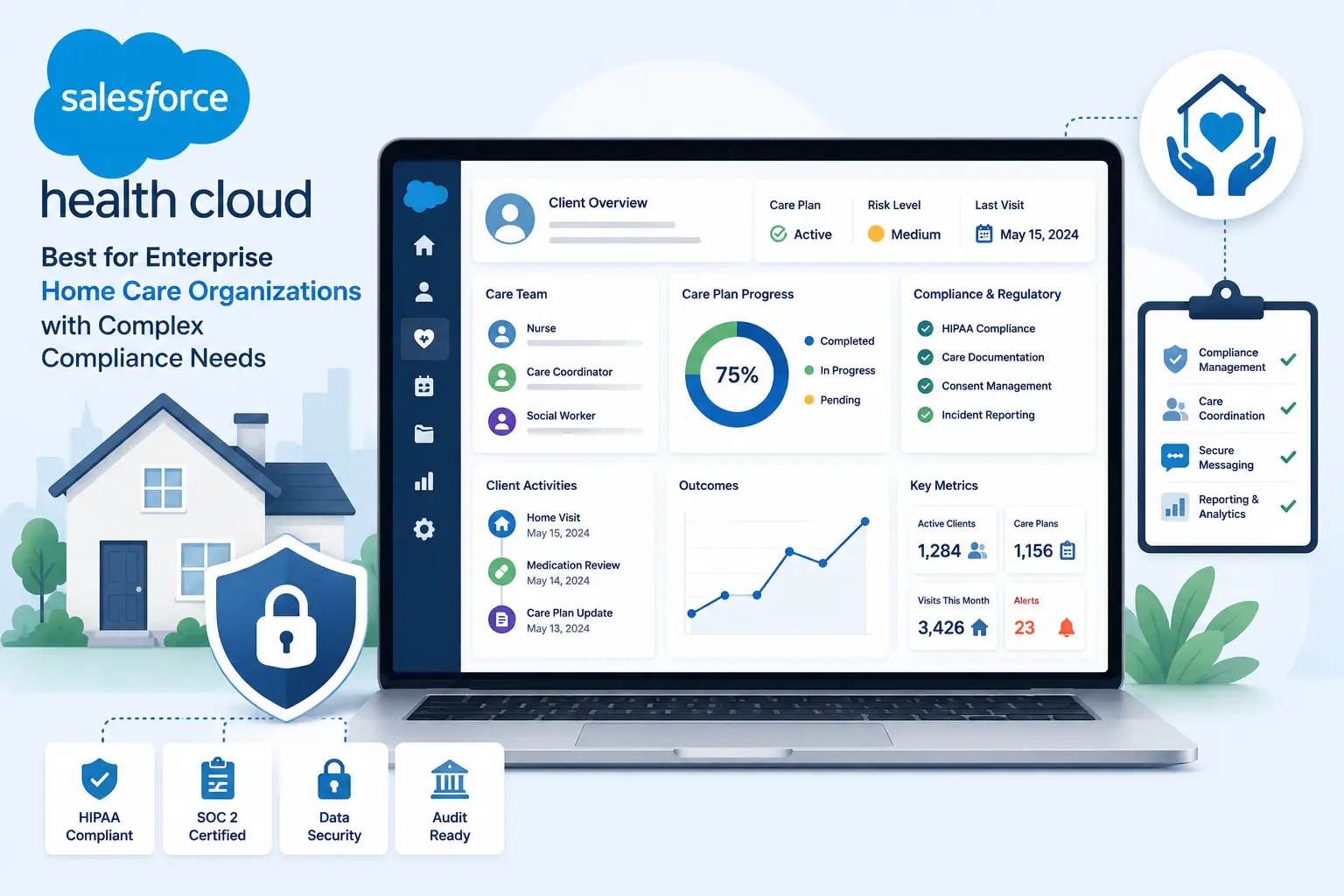
Salesforce Health Cloud is the right call when you’re running a multi-location home care organization with dedicated compliance staff, a budget for enterprise software, and workflows complex enough that off-the-shelf CRM structures genuinely don’t fit. It’s not the right call for a 10-person agency trying to track referrals and manage inquiries.
Health Cloud gives you HIPAA-compliant patient relationship management, care coordination tools, and the full Salesforce ecosystem of integrations and customization. If you’re managing care programs across 20+ locations, coordinating with managed care organizations, or need deep integration with EHR systems, Salesforce has the architecture to handle it.
Vertical-Specific Strengths
- HIPAA-compliant ePHI storage with BAA available, making it viable for storing actual care documentation
- Care coordination tools designed for multi-disciplinary teams, including task management across intake coordinators, care managers, and field staff
- Referral management built into the platform for managing hospital and health system relationships
- AppExchange integrations with home health platforms like MatrixCare and WellSky
- Advanced reporting and analytics for multi-location performance measurement
Honest Limitation
The total cost of ownership is high and the implementation timeline is long. Most Salesforce Health Cloud deployments for home care organizations run 6 to 12 months and require dedicated Salesforce administrators. The Enterprise tier starts at $165 per user per month before healthcare-specific add-ons. For agencies under $20M in revenue, Salesforce’s licensing, implementation, and ongoing maintenance costs typically exceed the ROI case for a CRM.
Pricing
Health Cloud pricing starts at approximately $300 per user per month, with enterprise deployments often landing between $500 and $800 per user per month once implementation, data storage, and add-ons are factored in. Expect a 6-month minimum implementation timeline with qualified Salesforce partners.
Integrate IQ Note
We handle Salesforce-to-HubSpot migrations for organizations that bought Salesforce at the enterprise stage and are now right-sizing to a platform that doesn’t require a dedicated admin team. If your home care organization is on Salesforce and feeling the administrative weight, see what our Salesforce to HubSpot migration service actually involves.
3. Zoho CRM — Best Budget Option for Home Care Agencies Wanting Customization Without Enterprise Pricing

Zoho CRM earns a spot on this list because it’s genuinely flexible at a price point that doesn’t require a board presentation to justify. For home care agencies in growth mode that need custom fields, workflows, and multi-channel communication without paying Salesforce rates, Zoho delivers.
The real play with Zoho is the broader Zoho ecosystem. Zoho Books handles billing, Zoho Campaigns handles email marketing, Zoho Recruit handles caregiver hiring. If you’re willing to stay inside the Zoho stack, you get a reasonably integrated suite at a fraction of HubSpot’s Professional pricing.
Vertical-Specific Strengths
- Deep custom field and module configuration lets you build referral source records, inquiry pipelines, and assessment stages without paying for a developer
- Zoho CRM Canvas lets non-technical staff customize their view of client and referral records
- Workflow automation handles follow-up triggers, lead assignment, and email sequences for referral partner nurturing
- Zoho One bundles CRM, marketing, billing, and HR tools into one subscription, which works for agencies trying to consolidate their tech stack
- Native integrations with Zoho Books simplify the billing side for agencies managing private pay and some insurance billing
Honest Limitation
The learning curve is steep. Zoho’s flexibility is also its complexity, and agencies without a tech-savvy operations lead often find themselves with a half-configured system three months after purchase. The interface feels cluttered compared to HubSpot or Pipedrive, and the documentation quality for healthcare-specific use cases is thin. Support quality also varies significantly by tier.
Pricing
Zoho CRM Standard starts at $14 per user per month. The Professional tier is $23 per user per month and includes most of what a growing home care agency would need. Zoho One, which includes the full Zoho ecosystem, runs approximately $37 per user per month.
4. Pipedrive — Best for Home Care BD Reps Who Need Simple Pipeline Management
Pipedrive is the right tool for one specific problem: a home care agency’s business development team is managing referral partner relationships in a spreadsheet or email and needs a visual pipeline without a 6-week onboarding project. Pipedrive’s visual deal view is genuinely the cleanest in the industry at this price point.
It works well for agencies where one or two BD reps manage relationships with 50 to 200 referral sources and need to track last contact, next scheduled visit, and conversion metrics per partner. The setup time is measured in hours, not weeks.
Vertical-Specific Strengths
- Visual pipeline is the easiest to configure and use for tracking referral partner relationships and inquiry stages
- Activity-based selling features drive BD reps to log visits, calls, and follow-ups with referral partners
- Smart email BCC logs outbound email to referral partner records automatically
- LeadBooster add-on adds web forms and chatbot for capturing online inquiries
- Mobile app works well for BD reps in the field visiting hospital discharge teams
Honest Limitation
Pipedrive is a sales pipeline tool, not a marketing platform. It has no meaningful marketing automation at the base tier, no custom objects for modeling caregiver or clinical data, and limited reporting for multi-source attribution. Once a home care agency grows past 5 BD reps or wants to understand which marketing channels are driving inquiries alongside referrals, Pipedrive hits its ceiling.
Pricing
Pipedrive Lite starts at $14 per seat per month. The Growth plan at $39 per seat per month is where most agencies land once they need more automation and reporting. The top Premium tier runs $59 per seat per month.
5. Isoratec — Best Purpose-Built CRM for Home Care Referral Marketing
Isoratec is built specifically for home care and home health agencies focused on managing referral source relationships. Unlike general-purpose CRMs adapted for this vertical, Isoratec ships with referral source tracking, CMS data integration, and marketer performance grading built in from day one.
For agencies where the primary growth lever is increasing referral volume from hospital systems and skilled nursing facilities, Isoratec solves a specific problem that general CRMs handle badly. You don’t spend time configuring custom fields for referral source tracking because that’s the product.
Vertical-Specific Strengths
- Referral source tracking with real CMS data showing which facilities in your market are generating the most discharge volume
- Marketer scorecard lets agency owners grade BD rep performance by referral volume, conversion rate, and relationship activity
- PDGM-aware features for home health agencies tracking pre-qualified referrals
- Built-in territory management for agencies with multiple BD reps covering different hospital systems
- Lower learning curve than Salesforce or HubSpot for referral-focused staff
Honest Limitation
Isoratec is narrow by design. If you need marketing automation for family inquiries, a full intake pipeline beyond referral tracking, or integration with a broader tech stack, Isoratec doesn’t cover it. Most agencies using Isoratec run it alongside a separate marketing tool, which means managing two systems and two data sets.
Pricing
Isoratec pricing is quote-based and typically significantly lower than Salesforce Health Cloud. Contact Isoratec directly for current pricing, but agencies typically report costs ranging from $150 to $400 per month depending on agency size and feature set.
6. ClearCare / WellSky Integrated CRM — Best For Agencies Already Running WellSky
WellSky (which acquired ClearCare) ships with a built-in CRM layer that covers referral management, intake tracking, and client relationship history. For agencies already on the WellSky platform for scheduling and clinical documentation, starting with the built-in CRM is the lowest-friction option.
The advantage is obvious: your intake coordinator, your care scheduler, and your billing team work in one system. Referral source data, client assessments, and caregiver assignments live in the same database without a custom integration.
Vertical-Specific Strengths
- Single platform for scheduling, EVV, clinical documentation, billing, and CRM eliminates integration complexity
- Referral source data ties directly to intake records and care plans in one workflow
- Purpose-built for home care compliance requirements including EVV and HIPAA
- WellSky’s Enterprise Referral Manager provides a centralized referral inbox connecting multiple electronic health record systems
- No data migration required if you’re already a WellSky customer
Honest Limitation
WellSky’s built-in CRM is functional for referral intake but weak for marketing automation, referral partner nurturing, and multi-channel lead attribution. Agencies trying to run email campaigns, track web inquiry sources, or measure marketing ROI alongside their referral pipeline will hit the wall quickly. Many WellSky customers end up connecting HubSpot to WellSky specifically to handle the marketing and outbound business development layer.
Pricing
WellSky pricing is enterprise and quote-based. For agencies already on WellSky, adding the CRM layer often comes at minimal additional cost compared to a standalone CRM subscription.
How These CRMs Compare for Home Care Businesses
| CRM | Best For | Key Vertical Feature | HIPAA Viable | Starting Price | HubSpot Integration |
| HubSpot | Scaling agencies, referral + marketing pipeline | Custom objects, marketing automation, referral source reporting | Yes (BAA available, requires segmentation) | $15/seat/mo | Native (IS HubSpot) |
| Salesforce Health Cloud | Enterprise multi-location agencies | Full HIPAA compliance, EHR integrations | Yes (native BAA) | ~$300/user/mo | Integrate IQ builds this |
| Zoho CRM | Budget-conscious agencies needing customization | Flexible modules, Zoho ecosystem integration | Partial (BAA available on paid plans) | $14/user/mo | Via Zoho Flow or custom build |
| Pipedrive | Small BD teams needing simple referral pipeline | Visual pipeline, activity tracking | No BAA available | $14/seat/mo | Via Zapier or native connector |
| Isoratec | Agencies focused on referral source marketing | CMS referral data, marketer scorecards | Quote-based | $150-400/mo | Custom build required |
| WellSky CRM | Current WellSky customers | Single platform for scheduling, billing, and CRM | Yes (purpose-built) | Enterprise pricing | Integrate IQ builds this for marketing layer |
How to Choose the Right CRM for Your Home Care Business
The decision comes down to five factors specific to your agency’s stage and priorities.
- Start with where you are in the growth curve. If you’re under 20 active clients and one BD rep, Pipedrive or Zoho’s free tier can work. Once you’re running 50+ inquiries per month, actively nurturing referral partners, and trying to measure admission conversion rates, you need HubSpot’s pipeline and reporting architecture.
- Separate the CRM from the AMS decision. Your agency management system handles scheduling, EVV, billing, and clinical documentation. Your CRM handles referral relationships, inquiry pipelines, marketing, and business development. These don’t need to be the same platform, they need to be connected. Don’t let ‘we already have a CRM in our AMS’ stop you from evaluating whether that CRM actually serves your BD and marketing functions.
- HIPAA scope shapes your architecture. If your CRM will only hold contact information for referral partners, prospects, and family members who haven’t yet signed on, HIPAA requirements are minimal. If you plan to store assessment notes, care plans, or client health data in the CRM, you need a BAA and a compliant configuration. Get this boundary clear before you buy.
- Integration complexity determines total cost. A CRM that can’t talk to your scheduling system, your billing platform, and your marketing tools will create data silos that slow your team down. Factor integration build cost into your CRM budget. A $15/seat HubSpot plan plus a $5,000 integration build is often a better investment than an enterprise platform that handles everything badly.
- Evaluate on what you actually need in 18 months, not today. Agencies that outgrow their CRM mid-growth pay the migration cost twice: once in data cleanup and once in team retraining. If you’re growing fast, buy for where you’ll be in 18 months, not where you are today.
What Switching to HubSpot Looks Like for Home Care Businesses
Most home care agencies come to HubSpot from one of four places: a built-in CRM inside their scheduling software that can’t handle business development, Salesforce that they bought at an earlier enterprise stage, a spreadsheet tracking system that broke down at 30 referral partners, or Pipedrive that hit its ceiling when the marketing team needed real automation.
What Data Needs to Move
- Referral source contact records with relationship history and last contact dates
- Active inquiry and admission pipeline with stage history
- Referral partner companies with associated contact relationships
- Email history and activity logs from your previous CRM
- Any segmentation lists for marketing campaigns
What the Migration Process Looks Like
- Data audit and field mapping (weeks 1-2): Map every field in your existing system to its HubSpot equivalent. Referral source records, contact types, pipeline stages, and custom fields all need explicit mapping before import.
- Data cleanup (weeks 2-3): Deduplication of contact records, standardizing referral source naming, and removing inactive contacts that would inflate your marketing contact count and cost.
- HubSpot configuration (weeks 3-5): Build the pipeline stages, custom objects for referral sources or assessments, workflow automations, and team permissions before importing data.
- Integration build (weeks 4-7): If connecting HubSpot to WellSky, AxisCare, ClearCare, or a billing system, the custom integration build runs in parallel with configuration.
- Data import and validation (week 7-8): Import cleaned data, validate record counts and associations, and run spot checks on referral source and pipeline accuracy.
- Team training and go-live (week 8): Train intake coordinators, BD reps, and marketing staff on their specific workflows. We deliver a functioning system at the 8-week mark.
What Breaks if You Do It Wrong
The two biggest migration failures we see in home care CRM moves: first, importing data without cleaning it first, which results in thousands of duplicate referral source records that take months to clean up. Second, going live without the scheduling system integration complete, which forces care coordinators to manually update two systems and creates the data silos the CRM was supposed to solve.
Our CRM migration service covers the full migration scope, data cleanup, and integration build. We’ve handled migrations from Salesforce, Pipedrive, Zoho, and legacy AMS-based CRMs for healthcare-adjacent businesses.
Frequently Asked Questions
Is HubSpot good for home care agencies?
Yes, with a clear architecture strategy. HubSpot works best for home care agencies when it handles the referral relationship management, inquiry pipeline, and marketing automation layer, while a dedicated AMS (like WellSky or AxisCare) manages scheduling, EVV, and clinical documentation. The two systems need a custom integration to share data. HubSpot’s strength for this vertical is its referral partner pipeline management, marketing automation, and reporting, not its ability to handle clinical workflows.
What’s the best free CRM for home care businesses?
HubSpot’s free CRM handles contact management, basic pipeline tracking, and limited email logging at no cost. For a very early-stage agency with under 15 active referral relationships and one BD rep, it’s a workable starting point. Once you need workflow automation, marketing campaigns, or custom referral source reporting, you’ll need to move to a paid tier. Zoho CRM also offers a free tier for up to 3 users, but the home care-specific configuration requires technical setup time.
Can I keep using my scheduling software alongside a new CRM?
Yes, and most home care agencies should. Scheduling platforms like WellSky, ClearCare, AxisCare, and MatrixCare handle operations that a CRM shouldn’t own: EVV, caregiver dispatch, care plans, and billing. The right approach is to integrate your CRM with your scheduling system so client status updates, admission dates, and care start information flows between the two without manual entry. We build these integrations for agencies moving to HubSpot from any of these platforms.
How much does a CRM cost for a home care business?
Costs range widely by platform and agency size. A small agency (under 5 BD users) can get started on HubSpot Sales Hub Starter for $75 to $150 per month. A mid-sized agency running Sales Hub Professional plus basic Marketing Hub should budget $500 to $1,000 per month in licensing. Add integration build costs of $5,000 to $15,000 for a first-time HubSpot implementation with scheduling system connectivity, and ongoing admin time of 5 to 10 hours per month. Salesforce Health Cloud runs $300 to $800 per user per month before implementation, making it a poor fit for agencies under $20M in revenue.
Do home care CRMs need to be HIPAA compliant?
It depends on what data you store in the CRM. If your CRM holds only contact information for referral partners, prospects, and family members in the inquiry stage, HIPAA requirements are limited. If you plan to store client health information, assessment notes, or care documentation in the CRM, you need a Business Associate Agreement with the CRM vendor and specific configuration to limit ePHI exposure. HubSpot offers a BAA on higher tiers. Salesforce Health Cloud includes HIPAA compliance as a core feature. Most agencies keep ePHI in their AMS and use the CRM for pre-admission and marketing data only.
How long does it take to implement a CRM for a home care agency?
A properly scoped HubSpot implementation for a home care agency, including data migration from a previous CRM, pipeline configuration, referral source custom objects, and a scheduling system integration, takes 8 weeks from kickoff to go-live. Agencies that try to DIY the migration frequently take 4 to 6 months and still end up with data quality problems that require cleanup. The implementation timeline scales with the complexity of your existing data and the number of systems you’re connecting.
See your 12-month revenue impact with HubSpot CRM
Enter your current numbers — visitors, leads, deal size — and get a personalized projection based on real HubSpot customer benchmarks.

Ready to Move Your Home Care Business to a CRM That Actually Supports Growth?
Picking the right CRM for a home care business is one decision. Getting it implemented cleanly, with your referral source data intact, your scheduling system connected, and your BD team actually using the new workflows, is a different problem.
Most agencies we talk to have already tried at least one CRM that didn’t work. Usually it’s not the platform, it’s the implementation. Data got imported without cleanup, the scheduling system never got connected, or the pipeline stages were configured for a generic sales team instead of a home care intake process.
As a HubSpot Diamond Solutions Partner with 300+ platforms integrated and a 98.5% client retention rate, we handle the hard parts: data migration from your current system, integration with WellSky, ClearCare, AxisCare, or your billing platform, and a configured system your intake team and BD reps can use on day one. Delivery in 8 weeks from kickoff. See how we approach it at integrateiq.com/our-hubspot-integration-process, or review our CRM migration services to understand what a clean migration actually involves.



Table of Contents
- What to Look for in a CRM for Home Care Businesses
- 1. HubSpot — Best CRM for Home Care Businesses That Want Full Pipeline and Marketing Visibility
- 2. Salesforce Health Cloud — Best for Enterprise Home Care Organizations with Complex Compliance Needs
- 3. Zoho CRM — Best Budget Option for Home Care Agencies Wanting Customization Without Enterprise Pricing
- 4. Pipedrive — Best for Home Care BD Reps Who Need Simple Pipeline Management
- 5. Isoratec — Best Purpose-Built CRM for Home Care Referral Marketing
- 6. ClearCare / WellSky Integrated CRM — Best For Agencies Already Running WellSky
- How These CRMs Compare for Home Care Businesses
- How to Choose the Right CRM for Your Home Care Business
- What Switching to HubSpot Looks Like for Home Care Businesses
- Frequently Asked Questions
- Ready to Move Your Home Care Business to a CRM That Actually Supports Growth?

