













Explore this article with AI:
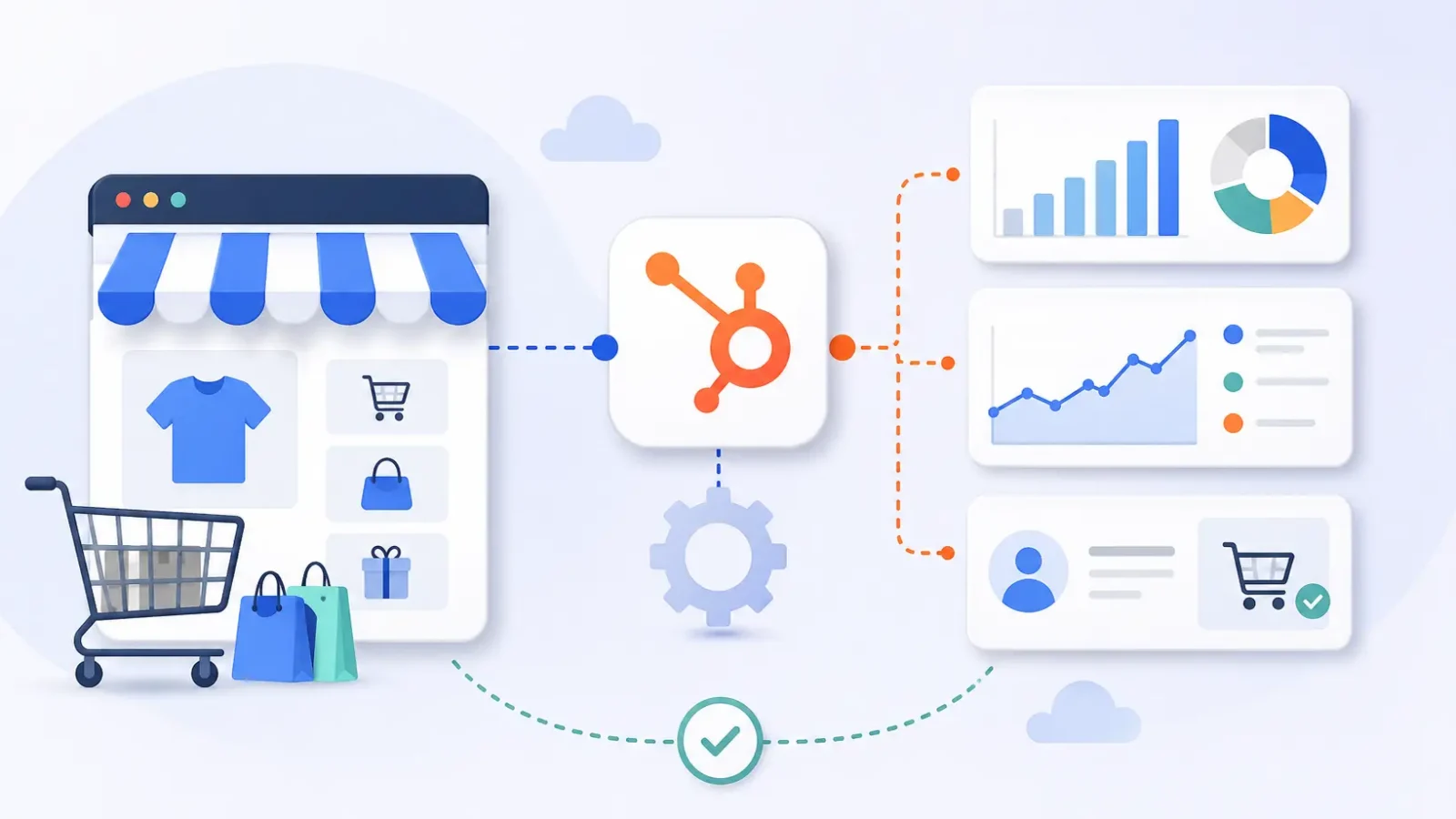
If you’re storing your store data in Shopify and your customer data in HubSpot you’re running two businesses that don’t talk to one another. Marketing emails are sent blind. Sales doesn’t know who just placed a $4,000 order.” Reporting is a guessing game based on exported spreadsheets. The answer is to integrate HubSpot with e-commerce platforms for sales tracking so every order, customer, and product flows into one CRM you can actually report on.
E-commerce Sales Tracking Integration Connect your online store with HubSpot to automatically sync customer profiles, orders, products and abandoned carts into your CRM. Orders usually come in as HubSpot Deals, so sales and marketing teams can report on revenue, segment by purchase behavior, and trigger workflows based on actual transactions.
As a Diamond Solutions Partner with custom integration accreditation at HubSpot, we’ve scoped this kind of connection across more than 300+ platforms. This guide explains how the integration works, the available methods, and the decisions that impact whether your sales tracking remains reliable or becomes a mountain of duplicate records. If you’re looking to get a jump on your platform choice, our rundown of the best ecommerce platforms that integrate with HubSpot pairs nicely with everything below.
Free estimator
Know what your HubSpot project costs before the first call.
Select your services and get a transparent price range in minutes. No sales call needed to get a number.
Connect HubSpot to your ERP, billing platform, or database field mapping, custom logic, and support included.
Pipelines, workflows, email templates, and reporting configured for how your team actually works.
Live, role-based sessions with recordings and written guides built around a custom plan for your team.
HubSpot Partner
Client retention
Platforms integrated
What E-Commerce Sales Tracking in HubSpot Actually Looks Like
Track e-commerce sales in HubSpot, so that every purchase in your store becomes a CRM object you can report on. When the integration is working correctly a shopper becomes a Contact, the business behind a B2B order becomes a Company and each order becomes a Deal inside a dedicated pipeline. Synchronize product data to your HubSpot Products library. Relate all Deals to exactly what was purchased with line items.
Deals are important here because they unlock HubSpot’s revenue reporting. When you have orders sitting in a pipeline, you can forecast, attribute revenue back to the campaign or blog post that drove the sale, and watch average order value move over time. Without that mapping, HubSpot only sees half the customer. It knows someone opened three emails, but not that they spent $1,200 last quarter.
Out-of-the-box, HubSpot’s native Shopify integration syncs customers, products, orders and abandoned carts. WooCommerce and BigCommerce have similar data flows using marketplace connectors. Abandoned carts sync differently depending on the platform sometimes as open Deals, sometimes as a separate object — which allows for recovery workflows later.
Native Connectors, Middleware, or Custom Code: Which Method to Use
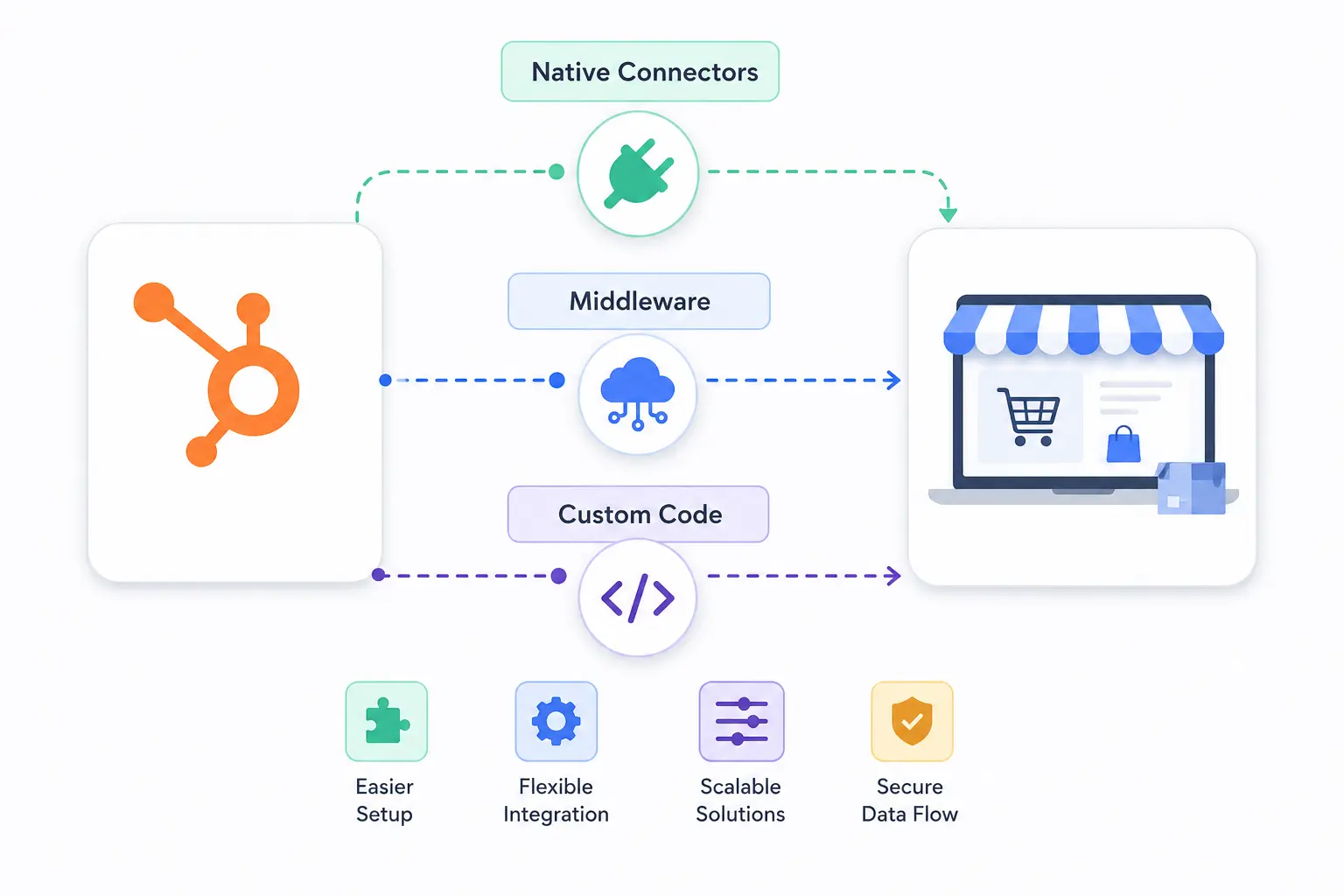
There are four practical ways to integrate HubSpot with e-commerce platforms for sales tracking, and the right one depends on your store platform, your stack, and how much custom data you need. A single-store Shopify brand and a B2B manufacturer with an ERP behind the catalog should not pick the same approach.
| Method | Best for | Sync depth | Main limitation |
| Native HubSpot connector (Shopify) | Shopify stores that want fast, low-cost setup | Customers, products, orders as Deals, abandoned carts | Fixed field mapping, Shopify only, thin custom object support |
| Marketplace app (WooCommerce, BigCommerce, Magento) | WordPress, BigCommerce, and Magento stores | Customers, order history, product catalog | Quality varies by vendor, recurring fee, shared roadmap |
| iPaaS or Operations Hub middleware | Stacks with an ERP or several connected systems | Configurable mapping across many systems | Needs setup expertise and an ongoing platform fee |
| Custom API integration | Headless commerce, B2B catalogs, ERP-driven pricing | Exactly the objects and fields you define | Build cost, needs a partner to scope and maintain |
Most direct-to-consumer brands on Shopify start with the native connector and never need more. B2B operations usually outgrow it once finance data enters the picture. If your orders need to reconcile against accounting, a QuickBooks HubSpot integration or a NetSuite HubSpot integration often runs alongside the storefront connection so revenue numbers match across systems.

Turn HubSpot Into A Real-Time SMS Engine with
Message IQ

Two-Way Conversations

Shared Team Inbox

Automation Triggers

Advanced Reporting

Compliance Tools
-
98%
SMS read within 3 min -
78%
Buy from first responder -
21×
More likely to qualify
3–5 min avg response
$45–$50 ROI / $1

*MessageIQ is an IntegrateIQ product – built natively for HubSpot by the same team.
How to Integrate HubSpot With E-Commerce Platforms for Sales Tracking, Step by Step
Whatever method you choose, a clean integration follows the same sequence. Skipping the early steps is what creates the duplicate-contact and missing-order problems teams blame on the software later.
- Audit your data model first. Decide what a Contact, Company, Deal, and Product mean for your store before you connect anything. Define the order pipeline stages and the properties you’ll report on.
- Install the HubSpot tracking code. Add the tracking script to your store so HubSpot captures on-site behavior and ties it to known contacts.
- Connect the store. Install the native app, the marketplace connector, or the middleware that fits your platform, and authenticate both sides.
- Map fields and build the Deal pipeline. Match store fields to HubSpot properties, route orders into the right pipeline stage, and confirm line items carry product and price data.
- Set dedupe rules. Decide how email and external IDs resolve duplicates so one customer never becomes three contacts across guest checkouts.
- Import historical orders. Backfill past transactions so lifetime value and repeat-purchase reporting start with real history, not a blank slate.
- Validate before you trust the reports. Spot-check a sample of orders against the store, confirm totals match, and only then point dashboards and workflows at the data.
Teams moving off a legacy CRM at the same time should treat this as part of a wider HubSpot migration, since field mapping and dedupe decisions overlap heavily.
Sales Tracking Workflows Worth Building Once the Data Syncs
Syncing data is the setup. The payoff comes from the workflows that run on top of it. Once orders and customers live in HubSpot, these are the builds that turn raw transaction data into revenue:
- Abandoned cart recovery: trigger an email sequence when a cart syncs as an open Deal and no order follows within a set window.
- Post-purchase nurture: send review requests, replenishment reminders, and cross-sell offers timed to the order date.
- RFM and VIP segmentation: sync recency, frequency, and monetary value so HubSpot flags your highest-value customers automatically.
- Product-based lists: build active lists from line items, such as customers who bought running shoes but not socks, for precise campaigns.
- Revenue dashboards: report order volume, average order value, and revenue by source in one place instead of stitching exports together.
- High-value order alerts: notify a sales rep the moment a large or B2B order syncs, so consultative follow-up happens while interest is fresh.
When to Use a Custom Integration vs a Native Connector
A native connector is the right call when your needs match what HubSpot built. A custom integration earns its cost when they don’t. Here’s the decision framework we use with clients.
Stick with a native or marketplace connector when:
- You run a standard Shopify, WooCommerce, or BigCommerce store with one storefront.
- The default objects (Contacts, Deals, Products, abandoned carts) cover your reporting.
- You don’t need ERP, custom pricing, or B2B approval logic reflected in HubSpot.
- Fast setup and low cost matter more than full control over field mapping.
Move to a custom or middleware build when:
- You run headless commerce or several stores feeding one CRM.
- Pricing or inventory comes from an ERP and must stay accurate inside HubSpot.
- B2B buying hierarchies, custom catalogs, or quote approvals need to live as CRM data.
- You need custom objects, specific sync timing, or fields the native app simply won’t map.
If you land in the second group, the build needs a clear scope: which objects sync, in which direction, how often, and what happens on a conflict. That scoping discipline is the core of our HubSpot integration process.
Common E-Commerce Sync Problems and How to Fix Them
Most integration complaints trace back to setup, not the software. These are the failures we see most often and the fix for each.
- Duplicate contacts: guest checkouts and slight email variations create multiple records. Fix it with firm dedupe rules and a unique external ID as the match key.
- Missing orders: orders fail to sync when an API limit is hit or a required property is blank. Fix it with error logging and a retry path, not manual re-entry.
- SKU mismatches: when product IDs in your store don’t match the catalog or ERP, product reporting breaks. Audit and align SKUs before the first sync.
- Broken workflow triggers: a workflow built on a property the sync later renames stops firing silently. Document property dependencies and test after any mapping change.
- Attribution gaps: if the tracking code isn’t installed or contacts aren’t merged, HubSpot can’t connect a sale to the campaign that drove it. Confirm tracking before launch.
We process more than 20 billion records and 55 million field updates a day across client integrations, and almost every recurring issue comes down to one of these five. None of them are platform faults. They’re scoping gaps.
Cost and Timeline for an E-Commerce Sales Tracking Integration
Cost depends entirely on method. HubSpot’s native Shopify connector is free to install, so a standard store can be reporting on Deals within days once the data model is set. Marketplace connectors for WooCommerce, BigCommerce, and Magento usually carry a monthly subscription that scales with order volume or contact count.
Custom and middleware builds are project work. The budget reflects the number of systems, the objects in scope, and whether sync runs one-way or two-way. A custom e-commerce integration typically delivers in about 8 weeks from kickoff, covering discovery, field mapping, build, historical import, and validation. Our 98.5% client retention rate comes largely from getting that validation step right, since a sync nobody trusts is worse than no sync at all. Teams that also need HubSpot onboarding can fold the integration into the same engagement.
Frequently Asked Questions
Does HubSpot have a native e-commerce integration?
Yes, HubSpot offers a free, native Shopify integration in the App Marketplace that syncs customers, products, orders, and abandoned carts. For WooCommerce, BigCommerce, and Magento, you connect through third-party marketplace apps rather than a HubSpot-built connector.
Can I track Shopify sales in HubSpot deal pipelines?
Yes. The Shopify integration syncs orders into HubSpot as Deals, which can flow into a dedicated e-commerce pipeline. That lets you run revenue reporting, forecast, and attribute sales to the campaigns and content that drove them.
Will integrating HubSpot with my store create duplicate contacts?
It can if dedupe rules aren’t set before launch. Guest checkouts and minor email differences are the usual cause. Using a unique external ID as the match key and defining clear dedupe logic prevents one customer from becoming several records.
Can I integrate HubSpot with WooCommerce?
Yes. WooCommerce connects to HubSpot through marketplace integrations that sync customer profiles, order history, and product data. For WordPress stores, this connection is the foundation for any data-driven marketing or sales tracking in HubSpot.
How long does an e-commerce HubSpot integration take?
A native Shopify connection can be live within days once your data model and pipeline are defined. A custom or middleware build that involves an ERP or multiple systems typically takes around 8 weeks from kickoff through validation.
What’s the difference between HubSpot Commerce Hub and an e-commerce integration?
Commerce Hub is HubSpot’s own lightweight tool for payment links, invoices, quotes, and subscriptions, best for simple selling. An e-commerce integration connects a full storefront like Shopify or WooCommerce to HubSpot so its order and customer data feeds your CRM reporting.
See your 12-month revenue impact with HubSpot CRM
Enter your current numbers — visitors, leads, deal size — and get a personalized projection based on real HubSpot customer benchmarks.

Get Your Store and HubSpot Reporting From the Same Numbers
If your team still exports order data into spreadsheets to answer basic revenue questions, the integration is the bottleneck. We scope and build e-commerce sales tracking integrations that map cleanly to your CRM, validate before go-live, and typically deliver in 8 weeks from kickoff. Walk through our HubSpot integration process or talk to our integration team to scope what your store needs.



Table of Contents
- What E-Commerce Sales Tracking in HubSpot Actually Looks Like
- Native Connectors, Middleware, or Custom Code: Which Method to Use
- How to Integrate HubSpot With E-Commerce Platforms for Sales Tracking, Step by Step
- Sales Tracking Workflows Worth Building Once the Data Syncs
- When to Use a Custom Integration vs a Native Connector
- Common E-Commerce Sync Problems and How to Fix Them
- Cost and Timeline for an E-Commerce Sales Tracking Integration
- Frequently Asked Questions
- Get Your Store and HubSpot Reporting From the Same Numbers

