













Explore this article with AI:

| What is a HubSpot SMS integration? A HubSpot SMS integration connects your CRM to a text messaging platform, enabling two-way SMS from contact records, workflow-triggered sends, and automatic message logging, all from inside HubSpot. Most are available in the HubSpot App Marketplace and install in under 30 minutes. |
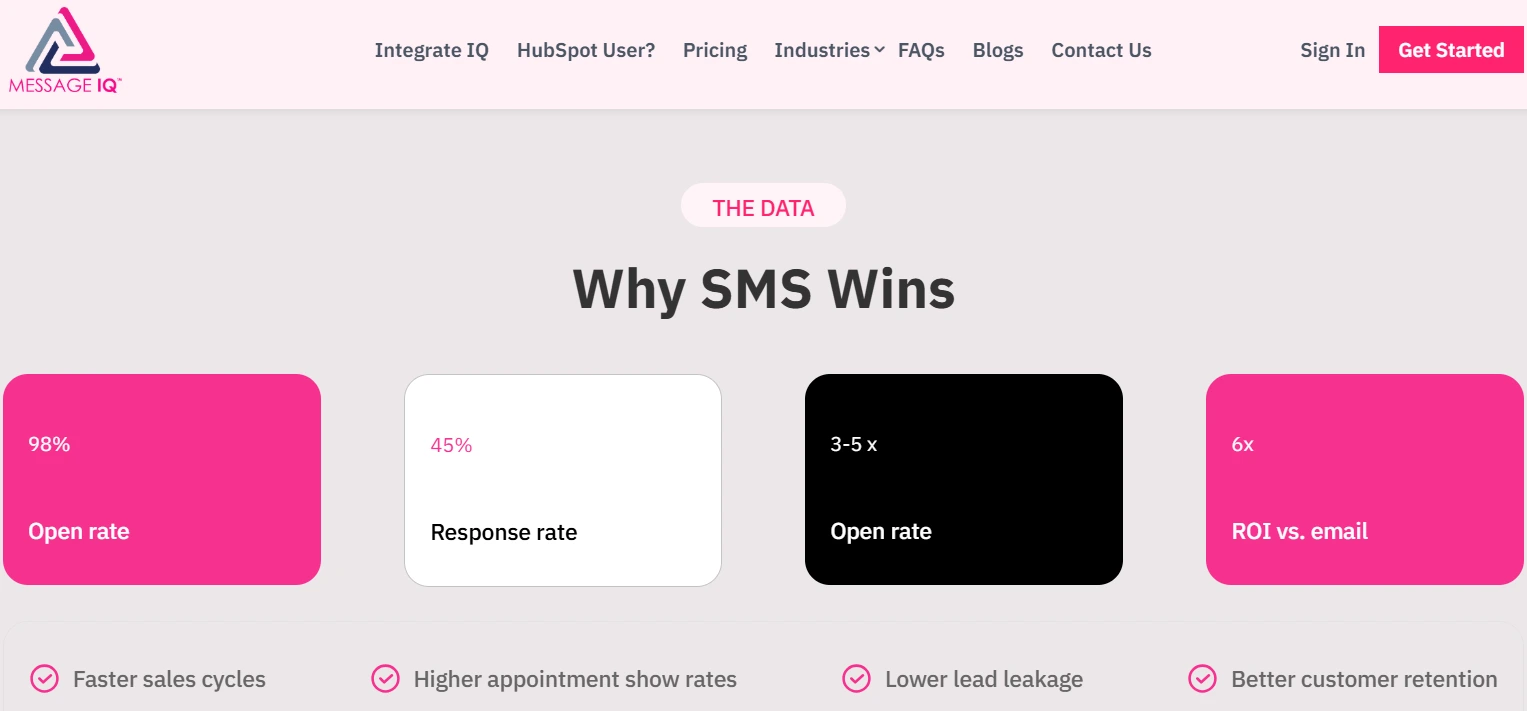
The open rate for SMS is 98%. On a good day, email is around 20% to 30%. That gap doesn’t mean you should stop using email, but if SMS isn’t set up in your HubSpot stack yet, you’re missing out on a big way to connect with people.
The problem is that HubSpot’s built-in SMS option is an expensive, limited add-on that only works with Marketing Hub Professional and Enterprise. Most teams need something that is more flexible, less expensive, and can work with the workflow engine they already use.
We’ve linked HubSpot to more than 300+ platforms for both mid-market and enterprise accounts. We’ve planned SMS integrations from the ground up, and we’ve been called in when ones that weren’t built with enough care have quietly stopped working. This guide is based on both experiences. We also made Message IQ,
Free estimator
Know what your HubSpot project costs before the first call.
Select your services and get a transparent price range in minutes. No sales call needed to get a number.
Connect HubSpot to your ERP, billing platform, or database field mapping, custom logic, and support included.
Pipelines, workflows, email templates, and reporting configured for how your team actually works.
Live, role-based sessions with recordings and written guides built around a custom plan for your team.
HubSpot Partner
Client retention
Platforms integrated
What Makes a HubSpot SMS Integration Actually Work
A lot of comparison guides just give you a feature matrix and that’s it. That’s fine if all you want to know is which tools work with MMS. It doesn’t help you figure out why some integrations make new data silos six months after you’ve built your whole SMS strategy around them.
Before we talk about specific tools, this is the evaluation framework we use to figure out what SMS integrations will work best for our clients.
1. Workflow Integration Depth:- Triggers AND Actions
A real HubSpot SMS integration can be both a trigger and an action in your HubSpot workflow. When a deal stage changes, a form is submitted, or a lifecycle stage updates, you can send an SMS. And most importantly, an incoming SMS reply can start a HubSpot workflow action, such as sending a contact to a rep, changing a property, or putting them in a different sequence.
If the tool only sends messages and doesn’t write data back into HubSpot when contacts respond, you’ll have to check two systems every time a prospect replies. That’s a gap in the process, not a gap in the features, and it gets worse quickly.
2. Two-Way Messaging With Full Contact Record Logging
HubSpot should automatically show every message, whether it came in or went out, in the contact’s activity timeline. This seems like a basic need, but some App Marketplace tools only keep track of outgoing messages. When a prospect replies to your text, the reply goes to the SMS tool’s inbox and never gets to your CRM. Your reps make follow-up calls without knowing what happened before, your reports don’t include half of the conversation, and it’s impossible to figure out who was responsible for any deal that was affected by SMS.
3. Compliance Infrastructure:-10DLC, TCPA, Opt-In Tracking
A2P 10DLC registration is what US business texting uses. Any platform that doesn’t go over this during onboarding is a risk. The section on compliance below goes into more detail about this. The quick test: does the SMS tool guide you through the registration process as part of its onboarding flow, or does it let you start sending messages before you’re fully registered?
4. Pricing Model Transparency:- Per Seat vs Per Segment
When you have a lot of seats or messages, per-seat pricing and per-message-segment pricing work very differently. A tool that costs $25 a month for 500 contacts can get really expensive when you run campaigns for 50,000 contacts every month. Before you sign up, make sure you know the base cost, the message segments that are included, the overage rates, the per-seat fees, and the MMS pricing.
5. Data Portability:- What Happens If You Switch
When you switch SMS tools, the message logs that are saved in HubSpot contact timelines stay in HubSpot. Threads and conversation history in real time inside the tool’s own interface usually don’t move over automatically. Pick a tool that keeps track of every message at the Contact and Deal level from the start. Switching later is cleaner, and your compliance audit trail stays the same.
Best HubSpot SMS Integrations: Honest Breakdown
Here’s a quick reference table before we go deep on each.
| Tool | Starting Price | Best For | Workflow Depth in HubSpot |
| Message IQ | $49/month | Most HubSpot teams; deep workflow automation | Native built specifically for HubSpot |
| Sakari | $25/mo (823 segments) | Appointment reminders, simple automated sends | Good triggers and actions, external UI |
| Salesmsg | $25/mo (500 segments) + $10/seat | Conversational 1:1 texting, shared inbox | Strong contacts, deals, tickets connected |
| JustCall | $29/user/month (base) | Call-heavy teams that also need SMS | Good pairs dialer and SMS inside HubSpot |
| HubSpot Native SMS | $75/mo (1K segments, add-on) | Marketing Hub Pro/Enterprise marketing sends | Native marketing-only, no sales texting |
1. Message IQ : Our Recommended Pick for Most HubSpot Teams
For most HubSpot users, Message IQ is our top choice.
We’ll explain why we made it: all other SMS tools were made as general messaging platforms and then changed to work with HubSpot. Message IQ was made the other way around, with HubSpot coming first from the start.
You can see that difference in architecture everywhere.
There are more than 60 SMS tools in the HubSpot App Marketplace. Most of them just add a sidebar widget and call it a “deep integration.””Message IQ goes even further with workflow actions, reply triggers, property-level personalization, link tracking written back into contact records, and infrastructure that automatically scales up without you having to manage a number pool as your list grows.”
How Message IQ Works Inside HubSpot
The sidebar widget is a part of your HubSpot Contact Record. A rep can send a text, see the whole conversation thread, and check the click data on any links without opening another tab. The widget brings HubSpot properties into the message composer, so personalization happens when the message is sent, not in a separate export-merge-import workflow.
Every message is logged in real time to the contact activity history. All of your emails, calls, and notes are in the same timeline as your inbound replies, outbound sends, delivery status, and click events. When a sales rep opens a contact, they don’t have to put together information from two different platforms.
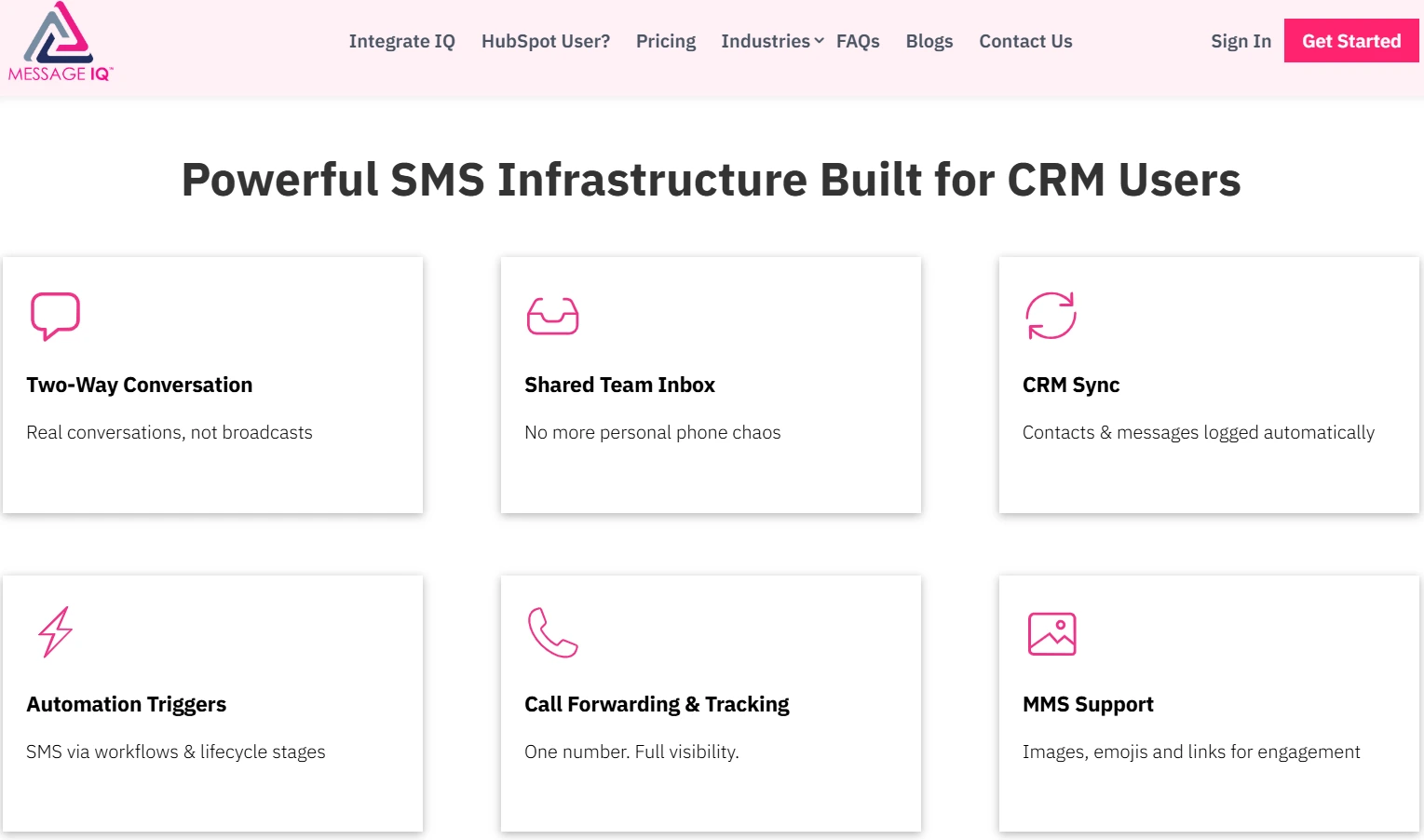
The same events that your current HubSpot workflows use will also trigger workflow automation. Message IQ adds SMS as a native action in the workflow builder, along with your email sends, task assignments, and data updates. This includes deal stage changes, form submissions, lifecycle stage updates, ticket creation, and custom property changes. You are not making a new automation system; you’re adding to the one you already have.
Inbound replies can start actions in HubSpot workflows. If a contact texts back “YES” to a confirmation, the system can automatically update a property, add them to a follow-up sequence, or assign them to a rep, all without any work on your part. Most SMS tools only send messages. Message IQ adds replies to your CRM logic.
Message IQ Feature Breakdown
| Feature | What It Actually Does in HubSpot | Why It Matters |
| HubSpot Sidebar Widget | Lives in the Contact Record sidebar send a text without opening any other tool or tab | Zero context-switching; reps stay inside HubSpot for every interaction |
| Two-Way SMS + MMS | Full conversation threads (text, images, emojis, files) logged to contact activity history in real time | Every reply is captured in the CRM no conversation disappears into an external inbox |
| Workflow Automation | Triggers texts based on deal stage changes, form submissions, lifecycle updates, property changes, ticket creation | SMS participates in your existing HubSpot workflow logic as a first-class action |
| HubSpot Token Personalisation | Pulls any HubSpot contact or deal property directly into message text name, company, appointment time, deal value | Personalised at scale without manual merging or exporting contact lists |
| Link Tracking | Auto-shortens URLs and tracks clicks per message per contact, with click data written back to HubSpot | Proves which SMS messages drive action; links revenue to specific campaigns |
| Autoscaling Platform | Single phone number handles any send volume no number pool management as lists grow | No throughput ceiling; campaigns to 500 or 50,000 contacts run on the same number |
| Direct Carrier Relationships | Traffic routed through direct carrier partnerships no grey routes, no aggregator middlemen | Higher deliverability rates; messages land, not get filtered as spam |
| Reply-as-Workflow-Trigger | An inbound SMS reply can trigger a HubSpot workflow action (update a property, enrol in a sequence, assign to a rep) | Closes the loop contact behaviour in SMS drives CRM automation, not just the other way around |
Pricing and Plans
Message IQ costs $49 a month and doesn’t require a long-term contract; you can only sign up for month-to-month plans. It can be used in the US and Canada. There is no per-seat pricing structure that makes your costs go up as your team grows. Instead, the model is based on the number of messages, not the number of people.
For teams that are new to SMS, that price point lets you test the channel before you commit to anything bigger. If your team already knows SMS works and wants to grow, the autoscaling infrastructure means you won’t hit throughput ceilings when you run a campaign.

Turn HubSpot Into A Real-Time SMS Engine with
Message IQ

Two-Way Conversations

Shared Team Inbox

Automation Triggers

Advanced Reporting

Compliance Tools
-
98%
SMS read within 3 min -
78%
Buy from first responder -
21×
More likely to qualify
3–5 min avg response
$45–$50 ROI / $1

*MessageIQ is an IntegrateIQ product – built natively for HubSpot by the same team.
Vertical Use Cases Where Message IQ Is Particularly Strong
| Real estate: New listing alerts triggered when a deal stage moves to ‘Active,’ appointment
confirmations with address and time pulled via HubSpot tokens, and follow-up texts sent 24 hours after a showing — all firing from HubSpot workflow logic. E-commerce: Abandoned cart SMS triggered 1 hour after abandonment via workflow, with product name and cart link personalised from contact properties. Reply-to-purchase conversion tracked back into HubSpot. Healthcare: Appointment confirmation texts 48 hours before, with opt-out handling compliant with TCPA consent requirements. Two-way replies for rescheduling logged to the contact record for the front desk team to see. B2B SaaS: Deal stage texts when a proposal moves to legal review, free trial day-3 check-in triggered by lifecycle stage, and renewal reminders fired 60 days before contract end via workflow automation. Field service / Autoglass: Technician dispatch notification when a HubSpot ticket status changes to ‘Assigned,’ customer ETA texts triggered by job scheduling updates, and post-service review requests sent automatically after ticket close. |
Where Message IQ Is Not the Right Fit
We’d rather tell you this now than have you find out after you start working with us.
Companies that run more than one HubSpot portal and need to keep track of SMS activity across all of them. Message IQ works in just one HubSpot instance.
Teams in regulated fields that need HIPAA-compliant messaging with a signed BAA, or financial services environments that are governed by GLBA. For those situations, your legal team may not be happy with standard SaaS compliance documents.
Companies that need short code numbers (5–6 digits) for very high-volume send campaigns. Short code registration takes 8–12 weeks no matter what platform you use, but the throughput economics only make sense at high volume.
Integrate IQ custom integration work is the best way to go in any of those cases. We have built these kinds of setups for more than 300+ platform integrations, and we deliver them in 8 weeks from the start.
- Sakari :-Best for Appointment Reminders and Straightforward Sends
Sakari gives HubSpot teams a clean SMS panel for deals, contacts, and tickets. It can send and receive texts, has template libraries, and automates workflows without being too hard to learn. If your team works outside the US, being able to support international numbers in more than 20 countries is a real selling point.
The honest limitation: Sakari feels like an add-on to HubSpot rather than something that is built into it. It can seem like the reporting in HubSpot is separate from the reporting you do in your own workflow. For teams that send a lot of appointment reminders, confirmations, and status updates at a regular volume, Sakari is a good value at $25 a month for 823 message segments. SMS starts to show its limits when you need it to be deeply involved in complicated HubSpot workflow logic.
- Salesmsg:- Best for Conversational 1:1 Texting at Volume
Salesmsg is all about two-way communication in real time. It’s especially good for sales teams where reps are actually texting prospects instead of just sending out automated messages. The shared inbox lets support teams work together on responses to incoming messages without losing track of what each agent is doing.
Salesmsg links HubSpot contacts, companies, deals, and tickets. Drip sequences, review requests, and deal-stage-triggered sends are all parts of workflow automation. AI agents can answer leads that come in and qualify contacts based on criteria that have been taught to them.
The problems are that setting up a shared inbox takes some time to learn, and customer support response times can be inconsistent. The base plan costs $25 a month for 500 message segments, and each extra user seat costs $10 a month. For bigger teams, the per-seat cost adds up faster than the base plan says it will.
- JustCall:-Best for Teams That Need Calling and SMS Together
JustCall is a complete cloud-based communications platform. If your reps make a lot of calls and need SMS at the same time, JustCall’s power dialer, predictive dialer, and call recording features in HubSpot make it the best choice on this list for that purpose. Local numbers in more than 70 countries support teams that work together from different places.
The base plan at $29 per user per month doesn’t include bulk SMS campaigns. To get those, you need to pay $49 per user per month for the Pro tier. If you only need SMS automation and workflow integration and not call center features, JustCall is a lot more than you need, and you’ll pay for features you won’t use.
5. HubSpot’s Native SMS Add-On:- When It’s Justified
Twilio powers HubSpot’s own SMS feature, which is built right into the platform. To get access, you need either Marketing Hub Professional (at least $800 a month) or Enterprise (at least $3,600 a month), plus the SMS add-on, which costs $75 a month for 1,000 message segments.
It is a tool just for marketing. Salespeople can’t use it to reach out to people. Inside Sales Hub, you can’t have conversations with two people at once. You can’t text someone unless they have agreed to receive marketing messages, which means you can’t reach out to them cold.
HubSpot also has a separate native WhatsApp integration inside the Conversations inbox, which is more flexible for sales use since it isn’t gated behind the marketing consent model the SMS add-on requires. In practice it’s a mixed bag: it carries a 2.2-star rating in the App Marketplace, and most complaints center on unreliable connections and inflexible setup. It’s worth knowing it exists as an option, but not something we’d currently recommend over a dedicated SMS integration.
If you’re already using Marketing Hub Pro or Enterprise, only need SMS for campaigns, and want everything from one vendor, then HubSpot native SMS makes sense. A third-party integration gives you more for less if your team needs to send sales texts or doesn’t have the money for the higher Marketing Hub tiers.
Two other names worth knowing if you’re comparing lists: Heymarket and Salesmsg both show up frequently as shared-inbox, two-way texting tools in the same tier as Sakari; TrueDialog leans more enterprise and expensive, aimed at high-volume sales prospecting. Neither changes the recommendation above, but if you’ve seen them mentioned elsewhere, they sit roughly alongside Sakari and Salesmsg on capability, not ahead of Message IQ on HubSpot-native depth
TCPA, 10DLC and Compliance: What Your Integration Needs to Handle
This part is here because most guides only give you a bullet point on TCPA and call it a compliance section. If you break the TCPA, you could be fined up to $1,500 for each message. If your registration is not complete, carrier filtering will silently block your sends. Both of these things will happen.
The Required Foundation for A2P 10DLC Registration
All US businesses that send text messages using 10-digit long code numbers must register for A2P (Application-to-Person) 10DLC. Carriers treat all business SMS traffic as A2P, so you don’t have a choice. This is what the real process looks like with real deadlines:
Registering a brand: You sign up your business with The Campaign Registry (TCR). Usually takes less than 24 hours to process.
Sign up for a campaign: You sign up for a specific use case, like marketing, customer service, or two-factor authentication. The category you pick has an effect on your throughput rates.
For long code numbers, it takes 6 to 8 business days to get approval for the 10DLC number. Short codes (5–6 digits) take 8 to 12 weeks. Don’t plan your campaign around this window; plan it around this window.
Assigning a trust score: Carriers give you a trust score based on the type of business you run and how often you send messages. A higher trust score means more messages can be sent each day. New senders start with a small amount and grow over time.
If an SMS tool lets you start sending before you finish registering, it is putting you at risk of delivery failures and compliance issues. Message IQ, Salesmsg, and JustCall all help with 10DLC registration as part of their onboarding processes.
The Consent Data Sync Gap Nobody Talks About
HubSpot keeps track of SMS consent through its different subscription types. This works well for marketing emails to people who have agreed to receive them. The problem is that when you install a third-party SMS tool, the data about your HubSpot subscription type doesn’t automatically go into that tool’s opt-in tracking system. They are two different systems.
You could send texts to contacts who haven’t given valid consent if you don’t set up a field mapping that moves consent status from HubSpot to your SMS tool and keeps it up to date when contacts opt out. The solution is to make a custom HubSpot property for SMS consent that has fields for the source, the time stamp, and the opt-out status. Put it in the same field as your SMS tool. Make this before you send any messages.
One regulatory change worth building for now, not later: the FCC’s “revocation-all” rule, originally set for April 2026, has been delayed to January 31, 2027, but it’s a postponement, not a repeal. Once it takes effect, a single opt-out reply will count as revoking consent for all automated marketing messages and informational or transactional texts from your business, across every channel and campaign, not just the one the contact replied to. If your SMS consent property only tracks opt-outs per campaign today, this is the moment to redesign it to track opt-outs at the contact level instead. Building that now costs a lot less than retrofitting it under a compliance deadline later.
Marketing Consent vs. Sales Consent
HubSpot’s consent model is based on marketing opt-in subscriptions, which let people choose to receive promotional emails, newsletters, and campaign texts from people who have explicitly signed up. Sales texting works under a different set of rules: a real business interest based on a previous inquiry, form submission, or verbal consent during a call. This is why HubSpot’s built-in SMS add-on can’t be used for sales outreach. It only works with the marketing consent model. Both Message IQ and Salesmsg work with both models.
When a Marketplace App Is Enough (And When You Need a Custom Integration)
Most of the time, RevOps leaders at mid-sized companies ask us this question. Most of the content is written by SMS companies that always say a marketplace app is enough or by generic integration agencies that always say you need custom work. We are both, so we can be direct.
| Use a Marketplace App When… | Use a Custom Integration When… |
| Standard HubSpot instance, single portal | Multi-portal HubSpot setup needing centralised SMS activity |
| Two-way SMS, reminders, basic automation | SMS triggers depend on ERP, OMS, or field service data outside HubSpot |
| Contact database under 100K, predictable volume | Industry-specific compliance: HIPAA, GLBA, or regulated consent flows |
| No cross-system data dependencies | Complex workflow branching, custom objects, or high-volume routing logic |
| Setup needed in days, not weeks | You need a partner who owns the outcome, not just installs an app |
The practical version is that if your HubSpot instance is clean, your SMS use cases are normal, and most of your contact data is in HubSpot, a marketplace app takes care of it. Once 10DLC clears, Message IQ can get you up and running in less than two weeks.
If any of these are true, you probably need to make a custom order:
Your SMS triggers depend on inventory levels, order status, or job scheduling data that is stored in an ERP or field service platform that HubSpot doesn’t own.
You have more than one HubSpot portal and need to keep track of SMS activity in one place across all of them.
There are specific compliance rules for your industry. For example, HIPAA for healthcare, GLBA for financial services, or any other regulated environment where your legal team needs more than just a generic SaaS tool’s compliance documentation.
You need SMS data to flow both ways into a record system that is not HubSpot.
As a HubSpot Diamond Solutions Partner with custom integration certification, we’ve sent both. We handle more than 20 billion records every year through connections with more than 300+ platforms. Integrate IQ’s custom integration work takes eight weeks from the start of the project to the end, including scoping, architecture, building, testing, and going live. Check out the process at integrateiq.com/our-hubspot-integration-process/.
How to Set Up a HubSpot SMS Integration: Realistic Timeline and Steps
Installing a standard marketplace app is quick and easy. The compliance window pushes back your realistic go-live date. This is what a good setup looks like.
From the HubSpot App Marketplace, install. Find your SMS tool, click “Install,” and then give permission for the OAuth connection. The actual installation took less than five minutes.
Register for 10DLC on the same day. Don’t wait until the tool seems set up. On the first day, sign up for your brand and campaign use case. The approval window is 6 to 8 business days from the time the application is submitted. This is the step that most teams put off and then wonder why they can’t send after two weeks of setup.
Set up field mapping between your SMS tool and HubSpot. Pay close attention to how the phone number is written. HubSpot keeps numbers in different formats, but most SMS tools need E.164 format with the country code (for example, +12025551234). If this doesn’t match, your workflows will start but the texts won’t go out. Make sure to test this.
Make sure you can track SMS consent. Make a custom HubSpot property for SMS opt-in status that has fields for the consent source and the time stamp. Put this in the same place as the field in your SMS tool. Create a workflow that updates the opt-out status right away when a contact unsubscribes from either system. Do this first.
Make your first trigger for a workflow. Pick one specific use case to begin with. Before letting live contacts use it, test it with members of your own team or a small pilot group.
Do a small batch first, then scale up. First, send it to 50 to 100 people. Check the delivery rates, make sure that messages are being logged to HubSpot timelines, and make sure that replies are being recorded correctly. Before you add more people to your list, make sure the field mapping is correct.
| Vertical-specific SMS triggers worth building:
E-commerce: Abandoned cart SMS 1 hour after abandonment, triggered from HubSpot workflow with cart value and product link pulled via tokens. Healthcare: Appointment confirmation 48 hours before, with opt-out language. Reply handling logged to contact record for front desk team. B2B SaaS: Deal stage text when proposal moves to legal review, sent to deal primary contact automatically via workflow action. Field service: Technician dispatch notification when ticket status changes to Assigned customer receives ETA text automatically. |
Questions that are often asked
What is the best way to connect HubSpot to SMS?
For most HubSpot teams, we recommend Message IQ the most. It’s made just for HubSpot, not just a general messaging platform with a HubSpot connector added on. It starts at $49 a month with no long-term contract and can send and receive messages with full contact record logging. It also connects directly to HubSpot workflow automation, including reply-as-trigger functionality. A HubSpot Diamond Partner can build a custom integration for teams that need to work with a lot of different data, like ERP integration, multi-portal setups, or compliance with rules in their industry.
Is SMS built into HubSpot?
HubSpot has a built-in SMS add-on that works with Twilio. It’s only available to Marketing Hub Professional and Enterprise customers. It costs $75 a month for 1,000 message segments, and you need to have a Marketing Hub subscription that costs at least $800 a month. This only covers sends on the marketing side. Salespeople can’t use it to reach out. Message IQ or Salesmsg are examples of third-party integrations that give teams more power for less money.
What is 10DLC, and do I need it for HubSpot SMS?
A2P 10DLC is the US carrier registration system for business texting from 10-digit long code numbers. All US business SMS must use it. It takes 6 to 8 business days to register long codes and 8 to 12 weeks to register short codes. If you use tools that let you start sending before you finish registering, you could be subject to carrier filtering and TCPA exposure, which can cost you up to $1,500 for each message that breaks the rules.
How long does it take to set up an SMS integration with HubSpot?
It only takes about 30 minutes to set up a marketplace app. Once you factor in 10DLC registration, the realistic go-live date is 10 to 14 business days. Integrate IQ can connect your ERP system, set up multiple HubSpot portals, or work in a regulated industry environment in just 8 weeks through a structured scoping, building, and going-live process.
Is it possible to use SMS in HubSpot workflows?
Yes, but only with an integration from a third party. The right tool adds actions and triggers to HubSpot’s workflow engine. This lets you send an SMS when a deal stage changes, a form is filled out, or a contact property changes. You can also start HubSpot workflow actions when a contact replies. Message IQ supports reply-as-trigger, which means that an incoming text can change a property, assign a rep, or add the contact to a new sequence. The SMS add-on that comes with HubSpot only works in Marketing Hub workflows.
What happens to my SMS message logs if I change tools?
HubSpot keeps message logs in contact timelines as CRM records. Threads in the SMS tool’s own interface don’t usually move automatically to real-time inboxes. Some vendors let you import, but most don’t. If you pick a tool that records every message at the Contact and Deal level from the start, you won’t lose your history when you switch tools later.
How do HubSpot SMS integrations make sure they follow the rules in industries that are regulated?
Most B2B use cases are covered by standard marketplace apps that handle A2P 10DLC registration and TCPA consent management. Healthcare teams need messaging that follows HIPAA and BAA rules. Most standard SMS tools don’t work with this unless they are set up in a certain way. Financial services teams that have to follow GLBA rules often need custom consent management that isn’t part of the standard feature set of a SaaS tool. For industries that are regulated, custom integration work lets you build compliance requirements into the architecture instead of having to work around the limits of a platform.
See your 12-month revenue impact with HubSpot CRM
Enter your current numbers — visitors, leads, deal size — and get a personalized projection based on real HubSpot customer benchmarks.

Ready to Add SMS to Your HubSpot Workflows?
Most of the teams we talk to already know that SMS needs to be linked to HubSpot. The problem is that they don’t know which tool fits their actual stack, not the generic version that comparison guides think they have.
Message IQ will get you up and running quickly if your HubSpot instance is standard and your SMS needs are simple. Two-way texting, MMS, workflow automation that kicks in when things happen that are important to your business, full contact record logging, link tracking back to HubSpot, direct carrier relationships, and a team that has shipped 300+ platform integrations. No contract is needed, and it starts at $49 a month in the US and Canada.
Integrate IQ does custom integration work if your needs are more complicated, like when ERP data triggers SMS messages, when you need to set up multiple portals, when you need to follow HIPAA or GLBA rules, or when you need to create custom objects that a marketplace app’s workflow builder can’t reach. HubSpot integrations have helped us process more than 20 billion records. We know when to say, “The app takes care of it” and when to say, “You need something made for your stack.” And we get it to you in 8 weeks.
Take a tour of your HubSpot environment with our team. We’ll be honest with you about which path is best for you.
Ready to Transform HubSpot with Two-Way SMS?



Table of Contents
- What Makes a HubSpot SMS Integration Actually Work
- Best HubSpot SMS Integrations: Honest Breakdown
- Vertical Use Cases Where Message IQ Is Particularly Strong
- TCPA, 10DLC and Compliance: What Your Integration Needs to Handle
- When a Marketplace App Is Enough (And When You Need a Custom Integration)
- How to Set Up a HubSpot SMS Integration: Realistic Timeline and Steps
- Ready to Add SMS to Your HubSpot Workflows?

