













Explore this article with AI:
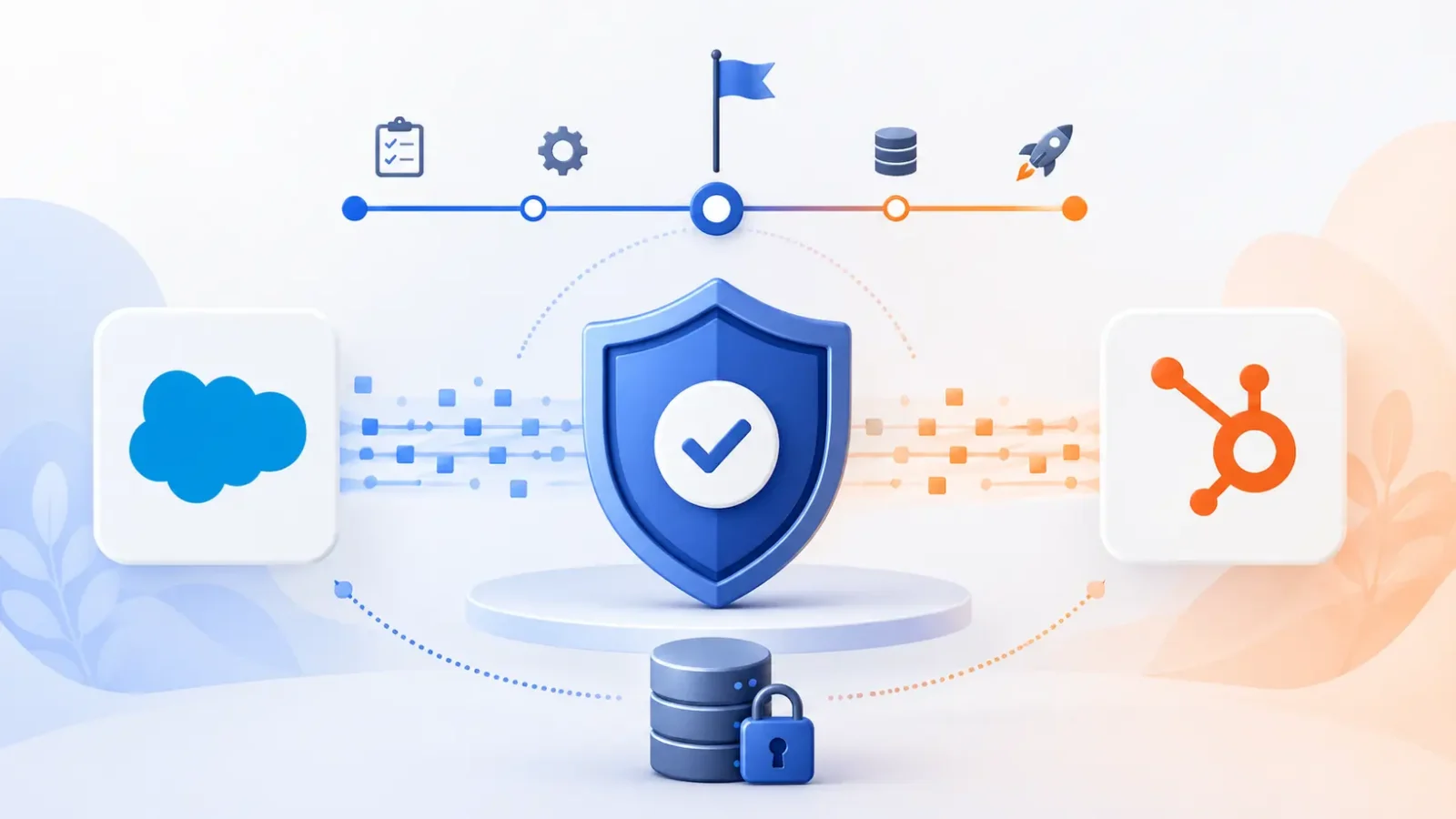
Most of the time, a technical problem isn’t what causes a Salesforce to HubSpot migration to fail. They failed because no one was in charge of the project. Two teams worked on field mapping. Three times the cutover date changed. After the system went live, it was already known to be “broken,” so user training took place. There is a migration program manager whose job it is to stop all of that.
The Salesforce to HubSpot migration program manager is the only person you need to talk to about the migration, from the first audit to the post-cutover hypercare. They are in charge of the technical team, the data mapping workbook, stakeholder check-ins, milestone tracking, and raising blockers before they turn into data loss events. It doesn’t matter if that person works for your company or is a partner like Integrate IQ; migrations with a dedicated PM always finish on time. Without one, migrations don’t happen.
This article talks about what a migration program manager does, the 8 main tasks that make up the job, how to choose between an internal PM and an external expert, and how Integrate IQ’s PM-led model can help you move from Salesforce to HubSpot in 8 weeks.
Free estimator
Know what your HubSpot project costs before the first call.
Select your services and get a transparent price range in minutes. No sales call needed to get a number.
Connect HubSpot to your ERP, billing platform, or database field mapping, custom logic, and support included.
Pipelines, workflows, email templates, and reporting configured for how your team actually works.
Live, role-based sessions with recordings and written guides built around a custom plan for your team.
HubSpot Partner
Client retention
Platforms integrated
What Is a Salesforce to HubSpot Migration Program Manager?
The person in charge of a Salesforce to HubSpot migration program is in charge of making sure that all parts of the CRM move from Salesforce to HubSpot go smoothly. They are in charge of defining the project’s scope, coordinating the cross-functional team, setting the timeline for moving data, communicating with stakeholders, and managing risks from the start of the project until the hypercare period after it goes live.
This job is not the same as being a HubSpot admin or an IT lead. Those people do certain parts of the migration. The program manager makes sure that all of those parts work together and get there on time. You could say that they are the person who makes the RACI matrix, keeps the project on track every week, and is responsible for the cutover date even when everything else is pushing it back.
The PM’s scope is defined by four main areas of ownership:
Scope and planning: figuring out what will move, in what order, and what the success criteria are
Coordinating the technical team: bringing together integration engineers, solution architects, and HubSpot experts so that work doesn’t get lost between teams.
Communication with stakeholders: running check-ins, bringing up problems, and keeping sales, marketing, RevOps, and leadership on the same page throughout the project
Risk management means figuring out where the migration is most likely to fail and making plans for how to deal with it before it happens. Integrate IQ has done more than 300+ platform integrations and data migrations. There has always been a dedicated program manager at the center of every clean cutover we’ve done. Every painful one we’ve gotten from clients who tried to handle it themselves was missing the same thing.

Why Salesforce to HubSpot Migrations Fail Without a Program Manager
Three types of problems happen over and over again in CRM migrations that don’t have a dedicated PM in charge. None of them are strange. All of them can be stopped.
Failure Mode 1: Data Loss from Uncoordinated Field Mapping
The way Salesforce and HubSpot store data is very different. There isn’t a direct HubSpot equivalent to Salesforce’s Leads object. In HubSpot, Leads need to be linked to both Contacts and Companies, and the rules for how to do this depend on your business. If no one is in charge of the data mapping workbook from start to finish, the IT lead and a marketing ops person will have to share the work. They will have different ideas about what “clean data” means. The result is duplicate records, broken links, and a HubSpot instance that seems unreliable from the start.
Custom objects only make it worse. Most of the time, mid-market and enterprise Salesforce orgs have custom object models for things like subscriptions, assets, equipment, and contracts. HubSpot’s custom objects can handle these, but you need to make careful decisions about how to set them up. No PM means that no one is making those decisions all the time.
Failure Mode 2: Timeline Overruns from No Milestone Owner
CRM migrations tend to grow naturally. Stakeholders add to the project’s scope in the middle of it. The IT team comes across a Salesforce Apex trigger that doesn’t fit well with HubSpot workflows. The data cleanup phase lasts three weeks instead of one because no one checked the duplicate records before they were sent out. Without a program manager who is responsible for a set timeline and keeps track of milestones, each of these delays makes the project worse. The project was supposed to take 10 weeks, but now it will take 6 months.
Most companies set cutover dates and then stop enforcing them without saying anything because no one person is responsible for keeping the date. A dedicated migration PM makes the date happen.
Failure Mode 3: Adoption Failure from Skipped Change Management
Being technically successful and being successful at getting people to use something are not the same thing. A migration can move all the records, rebuild all the workflows, and make all the reports in HubSpot. But if the sales team logs into the new system and can’t find their pipeline, they might decide that the old way was better. One of the most common reasons why migrations don’t stick is that user training is put off until after the migration is live.
A program manager is in charge of both the change management track and the technical track. Before the cutover, training sessions are planned. There are guides made for each role. Each department picks HubSpot champions to handle the first line of questions. None of this happens on its own; it happens because someone put it in the project plan.

Turn HubSpot Into A Real-Time SMS Engine with
Message IQ

Two-Way Conversations

Shared Team Inbox

Automation Triggers

Advanced Reporting

Compliance Tools
-
98%
SMS read within 3 min -
78%
Buy from first responder -
21×
More likely to qualify
3–5 min avg response
$45–$50 ROI / $1

*MessageIQ is an IntegrateIQ product – built natively for HubSpot by the same team.
The 8 Core Responsibilities of a Salesforce to HubSpot Migration Program Manager
These aren’t vague PM skills. From day one to hypercare, they’re the specific deliverables and decisions that a migration PM is responsible for.
Salesforce Org Audit and Scope Setting. The PM is in charge of the first audit of your Salesforce org, which includes writing down every object, field, workflow, automation, report, and integration. This isn’t just a list-making task. It’s a decision about the scope: what moves, what gets rebuilt in HubSpot, and what stays behind. The audit output directly affects the project schedule and how resources are used.
Who owns the Data Mapping Workbook? The PM is in charge of the data mapping workbook, which is a living document during the migration. Every Salesforce field has a HubSpot property that it maps to, and there are rules for data type, how to change it, and how to check it. This workbook is the only place to find the truth, so there won’t be any “whose version is correct?” conversations three weeks into the build.
Coordination of cross-functional teams. When you move from Salesforce to HubSpot, it affects Sales, Marketing, Service, RevOps, and IT all at once. The PM makes the RACI matrix, which shows who is responsible, accountable, consulted, and informed for each workstream. They also keep the project cadence going so that all the teams are on the same page. Without this, work gets done twice or falls through the cracks between teams.
Tracking the migration timeline and milestones. The PM is in charge of the committed project timeline and keeps track of milestones. This means finding the critical path, pointing out slippage before it gets worse, and deciding when a phased approach is needed to keep the go-live date safe. The difference between a project that gets done and one that drifts is who owns the timeline.
Check-in and reporting for stakeholders. Different levels of migration visibility are needed by leadership, RevOps, and IT. The PM holds structured check-ins at every level. For example, the technical team gets weekly tactical updates, RevOps and marketing leadership get biweekly summaries, and executive stakeholders get reports based on milestones. Clear communication stops surprises from happening at cutover.
Identifying risks and managing their escalation. There are a few high-risk times during every migration: the first test migration run, the workflow rebuild with complicated logic, and the last data validation before cutover. The PM finds these ahead of time, makes backup plans, and is in charge of the escalation path when problems come up. The escalation order usually goes from technical lead to solution architect to client stakeholder, and the PM keeps it going.
Training users and managing changes. Before go-live, the PM sets up and organizes training for specific roles, not after. There are different HubSpot workflows for salespeople, marketing coordinators, service agents, and admins to learn. The PM makes different training paths for each group and works with HubSpot champions in the client’s organization to answer first-line questions after the launch.
Oversight of Hypercare After Migration. The validation phase starts after go-live, not the end of the project. The PM is in charge of the hypercare period. This includes keeping an eye on adoption metrics, fixing any data problems that come up after cutover, making sure that any workflow logic that works differently in production than in testing is fixed, and overseeing the formal decommissioning of the Salesforce org (usually 30 days after cutover).
Internal vs. External Migration Program Manager: Decision Framework
When RevOps leaders start planning a migration, the first thing they usually ask is, “Can we do this ourselves, or do we need to hire a partner?” The honest answer depends on how complicated it is, how much bandwidth you have, and how much risk you’re willing to take, not on what you want the answer to be.
| Decision Factor | Assign Internal PM | Hire External Specialist |
| Migration complexity | Standard fields, < 50K records, minimal custom objects | Custom object model, Apex triggers, Pardot / Marketing Cloud, 50K+ records |
| HubSpot depth on your team | Existing HubSpot admin with migration experience | Limited HubSpot familiarity or no previous migration experience |
| Available bandwidth | Dedicated resource with < 30% competing priorities | Internal PM would be splitting time with BAU responsibilities |
| Timeline pressure | Flexible 4-6 month window | Hard cutover date or business event driving the deadline |
| Data quality | Clean, well-maintained Salesforce org | Years of accumulated duplicates, inconsistent fields, unused objects |
| Automation complexity | Basic workflow rebuilds in standard HubSpot tools | Complex Apex logic, Operations Hub Pro custom-coded actions required |
| Risk tolerance | Comfortable with some iteration post-launch | Zero tolerance for data loss or downtime in CRM operations |
Hire an External Migration PM If…
Your Salesforce organization has custom objects, heavily customized automation, or was built over the course of five years with a lot of technical debt.
Your internal project manager has never done a CRM migration before, so this isn’t a good project for them to learn on. HubSpot’s built-in import tool can only handle 10,000 records per object, and you’re over that limit. You need someone who knows how to manage large migrations with tools that go beyond the standard import.
You’re moving from Pardot or Marketing Cloud, as well as Salesforce Sales Cloud. That’s three platforms coming together, which makes things even more complicated.
You have to finish the migration by a certain business deadline, like the start of sales, the end of the contract renewal cycle, or the review by investors.
One useful tip: Operations Hub Pro lets you write your own code for Apex trigger migration actions. Your internal PM won’t know how to build the custom Apex logic for your Salesforce org if they don’t have any experience with HubSpot engineering. People who work for other companies and do these migrations every week have fixed this problem before.
How Integrate IQ’s Migration Program Managers Run a Salesforce to HubSpot Project
As a HubSpot Diamond Solutions Partner, we are certified to do custom integrations. A dedicated program manager is in charge of every Salesforce to HubSpot migration we do. They are in charge of the project from the start to the hypercare window after go-live. That PM is the only person you can talk to, not a group of consultants.
Our PM is in charge of a group of HubSpot experts, solution architects, and integration engineers. We handle more than 20 billion records every year and sync 7 million fields every day across the platforms we manage. We aren’t surprised by the edge cases because we’ve already written the playbook for dealing with them.
Here are some details about how we run the project:
- We don’t move things around. You won’t get a better CRM by copying your Salesforce setup into HubSpot. It gives you the same technical debt, but in a different way. Our PM first finds out what your business really needs from HubSpot, and then they make the migration plan based on that target state, not on what Salesforce happened to have.
- During migration, Salesforce stays up and running. We run two systems at the same time during the build and test phases. Your team keeps using Salesforce. Nothing cuts over until the validation is done.
- Validating the checksum on each record. Before we say a migration is done, we run automated checks on every record that was moved to make sure that nothing was lost, overwritten, or damaged during the move. As an extra safety net, your Salesforce org stays active for 30 days after the cutover.
- 98.5% of clients stay with us. That number shows what happens when migrations go well: clients stay. They don’t spend the next six months cleaning up.
- At integrateiq.com/our-hubspot-integration-process/, you can see exactly how we plan our migration projects. Our page about CRM data migration services goes over everything we do, from the first data audit to setting up HubSpot and checking that everything is working after the cutover.
The 8-Week Salesforce to HubSpot Migration Timeline
Most agencies say that it will take 12 to 16 weeks to move from Salesforce to HubSpot. Our delivery model, which is led by a project manager, can do clean migrations in 8 weeks from the start of the project. This is what the PM is responsible for at each stage of those 8 weeks.
Weeks 1-2: Discovery and Salesforce Org Audit
Outputs owned by the PM: a finished Salesforce org inventory, a draft of the initial data mapping workbook, a RACI matrix, and a scope document. If your Salesforce org documentation is in good shape, this phase usually takes two weeks. If an organization doesn’t have enough documentation, this phase can last an extra week or two. This is usually the first sign that a migration will take longer, and it’s better to know this in week 2 than week 6.
Weeks 3-4: HubSpot Configuration and Custom Object Setup
Setting up the HubSpot portal, making custom properties, setting up the pipeline, and setting up users and permissions. This is the phase when custom objects are designed. The PM makes the choices about which Salesforce objects become HubSpot custom objects and which ones become standard objects. These choices have effects on automation and reporting later on.
Weeks 5-6: Data Migration Build and Workflow Rebuild
HubSpot’s built-in Salesforce integration, CSV staging, and custom tools for large or complicated record sets all work together to move data from Salesforce to HubSpot. HubSpot workflows are made by rebuilding Salesforce Process Builder flows, Flow automations, and assignment rules. Before the parallel system test, each workflow is tested on its own.
Week 7: Test Migration, Validation, and UAT
The full test migration uses the production Salesforce dataset. PM works with client stakeholders from Sales, Marketing, and RevOps to coordinate the UAT process. Validation includes checking the number of records, doing spot checks on the accuracy of fields, testing workflow triggers, and comparing reports to Salesforce dashboards. Before cutover, not after, the problems found here will be fixed.
Week 8: Go-Live Cutover and Hypercare
Cutover happens during the time when the business has the least amount of traffic, which is usually on the weekend. Incremental snapshots capture Delta records made in Salesforce between the test migration and the cutover. After the cutover, the PM is in charge of the hypercare period, which includes daily check-ins for the first week and weekly check-ins for the next month. Salesforce stays live in read-only mode for 30 days as a backup.
About the timeline’s scope: Enterprise migrations with Pardot or Marketing Cloud, very custom Apex logic, or more than 500,000 records usually take 12 to 16 weeks. This isn’t a talk about prices; it’s a scope signal. Our PM finds out how complicated the timeline is during the week 1-2 discovery phase so there are no surprises later on.
See your 12-month revenue impact with HubSpot CRM
Enter your current numbers — visitors, leads, deal size — and get a personalized projection based on real HubSpot customer benchmarks.

Salesforce to HubSpot Migration Program Manager: FAQ
What does a Salesforce to HubSpot migration program manager actually do?
A migration program manager owns every phase of the CRM transition from Salesforce to HubSpot. Their responsibilities include leading the Salesforce org audit, owning the data mapping workbook, coordinating the technical team and cross-functional stakeholders, managing the migration timeline and milestone tracking, running stakeholder check-ins, and overseeing the post-cutover hypercare period. They serve as the single point of contact between the migration team and the client organization throughout the project.
How long does a Salesforce to HubSpot migration take with a dedicated program manager?
A PM-led migration at Integrate IQ typically completes in 8 weeks from project kickoff. Standard Salesforce orgs with clean data, under 50K records, and limited custom objects fall into this window. Enterprise migrations with Pardot or Marketing Cloud, deeply customized Apex logic, or 500K+ records typically require 12-16 weeks. The PM identifies which category your migration falls into during the week 1-2 discovery phase so the timeline expectation is set before any work begins.
Should I assign an internal project manager or hire a HubSpot partner to manage my migration?
If your Salesforce org has custom objects, Apex automation, or was built over multiple years without consistent data hygiene, hire an external specialist. If you’re migrating from Pardot or Marketing Cloud alongside Sales Cloud, hire an external specialist. If your internal PM has no previous CRM migration experience, this is not a project to learn on. For organizations with a clean, standard Salesforce setup, fewer than 50K records, and an internal PM who has HubSpot depth, internal ownership is viable. The full decision framework is covered in the section above.
What happens to my data if the migration runs into problems mid-project?
Integrate IQ takes a complete Salesforce data backup before any migration activity begins, including a full export of all standard and custom objects and metadata stored as a verified recovery point. During the migration window, we capture incremental snapshots to cover records created between the test migration and production cutover. Your Salesforce org stays active for at least 30 days post-cutover as an additional recovery safety net. Every migrated record passes automated checksum validation before we call the migration complete.
How much does a Salesforce to HubSpot migration with dedicated program management cost?
Migration cost scales with scope complexity, not hours. The variables that drive cost are record volume, custom object count, Salesforce automation complexity, whether Pardot or Marketing Cloud is involved, and how much data cleanup needs to happen before the migration. The better question to anchor to is the cost of a failed migration: data cleanup after a poorly executed cutover typically takes 2-4 months of internal resource time, with downstream effects on pipeline visibility, reporting accuracy, and CRM adoption. Integrate IQ provides fixed-scope project quotes after an initial discovery call so there are no mid-project surprises. Start with the scoping conversation at integrateiq.com/contact-us/.
Ready to Run Your Salesforce to HubSpot Migration With a Dedicated Program Manager?
You’ve got a Salesforce org with years of data in it. You need it to land cleanly in HubSpot, on a fixed timeline, without disrupting the sales team or losing records in the process. That requires someone who owns the project end-to-end not a shared responsibility split across IT, RevOps, and a HubSpot consultant who’s on three other projects.
Integrate IQ assigns a dedicated migration program manager to every Salesforce to HubSpot engagement. That PM owns the full project from the initial Salesforce audit through the data mapping workbook, workflow rebuild, cutover planning, and post-launch hypercare. We deliver clean migrations in 8 weeks. We’ve done it 300+ times across platforms, processing 20 billion+ records annually.
See exactly how we run the process at integrateiq.com/our-hubspot-integration-process/. Or, if you’re ready to scope your specific migration, start at integrateiq.com/contact-us/ and we’ll schedule a discovery call to assess complexity and define a timeline.



Table of Contents
- What Is a Salesforce to HubSpot Migration Program Manager?
- Why Salesforce to HubSpot Migrations Fail Without a Program Manager
- The 8 Core Responsibilities of a Salesforce to HubSpot Migration Program Manager
- Internal vs. External Migration Program Manager: Decision Framework
- How Integrate IQ's Migration Program Managers Run a Salesforce to HubSpot Project
- Salesforce to HubSpot Migration Program Manager: FAQ

