


Finding the right CRM for a moving company is harder than it looks. Moving customers shop fast. They fill out quote forms on three or four platforms at once, call whoever picks up first, and book within 24 hours. If your lead management lives in a spreadsheet and your follow-up is someone remembering to call back, you’re bleeding jobs every single day.
The problem is that most CRM comparisons for moving companies throw the same short list of niche tools at you without asking what you actually need. Are you a five-truck local operation that needs dispatch and BOL? Or a growing moving company trying to build a real lead pipeline, run marketing campaigns, and connect your sales data to your ops stack? Those are completely different problems with different right answers.
At Integrate IQ, we’ve integrated 300+ platforms and worked with field service businesses across the US and Canada. We know which CRMs actually scale and which ones become bottlenecks the moment you hire your tenth employee. Here’s our honest breakdown of the 7 best CRMs for moving companies in 2025, ranked by who they’re actually built for.
Free estimator
Know what your HubSpot project costs before the first call.
Select your services and get a transparent price range in minutes. No sales call needed to get a number.
Connect HubSpot to your ERP, billing platform, or database field mapping, custom logic, and support included.
Pipelines, workflows, email templates, and reporting configured for how your team actually works.
Live, role-based sessions with recordings and written guides built around a custom plan for your team.
HubSpot Partner
Client retention
Platforms integrated
What to Look for in a CRM for a Moving Company
Generic CRM advice doesn’t apply here. Moving companies deal with high-volume, short-cycle leads, complex operations across multiple crews and trucks, and a paper-trail problem that most industries don’t have. Here’s what actually matters:
Lead Source Attribution
Moving leads come from everywhere: Google Ads, Facebook, HireAHelper, Moving.com, Yelp, referral networks, and your own website. If your CRM can’t tell you which source is producing your most profitable jobs, you’re flying blind on your marketing budget. This is where most niche moving tools fall short and where a platform like HubSpot has a real structural advantage.
Estimating and Quoting
Your CRM needs to generate accurate estimates fast. Customers expect quotes in minutes, not hours. Moving-specific tools like SmartMoving and MoversTech have built-in auto-pricing engines tied to inventory and tariff structures. General CRMs need this built out via integrations, which adds complexity but also flexibility.
Dispatch and Crew Scheduling
This is the operational backbone of any moving company. Crew assignments, truck scheduling, driver communications, and job status tracking need to work in real time. Vertical-specific platforms handle this natively. If you go the general CRM route, you’ll need a separate dispatch tool or a custom-built integration.
Document Management and E-Signature
Bills of Lading, service agreements, and move contracts need to be generated, sent, and signed digitally. The right CRM either handles this natively or integrates cleanly with DocuSign or PandaDoc. Getting this wrong means your crew shows up to a job with no paperwork and your billing gets delayed.
Marketing Automation and Follow-Up
Most moving leads don’t book on the first contact. A CRM that can automatically trigger follow-up emails and SMS messages based on where someone is in your pipeline turns missed calls into closed jobs. This is where niche moving tools consistently underperform, and it’s one of the biggest revenue leaks in the industry.
Accounting and Payments Integration
Your CRM data needs to flow into QuickBooks, Xero, or whatever accounting tool you use. Disconnected billing and financial reporting creates errors, delays, and a reconciliation nightmare at month-end. The best CRMs in this space either handle accounting natively or connect cleanly via an integration.
1. HubSpot – Best CRM for Moving Companies Ready to Scale Sales and Marketing
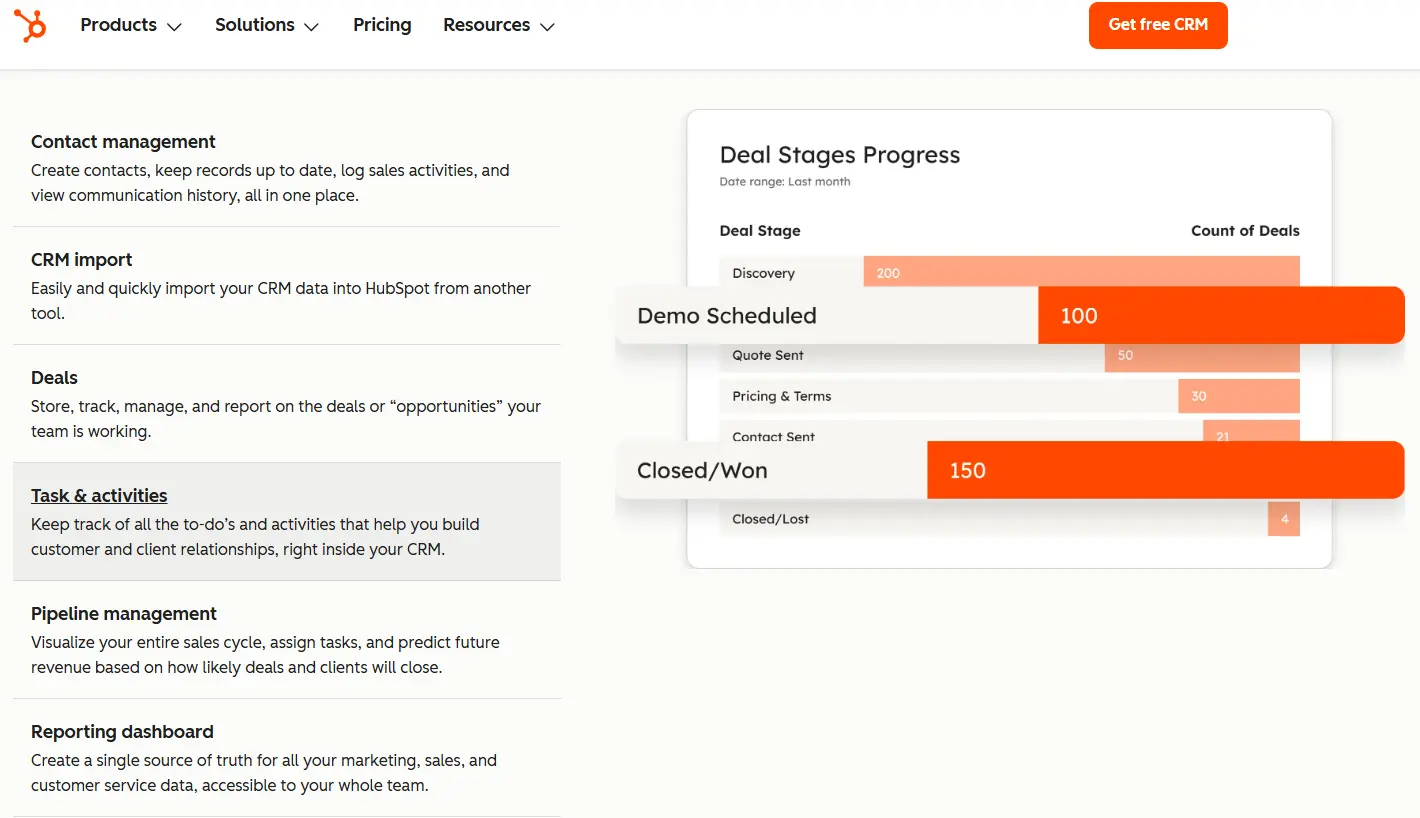
HubSpot isn’t a moving-specific CRM, and it doesn’t try to be. What it does instead is give growing moving companies the most powerful combination of lead management, marketing automation, and integration flexibility available in any CRM at any price point. If you’re trying to build a real revenue engine, not just track jobs, HubSpot is the right foundation.
Most niche moving tools are operationally strong but marketing-weak. They track your jobs beautifully and manage your dispatch calendar, but they can’t tell you that your Google Ads leads close at 12% and your HireAHelper leads close at 31%. HubSpot can. That attribution data alone has changed how our clients allocate their marketing spend.
Vertical-specific strengths for moving companies:
- Full lead source attribution across Google Ads, Facebook Ads, organic, referral, and direct channels
- Email and SMS sequences that automatically follow up with leads who got a quote but didn’t book
- Deal pipeline customized to your sales stages (inquiry, quote sent, follow-up, booked, completed, review requested)
- 2,000+ app integrations including QuickBooks, DocuSign, PandaDoc, Twilio, and RingCentral
- Marketing Hub for running campaigns targeting customers moving into your service area
Honest limitation: HubSpot doesn’t handle dispatch, Bills of Lading, or moving-specific inventory natively. You’ll need to integrate it with a dispatch tool or ops platform to run full moving operations from HubSpot alone. That’s what we do for clients, but it’s a real implementation step.
Pricing: HubSpot’s CRM is free for core contact management. Sales Hub starts at around $15/seat/month; the Professional tier where automation gets serious starts at $90/seat/month. Most growing moving companies need Sales Hub Pro at minimum.
Integrate IQ note: As a HubSpot Diamond Solutions Partner with custom integration accreditation, we regularly migrate moving company data into HubSpot and build the connections your ops stack needs. Whether that means connecting HubSpot to your dispatch software, integrating DocuSign for e-signatures, or syncing job data with QuickBooks, we’ve done it. The typical implementation runs 8 weeks from kickoff to fully operational.

Turn HubSpot Into A Real-Time SMS Engine with
Message IQ

Two-Way Conversations

Shared Team Inbox

Automation Triggers

Advanced Reporting

Compliance Tools
-
98%
SMS read within 3 min -
78%
Buy from first responder -
21×
More likely to qualify
3–5 min avg response
$45–$50 ROI / $1

*MessageIQ is an IntegrateIQ product – built natively for HubSpot by the same team.
2. SmartMoving – Best for Established Moving Companies That Want Full Ops Control

SmartMoving is probably the most recognized name in moving-specific CRM software, and for good reason. It’s built exclusively for moving companies, which means features like auto-pricing engines, drag-and-drop crew scheduling, and integrated storage management come out of the box without any customization. If your priority is a polished, ready-to-run operations platform, SmartMoving delivers.
The platform made the Inc. 5000 list in 2024 and is trusted by some of the fastest-growing moving companies in the US and Canada. Companies like My Guys Moving and Storage have reported cutting their lead-to-booked time by 60% with SmartMoving in place. That’s the kind of operational efficiency this platform actually delivers.
Vertical-specific strengths:
- Auto-pricing engine tied to tariff structures for fast, accurate estimates
- Drag-and-drop dispatch calendar with truck and crew assignment
- Integrated storage management, including billing for recurring storage customers
- Templated sales scripts and follow-up emails built for the moving industry
- Real-time reporting on job profitability, lead sources, and crew performance
Honest limitation: SmartMoving’s marketing automation capabilities are limited compared to HubSpot. You can send automated emails, but you’re not building multi-step nurture sequences or running retargeting campaigns from SmartMoving. If marketing is a priority alongside ops, you’ll likely need a second tool.
Pricing: Essential plan at $299/month, Growth plan at $399/month. Pricing became more transparent in 2025 after years of quote-only pricing. The cost is on the higher end for smaller operations.
Integrate IQ note: SmartMoving connects with tools like QuickBooks and RingCentral natively. If you want to bridge SmartMoving data into HubSpot for marketing and lead attribution, that’s a custom integration build. Our HubSpot integration services cover exactly that kind of cross-platform data sync.
3. MoversTech – Best for Mid-Size Moving Companies That Want Customization Without Enterprise Pricing

MoversTech is one of the more underrated CRMs in this space. It’s built specifically for moving companies, starts at $99/month, and offers a level of workflow customization that most vertical-specific tools don’t bother with. If SmartMoving’s pricing feels steep and you want something that adapts to your operational logic rather than forcing you into predefined modules, MoversTech is worth a close look.
The platform covers the full moving ops stack: lead and sales pipeline, dispatch, payroll tracking, storage billing, document management, and e-signatures. Recent updates in 2025 expanded billing automation and workflow automation, which means less manual handoff between sales, ops, and billing teams.
Vertical-specific strengths:
- Highly configurable workflows, field-level customization, and adaptable views
- Dispatch and crew management with mobile access for field teams
- Automated Bill of Lading generation and digital e-signature
- Storage billing with flexible recurring billing dates
- Open API access for companies that need custom integrations
Honest limitation: The onboarding curve is steeper than SmartMoving. Multiple Capterra reviewers flag that getting the system configured to your specific business logic takes time and attention in the first few weeks.
Pricing: Starting at $99/month. No long-term contracts required, which makes it a lower-risk entry point for smaller and mid-size operations.
Integrate IQ note: MoversTech’s open API means it’s possible to build data connections to HubSpot or other marketing tools. If you’re outgrowing MoversTech’s built-in reporting and want to layer in real marketing automation, that’s a project we’ve scoped before.
4. Supermove – Best for Modern, Tech-Forward Moving Companies Scaling Fast
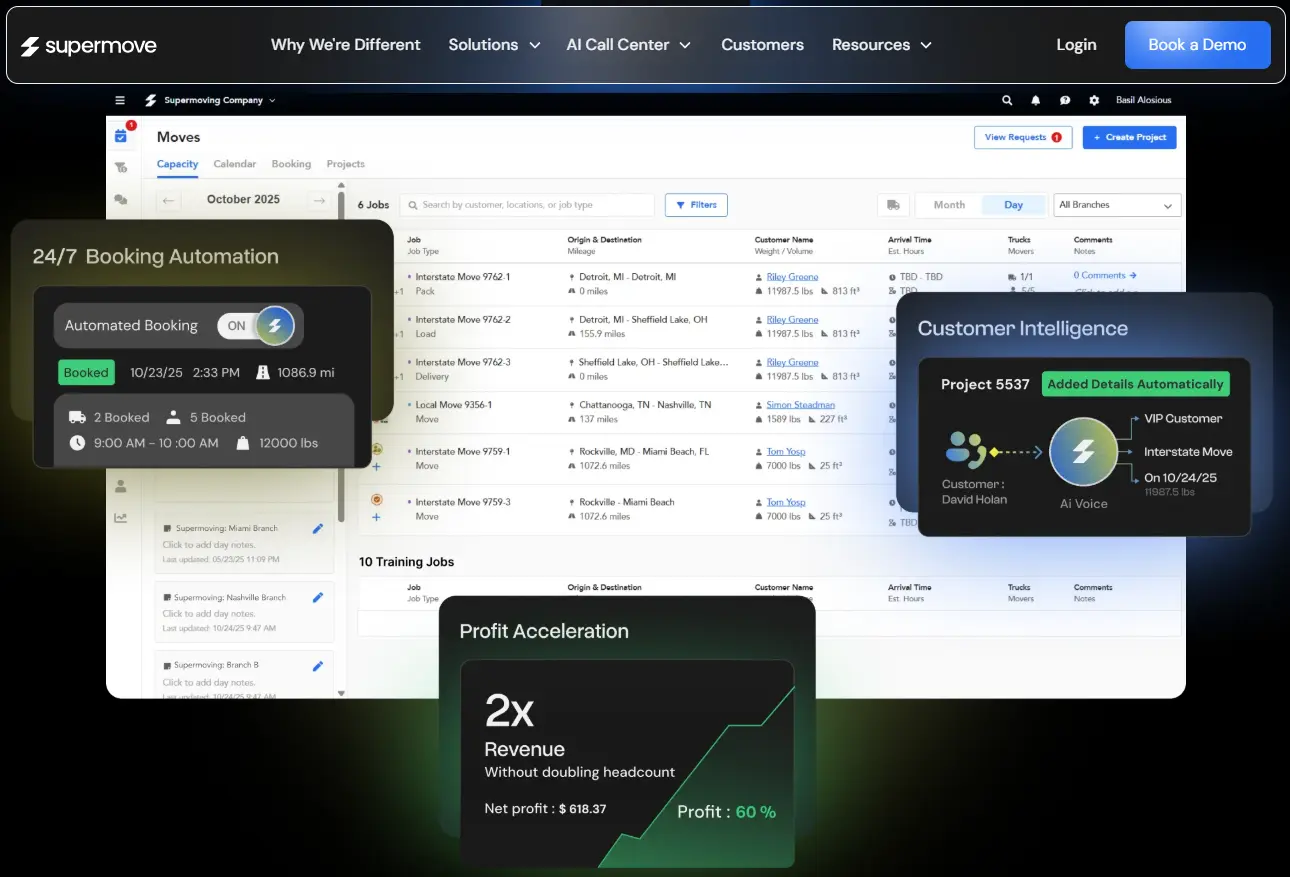
Supermove sits in a different tier than MoversTech and MoverBase. It’s a modern, well-funded platform that’s gaining traction with larger moving operations and companies that want a clean, polished interface across the full ops stack. The platform covers digital estimates, automated booking, real-time dispatch, GPS time tracking, storage management, and strong customer communication tools.
Where Supermove earns its place on this list is in its design philosophy. The interface is clean and intuitive, the digital estimate flow impresses customers, and the dispatch tools scale well as you add trucks and crews. Moving companies preparing for significant growth find it holds up better than some older platforms.
Vertical-specific strengths:
- Digital estimates with interactive pricing presentation for customers
- Real-time dispatch with GPS tracking and driver communication tools
- Clean, modern interface that’s consistent across desktop, tablet, and mobile
- Automated customer communication workflows at key job milestones
- Strong analytics and business intelligence for performance tracking
Honest limitation: Supermove’s pricing is higher than MoversTech and less transparent. Multiple industry comparisons flag it as cost-prohibitive for smaller operations. You’ll need to request a demo before seeing real numbers.
Pricing: Custom pricing; contact Supermove for a demo and quote. Generally positioned in the enterprise tier alongside SmartMoving’s Growth plan pricing.
5. Movegistics – Best for Smaller Moving Companies That Want a Built-by-Movers Solution

Movegistics was built by a team with 50 years of moving industry experience, and that shows in how it handles the details that generic software misses. It’s web-based with native mobile apps, covers the quote-to-cash workflow end to end, and emphasizes paperless operations with digital dispatch, e-signatures, and virtual surveys for remote estimating.
The platform positions itself strongly for moving companies with fewer than 15 employees, and it’s where smaller operators get the most value. Movegistics claims that movers using their platform can potentially quadruple revenue by closing more efficiently on the leads they already have. The virtual survey capability is genuinely useful for companies doing more interstate and long-distance moves.
Vertical-specific strengths:
- Virtual survey tools for remote estimating without an on-site visit
- Paperless dispatch with native iOS and Android apps for field crews
- Auto-pricing with tariff structures for local and long-distance moves
- Lead capture from website, third-party providers, and referring realtors
- E-signature and digital document completion in the field
Honest limitation: Movegistics is built for smaller teams. Larger operations report that the platform’s reporting and multi-location management capabilities don’t scale as well as SmartMoving or Supermove.
Pricing: Contact Movegistics for pricing. Not publicly listed.
6. MoverBase – Best Budget Option for Small and Startup Moving Operations
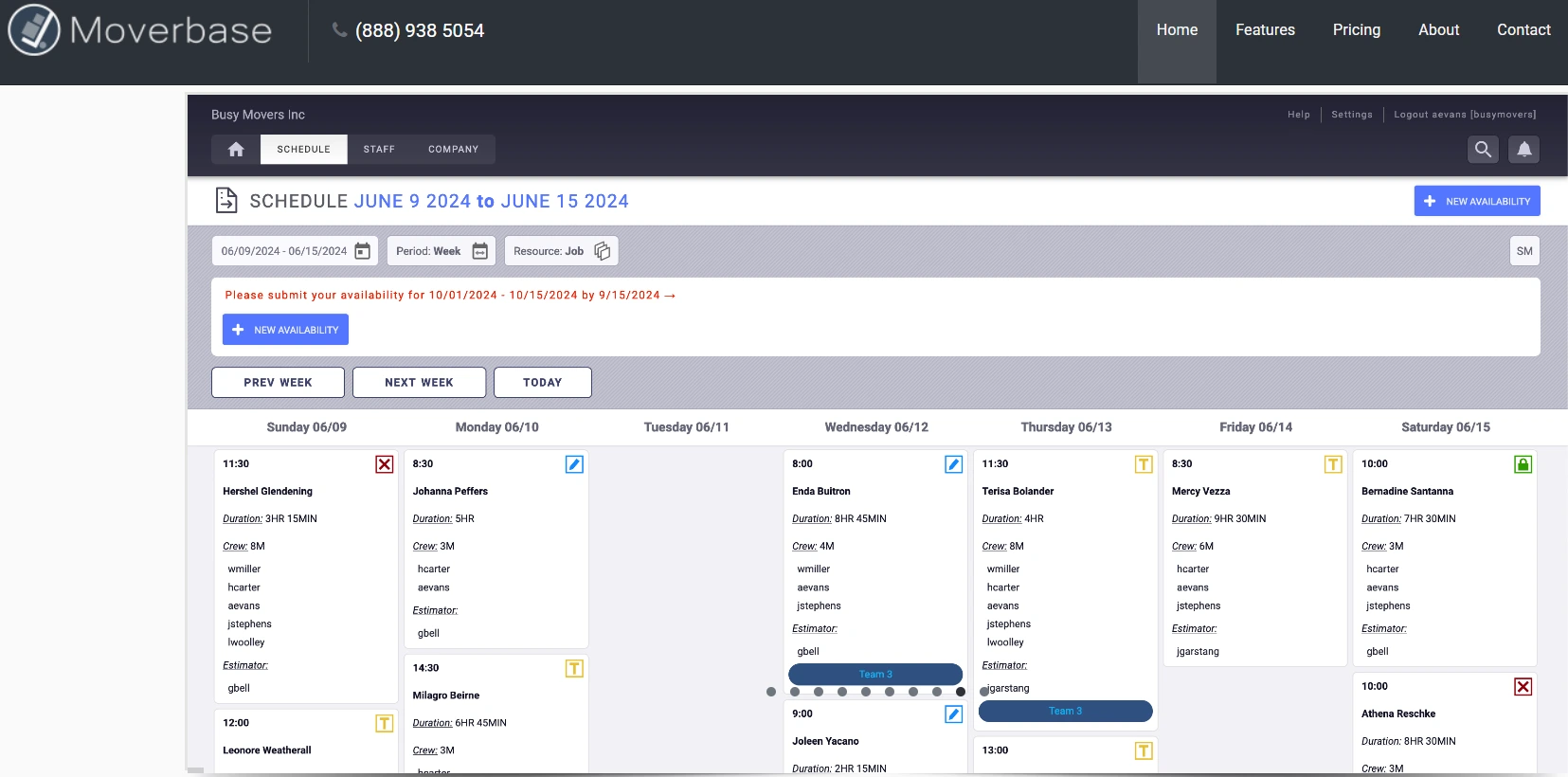
MoverBase is the lowest-cost serious option on this list. There’s a free plan, the paid tiers start at $10/month, and the platform connects with 400+ apps through Zapier, including Google Calendar, PayPal, Stripe, and Facebook. For a moving company just getting started or running a tight operation on a limited budget, MoverBase gets the job done without overcomplicating things.
The feature set covers the fundamentals: lead management, quoting, job scheduling, dispatch, crew assignment, and digital document management. Free training and free support are included, which lowers the learning curve and the total cost of getting started.
Vertical-specific strengths:
- Free plan with access to core features, no credit card required
- 400+ Zapier integrations for connecting to marketing and accounting tools
- On-site estimating from mobile devices for in-person quoting
- Digital document management and basic e-signature workflows
- Crew assignment and job status tracking without enterprise complexity
Honest limitation: MoverBase doesn’t have the depth of dispatch tools, payroll tracking, or reporting that SmartMoving and MoversTech offer. It’s a starting point, not a long-term platform for a company doing significant volume.
Pricing: Free plan available. Paid plans start at $10/month. An excellent entry point before committing to a higher-cost platform.
7. Pipedrive – Best for Moving Companies That Need a Dedicated Sales Pipeline Without Niche Tool Lock-In
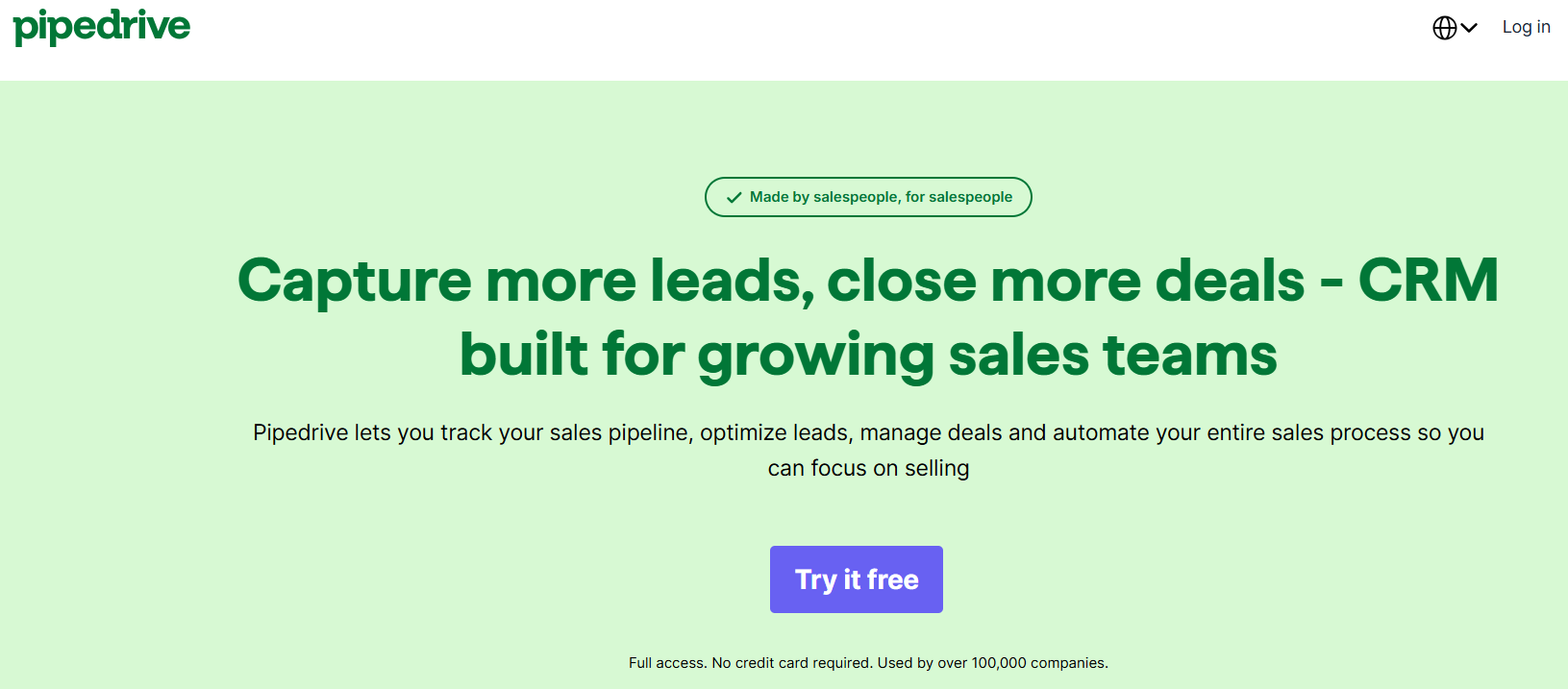
Pipedrive shows up on this list because some moving companies have already adopted it, and it does one thing exceptionally well: visual pipeline management. If your team lives and breathes in a deal pipeline and wants to see exactly where every lead is at every stage, Pipedrive’s interface is one of the cleanest in the general CRM market.
For moving companies that have a solid ops tool in place and just need a stronger sales pipeline and activity tracking layer, Pipedrive makes sense. It’s not replacing SmartMoving for dispatch, but it fills the sales gap that many ops-first moving platforms create.
Vertical-specific strengths:
- Highly visual pipeline with drag-and-drop deal management
- Activity tracking and reminder system that keeps sales reps following up
- Strong email integration with Gmail and Outlook for sales correspondence
- AI-powered sales suggestions and win probability scoring
- Solid reporting on deal velocity, rep performance, and revenue forecast
Honest limitation: Pipedrive has no moving-specific features. No dispatch, no BOL, no inventory management. You’re using it purely as a sales CRM alongside a separate ops tool.
Pricing: Starting at around $14/seat/month with annual billing. Scales with feature tier. If you’re already using Pipedrive and considering HubSpot, check out our HubSpot Pipedrive integration page for how we handle that data migration.
How These CRMs Compare for Moving Companies
| CRM | Best For | Moving-Specific Features | Marketing Automation | Starting Price | HubSpot Integration |
|---|---|---|---|---|---|
| HubSpot | Growing moving companies focused on lead gen & marketing | Via integrations | Excellent | Free / $15 seat/mo | N/A (it is HubSpot) |
| SmartMoving | Established, high-volume operations | Native dispatch, BOL, payroll | Basic | $299/mo | Via API / custom |
| MoversTech | Mid-size operators wanting customization | Native dispatch, BOL, storage | Basic | $99/mo | Via open API |
| Supermove | Modern, scaling operations | Native full ops stack | Moderate | Custom pricing | Via API |
| Movegistics | Smaller teams, long-distance movers | Native virtual survey, e-sign | Basic | Contact for pricing | Via Zapier |
| MoverBase | Startups and budget-conscious movers | Core ops features | Basic (Zapier) | Free / $10/mo | Via Zapier |
| Pipedrive | Sales-focused teams with separate ops tool | None natively | Moderate | $14/seat/mo | Yes,Integrate IQ integration page |
How to Choose the Right CRM for Your Moving Company
The right answer depends on where your biggest pain point actually lives. Work through these decision points:
- Start with company size and volume. If you’re doing fewer than 50 moves per month, MoverBase or Movegistics gives you the core tools without overcomplicating your ops. Past 50 moves a month, you need the dispatch depth of MoversTech or SmartMoving.
- Decide whether ops or marketing is your bigger problem. If jobs are going unboked because your follow-up is broken, start with HubSpot. If jobs are getting mishandled because crew coordination is a mess, start with a vertical-specific platform. Some companies need both, which means integrating the two.
- Assess your current tool debt. If you’re already using a niche tool and frustrated with its marketing limitations, migrating to HubSpot and keeping your ops tool via integration is often the right move. If you’re starting fresh, you have more flexibility.
- Budget honestly. The monthly sticker price isn’t the full cost. Factor in setup time, training, and what you’ll need to integrate. A $99/month tool with three months of configuration time has a real cost. An 8-week HubSpot implementation with Integrate IQ handling the heavy lifting has a real ROI.
- Think about integrations before you commit. Which lead sources are you using? Which accounting platform? Which phone system? The CRM that connects cleanly to your existing stack wins over the CRM with more built-in features you’ll never use.
What Switching to HubSpot Looks Like for Moving Companies
Switching CRMs is real work. We’re not going to pretend otherwise. But if you’re outgrowing your current tool, here’s what the migration actually looks like when you do it right.
What You’re Migrating
For most moving companies, the data that needs to move includes: contact records (leads, past customers, referral sources), deal/job history, email communication logs, quote history, and any custom fields you’ve built around how your business tracks jobs. If you’ve been in a niche tool for years, you likely have thousands of records to move cleanly.
The Migration Process
- Audit your current data before you touch anything. Duplicate records, inconsistent field naming, and corrupted contact data will follow you into HubSpot if you don’t clean it first.
- Map your current fields to HubSpot objects. Contacts, Companies, and Deals are the core objects. Moving job history can live in a custom object if you need it structured that way.
- Set up HubSpot’s Sales Hub and configure your pipeline stages to match your actual sales process.
- Build or integrate the connections your ops stack needs. If you’re keeping SmartMoving or MoversTech for dispatch, we build the data bridge so job updates sync back to HubSpot automatically.
- Import and validate data in stages, not all at once. Running both systems in parallel for 2-4 weeks before fully switching over prevents data loss and keeps your team operating.
- Train your team on HubSpot’s interface. This is where most migrations fall apart. We include training in our implementation process for exactly this reason.
At Integrate IQ, we typically run moving company migrations from kickoff to fully operational in 8 weeks. We’ve processed over 20 billion records and synced 7 million fields daily across client platforms. A clean migration is our standard, not our exception.
See our full CRM migration services page or read our guide on
CRM migration mistakes to avoid before you start.
Frequently Asked Questions
Is HubSpot good for moving companies?
Yes, with the right setup. HubSpot isn’t built for moving-specific operations like dispatch or Bill of Lading management out of the box. But it’s the strongest CRM on the market for lead attribution, marketing automation, and sales pipeline management, which are the areas where most moving companies are actually losing revenue. Paired with integrations to your ops platform, HubSpot gives you the full picture.
What’s the best free CRM for a moving company?
MoverBase has a free plan that covers core lead management, quoting, and basic dispatch for very small operations. HubSpot also has a free CRM tier that handles contact management, deal pipelines, and basic email. If you’re just getting started and don’t need dispatch tools yet, HubSpot’s free tier is the stronger foundation for future growth.
Can I keep using SmartMoving or MoversTech alongside HubSpot?
Yes. Many growing moving companies run a vertical-specific ops platform for dispatch and job management alongside HubSpot for sales and marketing. The integration connects the two systems so job data flows into HubSpot for reporting and lead records in HubSpot sync to your ops tool for dispatch. Integrate IQ builds these integrations as custom builds since there’s no native connector between most moving tools and HubSpot.
How much does CRM software cost for a moving company?
The range is wide. MoverBase starts at $10/month for basic features. MoversTech starts at $99/month. SmartMoving runs $299-$399/month. HubSpot’s Sales Hub Professional starts at $90/seat/month but includes significantly more marketing and automation capability. The right budget depends on whether you need ops-first or marketing-first capabilities, and how many seats you’re licensing.
What data should I migrate when switching moving CRMs?
At minimum: all contact records with full history, lead source data, quote and job history, any custom fields you’ve built, email logs, and active pipeline deals. Don’t skip the custom fields audit before you migrate. Field naming inconsistencies between platforms are the most common source of data loss and errors in a CRM migration.
See your 12-month revenue impact with HubSpot CRM
Enter your current numbers — visitors, leads, deal size — and get a personalized projection based on real HubSpot customer benchmarks.

Ready to Move Your Moving Company to HubSpot?
If you’ve outgrown your current CRM, or you’re running your business from a spreadsheet and losing leads every week, the right move is to get your sales and marketing on a platform that can actually keep up with your growth.
Switching CRMs isn’t something you want to rush. You’ve got years of customer data, a sales process your team actually knows, and an ops stack that can’t go offline during a transition. We’ve run this process dozens of times across field service companies and know exactly where things break if you skip steps.
Integrate IQ handles the data migration, builds the integrations your moving ops tools need, and gets your team trained and running in HubSpot. We’re a HubSpot Diamond Solutions Partner with 300+ integrations completed and a 98.5% client retention rate. Our standard delivery is 8 weeks from kickoff.
Start by reading through how our integration process works, or go directly to our
CRM migration services page to understand what a moving company migration looks like end to end.


Table of Contents
- What to Look for in a CRM for a Moving Company
- 1. HubSpot - Best CRM for Moving Companies Ready to Scale Sales and Marketing
- 2. SmartMoving - Best for Established Moving Companies That Want Full Ops Control
- 3. MoversTech - Best for Mid-Size Moving Companies That Want Customization Without Enterprise Pricing
- 4. Supermove - Best for Modern, Tech-Forward Moving Companies Scaling Fast
- 5. Movegistics - Best for Smaller Moving Companies That Want a Built-by-Movers Solution
- 6. MoverBase - Best Budget Option for Small and Startup Moving Operations
- 7. Pipedrive - Best for Moving Companies That Need a Dedicated Sales Pipeline Without Niche Tool Lock-In
- How These CRMs Compare for Moving Companies
- How to Choose the Right CRM for Your Moving Company
- What Switching to HubSpot Looks Like for Moving Companies
- Frequently Asked Questions
- Ready to Move Your Moving Company to HubSpot?
