













Explore this article with AI:
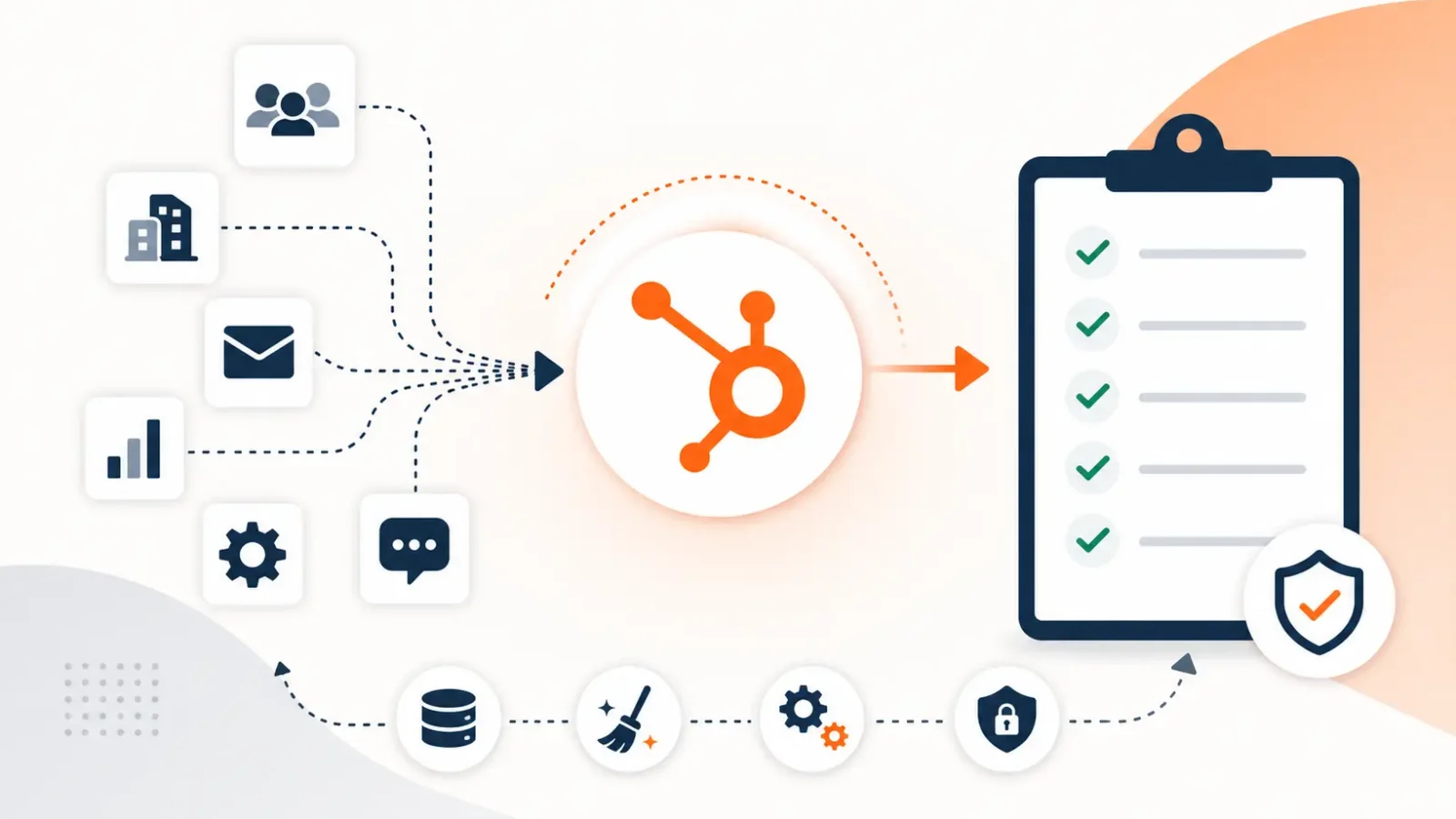
According to Gartner, 55% of CRM migrations fail to meet business expectations. That’s not a software problem. HubSpot is well-documented, widely supported, and built to receive migrated data. The failure rate comes from what happens before the first record imports: bad data, missing stakeholder alignment, unconfigured portals, and a complete absence of post-migration success criteria.
A HubSpot CRM migration is the process of moving customer data contacts, companies, deals, tickets, activities, and custom objects from a legacy CRM or data source into HubSpot’s object-oriented platform, while preserving data integrity, relationships, and the business logic that makes CRM data useful in the first place.
At Integrate IQ, we’ve processed 20 billion+ records annually across 300+ platforms and maintained a 98.5% client retention rate across our CRM migration work. The checklist that follows reflects what actually separates clean go-lives from the migrations that become six-month recovery projects.
Free estimator
Know what your HubSpot project costs before the first call.
Select your services and get a transparent price range in minutes. No sales call needed to get a number.
Connect HubSpot to your ERP, billing platform, or database field mapping, custom logic, and support included.
Pipelines, workflows, email templates, and reporting configured for how your team actually works.
Live, role-based sessions with recordings and written guides built around a custom plan for your team.
HubSpot Partner
Client retention
Platforms integrated
Why Most HubSpot Migrations Fail
Understanding the failure modes before you start is worth more than any individual best practice. Four root causes account for the vast majority of migration failures.
Bad data enters the new system and poisons it. Experian estimates that 91% of companies believe poor data quality negatively impacts their business, costing an average of 12% of revenue annually. When you migrate 5 years of accumulated duplicates, orphaned records, and missing fields into HubSpot, you get a shiny new CRM that your team immediately stops trusting. The migration becomes the moment the CRM ‘broke.’
The portal isn’t configured before data arrives. Importing contacts before lifecycle stages, pipeline stages, and custom properties are built means your data lands in default fields that don’t match your sales process. Now every record needs manual cleanup post-migration, which takes longer than doing it right the first time.
Integrations aren’t sequenced properly. Bidirectional syncs between HubSpot and other platforms your email service provider, an ERP, a data warehouse can create duplicate records if they’re active during migration. Turning integrations off is step one. Knowing which order to reactivate them is the part most guides skip.
No post-migration success criteria exist. Go-live day isn’t the finish line. Migrations that lack a 30/60/90-day validation framework typically surface data quality issues at 90 days, by which point the problems are embedded in reports, workflows, and user habits.
Pre-Migration Planning Best Practices
1. Audit Your Current CRM Before You Touch HubSpot
Run a full inventory of what you’re moving: object counts per type, custom field inventory, active automation rules, integration dependencies, and user/role structure. This audit has two outputs a migration scope document and a list of things you’re deliberately leaving behind.
Leaving things behind is intentional, not a failure. Deals closed 5+ years ago with no associated contacts, contacts who haven’t engaged in 3+ years and have no GDPR consent on record, and orphaned records with no owner these don’t belong in your new CRM. Migrating them increases complexity and degrades data quality.
2. Define Migration Goals with Measurable Objectives
‘Migrate to HubSpot’ isn’t a goal. ‘Move all contacts with engagement activity in the last 24 months, preserve full deal history for the current fiscal year, and have Sales Hub live for 25 reps by Q3’ is a goal. Measurable objectives prevent scope creep and give you a clear definition of done.
Apply the MoSCoW framework: Must-haves (contacts, active deals, current pipeline), Should-haves (historical deals, activity logs), Could-haves (archived contacts, old campaigns), and Won’t-haves (data you’ve decided to leave behind). Every migration decision maps to one of these categories.
3. Assemble a Cross-Functional Migration Team
Every department that uses HubSpot needs representation in the migration project. That means Sales (pipeline and deal data), Marketing (contact lists, consent records, campaign history), Customer Success or Service (ticket history, customer contacts), and IT or RevOps (field mapping, integration architecture, data governance).
Assign a project manager. This person owns the timeline, escalation path, and cross-team communication. They don’t need to be technical they need to keep everyone accountable to the migration plan and ensure that go-live day doesn’t happen without validation sign-off from each department.
4. Set a Realistic Timeline
Simple migrations under 10,000 records, standard fields, no custom objects can run in 3–5 weeks. Mid-market migrations covering 20,000–100,000 records with custom properties, complex pipeline structures, and integration dependencies run 6–10 weeks. Enterprise migrations with custom objects, multi-hub implementations, and significant workflow logic to rebuild can run 3–6 months.
IntegrateIQ’s standard delivery runs 8 weeks from kickoff for mid-market projects. That timeline accounts for a 1-week audit, 2-week portal configuration, 2-week test migration and validation cycle, and a 1-week production deployment. The remaining buffer absorbs the inevitable rework that the test migration surfaces.

Turn HubSpot Into A Real-Time SMS Engine with
Message IQ

Two-Way Conversations

Shared Team Inbox

Automation Triggers

Advanced Reporting

Compliance Tools
-
98%
SMS read within 3 min -
78%
Buy from first responder -
21×
More likely to qualify
3–5 min avg response
$45–$50 ROI / $1

*MessageIQ is an IntegrateIQ product – built natively for HubSpot by the same team.
Data Architecture Setup: Configure Before You Import
This is the step competitors consistently skip. Before importing a single record, your HubSpot instance needs a properly designed data architecture. Importing into a default, unconfigured portal creates the worst kind of migration debt records that land correctly but don’t fit the way your team actually works.
Build these elements before day one of data import:
- Lifecycle stages define what each stage means for your business and which sources populate each stage (not just the default HubSpot lifecycle stage values)
- Lead status values align with your qualification framework and SDR process, not HubSpot’s default ‘New/Open/In Progress’
- Deal stage names and probability values match your actual sales process, including stages that don’t exist in your legacy CRM but should
- Contact-Company association rules decide whether contacts can belong to multiple companies (they can in HubSpot) and how your import handles this
- Custom property naming conventions use consistent naming patterns (snake_case or similar) to prevent duplicate properties and reporting confusion later
- User accounts and permission sets all users who need access should be invited and their permission levels configured before records with ownership assignments come in
Data Cleaning Best Practices
Messy data in, messy data out. The most important data quality work happens before migration, not after. Run these checks on your source CRM before extracting a single record.
Duplicate detection and resolution. Identify contacts that exist multiple times with slightly different email addresses, names, or company names. Run company-level deduplication too one company with 5 variations of its name creates 5 company records in HubSpot, each with a fraction of the actual relationship history.
Missing required fields. HubSpot requires email addresses for contacts in most import scenarios. Contacts with missing or invalid email addresses need to be resolved before migration either corrected, marked for exclusion, or handled with an alternative identifier.
Orphaned records. Contacts with no owner assignment, deals with no associated contact, and companies with no associated deals these records create noise in HubSpot and make it harder for teams to trust the data they’re working with.
Stale data audit. Contacts who haven’t engaged in 24+ months and have no active deals, contracts, or support history represent migration weight without value. Identify them, make the exclude/include decision deliberately, and document it.
Field Mapping: How to Build the Mapping Workbook
The field mapping workbook is the technical document that controls your migration. Every field in your source CRM needs an explicit mapping decision: match to an existing HubSpot property, create a new custom property, transform before import, or exclude.
| Source Field Type | HubSpot Equivalent | Notes |
| Contact Name (First/Last) | First Name / Last Name properties | Split if stored as single field in source |
| Email Address | Email (required) | Validate format and uniqueness before import |
| Phone Number | Phone Number (or create custom) | Normalize format before import |
| Custom Dropdown Fields | Custom Enumeration Properties | Map each value mismatches cause import errors |
| Date Fields | Date Picker Properties | Ensure format consistency (MM/DD/YYYY vs ISO 8601) |
| Pipeline Stage | Deal Stage | Map each stage name explicitly to HubSpot equivalent |
| Owner/Assigned To | Record Owner | Requires user mapping table owner IDs differ between systems |
| Activity/Notes | Engagements (Note, Call, Email) | Requires API migration, not CSV import |
Fields with no direct HubSpot equivalent need an architectural decision: create a custom property, map the data to an existing property with a similar purpose, or exclude it. Don’t create custom properties speculatively every unused property adds noise to the contact record and slows down your team’s workflow.
Integration Sequencing During Migration
Active integrations during migration are one of the most reliable ways to create duplicate records and broken associations. The sequencing matters as much as the off/on decision.
Turn off high-risk integrations first any bidirectional sync with another CRM, your marketing automation platform, data warehouse connectors, and API-connected tools that create or update records automatically. Turn off email sync integrations before importing contacts to prevent immediate re-syncing that overwrites your import.
Reactivate in this order: 1) Reporting and analytics integrations (read-only, low risk),
2) Marketing platform connections (after validating contact data is correct),
3) Sales tool integrations (after pipeline validation), 4) Bidirectional syncs (after all other integrations are stable and validated).
For integrations with bidirectional data flow, build a delta-sync step into your migration plan. After the primary import completes, identify records that were created or modified in your source system during the migration window and push those changes to HubSpot as a final reconciliation step before go-live.
Testing and Validation Framework
A migration without a structured test phase is a migration with no safety net. We run three validation checkpoints.
- Test migration on 10% of records. Import a statistically representative sample include contacts from different lifecycle stages, deals from different pipeline stages, and records with custom field values. Run the full transformation logic, not just a basic import.
- Stakeholder review. Have each department representative verify their own records. Sales reps check deals and contact associations. Marketing verifies list membership and consent fields. Service verifies ticket history. This distributes the validation work to the people who know what ‘correct’ looks like.
- Full migration with monitoring. Run the production import with active monitoring on record counts, association integrity, and workflow trigger activity. Verify the final record count matches the source. Check that a random sample of records has all expected field values, correct ownership, and proper associations intact.
GDPR and Data Compliance During Migration
CRM migration is a data processing event under GDPR. Migrating customer data especially marketing consent records without proper handling creates compliance exposure that persists long after the migration is complete.
Consent field migration. Marketing consent values need to transfer accurately. A contact who unsubscribed from marketing emails in your old CRM must remain unsubscribed in HubSpot. If consent fields don’t map correctly, you risk emailing unsubscribed contacts from day one, which triggers GDPR violations and damages deliverability.
Data minimization. Migration is the right moment to apply data minimization principles. If you don’t have a legal basis to hold a contact’s data they haven’t engaged, they’ve unsubscribed, and there’s no active contract the GDPR-compliant decision is to exclude them from the migration, not carry them forward.
Audit trail. Document what data was migrated, from which source, on which date, and who executed the migration. This documentation is required for GDPR compliance audits and provides the evidence trail needed if a data subject submits a Subject Access Request post-migration.
Post-Migration Success Metrics: The 30/60/90-Day Framework
Go-live isn’t the end of the migration. The 30/60/90-day window is when migration issues that weren’t caught in testing surface in production. Build a validation framework before you press go.
Days 1–14: Record count parity checks. Verify that contact, company, deal, and ticket counts in HubSpot match the expected numbers from your migration scope document. Validate that all active workflows are triggering correctly. Check that key reports return numbers that match historical baselines.
Day 30: User adoption tracking. Are all users logging into HubSpot regularly? Are reps logging activities or letting them go unrecorded? Low adoption at day 30 predicts database decay by day 90.
Day 60: Data quality audit. Run deduplication checks, review properties with high null/empty rates, and identify any contact records that have been created outside the normal process (manual imports, integration syncs, form submissions) that don’t have required fields populated.
Day 90: Reporting accuracy review. Pull key revenue reports and compare against pipeline reality. If deal forecast numbers don’t match what sales managers know to be true, there’s a data quality issue in the CRM that needs to be addressed before it compounds.
Frequently Asked Questions
How long does a HubSpot CRM migration take?
Depends heavily on scope. A simple migration under 10,000 records with standard fields and no custom objects runs 3–5 weeks. A mid-market migration covering 20,000–100,000 records with custom properties, integration dependencies, and workflow rebuilds runs 6–10 weeks. Enterprise migrations can run 3–6 months. Integrate IQ’s standard delivery is 8 weeks for mid-market projects from kickoff to go-live.
What data can you migrate to HubSpot?
Standard objects contacts, companies, deals, tickets, and tasks migrate via API or CSV import. Activity history (notes, calls, emails, meetings) requires API-based ETL to be preserved as HubSpot Engagements. Custom objects require Sales Hub Enterprise or a Data Hub subscription. File attachments, email templates, and workflow logic need to be rebuilt in HubSpot rather than migrated directly.
What is the most common HubSpot migration mistake?
Importing data into an unconfigured HubSpot portal. When contacts arrive before lifecycle stages, pipeline stages, and custom properties are built, your data lands in default fields that don’t match your business processes. The cleanup work that follows typically takes longer than building the portal architecture correctly before migration.
Do I need a HubSpot partner for migration?
For migrations under 5,000 records with standard fields and no custom objects, HubSpot’s native import tools and Smart Transfer can handle the job without a partner. For anything larger or any migration involving custom objects, API integrations, or complex workflow logic a certified HubSpot partner reduces risk significantly. Integrate IQ’s custom integration accreditation specifically covers the migration architecture work that standard partner certifications don’t address.
How do I validate my HubSpot migration?
Run a three-stage validation: test migration on 10% of records with stakeholder spot-checks, full migration with real-time monitoring on record counts and association integrity, and a 30-day post-migration data quality audit. The most reliable validation involves having department representatives review their own records they know what ‘correct’ looks like better than anyone else.
See your 12-month revenue impact with HubSpot CRM
Enter your current numbers — visitors, leads, deal size — and get a personalized projection based on real HubSpot customer benchmarks.

Start Your HubSpot Migration on the Right Foundation
You don’t get a second chance at a clean migration. The data quality decisions you make before the first import runs determine whether your team trusts the CRM six months later or quietly reverts to spreadsheets.
Integrate IQ has maintained a 98.5% client retention rate across our CRM migration work. Our standard 8-week delivery covers everything from pre-migration audit to post-migration validation. We process 7 million fields synced daily and have built migration pipelines for 300+ platforms.
If your team is planning a HubSpot migration in the next quarter, the best time to scope it properly is now. Review our migration process at integrateiq.com/our-hubspot-integration-process/ or speak directly with our team at integrateiq.com/contact-us/



Table of Contents
- Why Most HubSpot Migrations Fail
- Pre-Migration Planning Best Practices
- Data Architecture Setup: Configure Before You Import
- Data Cleaning Best Practices
- Field Mapping: How to Build the Mapping Workbook
- Integration Sequencing During Migration
- Testing and Validation Framework
- GDPR and Data Compliance During Migration
- Post-Migration Success Metrics: The 30/60/90-Day Framework
- Frequently Asked Questions
- Start Your HubSpot Migration on the Right Foundation

