













Explore this article with AI:
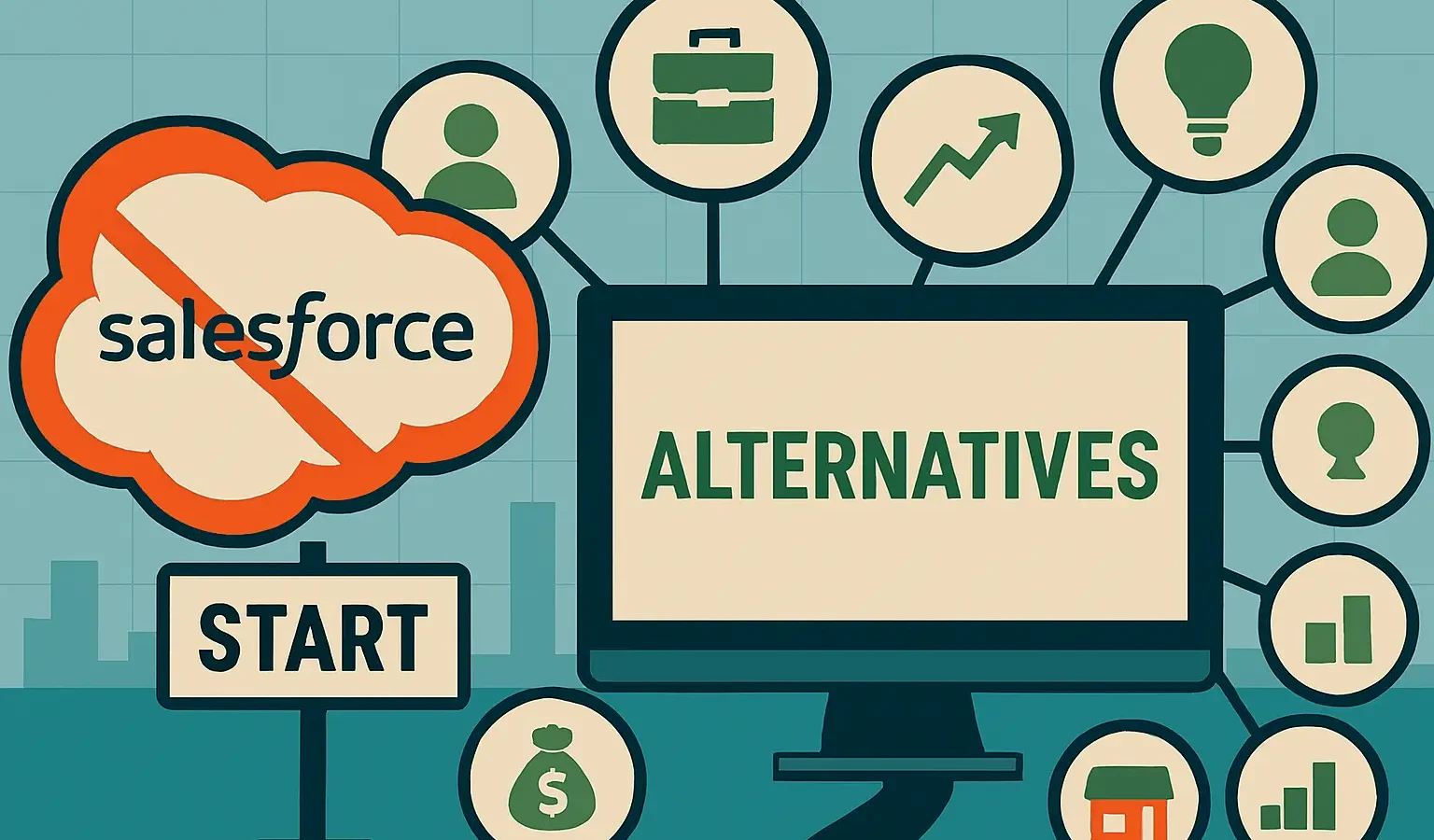
Many small businesses that use Salesforce pay enterprise prices for features they will never use. Sales Cloud alone can cost a team of 10 $1,650 a month, and that’s before you add in Salesforce Marketing Cloud, which costs an extra $1,250 a month. When you add in the consultant you’ll need to set it up and the dedicated admin to keep it from falling apart, the real cost of Salesforce for a small business is somewhere between “painful” and “existential.” If you’re searching for companies like Salesforce that actually fit a small team’s budget, that search tends to end with the list below.
This has happened with clients in many different fields. As a HubSpot Diamond Solutions Partner that has moved teams off of Salesforce and connected more than 300 platforms, we know exactly what small businesses do: they use only 20% of Salesforce’s features, pay 100% of the price, and then quietly start looking for other options around month 18.
Here are the 10 best Salesforce alternatives for small businesses in 2026. We looked at each one based on how clear the prices are, how quickly it can be set up, how much work it takes to manage, and whether it can actually grow with you. HubSpot is at the top of the list because it really is the best choice for most small business buyers. However, we have also included the honest cases where it isn’t and where another tool wins.
Free estimator
Know what your HubSpot project costs before the first call.
Select your services and get a transparent price range in minutes. No sales call needed to get a number.
Connect HubSpot to your ERP, billing platform, or database field mapping, custom logic, and support included.
Pipelines, workflows, email templates, and reporting configured for how your team actually works.
Live, role-based sessions with recordings and written guides built around a custom plan for your team.
HubSpot Partner
Client retention
Platforms integrated
What to Look for in a Different Salesforce
Before we get to the list, here are five things that small businesses should think about when deciding whether or not to switch CRMs:
Prices you can really see coming the starting price isn’t the biggest problem for SMBs with Salesforce; it’s the problem with predictability. Add-ons, upgrades, and integrations add up quickly. The right alternative gives you a price you can lock in and plan for, and it should have useful features at lower levels.
Quick implementation without a consultant
It can take 2 to 6 months to set up an enterprise CRM correctly. Small businesses can’t wait that long and can’t pay for the consultant’s bill that comes with it. You can start using the tools on this list in days to a few weeks, not a quarter.
No need for a separate admin
To keep Salesforce running smoothly, you need a full-time admin. For small teams, that means a salary of at least $90,000 or a consulting retainer. The options here are set up so that a sales manager or an operations manager who isn’t very tech-savvy can keep things going.
Sales and marketing that work together
Salesforce’s biggest problem for small and medium-sized businesses is that its sales and marketing tools are spread across different clouds and cost different amounts. The best alternatives bring these together natively, so your email campaigns and deal pipeline can talk to each other without needing expensive middleware.
A clear path for migration
Changing CRMs is real work. All of your contacts, companies, deals, activity history, and custom fields need to move smoothly. The tools on this list have set migration paths, and when Integrate IQ has done those migrations directly, we’ll tell you what to expect.
AI features vs. an actual AI agent
This distinction didn’t exist two years ago and now it matters. Most CRMs on this list have “AI features” lead scoring, email drafting, deal summaries. That’s useful, but it’s still a tool you operate. A newer category of CRM, and CRM add-on, runs an autonomous agent that does the data entry itself: pulling contact and company details from email and calendar activity, enriching records, and keeping the CRM current without anyone typing it in. Coffee and Salesmate’s Skara agent are the clearest examples of this approach; HubSpot’s Breeze and Zoho’s Zia sit in between, automating specific tasks but still depending on a human to drive the workflow. If manual data entry is the actual pain point driving your search for a Salesforce alternative, that’s the question to ask any vendor directly: does the AI assist you, or does it do the data entry for you?

Turn HubSpot Into A Real-Time SMS Engine with
Message IQ

Two-Way Conversations

Shared Team Inbox

Automation Triggers

Advanced Reporting

Compliance Tools
-
98%
SMS read within 3 min -
78%
Buy from first responder -
21×
More likely to qualify
3–5 min avg response
$45–$50 ROI / $1

*MessageIQ is an IntegrateIQ product – built natively for HubSpot by the same team.
1. HubSpot is the best all-around Salesforce alternative for small businesses.
HubSpot is the most direct competitor to Salesforce that is actually made for small businesses. There are no separate cloud purchases or module stacking; it handles sales, marketing, and customer service all from one platform. The free CRM is a great place to start, and the paid tiers make sense from there.
Salesforce wants you to build a tech stack, but HubSpot sends you a full one. Sales Hub takes care of automation and the pipeline. Email, landing pages, and attribution are all part of Marketing Hub. Service Hub takes care of tickets and talking to customers. Operations Hub makes sure that data is clean and up to date. You can run all four Hubs at once or just the one you need today. As your team grows, you can add more.
HubSpot’s Breeze AI, which will be available for free to all paid users in 2026, takes care of lead scoring, email generation, and deal summaries without the $50-$125 per user fee that Salesforce charges for Agentforce. That’s a big difference for small teams.
Why it works for small businesses:
- A free CRM tier that lets you manage as many contacts as you want. This is a real starting point, not a trial with fewer features.
- By default, marketing and sales data are stored in the same system, so attribution works without having to do any data engineering work.
- Your team won’t have to figure things out on their own because HubSpot Academy has an 8.6 out of 10 rating for support 24/7 on G2 (compared to Salesforce’s 8.0).
- Breeze AI is included in all paid tiers, so you don’t have to buy it separately.
- More than 2,000 app integrations, including Salesforce itself, which is important if you’re moving in stages.
Honest limitation: HubSpot’s Professional plan, which costs $800 a month for five seats, is where most of the really useful automation is. Small teams with small budgets can feel that jump. The free tier runs into problems quickly, like having only 1,000 contacts, limited automation, and HubSpot branding on emails. If you plan to use it a lot, plan to upgrade within the first 3–6 months.
Pricing: The cost of Sales Hub Professional is $90 per seat per month, billed once a year. The Marketing + Sales Starter bundle costs $15 per seat per month, but it doesn’t have all the features. Most small businesses need to spend between $800 and $1,600 a month to get real capabilities.
Integrate IQ note: We’ve moved dozens of businesses from Salesforce to HubSpot and taken care of the entire data transfer, including contacts, companies, deals, activity history, custom properties, and workflows. Most of the time, our migration takes 8 weeks to finish. We also make connections between HubSpot and tools that are specific to your industry, like Quickbooks, Stripe, or Salesforce. Check out our Salesforce-to-HubSpot migration service to see how the process really works.
2. Zoho CRM is the best budget option with real depth of features.
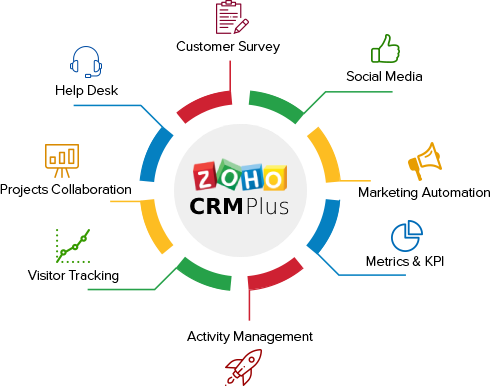
It’s hard to argue with the price of Zoho CRM. Plans start at $14 per user per month, and there is a free tier for up to three users. That’s a $10 savings per user per month for a small business that cares about margins, and that’s before any add-ons.
There is real depth to the feature. Zoho has all the basic CRM features you need, like pipeline management, workflow automation, email sequences, lead scoring, and forecasting, without needing to stack products. The Zoho One suite is great for businesses that want a platform for all of their business operations, not just sales. It comes with 45+ apps for $37 per user per month.
Why it works for small businesses:
- The free plan lets up to three people manage contacts, deal pipelines, and basic workflows.
- The Zoho One suite includes CRM, email, accounting, HR, and project management, which is helpful if you need to switch out a lot of tools at once.
Strong customization without coding: a non-technical admin can set up custom fields, modules, and workflow rules. - AI assistant Zia scores leads, analyzes the tone of emails, and suggests the best times to contact people at no extra cost.
Honest limitation: Zoho’s interface has gotten a lot better in the last two years, but it still has some of the complexity that comes from adding new features over the years. It can take new users a few weeks to really get used to the configuration options. On lower-tier plans, customer service may take longer to respond.
Cost: Free for up to three users. Standard: $14 per user per month. $23 per user per month for professionals. Enterprise: $40 per user per month. All charges are made once a year.
Integrate IQ note: If you’re using both HubSpot and Zoho or planning a phased migration, Integrate IQ is currently working on a HubSpot-Zoho integration. One of our most common requests is to move data from Zoho to HubSpot. The hardest part is figuring out how to match Zoho’s custom modules and Deluge scripts to HubSpot’s. Take a look at our HubSpot vs. Zoho comparison to see how they stack up against each other.
3. Pipedrive is best for sales teams that want things to be simple.
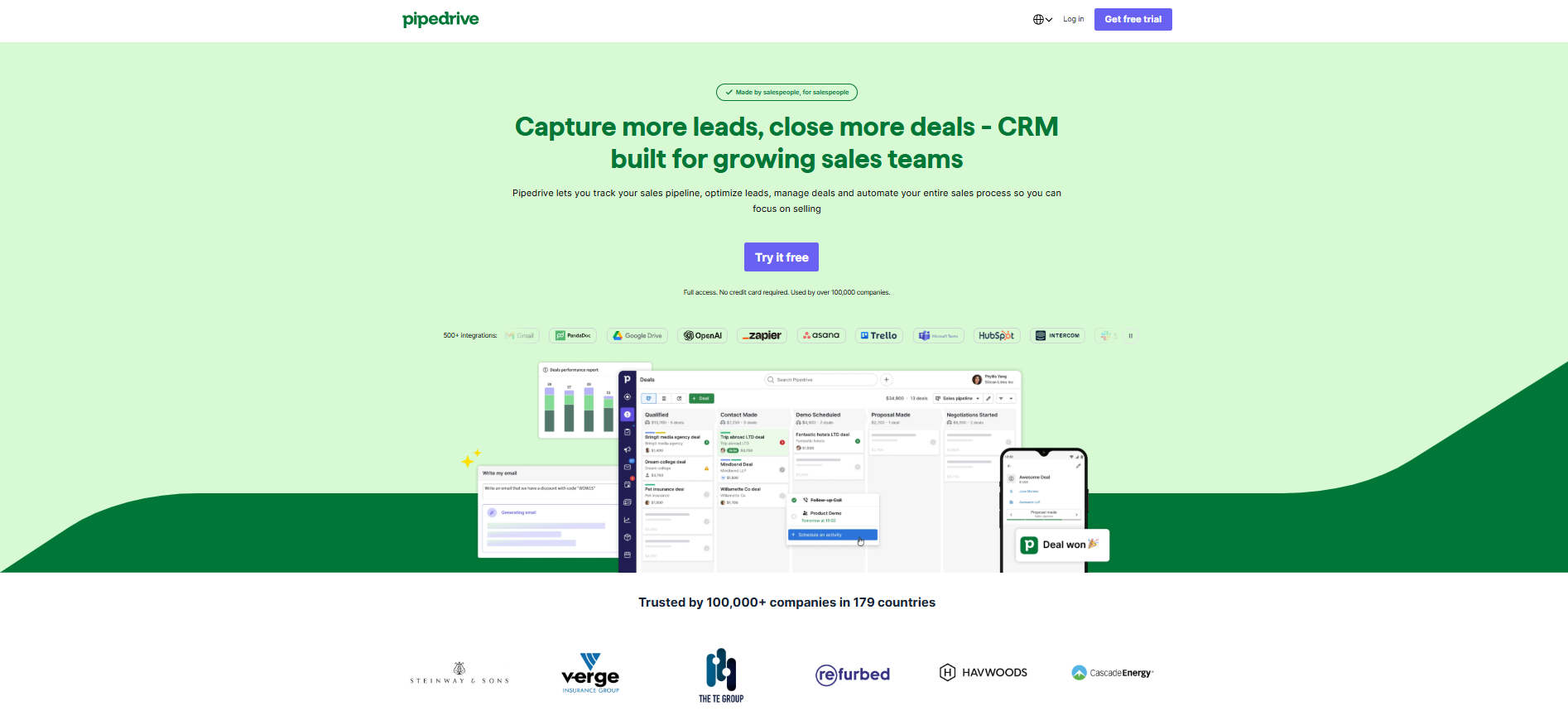
Pipedrive is good at one thing: making it easy to manage your sales pipeline. There’s no module ecosystem, service cloud, or marketing hub to find your way around. You open it up, see your deals, and know what to do next. That’s really useful for a small sales team that just wants to close deals and not learn how to use enterprise software.
The product is the visual pipeline. You can drag deals between stages, get reminders about activities, run email sequences, and see how much money you have at any given time. The AI sales assistant that comes with the Advanced plan ($44/user/month) looks at your pipeline and automatically flags deals that are stuck.
Why it works for small businesses:
- The best pipeline UX salespeople pick it up quickly because it’s based on how they really sell
- Built-in activity-based selling: calls, emails, and tasks are all tracked directly against deals.
- The LeadBooster add-on has a chatbot, live chat, and web forms that you can use to get leads into the pipeline.
- A great mobile app that really helps reps who work outside of the office
Honest limitation: Pipedrive doesn’t have many marketing features. No landing pages, no email marketing, and no lead nurturing automation beyond basic email sequences. If you need to run campaigns and make sales at the same time, you’ll need a different tool and an integration. That makes things more expensive and complicated.
Pricing: Required: $24 per user per month. Advanced: $44 per user per month. Professional: $64 per user per month. Power costs $79 per user per month. All bills are due once a year. You can try it out for free for 14 days.
Integrate IQ note: If your team uses both HubSpot and Pipedrive, or if you use Pipedrive for sales and HubSpot for marketing, IntegrateIQ has a HubSpot-Pipedrive integration build. We also help people move from Pipedrive to HubSpot. The biggest problem is that Pipedrive and HubSpot organize calls, meetings, and tasks in different ways. For more information, see our HubSpot vs. Pipedrive comparison.
4. Freshsales is the best choice for AI-powered sales automation at lower prices.
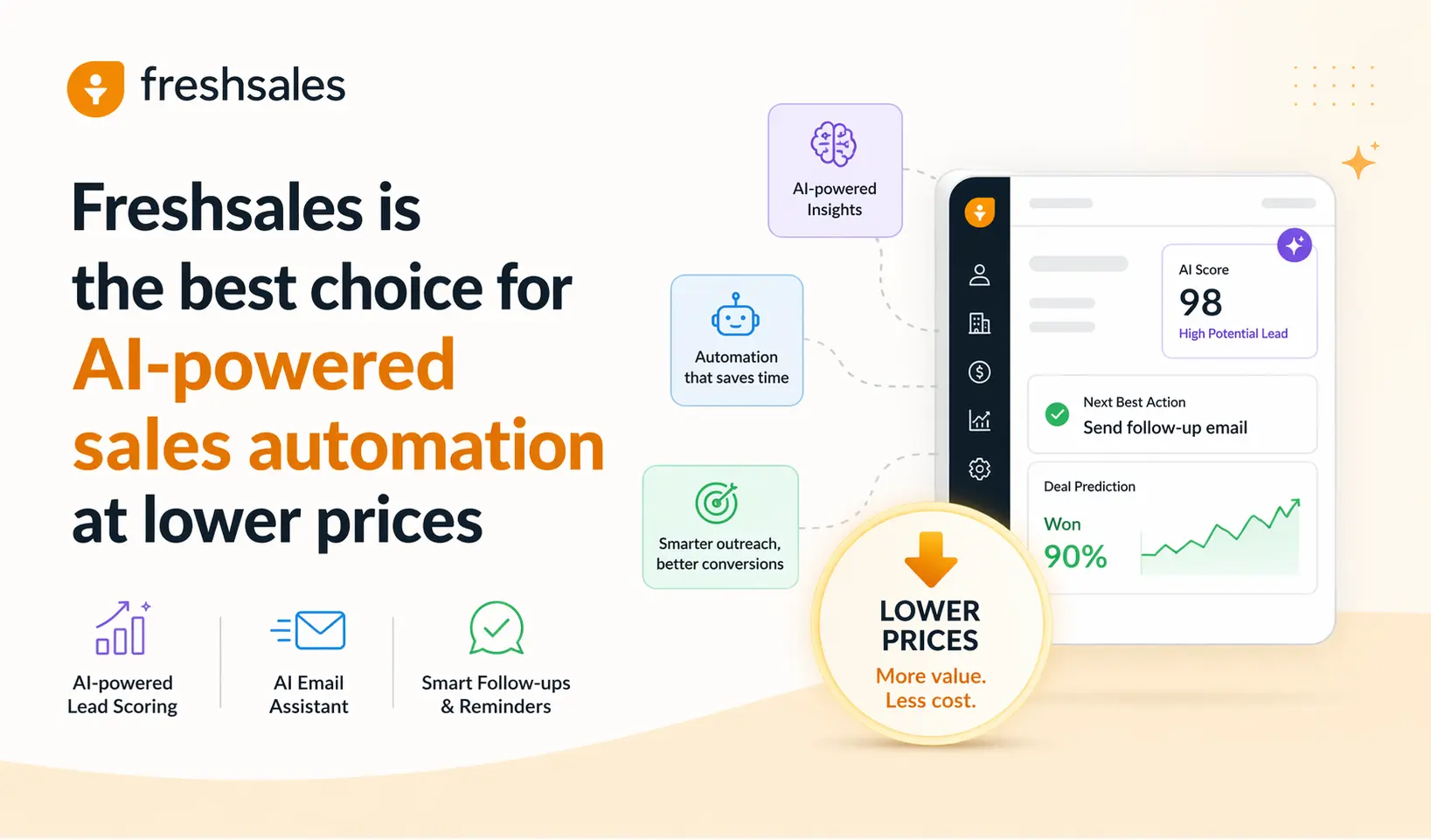
Freshsales is one of the many products that Freshworks offers. It makes this list because it has AI-powered sales features at levels where HubSpot hasn’t offered them before. Freddy, the built-in AI assistant, takes care of lead scoring, deal insights, and automated contact enrichment. You can get it for $9 per user per month with the Growth plan.
Freshsales is a great choice for a small sales team that wants smart automation but doesn’t want to pay HubSpot Professional prices. It has everything you need for managing contacts, visual pipelines, email sequencing, phone calls (with built-in calling), and live chat.
Why it works for small businesses:
- Freddy AI is available at the Growth tier for $9 per user per month. It offers lead scoring and deal predictions at a low cost.
- The built-in phone, email, and chat make it so that you don’t need separate calling tools at the starter level.
- The interface is clean and modern, and it doesn’t take long to learn. Most teams can get up and running in less than a week.
- Integration with Freshdesk that lets you see support tickets inside the sales CRM
Honest truth: Freshsales’ reporting and analytics aren’t as advanced as those of HubSpot or Salesforce. You need to pay more for custom reports, and even then, the dashboard builder has some big problems. Teams that depend on complicated sales data may reach those limits quickly.
Pricing: There is a free plan. $9 per user per month for growth. $39 per user per month. Enterprise: $59 per user per month. All billed once a year.
Integrate IQ note: We can make Freshsales work with HubSpot if you have both running at the same time. This is common for teams where one team handles sales in Freshsales and another handles marketing in HubSpot. When Freshsales’ lower price makes up for its fewer features, our comparison of HubSpot and Freshsales falls apart.
5. Keap is the best choice for small teams and solopreneurs who want both CRM and marketing automation in one place.
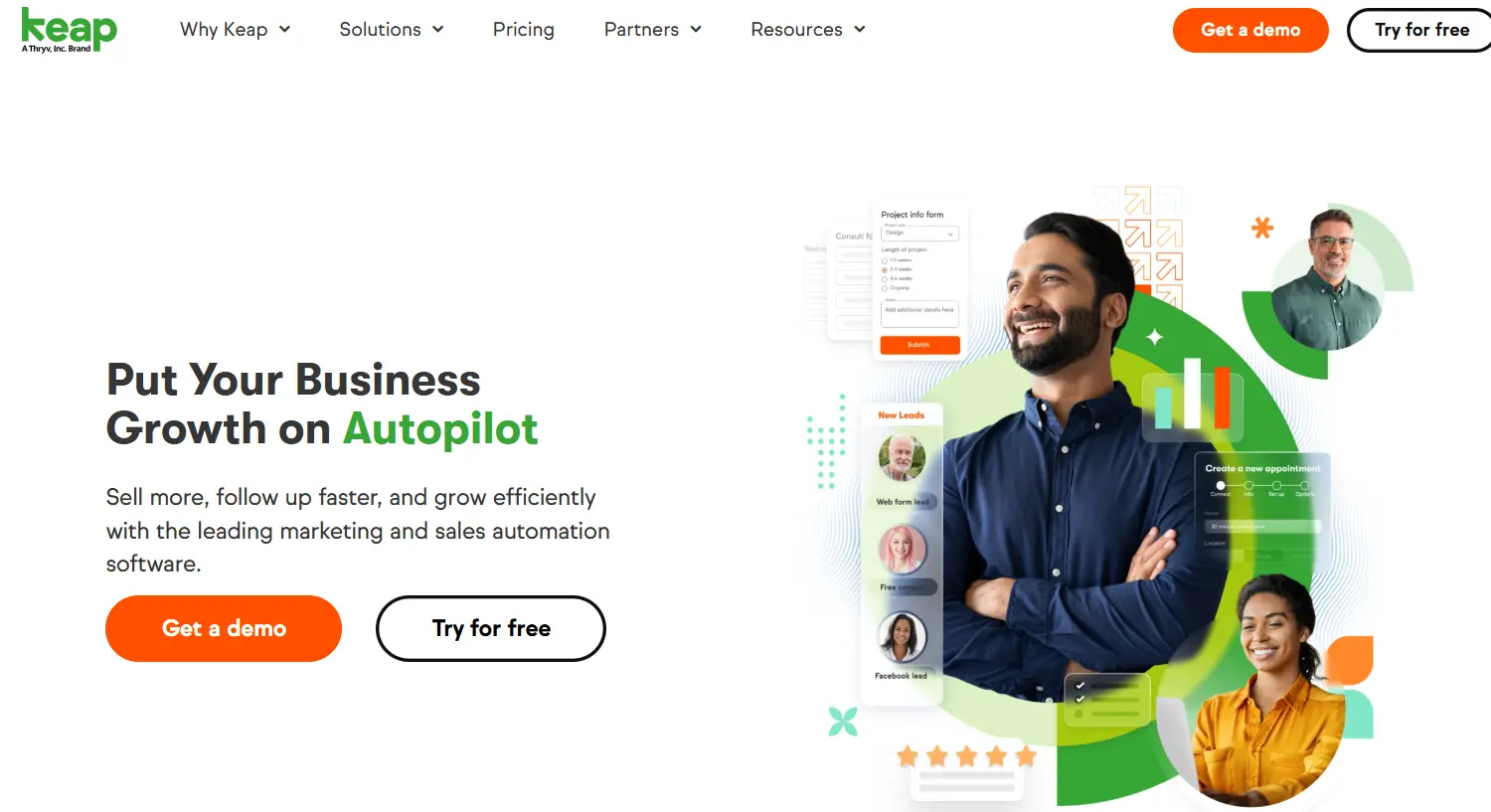
Keap is for businesses with fewer than ten employees that need CRM, email marketing, appointment scheduling, and basic invoicing without having to use five different tools. The idea is to combine everything into one platform, so you don’t need a contact spreadsheet, a Mailchimp account, a Calendly subscription, or an invoice tool.
It works well for consultants, coaches, local service businesses, and small e-commerce businesses that want automation without making things too complicated. The visual campaign builder lets people who don’t know how to code create email sequences and follow-up automation without having to write any code.
Why it works for small businesses:
- With one subscription, you get CRM, email marketing, SMS, scheduling appointments, and sending invoices.
- Visual automation builder with ready-made templates that anyone can use, even if they don’t know much about technology
- Built-in payment processing means you don’t need to buy a separate billing or e-commerce tool.
- Tagging and scoring leads to group your contacts by their interests and behaviors.
Honest limitation: Keap’s prices start at $249 per month for two users billed annually. That’s a lot more than what you get with HubSpot or Zoho for the same number of users. It also stops getting more advanced: businesses that grow tend to outgrow Keap’s reporting and customization in 18 to 24 months.
Cost: $249 per month for two users (billed once a year). Max: $329 a month for three users. Extra users cost extra. You can try it for free for 14 days.
Integrate IQ note: Integrate IQ has a live comparison of HubSpot and Keap for teams that are trying to decide if Keap’s consolidation play is worth the price compared to HubSpot’s hub approach. We also help teams move from Keap to HubSpot when they outgrow it. The hardest part is rebuilding Keap’s campaign automations inside HubSpot’s workflow engine.
6. Monday CRM is best for teams that already use Monday to manage their projects.
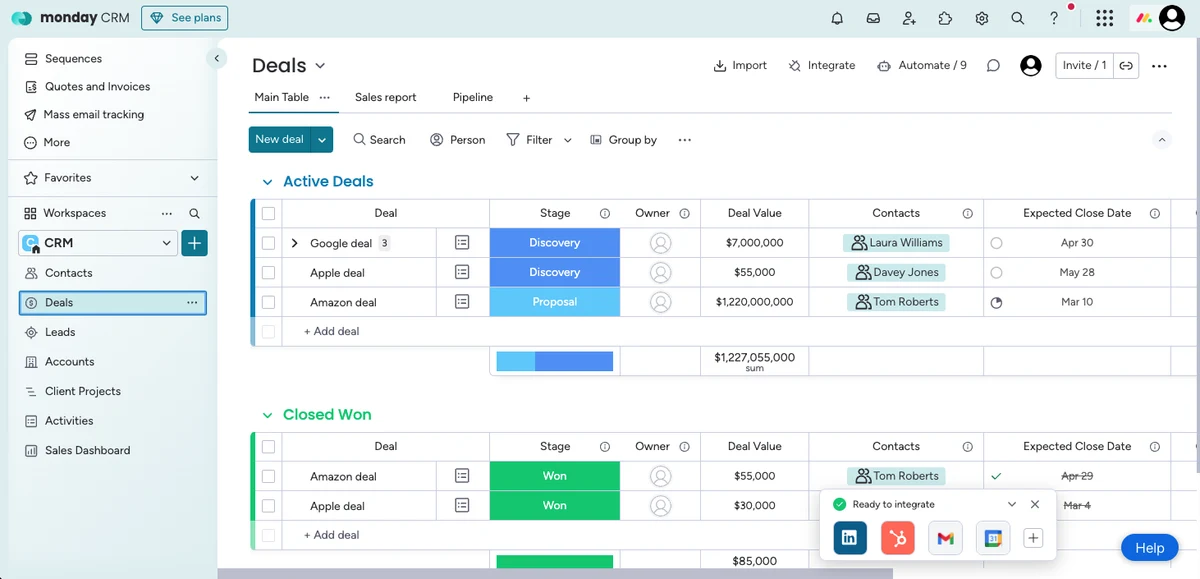
Monday.com has a project management platform that Monday CRM is built on top of. The CRM is in the same interface and uses the same boards that your team already uses for projects, sprints, or client delivery in Monday. For that reason, adoption usually happens quickly.
The visual board structure makes it easy to manage pipelines, especially for teams that think in rows and columns instead of the usual CRM layouts. You can change a lot of things about it, like deal stages, fields, automations, and dashboards, all without having to write any code.
Why it works for small businesses:
- With native Monday.com integration, deals and client delivery stay in the same tool.
- A visual pipeline layout that can be changed in many ways, with no forced CRM structure to fight against
- The automation center takes care of assigning leads, sending notifications, and moving leads from one stage to the next.
- The basic plan starts at $10 per seat per month for small teams.
Honest limitation: Monday CRM doesn’t have any useful marketing features, like tools for email campaigns, lead nurturing, or attribution reporting. The reporting features are also less powerful than those of dedicated CRMs for teams that need detailed sales data. You’ll need a different tool if your business does a lot of marketing.
Price: $10 per seat per month for basic. Standard: $14 per seat per month. $27 per seat per month. Enterprise: made to order. Charged once a year. At least three seats.
Integrate IQ note: Integrate IQ is currently working on a HubSpot-Monday integration for teams that do marketing in HubSpot and deliver projects in Monday. In our comparison of HubSpot and Monday, we look at the situations in which Monday’s project management is better than HubSpot’s built-in tools.
7. Nutshell is best for small teams that want a simple CRM with good customer service.
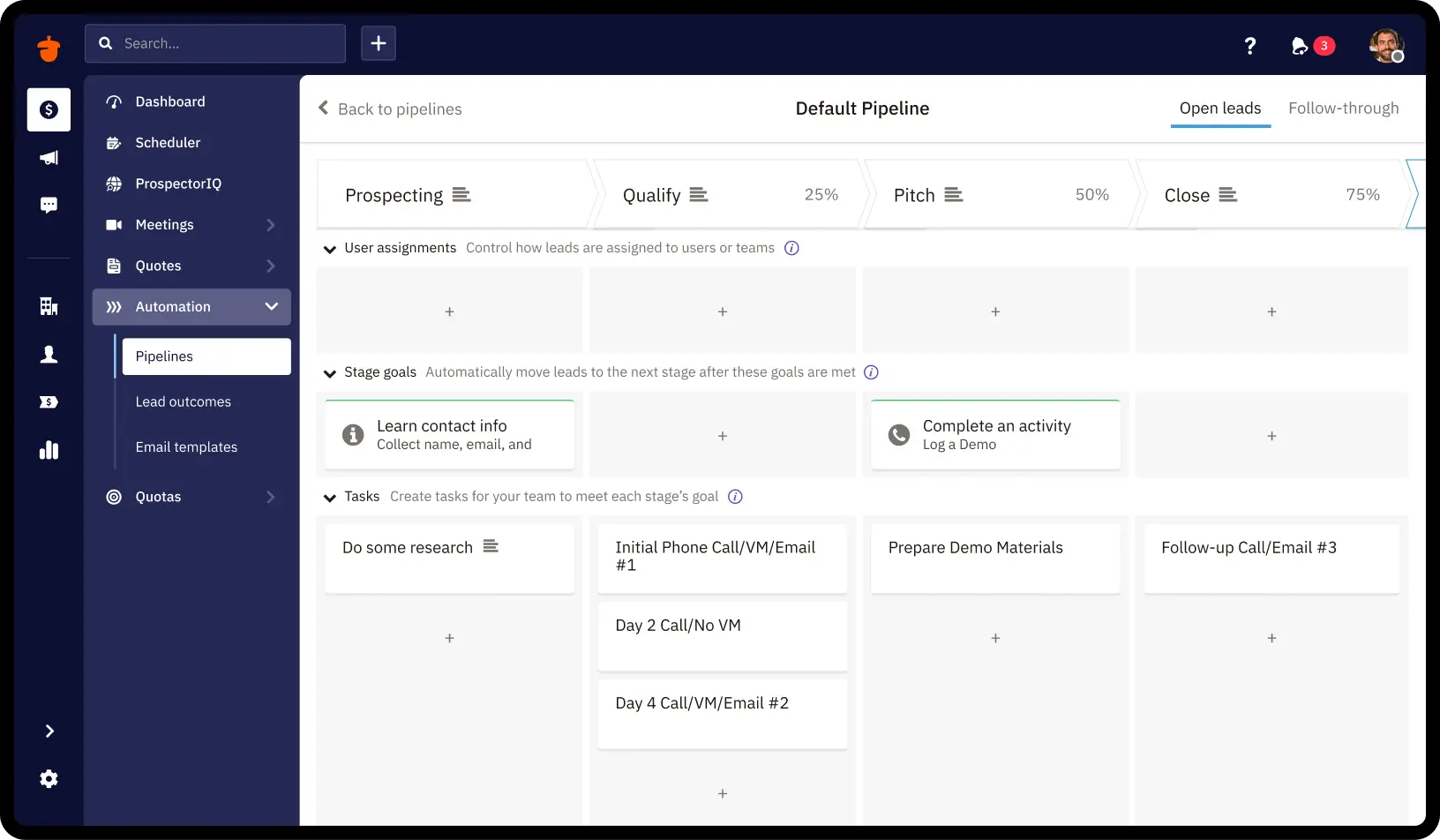
People always praise Nutshell for something that most CRMs don’t do: customer support that actually answers. People who review G2 often say that the support team is one of the reasons they stay. That’s not a small benefit for a small business that doesn’t have a Salesforce admin or an IT department. It means the difference between getting unstuck in an hour and losing a week to a configuration problem.
The platform includes contact management, pipeline management, email sequencing, marketing email (through Nutshell Campaigns), and reporting at prices that are reasonable for small teams. The Pro plan, which costs $42 per user per month, includes automation and reporting that other tools charge a lot more for.
Why it works for small businesses:
- Highly rated customer service is a real game changer for small business teams that don’t have a lot of resources.
- Nutshell Campaigns can send emails by itself, so you don’t need another tool to do it.
- Clean pipeline views with different layouts (board, list, map, chart) to fit the way your team thinks
- All plans come with unlimited CRM contacts, so there are no surprises when it comes to how much each contact costs.
Honest limitation: Nutshell has fewer overall features than HubSpot or Zoho. Teams that need complicated multi-step automation or advanced attribution reporting will run into problems at the higher levels. It’s a better fit for businesses where the sales process is pretty straightforward.
Cost: $19 per user per month for the foundation. $32 per user per month for growth. Pro: $42 per user per month. For business, it’s $59 per user per month. All charges are made once a year.
Integrate IQ note: If your team is trying to choose between HubSpot and Nutshell, Integrate IQ has a comparison of the two. We also help people move from Nutshell to HubSpot. This is usually a simple process because the data objects in Nutshell fit nicely into HubSpot’s contact and deal structure.
8. Copper CRM is best for teams that run their business in Google Workspace.
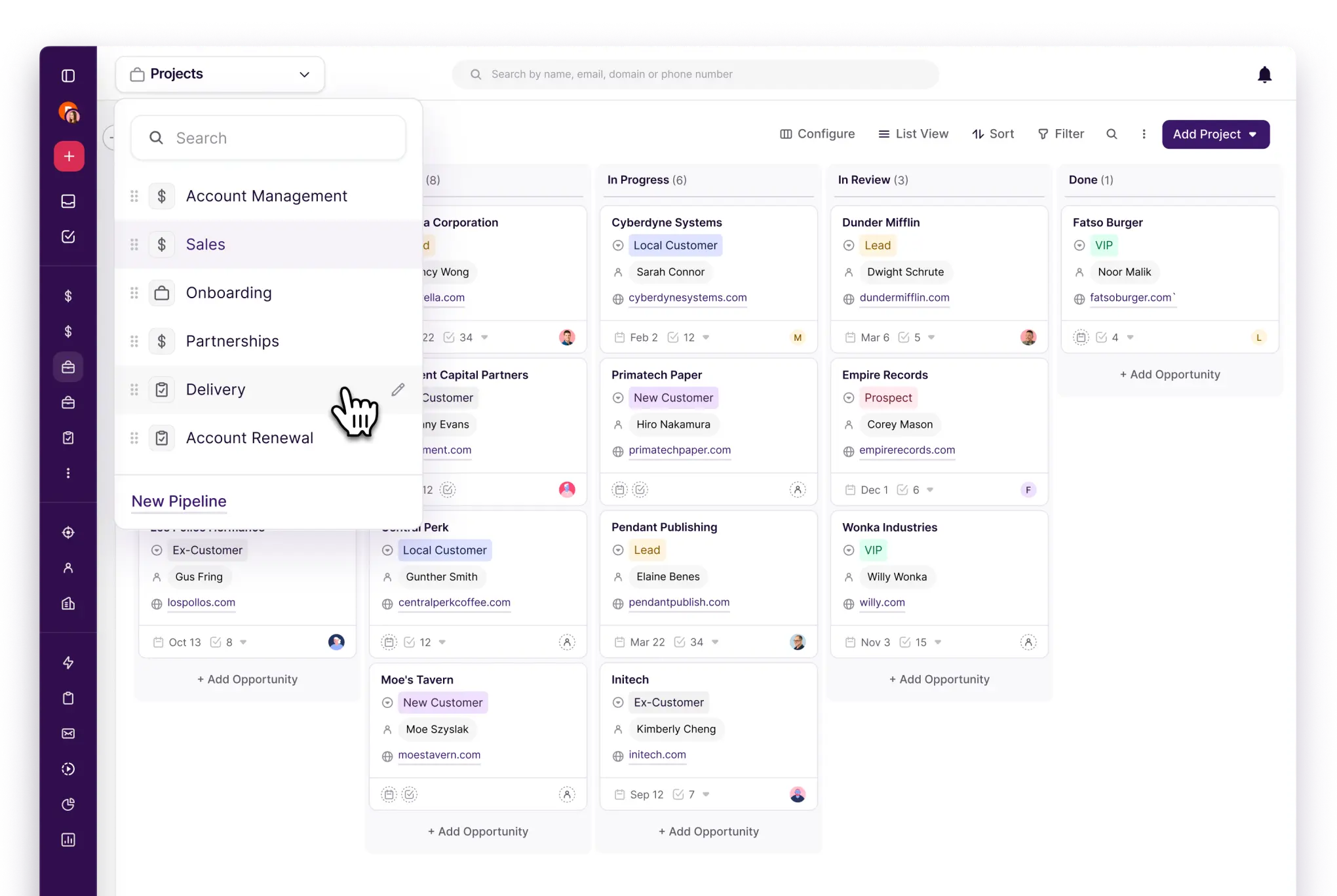
If you use Gmail, Google Calendar, and Google Drive a lot for work, you should really think about getting Copper. You can see contact records, deal stages, and activity history in the Gmail sidebar without having to switch tabs. You don’t need to open a separate CRM window.
Copper gets rid of that problem for a small team where the sales rep spends all day in their inbox and switching to a new interface seems like it would hurt productivity. Because Copper automatically fills in contact records from email threads, data entry is lessened.
Why it works for small businesses:
- Integration with native Gmail and Google Workspace means no need to switch tabs for most sales tasks.
- Automatically fills in contact records from email threads, which saves time on data entry
- You don’t have to enter data again to see your Pipeline views in Google Calendar.
- Google-native teams can learn how to use it quickly and easily because it has a clean, modern interface.
The only real drawback of Copper is that it only works with Google Workspace. If you use Outlook, Microsoft Teams, or a mix of both, this isn’t the right fit. The features outside of Google integration are also fewer than those of full-stack CRMs. For example, marketing automation, advanced reporting, and custom objects are only available at higher levels.
Pricing: $9 per user per month for the starter plan. $23 per user per month for basic. Professional: $59 per user per month. Business: $99 per user per month. All bills are due once a year.
Integrate IQ note: If your team is trying to decide whether the Google Workspace integration is worth Copper’s fewer features compared to HubSpot, check out Integrate IQ’s HubSpot vs. Copper CRM comparison. We make HubSpot-Google Workspace connections for teams that want to use both Google tools and HubSpot’s full range of features.
9. Insightly is the best choice for small businesses that sell and deliver projects.
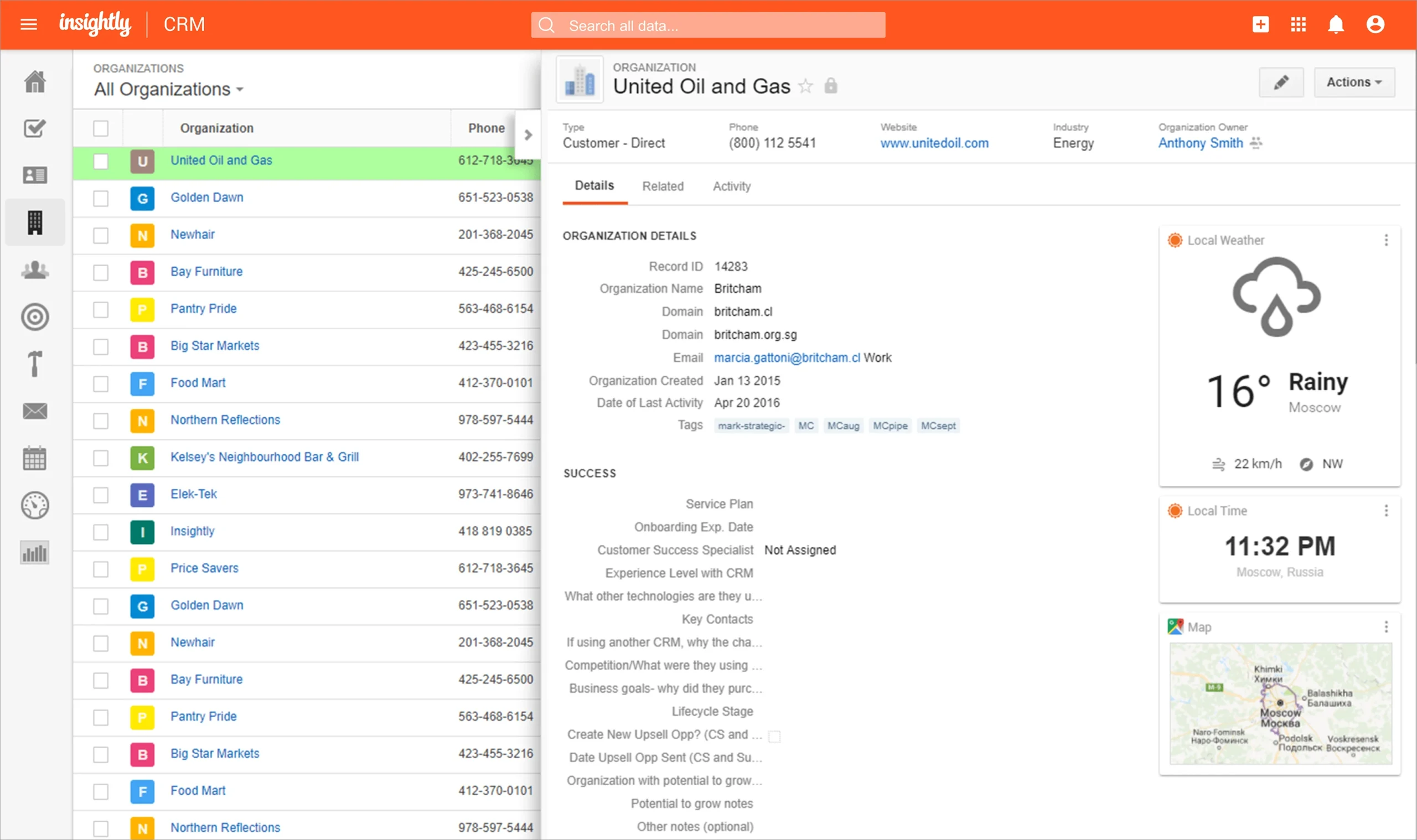
Insightly is in a unique position because it combines project delivery with CRM pipeline management in one tool. When a deal closes in Insightly, it turns into a project with tasks, milestones, and delivery tracking. You don’t have to enter the data again or switch to a different tool.
That workflow makes sense for small businesses like consultancies, agencies, professional services firms, and custom product businesses where the same team sells and delivers. It gets rid of the time difference between “deal closed” in the CRM and “project started” in the project management tool.
Why it works for small businesses:
- Built-in project management after a sale turn deals into projects with just one click
- You can link contacts, organizations, opportunities, and projects together in a connected data model using relationship linking.
- The AppConnect integration platform lets you connect to hundreds of tools without writing any code.
- The Marketing Hub add-on lets you run email campaigns without needing a separate marketing platform.
Honest limitation: Insightly’s sales features, especially automation and AI, aren’t as advanced as HubSpot’s or Freshsales’ at the same price point. If the sales process is complicated or involves a lot of people, Insightly’s pipeline tools may not be enough. It’s best for businesses where the delivery phase after the sale is the most complicated part of running the business.
Cost: Free for two users. Plus: $29 per user per month. $49 per user per month for professionals. Enterprise: $99 per user per month. All payments are made once a year.
Integrate IQ note: Integrate IQ has a comparison of HubSpot and Insightly that shows when Insightly’s project-CRM hybrid is better than HubSpot’s service hub approach. We move the data and set up the project delivery workflows inside HubSpot’s task and ticket system for teams that are moving from Insightly to HubSpot as they grow.
10. Salesmate is the best choice for small teams that want AI-powered sales without having to pay for setup.
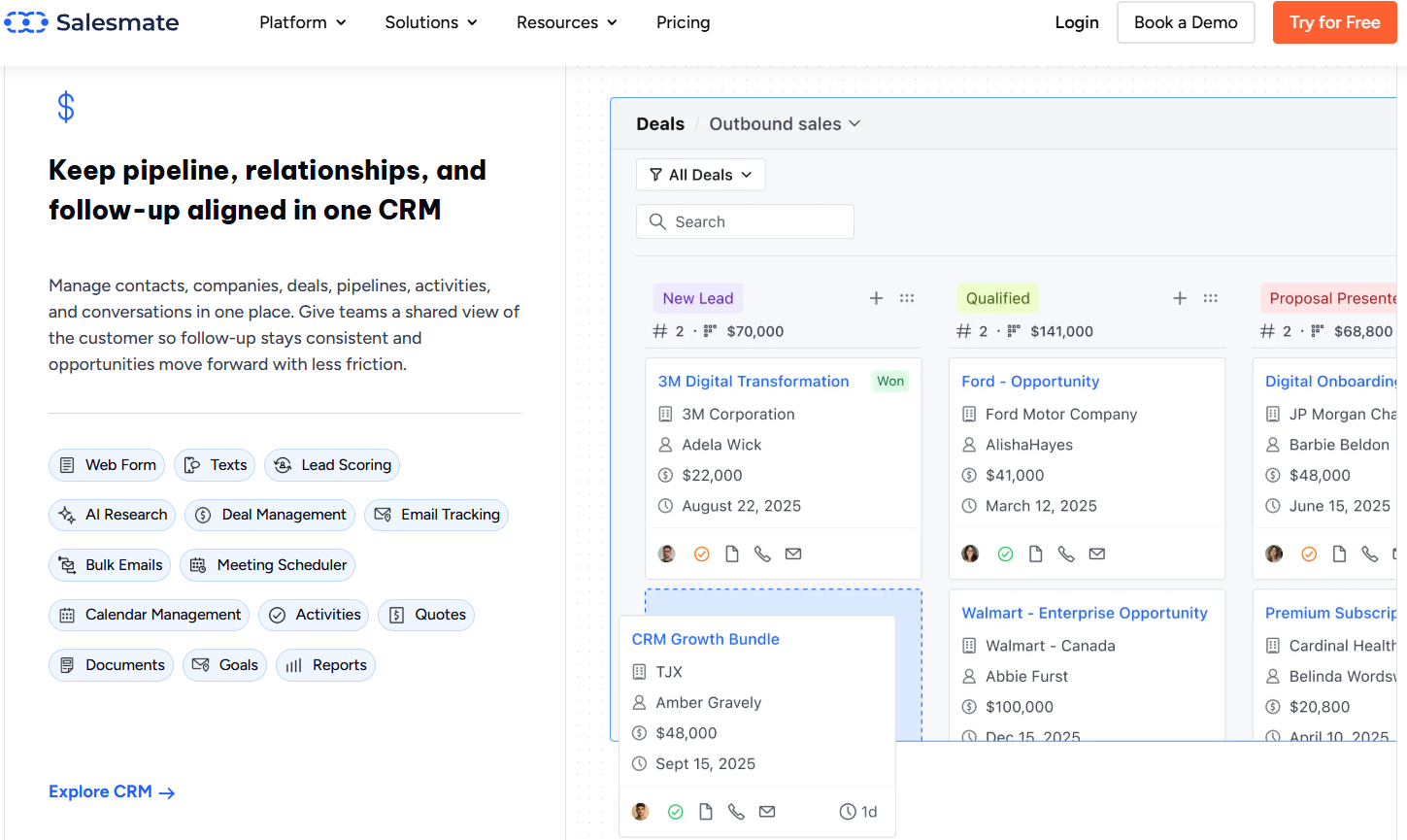
Salesmate calls itself a “revenue operating system” that brings together sales, marketing, and support on one platform. It has AI automation built into the core instead of being added on later. Skara, its AI agent, does all of the prospect research, follow-up writing, meeting scheduling, and call summaries on its own.
The Basic plan costs $23 per user per month, which is a good deal for a small business that sells. The platform’s built-in calling, two-way SMS, and unified inbox mean that you don’t need to buy separate communication tools, which keeps the overall cost of the tech stack down.
Why it works for small businesses:
- AI agent Skara does prospect research, follow-ups, and meeting scheduling automatically, and it doesn’t cost anything extra.
- One platform with built-in calling, two-way SMS, and a unified inbox
- Visual pipeline with automated triggers for follow-ups based on stages
- Prices that are clear and don’t have any hidden fees at the entry level
Honest limit: Salesmate is a newer platform, and its ecosystem depth third-party integrations, community resources, and partner support isn’t as good as HubSpot’s or Salesforce’s yet. The connector library may not have as many options as expected for teams that need to connect Salesmate to tools that are specific to their industry.
Basic price: $23 per user per month. Pro: $39 per user per month. $63 per user per month for businesses. Business: made to order. All payments are made once a year.
Integrate IQ note: If you’re thinking about using Salesmate as a stepping stone before moving to HubSpot as your business grows, Integrate IQ will take care of that move. If you want to keep Salesmate in place while adding more features, we can also make connections between it and other tools you already use.
11. Open-source CRMs (SuiteCRM, Odoo, EspoCRM) , best for technical teams that want zero licensing cost
None of the ten tools above involve self-hosting, and for most small businesses that’s the right call. But there’s a real audience this list has been skipping: teams with in-house development capacity, or a relationship with a developer, who want to own their CRM outright rather than pay a per-seat fee forever. SuiteCRM and EspoCRM are free, open-source, and offer unlimited users and full source-code access; Odoo extends the same model into a broader ERP suite (CRM, accounting, inventory, HR) under one open license.
Best for: Startups and agencies with technical staff who can handle self-hosting, security patching, and ongoing maintenance themselves, and who value full data ownership over convenience.
Honest limitation: “Free” means free of license fees, not free of cost. You’re trading a subscription for hosting infrastructure, security upkeep, and the engineering time to configure and maintain it there’s no vendor support line to call when something breaks. For a small business without dedicated technical staff, the total cost of ownership often ends up higher than a $14/user SaaS plan once you account for the time spent.
A Comparison of These 10 CRMs for Small Businesses
| CRM | Best For | Standout Feature | HubSpot Integration | Starting Price | IQ Migration Support |
| HubSpot | Overall winner | All-in-one hubs + Breeze AI | N/A (it’s us) | Free / $15/seat+ | Yes , full migration |
| Zoho CRM | Budget-conscious teams | Zoho One suite breadth | Yes | $14/user/mo | Yes , custom modules |
| Pipedrive | Sales-only teams | Visual pipeline UX | Yes | $24/user/mo | Yes ,activity mapping |
| Freshsales | AI at low price points | Freddy AI from Growth tier | Yes | $9/user/mo | Yes |
| Keap | Solopreneurs, consultants | CRM + invoicing + scheduler | Via Zapier | $249/mo (2 users) | Yes, automation rebuild |
| Monday CRM | Monday.com users | Board-based visual pipeline | Yes | $10/seat/mo | Yes |
| Nutshell | Simple CRM + great support | Support quality + campaigns | Via integration | $19/user/mo | Yes ,clean mapping |
| Copper CRM | Google Workspace teams | Native Gmail sidebar | Yes | $9/user/mo | Yes |
| Insightly | Sell + deliver teams | CRM-to-project conversion | Via AppConnect | $29/user/mo | Yes ,task rebuild |
| Salesmate | AI-first sales teams | Skara AI agent built-in | Via Zapier | $23/user/mo | Yes |
One thing worth doing before you commit: pull up live ratings. Pricing pages and feature lists change quietly and often; G2 and Capterra reviews are the one signal that updates in near real time and reflects what day-to-day use actually feels like, not just what’s on the pricing page. Several competing roundups for this exact keyword build their entire ranking around current G2 scores rather than vendor claims. Before you commit to any CRM on this list, spend ten minutes on its G2 profile check review recency and read a couple of the most recent 3-star reviews specifically, since that’s usually where the honest trade-offs show up.
How to Pick the Best Salesforce Alternative for Your Small Business
There are three things that determine the best CRM for you: what your team does every day, how much you can spend on a tool that will take 6 to 12 months to show a full return on investment, and how much integration complexity you’re willing to handle. Framed differently, this whole list is really an answer to one question: what are the best crm alternatives for small sales teams that don’t need enterprise-grade complexity to close deals?
Answer these questions in the order they are given:
- Do you need to do both marketing and sales on the same platform? If so, that narrows the list down to HubSpot, Zoho, Freshsales, Keap, or Salesmate. Monday and Pipedrive don’t do a good job of covering marketing. Copper, Nutshell, and Insightly cover it in part.
- How many people do you want to start with, and how much money do you have to spend? Zoho (free for up to 3 users) and Freshsales (Growth at $9/user) are the best values for businesses with fewer than 5 users. HubSpot’s Starter bundle for $15 per seat covers the basics for up to 10 users who want full functionality. The best option for a growing team is HubSpot Professional, which costs $800 per month for five seats.
- Does your team spend a lot of time in Google Workspace? Copper gets rid of the biggest complaint about small-team CRMs: having to switch contexts to log activity. This is because everything goes through Gmail and Google Calendar. Think about Copper before you go with a bigger platform.
- Do you sell projects and then deliver them? At this price point, Insightly’s CRM-to-project conversion is the only native way to do that workflow. Before committing to a CRM and a separate project tool, agencies and professional services firms should think about it.
- Are you moving from Salesforce with a lot of complicated data, like custom objects, Apex triggers, record types, and complicated workflows? That migration needs help from people who are there. Don’t try it with a tool that comes with your computer. Our CRM migration service includes everything from checking the data to rebuilding the workflow to training users.
A few names worth a mention since you’ll run into them elsewhere: Microsoft Dynamics 365, Creatio, Bitrix24, and Vtiger all show up regularly on broader “Salesforce alternatives” lists. They’re not on our top 10 for a specific reason each one is built for a different buyer than the small business this guide is written for. Dynamics 365 is strongest for companies already standardized on Microsoft 365 that need CRM and ERP in one environment, but it carries enterprise-level pricing and complexity. Creatio leans into no-code workflow automation and agentic process design, which is genuinely powerful but is overkill for a 10-person sales team. Bitrix24 and Vtiger are worth a look if you specifically want an all-in-one collaboration suite (chat, tasks, CRM) bundled together, though both trade some CRM-specific depth for that breadth. None of these are wrong choices they’re just answering a slightly different question than “what’s the simplest, cheapest path off Salesforce for a small team.
What It Really Looks Like to Switch from Salesforce to HubSpot
What It Really Looks Like to Switch from Salesforce to HubSpot
Salesforce to HubSpot is the most common type of migration we do. Here’s the truth about what that means:
Contacts, companies, deals, notes, tasks, email threads, and custom field values are all examples of data that moves smoothly. These are normal objects that connect the two platforms directly.
Salesforce record types, Apex triggers, complicated workflow rules, custom report types, and role-based permission hierarchies are all examples of data that needs to be rebuilt. You can’t just copy and paste these into HubSpot; you need to change them to fit how HubSpot does the same thing.
Timeline: The standard migration from Salesforce to HubSpot takes 8 weeks, from the start to the go-live date. That includes mapping data, moving fields, rebuilding workflows, setting up integration with your current tools (like Quickbooks, Stripe, Zendesk, or whatever else you use), and training your team.
When it fails without help: The most common problems with DIY Salesforce migrations are custom field mapping mistakes that mess up deal history, broken automation that doesn’t work on the HubSpot side, and missing user permission structures that make it hard to access data. We’ve cleaned up enough of these to see the patterns.
The level of difficulty for migrating from any of the other CRMs on this list is different:
- Zoho: You need to manually map custom modules and Deluge scripts. Plan for 2 to 3 extra weeks on a complex Zoho instance.
- Pipedrive: You need to map activity types field by field. It’s easier than Salesforce but not easy.
- Keap: You need to rebuild campaign automations in HubSpot’s workflow engine, which is usually the most time-consuming part.
- Freshsales, Nutshell, Copper, Insightly, and Salesmate: Standard contact and deal migrations take about 4 to 6 weeks.
See your 12-month revenue impact with HubSpot CRM
Enter your current numbers — visitors, leads, deal size — and get a personalized projection based on real HubSpot customer benchmarks.

Questions That Are Often Asked
What are alternatives to Salesforce Essentials?
Salesforce Essentials was Salesforce’s own entry-level, small-business tier; it was renamed Starter Suite and now runs about $25/user/month. Since Essentials was built for the exact audience this guide targets, every option ranked above is a fair alternative. The closest direct swaps are Zoho CRM and Freshsales, both land at a similar per-user price point and cover the same core sales functionality Essentials offered. HubSpot’s free tier or Starter bundle ($15/seat) covers the same ground with more room to grow into marketing automation later, which Essentials never really offered. If simplicity was the reason you picked Essentials in the first place, Pipedrive is worth a look too.
What are the best Salesforce alternatives for enterprise sales teams?
Honestly, this guide isn’t the right resource for that question, it’s built specifically for small businesses, and most of the tools ranked above (Zoho, Pipedrive, Freshsales, Keap, Nutshell) aren’t designed to handle enterprise-scale sales orgs, multi-region rollouts, or complex approval hierarchies. For a genuine enterprise sales team, the realistic options are narrower: Microsoft Dynamics 365 if you’re standardized on Microsoft 365 and need CRM and ERP together, Creatio for teams that want deep no-code workflow and process automation, or HubSpot Enterprise, which scales further than most people expect before you hit real limits. In some cases, staying on Salesforce itself (just on the right edition, with a properly resourced admin team) is still the correct answer at true enterprise scale, the problem this article addresses is Salesforce pricing and complexity for small teams, not Salesforce as a platform.
Is HubSpot really better for small businesses than Salesforce?
Yes, for most small businesses. HubSpot is a much easier CRM for teams with fewer than 100 users because it has all-in-one pricing, a shorter implementation time, and no need for an admin. Salesforce is the best choice when you need a lot of customization, complicated multi-cloud deployments, or the depth of the AppExchange ecosystem. These are situations that usually only apply to mid-market and enterprise buyers, not small businesses.
How much does Salesforce really cost for a small business with 10 employees?
Salesforce Sales Cloud Enterprise costs $165 per user per month, so a team of 10 people would pay $1,650 per month before adding Marketing Cloud ($1,250+ per month), implementation costs ($5,000–$15,000 for a proper Salesforce setup), and the admin resource to keep it running. The starting price of $25 per user per month doesn’t mean that a 10-person SMB on Salesforce will only cost $40,000 to $60,000 a year.
Can I move my Salesforce data to another CRM without losing anything?
Yes, but “proper planning” means doing real work. CSV export and import usually work well for moving contacts and companies. In the destination CRM, you have to manually rebuild custom objects, workflow rules, Apex triggers, and complex reporting configurations. Native import tools can probably handle 60–70% of a real Salesforce instance. If you do it without help, the last 30% is where data loss and automation failure happen.
How long does it take to move from Salesforce to HubSpot?
Integrate IQ’s migration takes 8 weeks from start to finish for a small business with a fairly standard Salesforce setup (contacts, companies, deals, basic workflows, and a few custom fields). Salesforce instances that are complicated and have custom objects, Apex triggers, or deep AppExchange dependencies usually take 10 to 14 weeks to set up. That includes moving data, rebuilding workflows, setting up integrations, and training the team.
For a group of five, which Salesforce alternative is the least expensive?
Freshsales Growth costs $45 a month for five users, or $9 a month for each user. The Standard plan from Zoho costs $70 a month. The Copper Starter plan costs $45 a month. HubSpot’s free CRM doesn’t cost anything, but it quickly runs out of features. HubSpot Starter is the best value for 5 users who need useful automation and reporting. It costs $15 per seat per month, or $75 per month. The real question isn’t which one is the cheapest to start with; it’s which one gets around the upgrade wall the fastest.
Can I still use Salesforce while I switch to a new CRM?
Yes, and for most businesses, that’s the best way to go. During migration, your team can keep working while the new CRM is set up and the data is checked by running parallel systems for 4 to 8 weeks. Integrate IQ often sets up a temporary two-way sync between Salesforce and HubSpot during migrations to make sure that no data is lost during the move.
Is there a free or open-source Salesforce alternative for small business?
Yes. SuiteCRM and EspoCRM are free, open-source CRMs with no per-seat licensing fee and full source-code access; Odoo offers a similar open model extended into a broader business suite (CRM plus accounting, inventory, and HR). The trade-off is that ‘free’ refers to licensing only you still need someone to host, secure, and maintain the system, which usually means a developer on staff or on retainer. For most small businesses without in-house technical capacity, a low-cost SaaS plan like Zoho or HubSpot’s free tier ends up cheaper in total once you account for that maintenance time.
What’s the difference between AI features and an autonomous AI agent in a CRM?
AI features assist a process a human still runs scoring a lead, drafting an email, summarizing a call. An autonomous AI agent runs the process itself, most commonly data entry: pulling contact and company information from email and calendar activity and updating CRM records without anyone typing it in. HubSpot’s Breeze and Zoho’s Zia fall into the first category; tools like Coffee and Salesmate’s Skara agent are built around the second. If manual data entry is the specific pain point pushing you off Salesforce, ask any CRM vendor directly which category their AI falls into the marketing language often blurs the two.
Are you ready to move your small business off of Salesforce?
- Changing CRMs is a lot of work. It takes time and skill to plan, move data, rebuild workflows, set up integrations, and train your team. If you do it wrong, your data will be corrupted and your automation will break, which will slow your team down for months.
- We are a HubSpot Diamond Solutions Partner and have moved clients across more than 300 platform combinations and processed more than 20 billion records. We take care of the most important parts: getting your data from where it is to where it needs to be, on time and without any problems.
- If you’re ready to think about making the switch, check out how our HubSpot integration process works. If you’ve already made up your mind and want to talk about the details, our CRM migration service covers the whole process, from planning to going live.



Table of Contents
- What to Look for in a Different Salesforce
- Quick implementation without a consultant
- 1. HubSpot is the best all-around Salesforce alternative for small businesses.
- 2. Zoho CRM is the best budget option with real depth of features.
- 3. Pipedrive is best for sales teams that want things to be simple.
- 4. Freshsales is the best choice for AI-powered sales automation at lower prices.
- 5. Keap is the best choice for small teams and solopreneurs who want both CRM and marketing automation in one place.
- 6. Monday CRM is best for teams that already use Monday to manage their projects.
- 7. Nutshell is best for small teams that want a simple CRM with good customer service.
- 8. Copper CRM is best for teams that run their business in Google Workspace.
- 9. Insightly is the best choice for small businesses that sell and deliver projects.
- 10. Salesmate is the best choice for small teams that want AI-powered sales without having to pay for setup.
- A Comparison of These 10 CRMs for Small Businesses
- How to Pick the Best Salesforce Alternative for Your Small Business
- What It Really Looks Like to Switch from Salesforce to HubSpot
- Questions That Are Often Asked

